


Project Showcase – Case Studies, Project Portfolio & Project Grid
Show finished projects as case studies with client, dates, value and project links in a grid, slider or list. No coding needed.

Choix
Yes — Project Showcase is a safe, well-maintained plugin to use in 2026. It runs on 200+ sites, is rated 5/5 and was last updated 4 weeks ago, and scores 81/100 on our health check.
- Développé activement — Dernière mise à jour il y a 4 semaines
- Testé avec le dernier WordPress (7.1)
- Petite base d'utilisateurs (plus de 200 installations actives)
Comment s'accumule-t-il ?
Côte à côte sur les installations, les mises à jour, les évaluations et le support



Téléchargements quotidiens
Les pics de téléchargement suivent généralement une nouvelle version - chaque site qui met à jour automatiquement compte comme un téléchargement.
Classements
Where Project Showcase stands todayWordPress.org Classements de recherche
Position en direct dans la recherche de plugins, Top 100| Mot-clé | Position |
|---|---|
| case study | #3 |
| portfolio | #41 |
| portfolio grid | #30 |
| project showcase | #3 |
| projects | #2 |
Adoption de version
Part de sites actifs par version.
Répartition des notes
★★★★★ ★★★★★ 5 sur 6 avis
About Project Showcase
From the official readme · v3.0.5Description
GS Projects turns your finished work into case studies that win new clients. Add each project once with its image, description, client, dates, duration, project value and a link to the live result, then display your projects anywhere as a grid, slider, horizontal card or list. Pick a design in the shortcode builder, see it in the live preview, and paste one shortcode or block.
Each project gets its own page or popup, so visitors can read the full story without leaving your projects page.
👉 Live demo · Documentation · Pro features · Pricing · Support
Who it’s for
- Agencies and freelancers: client projects and case studies with results.
- Developers: websites and apps you’ve built, with links to the live sites.
- Construction, architecture and engineering firms: completed projects with client, duration and value.
- Consultants and service businesses: past engagements that prove you can deliver.
Why site owners choose GS Projects
- Built for case studies: fields for tagline, client, start and end dates, duration, project value, project URL and extra details of your own.
- Set up in minutes: a dedicated Projects menu, a shortcode builder with live preview, and one-click demo data.
- Looks right on every screen: set columns for desktop, tablet and mobile.
- Works with your builder: Gutenberg block, Elementor, Divi, WPBakery, Beaver Builder, Oxygen and the Newspaper theme.
Fonctions gratuites
- 8 designs across grid, slider, horizontal and list layouts.
- Shortcode builder with live preview: create, edit, clone and delete project shortcodes.
- Open projects in a popup or on a single project page.
- Project details: tagline, client name, start and end dates, duration, project value, project URL and additional custom fields.
- Responsive columns for desktop, tablet and mobile.
- Categories and tags: include or exclude them to choose which projects appear.
- Sorting by date, title or ID.
- Typography settings for titles, taglines and details.
- Custom image sizes.
- Unlimited projects.
- Custom CSS and template overrides in your child theme.
- Translation ready.
Pro features
GS Projects Pro adds:
- Filter view: category tabs so visitors can sort your projects.
- Masonry view.
- 57 more designs, including metro, justified, timeline and extra grid, slider, horizontal and list designs.
- Client review and star rating on each project.
- Image galleries, video and audio for each project.
- Skills or technologies and project status (completed, in progress and more).
- Drag-and-drop custom order for projects.
- More popup, arrow and dot designs.
- Priority email support.
Plans start at $49 per year, with a 7-day money-back guarantee. Compare Pro plans.
Comment cela fonctionne
- Go to GS Projects > Add New Project. Add the title, description and featured image, then fill in the client, dates, value and project URL, and choose a category.
- Go to GS Projects > Shortcode, create a shortcode and pick a view and design. The live preview updates as you change settings.
- Copy the shortcode, for example
[gsprojects id=1], into any page or post, or use the GS Projects block or widget in your page builder.
Each shortcode has three tabs:
- General: view, design, link type (popup or single page), image size and which details to show.
- Style: columns per device and typography for titles, taglines and details.
- Query: how many projects to show, sorting, and which categories and tags to include or exclude.
Shortcode usage
[gsprojects id=1]
In a theme file:
<?php echo do_shortcode( '[gsprojects id=1]' ); ?>
See the documentation for every option.
Soutien
Free users get help in the WordPress.org support forum. Pro users get priority email support through our help desk. We reply as soon as we can, excluding holidays.
More plugins from GS Plugins
- GS Logo Slider: client, partner and sponsor logos in sliders, carousels, tickers and grids.
- Solid Testimonials: customer reviews and quotes in sliders, grids and masonry layouts.
- GS Team Members: team pages and staff directories with profiles and social links.
- GS Portfolio: show your work in grid, slider, list and filterable layouts.
- GS Books Showcase: books with authors, ratings and galleries in 35+ designs.
- GS Coaches: coach and trainer profiles with skills and certifications.
- GS Posts Grid: blog posts in 50+ grid, list and slider styles.
- GS WooCommerce Products Slider: product sliders and carousels for your shop.
- GS Variation Swatches: color, image and button swatches for WooCommerce variations.
- GS WooCommerce Brands: add brands to products with logos, filters and sliders.
- GS Pinterest Portfolio: embed Pinterest pins and boards.
- GS YouTube Gallery: YouTube videos, playlists and channels in galleries.
- PowerUp: redirects, restrictions and admin tools for WordPress.
Installation
À partir de votre tableau de bord WordPress
- Go to Plugins > Add New and search for GS Projects.
- Cliquez sur Installer maintenant, puis sur activer.
- A GS Projects menu appears in your dashboard.
By uploading the zip file
- Download
gs-projects.zip. - Go to Plugins > Add New > Upload Plugin, choose the file and click Install Now.
- Activez le plugin.
By FTP
- Téléchargez le dossier
gs-projectsà/wp-content/plugins/. - Activate the plugin from Plugins in your dashboard.
Then add [gsprojects id=#] where you want the projects to show. See the setup guide for screenshots of each step.
Journal de modifications
Fixes broken pricing links.
Version 3.0.5 [27th Oct 2026]
- [Fixed]: Broken pricing links.
Version 3.0.4 [29th Sep 2026]
- [Fixed]: Taxonomy switcher.
Version 3.0.3 [20th Aug 2026]
- [Updated]: Sort doc link.
Version 3.0.2 [23rd Jun 2026]
- [Fixed]: Broken pro link.
Version 3.0.1 [3rd Jun 2026]
- [Added]: Gutenberg block options.
- [Fixed]: Taxonomy ordering issues.
- [Fixed]: Block loading and textdomain issues.
- [Updated]: Block name for WordPress.org compatibility.
- [Updated]: Icons for all addons.
Version 3.0.0 [5th Mar 2026]
- [Updated]: Rewritten the plugin.
Captures d'écran


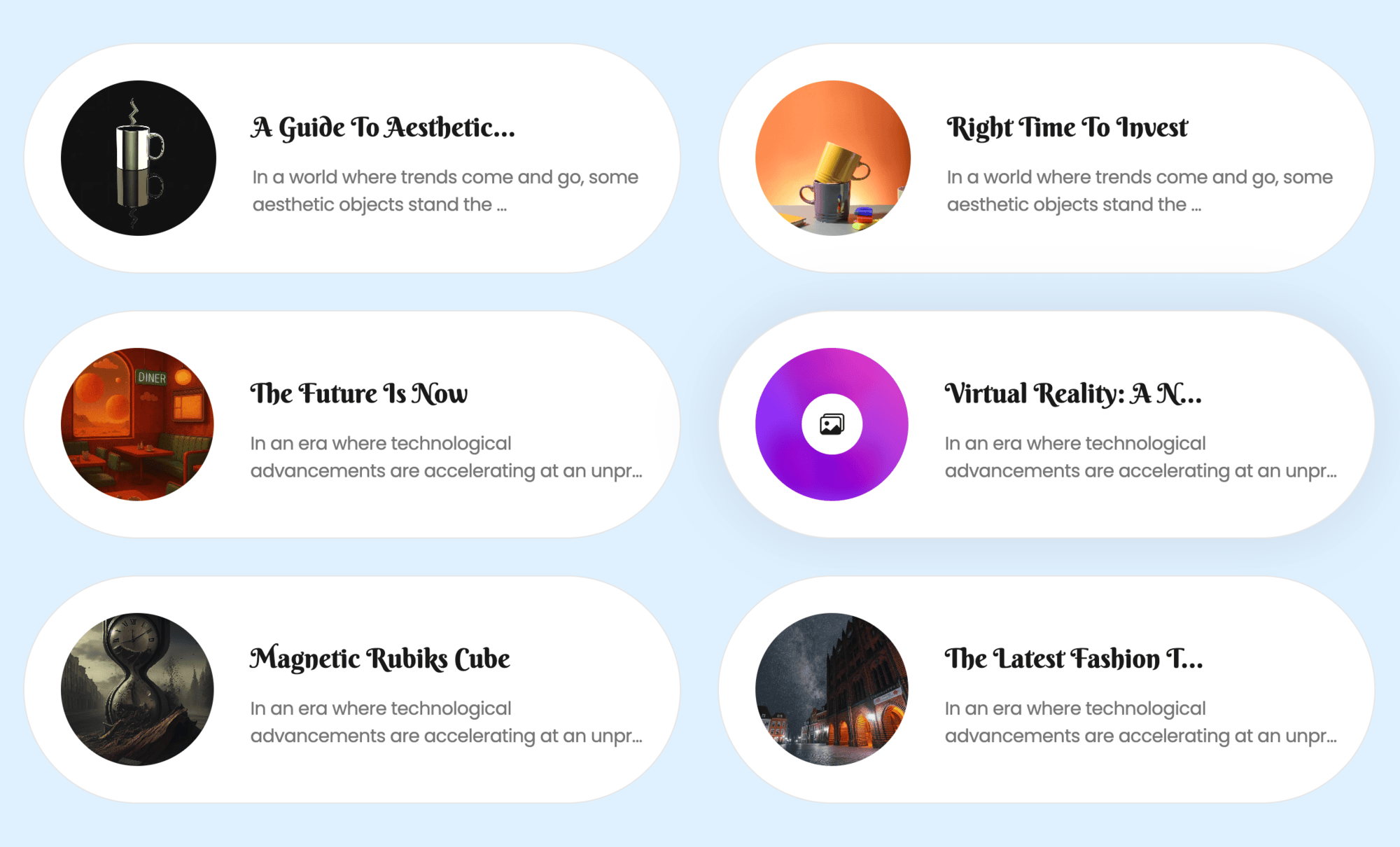
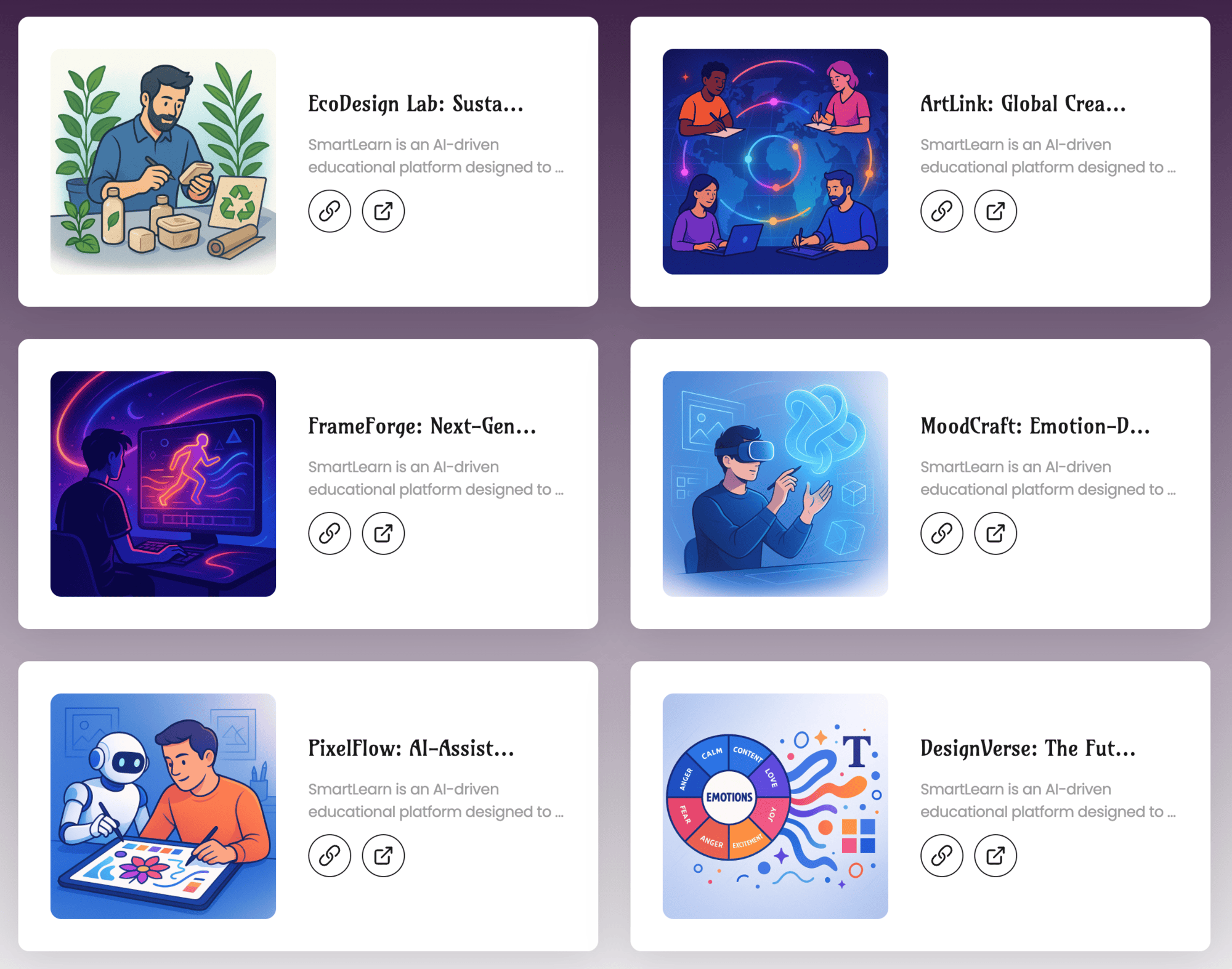

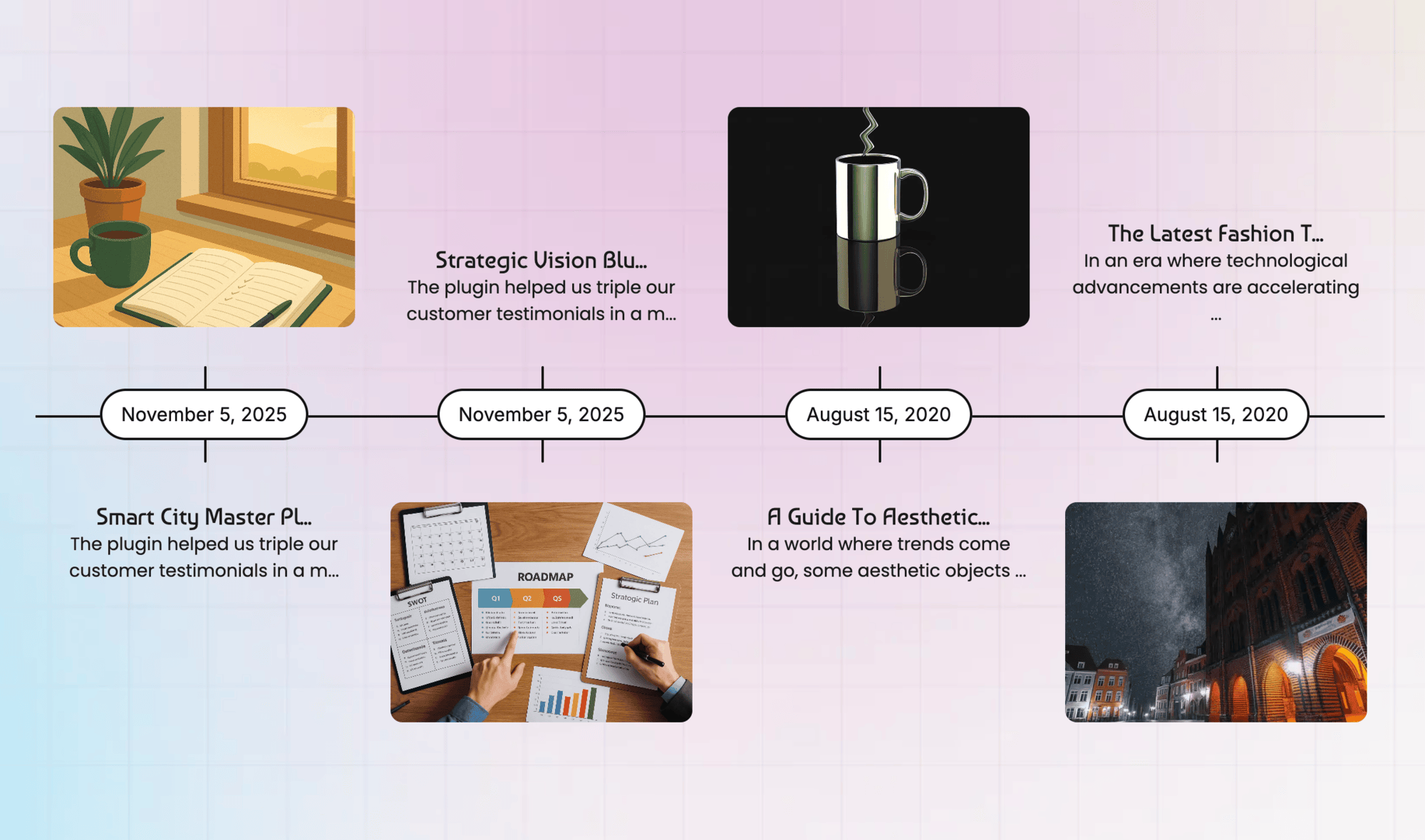
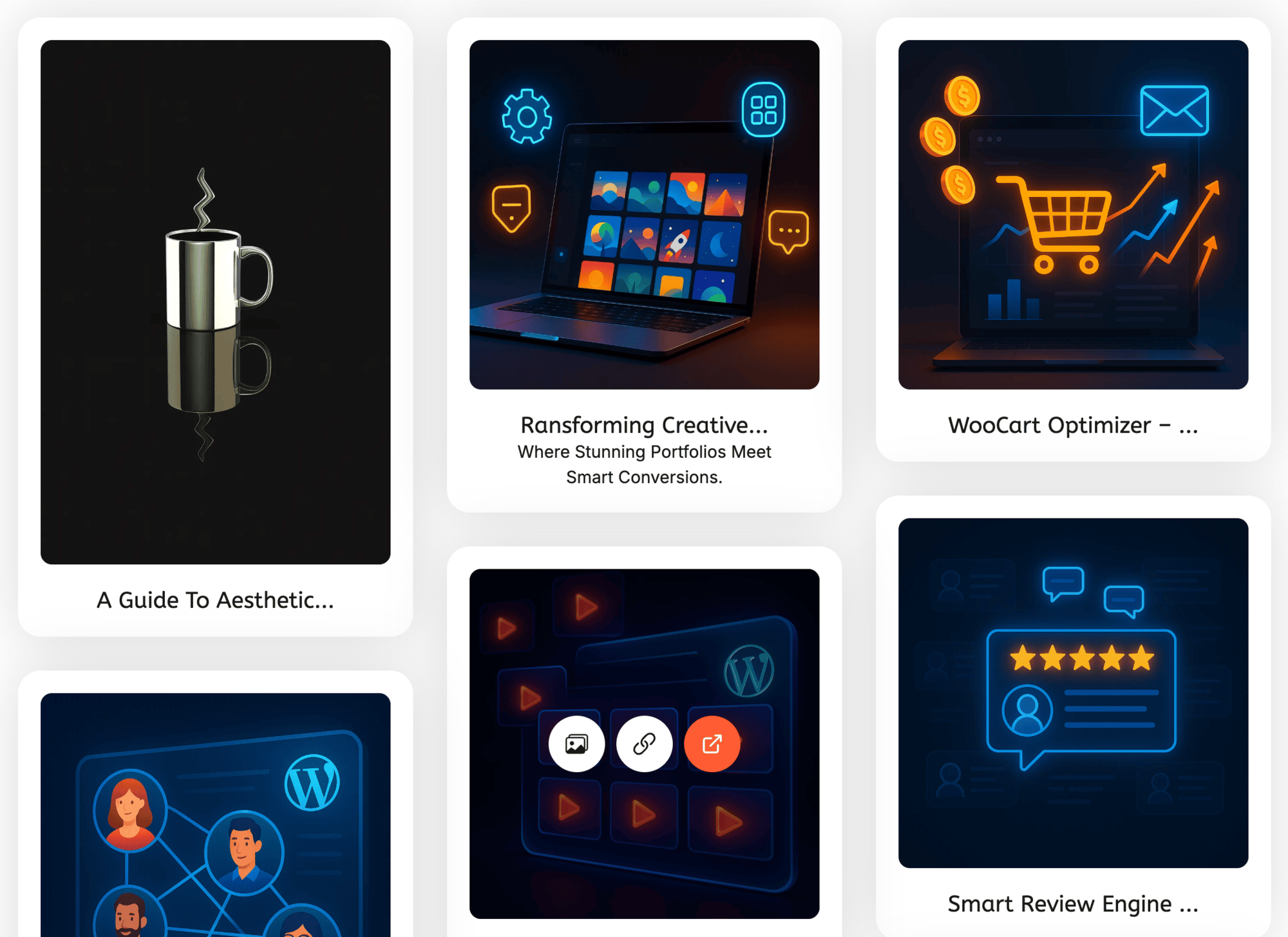


Pour les développeurs
Est-ce votre plugin ? Montrez les chiffres.
Ajoutez un badge en direct à votre site, docs ou github readme. Il se met à jour par lui-même - aucun compte n'est nécessaire.
Best Project Showcase alternatives
All case study plugins →


FAQ
Project Showcase: quick answers
Réponses directes, extraites des données en direct WordPress.org.
Source : WordPress.org
Is Project Showcase free?
Yes. Project Showcase is free to download and use from the official WordPress.org plugin directory.
Is Project Showcase safe to use in 2026?
Yes — Project Showcase is a safe, well-maintained plugin to use in 2026. It runs on 200+ sites, is rated 5/5 and was last updated 4 weeks ago, and scores 81/100 on our health check.
How many websites use Project Showcase?
Project Showcase is active on 200+ WordPress websites and has been downloaded 14,395 times since it launched in December 2016. It was downloaded 553 times in the last 30 days.
Does Project Showcase work with WordPress 7.1?
Yes. The developer has tested Project Showcase up to WordPress 7.1.5, the latest release. It requires WordPress 6.0 or newer.
What PHP version does Project Showcase need?
Project Showcase requires PHP 7.4 or higher. Most hosts run PHP 8.x today, so it works on any modern WordPress hosting.
When was Project Showcase last updated?
The latest version, 3.0.5, was released on November 3, 2026 (4 weeks ago).
Who makes Project Showcase?
Project Showcase is developed and maintained by GS Plugins.
What are the best alternatives to Project Showcase?
The most popular alternatives to Project Showcase are Case Study Ninja (20+ installs), CCLEE Toolkit (<10 installs) and Ananyoo Accessible Portfolio (<10 installs).
Propulsé par PageForge
Un modèle et une feuille de calcul. Une vraie page pour chaque recherche.
PageForge transforme chaque ligne d'un CSV en une page WordPress avec son propre titre, URL, SEO et schéma, construit sur la mise en page que vous Déjà conçu. Gratuit sur WordPress.org.
- CSV et XLSX, plus Google Sheets sur les professionnels et les entreprises
- Son propre titre, URL, SEO champs et schéma pour chaque page
- Fonctionne avec l'éditeur de blocs, Elementor, Divi et Avada
- Gratuit sur WordPress.org, pas de carte de crédit