


PM frontal
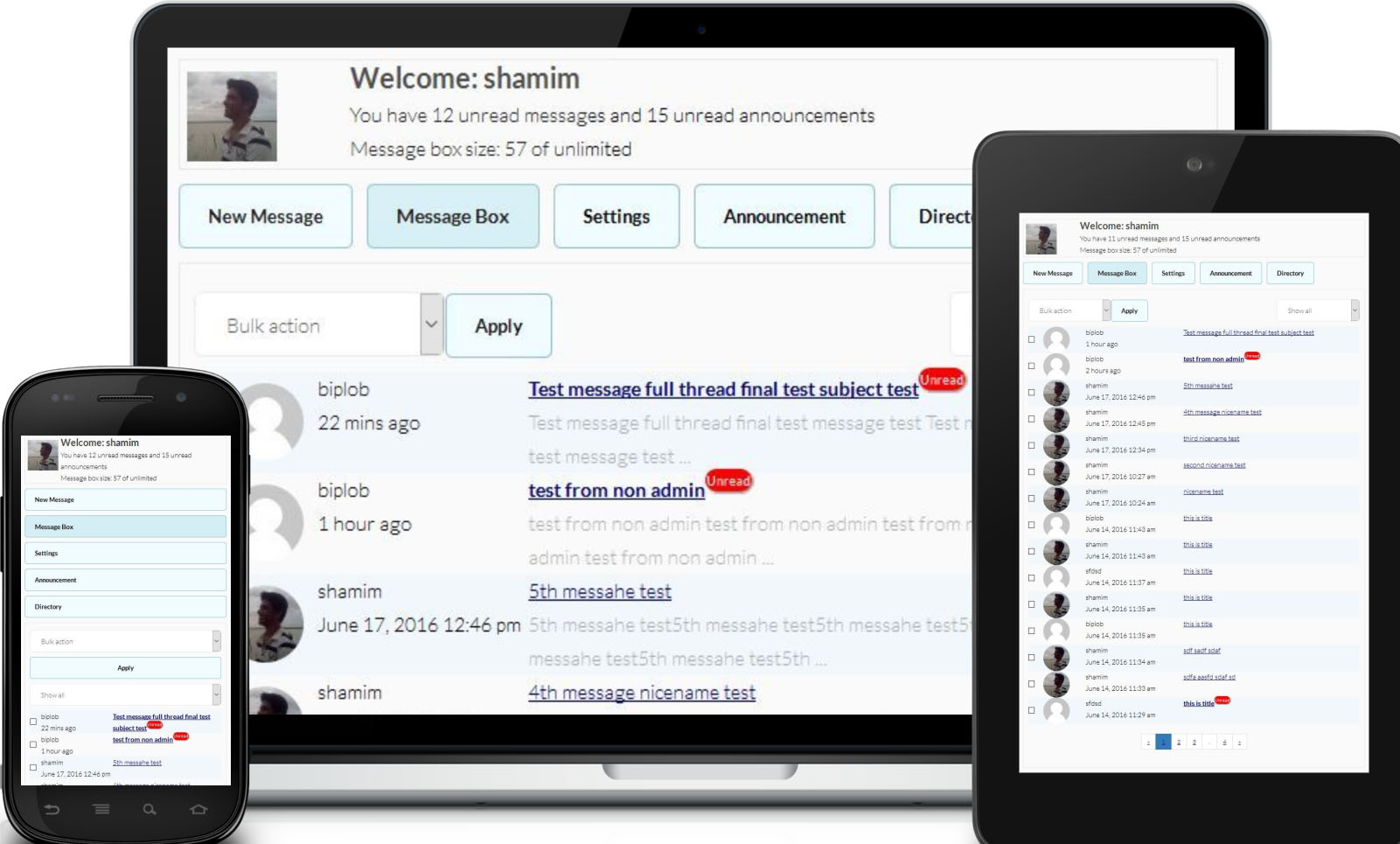
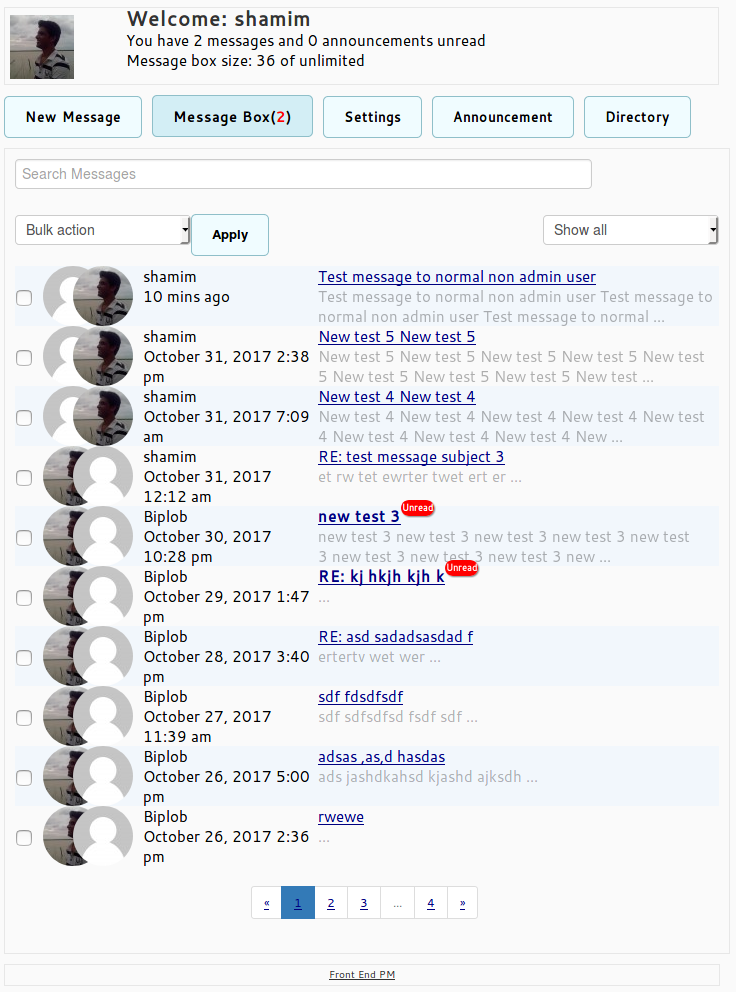
Front End PM is a Private Messaging system and a secure contact form to your WordPress site.This is full functioning messaging system from front end.

Choix
Yes — Front End PM is a safe, well-maintained plugin to use in 2026. It runs on 4K+ sites, is rated 4.8/5 and was last updated 1 month ago, and scores 88/100 on our health check.
- Loved by users — 4.8/5 from 220 reviews
- Testé avec le dernier WordPress (7.1)
Comment s'accumule-t-il ?
Côte à côte sur les installations, les mises à jour, les évaluations et le support



Téléchargements quotidiens
Les pics de téléchargement suivent généralement une nouvelle version - chaque site qui met à jour automatiquement compte comme un téléchargement.
Classements
Where Front End PM stands todayWordPress.org Classements de recherche
Position en direct dans la recherche de plugins, Top 100| Mot-clé | Position |
|---|---|
| bavarder | >100 |
| contact | >100 |
| message | #22 |
| pm | #1 |
| private message | #6 |
Adoption de version
Part de sites actifs par version.
Répartition des notes
★★★★★★★★★★ 4.8 from 220 reviews
About Front End PM
From the official readme · v11.4.7Description
Front End PM is a Private Messaging system to your WordPress site.This is full functioning messaging system from front end. The messaging is done entirely through the front-end of your site rather than the Dashboard. This is very helpful if you want to keep your users out of the Dashboard area.
Some Front End PM PRO Features
- Multiple Recipients
- Only admin
- Group message
- Email Piping
- Read Receipt
- Modèle d'email
- Announcement Email queue
- Role to Role Block
Some Useful Link
- Basic Admin Settings
- Basic Walkthrough
- Remove minlength
-
If you want paid support you can contact with me through Front End PM paid support
Traits
- Works through a Page rather than the dashboard. This is very helpful if you want to keep your users out of the Dashboard area!
- Users can privately message one another
- Threaded messages/Individual message
- Ability to embed things into messages like YouTube, Photobucket, Flickr, WordPress TV, more.
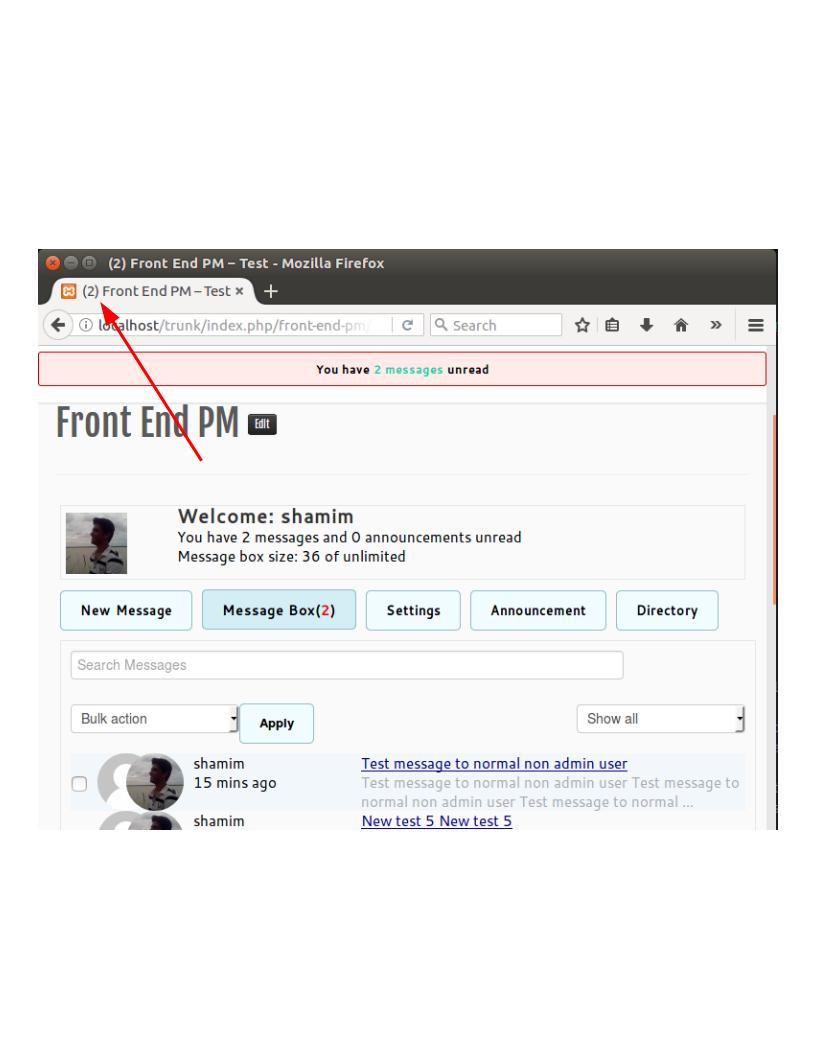
- Notification sound.
- Desktop notification.
- Admins can send a public announcement for all users to see or to perticular role(s).
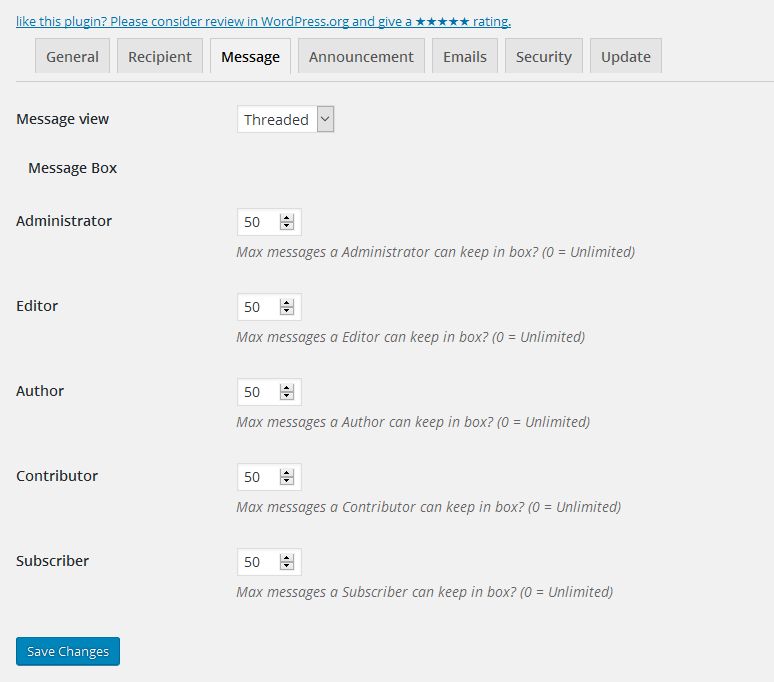
- Admins can set the max amount of messages a user can keep in his/her box per role basis. This is helpful for keeping Database sizes down.
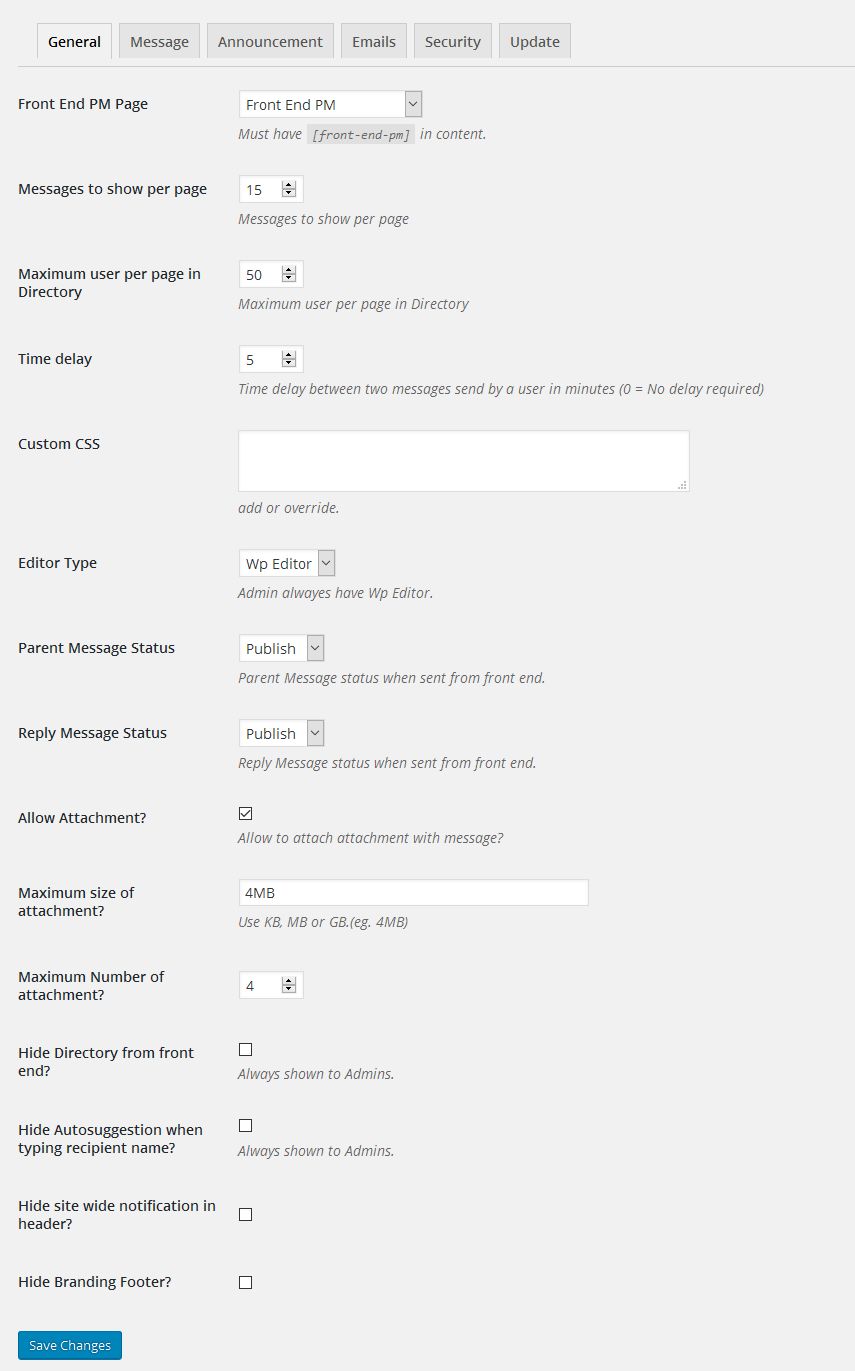
- Admins can set how many messages to show per page in the message box.
- Admins can set how many user to show per page in front end directory.
- Admins can set will email be sent to all users when a new announcement is published or not.
- Admins can set “to” field of announcement email.
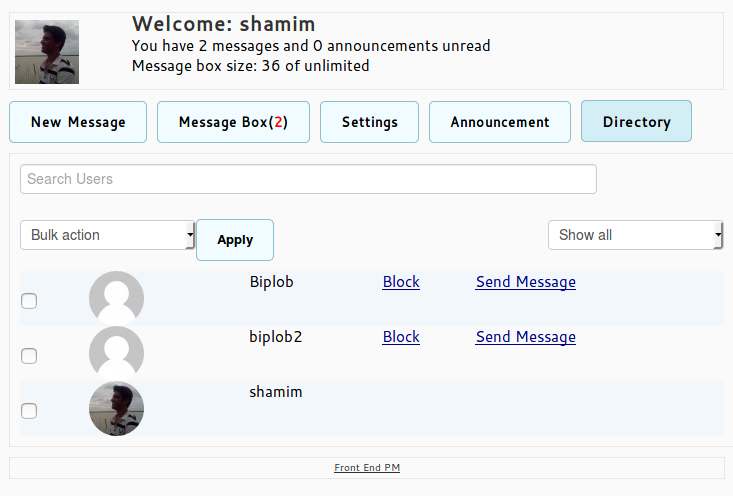
- Admins can set Directory will be shown to all or not.
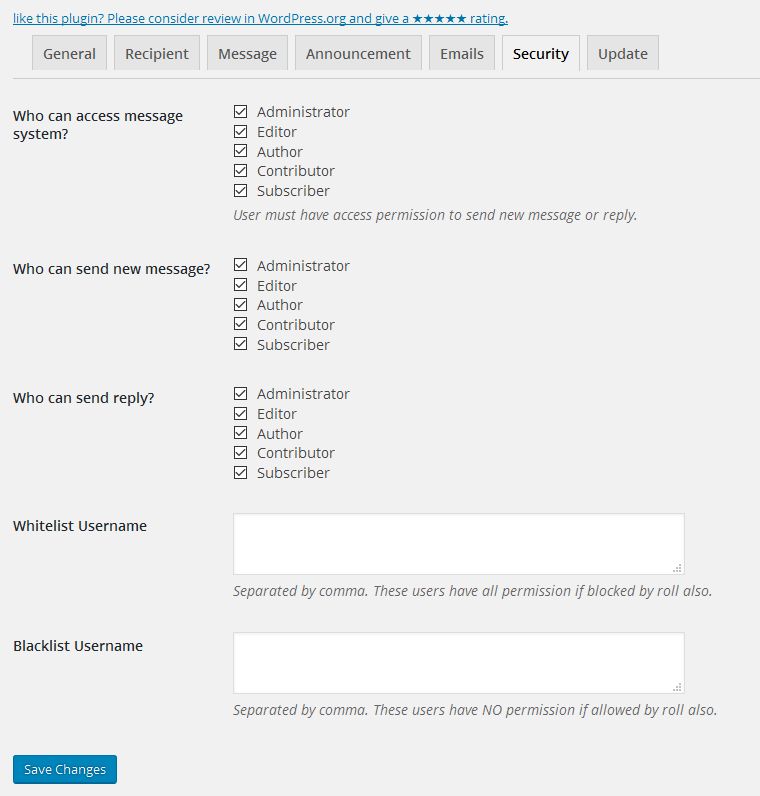
- Admins can block any user to send private message.
- Admins can set time delay between two messages send by a user.
- Admins can see all other’s private message.
- Admins can block all users to send new message but they can send reply of their messages.
- Admins can hide autosuggestion for users.
- There are three types of sidebar widget.
- Users can select whether or not they want to receive messages
- Users can select whether or not they want to be notified by email when they receive a new message.
- Users can select whether or not they want to be notified by email when a new announcement is published.
- Users can block other users.
Traduction
- please use wordpress translation.
Github
Installation
- Upload “front-end-pm” to the “/wp-content/plugins/” directory.
- Activez le plugin via le menu "Plugins" dans WordPress.
- Create a new page.
- Paste code
[front-end-pm]for Front End pm under the HTML tab of the page editor. - Publish the page add select this page as “Front End PM Page” in settings page of this plugin.
Need more instruction? you can visit Front End PM and contact with me for paid support.
Journal de modifications
Important update Tested up to updated
11.4.7
- Security release. Please update.
11.4.5
- Tested up to updated
11.4.4
- Tested up to updated
11.4.3
- Important update
- Tested up to updated
11.3.8
- Tested up to updated
11.3.7
- Added missing files
Captures d'écran

Pour les développeurs
Est-ce votre plugin ? Montrez les chiffres.
Ajoutez un badge en direct à votre site, docs ou github readme. Il se met à jour par lui-même - aucun compte n'est nécessaire.
Best Front End PM alternatives
Tous les plugins de chat →





FAQ
Front End PM: quick answers
Réponses directes, extraites des données en direct WordPress.org.
Source : WordPress.org
Is Front End PM free?
Yes. Front End PM is free to download and use from the official WordPress.org plugin directory.
Is Front End PM safe to use in 2026?
Yes — Front End PM is a safe, well-maintained plugin to use in 2026. It runs on 4K+ sites, is rated 4.8/5 and was last updated 1 month ago, and scores 88/100 on our health check.
How many websites use Front End PM?
Front End PM is active on 4K+ WordPress websites and has been downloaded 280,316 times since it launched in April 2014. It was downloaded 1,935 times in the last 30 days.
Does Front End PM work with WordPress 7.1?
Yes. The developer has tested Front End PM up to WordPress 7.1.5, the latest release. It requires WordPress 4.4 or newer.
What PHP version does Front End PM need?
Front End PM requires PHP 7.1 or higher. Most hosts run PHP 8.x today, so it works on any modern WordPress hosting.
When was Front End PM last updated?
The latest version, 11.4.7, was released on October 12, 2026 (1 month ago).
Who makes Front End PM?
Front End PM is developed and maintained by Shamim Hasan.
What are the best alternatives to Front End PM?
The most popular alternatives to Front End PM are Joinchat (700K+ installs), Floating Chat Widget: Conta… (300K+ installs) and Tidio (70K+ installs).
Propulsé par PageForge
Un modèle et une feuille de calcul. Une vraie page pour chaque recherche.
PageForge transforme chaque ligne d'un CSV en une page WordPress avec son propre titre, URL, SEO et schéma, construit sur la mise en page que vous Déjà conçu. Gratuit sur WordPress.org.
- CSV et XLSX, plus Google Sheets sur les professionnels et les entreprises
- Son propre titre, URL, SEO champs et schéma pour chaque page
- Fonctionne avec l'éditeur de blocs, Elementor, Divi et Avada
- Gratuit sur WordPress.org, pas de carte de crédit