


Widgets essentiels
Essential Widgets is a WordPress plugin for widgets that allows you to create and add amazing widgets with high customization option

Choix solide
Essential Widgets is a solid plugin choice in 2026, with a few things worth checking first. It runs on 10K+ sites, is rated 3.5/5 and was last updated 5 months ago, and scores 65/100 on our health check.
- Prouvé à grande échelle sur plus de 10 000 sites actifs
- Momentum — downloads up 16.9% vs the previous 30 days
- Très peu de critiques jusqu'à présent
Comment s'accumule-t-il ?
Côte à côte sur les installations, les mises à jour, les évaluations et le support


Téléchargements quotidiens
Les pics de téléchargement suivent généralement une nouvelle version - chaque site qui met à jour automatiquement compte comme un téléchargement.
Classements
Where Essential Widgets stands todayWordPress.org Classements de recherche
Position en direct dans la recherche de plugins, Top 100| Mot-clé | Position |
|---|---|
| categories | >100 |
| pages | >100 |
| des postes | >100 |
| tags | #91 |
| widgets | #11 |
Adoption de version
Part de sites actifs par version.
Répartition des notes
★★★★★★★★★★ 3.5 from 2 reviews
About Essential Widgets
From the official readme · v3.2.1Description
Essential Widgets – a free WordPress plugin for widgets allows you to create and add interesting widgets on your website to make it more attractive and welcoming. Essential Widgets stays true to the essence of its name and offers exactly what you expect from a widgets plugin—all the “essential” widgets for your website. The plugin has been crafted beautifully to draw the extra attention to the important parts of your website. Essential Widgets provides you with the ability to have more control over the widgets with the various customization options. This free WordPress plugin for widgets allows you to create 7 different interesting widgets on your website. All the 7 widgets provided to you comes with so many customization options and are very easy to use. So, with Essential Widgets plugin, customize the interesting widgets your way and display them anywhere you want on your website to make it more dynamic.
-
EW: Archives
The Archives widget comes with various customization options. Choose a title, limit the number of posts, select the archive type, post type, order and more with the Archives widget. -
EW: Authors
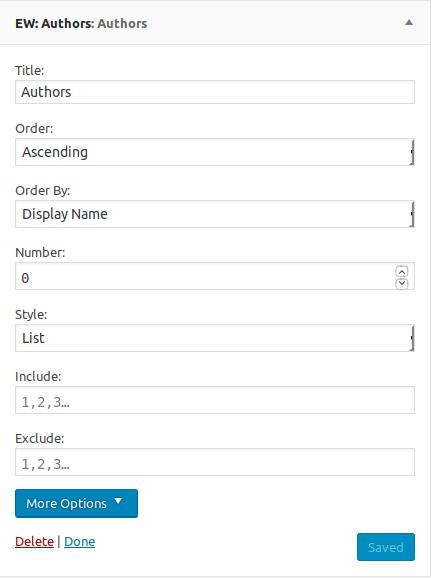
Displaying the author’s information is kind of a must-have feature if your website has multiple authors. Our new WordPress widgets plugin allows you to add Authors widget. With this widget, you can show the list of the authors on your website, the number of posts, select feed type, and more. -
EW: Categories
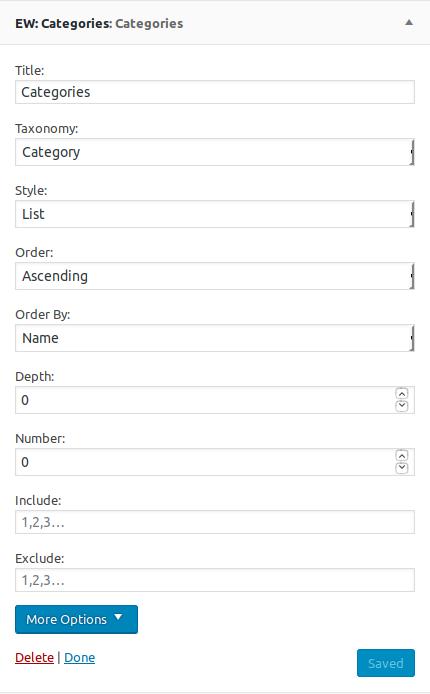
Essential Widgets Pro supports Categories widget. The widget provides you with various customizable options such as the title of the widget, taxonomy option, order option, number of categories to show, display as a list or none, number of posts to display, sort by option, select feed type ton display and display as text or image. -
EW: Menus
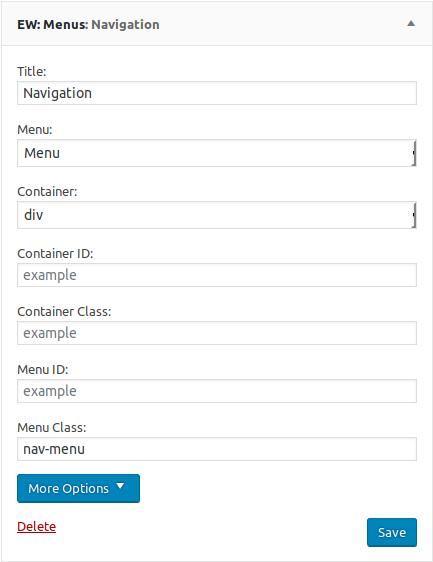
Bored with the same default menu? Our new WordPress plugin for widgets, Essential Widgets Pro supports Menus widget. With the Menus widget filled with various customization options, you can display your menus elegantly anywhere you want on your website. -
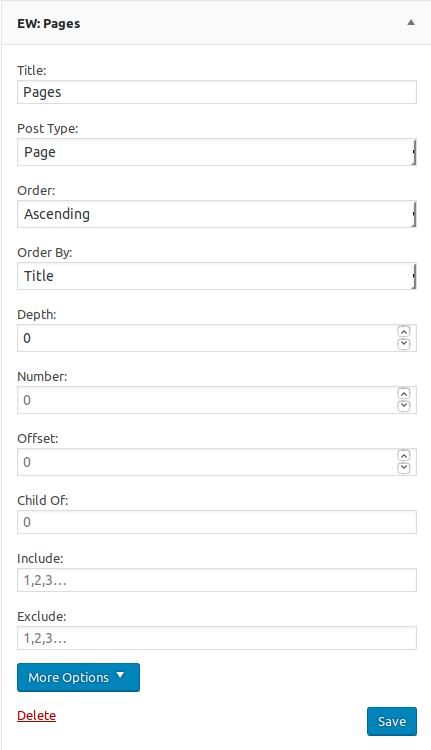
EW: Pages
Display a list of pages with the Pages widget. With various customization options being provided to you, you can showcase the pages that are more important on your website wherever you want with Essential Widgets Pro. -
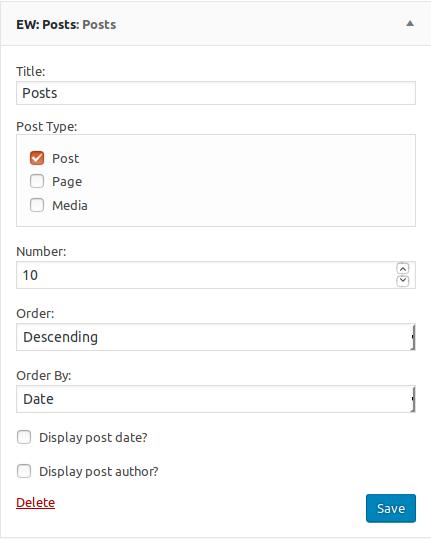
EW: Posts
Essential Widgets Pro supports Posts widget. With the widget and its customizable options, you can easily display a list of posts on your website. You can add a title, select the post type, number of items to display, order, sort by, and more. -
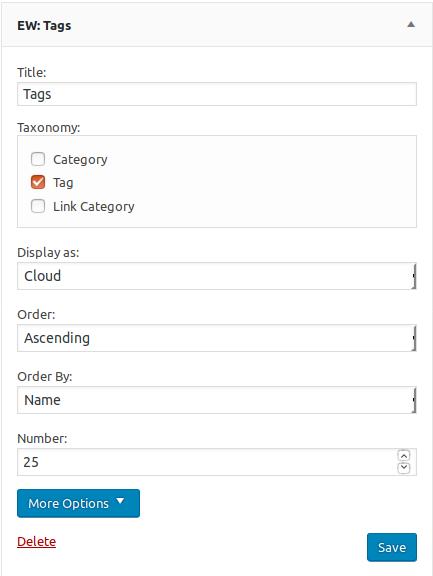
EW: Tags
And last, but definitely not the least, the Tags widget. You can display a list of tags as cloud or list, select the order of the tags, sort by option and the number of items to be displayed. The widget also provides you with more customization options including the unit, separator, search, text type, and more.
Traduction
To translate the plugin, use translate.wordpress.org (GlotPress). You only need your WordPress.org account to join the collaborative translation project.
You can translate Essential Widgets on translate.wordpress.org.
Installation
The easy way (via Dashboard) :
- Aller à Plugins > Ajouter un nouveau
- Type in the Essential Widgets in Search Plugins box
- Click Install Now to install the plugin
- After Installation click activate to start using the Essential Widgets
- Go to Widgets from Dashboard menu
- Use your desired widgets in your desired widget areas
Not so easy way (via FTP) :
- Download the Essential Widgets
- Unarchive Essential Widgets plugin
- Copy folder with
essential-widgets.zip - Open the ftp
\wp-content\plugins\ - Paste the plug-ins folder in the folder
- Go to admin panel => open item “Plugins” => activate Essential Widgets
- Go to Widgets from Dashboard menu
- Use your desired widgets in your desired widget areas
Journal de modifications
3.2.1 (Released: June 18, 2026)
- Bug Fixed: prefix issue in get_meta_keys function
- Bug Fixed: defined check for plugin version
3.2 (Released: June 16, 2026)
- Bug Fixed: Pages widget no longer triggers a fatal error when adding it from the Widgets screen or Customizer
- Bug Fixed: Settings link on the Plugins page no longer appears on unrelated plugins
- Bug Fixed: Tags widget’s custom callback fields were never actually validated before being saved
- Improved: License links now use secure HTTPS
- Code: Removed unused/duplicate admin hook registration code
3.1 (Released: May 26, 2026)
- Bug Fixed: PHP fatal error in Tags block — undefined variable used as callable
- Bug Fixed: Posts widget href attribute missing quotes around URL (invalid HTML)
- Bug Fixed: Scripts now correctly load in the footer across admin and public pages
- Bug Fixed: Deprecated wp-editor block script dependency replaced with wp-block-editor
- Bug Fixed: Several strings were untranslatable due to wrong or missing text domain
- Code: Various code quality improvements (strict comparisons, output escaping, i18n)
- Compatibility check up to version 7.0
3.0.1 (Released: January 26, 2026)
- Bug Fixed: Cross-site Scripting (Reported by Muhammad Yudha – DJ)
3.0 (Released: January 15, 2026)
- Bug Fixed: Mismatched text domain
- Bug Fixed: Missing $domain parameter in function
- Bug Fixed: missing_direct_file_access_protection
- Bug Fixed: Processing form data without nonce verification
- Bug Fixed: WordPress.WP.AlternativeFunctions.strip_tags_strip_tags
- Bug Fixed: WordPress.Security.NonceVerification.Recommended
- Bug Fixed: WordPress.Security.EscapeOutput.OutputNotEscaped
- Bug Fixed: WordPress.Security.ValidatedSanitizedInput.InputNotValidated
- Bug Fixed: WordPress.Security.ValidatedSanitizedInput.InputNotSanitized
- Bug Fixed: WordPress.Security.ValidatedSanitizedInput.MissingUnslash
- Compatibility check up to version 6.9
2.3 (Released: November 19, 2025)
- Bug Fixed: Cross-Site Scripting via the
titleparameter in widget shortcodes (Reported by Mdr https://patchstack.com)
Captures d'écran

Pour les développeurs
Est-ce votre plugin ? Montrez les chiffres.
Ajoutez un badge en direct à votre site, docs ou github readme. Il se met à jour par lui-même - aucun compte n'est nécessaire.
Best Essential Widgets alternatives
All categories plugins →


FAQ
Essential Widgets: quick answers
Réponses directes, extraites des données en direct WordPress.org.
Source : WordPress.org
Is Essential Widgets free?
Yes. Essential Widgets is free to download and use from the official WordPress.org plugin directory.
Is Essential Widgets safe to use in 2026?
Essential Widgets is a solid plugin choice in 2026, with a few things worth checking first. It runs on 10K+ sites, is rated 3.5/5 and was last updated 5 months ago, and scores 65/100 on our health check.
How many websites use Essential Widgets?
Essential Widgets is active on 10K+ WordPress websites and has been downloaded 524,172 times since it launched in November 2017. It was downloaded 2,226 times in the last 30 days.
Does Essential Widgets work with WordPress 7.1?
Essential Widgets is officially tested up to WordPress 7.0.9, while the latest release is 7.1.5. It may still work, but try it on a staging site first.
What PHP version does Essential Widgets need?
Essential Widgets requires PHP 7.4 or higher. Most hosts run PHP 8.x today, so it works on any modern WordPress hosting.
When was Essential Widgets last updated?
The latest version, 3.2.1, was released on June 18, 2026 (5 months ago).
Who makes Essential Widgets?
Essential Widgets is developed and maintained by Catch Themes.
What are the best alternatives to Essential Widgets?
The most popular alternatives to Essential Widgets are List category posts (70K+ installs), Media Library Assistant (70K+ installs) and PublishPress Taxonomies (40K+ installs).
Propulsé par PageForge
Un modèle et une feuille de calcul. Une vraie page pour chaque recherche.
PageForge transforme chaque ligne d'un CSV en une page WordPress avec son propre titre, URL, SEO et schéma, construit sur la mise en page que vous Déjà conçu. Gratuit sur WordPress.org.
- CSV et XLSX, plus Google Sheets sur les professionnels et les entreprises
- Son propre titre, URL, SEO champs et schéma pour chaque page
- Fonctionne avec l'éditeur de blocs, Elementor, Divi et Avada
- Gratuit sur WordPress.org, pas de carte de crédit