

Error Log Viewer by BestWebSoft
Get latest error log messages to diagnose website problems. Define and fix issues faster.

Utiliser avec prudence
Error Log Viewer by BestWebSoft works, but test it on a staging site before relying on it in 2026. It runs on 5K+ sites, is rated 4.8/5 and was last updated 12 months ago, and scores 59/100 on our health check.
- Uniquement testé jusqu'à WordPress 6,9 (le dernier est de 7,1)
Téléchargements quotidiens
Les pics de téléchargement suivent généralement une nouvelle version - chaque site qui met à jour automatiquement compte comme un téléchargement.
Classements
Where Error Log Viewer by BestWeb… stands todayWordPress.org Classements de recherche
Position en direct dans la recherche de plugins, Top 100| Mot-clé | Position |
|---|---|
| add debug tool | #14 |
| debug tool | #14 |
| error log | #4 |
| error log viewer | #1 |
| php error log | #5 |
Adoption de version
Part de sites actifs par version.
Répartition des notes
★★★★★★★★★★ 4.8 from 9 reviews
About Error Log Viewer by BestWebSoft
À partir du Lisez-moi officiel · v1.1.8Description
Simple utility plugin that helps to find and view log files with errors right from your WordPress admin dashboard. Get access to all your log files from one place. View the latest activity, select logs by date, or view a full log file. Get email notifications about log changes.
Get access to your website logs and troubleshoot issues faster!
Traits
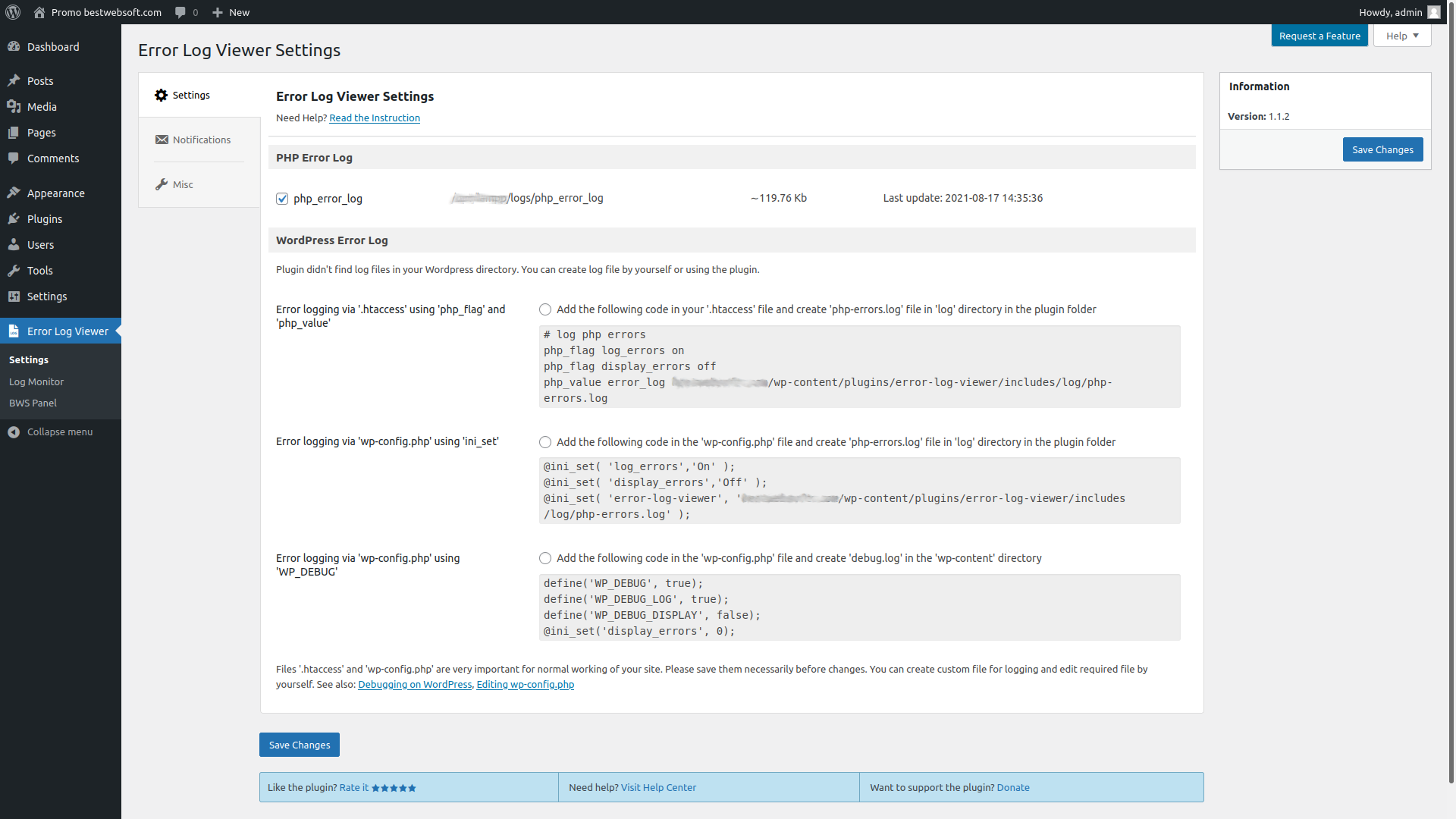
- Enable WordPress error logging with:
- .htaccess
- wp-config.php using
inl_set - wp-config.php using
WP_DEBUG
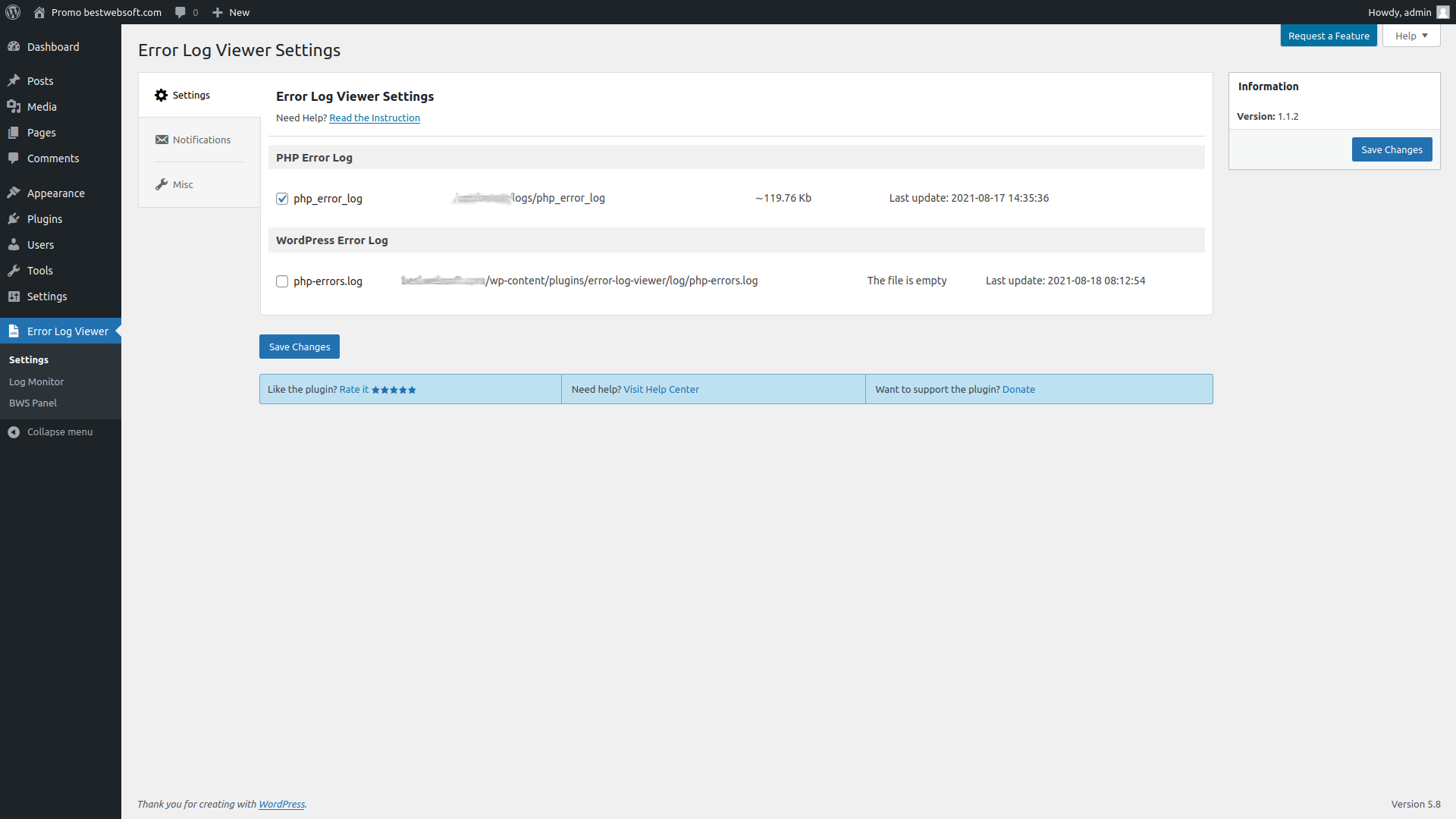
- Search and view error logs:
- PHP
- WordPress
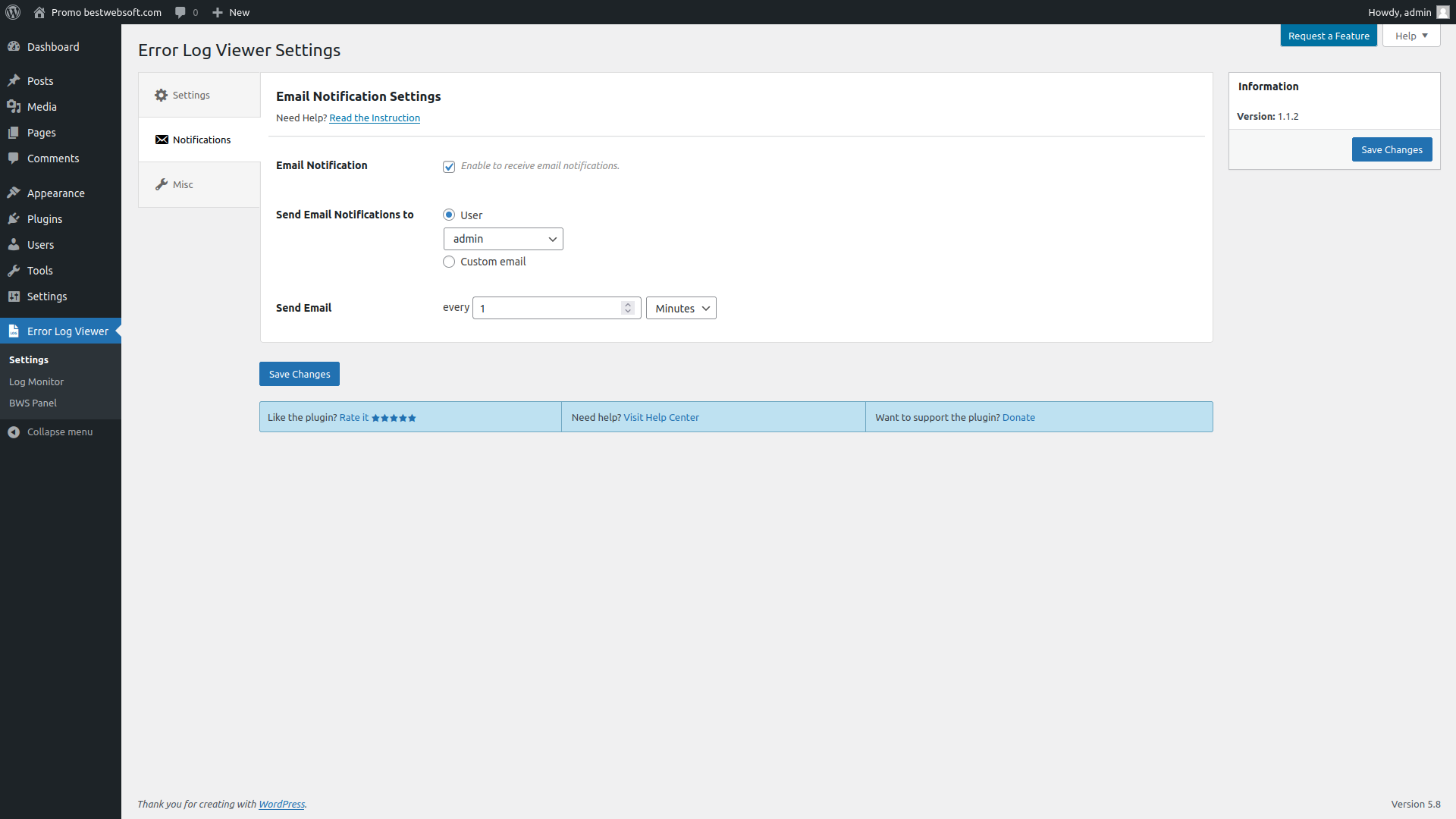
- Configure email notifications about log changes:
- Set the email
- Change frequency
- Configure log monitor settings:
- Choose the log to be displayed
- Choose what to show in the log:
- Certain last lines in the file
- Log for a certain period of time
- Full file
- View or save the part of PHP error logs as TXT file
- Compatible with latest WordPress version
- Incredibly simple settings for fast setup without modifying code
- Detailed step-by-step documentation and videos
If you have a feature suggestion or idea you’d like to see in the plugin, we’d love to hear about it! Suggest a Feature
Documentation et vidéos
Aide et assistance
Visit our Help Center if you have any questions, our friendly Support Team is happy to help – https://support.bestwebsoft.com/
Affiliate Program
Earn 20% commission by selling the premium WordPress plugins and themes by BestWebSoft — https://bestwebsoft.com/affiliate/
Traduction
- Russe (ru_ru)
- Ukrainien (Royaume-Uni)
Some of these translations are not complete. We are constantly adding new features which should be translated. If you would like to create your own language pack or update the existing one, you can send the text of PO and MO files to BestWebSoft and we’ll add it to the plugin. You can download the latest version of the program for work with PO and MO files Poedit.
Plugins recommandés
- Updater – Automatically check and update WordPress website core with all installed plugins and themes to the latest versions.
Crédits
- This plugin incorporates a license verification mechanism to ensure the authenticity of your license key and provide access to premium features and updates. The verification process involves connecting securely to our external service hosted at BestWebSoft website https://bestwebsoft.com. Privacy Policy https://bestwebsoft.com/privacy-policy/. End user license agreement https://bestwebsoft.com/end-user-license-agreement/.
Installation
- Upload the
error-log-viewerfolder to/wp-content/plugins/directory. - Activate the plugin via the ‘Plugins’ menu in WordPress.
- Plugin settings are located in “Error Log Viewer”.
View a Step-by-step Instruction on Error Log Viewer Installation.
Journal de modifications
Plugin optimization completed. Bugs fixed
V1.1.8 – 18.11.2025
- Update : Added info about send email notifications
V1.1.7 – 15.10.2025
- Bugfix : Vulnerability bugs fixed.
- Update : Plugin optimization compleated.
- Update : All functionality has been updated for WordPress 6.8.3.
V1.1.6 – 26.03.2025
- Bugfix : Small bugs fixed.
- Update : Plugin optimization compleated.
- Update : All functionality has been updated for WordPress 6.7.
V1.1.5 – 22.04.2024
- Bugfix : Small bugs fixed.
- Update : Plugin optimization compleated.
- Update : All functionality has been updated for WordPress 6.5.2.
V1.1.4 – 01.01.2024
- Bugfix : wp_nonce error fixed.
- Update : Plugin optimization compleated.
V1.1.3 – 11.12.2023
- Update : BWS panel section is updated.
- Update : All functionality has been updated for WordPress 6.4.2.
- Bugfix : Fixed Data Security Risk.
- NEW : Functionality for mitigating the vulnerability effectively has been added.
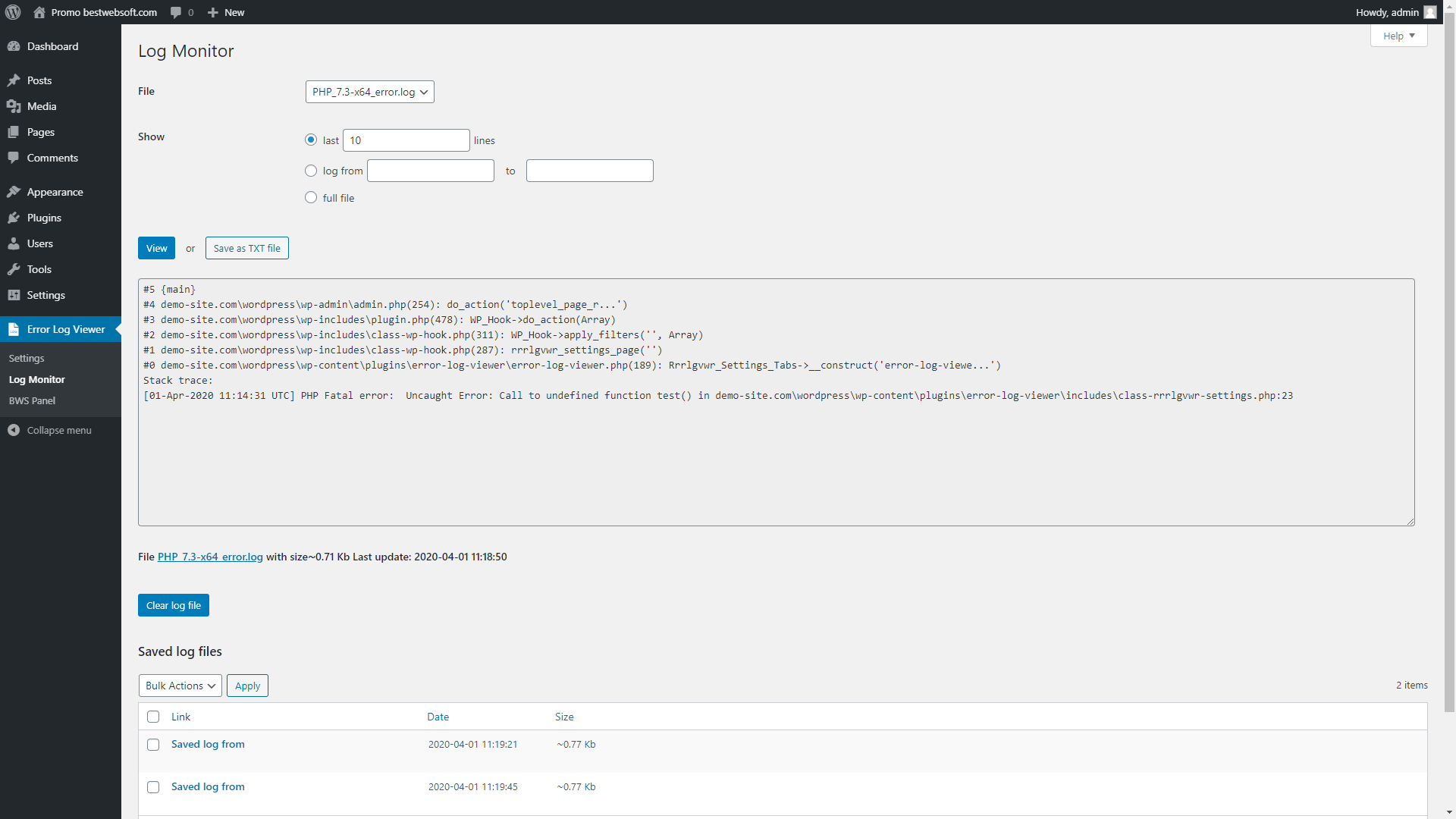
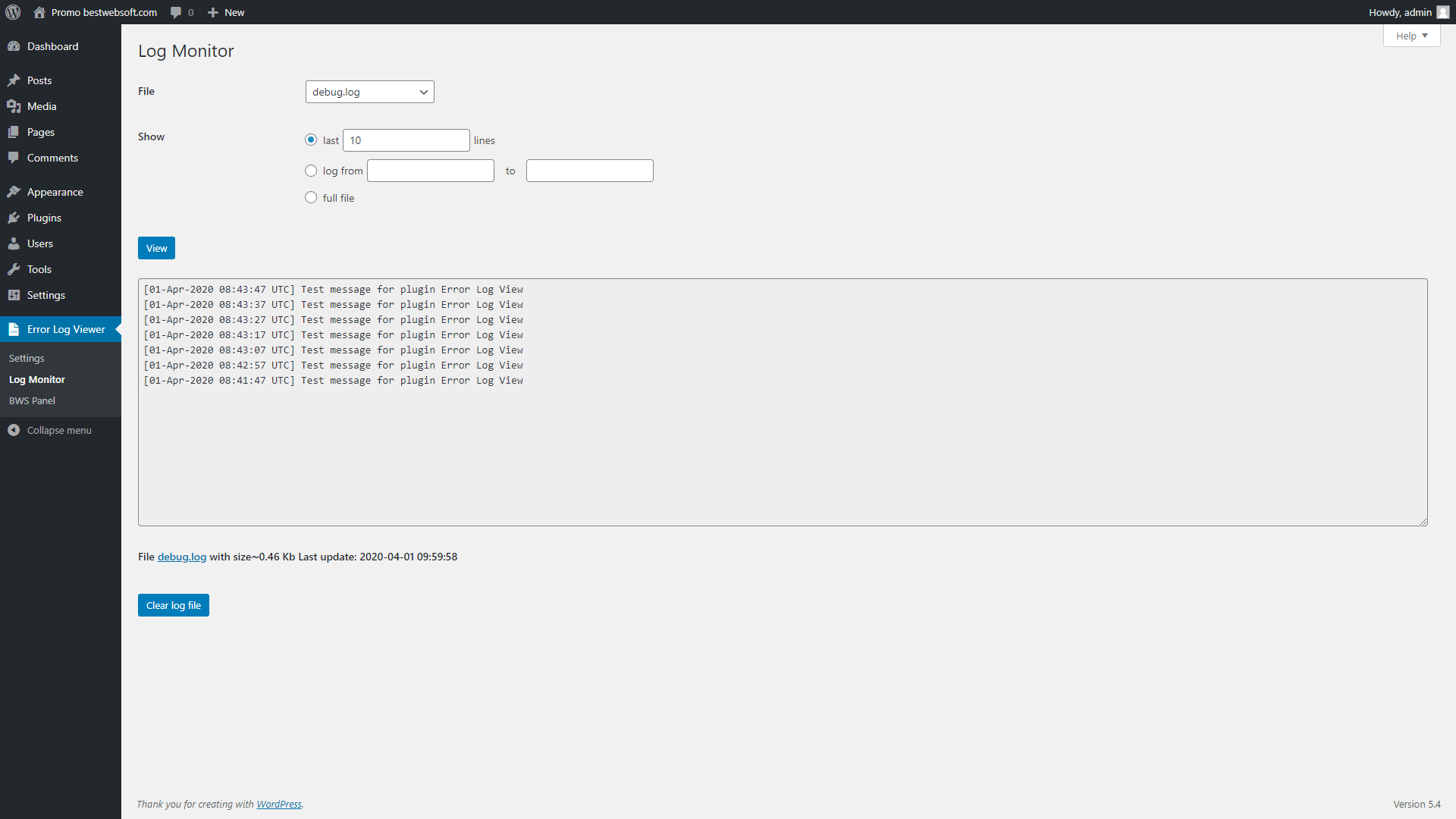
Captures d'écran
Pour les développeurs
Est-ce votre plugin ? Montrez les chiffres.
Ajoutez un badge en direct à votre site, docs ou github readme. Il se met à jour par lui-même - aucun compte n'est nécessaire.
FAQ
Error Log Viewer by BestWebSoft: quick answers
Réponses directes, extraites des données en direct WordPress.org.
Source : WordPress.org
Is Error Log Viewer by BestWebSoft free?
Yes. Error Log Viewer by BestWebSoft is free to download and use from the official WordPress.org plugin directory.
Is Error Log Viewer by BestWebSoft safe to use in 2026?
Error Log Viewer by BestWebSoft works, but test it on a staging site before relying on it in 2026. It runs on 5K+ sites, is rated 4.8/5 and was last updated 12 months ago, and scores 59/100 on our health check.
How many websites use Error Log Viewer by BestWebSoft?
Error Log Viewer by BestWebSoft is active on 5K+ WordPress websites and has been downloaded 102,339 times since it launched in September 2015. It was downloaded 1,166 times in the last 30 days.
Does Error Log Viewer by BestWebSoft work with WordPress 7.1?
Error Log Viewer by BestWebSoft is officially tested up to WordPress 6.9.12, while the latest release is 7.1.5. It may still work, but try it on a staging site first.
When was Error Log Viewer by BestWebSoft last updated?
The latest version, 1.1.8, was released on December 3, 2025 (12 months ago).
Who makes Error Log Viewer by BestWebSoft?
Error Log Viewer by BestWebSoft is developed and maintained by bestwebsoft.
Propulsé par PageForge
Un modèle et une feuille de calcul. Une vraie page pour chaque recherche.
PageForge transforme chaque ligne d'un CSV en une page WordPress avec son propre titre, URL, SEO et schéma, construit sur la mise en page que vous Déjà conçu. Gratuit sur WordPress.org.
- CSV et XLSX, plus Google Sheets sur les professionnels et les entreprises
- Son propre titre, URL, SEO champs et schéma pour chaque page
- Fonctionne avec l'éditeur de blocs, Elementor, Divi et Avada
- Gratuit sur WordPress.org, pas de carte de crédit