


EazyDocs – AI Powered Knowledge Base, Wiki, Documentation & FAQ Builder
Build professional knowledge bases with unlimited docs, drag-and-drop editor, live search, and SEO optimization.

Choix solide
EazyDocs is a solid plugin choice in 2026, with a few things worth checking first. It runs on 2K+ sites, is rated 4.7/5 and was last updated 3 weeks ago, and scores 76/100 on our health check.
- Loved by users — 4.7/5 from 100 reviews
- Développé activement — Dernière mise à jour il y a 3 semaines
- Testé avec le dernier WordPress (7.1)
Comment s'accumule-t-il ?
Côte à côte sur les installations, les mises à jour, les évaluations et le support



Téléchargements quotidiens
Les pics de téléchargement suivent généralement une nouvelle version - chaque site qui met à jour automatiquement compte comme un téléchargement.
Classements
Where EazyDocs stands todayWordPress.org Classements de recherche
Position en direct dans la recherche de plugins, Top 100| Mot-clé | Position |
|---|---|
| documentation | #15 |
| FAQ | #43 |
| help desk | #9 |
| knowledge base | #11 |
| wordpress wiki | #4 |
Adoption de version
Part de sites actifs par version.
Répartition des notes
★★★★★★★★★★ 4.7 from 100 reviews
About EazyDocs
From the official readme · v2.15.1Description
The #1 WordPress Plugin for Building Professional Knowledge Bases, Help Centers & Documentation Sites
EazyDocs is the most comprehensive knowledge base and documentation plugin for WordPress. Create unlimited knowledge bases, help centers, wikis, and FAQs with zero limitations. Perfect for SaaS companies, software developers, agencies, e-learning platforms, and any business needing professional documentation.
Supercharge Your Docs with AI
Integrate EazyDocs with Antimanual to add an intelligent AI chatbot, automated documentation generation, and advanced AI search. Reduce support tickets by 70% and provide instant answers to your users.
Why Choose EazyDocs?
- Unlimited Everything – Create unlimited knowledge bases, docs, and categories with no restrictions.
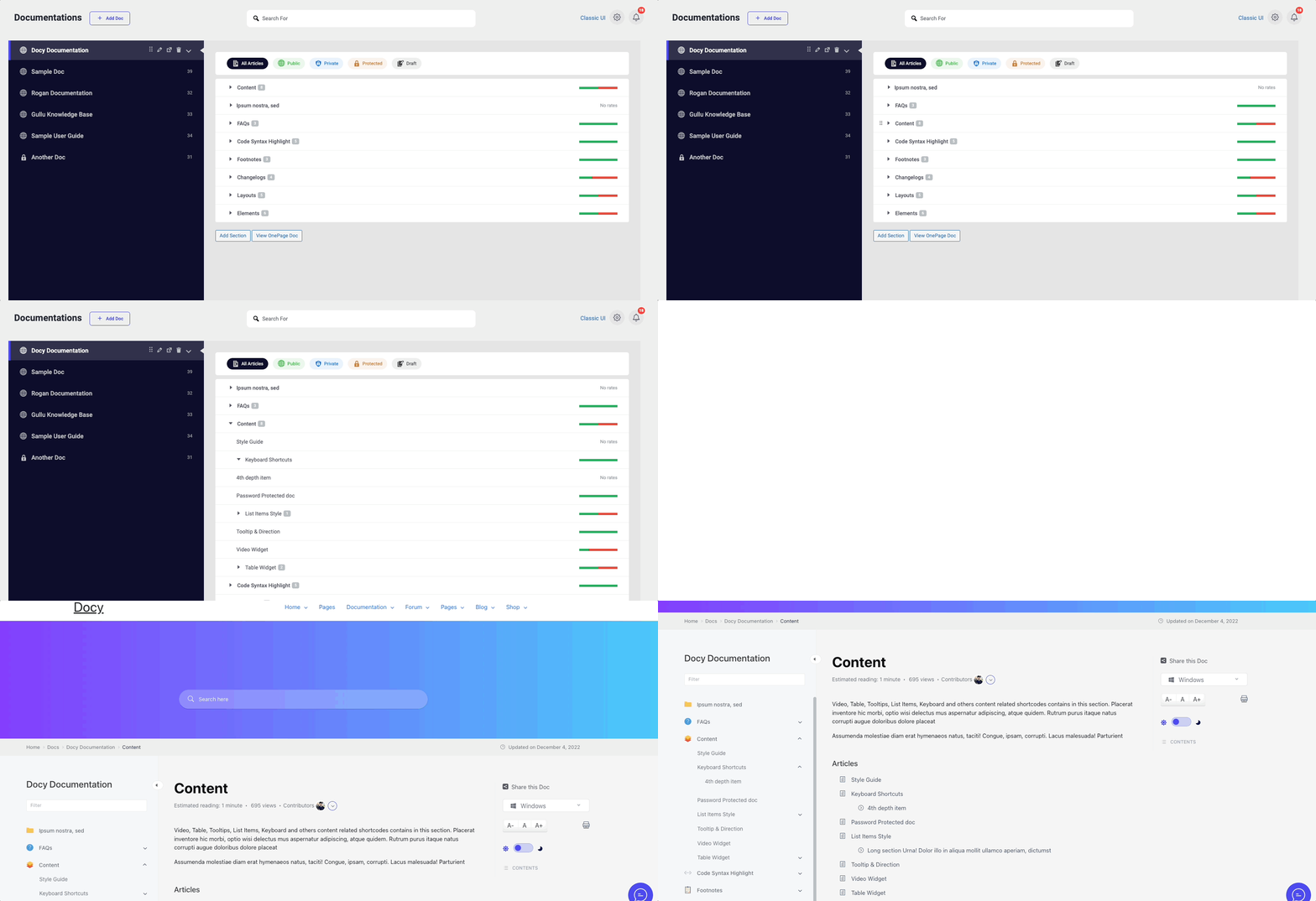
- Drag-and-Drop Editor – Organize and nest documents intuitively. No coding required.
- AI-Powered Documentation – Seamlessly integrates with Antimanual for next-generation AI assistance.
- SEO-Optimized – Built-in Schema.org integration, SEO-friendly architecture, and structured data.
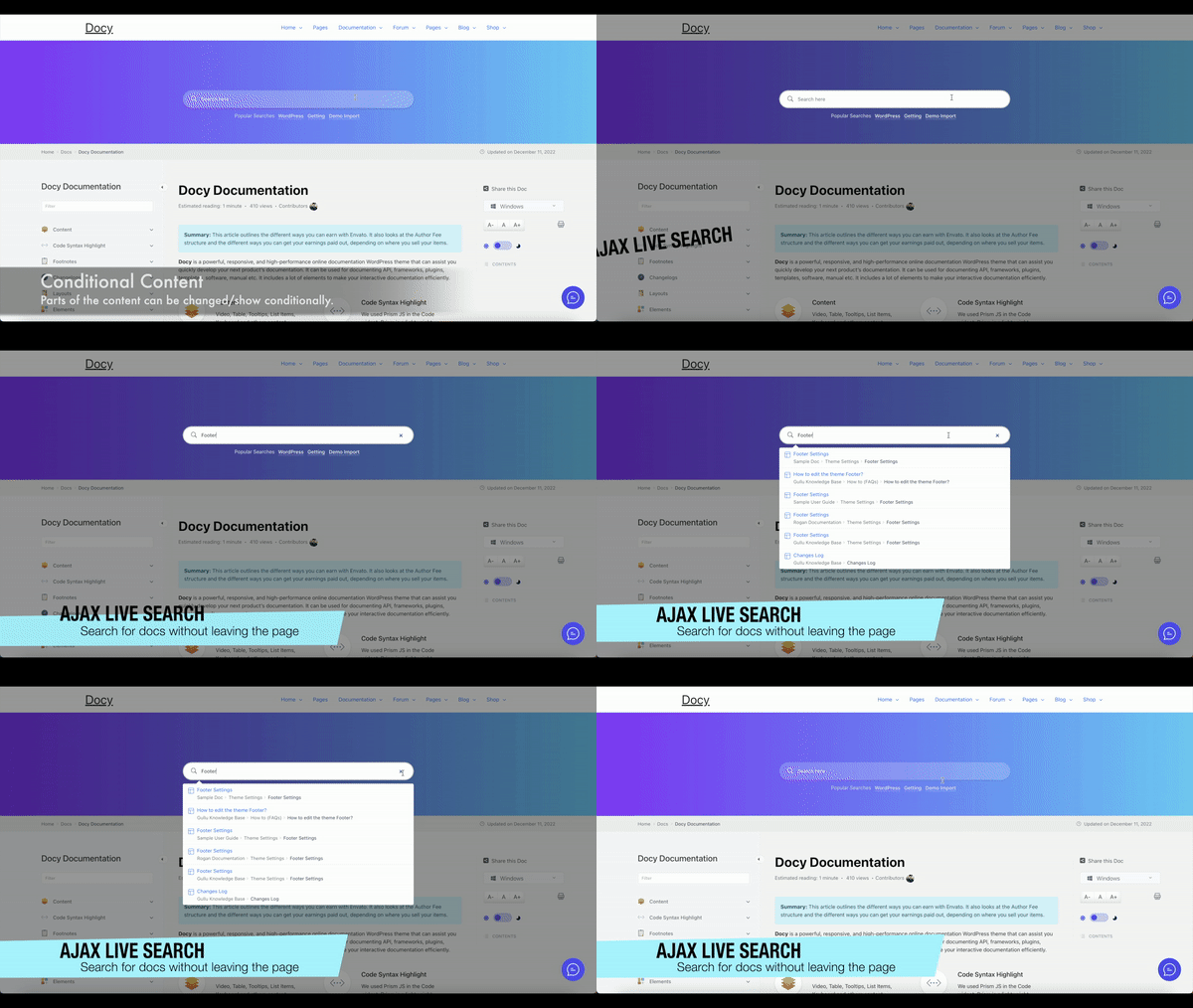
- Live Search – AJAX-powered search with instant results and smart suggestions.
- Beautiful by Default – Professional, modern design that works out-of-the-box.
- Mobile-Responsive – 100% responsive and retina-ready on all devices.
- Reader-Focused Design – Optimized for readability with sticky sidebars and automatic TOC.
Video Overview – See EazyDocs in Action
Trusted by 2000+ Businesses
From small teams to enterprise organizations, EazyDocs is the go-to solution for professional documentation.
Real Success Stories
- Bit Apps – Complete SaaS documentation
- Glamsy Designs – Product knowledge base
- Quomodosoft – Product knowledge base
Commencer
- Install EazyDocs from the WordPress plugin directory.
- Activez le plugin.
- Go to EazyDocs > Getting Started.
- Create your first knowledge base and organize with drag-and-drop.
Need Help?
Core Features👇
AI-Powered Capabilities (via Antimanual)
- Intelligent AI Chatbot – Instant, accurate answers trained on your documentation (GPT-4, GPT-5, Gemini support).
- AI Documentation Generator – Create comprehensive docs automatically with custom tone and language.
- AI-Powered Search – Semantic search that understands user intent, not just keywords.
- Auto-Posting & Content Automation – Schedule and publish AI-generated documentation.
- Forum Integration – Convert forum discussions into permanent knowledge base articles.
Documentation Management
- Unlimited Knowledge Bases – Create as many as you need without limitations.
- Hierarchical Organization – Support for 4-level doc depth (5 levels with Pro).
- Smart Doc Ordering – Intuitive drag-and-drop interface for restructuring docs.
- Bulk Operations – Duplicate, manage visibility, and organize docs in bulk.
- Revision History – Track all changes and restore previous versions anytime.
- Markdown & CSV Import/Export – Export documentation as Markdown or CSV and re-import them to migrate content or create backups with ease.
User Experience & Navigation
- Live Search with AJAX – Fast, intelligent search with instant results.
- Sticky Navigation Sidebar – Effortless navigation while scrolling.
- Automatic Table of Contents – Built-in TOC for easy content scanning.
- Collapsible Sidebar – Focus on content without distractions.
- Recently Viewed Articles – Quick access to browsing history.
Reader Experience Tools
- Reading Time Estimates – Show how long each article takes to read.
- Views Counter – Display article popularity.
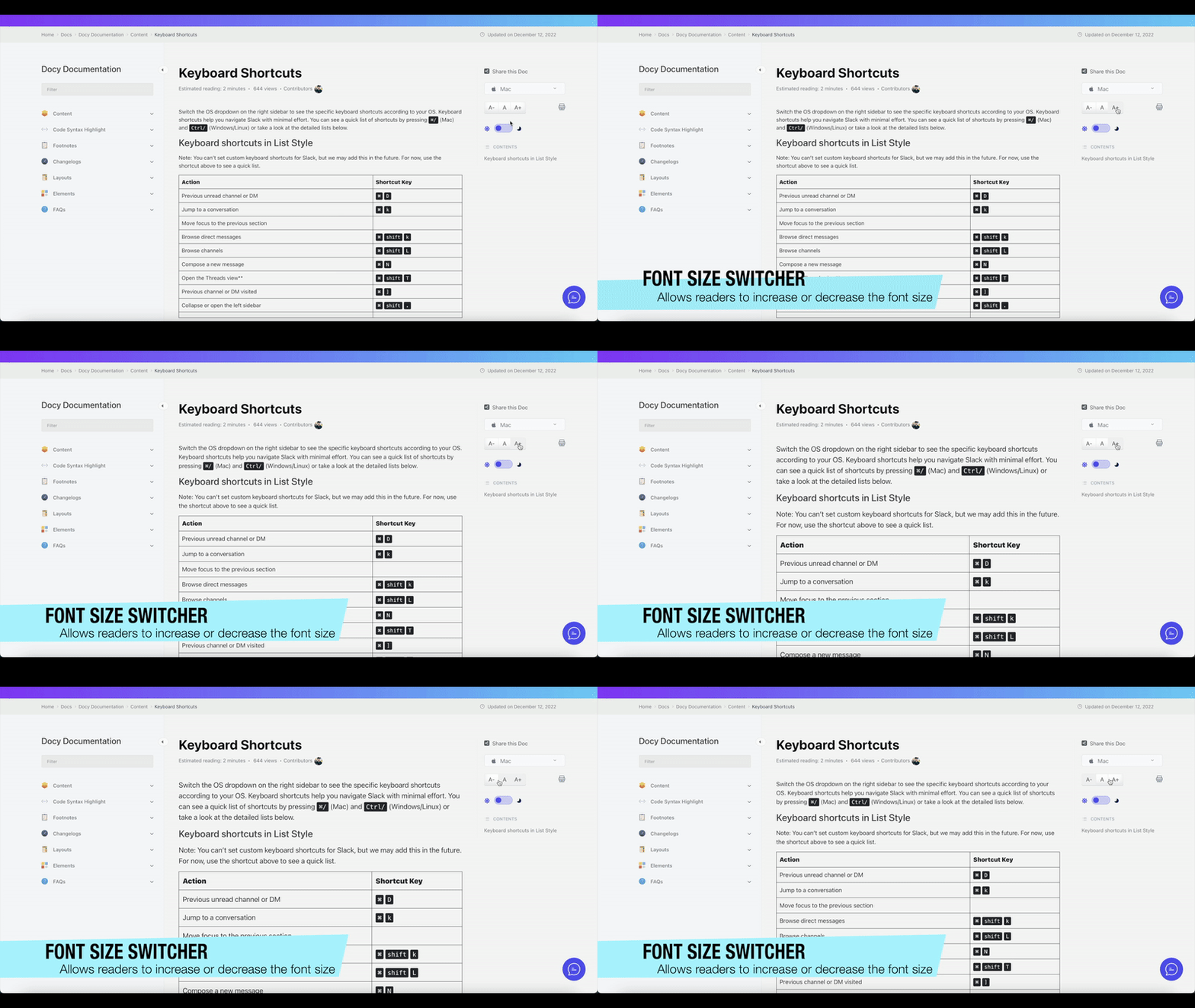
- Font Size Adjustment – Customizable reading comfort.
- Print Functionality – One-click optimized printing.
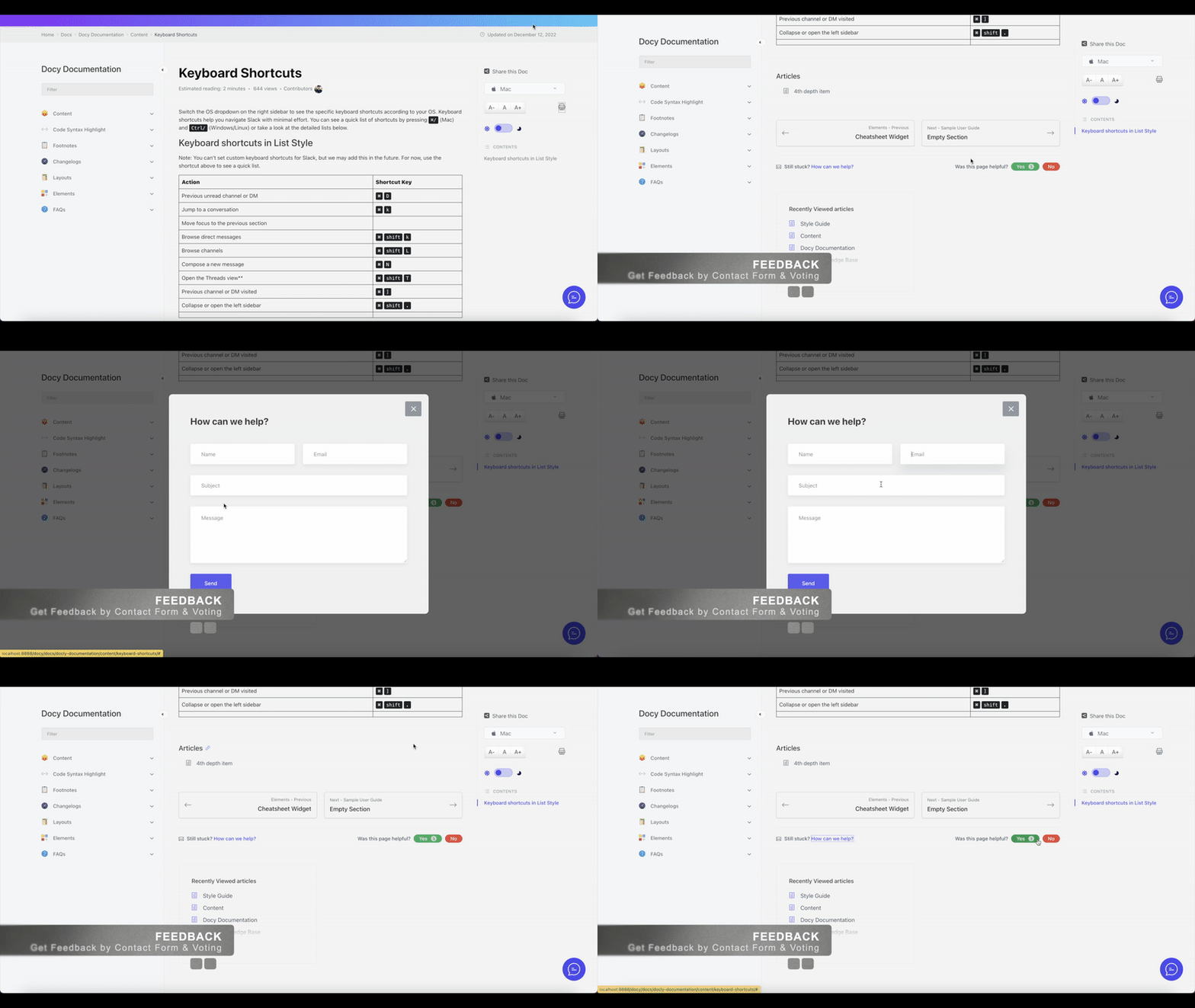
- Reader Feedback & Voting – Collect valuable insights on article helpfulness.
Customization & Design
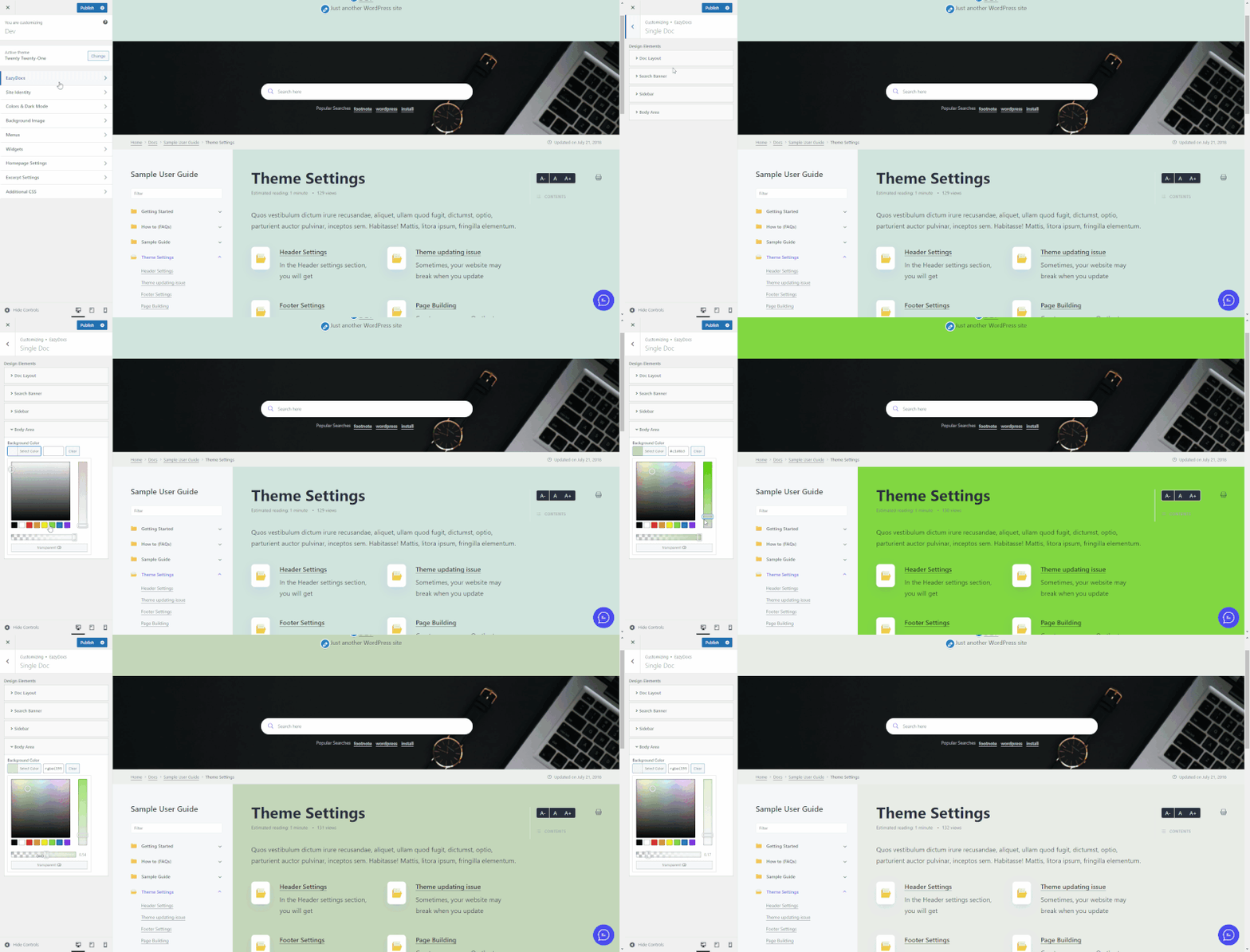
- Live Customizer – Change colors, fonts, and settings without coding.
- Advanced Settings Page – Extensive customization with real-time search.
- Dark Mode Support – Professional dark mode for better readability (Pro feature).
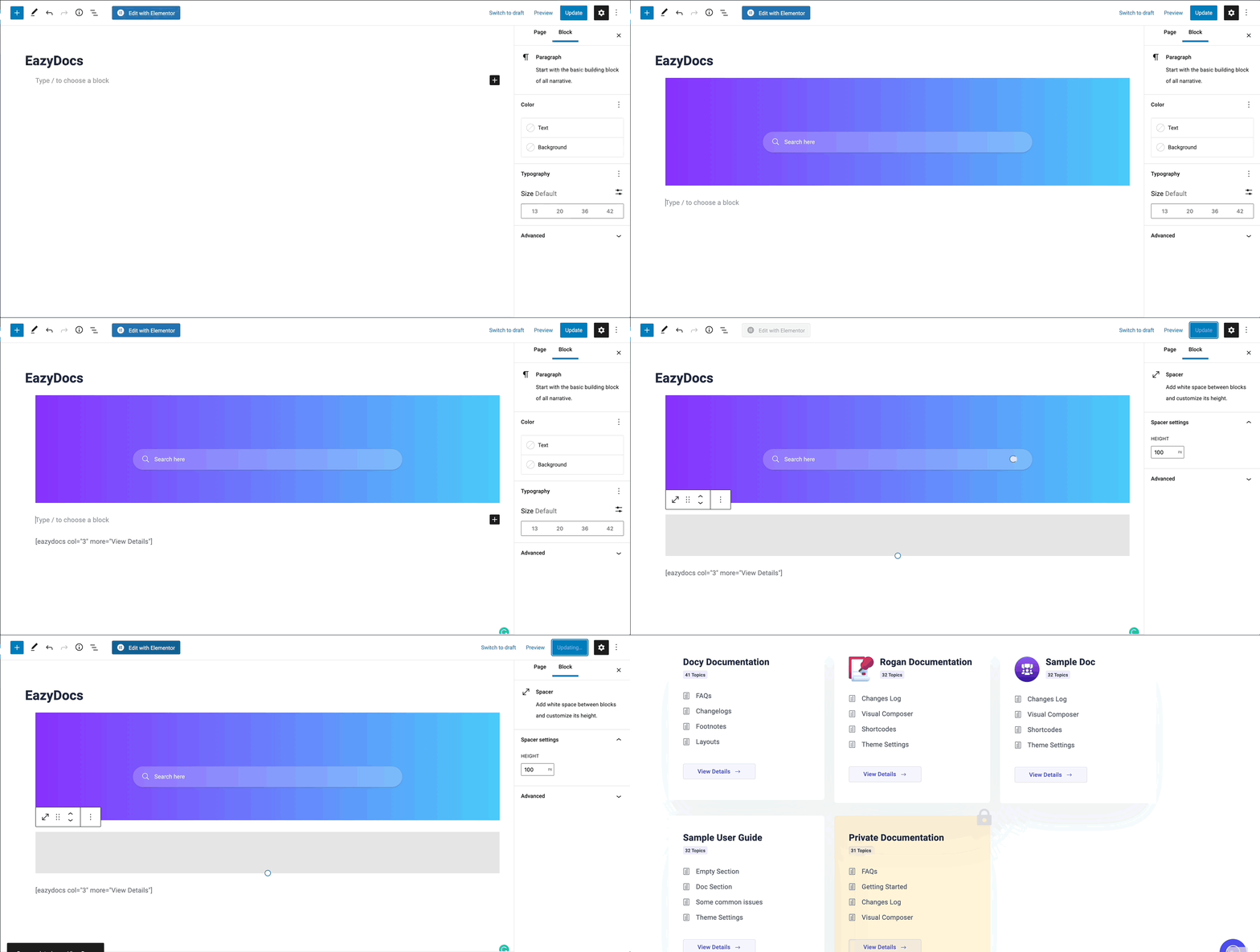
- Page Builder Compatible – Works seamlessly with Gutenberg and Elementor.
Technical & SEO Features
- SEO Optimized – Built with search engine ranking in mind.
- Schema.org Integration – Rich snippets for better search visibility.
- Multilingual Ready – Native WPML and Polylang support so docs, categories, and tags can be translated and managed across multiple languages, with full RTL compatibility. Pre-translated languages included: Arabic (ar), Bengali (bn_BD), German (de_DE), Spanish – Spain (es_ES), Spanish – Mexico (es_MX), French (fr_FR), Portuguese – Brazil (pt_BR), Portuguese – Portugal (pt_PT), Russian (ru_RU), and Chinese Simplified (zh_CN).
- On-Demand Asset Loading – Lightweight footprint for fast performance.
Page Builder Integration
- Gutenberg Blocks – Comprehensive pre-built blocks for dynamic doc page creation. No third-party page builder required!
- Elementor Widgets (Optional) – Optional drag-and-drop widgets if you prefer Elementor.
- Shortcodes – Flexible shortcode system for advanced customization. Use
[ezd_search]to place the live search bar on any page, post, or widget.
Note: EazyDocs works perfectly with WordPress’s native Gutenberg editor. You do NOT need Elementor or any other third-party page builder to create beautiful documentation and helpdesk landing pages.
Documentation Performance Tools
- Email Reporting – Receive analytics reports directly to your inbox.
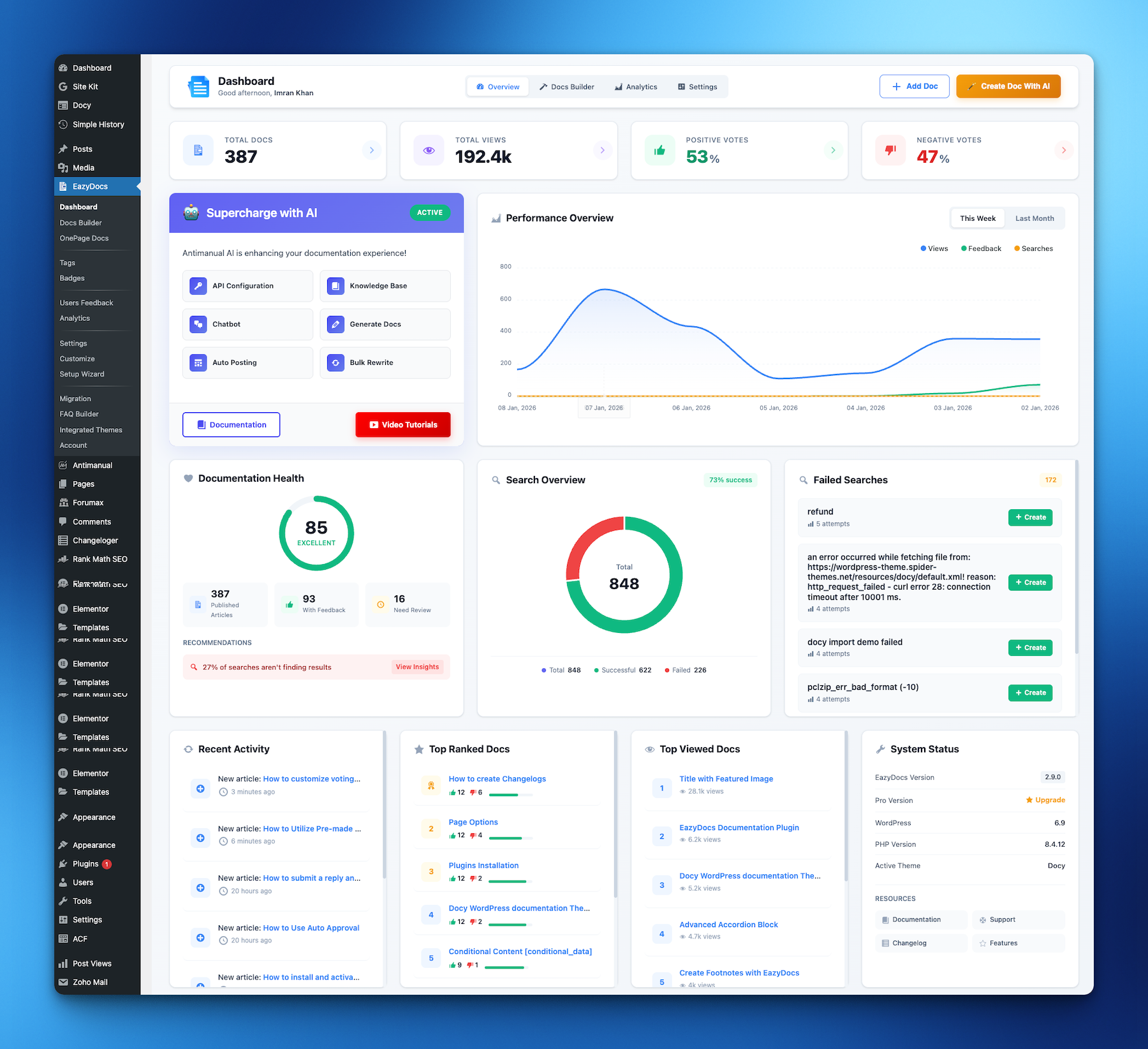
- Engagement Analytics – Track user behavior and content performance (Pro feature).
- Doc Excerpt/Summary – Add summaries to display in listings and previews.
- Content Insights – Understand which articles are most helpful to visitors.
Premium Migration & Integration
- BetterDocs Migration Tool – One-click migration to preserve all your existing documentation.
- Google Login – Allow readers to sign in with Google accounts.
- User Role Management – Control who can create and edit documentation (Pro feature).
- Private Docs – Restrict access with login requirements or passwords (Pro feature).
How to Create a Knowledge Base Website with EazyDocs
AI Integration – Supercharge Your Docs with Antimanual
Add Enterprise-Grade AI to Your Documentation – Reduce Support Tickets by 70%+
Integrate EazyDocs with Antimanual to transform your knowledge base into an intelligent support hub. Get AI-powered chatbot, auto-generated documentation, semantic search, and more.
Why a separate plugin? We believe AI integration shouldn’t be locked to EazyDocs — or to any single plugin. It should give you the freedom to put these capabilities to work across your entire website. That’s why the chatbot knowledge base, excerpt and taxonomy generation, SEO, and article/post generation aren’t limited to Docs; they work with any post type you choose. The result is one focused toolkit instead of a stack of overlapping plugins for different AI tasks. Best of all, Antimanual is completely free — simply bring your own AI provider API key. It supports OpenAI, Anthropic, Grok, Gemini, Minimax, Deepseek, Qwen, OpenCode API, and many more.
Watch the AI Integration in Action
Key AI Features
🤖 24/7 AI Chatbot – Automatically trained on your EazyDocs. Provides instant, contextual answers powered by GPT-4, GPT-5, and Gemini. Reduce support tickets by 70%+.
📚 Auto Doc Generator – Create professional documentation in seconds with custom tone and language. SEO-optimized with automatic formatting.
🔍 Semantic AI Search – Understands user intent, not just keywords. Finds relevant content even without exact matches.
✍️ Auto-Posting – Schedule AI-generated content automatically. Keep your documentation fresh and SEO-friendly.
💬 Forum Integration – Convert solved forum discussions into permanent knowledge base articles. Automate responses and capture community insights.
Why Choose Antimanual Over Other AI Documentation Solutions?
- Advanced AI Models: GPT-4, GPT-5, and Gemini support (not just GPT-3.5)
- Multi-Source Training: Train on Docs, PDFs, URLs, and custom text
- Conversation History: Full context for smarter, personalized answers
- Content Automation: Bulk rewrite, auto-posting, and scheduling
- Forum Automation: Transform discussions into permanent documentation
- Global Support: Multi-language and RTL language support
- Easy Deployment: Simple shortcodes and cross-domain embedding
Proven Results You’ll Experience
- 70%+ Reduction in Support Tickets – Instant AI answers eliminate most routine questions
- Scale Your Support – Handle unlimited queries without hiring more staff
- Better SEO Rankings – Fresh AI-generated content improves search visibility
- Happier Visitors – Instant answers reduce bounce rates and improve satisfaction
- Save Time & Money – Automate documentation creation, updates, and responses
Quick Start with Antimanual + EazyDocs
- Install Antimanual from the WordPress plugin directory
- Add your own AI provider API key in Antimanual settings (OpenAI, Anthropic, Grok, Gemini, Minimax, Deepseek, Qwen, OpenCode API, and more)
- Antimanual automatically indexes your entire EazyDocs knowledge base
- Customize chatbot appearance and response style
- Add to your docs with a simple shortcode – Done!
Learn More About Antimanual • View Full Integration Guide
Premium Plans & Features
EazyDocs comes with flexible pricing to suit businesses of all sizes:
EazyDocs Pro – Advanced Features
Unlock professional features perfect for growing businesses:
- Doc Root URL customization.
- Book Chapter Elementor widgets.
- Voting & Comments notifications.
- Doc Helper Assistant with Contact Form.
- Conditional Content dropdowns.
- Ajax Doc Loading for faster performance.
- Dark Mode for professional documentation.
- OnePage Documentation layouts.
- User Role Management (control who can edit).
- Docs Archive Masonry layouts.
- Private Docs with login pages.
- Glossary documentation.
- Extended Doc layouts.
- Doc Badges for content organization.
- Suggested Search Keywords.
- Bulk Duplicate Documentation.
- Bulk Doc Visibility controls.
- User Restrictions & IP limitations.
- External Site Integration support.
- Editable Single Doc Sidebars.
- Full RTL Compatibility.
- Users Feedback Database.
- Attach documents to any page.
- Docs Assistant Dark Mode.
- Docs Assistant Full Article View.
- Documentation Subscription Button.
- Collaborative Docs Status Icons.
- DocBox Status Badges.
EazyDocs Promax – Complete Solution
Everything in Pro, plus advanced analytics and management:
- Subscribe to Docs feature.
- Feedback on Selected Text.
- Complete Analytics Dashboard.
- Frontend Contributor access.
- Add/Edit docs from frontend.
- Footnotes support.
- Elementor pre-made templates.
- Author/Contributor profile pages.
- Daily/Weekly/Monthly Statistics Email Reporting.
View All Premium Features & Pricing
How to Migrate from BetterDocs to EazyDocs
About the Developer
EazyDocs is developed by Spider Themes, a team of experienced WordPress developers dedicated to creating powerful, user-friendly plugins. Our mission is to help businesses and creators build professional documentation without complexity.
Why You Can Trust EazyDocs:
- Over 2,000+ active installations.
- Trusted by businesses worldwide.
- Continuously updated and improved.
- Active community support.
- Regular security updates and performance improvements.
- Built by dedicated WordPress professionals.
Quelle est la prochaine étape ?
If you like EazyDocs, then consider checking out our other WordPress Plugins:
Antimanuel – Assistant alimenté par l'IA qui automatise la création, la documentation et le support du contenu, transformant les sites statiques en expériences dynamiques.
Advanced Accordion Block – Lightweight Gutenberg block for creating visually appealing, organized accordion sections with extensive styling options.
ChangeLoger – Transformez les journaux de modifications de texte brut en représentations visuellement époustouflantes et organisées avec des liens de pagination et de version.
ForumaX – Plugin de forum de communauté autonome et riche en fonctionnalités avec vote, réponses privées et Elementor.
Jobus – Solution complète de job board transformant votre site en une plateforme de recrutement avec tableaux de bord et ATS.
Éléments d'araignée – Bibliothèque polyvalente de plus de 20 widgets créatifs pour améliorer Elementor et créer des sites Web professionnels.
Services externes
Helpdesk de thèmes d'araignées (assistant de support)
EazyDocs admin pages show a chat button that opens the EazyDocs documentation assistant hosted on the Spider Themes helpdesk (helpdesk.spiderthemes.net), so you can search the docs and ask questions without leaving WordPress.
Rien n'est chargé depuis le service d'assistance jusqu'à ce que vous appuyiez sur le bouton de discussion. Le survol du bouton ouvre uniquement une connexion réseau au service d'assistance afin que le chat se charge plus rapidement. Aucune donnée n'est envoyée. Lorsque vous l'ouvrez, l'assistant est chargé dans une iframe à partir de https://helpdesk.spiderthemes.net/iframe-assistant/, et votre navigateur envoie le nom du produit et la section de documentation à afficher. Si vous avez opté via l'écran d'opt-in Freemius et que vous êtes l'administrateur qui s'est engagé, votre nom et votre adresse e-mail sont également envoyés. Les messages que vous saisissez dans le chat sont envoyés au service d'assistance pour obtenir une réponse.
You can turn the assistant off under EazyDocs → Settings → General Settings → Hide Support Chat (or with add_filter( 'ezd_support_assistant_enabled', '__return_false' );).
Installation
Minimum Requirements
* WordPress 5.0 or higher.
* PHP 7.4 or higher.
* MySQL 5.6 or higher.
Installation Method 1: From WordPress Dashboard (Recommended)
1. Go to Plugins > Add New.
2. Search for “EazyDocs”.
3. Click Install Now.
4. Click Activate.
5. Go to EazyDocs > Getting Started to begin creating your knowledge base.
Installation Method 2: Manual Upload via FTP/cPanel
1. Download the eazydocs.zip file.
2. Extract the file.
3. Upload the eazydocs folder to /wp-content/plugins/ via FTP or cPanel File Manager.
4. Go to Plugins menu in WordPress and click Activate.
5. Go to EazyDocs > Getting Started.
After activation, you’ll see a setup wizard to help you create your first knowledge base in minutes.
Journal de modifications
Fixes a PHP fatal error when running older EazyDocs Pro versions and improves backward compatibility.
2.15.1 (2 November 2026)
- Fixed: Resolved a PHP fatal error caused by function redeclaration in older EazyDocs Pro versions.
- Improved: Enhanced backward compatibility and sidebar template reliability.
2.15.0 (8 October 2026)
- New: Search Shortcode – Added the [ezd_search] shortcode so the EazyDocs search bar can be placed on any page, classic widget, or template without Gutenberg or Elementor.
- Updated: Updated Freemius SDK to the latest version
2.14.2 (2 October 2026)
- Fixed: PHP 8 fatal error in thumbnail cache handling.
2.14.1 (1 October 2026)
- Improved: Admin Dropdowns – Scoped select element styling to EazyDocs admin containers to avoid conflicts with core WordPress and third-party dropdowns.
- Improved: Script Loading – Prevented RTL stylesheet from loading on non-documentation pages, reducing asset footprint.
- Improved: Sidebar Navigation – Pre-cached post metadata and thumbnails for smoother and faster documentation sidebar rendering.
- Optimized: Elementor Widgets – Batch-fetched child articles and descendant counts across all documentation skins, eliminating repeated database queries inside layout loops.
- Optimized: Gutenberg Tabbed Docs – Batch-loaded section articles and document counts in a single query for significantly faster tab rendering.
- Optimized: Docs Builder – Replaced recursive database queries with in-memory tree traversal for descendant counting, dramatically accelerating builder load time.
- Optimized: Post Creation – Streamlined document creation queries to check parent and section existence without querying full post objects.
- Optimized: Page Views Tracking – Added early exit guards for search engine bots, feeds, and background tasks, and capped cookie storage to prevent bloat.
- Fixed: Parent Document Resolution – Resolved an issue where determining a document’s parent ID could incorrectly use the global query ID instead of the requested document.
- Fixed: Sticky Sidebar – Prevented sticky navigation scripts from unintentionally modifying page body and document overflow styles.
- Fixed: Single Doc Scripts – Added missing element safety checks to prevent JavaScript errors when specific documentation containers are not present on the page.
- Fixed: Google Login – Removed PHP session (PHPSESSID) from the frontend sign-in button so page caching works correctly for logged-out visitors.
- Fixed: Documentation Permissions – Resolved an out-of-memory issue caused by documentation permission checks.
2.14.0 (27 August 2026)
- New: API Docs Support – Added settings, editor fields, archive options, and search banner integration for API documentation.
- Fixed: Multidocs List Style – Fixed a fatal error caused by an undefined icon helper in the Multidocs List Style.
2.13.1 (13 August 2026)
- New: Draft Documents Sidebar Control – Added a setting to show or hide draft documents in the frontend sidebar. Draft documents are now hidden by default, while published documents and existing sidebar behavior remain unaffected.
- Updated: NoticePilot SDK – Updated the NoticePilot SDK and configuration for improved integration and reliability.
- Improved: Elementor Docs Widget – Polished the widget styling, dark mode appearance, and document rename field sizing for a cleaner editing experience.
- Improved: Documentation Subscription – The Elementor Subscribe button now uses the same subscription rendering logic as EazyDocs shortcodes and blocks, ensuring consistent behavior across documentation layouts.
- Improved: Dark Mode – Removed unnecessary subscription form input styling and cleaned up conflicting dark mode code for better compatibility with themes such as Docy.
- Improved: One-Page Documentation – Improved RTL support for one-page documentation layouts.
- Improved: Build Process – Resolved a Webpack/SaaS compiler issue to improve the plugin build process and asset compilation.
- Fixed: Draft Documents in Sidebar – Fixed an issue where draft documents could appear in the frontend documentation sidebar.
- Fixed: Elementor Docs Widget Design – Resolved a design issue affecting the single documentation widget.
- Fixed: Arrow Helper – Fixed the
ezd_arrow()helper to return its class correctly for inline template usage. - Fixed: Dark Mode Compatibility – Removed conflicting code that could cause styling issues with Docy dark mode.
Captures d'écran
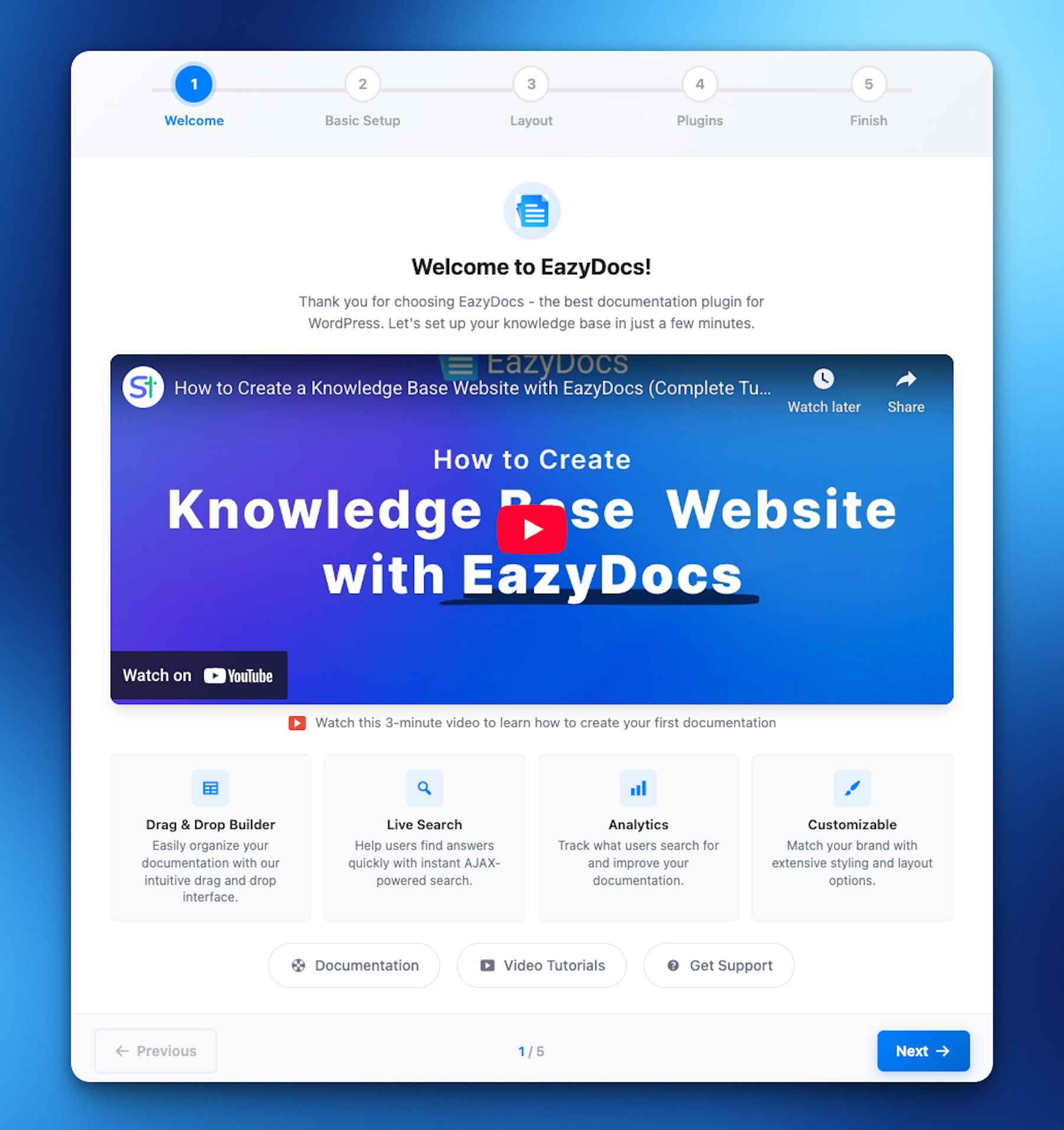
Pour les développeurs
Est-ce votre plugin ? Montrez les chiffres.
Ajoutez un badge en direct à votre site, docs ou github readme. Il se met à jour par lui-même - aucun compte n'est nécessaire.
Best EazyDocs alternatives
All documentation plugins →



FAQ
EazyDocs: quick answers
Réponses directes, extraites des données en direct WordPress.org.
Source : WordPress.org
Is EazyDocs free?
Yes. EazyDocs is free to download and use from the official WordPress.org plugin directory.
Is EazyDocs safe to use in 2026?
EazyDocs is a solid plugin choice in 2026, with a few things worth checking first. It runs on 2K+ sites, is rated 4.7/5 and was last updated 3 weeks ago, and scores 76/100 on our health check.
How many websites use EazyDocs?
EazyDocs is active on 2K+ WordPress websites and has been downloaded 113,513 times since it launched in April 2022. It was downloaded 3,515 times in the last 30 days.
Does EazyDocs work with WordPress 7.1?
Yes. The developer has tested EazyDocs up to WordPress 7.1.5, the latest release. It requires WordPress 5.0 or newer.
What PHP version does EazyDocs need?
EazyDocs requires PHP 7.4 or higher. Most hosts run PHP 8.x today, so it works on any modern WordPress hosting.
When was EazyDocs last updated?
The latest version, 2.15.1, was released on November 2, 2026 (3 weeks ago).
Who makes EazyDocs?
EazyDocs is developed and maintained by Spider Themes.
What are the best alternatives to EazyDocs?
The most popular alternatives to EazyDocs are BetterDocs (30K+ installs), Echo Knowledge Base (10K+ installs) and WP Help (8K+ installs).
Propulsé par PageForge
Un modèle et une feuille de calcul. Une vraie page pour chaque recherche.
PageForge transforme chaque ligne d'un CSV en une page WordPress avec son propre titre, URL, SEO et schéma, construit sur la mise en page que vous Déjà conçu. Gratuit sur WordPress.org.
- CSV et XLSX, plus Google Sheets sur les professionnels et les entreprises
- Son propre titre, URL, SEO champs et schéma pour chaque page
- Fonctionne avec l'éditeur de blocs, Elementor, Divi et Avada
- Gratuit sur WordPress.org, pas de carte de crédit