


DevAgent Admin Workspace
Build secure role-based workspaces with custom dashboards, admin menus, capabilities, quick actions and client-friendly navigation.

Utiliser avec prudence
DevAgent Admin Workspace works, but test it on a staging site before relying on it in 2026. Was last updated 3 months ago, and scores 60/100 on our health check.
- Testé avec le dernier WordPress (7.1)
- Petite base d'utilisateurs (<10 installations actives)
- Très peu de critiques jusqu'à présent
- Nécessite PHP 8.1 ou plus récent
Comment s'accumule-t-il ?
Côte à côte sur les installations, les mises à jour, les évaluations et le support


Téléchargements quotidiens
Les pics de téléchargement suivent généralement une nouvelle version - chaque site qui met à jour automatiquement compte comme un téléchargement.
Classements
Where DevAgent Admin Workspace stands todayWordPress.org Classements de recherche
Position en direct dans la recherche de plugins, Top 100| Mot-clé | Position |
|---|---|
| admin menu | >100 |
| capabilities | >100 |
| client dashboard | >100 |
| custom dashboard | >100 |
| user roles | >100 |
About DevAgent Admin Workspace
À partir du Lisez-moi officiel · v1.0.1Description
DevAgent Admin Workspace helps agencies, site owners, and administrators create focused WordPress admin workspaces for clients, editors, collaborators, and non-technical teams.
Each workspace can combine a custom dashboard, quick actions, role and capability management, an adapted admin menu, a validated start page, and clear instructions for the people who maintain the site.
The plugin works inside the native WordPress administrator. It does not replace wp-admin, load a separate application, or treat CSS menu hiding as security. WordPress roles and capabilities remain the source of truth for what every user can actually do.
Why use a workspace instead of separate admin tools?
Many WordPress tools focus on one layer at a time: editing roles, hiding menus, changing dashboard widgets, or applying white-label branding. DevAgent Admin Workspace connects the operational parts that belong together:
- Define what a role can do through guided questions or advanced capabilities.
- Build the dashboard and quick actions that role needs for daily work.
- Organize the native admin menu without pretending that visibility grants permission.
- Assign the complete workspace to one or several roles, with optional individual exceptions.
- Verify the menu that was actually rendered in the browser for a selected role, including items hidden later by plugin CSS or JavaScript.
This integrated workspace model reduces the gap between a role configuration, the menu an administrator intended to show, and the navigation the end user actually receives.
Effective menu verification
Third-party plugins do not all register permissions and admin screens in the same way. A screen can declare one capability for its menu and still apply additional checks, conditional registration, AJAX permissions, REST permissions, or plugin-specific rules later.
DevAgent Admin Workspace records both:
- The menu WordPress and active plugins made available before workspace filtering.
- The menu items that were actually present and visible in the role user’s rendered wp-admin navigation after workspace filtering and late plugin CSS or JavaScript changes.
The menu editor reports the result on each card:
- Visible to this role.
- Hidden by workspace.
- Pending verification.
- Configured as visible, but not shown.
- Not available to the selected role.
- Not currently registered.
When the intended configuration and the browser-rendered menu differ, the card explains the registered capability, role context, last verification, parent-menu result, possible causes, and recommended checks. The browser observation is generic and is not tied to a list of supported plugins. Newly detected plugin screens are never enabled automatically.
Caractéristiques principales
- Create, duplicate, publish, deactivate, preview, restore, and safely delete workspaces.
- Create and duplicate custom WordPress roles.
- Configure capabilities through guided questions or an advanced technical view.
- Detect standard capabilities, capabilities stored in registered roles, and capabilities declared by captured admin menu screens.
- Start from editable role and workspace templates for common client and content-management profiles.
- Build accessible, server-rendered dashboards with configurable blocks.
- Add capability-aware quick actions and validated destinations.
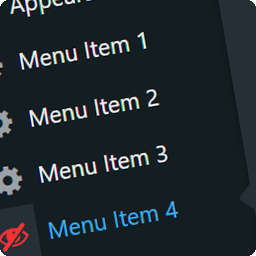
- Rename, hide, reorder, group, and review native administration menu items.
- Add validated internal and external navigation links.
- Compare configured menu visibility with the browser-rendered menu observed for each assigned role.
- Keep new plugin screens outside the workspace until an administrator explicitly approves them.
- Assign one published workspace to a role or override it for an individual user.
- Detect users whose multiple roles point to different workspaces.
- Redirect eligible users to a validated workspace start page after login.
- Replace the native Dashboard entry for users who receive a workspace.
- Exclude every user who has the
manage_optionscapability. - Recover the previous valid configuration for each workspace.
- Disable workspace application through an emergency constant.
- Review local diagnostics and a bounded configuration-change log.
Security model
Navigation and permissions are deliberately separate. Hiding a menu item changes presentation only. It does not remove a capability and it does not block a direct URL when WordPress or the destination plugin still authorizes that user.
Showing a menu item also cannot grant access. The selected role must already have the capability required by WordPress and the destination plugin.
Users with manage_options are permanently excluded from workspace application in this version. Administrators can preview workspaces without impersonating another user or changing their own capabilities.
All configuration-changing actions require the appropriate plugin capability and a valid nonce. Saved URLs, dashboard blocks, quick actions, menu configuration, role changes, and workspace assignments are validated and sanitized.
Intimité
The plugin stores all data locally and does not send telemetry or load remote resources.
Depending on configuration, it may store:
- Workspace configuration and assignments.
- The ID of the user who created a workspace.
- Role-specific menu snapshots in expiring transients.
- The ID of the user who performed a configuration change in a limited local log.
The plugin does not store IP addresses. It registers suggested privacy-policy text and integrates with the WordPress personal-data export and erasure tools. User deletion removes individual assignments and anonymizes retained local references.
Multisite
Each site maintains its own workspaces, assignments, settings, and logs. Network activation initializes existing sites, and newly created sites receive site-local defaults. The plugin does not add network-wide workspace management or synchronization.
No external services
DevAgent Admin Workspace does not contact external APIs, require an external account, download runtime dependencies, load assets from a CDN, or perform license checks.
Installation
- Upload the
devagent-admin-workspacefolder to/wp-content/plugins/, or install the ZIP from Plugins > Add New > Upload Plugin. - Activate DevAgent Admin Workspace.
- Open Admin Workspace > Roles and permissions to prepare a role.
- Open Admin Workspace > Add workspace to create a dashboard and menu configuration.
- Publish the workspace.
- Open Admin Workspace > Assign workspaces to associate it with a role or, when needed, a specific user exception.
- Log in once with a non-administrator user who has the assigned role and open wp-admin so the plugin can record the browser-rendered menu observation.
- Return as an administrator and review Edit workspace > Administrative menu.
- Test the complete result with a non-administrator account before deploying it to production users.
Journal de modifications
Compatibility release confirming support for WordPress 7.1. No functional or data-schema changes.
1.0.1
- Confirmed compatibility with WordPress 7.1.
- Updated plugin metadata and WordPress.org compatibility declaration.
- No functional or data-schema changes are included in this release.
1.0.0
- Version initiale.
- Added workspace CRUD, validation, versioned configuration, and recovery snapshots.
- Added guided and advanced role management with protected administrator capabilities.
- Added detection of capabilities declared by captured WordPress and plugin menu screens.
- Added editable role and workspace templates.
- Added dashboard blocks and capability-aware quick actions.
- Added stable administrative menu capture, renaming, hiding, reordering, sections, and links.
- Added separate available-menu, PHP-menu, and browser-rendered snapshots for assigned roles.
- Added per-item status and diagnostics when configured visibility differs from the menu actually rendered in the role user’s browser.
- Added opt-in review for newly detected plugin screens.
- Added role and individual-user assignments, runtime workspace resolution, menu and dashboard application, and safe login redirection.
- Added protected preview, emergency mode, bounded local logging, recovery, and diagnostics.
- Added settings, privacy export and erasure integration, multisite lifecycle handling, and publication hardening.
Captures d'écran


Pour les développeurs
Est-ce votre plugin ? Montrez les chiffres.
Ajoutez un badge en direct à votre site, docs ou github readme. Il se met à jour par lui-même - aucun compte n'est nécessaire.
Best DevAgent Admin Workspace alternatives
All admin menu plugins →


FAQ
DevAgent Admin Workspace: quick answers
Réponses directes, extraites des données en direct WordPress.org.
Source : WordPress.org
Is DevAgent Admin Workspace free?
Yes. DevAgent Admin Workspace is free to download and use from the official WordPress.org plugin directory.
Is DevAgent Admin Workspace safe to use in 2026?
DevAgent Admin Workspace works, but test it on a staging site before relying on it in 2026. Was last updated 3 months ago, and scores 60/100 on our health check.
How many websites use DevAgent Admin Workspace?
DevAgent Admin Workspace is active on <10 WordPress websites and has been downloaded 341 times since it launched in July 2026. It was downloaded 60 times in the last 30 days.
Does DevAgent Admin Workspace work with WordPress 7.1?
Yes. The developer has tested DevAgent Admin Workspace up to WordPress 7.1.5, the latest release. It requires WordPress 6.8 or newer.
What PHP version does DevAgent Admin Workspace need?
DevAgent Admin Workspace requires PHP 8.1 or higher. Most hosts run PHP 8.x today, so it works on any modern WordPress hosting.
When was DevAgent Admin Workspace last updated?
The latest version, 1.0.1, was released on August 24, 2026 (3 months ago).
Who makes DevAgent Admin Workspace?
DevAgent Admin Workspace is developed and maintained by devagent.
What are the best alternatives to DevAgent Admin Workspace?
The most popular alternatives to DevAgent Admin Workspace are Admin Menu Search (3K+ installs), My Wp Brand (2K+ installs) and Wider Admin Menu (2K+ installs).
Propulsé par PageForge
Un modèle et une feuille de calcul. Une vraie page pour chaque recherche.
PageForge transforme chaque ligne d'un CSV en une page WordPress avec son propre titre, URL, SEO et schéma, construit sur la mise en page que vous Déjà conçu. Gratuit sur WordPress.org.
- CSV et XLSX, plus Google Sheets sur les professionnels et les entreprises
- Son propre titre, URL, SEO champs et schéma pour chaque page
- Fonctionne avec l'éditeur de blocs, Elementor, Divi et Avada
- Gratuit sur WordPress.org, pas de carte de crédit