


CSS et JS personnalisés simples
Ajoutez facilement des fichiers CSS ou JS personnalisés à votre site Web avec un éditeur génial.

Choix
Yes — Simple Custom CSS and JS is a safe, well-maintained plugin to use in 2026. It runs on 600K+ sites, is rated 4.4/5 and was last updated 4 weeks ago, and scores 88/100 on our health check.
- Prouvé à grande échelle sur plus de 600 000 000 sites actifs
- Développé activement — Dernière mise à jour il y a 4 semaines
- Testé avec le dernier WordPress (7.1)
Comment s'accumule-t-il ?
Côte à côte sur les installations, les mises à jour, les évaluations et le supportTéléchargements quotidiens
Les pics de téléchargement suivent généralement une nouvelle version - chaque site qui met à jour automatiquement compte comme un téléchargement.
Classements
Where Simple Custom CSS and JS stands todayWordPress.org Classements de recherche
Position en direct dans la recherche de plugins, Top 100| Mot-clé | Position |
|---|---|
| add style | #1 |
| CSS personnalisé | #1 |
| custom js | #1 |
| customize theme | #4 |
| site css | #1 |
Adoption de version
Part de sites actifs par version.
Répartition des notes
★★★★★★★★★★ 4.4 from 104 reviews
About Simple Custom CSS and JS
From the official readme · v3.55Description
Customize your WordPress site’s appearance by easily adding custom CSS and JS code without even having to modify your theme or plugin files. This is perfect for adding custom CSS tweaks to your site.
Traits
- Text editor with syntax highlighting
- Print the code inline or included into an external file
- Print the code in the header or the footer
- Add CSS or JS to the frontend or the admin side
- Add as many codes as you want
- Keep your changes also when you change the theme
Installation
- From the WP admin panel, click “Plugins” -> “Add new”.
- In the browser input box, type “Simple Custom CSS and JS”.
- Select the “Simple Custom CSS and JS” plugin and click “Install”.
- Activez le plugin.
OR…
- Download the plugin from this page.
- Save the .zip file to a location on your computer.
- Open the WP admin panel, and click “Plugins” -> “Add new”.
- Click “upload”.. then browse to the .zip file downloaded from this page.
- Click “Install”.. and then “Activate plugin”.
OR…
- Download the plugin from this page.
- Extract the .zip file to a location on your computer.
- Use either FTP or your hosts cPanel to gain access to your website file directories.
- Browse to the
wp-content/pluginsdirectory. - Upload the extracted
custom-css-jsfolder to this directory location. - Open the WP admin panel.. click the “Plugins” page.. and click “Activate” under the newly added “Simple Custom CSS and JS” plugin.
Journal de modifications
3.55
- 11/02/2026
- Fix: https://wordpress.org/support/topic/css-doesnt-work-in-block-editor/#post-19043639
- Change: replace the direct database query with a WP_Query implementation
- Tweak: add version number to some enqueued assets for cache purposes
3.54.3
- 10/08/2026
- Fix: check for user capabilities on two AJAX handlers.
3.54.2
- 10/04/2026
- Fix: the external custom codes weren’t correctly loaded on themes that don’t declare support for HTML5 markup
3.54.1
- 10/03/2026
- Tweak: add translators’ notes to translatable strings
- Fix: escape outputs as per the WordPress documentation.
3.54
- 08/20/2026
- Compatibility with WP 7.1 (solved bug https://wordpress.org/support/topic/bug-fix-for-wordpress-7-1-html-snippets-returning-empty-in-__call/ )
- Change: update the minimum WP requirement to 4.2
3.53
- 05/20/2026
- Fix: the “list_table_primary_column” filter should affect only the Custom Code table
Captures d'écran
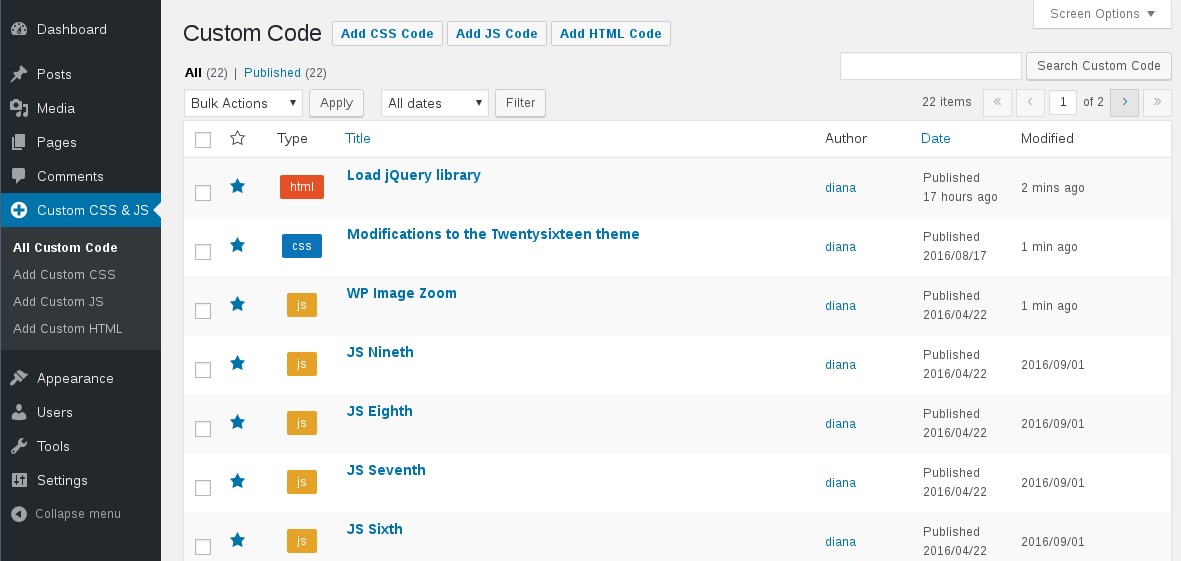
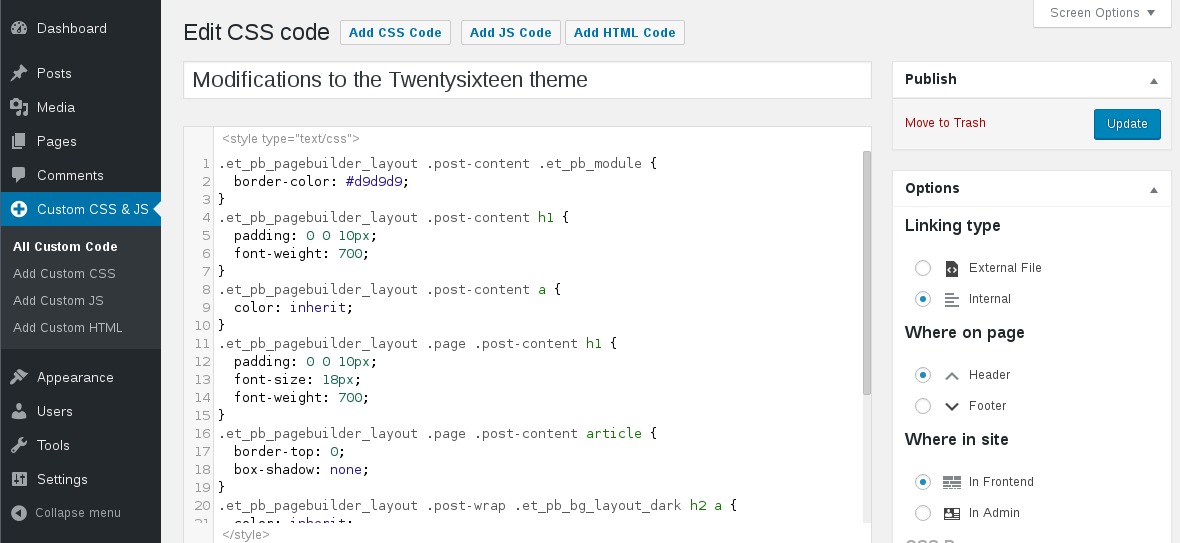
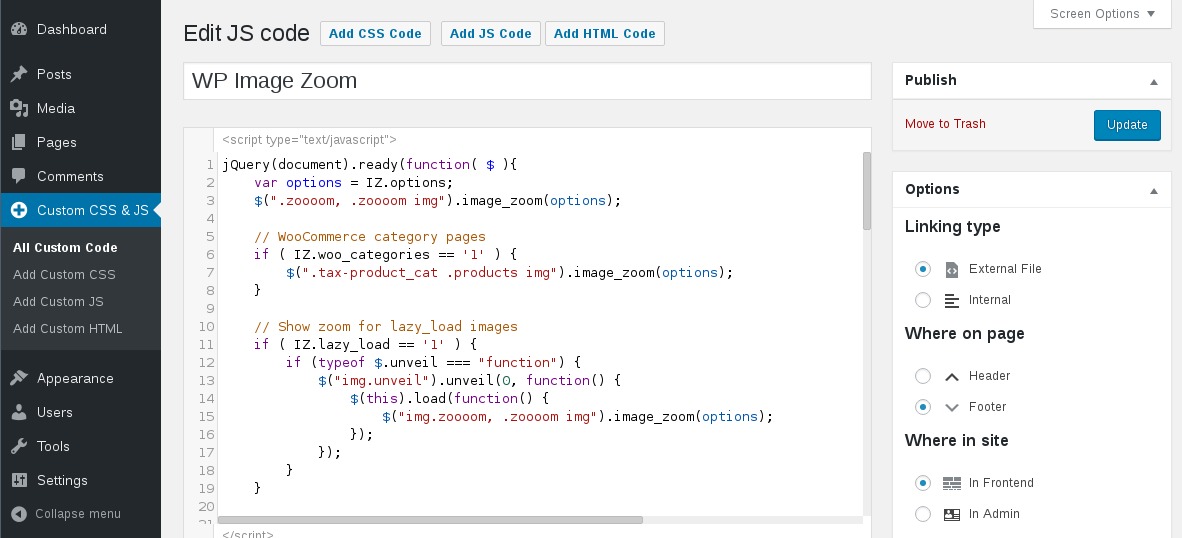
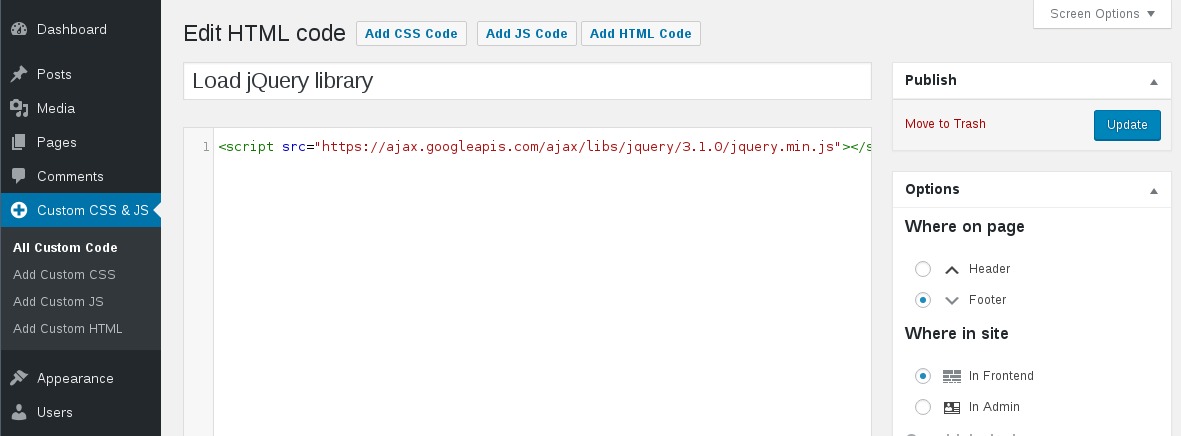
Pour les développeurs
Est-ce votre plugin ? Montrez les chiffres.
Ajoutez un badge en direct à votre site, docs ou github readme. Il se met à jour par lui-même - aucun compte n'est nécessaire.
Best Simple Custom CSS and JS alternatives
All add style plugins →| Rang | Plugin | Installations actives |
|---|---|---|
| 2 |
 WP Add Custom CSS and JS
Add unlimited custom CSS and custom JavaScript to WordPress from the admin panel, with a… |
10+ |
| 3 |
 WP Smart Content
Easily inject HTML, CSS, JS, styles, scripts & tracking code via hooks / shortcodes with… |
10+ |
FAQ
Simple Custom CSS and JS: quick answers
Réponses directes, extraites des données en direct WordPress.org.
Source : WordPress.org
Is Simple Custom CSS and JS free?
Yes. Simple Custom CSS and JS is free to download and use from the official WordPress.org plugin directory.
Is Simple Custom CSS and JS safe to use in 2026?
Yes — Simple Custom CSS and JS is a safe, well-maintained plugin to use in 2026. It runs on 600K+ sites, is rated 4.4/5 and was last updated 4 weeks ago, and scores 88/100 on our health check.
How many websites use Simple Custom CSS and JS?
Simple Custom CSS and JS is active on 600K+ WordPress websites and has been downloaded 11,761,393 times since it launched in December 2015. It was downloaded 282,959 times in the last 30 days.
Does Simple Custom CSS and JS work with WordPress 7.1?
Yes. The developer has tested Simple Custom CSS and JS up to WordPress 7.1.5, the latest release. It requires WordPress 4.2 or newer.
What PHP version does Simple Custom CSS and JS need?
Simple Custom CSS and JS requires PHP 5.2.4 or higher. Most hosts run PHP 8.x today, so it works on any modern WordPress hosting.
When was Simple Custom CSS and JS last updated?
The latest version, 3.55, was released on November 2, 2026 (4 weeks ago).
Who makes Simple Custom CSS and JS?
Simple Custom CSS and JS is developed and maintained by SilkyPress.
What are the best alternatives to Simple Custom CSS and JS?
The most popular alternatives to Simple Custom CSS and JS are WP Add Custom CSS and JS (10+ installs) and WP Smart Content (10+ installs).
Propulsé par PageForge
Un modèle et une feuille de calcul. Une vraie page pour chaque recherche.
PageForge transforme chaque ligne d'un CSV en une page WordPress avec son propre titre, URL, SEO et schéma, construit sur la mise en page que vous Déjà conçu. Gratuit sur WordPress.org.
- CSV et XLSX, plus Google Sheets sur les professionnels et les entreprises
- Son propre titre, URL, SEO champs et schéma pour chaque page
- Fonctionne avec l'éditeur de blocs, Elementor, Divi et Avada
- Gratuit sur WordPress.org, pas de carte de crédit