


Create Block Theme
A WordPress plugin to create block themes.

Choix solide
Create Block Theme is a solid plugin choice in 2026, with a few things worth checking first. It runs on 20K+ sites, is rated 4.8/5 and was last updated 2 months ago, and scores 62/100 on our health check.
- Prouvé à grande échelle sur plus de 20 000 sites actifs
- Aimé par les utilisateurs — 4,8/5 sur 38 avis
- Uniquement testé jusqu'à WordPress 6,9 (le dernier est de 7,1)
Comment s'accumule-t-il ?
Côte à côte sur les installations, les mises à jour, les évaluations et le support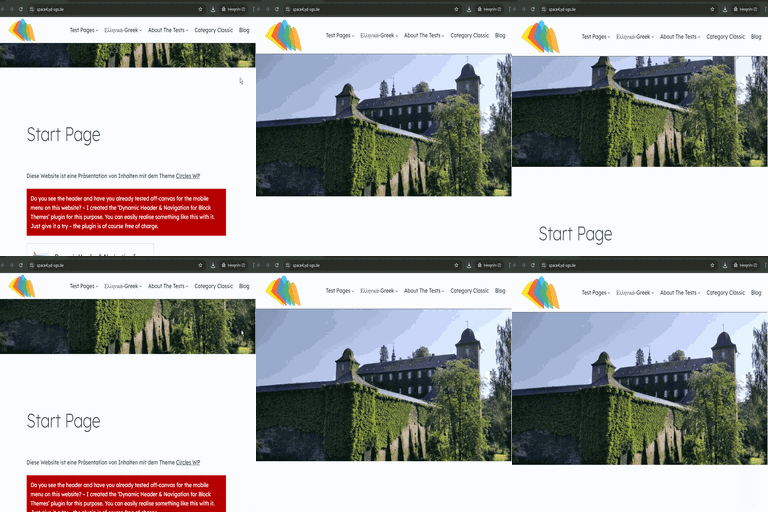



Téléchargements quotidiens
Les pics de téléchargement suivent généralement une nouvelle version - chaque site qui met à jour automatiquement compte comme un téléchargement.
Classements
Where Create Block Theme stands todayWordPress.org Classements de recherche
Position en direct dans la recherche de plugins, Top 100| Mot-clé | Position |
|---|---|
| block-theme | #1 |
| thème | #10 |
| themes | #14 |
Adoption de version
Part de sites actifs par version.
Répartition des notes
★★★★★★★★★★ 4.8 from 38 reviews
About Create Block Theme
From the official readme · v2.10.2Description
This plugin allows you to:
- Create a blank theme
- Create a new theme based on the currently active theme
- Create a child theme of the active parent theme
- Create a new style variation
- Export a theme
- Save user changed templates and styles to the active theme
- Expand the typography controls in the block inspector while authoring a theme (opt-in, under Editor preferences)
All newly created themes or style variations will include changes made within the WordPress Editor.
This plugin also makes several changes to the contents of a theme, including:
- Adds all images used in templates to the theme’s
assetsfolder. - Ensures the block markup used in templates and patterns is export-ready.
- Ensures most strings used in templates and patterns are translate-ready.
Disclaimer: The Create Block Theme plugin offers critical developer-friendly features; you can think of it as a Development Mode for WordPress, and you should keep in mind that changes made through this plugin could change your site and/or theme permanently.
(Make sure you know what you’re doing before hitting that ‘Save’ button 😉)
Step 1 – Setup
Install and activate the Create Block Theme plugin.
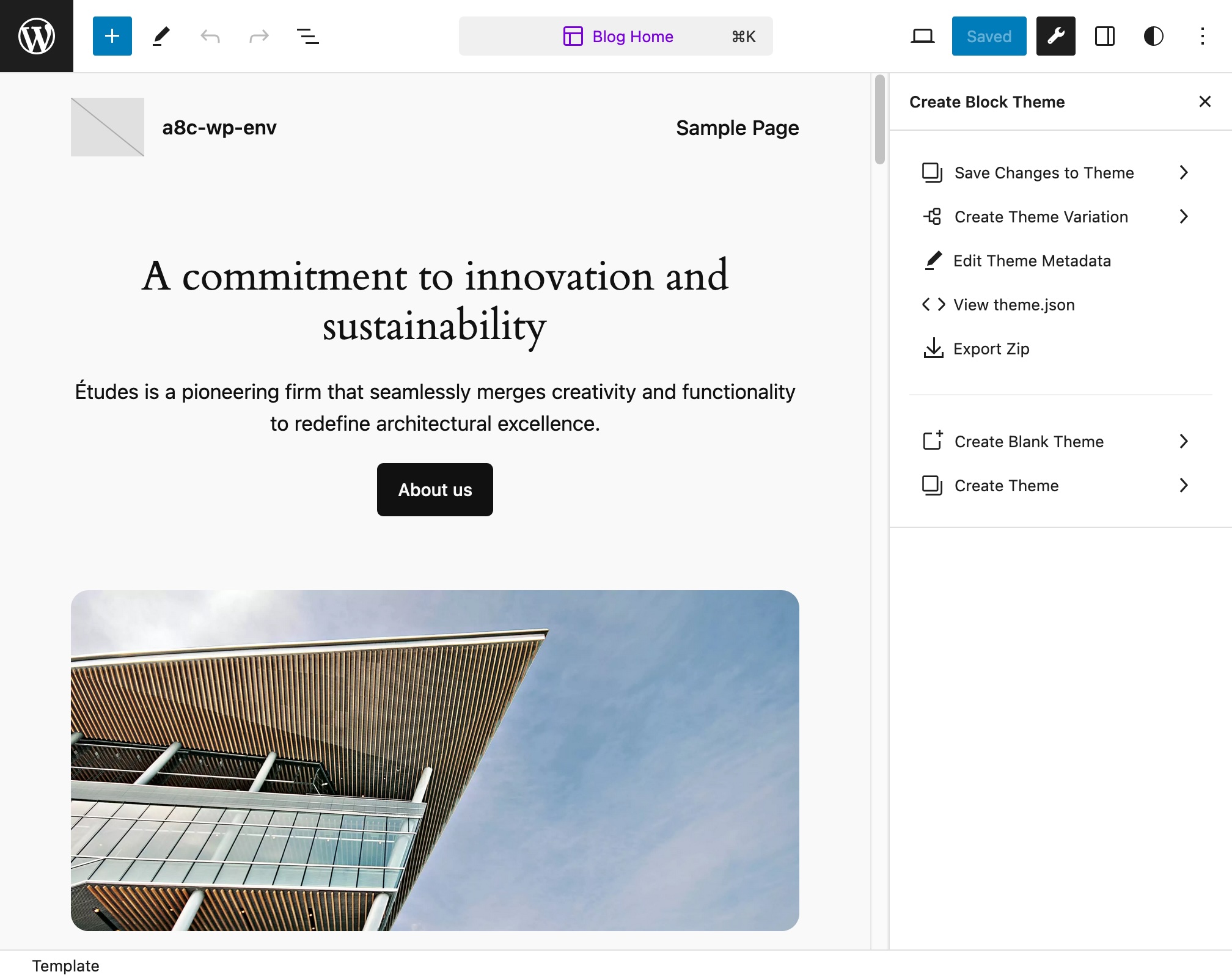
There will be a new panel accessible from the WordPress Editor, which you can open by clicking on a new icon to the right of the “Save” button, at the top of the Editor.
Step 2 – Style Customizations
Make changes to your site styles, fonts and templates using the Editor.
Step 3 – Export
Still in the WordPress Editor, navigate to the Create Block Theme menu at the top of the Editor.
To save recent changes made in the Editor to the currently active theme:
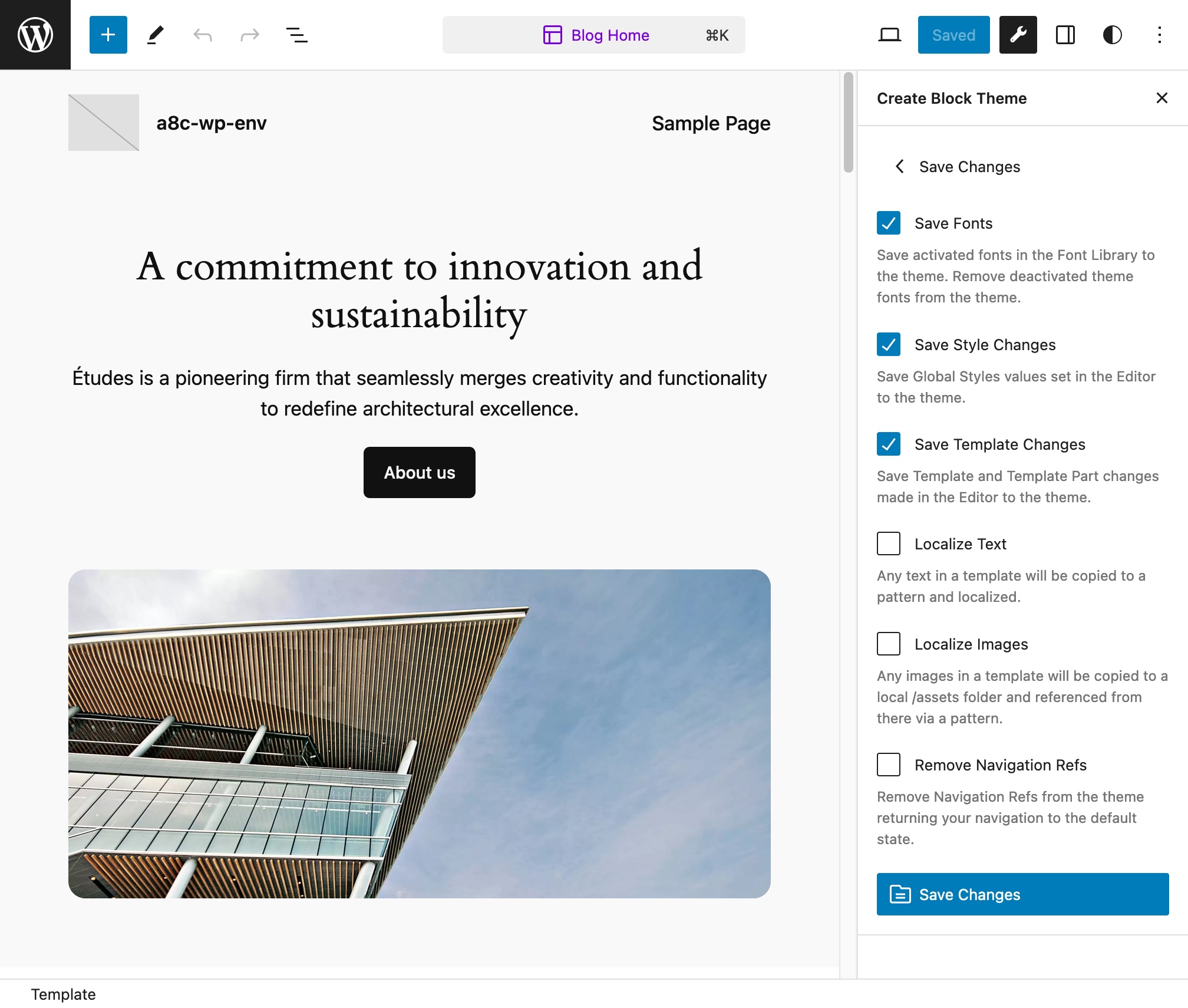
- Select “Save Changes” to save any recent changes to the currently active theme.
To install and uninstall fonts:
- Install and activate a font from any source using the WordPress Font Library.
- Select “Save Changes To Theme” and select “Save Fonts” to save all of the active fonts to the currently active theme. These fonts will then be activated in the theme and deactivated in the system (and may be safely deleted from the system).
- Any fonts that are installed in the theme that have been deactivated with the WordPress Font Library will be removed from the theme.
or export the theme:
- Select “Export Zip” to export the theme as a zip file.
To edit the theme metadata:
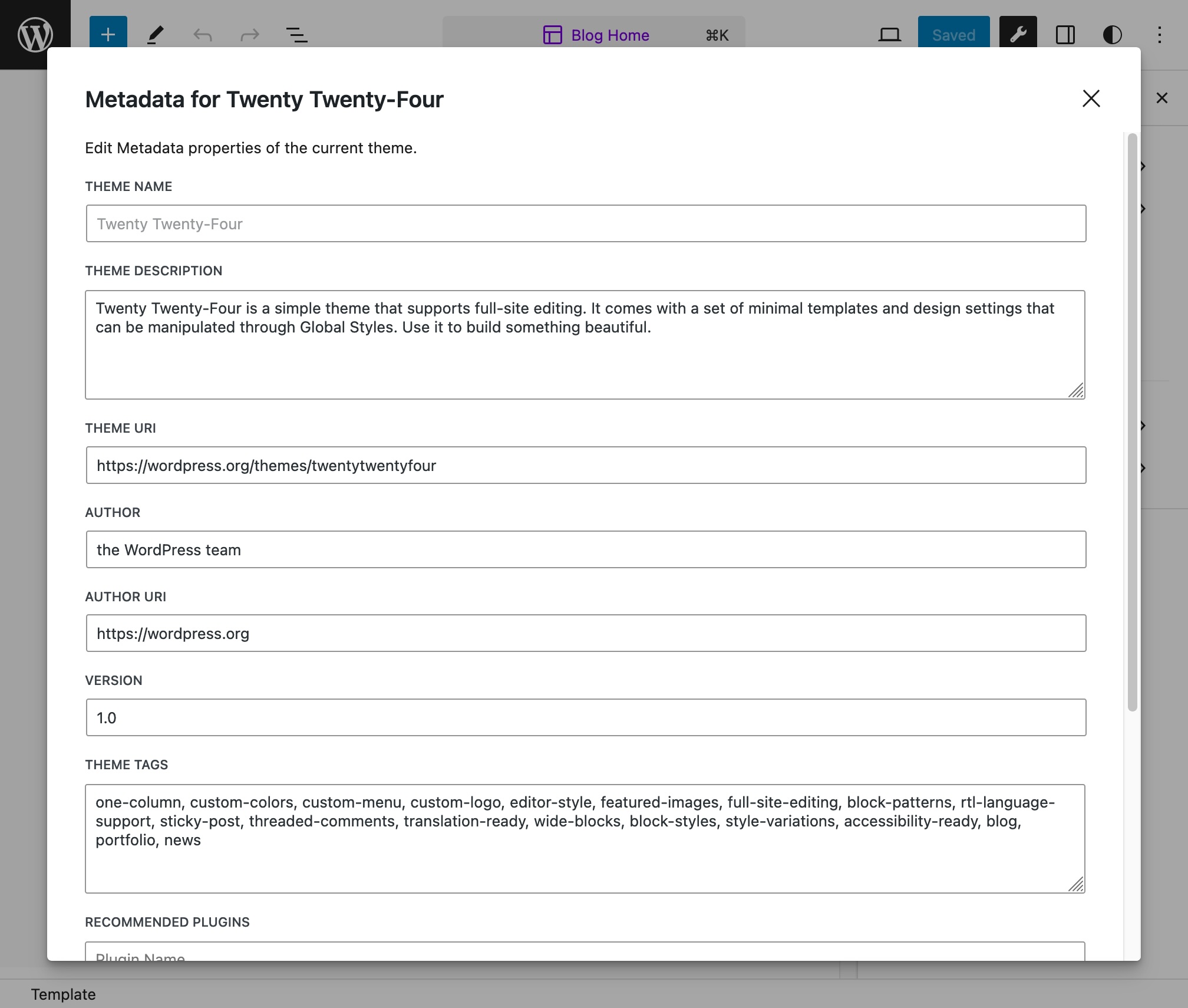
- Select “Edit Theme Metadata” to edit the metadata for the theme. These details will be used in the style.css file.
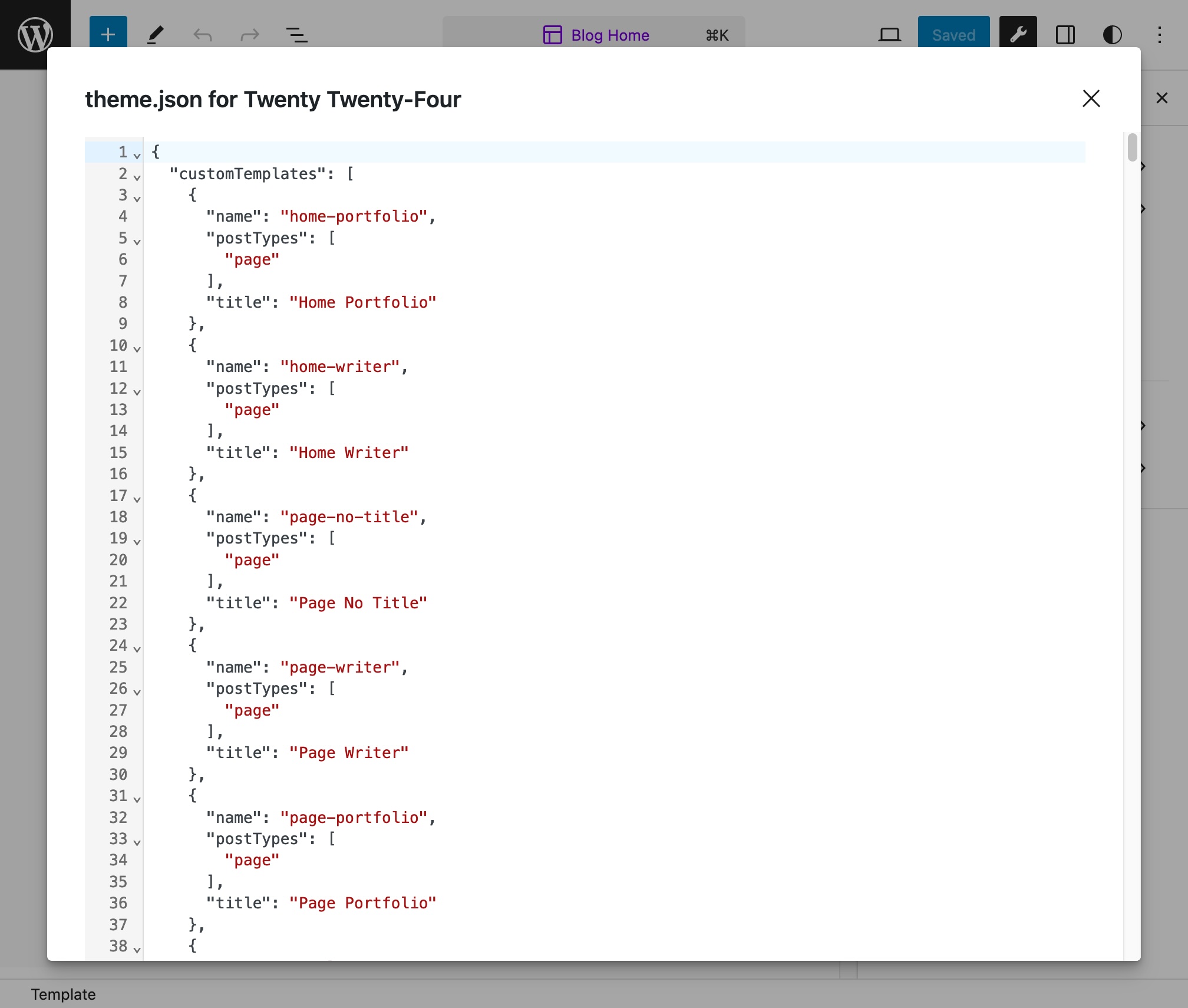
To inspect the active theme’s theme.json contents:
- Select “Inspect Theme JSON”
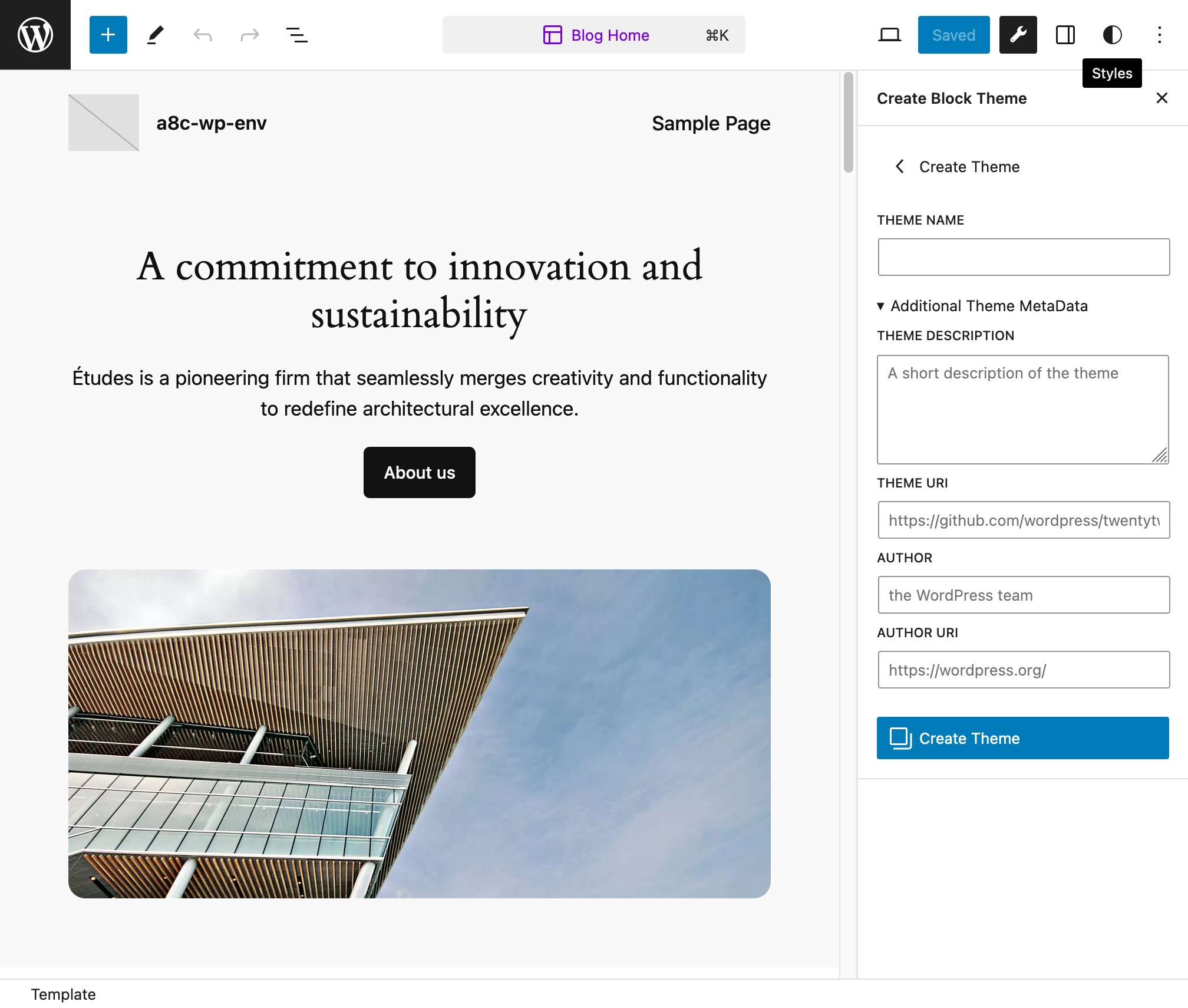
To create a new blank theme:
- Select “Create Blank Theme”
- Supply a name for the new theme (and optional additional Metadata)
- Click “Create Blank Theme”
To create a variation:
- Select “Create Theme Variation”
- Provide a name for the new Variation
- Click “Create Theme Variation”
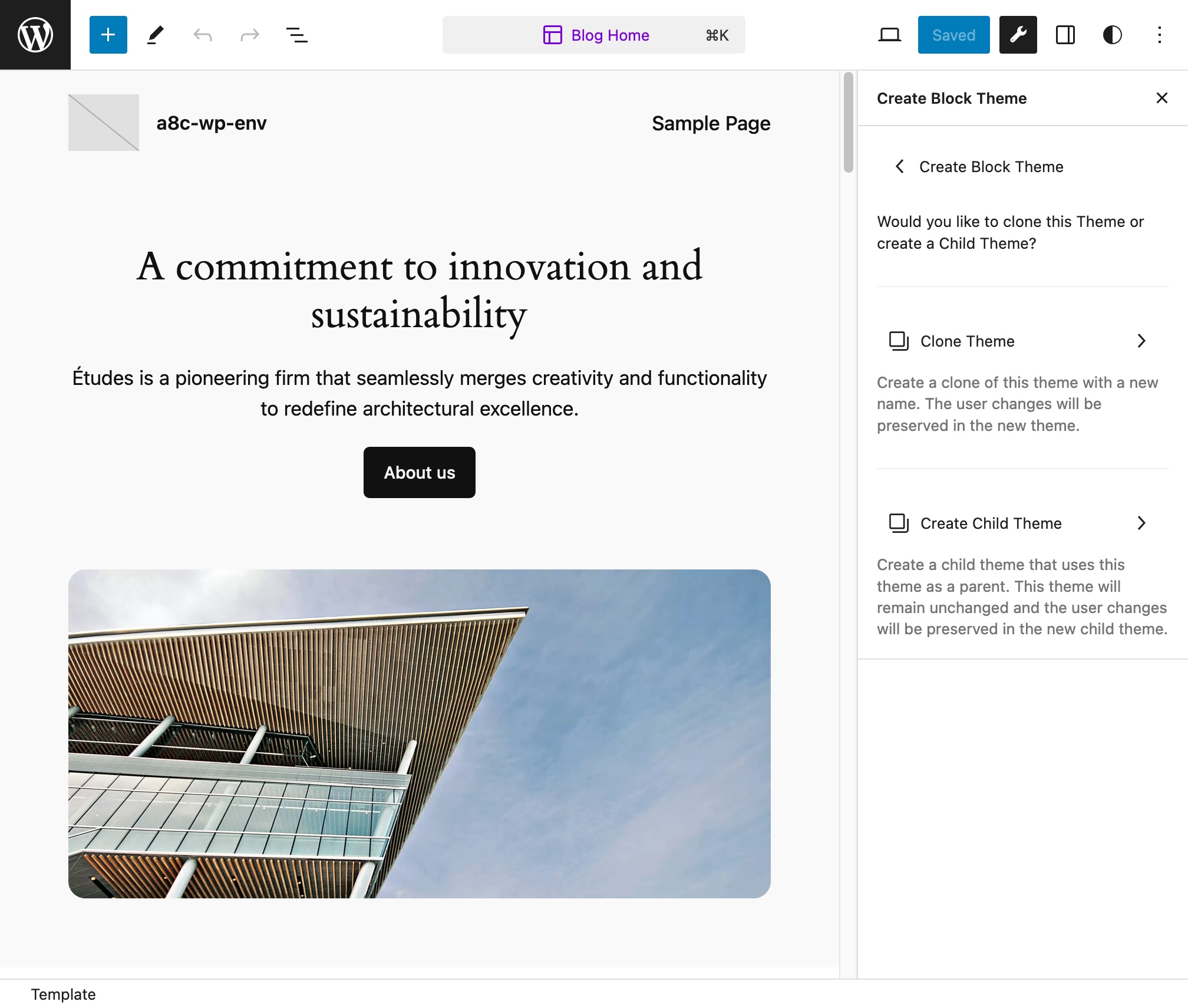
To create a new Clone of the current theme or to create a Child of the current theme:
- Click “Create Theme”
- Click “Clone Theme” to create a new Theme based on the active theme with your changes
- Click “Create Child Theme” to create a new Child Theme with the active theme as a parent with your changes
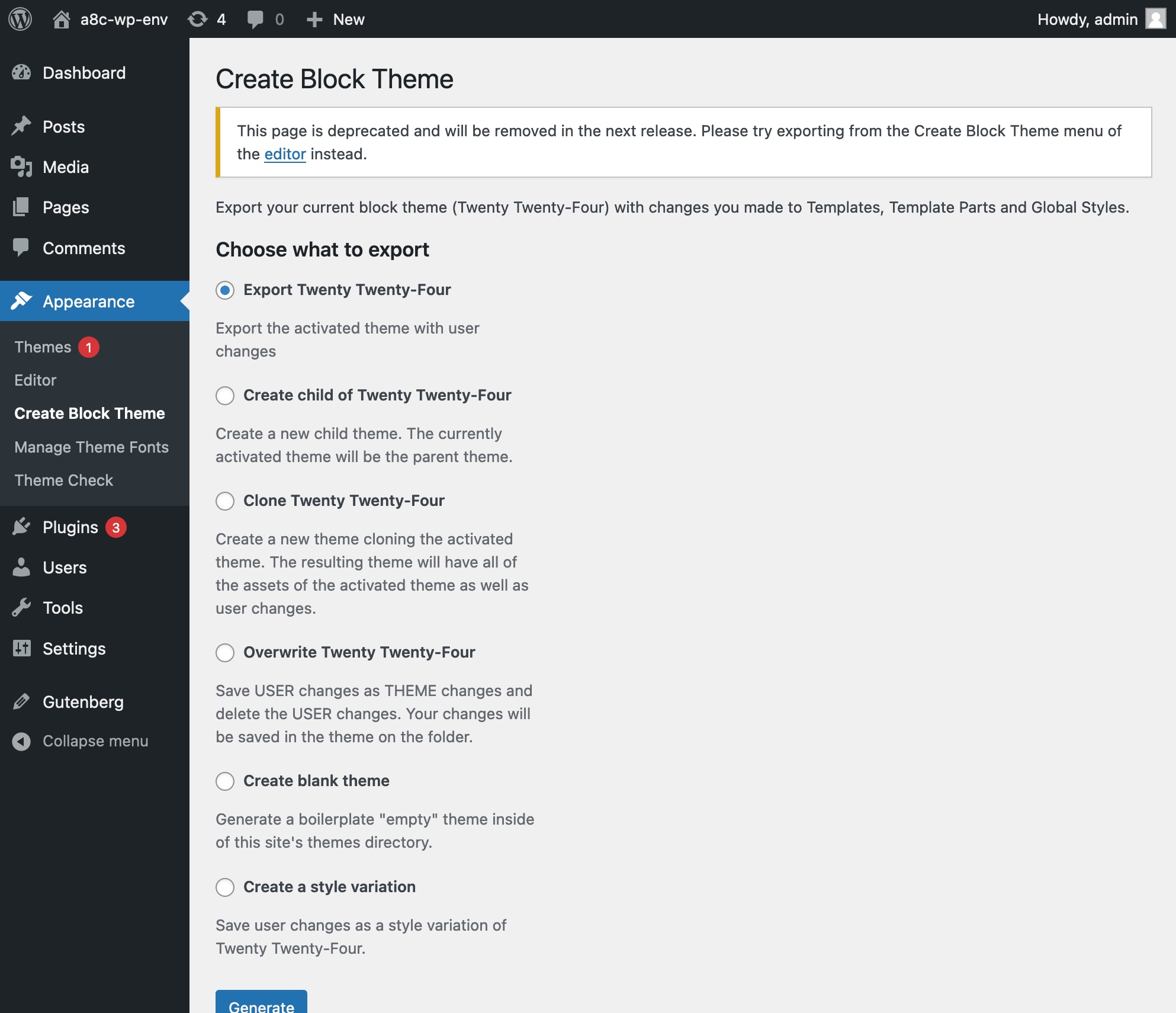
Many of these options are also available under the older, deprecated Create Block Theme page under Appearance > Create Block Theme.
General Troubleshooting
If you are having problems, please try the following:
- Make sure you have the latest version of WordPress installed.
- Make sure you have the latest version of the plugin installed.
- Deactivate all plugins and see if this resolves the problem. If this works, re-activate the plugins one by one until you find the problematic plugin(s).
- Switch the theme to the default theme to rule out any theme-related problems.
- Check the Support forum for similar issues.
I’m getting a corrupt zip file when I export my theme
- First follow the general troubleshooting steps above.
- Please make sure you
WP_DEBUGsetting in yourwp-config.phpfile is set tofalselike this:define( 'WP_DEBUG', false );. - If your theme includes PHP files, ensure those files do not use PHP closing tags
?>at the end of the file. If they do, remove them.
Journal de modifications
2.10.2
- Keep falsy and boolean attribute values in localized tokens (#878)
- Export: Remove image classes by token (#864)
- Media: Use unique placeholders during export (#861)
- I18n: Escape decoded HTML attributes (#862)
- Update wp-env to fix PHP 7.4 and 8.0 test environments (#877)
- Export: Stabilize pattern sanitization (#865)
- I18n: Preserve block attribute encoding (#863)
- Update wp-coding-standards/wpcs to 3.4.1 (#859)
2.10.1
- I18n: Handle backslashes in localized template text (#854)
- Keep SVG URLs remote during export (#855)
2.10.0
- Validate downloaded theme assets against extension and MIME allowlists (#852)
- Require super-admin for theme-modifying REST routes on multisite (#850)
- I18n: Localize label attribute of additional blocks (#826)
- I18n: Localise fileName and downloadButtonText of the File block (#827)
- Strip PHP execution tags from pattern body content (#851)
- Add /theme-settings REST endpoint + CBT_Theme_Settings_Save service (#843)
- Fix: guard
$template->mediareads against undefined property (#835) - Add setting to expand typography controls in the block inspector (#824)
- Sanitize pattern titles and categories (#817)
2.9.0
- Downgrade actions/core (#815)
- Performance: Consolidate redundant APIs into getCurrentTheme (#804)
- Polish sidebar using Card component (#801)
- Add basic e2e tests (#811)
- Use wp-env for PHP unit test (#802)
- Bump minimum required WordPress version to 6.8 (#803)
- Code Quality: Migrate to husky v9 format (#800)
- Update npm deps and fix pre-commit hook config (#809)
- Add AGENTS.md file (#808)
- I18n: Localise content attribute of the Read More block (#810)
- Fix: Localize repeated background images in Cover block (#794) (#795)
2.8.0
- Update “Tested up to” version to 6.9 (#793)
- Save all patterns (#790)
- I18n: Makes it possible to translate text strings in HTML comments (#788)
- Move and version attributes to the start of the theme.json file as this helps editing in IDEs (#787)
- Localize Details block summary text (#778)
- PHPCS: enalbe VariableAnalysis.CodeAnalysis.VariableAnalysis rule (#782)
- Clean up package.json and update libraries (#781)
- Bump minimum required WordPress version to 6.7 (#775)
- Added filters for changing paths (#771)
- Add option to remove taxonomy query from query block attributes (#734) (#743)
- Wp-env: remove mappings field (#774)
2.7.0
- Update “Tested up to” version to 6.8 (#768)
- Update wp-env configuration to use ‘development mode’ and to store themes in an accessible place for development (#764)
- Code Quality: fix browser deprecation warning (#762)
- PHPCS: Remove unused files and adjust release files (#754)
- GitHub Actions: Install Subversion (#761)
- Polish plugin sidebar buttons (#755)
- Clean up package.json and update @wordpress/env (#753)
- Tested up to: 6.7 (#751)
- Add figcaption escaping for image and video blocks (#745)
Captures d'écran
Pour les développeurs
Est-ce votre plugin ? Montrez les chiffres.
Ajoutez un badge en direct à votre site, docs ou github readme. Il se met à jour par lui-même - aucun compte n'est nécessaire.
Best Create Block Theme alternatives
All block-theme plugins →



FAQ
Create Block Theme: quick answers
Réponses directes, extraites des données en direct WordPress.org.
Source : WordPress.org
Is Create Block Theme free?
Yes. Create Block Theme is free to download and use from the official WordPress.org plugin directory.
Is Create Block Theme safe to use in 2026?
Create Block Theme is a solid plugin choice in 2026, with a few things worth checking first. It runs on 20K+ sites, is rated 4.8/5 and was last updated 2 months ago, and scores 62/100 on our health check.
How many websites use Create Block Theme?
Create Block Theme is active on 20K+ WordPress websites and has been downloaded 519,259 times since it launched in June 2022. It was downloaded 15,723 times in the last 30 days.
Does Create Block Theme work with WordPress 7.1?
Create Block Theme is officially tested up to WordPress 6.9.12, while the latest release is 7.1.5. It may still work, but try it on a staging site first.
What PHP version does Create Block Theme need?
Create Block Theme requires PHP 7.4 or higher. Most hosts run PHP 8.x today, so it works on any modern WordPress hosting.
When was Create Block Theme last updated?
The latest version, 2.10.2, was released on October 1, 2026 (2 months ago).
Who makes Create Block Theme?
Create Block Theme is developed and maintained by WordPress.org.
What are the best alternatives to Create Block Theme?
The most popular alternatives to Create Block Theme are Dynamic Header & Navigation… (200+ installs), Enable bbPress for Block Th… (200+ installs) and Jamie’s Header Effects (60+ installs).
Propulsé par PageForge
Un modèle et une feuille de calcul. Une vraie page pour chaque recherche.
PageForge transforme chaque ligne d'un CSV en une page WordPress avec son propre titre, URL, SEO et schéma, construit sur la mise en page que vous Déjà conçu. Gratuit sur WordPress.org.
- CSV et XLSX, plus Google Sheets sur les professionnels et les entreprises
- Son propre titre, URL, SEO champs et schéma pour chaque page
- Fonctionne avec l'éditeur de blocs, Elementor, Divi et Avada
- Gratuit sur WordPress.org, pas de carte de crédit