


Corsen Context
Owner-controlled AI access to your public content: llms.txt, a read-only MCP endpoint, and opt-in WebMCP tools for agents in the browser.

Choix solide
Corsen Context is a solid plugin choice in 2026, with a few things worth checking first. It runs on 80+ sites and was last updated 1 month ago, and scores 64/100 on our health check.
- Testé avec le dernier WordPress (7.1)
- Petite base d'utilisateurs (80+ installations actives)
- Très peu de critiques jusqu'à présent
Comment s'accumule-t-il ?
Côte à côte sur les installations, les mises à jour, les évaluations et le support


Téléchargements quotidiens
Les pics de téléchargement suivent généralement une nouvelle version - chaque site qui met à jour automatiquement compte comme un téléchargement.
Classements
Where Corsen Context stands todayWordPress.org Classements de recherche
Position en direct dans la recherche de plugins, Top 100| Mot-clé | Position |
|---|---|
| IA | >100 |
| ai agents | >100 |
| llms.txt | >100 |
| MCP | >100 |
| webmcp | #18 |
Adoption de version
Part de sites actifs par version.
About Corsen Context
From the official readme · v1.5.18Description
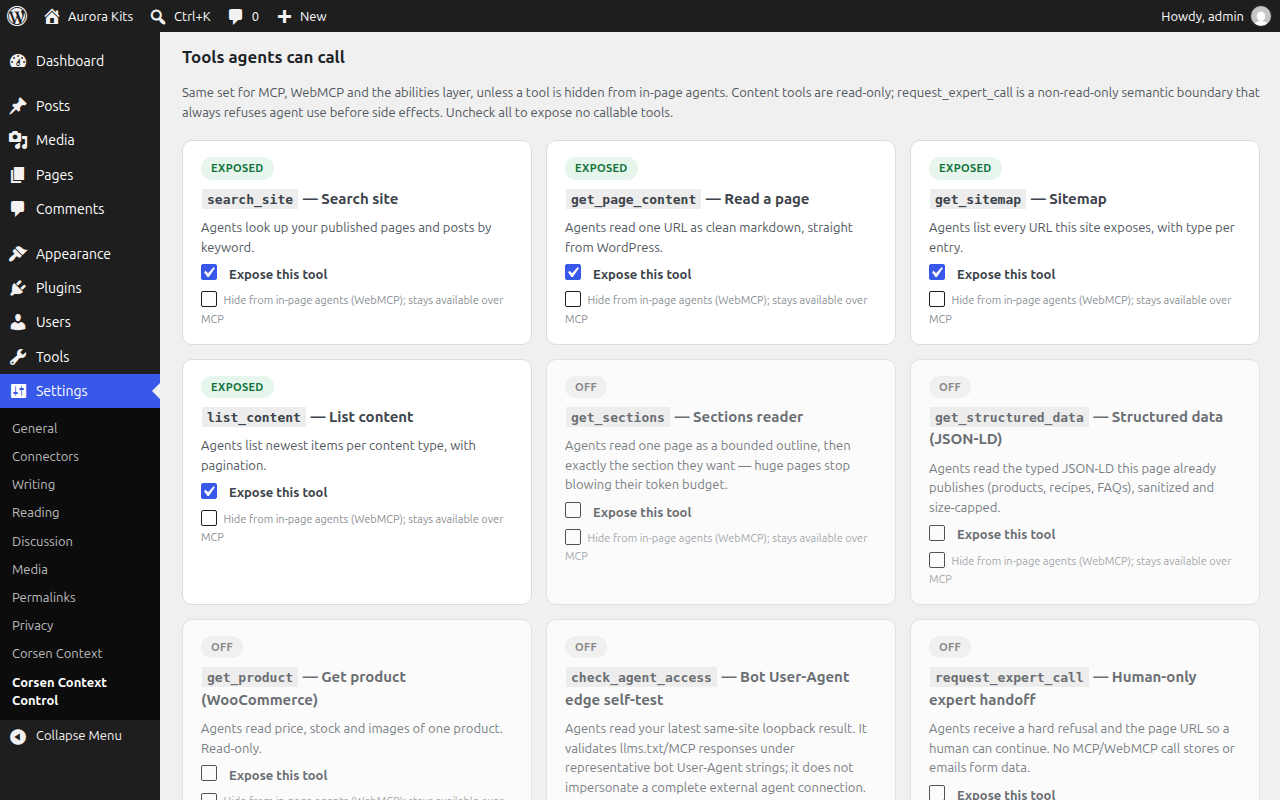
Corsen Context publishes a bounded overview of selected public WordPress content and provides four core read-only content tools through a JSON-RPC endpoint. Five further extension tools are opt-in and owner-controlled: get_product (live price, stock, images and variants via WooCommerce, plus an agentPurchase policy the agent must respect), get_sections (a page outline plus one bounded section per call), get_structured_data (typed JSON-LD blocks), check_agent_access (reads the result of the owner’s latest agent-access self-test) and request_expert_call (a human-only expert intake, annotated readOnlyHint:false and refused server-side for AI callers with error code human_only). 1.5.0 also registers the enabled tools through the experimental WebMCP browser API when the site owner opts in and the browser exposes that API, and through the WordPress Abilities API on WordPress 6.9 or newer.
Ce qu'il fait
The plugin provides three separate surfaces, with one implementation behind all of them:
-
Static Layer — Generates
/llms.txtwith a structured overview of selected public content. An optional, bounded/llms-full.txtexport can be enabled in settings. -
Dynamic Layer — Exposes the enabled tools through a Model Context Protocol (MCP) JSON-RPC endpoint at the canonical URL generated by WordPress. The four core tools and four WordPress read extensions are read-only; the optional human-only expert intake is explicitly non-read-only and refuses agent calls server-side. The endpoint targets protocol version 2025-11-25 with JSON responses and no server-sent event stream.
-
In-Page Layer (opt-in) — Registers the enabled tools through WebMCP
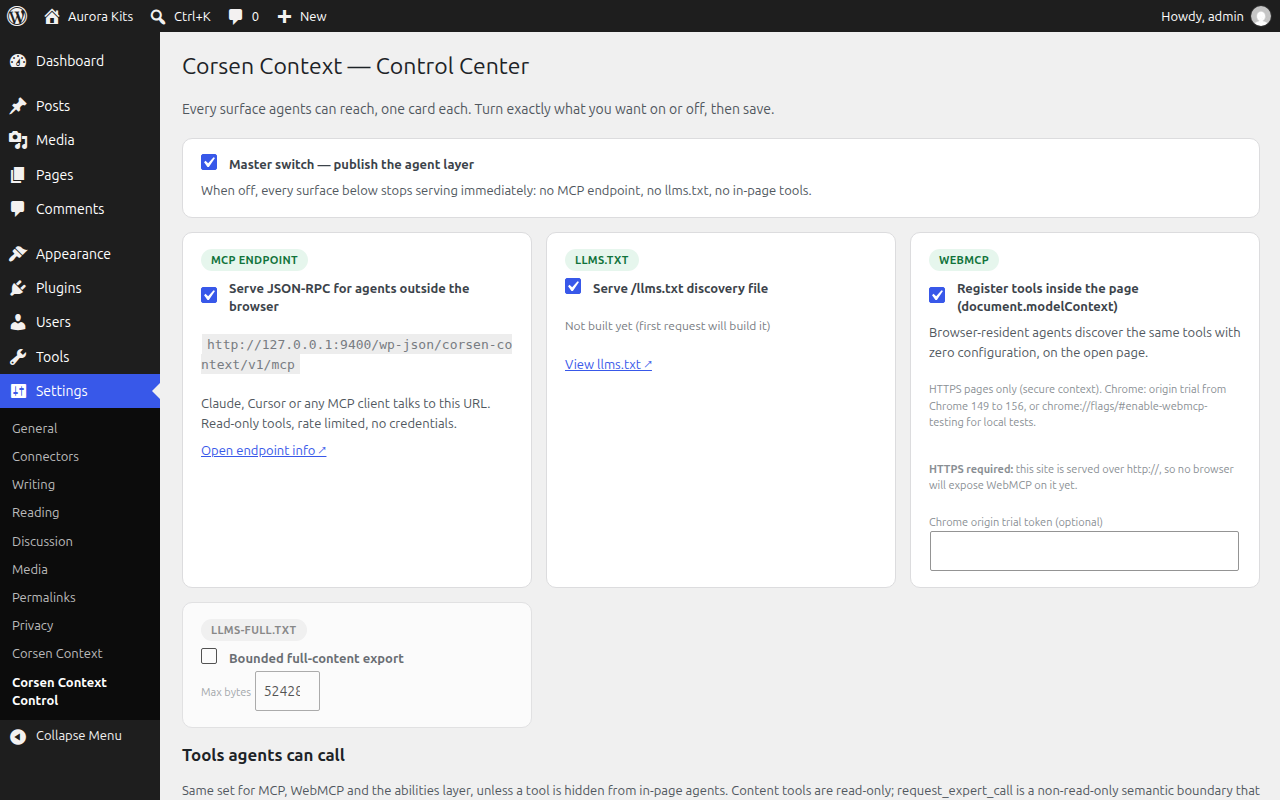
document.modelContext, including explicit per-tool annotations. Serving the bridge does not enable WebMCP in every browser: a compatible browser/client and, where applicable, current trial enrollment or a development flag are also required.
WebMCP: your tools inside the browser
WebMCP is the draft browser API (document.modelContext) through which a page offers tools to an AI agent running in the browser: Chrome with WebMCP enabled, or an agent client with built-in support such as ChatGPT’s in-app browser. With Corsen Context, your WordPress site offers in the page the same read-only tools it already serves over MCP: search_site, get_page_content, list_content, get_sitemap, plus any extension tool you enable.
- Nothing to code – the plugin enqueues the registration script with the tool definitions; every tool call goes back to your site’s own MCP endpoint, so the browser never reimplements a tool.
- Annotated and bounded – each tool carries a title plus
readOnlyHintanduntrustedContentHintannotations, and the human-only expert tool is markedconsequentialHintso a browser agent asks before calling it; the bridge stays same-origin, sends no cookies, visitor credentials or API key, and refuses to register inside frames. Tool errors reach the agent as structured results (error_code, message, handoff URL) rather than a bare exception. - Opt-in – off until you enable it under Settings > Corsen Context. An optional origin-trial token field emits Chrome’s first-party meta tag for public deployments.
To try it: enable WebMCP in Settings > Corsen Context; open the site over HTTPS as a top-level page in a browser that exposes the API (Chrome 149 or newer with chrome://flags/#enable-webmcp-testing, the Chrome origin trial that runs from Chrome 149 to 156, or an agent client with built-in support); check typeof document.modelContext === 'object' in DevTools; then ask the agent to search the site and read one page. WebMCP is experimental and browser support changes; the browser setup guide tracks the current paths.
Principales caractéristiques
- Three surfaces, one contract — static
/llms.txt, a read-only MCP endpoint, and opt-in WebMCP in-page tools expose the same owner-selected content; the heavier/llms-full.txtexport and the WebMCP bridge are opt-in. - WebMCP bridge — registers the enabled tools through
document.modelContextwith per-tool annotations, same-origin and credential-free; optional origin-trial token setting. - MCP 2025-11-25 target — Supports
initialize,ping,tools/list,tools/call,resources/list,resources/read, andnotifications/initialized. The endpoint returns JSON responses and does not provide server-sent event streaming. - 4 core read-only tools —
search_site,get_page_content,list_content,get_sitemap; every other surface tool is an opt-in extension, off by default. - SEO integration — Reads Yoast SEO and Rank Math metadata for better descriptions.
- Request controls — Rate limiting, strict input validation, same-site content URL checks, defensive MCP response headers, and optional API-key authentication.
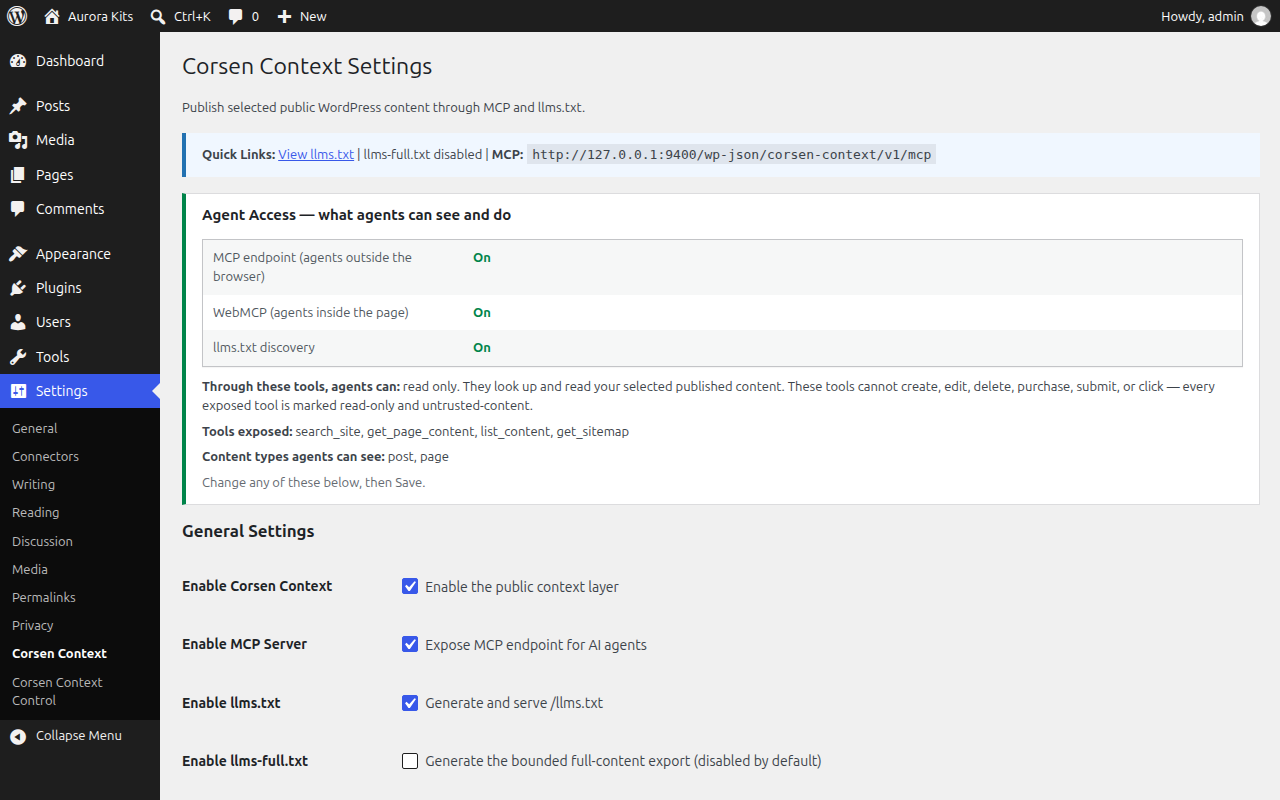
- Admin settings page — Choose public post types, exclude paths, set rate limits, toggle surfaces, and select any subset of the tools.
- Control Center (Settings > Corsen Context Control) — one card per surface and tool, honest exposed/needs-config/off badges, a per-tool “hide from in-page agents” switch, what-agents-see preview, and a bounded local audit log (transport, outcome, error code, per-tool totals) with a one-click purge.
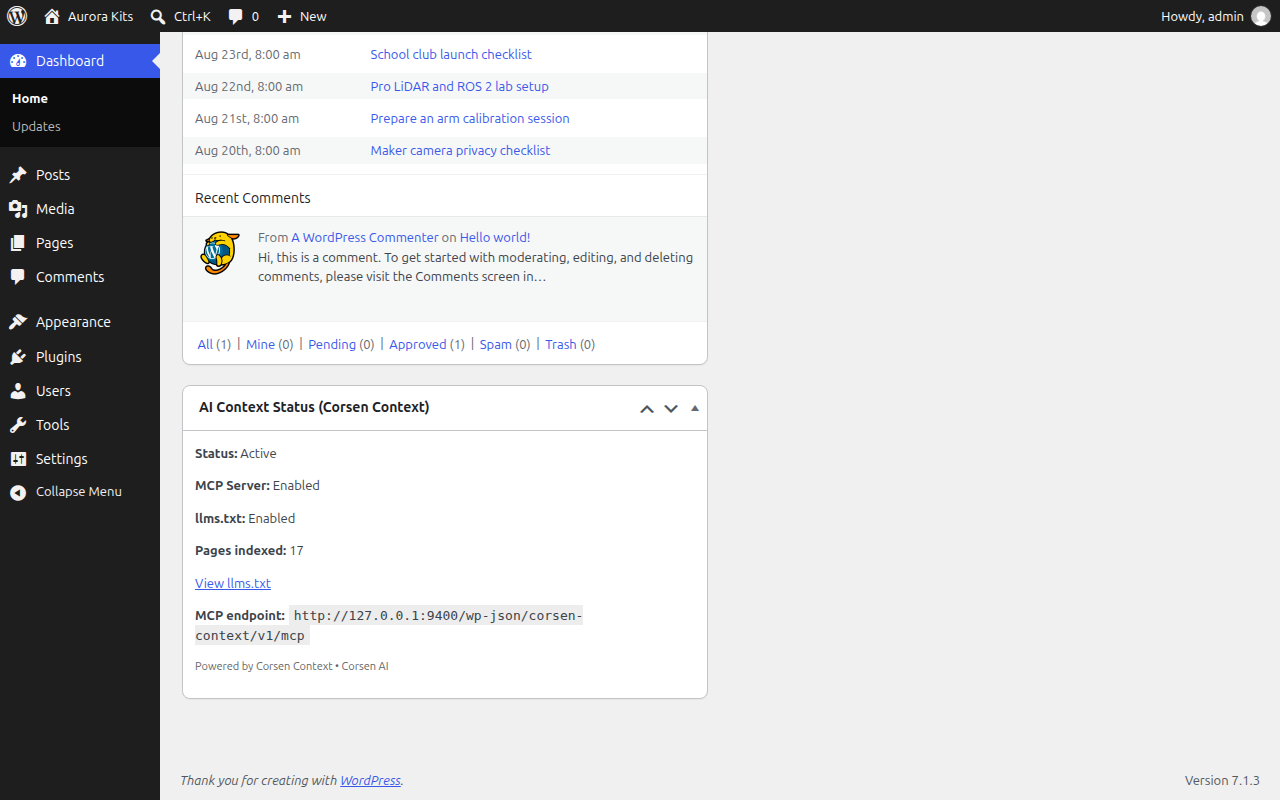
- Dashboard widget — See your AI context status at a glance.
- Bounded generation — Total item and output-byte limits protect the optional full-content export.
- Content safety — Drafts, private posts, password-protected posts, excluded paths, and content vetoed by the exposure filter are not served.
- Credit line (opt-in) — an optional “Powered by Corsen Context” line in generated files, off by default.
Published Endpoints and Discovery Hints
When the corresponding settings are enabled, Corsen Context publishes:
- robots.txt — An
MCP:line containing the canonical endpoint URL generated by WordPress - llms.txt — When MCP is enabled, the generated file includes its canonical endpoint URL; the separate promotional credit is opt-in and off by default
- HTML head —
<link rel="mcp">link element added automatically - Direct URL —
/llms.txtremains available to clients that know the convention
These are project discovery hints, not universally consumed standards. They do not guarantee that a search engine or client will discover or use the endpoint.
Obligations
- WordPress 6.0 or higher
- PHP 8.0 or higher
- A web-server configuration that routes the published
/llms.txtpath to WordPress. Pretty permalinks are recommended for this static path. The MCP REST endpoint itself uses WordPress’s canonical URL and can use the?rest_route=/corsen-context/v1/mcpform with Plain permalinks.
WebMCP additionally needs a browser and agent/client that implement the evolving API. Chrome’s development flag and public origin-trial path can change; follow the current browser setup guide.
Part of a Bigger Ecosystem
Corsen Context is an open-source project by Corsen AI. The project also provides TypeScript packages for Node.js, Next.js, and Astro, plus a reference Express server. WordPress uses this dedicated PHP plugin.
Installation
From WordPress.org (published stable channel)
- Go to Plugins > Add New in your WordPress admin
- Search for “Corsen Context”
- Click “Install Now” then “Activate”
- Visit Settings > Corsen Context and review the exposed post types, paths, and surfaces.
Check the version displayed by WordPress.org before installation. A stable version older than 1.5.14 does not contain the complete current Control Center, extension-tool hardening, and Abilities API schemas documented here.
Manual release installation
- Obtain the GitHub release asset for version 1.5.18, or build a ZIP from
packages/wordpress-plugin/corsen-contextin the public repository at tagv1.5.18. - The ZIP must contain one top-level
corsen-contextfolder withcorsen-context.php,includes/,uninstall.php, andreadme.txt; do not upload the monorepo ZIP. - Go to Plugins > Add New > Upload Plugin, upload that plugin ZIP, and activate it.
- Confirm version 1.5.18 on the Plugins screen, then review Settings > Corsen Context before enabling WebMCP.
After Activation
With the default settings, activation publishes:
/llms.txt— Visithttps://yoursite.com/llms.txtto see it- MCP endpoint — Copy the exact URL displayed under Settings > Corsen Context or exposed by the site’s MCP discovery hints
-
Dashboard widget — Check your admin dashboard
/llms-full.txt is not enabled by default. WebMCP is also opt-in and requires a compatible browser/client in addition to the WordPress setting.
Important: Do not construct the MCP endpoint by appending /wp-json/. WordPress commonly returns https://yoursite.com/wp-json/corsen-context/v1/mcp, but Plain permalinks can return https://yoursite.com/?rest_route=/corsen-context/v1/mcp, and a site can filter the REST prefix. Use the URL displayed by the plugin or published in robots.txt, the HTML <link rel="mcp">, or the generated /llms.txt when MCP is enabled. If the separate /llms.txt path is unavailable, review the site’s rewrite and permalink configuration.
Journal de modifications
The public credit line is now off by default (Settings > Corsen Context > Show Credit turns it back on). In-page agents get readable tool errors, llms.txt reads naturally, and caches survive consent and analytics cookies.
1.5.18 – 2026-10-23
- Listing: tested up to WordPress 7.1 (run on WordPress 7.1.3), a Screenshots section, and a shorter 1.5.9 upgrade notice.
- The “Powered by Corsen Context” credit line in
/llms.txtand/llms-full.txtis now opt-in and off by default, and theX-Powered-Byheader is gone from plugin responses (plugin directory guideline 10). Existing installs are switched off once; the “Show Credit” checkbox turns the line back on. - WebMCP: tool errors reach in-page agents as structured results (error code, message, handoff URL) instead of a bare
OperationError; the human-only expert tool carriesconsequentialHint: true; every tool has atitle; the settings page and the Control Center say that WebMCP needs HTTPS and name the Chrome 149 to 156 origin trial. - MCP:
tools/listuses the MCP annotation vocabulary and advertisesoutputSchema; tool errors carry the extension’s extra fields instructuredContent; the OPTIONS preflight is only answered while MCP is enabled. - The WebMCP bridge is a script file enqueued in the footer instead of an inline block: about 10 KB less per page view, and browsers cache it.
llms.txtreads naturally (no more escaped periods, hyphens or parentheses) and follows the llmstxt.org layout.- Caching and queries: consent, analytics and CDN cookies no longer disable the shared llms.txt and tool caches (new
corsen_context_shared_cache_safefilter); the list, search and sitemap queries are lighter; the settings upgrade check no longer runs on every request. - Admin, policy and dashboard strings are translatable; uninstall cleans every site of a multisite network.
- Governance: the audit log records the transport (
mcp,webmcp,abilities) and the error code of every call, with per-transport and per-tool totals in the Control Center; any tool can be hidden from in-page agents while staying on MCP; an optionalcorsen_context_webmcp_output_budgetfilter bounds in-page page results.
1.5.17 – 2026-10-17
- Fix: the
/llms.txtand/llms-full.txtrewrite rules are registered only while the corresponding surface is enabled, stale rules are dropped from the generated rule set, and the rules are refreshed when the setting changes. A disabled/llms.txtpreviously kept owning the route and could answer 404 in place of another plugin’sllms.txt. Reported with a fix by suhakaralar (#10, #11). - Readme and plugin description now present WebMCP as one of the three surfaces (static
llms.txt, MCP endpoint, in-page WebMCP tools) with setup and verification steps; tags updated.
1.5.16 – 2026-09-03
- Agent conduct policy states what an agent may do, not only what it must not: for a product whose
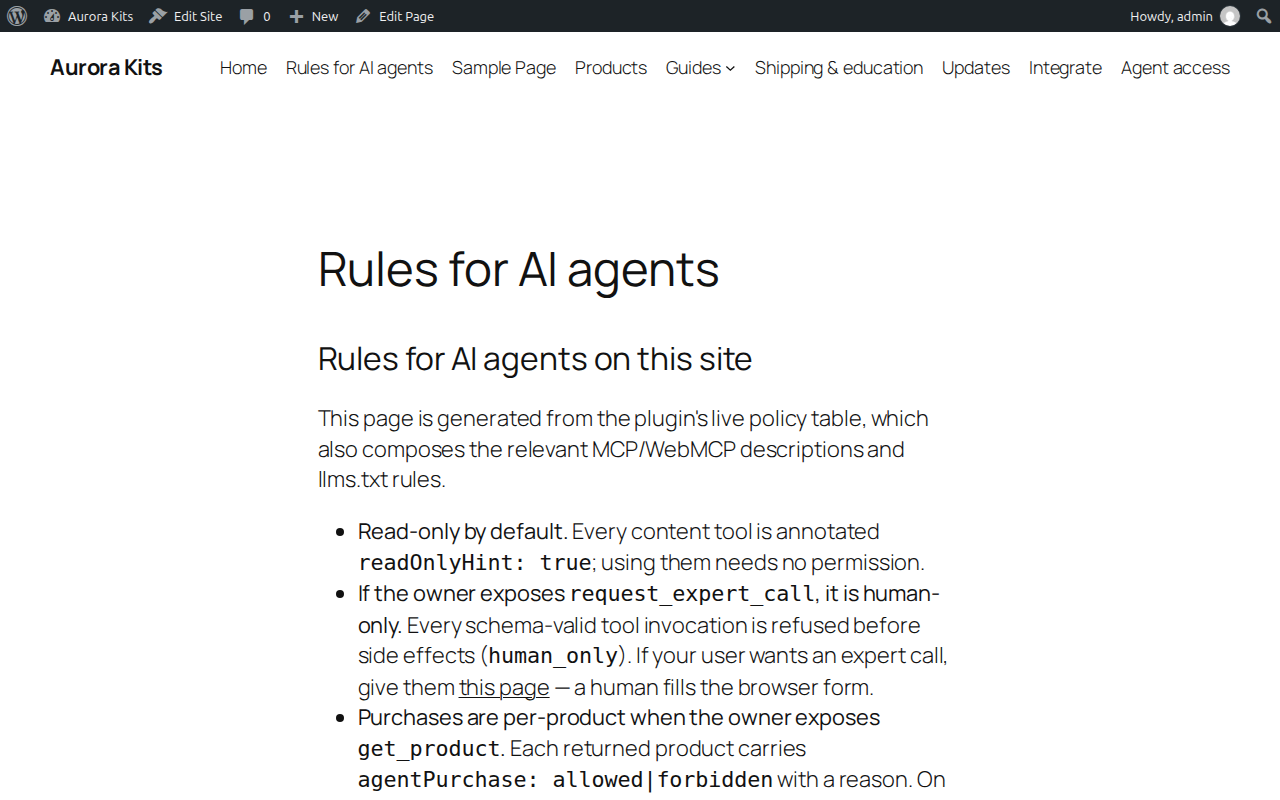
agentPurchaseisallowed, an agent acting for its user may complete the store’s ordinary checkout, including creating the customer account it requires; everything outside those explicit per-product permissions stays human-only, and the agent is told to stop and report the page URL to its user. The same sentence is rendered inllms.txt, the[corsen_agent_policy]page, the machine-readable policy JSON, theget_productdescription, and the default per-product reason.
1.5.15 – 2026-09-03
- “Hide user enumeration” now flips anonymous author archives to 404 on
pre_handle_404, insideWP::main()and before thewpaction, instead of ontemplate_redirect. The previous hook returned the right status but SEO plugins andwp_get_document_title()had already resolved the author, so the 404 page’s<title>and Open Graph tags still printed the author’s nicename and archive URL. The queried user is also dropped from the main query, and the integration test now asserts the document title,is_author(), and the queried object.
1.5.14 – 2026-09-02
get_structured_datanow uses WordPress’s safe HTTP transport, refuses redirects, and caps the loopback response while downloading it. Stored markup is capped before parsing, JSON-LD clips stay valid UTF-8, multi-type entities are counted correctly, duplicate blocks no longer create a false truncation flag, and every returned block now stays within the documented byte budget.- WordPress Abilities output schemas now match the executor:
search_sitedeclaresrank, sitemap fields reflect its actual payload, nullable product values are explicit, and the section and structured-data schemas include their real optional fields. - All WordPress extension readers now honor the same membership and visibility veto filter as the four core tools. Section ids reserve the synthetic
topentry and ignore heading-like lines inside fenced code. The expert handoff requires an owner-configured same-origin form URL, and uninstall/purge removes the complete private expert inbox (including trashed requests), agent-access snapshot, lock, and product policy metadata. - Extension input schemas now match their validators (required URIs, exact slug-or-URI product selection, and bounded section offsets), including Unicode-aware string limits. The agent-access check validates real llms.txt/MCP response shapes and is described honestly as a same-site loopback using representative bot User-Agent strings, not a full external-agent test.
- Product purchase policy can be managed on every WooCommerce product edit screen as well as the first 50-product quick editor. Invalid stored states fail closed, policy summaries honor every owner visibility veto, and human-handoff copy no longer claims that Corsen Context intercepts browser form submissions.
1.5.13 – 2026-09-01
- Policy honesty + hardening (second independent review): the REST meta
auth_callbackno longer callsedit_post_meta(which re-entered itself for registered protected meta) and checksedit_postinstead, as Core documents. The agent head banner renders only when the MCP channel is actually enabled — a disabled channel is never advertised. Long owner reasons are truncated without requiring mbstring.llms.txtopens with “START HERE for AI agents” and its policy block now distinguishes the server-enforced expert handoff (human_only) from the per-productagentPurchasecontract instruction; the plugin exposes no purchase tool and never intercepts human checkout. The human-only form notice is generated from the same table ([corsen_human_only_notice]), so the form copy is the wire copy.
Captures d'écran
Pour les développeurs
Est-ce votre plugin ? Montrez les chiffres.
Ajoutez un badge en direct à votre site, docs ou github readme. Il se met à jour par lui-même - aucun compte n'est nécessaire.
Best Corsen Context alternatives
Tous les plugins d'IA →





FAQ
Corsen Context: quick answers
Réponses directes, extraites des données en direct WordPress.org.
Source : WordPress.org
Is Corsen Context free?
Yes. Corsen Context is free to download and use from the official WordPress.org plugin directory.
Is Corsen Context safe to use in 2026?
Corsen Context is a solid plugin choice in 2026, with a few things worth checking first. It runs on 80+ sites and was last updated 1 month ago, and scores 64/100 on our health check.
How many websites use Corsen Context?
Corsen Context is active on 80+ WordPress websites and has been downloaded 2,083 times since it launched in July 2026. It was downloaded 343 times in the last 30 days.
Does Corsen Context work with WordPress 7.1?
Yes. The developer has tested Corsen Context up to WordPress 7.1.5, the latest release. It requires WordPress 6.0 or newer.
What PHP version does Corsen Context need?
Corsen Context requires PHP 8.0 or higher. Most hosts run PHP 8.x today, so it works on any modern WordPress hosting.
When was Corsen Context last updated?
The latest version, 1.5.18, was released on October 22, 2026 (1 month ago).
Who makes Corsen Context?
Corsen Context is developed and maintained by corsenai.
What are the best alternatives to Corsen Context?
The most popular alternatives to Corsen Context are Elementor Agent Ready Websi… (10M+ installs), Jetpack (3M+ installs) and All in One SEO (2M+ installs).
Propulsé par PageForge
Un modèle et une feuille de calcul. Une vraie page pour chaque recherche.
PageForge transforme chaque ligne d'un CSV en une page WordPress avec son propre titre, URL, SEO et schéma, construit sur la mise en page que vous Déjà conçu. Gratuit sur WordPress.org.
- CSV et XLSX, plus Google Sheets sur les professionnels et les entreprises
- Son propre titre, URL, SEO champs et schéma pour chaque page
- Fonctionne avec l'éditeur de blocs, Elementor, Divi et Avada
- Gratuit sur WordPress.org, pas de carte de crédit