


CloudFilt Bot & Spam Protection
Prevent and stop bot traffic. This plugin inserts in your website the CloudFilt codes for the security tracking available on https://cloudfilt.com/.

Choix solide
CloudFilt Bot & Spam Protection is a solid plugin choice in 2026, with a few things worth checking first. It runs on 400+ sites, is rated 4.5/5 and was last updated 2 days ago, and scores 76/100 on our health check.
- Développé activement — Dernière mise à jour il y a 2 jours
- Testé avec le dernier WordPress (7.1)
- Momentum — downloads up 124.1% vs the previous 30 days
- Petite base d'utilisateurs (400+ installations actives)
- Très peu de critiques jusqu'à présent
Comment s'accumule-t-il ?
Côte à côte sur les installations, les mises à jour, les évaluations et le support


Téléchargements quotidiens
Les pics de téléchargement suivent généralement une nouvelle version - chaque site qui met à jour automatiquement compte comme un téléchargement.
Classements
Where CloudFilt Bot & Spam Protec… stands todayWordPress.org Classements de recherche
Position en direct dans la recherche de plugins, Top 100| Mot-clé | Position |
|---|---|
| anti-spam | #48 |
| block bots | #25 |
| stop bad bots | #8 |
| web application firewall | #30 |
| Web Security | >100 |
Adoption de version
Part de sites actifs par version.
Répartition des notes
★★★★★ ★★★★★ 4,5 sur 4 avis
About CloudFilt Bot & Spam Protection
À partir du Lisezmoi officiel · v1.2.0Description
Prevent and block bot traffic, web scraping, Tor traffic, spam submissions (comments and contact forms), online fraud, business logic abuse, and denial-of-service (DDoS) attacks.
This plugin inserts the CloudFilt tracking and security codes into your website, enabling the protection services available at https://cloudfilt.com/
You can read the full documentation at: https://docs.cloudfilt.com/
Terms and Conditions: https://cloudfilt.com/docs/pt_cloudfilt_07302025.pdf
Traits
-
Authentication form
- Using your public and private key to connect your WordPress website to your CloudFilt account and enable CloudFilt features.
- Check if your website is still connected to your CloudFilt account.
-
Enabled CloudFilt features
- Prevents and stops bot traffic, Web Scraping, Tor traffic, Spam Submissions, Web Fraud, Business logic and Denial of service (DDoS).
- Injects JS into pages to track and detect potentially dangerous users.
Modèle de démonstration
- Log in to your CloudFilt account and go to https://app.cloudfilt.com/websites.
- Select the website and go to Settings > Integration & Plugins.
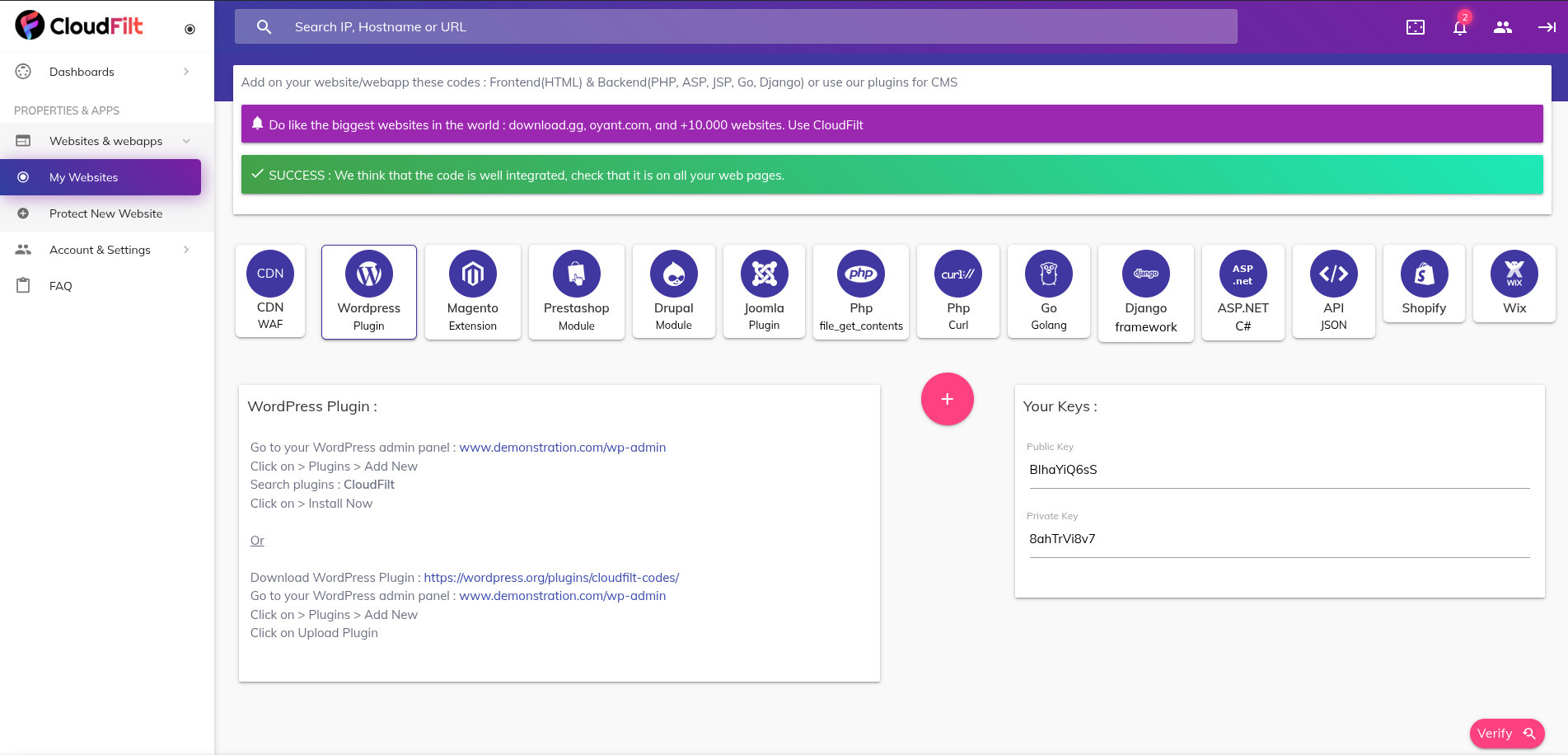
- In the “WordPress” tab, retrieve the public key and the private key.
- Log in to the administration page of your WordPress and select the “CloudFilt” plugin from the menu.
- In the form, paste the keys you retrieved from your CloudFilt account.
- Once it is done, you can go back to https://app.cloudfilt.com and see your website’s security statistics. Bots can no longer reach your website, and visitors are tracked.
To learn more, see the screenshots section.
Services externes
This plugin relies on the CloudFilt service (https://cloudfilt.com/) to decide whether a request comes from a bot. Nothing is sent until you save your CloudFilt keys.
- Key check (
api.cloudfilt.com): when you save your keys, your public key, private key and site URL are sent to confirm the site belongs to your CloudFilt account. Opening the plugin settings page sends the saved keys again to show the connection status. - Server-side check (
api<site id>.cloudfilt.com): on each request to your site, the plugin sends the visitor IP address, the requested URL, the visitor User-Agent, the submitted form or JSON fields (the first 64 KB and 900 fields; password, token, nonce, card, session and login name fields are removed beforehand; XML-RPC and other bodies are not sent), the Referer and the Sec-Fetch-Site, Sec-Fetch-Mode and Sec-Fetch-Dest request headers, a SHA-256 fingerprint of the visitor session (never the session cookie itself), and the PHP, PHP SAPI, WordPress and plugin versions. The answer tells the plugin to let the request through or to redirect the visitor to the CloudFilt block page. - Browser script (
srv<site id>.cloudfilt.com): a script loaded in the visitor browser collects bot detection signals. - CloudFilt address list (
api.cloudfilt.com/cloudfilt-ips): once a day, from the WordPress cron, the plugin downloads the public list of CloudFilt CDN and server IP addresses. Nothing about your site or your visitors is sent.
Users excluded by role in the plugin settings, WP-CLI commands, the cron requests WordPress sends to itself and the requests already checked by the CloudFilt CDN are not checked.
When “Protection before WordPress” is installed, the gate sends the same data from the same server. It writes cloudfilt-gate.php at the root of your site, an auto_prepend_file line in .htaccess or .user.ini, and keeps a copy of its settings (your keys included) and its state in wp-content/cloudfilt/ (PHP files that print nothing, and an .htaccess that refuses the folder on Apache).
A proxy declared with the cloudfilt_trusted_proxies filter must be added from a must-use plugin (wp-content/mu-plugins): the plugin reads the filter when it loads, before your theme.
Terms and Conditions: https://cloudfilt.com/docs/pt_cloudfilt_07302025.pdf
Privacy policy and GDPR: https://cloudfilt.com/pt_cloudfilt.pdf
Journal de modifications
1.2.0
- CloudFilt CDN: requests the CloudFilt CDN has already checked and signed (sites served over https) are no longer checked and counted a second time. The CloudFilt address list updates itself without a new plugin version.
- New “Protection before WordPress” (optional, one button on the settings page, not on multisite): a gate loaded through auto_prepend_file (in .htaccess with Apache or LiteSpeed, in .user.ini with PHP-FPM) filters every visit before WordPress starts. Direct visits refused by “Only accept CloudFilt CDN traffic” no longer start WordPress, and a page cache plugin that serves pages through PHP (advanced-cache.php) can be allowed again. Logged-in users and WP-Cron are still checked inside WordPress. Deactivating the plugin removes the gate; switch it off before moving the site to another folder.
- Requests coming from the CloudFilt CDN without its signed proof (static file paths, another CloudFilt customer pointing to your server) are now checked like any other visit. When the CDN has just checked the same request (sites served over http), CloudFilt does not count it a second time.
- Calls to CloudFilt verify its certificate with the few root certificates it uses, shipped with the plugin, instead of reading the whole certificate bundle on every visit. If CloudFilt changes its certificate authority before the plugin is updated, the WordPress bundle is used.
- When CloudFilt cannot be reached (three failures within 10 seconds), visitors no longer wait for the timeout: checks pause for 30 seconds, then a single request tries again.
- The settings page can now be translated, and the plugin removes its settings when uninstalled.
- New settings page design, matching the CloudFilt dashboard. Roles to skip are now plain checkboxes: the Select2 library is no longer shipped.
- New option “Only accept CloudFilt CDN traffic”: direct visits to your server, bypassing the CDN, get a 403 error. An allow list keeps access for your own addresses, and an empty
cloudfilt-cdn-only-offfile at the WordPress root switches the option off if you lose access. The option cannot be enabled while the CDN does not reach the site, or from a connection that would lock you out, and it opens again by itself if no CDN request arrives for 24 hours. - New “Local proxies” setting: declare nginx, Varnish or a load balancer in front of WordPress so the visitor IP is read from X-Forwarded-For. The loopback address is no longer fully trusted by default.
- Requests WordPress sends to itself (cron, Site Health, background tasks) are signed so they keep working when “Only accept CloudFilt CDN traffic” is on. They are still checked by CloudFilt.
- Forms are judged more precisely: the Referer and the Sec-Fetch headers are now sent.
- Requires PHP 7.4 and WordPress 5.2. On an older PHP, the plugin shows a notice and does nothing instead of breaking the site.
- The settings page checks the connection to CloudFilt at most once an hour, and switching “Only accept CloudFilt CDN traffic” off no longer depends on reaching CloudFilt.
- The plugin now loads before the other site plugins (must-use and network-activated plugins still load first). The CloudFilt script is added with wp_enqueue_script.
1.1.0
- Security: the plugin settings could be changed by anyone, without being logged in. Saving the settings now requires an administrator and a valid form nonce. Update as soon as possible.
- Security: calls to CloudFilt now verify the TLS certificate with the WordPress certificate bundle (WordPress 4.1 or later is now required) and no longer follow redirects. A blocked visitor is redirected with a 303 code, so the browser no longer re-sends the submitted form to the block page.
- The cron requests WordPress sends to itself (wp-cron.php) are no longer checked, so scheduled tasks keep running on shared hosting whose outgoing IP is shared with other sites. WP-CLI commands are no longer checked either.
- Behind a reverse proxy on the same server (127.0.0.1, ::1 or a Unix socket), the real visitor IP is now read from X-Forwarded-For instead of the proxy IP. Behind a proxy on another machine, add its network with the
cloudfilt_trusted_proxiesfilter; otherwise its IP is checked, as before, and a forwarding header sent by a visitor is ignored. - Only secret-looking fields (password, token, nonce, card, session, login name…) are now removed from submitted data, at every nesting level; the other fields are still checked. Previously the whole submission was dropped when it contained a password field. JSON bodies with a charset, multipart forms and PUT/PATCH forms are now read; only the first 64 KB and 900 fields are sent, and XML-RPC bodies are no longer sent.
- The visitor User-Agent is sent with each check, along with a SHA-256 fingerprint of the session (never the session cookie itself), to detect one session replayed from many networks.
- The PHP, PHP SAPI, WordPress and plugin versions are sent in an X-CF-Env header, so CloudFilt can detect outdated server software.
- Page caching stays disabled while the plugin is configured, but the object and database caches are no longer turned off.
- Fixed a fatal error when the CloudFilt PHP snippet is also installed on the site, the plugin being loaded twice on admin pages, multi-word roles (such as Shop manager) never being excluded, and error details showing raw HTML on the settings page.
1.0.20
- fixes some bugs.
1.0.19
- fixes some bugs.
1.0.18
- fixes some bugs.
1.0.17
- Compatibility test with WordPress 6.9.
Captures d'écran


Pour les développeurs
Est-ce votre plugin ? Montrez les chiffres.
Ajoutez un badge en direct à votre site, docs ou github readme. Il se met à jour par lui-même - aucun compte n'est nécessaire.
Best CloudFilt Bot & Spam Protecti… alternatives
Tous les plugins anti-spam →





FAQ
CloudFilt Bot & Spam Protection: quick answers
Réponses directes, extraites des données en direct WordPress.org.
Source : WordPress.org
Is CloudFilt Bot & Spam Protection free?
Yes. CloudFilt Bot & Spam Protection is free to download and use from the official WordPress.org plugin directory.
Is CloudFilt Bot & Spam Protection safe to use in 2026?
CloudFilt Bot & Spam Protection is a solid plugin choice in 2026, with a few things worth checking first. It runs on 400+ sites, is rated 4.5/5 and was last updated 2 days ago, and scores 76/100 on our health check.
How many websites use CloudFilt Bot & Spam Protection?
CloudFilt Bot & Spam Protection is active on 400+ WordPress websites and has been downloaded 21,738 times since it launched in July 2020. It was downloaded 744 times in the last 30 days.
Does CloudFilt Bot & Spam Protection work with WordPress 7.1?
Yes. The developer has tested CloudFilt Bot & Spam Protection up to WordPress 7.1.5, the latest release. It requires WordPress 5.2 or newer.
What PHP version does CloudFilt Bot & Spam Protection need?
CloudFilt Bot & Spam Protection requires PHP 7.4 or higher. Most hosts run PHP 8.x today, so it works on any modern WordPress hosting.
When was CloudFilt Bot & Spam Protection last updated?
The latest version, 1.2.0, was released on November 27, 2026 (2 days ago).
Who makes CloudFilt Bot & Spam Protection?
CloudFilt Bot & Spam Protection is developed and maintained by CloudFilt.
What are the best alternatives to CloudFilt Bot & Spam Protection?
The most popular alternatives to CloudFilt Bot & Spam Protection are Akismet Anti-spam: Spam Pro… (5M+ installs), Antispam Bee (700K+ installs) and Anti-Spam, Honeypot, CAPTCH… (200K+ installs).
Propulsé par PageForge
Un modèle et une feuille de calcul. Une vraie page pour chaque recherche.
PageForge transforme chaque ligne d'un CSV en une page WordPress avec son propre titre, URL, SEO et schéma, construit sur la mise en page que vous Déjà conçu. Gratuit sur WordPress.org.
- CSV et XLSX, plus Google Sheets sur les professionnels et les entreprises
- Son propre titre, URL, SEO champs et schéma pour chaque page
- Fonctionne avec l'éditeur de blocs, Elementor, Divi et Avada
- Gratuit sur WordPress.org, pas de carte de crédit