


Client
7-day free trial, no card: AI learns your website in 2 minutes and answers chat 24/7. Plans add WhatsApp, email, SMS and AI calls. From $25/month.

Choix solide
Clientager is a solid plugin choice in 2026, with a few things worth checking first. Was last updated 1 month ago, and scores 64/100 on our health check.
- Développé activement — Dernière mise à jour il y a 1 mois
- Testé avec le dernier WordPress (7.1)
- Petite base d'utilisateurs (<10 installations actives)
- Très peu de critiques jusqu'à présent
Comment s'accumule-t-il ?
Côte à côte sur les installations, les mises à jour, les évaluations et le support



Téléchargements quotidiens
Les pics de téléchargement suivent généralement une nouvelle version - chaque site qui met à jour automatiquement compte comme un téléchargement.
Classements
Where Clientager stands todayWordPress.org Classements de recherche
Position en direct dans la recherche de plugins, Top 100| Mot-clé | Position |
|---|---|
| AI Chatbot | >100 |
| Réceptionniste d'IA | #34 |
| chatbot | >100 |
| génération de prospects | >100 |
| Chat en direct | >100 |
About Clientager
À partir du Lisez-moi officiel · v1.2.1Description
Try your AI assistant free – trained on your own website – before you pay.
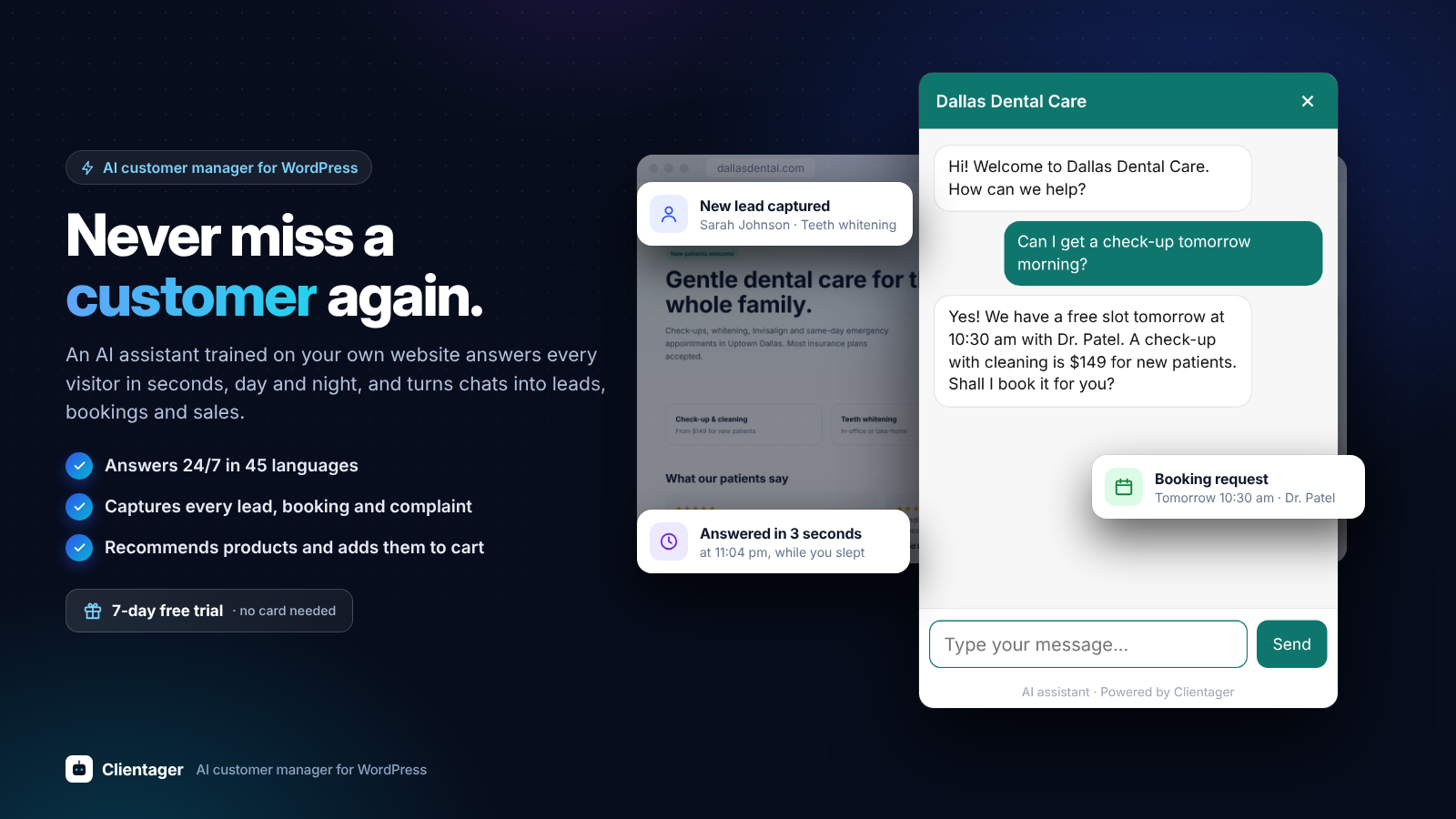
Clientager is an AI customer manager for small and midsize businesses: clinics, dentists, salons, hotels, plumbers, law firms, real estate agents, online stores and more. Install the plugin, connect with your email, and the AI reads your website – your services, prices, opening hours, pages and WooCommerce products. Then you chat with it privately inside WordPress to see exactly how it would answer your customers. No setup calls, no technical skills, no credit card to try it.
When you are happy, start a 7-day free trial with one click: the chat goes live on your website, no card needed. Choose a plan when you want to keep it.
Ce qu'il fait
- Answers website visitors 24/7 in a friendly chat window, using only the information on your website.
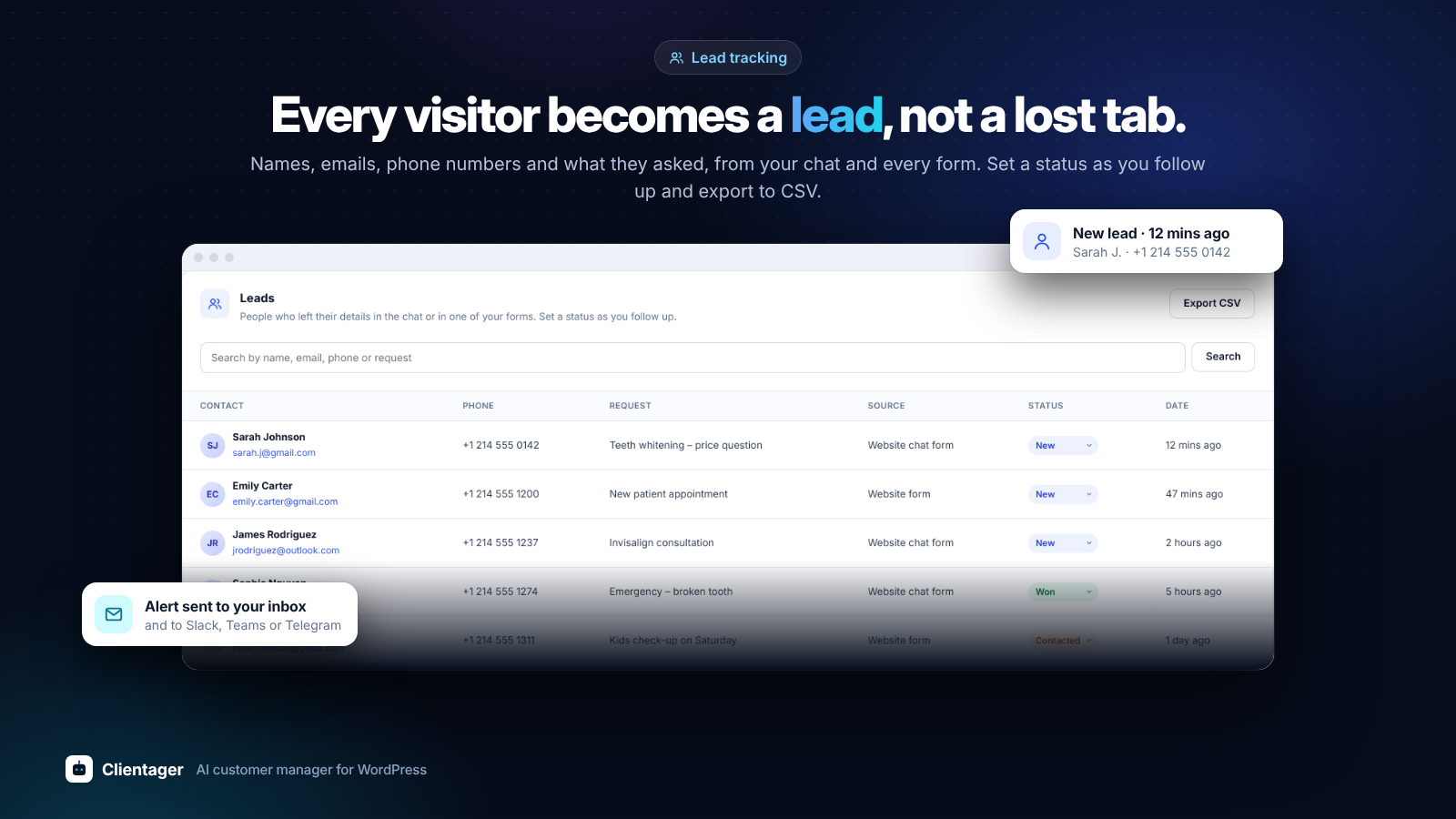
- Captures leads – name, phone, email and what they need – and alerts you straight away.
- Replies to your contact forms – submissions from Contact Form 7, WPForms, Elementor Pro, Gravity Forms, Ninja Forms, Fluent Forms, Jetpack Forms, Forminator and Formidable Forms become leads and get a reply.
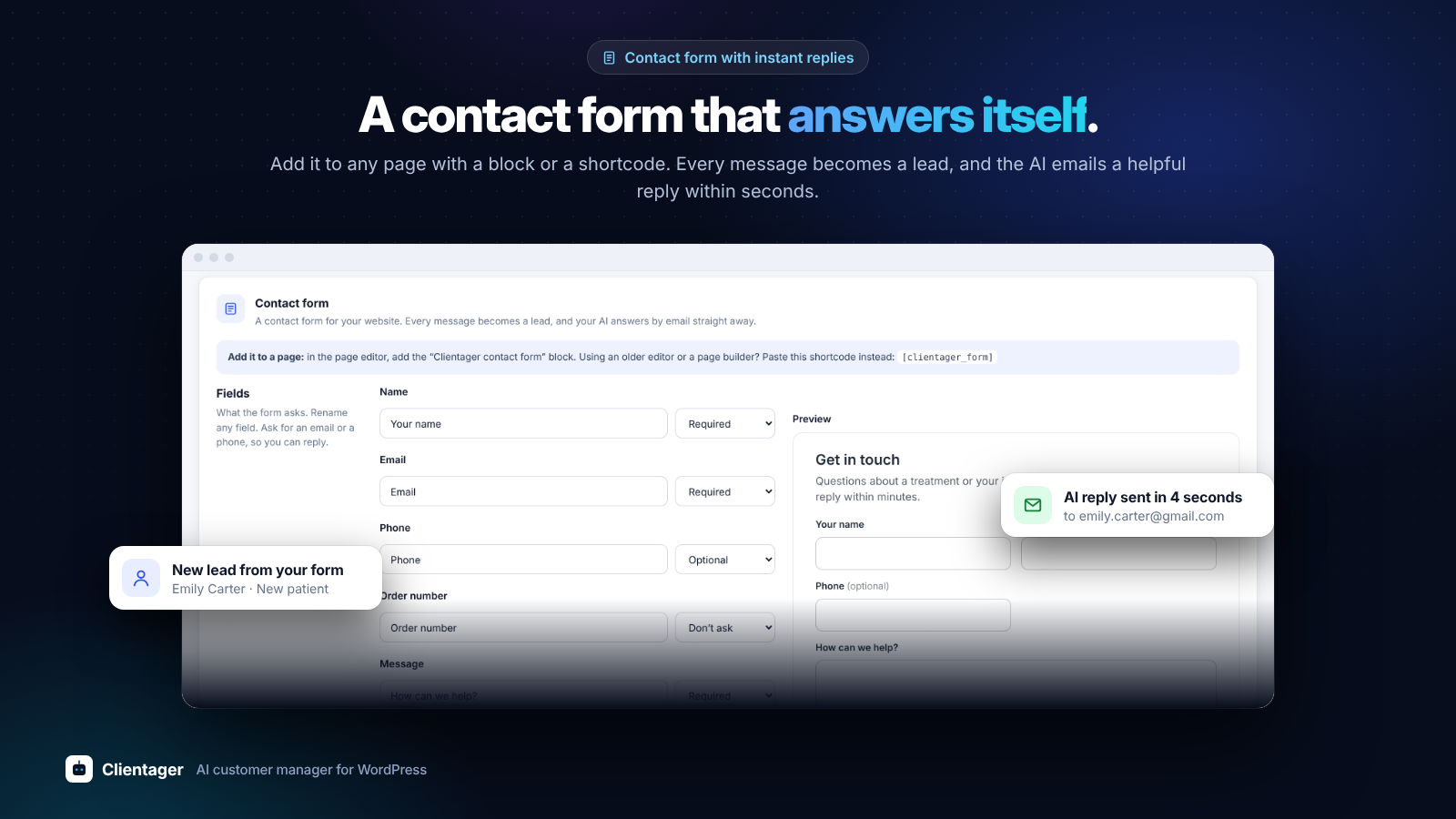
- Your own contact form – add the “Clientager contact form” block (or the [clientager_form] shortcode) to any page. Pick the fields, rename them, set the texts, button colour, corners and layout with a live preview. Every message becomes a lead and gets an instant AI reply by email.
- Your look, your words – set the chat button’s colour and side, the hello message, a short contact form before the chat and up to 4 quick questions visitors can tap, with a live preview.
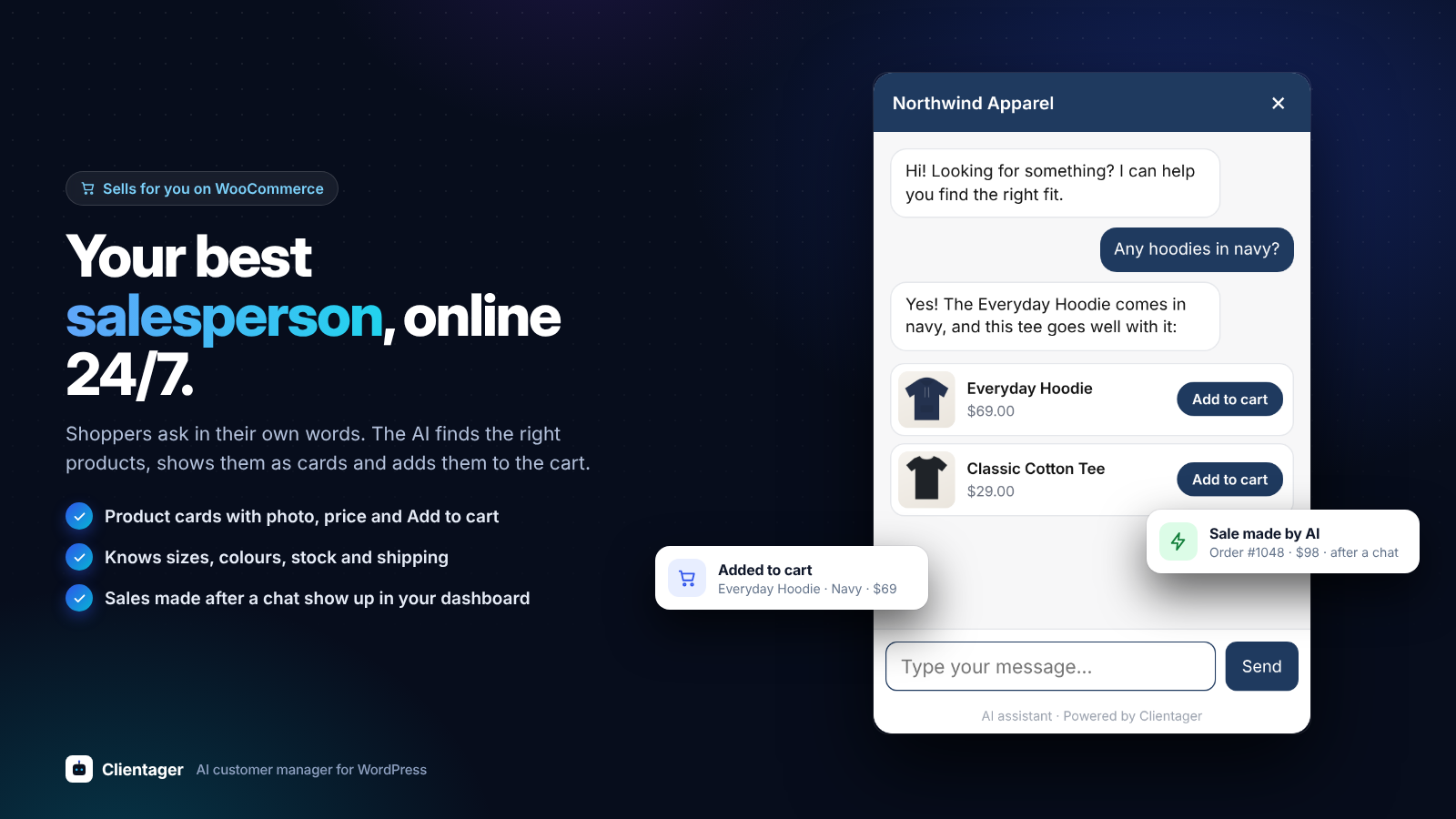
- WooCommerce ready – answers product questions with real prices, stock and links.
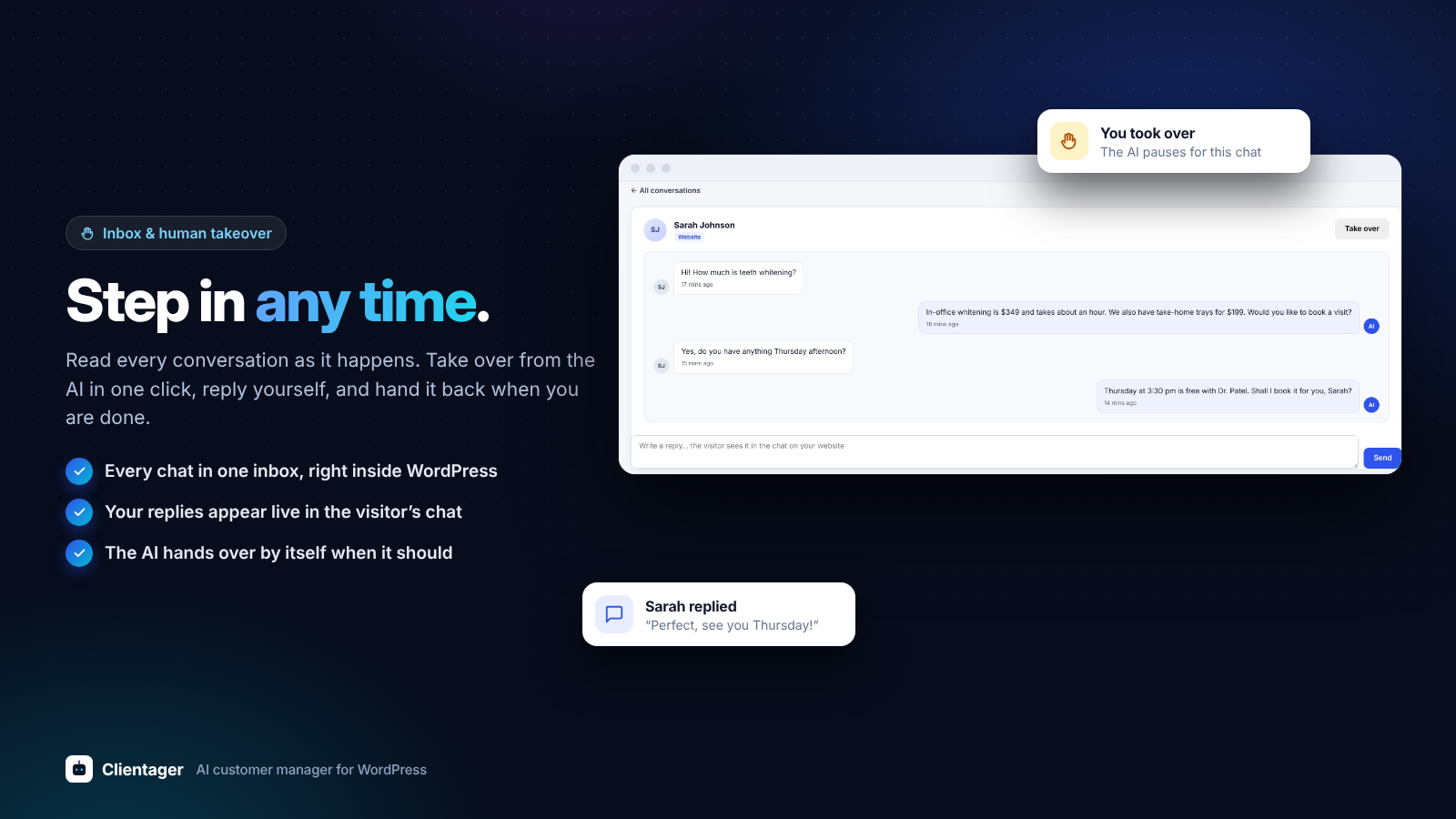
- Hands over to you when a person is needed, with a summary of the conversation.
- Inbox and leads inside WordPress – read every conversation and lead without leaving your dashboard.
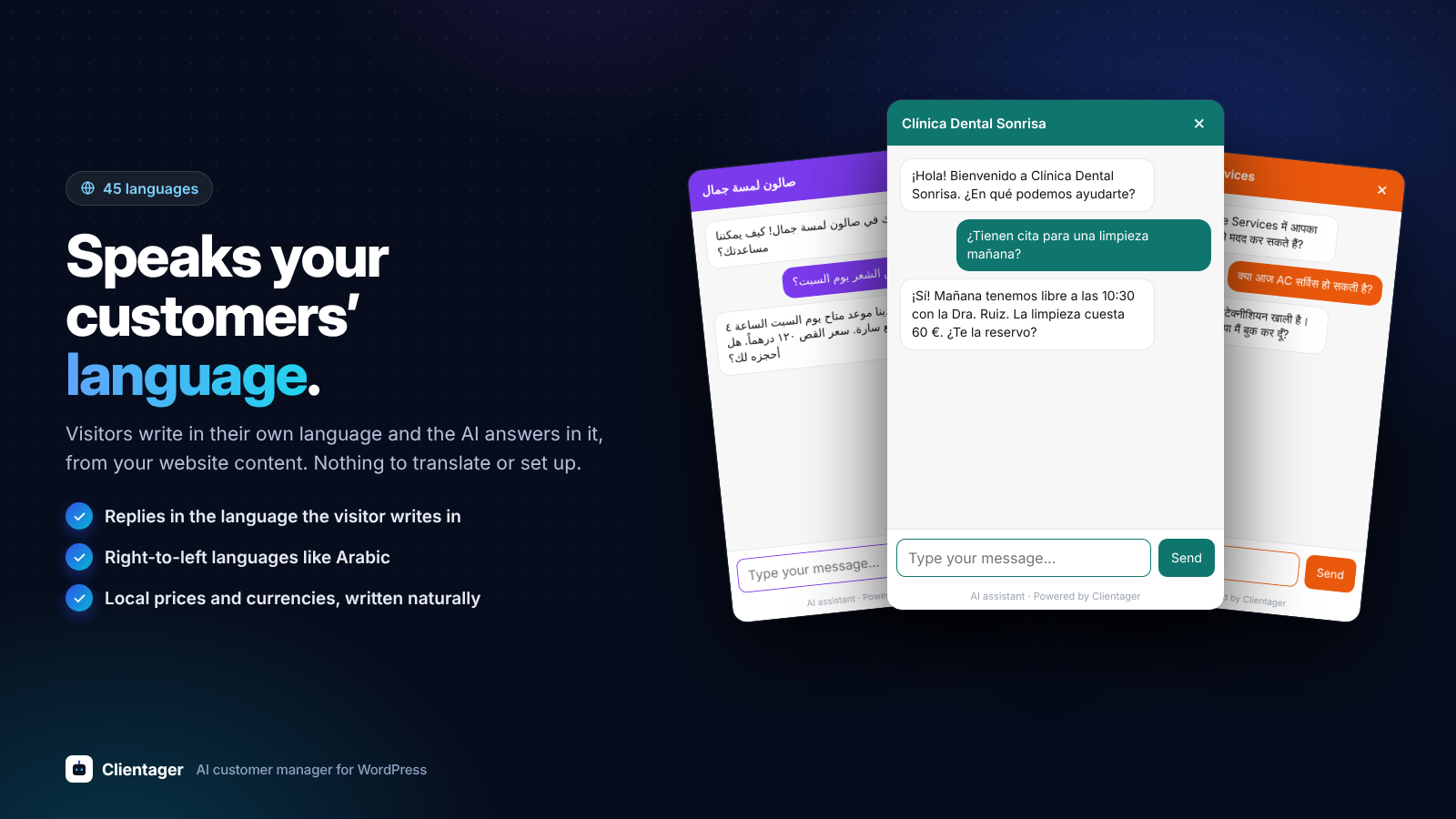
- Speaks your customers’ language – replies in the language the visitor writes in.
- Grows with you – the same AI can answer your phone calls (in 45 languages), WhatsApp and SMS on paid plans.
Comment cela fonctionne
- Installez et activez le plugin.
- Connect with your email – we send you a 6-digit code (no password).
- Your AI learns your website automatically: published pages, posts and WooCommerce products.
- Free private preview: click the chat button on a preview of your own website and test it with 25 messages. Only you can see it.
- Choose a plan to go live. The chat appears on your website and form capture switches on.
Tarification
The plugin is free. Putting the AI on your website needs a Clientager plan. Plans from $25/month in most countries (Lite: website chat and email AI, with 500 AI conversations and 500 AI emails a month); local prices apply in India and the Gulf. No setup fee. Cancel anytime. Every plan includes website chat and email replies; Starter and up add WhatsApp and AI phone calls, and SMS in the US and Canada. See clientager.com/pricing.
Services externes
This plugin connects to the Clientager service (app.clientager.com), operated by TechShah Co. (Clientager). It is needed for the AI to work: the AI runs on Clientager’s servers, not on your website. Nothing is sent before you press “Send code” on the Get started screen.
What is sent, and when:
- When you connect: the email address you enter, your site address and site name, and a random id for this site, so we can email you a sign-in code and create or link your Clientager account.
- When the AI learns your website (once after connecting, and when you press “Re-learn”): the title, address and text of your published pages and posts (up to 40), and your published WooCommerce products (name, short description, price, currency, SKU, address, stock), plus your site name, tagline, time zone, currency, language and admin email. Drafts, private or password-protected posts, customers and users are never sent.
- When you use the private preview: the messages you type in the preview chat.
- When you open Inbox, Leads, Settings or Get started: a request for your account status, conversations and leads. Every request also carries your site’s time zone and language setting, used only to show prices for your country.
- When you save Chat widget settings: the colour, position, hello message, contact form fields and quick questions you chose.
- When you open or save the Contact form tab: the fields, labels, texts and look you chose for the form.
- On pages with the Clientager contact form (block or [clientager_form]): the page loads the form from app.clientager.com (form.js), and what a visitor types into the form (and the page address) is sent to Clientager when they press the button, to be saved as a lead and answered by email.
- After you go live (paid plans only): your website loads the chat window from app.clientager.com, and what visitors type in the chat is sent to Clientager to be answered. Submissions from supported form plugins (field labels and values, except files, passwords and hidden fields) are sent to Clientager to be saved as leads and answered.
- When you answer a chat from Inbox: your reply, which the visitor sees in the chat window.
- When a WooCommerce order is paid after the shopper chatted with the AI: the order id, order number, total and currency, with the chat’s id, for the “Sales made by AI” card. No customer or product details are sent. The chat window sets a first-party cookie (clientager_chat, 30 days) holding only a random chat id once the AI has replied, so the order can be matched to that chat.
- When you send a message from the Help tab: what you wrote, the type you picked (question, problem or feature request), the reply-to email you entered, your site address and the plugin version, so our team can answer you by email.
- When you connect WhatsApp (Settings): a request for a short-lived sign-in link. Facebook’s sign-in then opens in a window on app.clientager.com; your Facebook password goes only to Facebook, and Clientager receives permission to send and receive WhatsApp messages for the number you choose (Meta Privacy Policy).
- When you disconnect or delete the plugin: a request to disconnect this site.
Clientager Terms of Service and Privacy Policy.
Installation
- In WordPress go to Plugins > Add New, search for “Clientager”, then Install and Activate. Or upload the plugin folder to
/wp-content/plugins/. - Open Clientager > Get started in the admin menu.
- Enter your email, then the 6-digit code we send you.
- Your AI learns your website. Try it under Clientager > Preview.
Journal de modifications
Show or hide the WhatsApp button in your website chat.
1.2.1
- WhatsApp button in your website chat: show or hide it, pick its text and the first message, right on the WhatsApp card. It comes on by itself when you connect WhatsApp.
- The WhatsApp card says clearly that WhatsApp message charges come from Meta, billed to your own Meta account.
1.2.0
- Connect WhatsApp from the plugin: Settings → Chat & websites → Connect WhatsApp. Sign in with Facebook in a secure window and your AI answers your own WhatsApp number (new number or your WhatsApp Business app number). Included in the free trial and from Starter.
1.1.9
- Screens change without reloading the page, and a screen starts loading as soon as you point at its tab.
- Settings in sections (chat and websites, alerts, website knowledge, forms and emails, plan) with a menu on the side.
- Product cards show in the private preview too.
- Help tab: send our team a question, a problem or a feature request, or email support@clientager.com.
- Where the chat shows: on every page, only on some pages, or on every page except some (for example /checkout*).
- AI chat limits in Settings: how many messages one chat has before your team takes over, how many AI replies one person gets a day, and your own hand-over message.
- AI email limits in Settings: how many AI emails one address gets a day and one thread in a week, no AI reply to “Thanks” or “OK”, and a note to the customer when your team takes over.
1.1.8
- Product cards in the chat: the AI shows matching products with a picture, price and Add to cart (WooCommerce simple products).
- Greeting bubble: a different greeting on product pages, and optionally when a visitor is about to leave.
- Inbox: answer website chats from WordPress, take a chat over from the AI and give it back.
- Sales made by AI: WooCommerce orders from shoppers who chatted with your AI, on the Overview.
- 7-day free trial with no card: the chat goes live on your website with up to 150 AI conversations and 50 AI emails. If you do not choose a plan, it switches off by itself.
- Contact form: a “Clientager contact form” block and [clientager_form] shortcode, with a Contact form tab to choose its fields, labels, texts and look, with a live preview. Messages become leads (and requests for complaints and bookings) and get an instant AI reply by email.
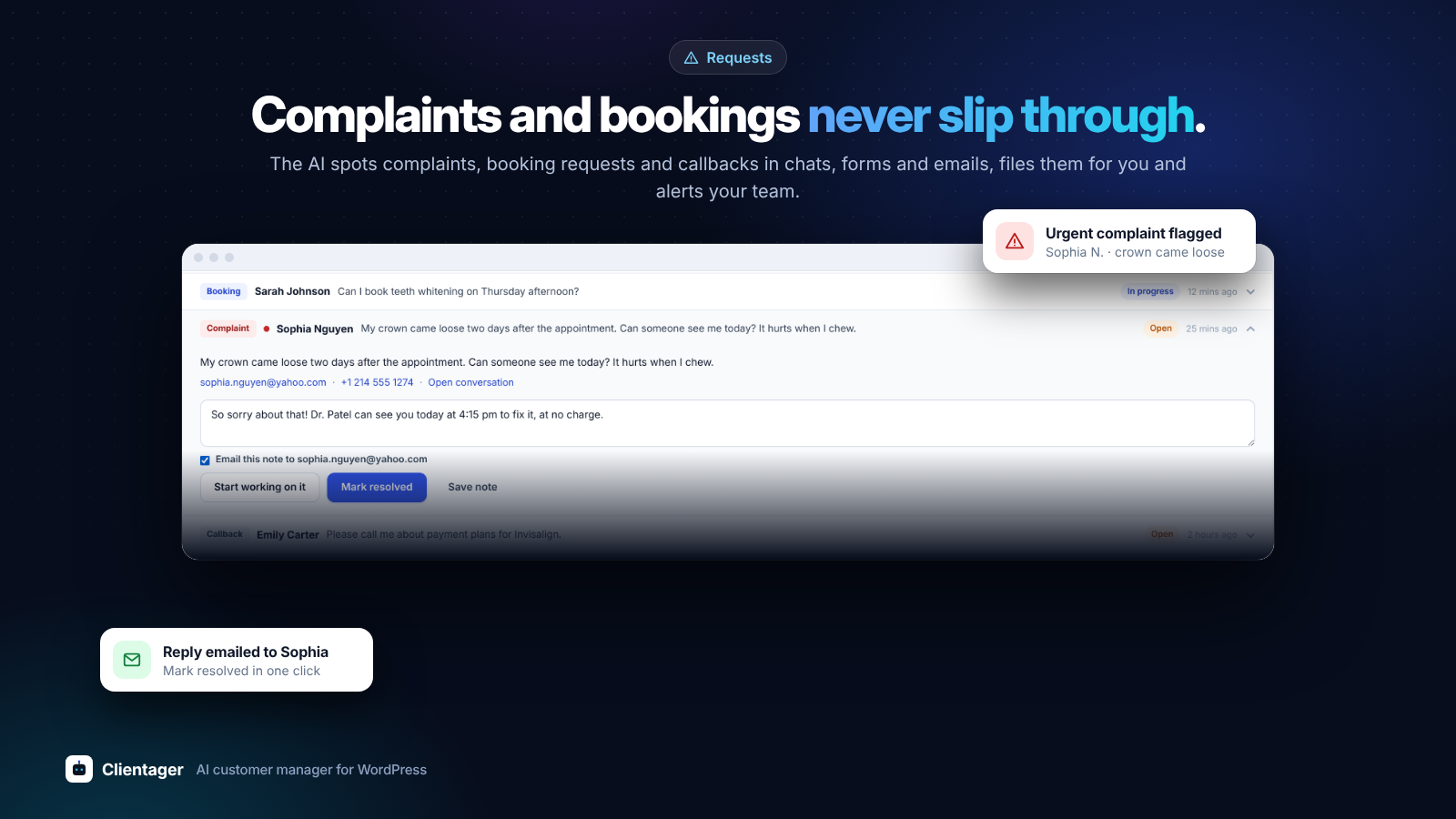
- Requests: complaints, booking requests and callbacks in one list, with search, notes and an optional email to the customer.
- Emails to your customers: upload your logo and set your own sign-off, used by the AI and by notes you email.
- Leads: set a status (new, contacted, qualified, won, lost) and export your leads as a CSV file.
- AI emails have their own monthly allowance (500 on Lite, 1,000 on Starter, 2,000 on Growth, 5,000 on Scale): every email or form reply the AI sends counts as one. AI conversations now cover website chat and WhatsApp.
- Add-ons: AI credits cover either AI conversations or AI emails.
- Auto-update: your AI re-learns a minute after you save a page, post or product (paid plans and trial).
- A website stays linked to the email it was connected with; to change it, contact us.
1.1.7
- Settings: Allowed websites. Your chat only works on your own website (and any you add), so a copied chat code does nothing elsewhere.
- Add-ons: buy extra AI conversations, call minutes or done-for-you setup.
1.1.6
- Settings: cards flow down two columns with no empty gaps.
Captures d'écran


Pour les développeurs
Est-ce votre plugin ? Montrez les chiffres.
Ajoutez un badge en direct à votre site, docs ou github readme. Il se met à jour par lui-même - aucun compte n'est nécessaire.
Best Clientager alternatives
All AI Chatbot plugins →





FAQ
Clientager: quick answers
Réponses directes, extraites des données en direct WordPress.org.
Source : WordPress.org
Is Clientager free?
Yes. Clientager is free to download and use from the official WordPress.org plugin directory.
Is Clientager safe to use in 2026?
Clientager is a solid plugin choice in 2026, with a few things worth checking first. Was last updated 1 month ago, and scores 64/100 on our health check.
How many websites use Clientager?
Clientager is active on <10 WordPress websites and has been downloaded 400 times since it launched in October 2026. It was downloaded 376 times in the last 30 days.
Does Clientager work with WordPress 7.1?
Yes. The developer has tested Clientager up to WordPress 7.1.5, the latest release. It requires WordPress 6.0 or newer.
What PHP version does Clientager need?
Clientager requires PHP 7.4 or higher. Most hosts run PHP 8.x today, so it works on any modern WordPress hosting.
When was Clientager last updated?
The latest version, 1.2.1, was released on October 30, 2026 (1 month ago).
Who makes Clientager?
Clientager is developed and maintained by TechShah.
What are the best alternatives to Clientager?
The most popular alternatives to Clientager are Lead Generation Contact Wid… (10K+ installs), Hyve Lite (7K+ installs) and Geeky Bot (6K+ installs).
Propulsé par PageForge
Un modèle et une feuille de calcul. Une vraie page pour chaque recherche.
PageForge transforme chaque ligne d'un CSV en une page WordPress avec son propre titre, URL, SEO et schéma, construit sur la mise en page que vous Déjà conçu. Gratuit sur WordPress.org.
- CSV et XLSX, plus Google Sheets sur les professionnels et les entreprises
- Son propre titre, URL, SEO champs et schéma pour chaque page
- Fonctionne avec l'éditeur de blocs, Elementor, Divi et Avada
- Gratuit sur WordPress.org, pas de carte de crédit