


Classified Listing – AI-Powered Business Directory & Classified Ads
AI-powered WordPress directory plugin to build a business directory or classified ads site: maps, reviews, radius search, paid listings. No coding.

Choix
Yes — Classified Listing is a safe, well-maintained plugin to use in 2026. It runs on 8K+ sites, is rated 4.8/5 and was last updated 4 days ago, and scores 87/100 on our health check.
- Loved by users — 4.8/5 from 138 reviews
- Développé activement — Dernière mise à jour il y a 4 jours
- Testé avec le dernier WordPress (7.1)
Comment s'accumule-t-il ?
Côte à côte sur les installations, les mises à jour, les évaluations et le support



Téléchargements quotidiens
Les pics de téléchargement suivent généralement une nouvelle version - chaque site qui met à jour automatiquement compte comme un téléchargement.
Classements
Where Classified Listing stands todayWordPress.org Classements de recherche
Position en direct dans la recherche de plugins, Top 100| Mot-clé | Position |
|---|---|
| business directory | #4 |
| classifieds | #2 |
| directory | #5 |
| directory plugin | #9 |
| listings | #16 |
Adoption de version
Part de sites actifs par version.
Répartition des notes
★★★★★★★★★★ 4.8 from 138 reviews
About Classified Listing
From the official readme · v6.3.0Description
Classified Listing is a free WordPress directory plugin for building business directories, classified ads websites, and listing marketplaces, with no coding. Visitors search by location, category, and custom fields, read multi-criteria reviews, and contact or book a business from its listing. You earn from paid, featured, and claimed listings. Built-in AI generates submission forms and writes listing content with your own OpenAI, Gemini, Claude, or DeepSeek key.
⭐⭐⭐⭐⭐
Great support from RadiusTheme
As a newbie to this classified directory plugin, the support team has been very helpful throughout the setup process. The support team also patiently guided me not only through words’ explanation but also through graphic description and “show how” video guidance along the way. Great plugin with a great support team.
— kpwong
⭐⭐⭐⭐⭐
Best classified ads add-on
This extension is truly one of the best classified ads extensions, and they have a support team that helps you solve any problem, no matter what it is. So I recommend everyone use it, and my review is based on real experience.
— abdohosen
👉 Read all reviews on WordPress.org »
👉 Demo | Documentation | Addons | Themes | RoadMap | Get Pro 👈
WordPress Business Directory & Classified Ads Plugin
Use this WordPress directory plugin to create a business directory, classified ads, or members directory website. It includes Elementor widgets, Gutenberg blocks, and Divi modules.
Built for Any Niche (With AI Assistance)
With unlimited custom fields, conditional logic, and AI-assisted form building, you can build virtually any classifieds or directory website:
-
Local Business Directory: The best alternative for a “Yelp” or “Yellow Pages” style site, complete with maps, business hours, and reviews.
-
Classified Listings: Easily build any type of classified listing website. You can create custom fields for each category and display them dynamically using conditional logic.
-
Real Estate Directory: The perfect tool for a Real estate listing or directory site. Use custom fields for “Bedrooms” or “Baths” and our Radius Search feature.
-
Car Marketplace / Auto Listings: Build a car classifieds or car dealership site. It supports dependency field like based on car make load model and year.
-
Job Board: The ideal solution for a niche job portal. Create listing packages for employers and let job seekers apply.
-
Service Listing: Build service listing website like cleaning service, roofing, repair services, and other services with bookings.
-
Doctor & Health Directory – help users find doctors and specialists with full functional doctor appointment booking.
-
Lawyer Directory – a professional directory of firms and lawyers with online appointment.
Core Features of the WordPress Directory and Classified ads Plugin
AI-Powered Business Directory Plugin
Create and manage diverse directory and classifieds websites with built-in AI automation.
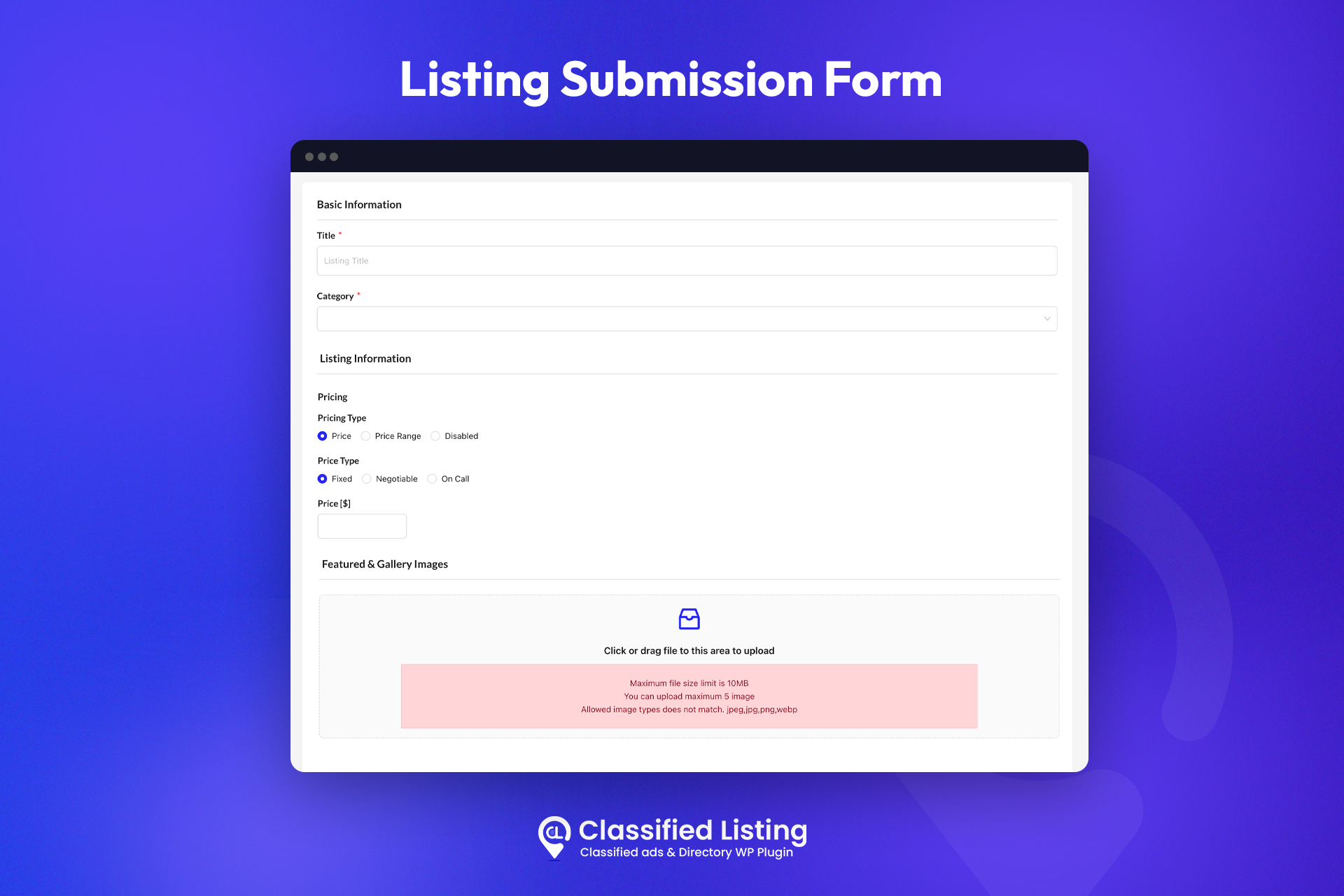
- AI Form Generation – enter a directory name, location, and keyword, and the AI form builder generates a custom listing submission form in one click.
- Write with AI – integrates with ChatGPT, Gemini, and DeepSeek to write listing titles, descriptions, and custom-field content. Add your own API keys and you’re ready.
- AI Semantic Search – help visitors find the most relevant listings using meaning-based search.
- AI Image Enhancement – automatically improve uploaded listing images for a cleaner directory.
Drag & Drop Form Builder With Multi-Directory Support
Build listing submission forms with your preferred fields using a drag & drop form builder — or generate them with AI. Enable multiple listing forms for different niches (for example, one form for cars and another for real estate) and assign specific categories to each form for better organization across your directory.
Advanced Search & Filter for Your Directory
The AJAX-powered search and filter functions make any classifieds or directory website fast and user-friendly.
- AJAX Search & Filter – instantly display results without page reloads.
- Drag & Drop Filter Builder – build dynamic filters with 10+ elements (categories, location, tags, price range) and reorder them by dragging.
- Search by Anything – filter by category, location, directory type, price, and any custom field.
- Radius Search – location-based search using Google Places API & OpenStreetMap so users find listings near them.
Monetize Your Directory & Classifieds Website
Turn your classified ads or directory website into a revenue stream with flexible monetization models.
- Featured Ads – highlight listings with a special background to boost click-throughs.
- Claim Listing [Addon] – pre-populate your directory and charge owners to claim their page.
- Pay Per Ad – charge a fixed fee for every new ad posted.
- Top Ads [Pro] – charge a premium to pin a listing to the top of archive and search pages.
- Bump-Up Ads [Pro] – auto-refresh ad dates so listings stay at the top.
- Subscription [Pro] – recurring payments for sellers via Stripe or Authorize.net.
- Membership [Addon] – tiered seller plans (Bronze, Silver, Gold) bundling featured ads and bump-ups.
Payment options: Offline Payment, PayPal, Authorize.net [Pro], Stripe [Pro], WooCommerce [Pro], Razorpay, Paystack, and Payfast.
Booking Marketplace With RadiusBooking Integration
Classified Listing integrates with the free RadiusBooking plugin to turn a standard business directory into a fully functional booking marketplace. Let customers check availability and book appointments or services directly from any listing — ideal for service directories, rentals, salons, clinics, tutors, and event venues.
- Book From the Listing – visitors reserve a slot or service on the listing detail page.
- Real-Time Availability – businesses manage availability calendars from the frontend.
- Service & Appointment Directory – turn any directory listing into a bookable service.
- Monetize Bookings – combine with the payment options above to charge per booking.
Multi-Criteria Reviews, Ratings & Schema Markup (Powered by SchemaEngine AI)
Build trust like Yelp or TripAdvisor with multi-criteria reviews and ratings, and win more organic traffic with automatic Schema markup generated by the SchemaEngine AI.
- Multi-Criteria Ratings – let visitors rate listings across criteria you define (Service, Value, Quality, Location) with an overall star score.
- Trust-Building Reviews – collect detailed reviews on each directory listing, with owner-response options.
- Automatic Schema Markup – SchemaEngine AI generates Schema.org structured data (AggregateRating, Review, LocalBusiness, Product, Event) for your listings.
- Rich Results in Google – qualify for rich snippets such as star ratings, prices, and review counts in search results, boosting CTR and SEO for your directory.
Unlimited Custom Fields With Conditional Logic
Create unlimited custom fields and apply advanced conditional logic by category and condition, with full control over which fields appear in archive or detail views, plus field position, icon, placeholder, error message, and order.
- Text Box, Text Area, Number, URL, Date & Time with Range
- Color Picker, Dropdown, Switch, Radio, Checkbox, File Upload
- Hidden Field, Custom HTML
- Repeater Field [Pro]
More Directory & Classifieds Features
Business Hours & Social Profile for Business Directory
The Business Hours allows you to set the hours of operation for your business. This feature is very important for Business Directory website. You can set the hours for each day of the week, and you can also set special hours for holidays.
User can also add social profiles in their directory listing. There are many social profiles that can be used for directory listings. The most popular ones are LinkedIn, Facebook, and Twitter.
Live Chat Between Buyers & Sellers [Pro]
Enable real-time communication between buyers and sellers via built-in live chat (powered by Pusher), so there’s no need to share contact details. Chat happens in real time, directly on your classifieds or directory site.
Design Listing Detail Page Without Code
Take full control of how every listing detail page looks. The drag-and-drop builder lets you rearrange sections, highlight key information, and customize layouts to match your brand.
Full Design Control With Page Builders
Build your classified ads or business directory website visually — without writing a single line of code.
Elementor Integration – custom Elementor widgets for listings, categories, locations, and search & filter; build archive and single pages by drag & drop with the Pro addon.
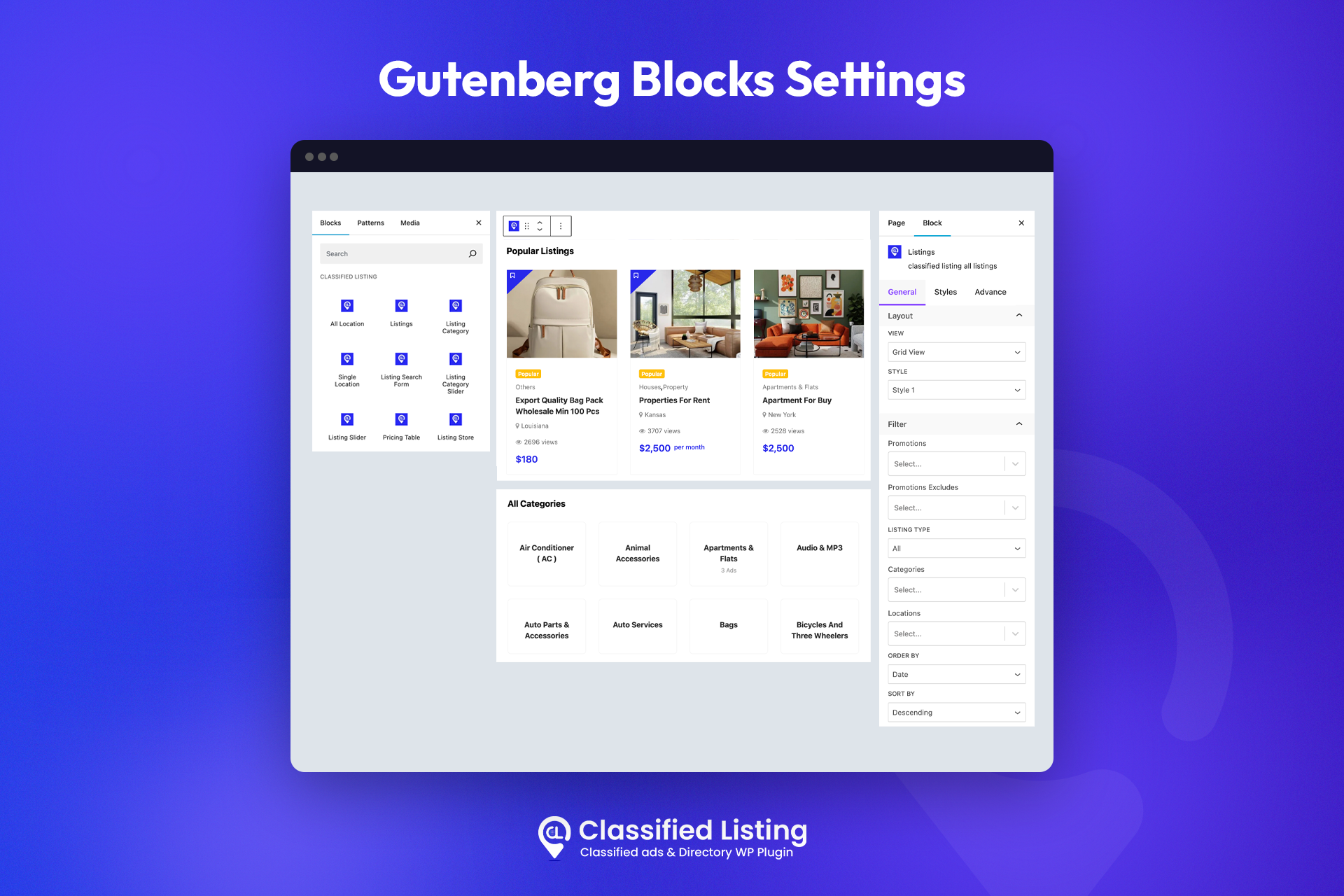
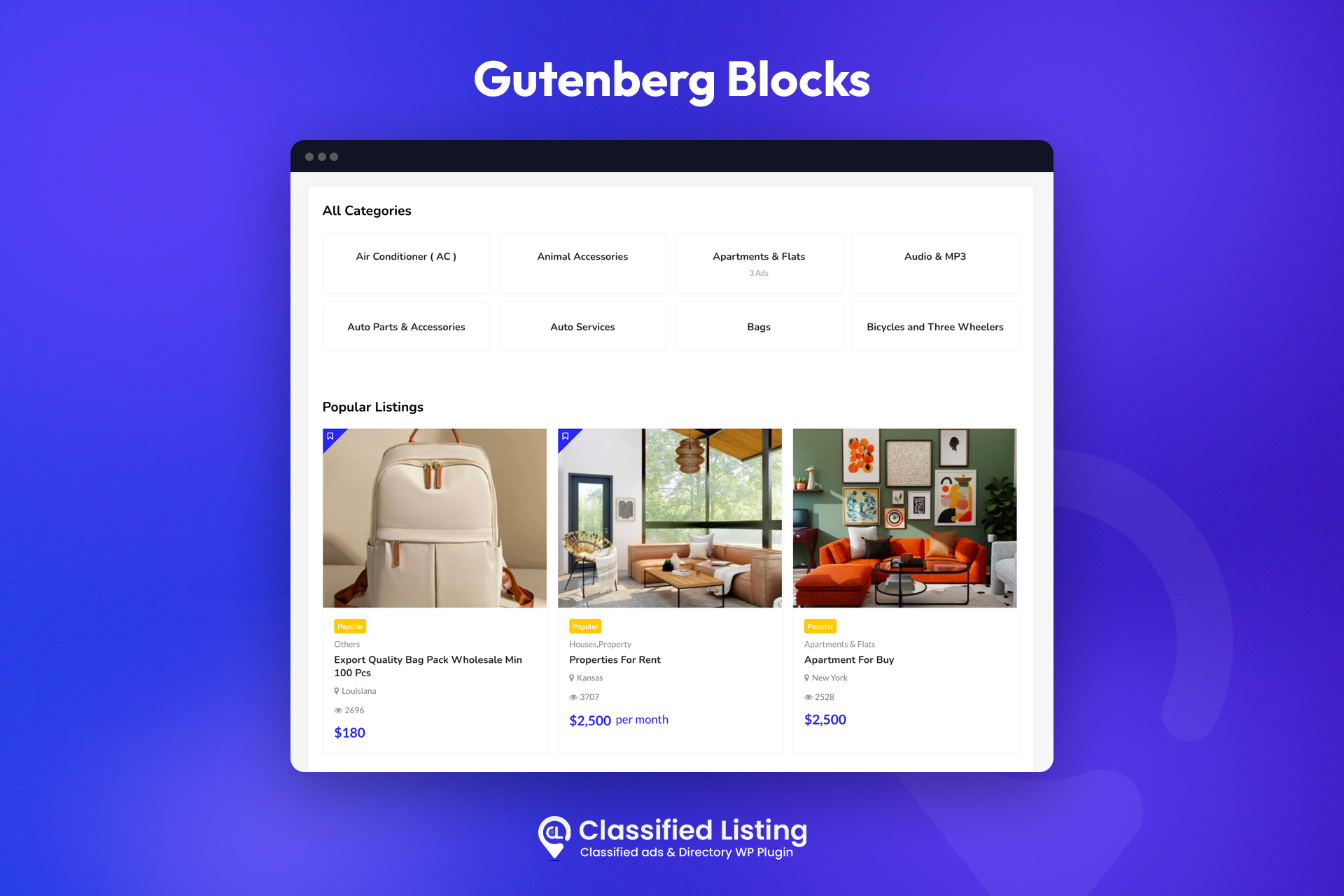
Gutenberg (Block Editor) Ready – multiple custom Gutenberg blocks to add and configure listings on any page.
DIVI Builder Support – dedicated DIVI modules for listings, search bars, and directory elements.
Google Maps & OpenStreetMap – display listing locations on Google Maps (Google Places API) or free OpenStreetMap.
Fully Translatable & RTL Compatible
Classified Listing is Fully translatable, RTL-ready, and compatible with WPML, Polylang, and Loco Translate.
Frontend Submission & Management
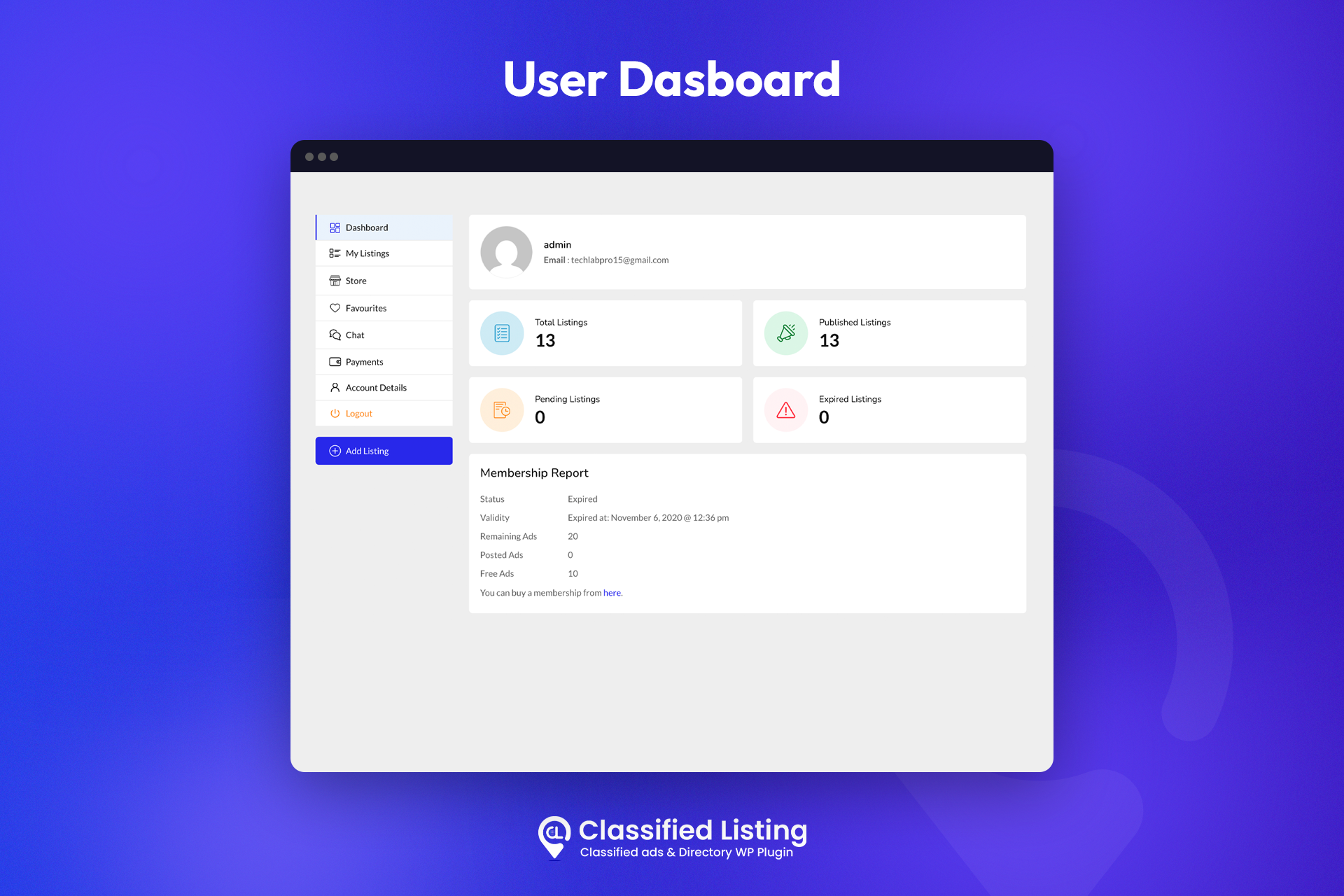
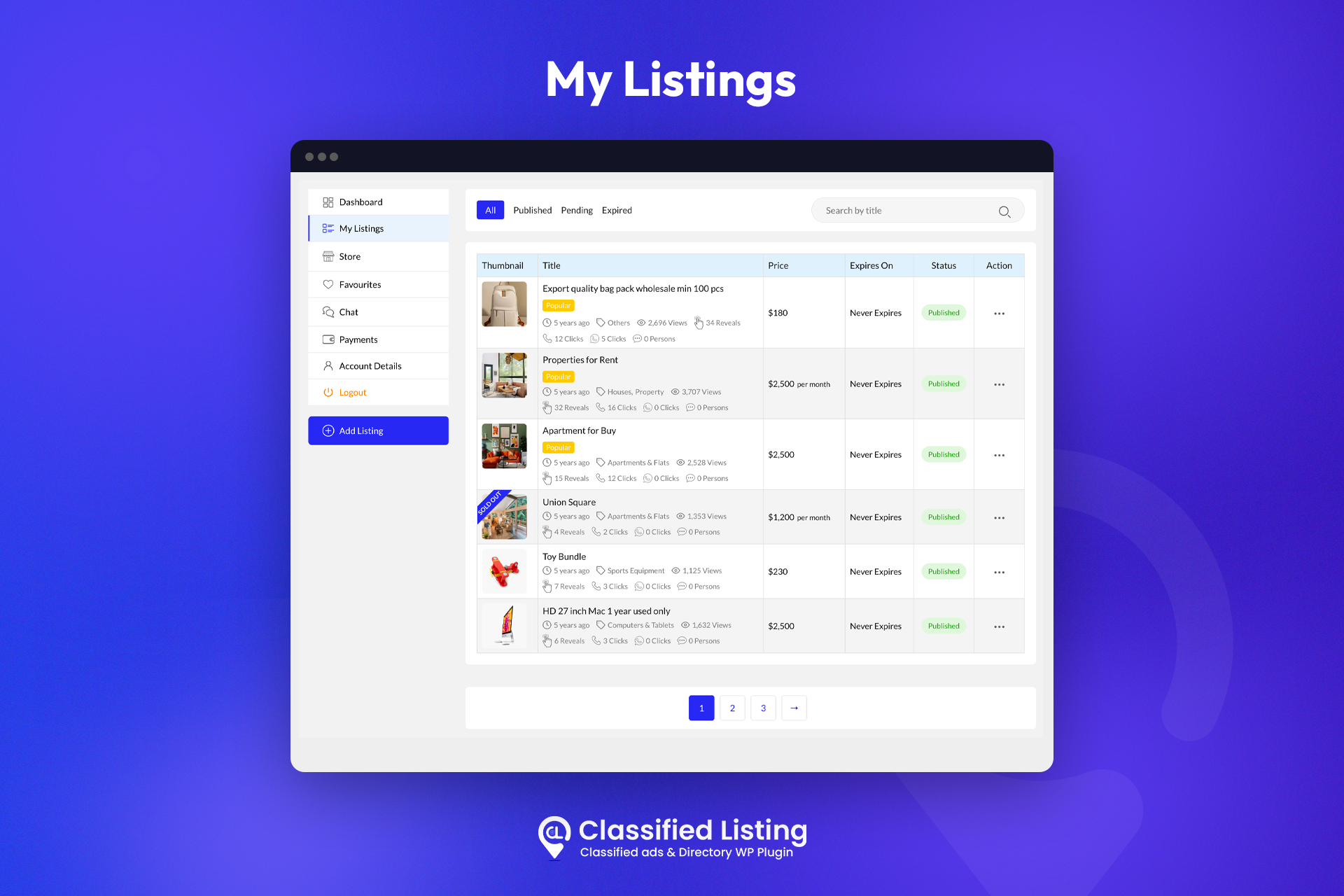
Users submit, edit, delete, promote, and favorite their own listings from a complete frontend dashboard, with no access to the WordPress admin.
Location Management
Set up to 3 location levels (e.g. state, city, town) with custom levels and bulk CSV location import.
Migration & CSV Import / Export
Import categories, locations, listings, and settings from other directory plugins and themes.
Mark as Sold
Keep sold items visible for SEO while disabling further communication.
Quick View & Compare [Pro]
Preview listing detail without visiting detial page and compare listings side by side.
Android & iOS Mobile Apps for Your Directory or Classifieds Site
Classified Listing is available on Android and iOS to take your classified ads or directory business to the next level. The mobile apps connect with the Classified Listing Pro plugin, letting you and your users manage listings on the go from a smartphone.
Free & Premium Classified & Directory Themes
Start fast with a theme purpose-built for the Classified Listing plugin.
Free Themes
- 👉 CLClassified – Free Classified Ads WordPress Theme
- 👉 RadiusDirectory – Free Directory WordPress Theme
Premium Themes
- Classima – Classified Ads WordPress Theme — 6k+ sales on Envato.
- Homlisti – Real Estate WordPress Theme — 1.7k+ sales on Envato.
- ListPress – Directory & Listing WordPress Theme
- Listygo – Directory & Listing WordPress Theme — 1k+ sales on Envato.
- ClassiList – Classified Ads WordPress Theme
👉 Browse all Classified & Directory themes
Popular Classified Listing Addons
Extend your classifieds and business directory website with 24 cost-effective addons:
Store & Membership: You can use the Store and Membership Addon to let ad sellers open stores within your website so that all their ads can appear within their own stores. The membership options also allow you to let sellers become members in different packages.
Elementor & Gutenberg Builder: You can easily customize the listing archive page and single page using drag & drop in Elementor and Gutenberg builder.
Mobile No Verification: Mobile number verification is an OTP( One time password ) based security addon for Classified Listing Pro. This addon helps verify a real user by sending an OTP verification code during registration, login, and contact form submissions. Sometimes spammers added listings and tricks the buyer.
MultiCurrency: Make your business experience hassle-free with the Classified Listing – Multi Currency add-ons. It is a convenient add-on for Classified Ads and the business directory WordPress plugin.
WPML addon: If you want a multilingual website, you can get it quickly since the pro version supports WPML. For translation, you may need WPML Plugin and our WPML addon. By WPML plugin and Our WPML addon you can translate all ads, category, locations, custom fields.
Seller Verification: Seller verification addon is a seller authenticity checking addon for Classified Listing Plugin. This addon helps verify an actual seller via their photo ID, passport, Driving License, and essential documents.
Booking: Booking Addon allows you to add a booking system to your classified listings, and make it easy for customers to book appointments or services directly from your listings.
Claim Listing: The claim listing feature allows business owners to claim ownership of their listing on the classified & directory listing website.
Marketplace: Using the marketplace addon you can build a marketplace to sell your products and digital download items. This addon works with Woocommerce to make the payment.
Review from WordPress Community expert Darrel Wilson
Need Any Help?
- For any bug, support, or suggestion please submit your ticket here.
Liked RadiusTheme
WHAT’S NEXT
- The Post Grid – Shortcode, Gutenberg Blocks, and Elementor Addon for Post Grid.
- ShopBuilder – Elementor WooCommerce Builder Addons with 120+ widgets and 25+ Advanced modules.
- Food Menu – Restaurant Menu, Online Ordering, Table Booking using WooCommerce.
Traduction
- Español by 4aiur
Installation
Utilisation du tableau de bord WordPress
- Accédez à "Ajouter un nouveau" dans le tableau de bord des plugins
- Search for ‘Classified Listing’
- Cliquez sur "Installer maintenant"
- Activer le plugin sur le tableau de bord du plugin
Téléchargement dans le tableau de bord WordPress
- Accédez à "Ajouter un nouveau" dans le tableau de bord des plugins
- Accédez à la zone "Télécharger"
- Sélectionnez
classified-listing.zipà partir de votre ordinateur - Cliquez sur "Installer maintenant"
- Activer le plugin dans le tableau de bord du plugin
Utilisation de FTP
- Télécharger
classified-listing.zip - Extrayez le répertoire
classified-listingsur votre ordinateur - Téléchargez le répertoire
classified-listingdans le répertoire/wp-content/plugins/ - Activer le plugin dans le tableau de bord du plugin
Journal de modifications
6.3.0 (Nov 16, 2026)
- Added: Built-in MCP integration – let AI clients like Claude manage listings, categories, locations, forms, filters, settings, page building, and more.
- Added: Modern listing details hook for add-ons to show their own section card.
6.2.1 (Nov 11, 2026)
- Added: Form builder date field “Default Date” setting – Today or Empty.
- Fixed: Form date field clear button not working; default date now saved automatically.
- Fixed: Form builder removed conditional logic rows reappearing, and add-on fields lost on save.
- Fixed: CSV import spinner stuck on server errors and file type upload rejection.
- Fixed: Pagination active/hover colors and full-width site notices.
- Fixed: Elementor Category Box extra space below the category image.
- Tweaked: Redesigned My Account payments table, details popup, and store manager notice.
- Tweaked: CSV import auto-maps matching listing fields for faster column mapping.
6.2.0 ( Oct 18, 2026 )
- Added: Modern listing card and details page designs, on by default, with modern line icons.
- Added: Listing Header element: Classic, Gallery First, and Split layouts, gallery, visibility and Share options.
- Added: Form builder container Columns (2–4 per device) and Field Divider options.
- Added: Single Listing Layout style settings for fields and sections: colors, fonts, borders, padding.
- Added: File upload field images open in the gallery lightbox on the details page.
- Added: Custom Country Codes setting under Settings > Misc > Phone.
- Added: Form builder Url field “Open in new tab” and “nofollow” link options.
- Added: Website and Url field gear button to set new window and nofollow per listing.
- Fixed: Wrong calling codes for 26 countries and unsaveable Dominican Republic phone numbers.
- Fixed: Admin listing Save needed two clicks; multiple category field cleared itself on save.
- Fixed: Ajax filter dropdown styling, More button, and “&” in chip names.
- Fixed: Listings widget design, image cropping, and layout on narrow sidebars.
- Fixed: Details page field layout, URL field links, and Visit Website and Chat icons.
- Fixed: Form builder details page columns, icons, and borders, including on mobile.
- Fixed: Divi theme listing pages were narrower than the header.
- Fixed: Checkout and membership plan cards squeezed narrow or missing padding.
- Fixed: Author page listing cards now follow the Modern card style.
- Fixed: Listing form date picker texts can now be translated.
- Fixed: Settings text boxes with long text lost their resize handle.
- Fixed: “Undefined array key width” warning when saving a form in the Form Builder.
- Improved: Redesigned Listing Types admin page; Job type is locked while Job Manager is active.
- Improved: Modern archive: cleaner filters, mobile drawer, pagination, empty state; skipped if the theme overrides templates.
- Improved: Modern details page: sticky price and seller card; skipped if the theme overrides templates.
- Improved: Quick View redesigned with a modern gallery, meta chips, action buttons, and loader.
- Improved: Details page Overview, Contact box, and gallery have a cleaner design.
- Improved: Report Abuse popup and seller Member/Store badges have a modern design.
- Improved: My Listings badges sit above the title; analytics button has a label.
- Improved: Payment API credentials are masked in settings; only the first and last characters show.
6.1.5 ( Sep 23, 2026 )
- Improved: Input sanitization and output escaping for taxonomy filters.
6.1.4 ( Sep 23, 2026 )
- Fixed: New form builder containers no longer get a default title shown on the front-end.
- Fixed: Front-end form builder fields picked up theme borders, outlines, and uneven heights.
- Fixed: Add New Field popup broken by theme styles on the Custom Fields screen.
- Fixed: Checkbox options in the form builder Settings tab crashing the editor and not saving.
- Fixed: Form builder booking field crashing the listing form when no booking types are enabled.
- Fixed: Compatibility issue with the Job Manager addon.
- Improved: Ajax filter reset icon is now a plain colored icon instead of a filled circle.
- Improved: Ajax filter More/Less now uses a chevron instead of a plus and minus.
- Improved: Form builder containers and layout columns now show their name, not just the width.
- Improved: Width badge has a resize icon and a tooltip explaining Auto and the device.
- Added: “Visit the Page” link under every page dropdown in Page Setup settings.
- Added: Redesigned Add New Field popup with search and field type descriptions.
- Added: Form list shows badges for add-on form options, such as Job forms.
- Added: Category filter option to show only sub-categories of the included categories.
- Added: Form builder support for the Job Manager “Application Form” preset field.
- Added: Ajax filter Categories item can include or exclude specific categories.
- Added: Ajax filter option to show sub-categories expanded by default.
- Added: Form Builder add-ons can add their own field group to the Available Fields panel.
6.1.3 ( Sep 16, 2026 )
- Fixed: Price type field validation issue.
- Fixed: Add new field popup broken by theme styles on the classic custom fields screen.
- Added: Redesigned add new field popup with search and field type descriptions.
Captures d'écran
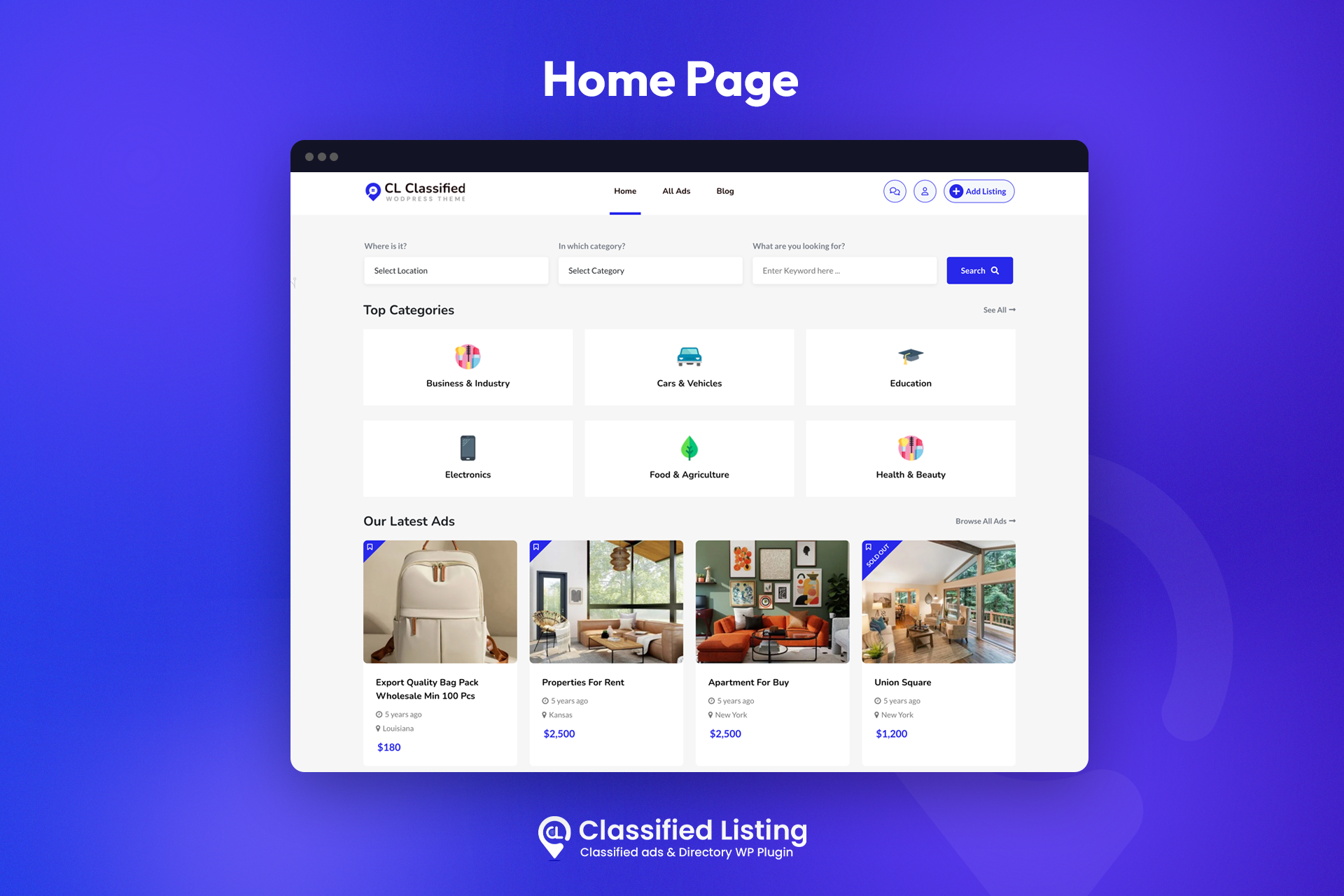
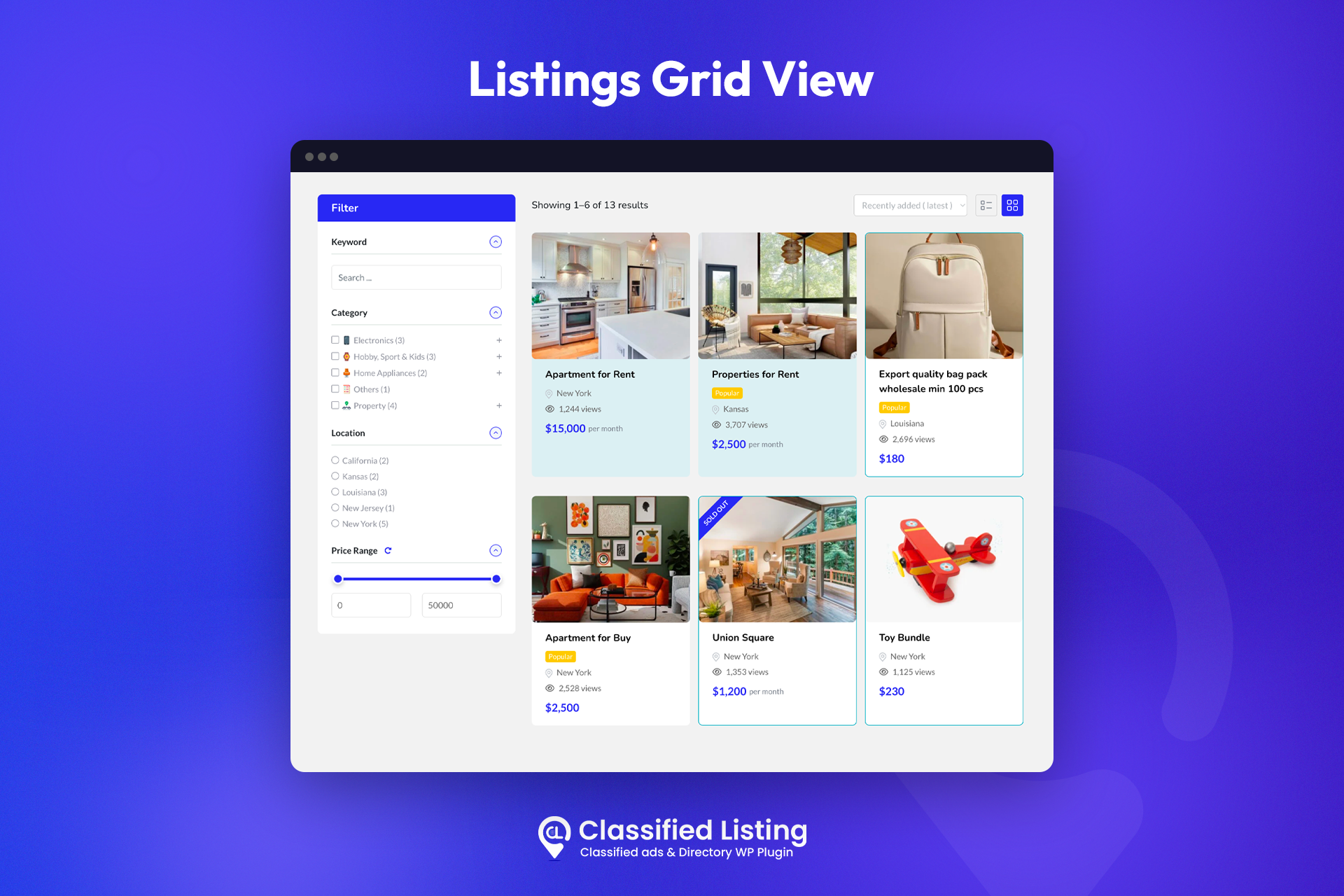
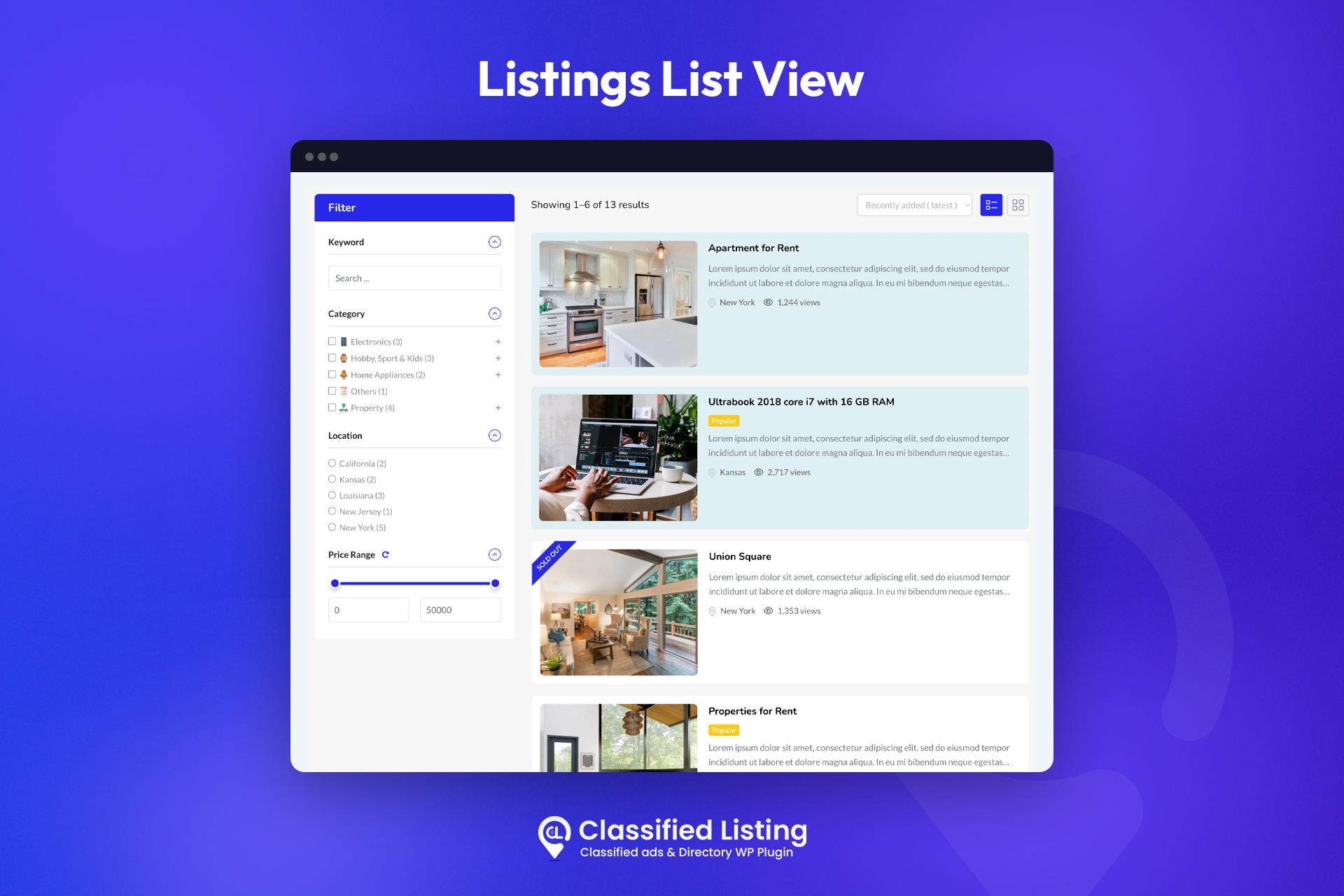
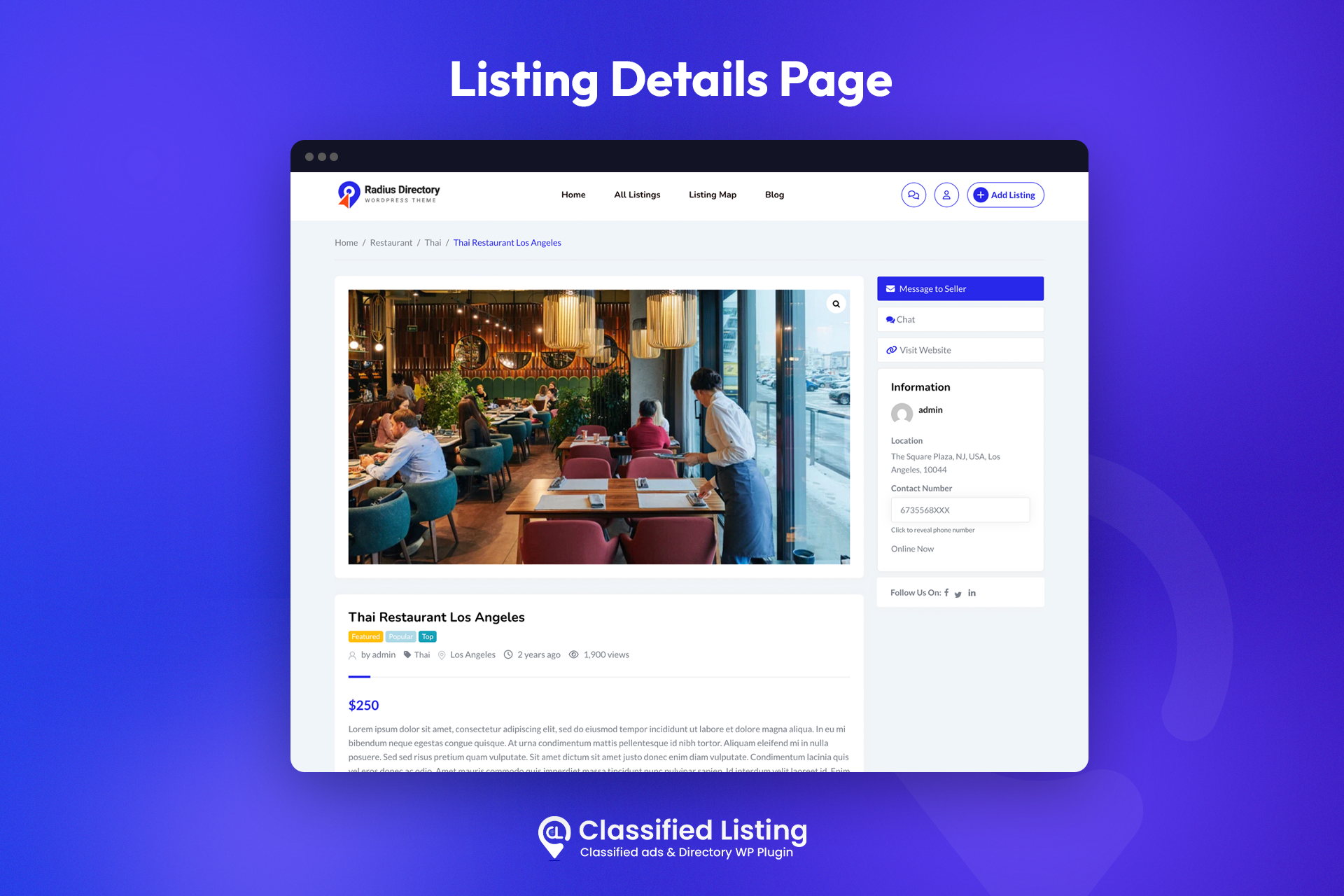
Pour les développeurs
Est-ce votre plugin ? Montrez les chiffres.
Ajoutez un badge en direct à votre site, docs ou github readme. Il se met à jour par lui-même - aucun compte n'est nécessaire.
Best Classified Listing alternatives
All business directory plugins →





FAQ
Classified Listing: quick answers
Réponses directes, extraites des données en direct WordPress.org.
Source : WordPress.org
Is Classified Listing free?
Yes. Classified Listing is free to download and use from the official WordPress.org plugin directory.
Is Classified Listing safe to use in 2026?
Yes — Classified Listing is a safe, well-maintained plugin to use in 2026. It runs on 8K+ sites, is rated 4.8/5 and was last updated 4 days ago, and scores 87/100 on our health check.
How many websites use Classified Listing?
Classified Listing is active on 8K+ WordPress websites and has been downloaded 715,121 times since it launched in August 2018. It was downloaded 12,260 times in the last 30 days.
Does Classified Listing work with WordPress 7.1?
Yes. The developer has tested Classified Listing up to WordPress 7.1.5, the latest release. It requires WordPress 6.0 or newer.
What PHP version does Classified Listing need?
Classified Listing requires PHP 7.4 or higher. Most hosts run PHP 8.x today, so it works on any modern WordPress hosting.
When was Classified Listing last updated?
The latest version, 6.3.0, was released on November 16, 2026 (4 days ago).
Who makes Classified Listing?
Classified Listing is developed and maintained by RadiusTheme.
What are the best alternatives to Classified Listing?
The most popular alternatives to Classified Listing are Directorist: AI-Powered Bus… (20K+ installs), GeoDirectory (10K+ installs) and HivePress (10K+ installs).
Propulsé par PageForge
Un modèle et une feuille de calcul. Une vraie page pour chaque recherche.
PageForge transforme chaque ligne d'un CSV en une page WordPress avec son propre titre, URL, SEO et schéma, construit sur la mise en page que vous Déjà conçu. Gratuit sur WordPress.org.
- CSV et XLSX, plus Google Sheets sur les professionnels et les entreprises
- Son propre titre, URL, SEO champs et schéma pour chaque page
- Fonctionne avec l'éditeur de blocs, Elementor, Divi et Avada
- Gratuit sur WordPress.org, pas de carte de crédit