


choPOS – Point Of Sale (POS) for WooCommerce
Point of Sale for WordPress, built on WooCommerce. Sell in person with multiple carts, barcode scanning, taxes, receipts and reports.

Utiliser avec prudence
choPOS works, but test it on a staging site before relying on it in 2026. Was last updated 1 month ago, and scores 60/100 on our health check.
- Testé avec le dernier WordPress (7.1)
- Petite base d'utilisateurs (<10 installations actives)
- Très peu de critiques jusqu'à présent
Comment s'accumule-t-il ?
Côte à côte sur les installations, les mises à jour, les évaluations et le support



Téléchargements quotidiens
Les pics de téléchargement suivent généralement une nouvelle version - chaque site qui met à jour automatiquement compte comme un téléchargement.
Classements
Where choPOS stands todayWordPress.org Classements de recherche
Position en direct dans la recherche de plugins, Top 100| Mot-clé | Position |
|---|---|
| point-of-sale | >100 |
| pos | >100 |
| pos plugin | >100 |
| WooCommerce POS | >100 |
About choPOS
À partir du Lisez-moi officiel · v1.0.1Description
choPOS is a point of sale for WordPress. It turns your WooCommerce store into a till that runs inside the WordPress dashboard. Cashiers sell your WooCommerce products in person; every sale is saved as a normal WooCommerce order, so stock, customers and reports stay in one place.
Selling
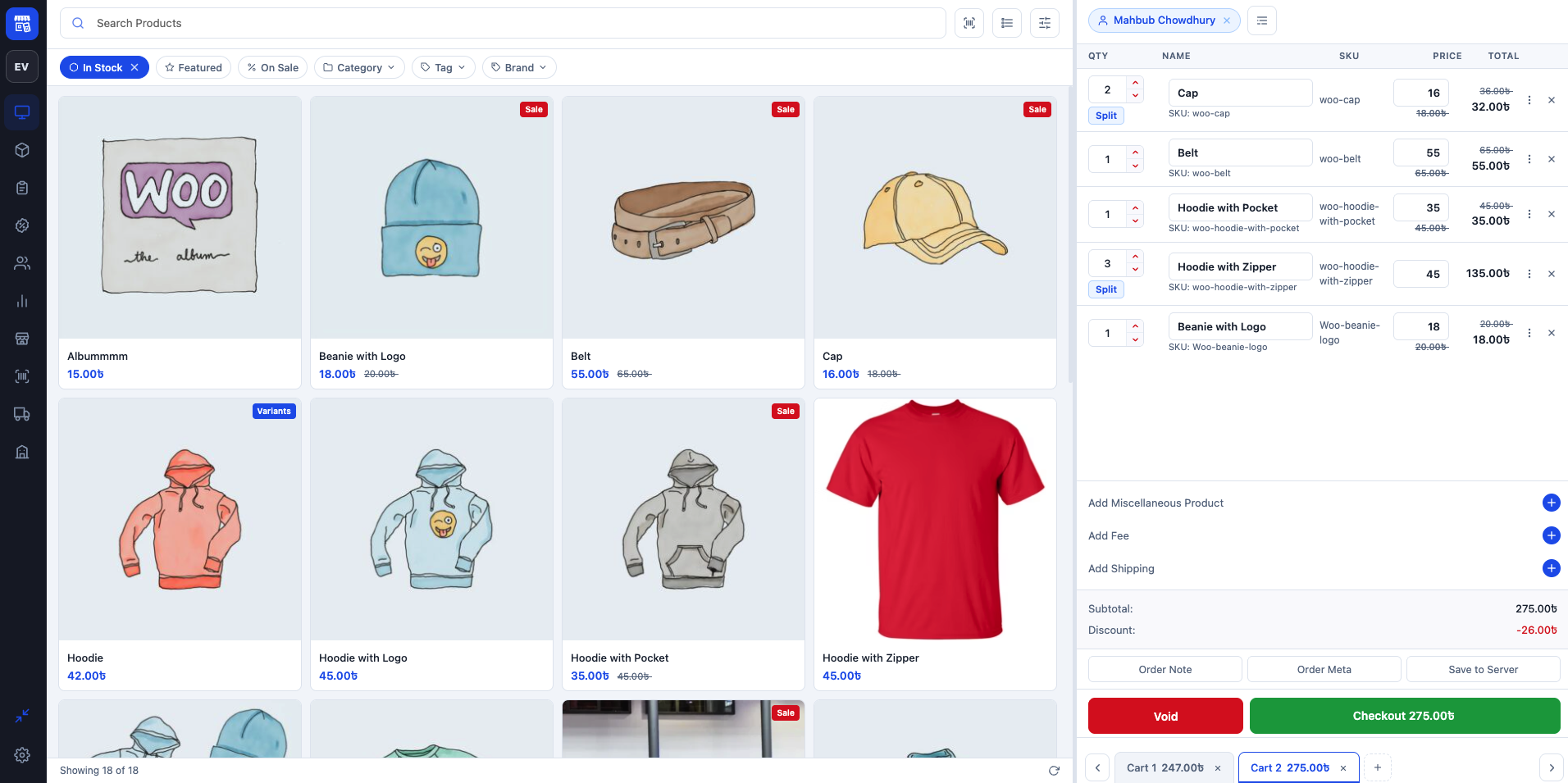
- Product grid or list with search, and filters for stock, featured, on sale, category, tag and brand.
- Variable products: pick a variation from the tile or a variations list.
- Several carts open at once. Unpaid carts are kept as “POS – Open” orders, so a sale can be parked and finished later.
- Edit quantities, split lines, rename items and change prices in the cart.
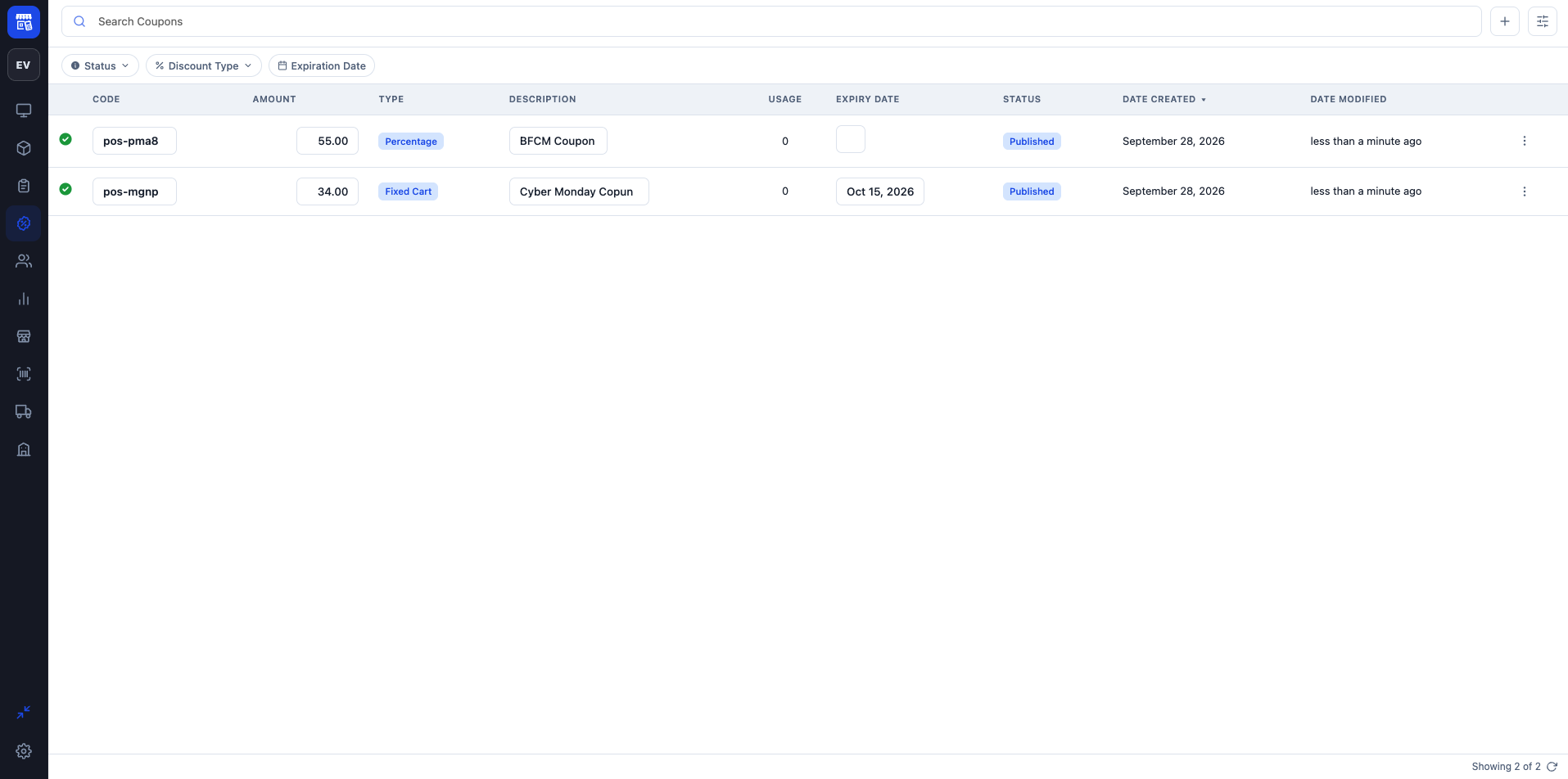
- Add miscellaneous items, fees (fixed or percentage), shipping, coupons, order notes and custom order meta.
- Pick a customer, or create one at the till. A default customer can be pre-selected for every new cart.
Payments and receipts
- Cash with amount tendered and change, part payments with a balance due, and any enabled WooCommerce payment gateway.
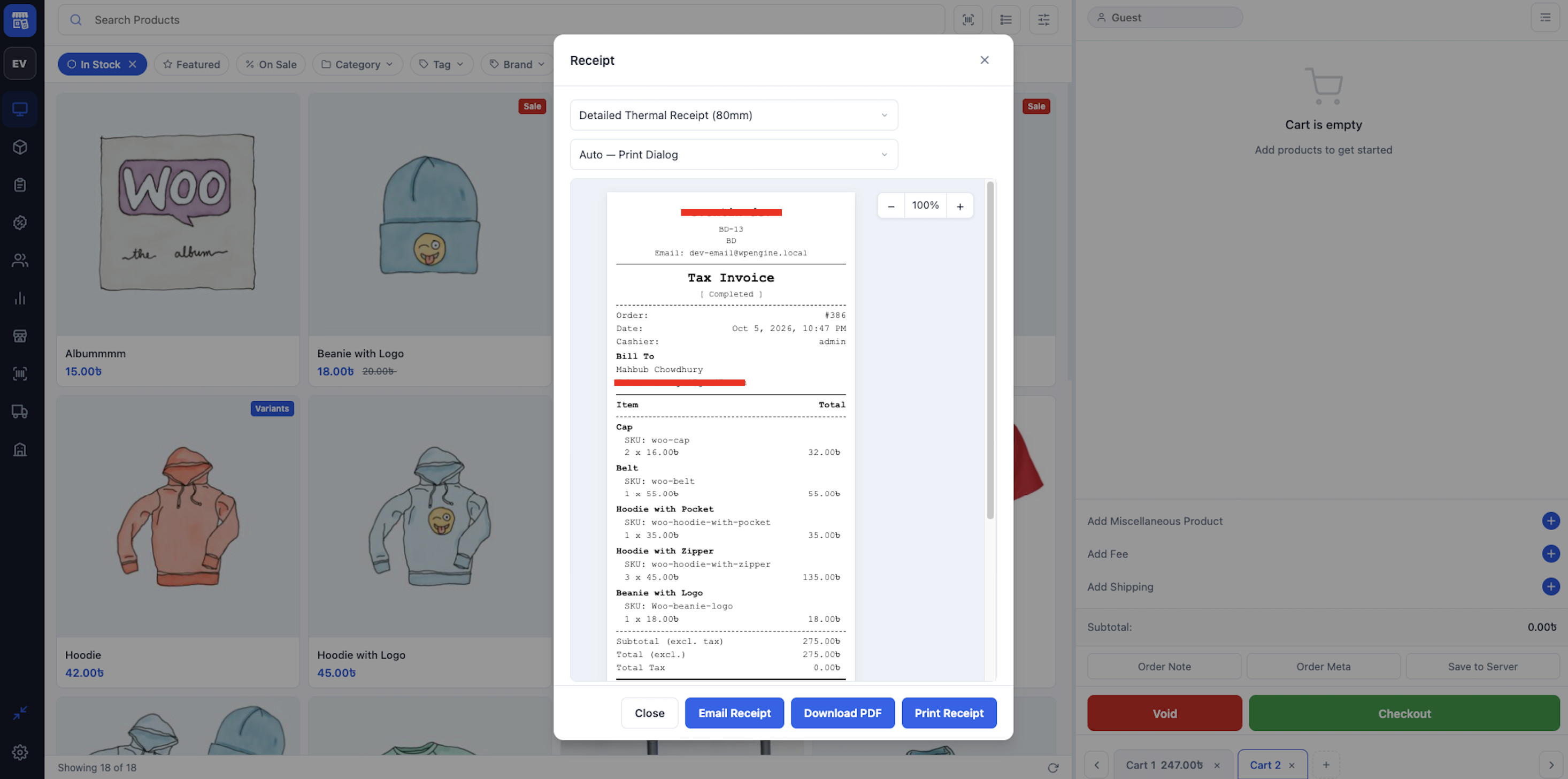
- Receipt templates for 80 mm and 58 mm thermal printers and A4: detailed receipt, gift receipt, packing slip and kitchen ticket.
- Print through the browser, download a PDF or email the receipt. Receipts can be shown or printed automatically after checkout.
Taxes
- Uses your WooCommerce tax rates and classes, including compound rates, postcode and city rules and shipping tax.
- Tax the sale at the shop address or the customer’s billing or shipping address.
- Show prices including or excluding tax, with itemized or single tax totals and an optional price suffix.
Barcode scanning
- USB and Bluetooth barcode scanners work straight away on the terminal screen.
- Scan with the device camera in browsers that support it.
- Barcodes are matched against SKUs and a dedicated barcode field on products and variations.
Managing the store
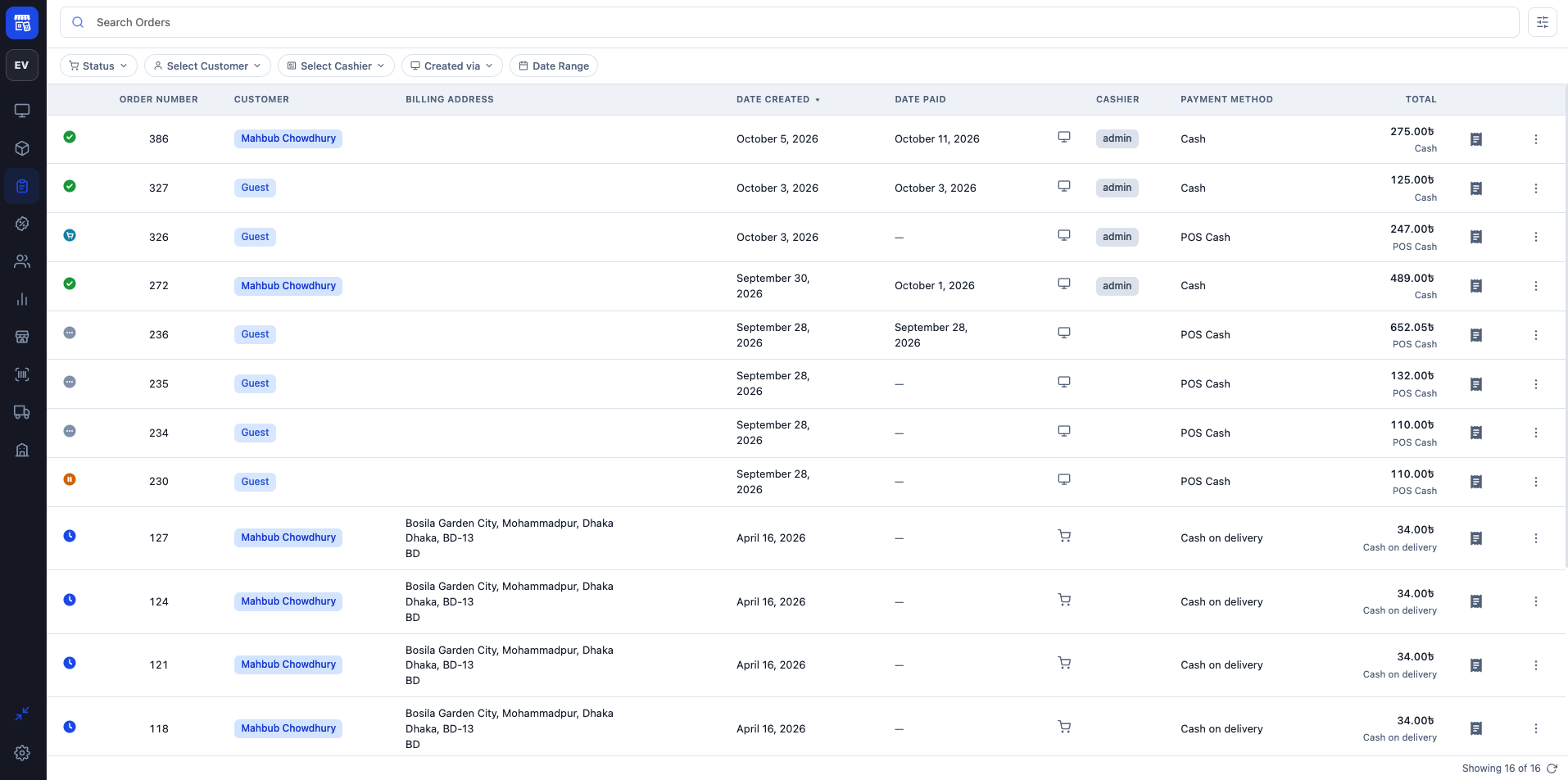
- Orders: search, filter, view, edit, refund, void and reopen orders in the terminal.
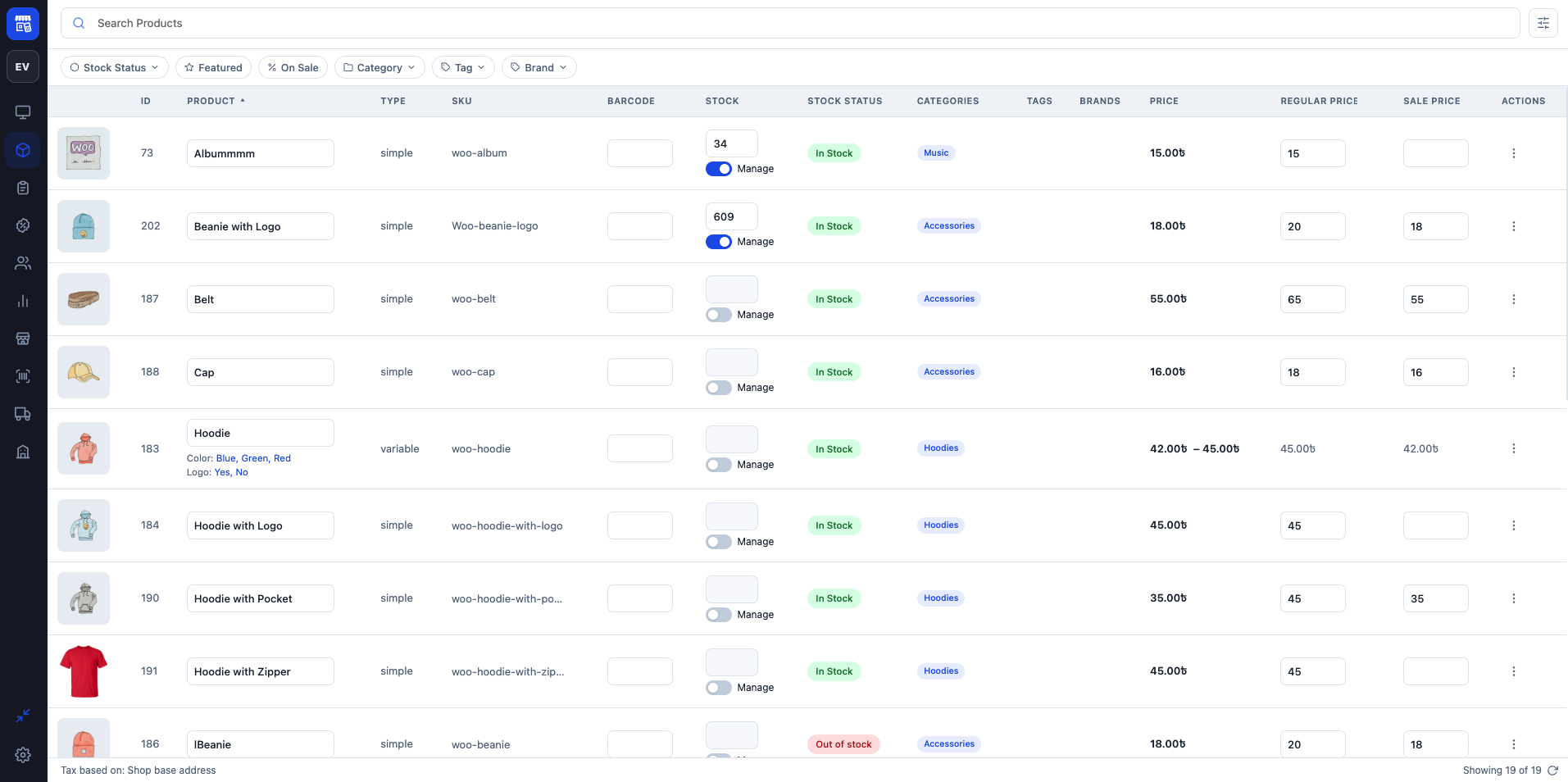
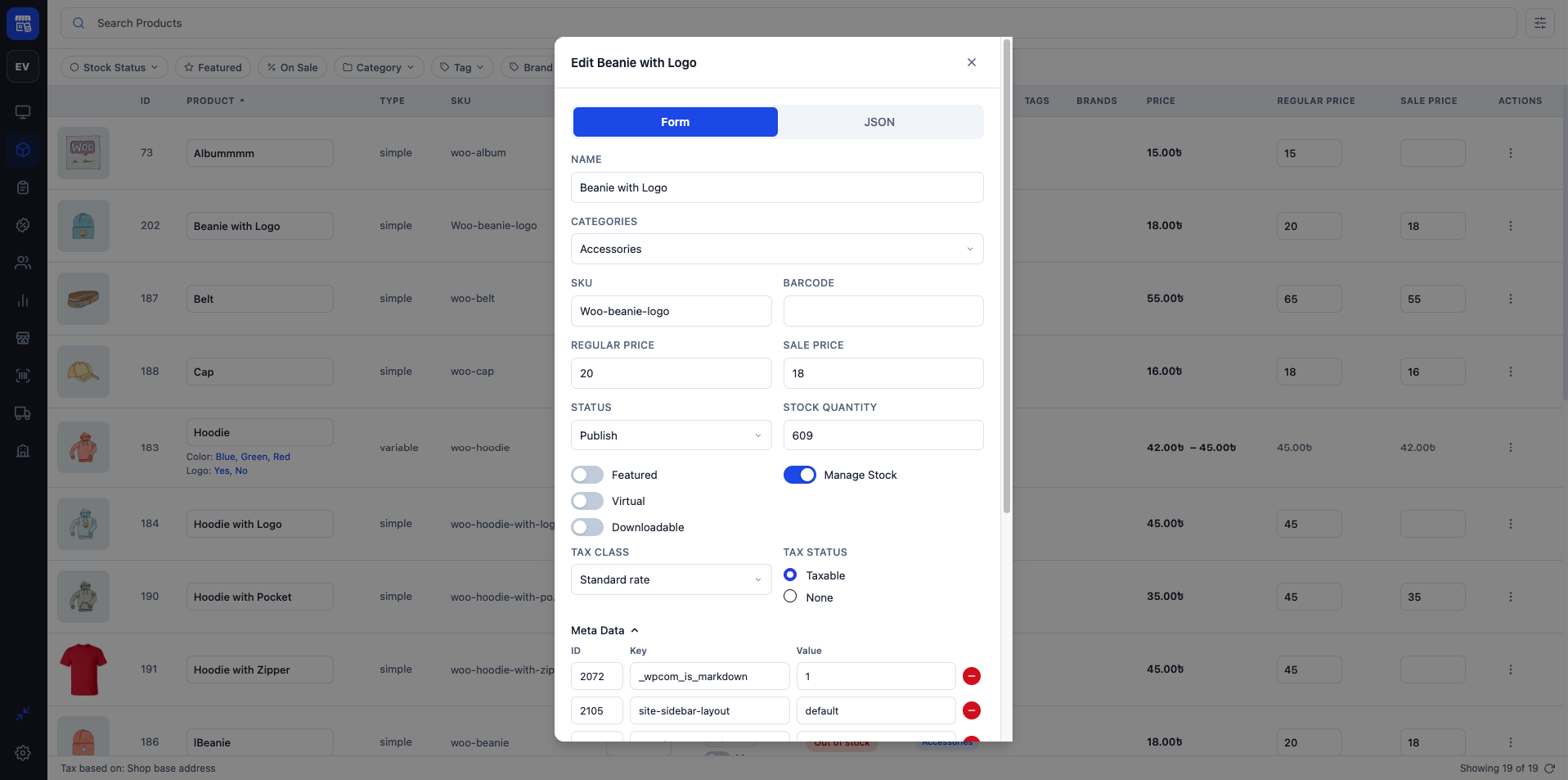
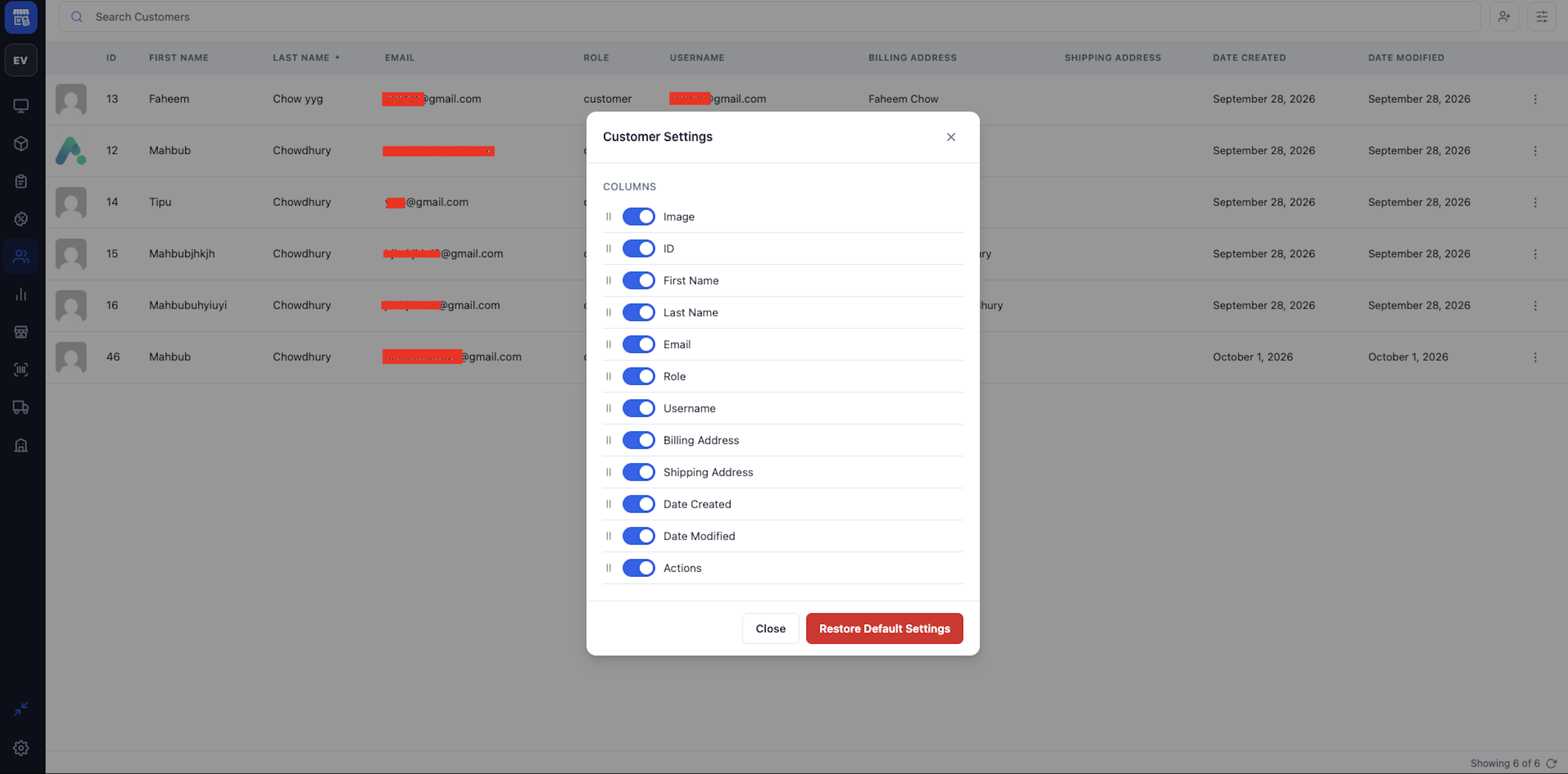
- Products, coupons and customers: browse and edit them without leaving the POS.
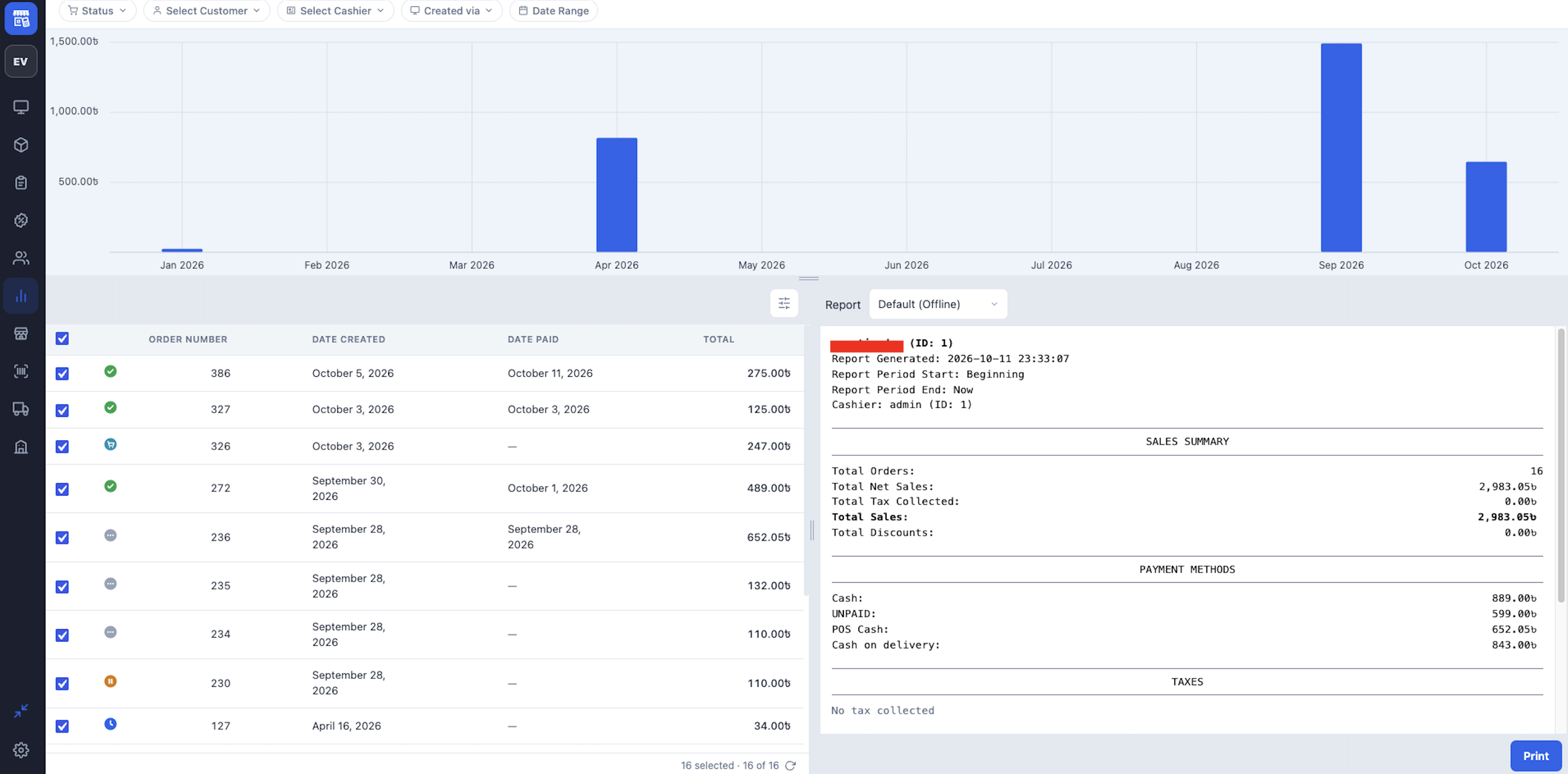
- Reports: sales totals, payment methods, taxes and a sales chart for any date range.
- Settings per device: store address, currency and number format, taxes, printing, barcode scanning and accent colour.
- Full-screen mode that hides the WordPress admin while selling.
Staff roles
choPOS adds four capabilities: chopos_cashier (use the terminal), chopos_manager (settings, coupons and management screens), chopos_view_reports and chopos_manage_stores. Administrators and Shop Managers receive them on activation; give them to other roles with any role editor plugin.
Cashiers work with the POS orders, held carts and cash-register sessions they created themselves. Store managers (chopos_manager or WooCommerce’s manage_woocommerce) can work with every order. Editing or deleting customers, products and coupons also requires the matching WordPress capability for that item.
choPOS Pro
choPOS Free is a complete point of sale for one store. choPOS Pro adds:
- Multiple stores (branches), each with its own stock, orders, customers, staff and reports.
- Barcode label printing on sheets and label printers, and one-click in-store barcodes.
- Purchasing and vendors: purchase orders, receiving stock, cost prices and vendor payments.
- Priority email support and one-click updates.
See choPOS > Free vs PRO in your dashboard for the full comparison.
Soutien
- Email: support@wppres.com
- Live chat on storepos.wppres.com
- The WordPress.org support forum
Code source
The JavaScript in the build folder is compiled from the readable source in the src folder, which ships with the plugin together with package.json, package-lock.json, webpack.config.js and the build helpers in tools. To rebuild it:
- Install Node.js 18.12 or later.
- In the plugin folder run
npm cito install the exact dependency versions used for this release. - Run
npm run build.
Third-party libraries
The compiled JavaScript bundles these open-source libraries, all under GPL-compatible licenses: TanStack Query, Zustand and dnd-kit (MIT) for the interface, and jsPDF, html2canvas and their dependencies (MIT; DOMPurify under MPL-2.0) for PDF receipts. React and the WordPress packages are not bundled; they are loaded from WordPress. Every bundled package, with its version, copyright and full license text, is listed in THIRD-PARTY-LICENSES.txt.
Installation
- Install and activate WooCommerce.
- In Plugins > Add New, search for “choPOS”, then install and activate it. Or upload the plugin zip from Plugins > Add New > Upload Plugin.
- Open choPOS in the admin menu to start selling.
- Optional: open Settings in the terminal (the gear at the bottom of the sidebar) to check the store address, currency and tax settings copied from WooCommerce.
Journal de modifications
Adds a Free vs PRO comparison page and support contact details.
1.0.1
- New: Free vs PRO page under the choPOS menu.
- New: Support by email and live chat.
- Tweak: Updated plugin name and tags.
1.0.0
- Version initiale.
Captures d'écran
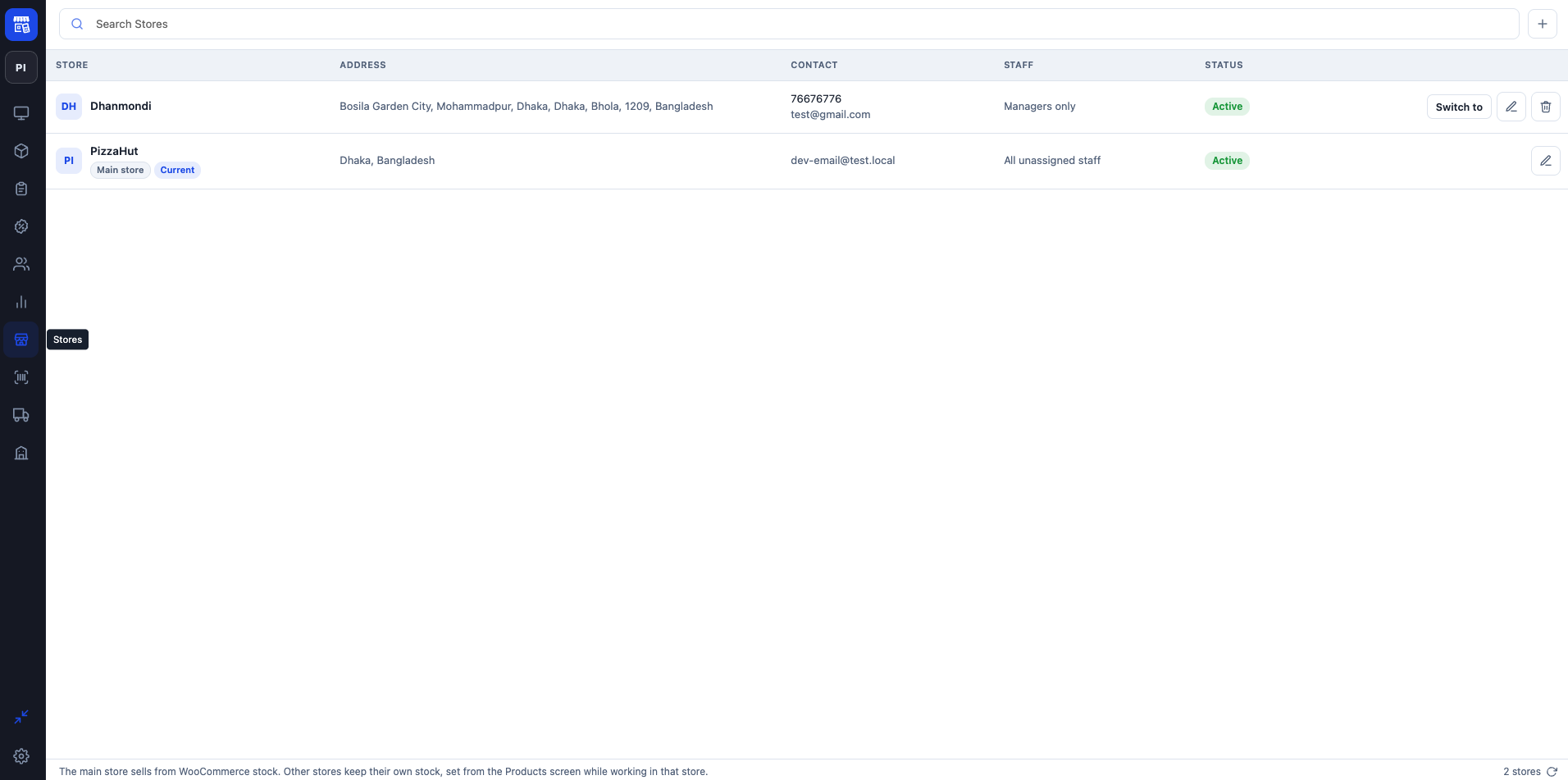
Pour les développeurs
Est-ce votre plugin ? Montrez les chiffres.
Ajoutez un badge en direct à votre site, docs ou github readme. Il se met à jour par lui-même - aucun compte n'est nécessaire.
Best choPOS alternatives
All point-of-sale plugins →




FAQ
choPOS: quick answers
Réponses directes, extraites des données en direct WordPress.org.
Source : WordPress.org
Is choPOS free?
Yes. choPOS is free to download and use from the official WordPress.org plugin directory.
Is choPOS safe to use in 2026?
choPOS works, but test it on a staging site before relying on it in 2026. Was last updated 1 month ago, and scores 60/100 on our health check.
How many websites use choPOS?
choPOS is active on <10 WordPress websites and has been downloaded 293 times since it launched in October 2026. It was downloaded 106 times in the last 30 days.
Does choPOS work with WordPress 7.1?
Yes. The developer has tested choPOS up to WordPress 7.1.5, the latest release. It requires WordPress 6.6 or newer.
What PHP version does choPOS need?
choPOS requires PHP 7.4 or higher. Most hosts run PHP 8.x today, so it works on any modern WordPress hosting.
When was choPOS last updated?
The latest version, 1.0.1, was released on October 21, 2026 (1 month ago).
Who makes choPOS?
choPOS is developed and maintained by Md Mahbub Morshed Chowdhury.
What are the best alternatives to choPOS?
The most popular alternatives to choPOS are WCPOS (5K+ installs), PayPal POS for WooCommerce (3K+ installs) and wePOS (2K+ installs).
Propulsé par PageForge
Un modèle et une feuille de calcul. Une vraie page pour chaque recherche.
PageForge transforme chaque ligne d'un CSV en une page WordPress avec son propre titre, URL, SEO et schéma, construit sur la mise en page que vous Déjà conçu. Gratuit sur WordPress.org.
- CSV et XLSX, plus Google Sheets sur les professionnels et les entreprises
- Son propre titre, URL, SEO champs et schéma pour chaque page
- Fonctionne avec l'éditeur de blocs, Elementor, Divi et Avada
- Gratuit sur WordPress.org, pas de carte de crédit