


Bright Addons for Gutenberg Blocks
62 blocks with sliders, a Flex / Grid Container, entrance animations, a Header & Footer Builder and mega menus. WPML ready.

Choix solide
Bright Addons for Gutenberg Blo… is a solid plugin choice in 2026, with a few things worth checking first. Is rated 5/5 and was last updated 3 hours ago, and scores 71/100 on our health check.
- Développé activement — Dernière mise à jour il y a 3 heures
- Testé avec le dernier WordPress (7.1)
- Petite base d'utilisateurs (<10 installations actives)
- Très peu de critiques jusqu'à présent
Comment s'accumule-t-il ?
Côte à côte sur les installations, les mises à jour, les évaluations et le support


Téléchargements quotidiens
Les pics de téléchargement suivent généralement une nouvelle version - chaque site qui met à jour automatiquement compte comme un téléchargement.
Classements
Where Bright Addons for Gutenberg… stands todayWordPress.org Classements de recherche
Position en direct dans la recherche de plugins, Top 100| Mot-clé | Position |
|---|---|
| animation | >100 |
| éditeur de blocs | >100 |
| blocs | >100 |
| Blocs de Gutenberg | >100 |
| Générateur de pages | >100 |
Répartition des notes
★★★★★ ★★★★★ 5 sur 1 avis
About Bright Addons for Gutenberg Blocks
À partir du Lisezmoi officiel · v1.8.0Description
Bright Addons for Gutenberg Blocks (formerly Bright Addons Blocks Library) adds 62 polished, ready-to-use blocks to the WordPress block editor (Gutenberg). Every block is set up from the sidebar – no code, no page builder, no extra framework.
Built by the team behind Bright Addons for Elementor, with the same clean design.
Constructeur d'en-tête et de pied de page
Design your site header and footer with blocks – logo, menu, buttons, contact details, social icons, anything – and choose exactly where each one shows:
- the entire site, the front page or the blog page,
- all posts, all pages or all items of any custom post type (products, events, portfolio…),
- post type archives, category, tag and custom taxonomy archives, search results, 404, author and date archives,
- single posts, pages, custom posts, categories, tags or terms you pick by name,
- with exceptions (“everywhere but the checkout page”).
When several fit a page, the most specific one wins. Mega menus are designed here too, then attached to a menu item in Appearance › Menus. Headers can scroll away, stay at the top, or hide while scrolling down and come back when scrolling up. Starter header and footer layouts get you going in one click. Works with block themes and classic themes.
Why Bright Addons Blocks
- Fast. Each block loads only its own small CSS file, and only on pages that use it. Scripts are tiny, plain JavaScript with no jQuery.
- Switch off what you don’t need. Turn any block on or off from Bright Blocks in your dashboard. Switched-off blocks don’t load at all.
- Accessible. Keyboard-friendly tabs, accordion and sliders, proper ARIA roles, visible focus styles and support for “reduce motion”.
- Works with your theme. Blocks follow your theme’s fonts and work with block themes and classic themes. Wide and full-width alignment is supported.
- SEO-friendly. Real headings you choose, clean markup and optional FAQ, Recipe and Event schema (JSON-LD).
- Live preview. What you see in the editor is exactly what visitors see.
- Entrance animations on every block. 40 animations, the full Elementor set and more: fading, zooming, bouncing, sliding, rotating, light speed, roll in, flip in and attention seekers (bounce, flash, pulse, rubber band, shake, head shake, swing, tada, wobble, jello), with duration and delay – set in the block sidebar, no code. Animations never change your layout or make the page scroll sideways, and visitors who prefer reduced motion see no animation.
- Translation ready and WPML compatible. Every text in the plugin can be translated, and a wpml-config.xml tells WPML which block settings hold text, so headings, buttons, list items, tabs, reviews and links of every block show up in the WPML Advanced Translation Editor. Headers, footers and mega menus from the Header & Footer Builder can be translated too.
The 62 blocks
Header, menu and forms
- Nav Menu – your WordPress menu with modern or simple dropdowns (hover or click), up to five levels, underline or pill hover styles, and mega menus you design with blocks (auto or full width). Below the breakpoint it turns into a slide-in panel or drop-down menu with accordions. Keyboard friendly, with Escape to close and focus kept in the panel.
- Form – a simple form builder: text, email, phone, number, URL, date, message, dropdown, radio buttons, checkboxes, consent and hidden fields, side-by-side widths, required fields, email notifications with Reply-To, saved entries under Bright Blocks › Form entries, success message or redirect, and built-in spam protection (honeypot, timing and rate limit). Works without JavaScript too.
La mise en page
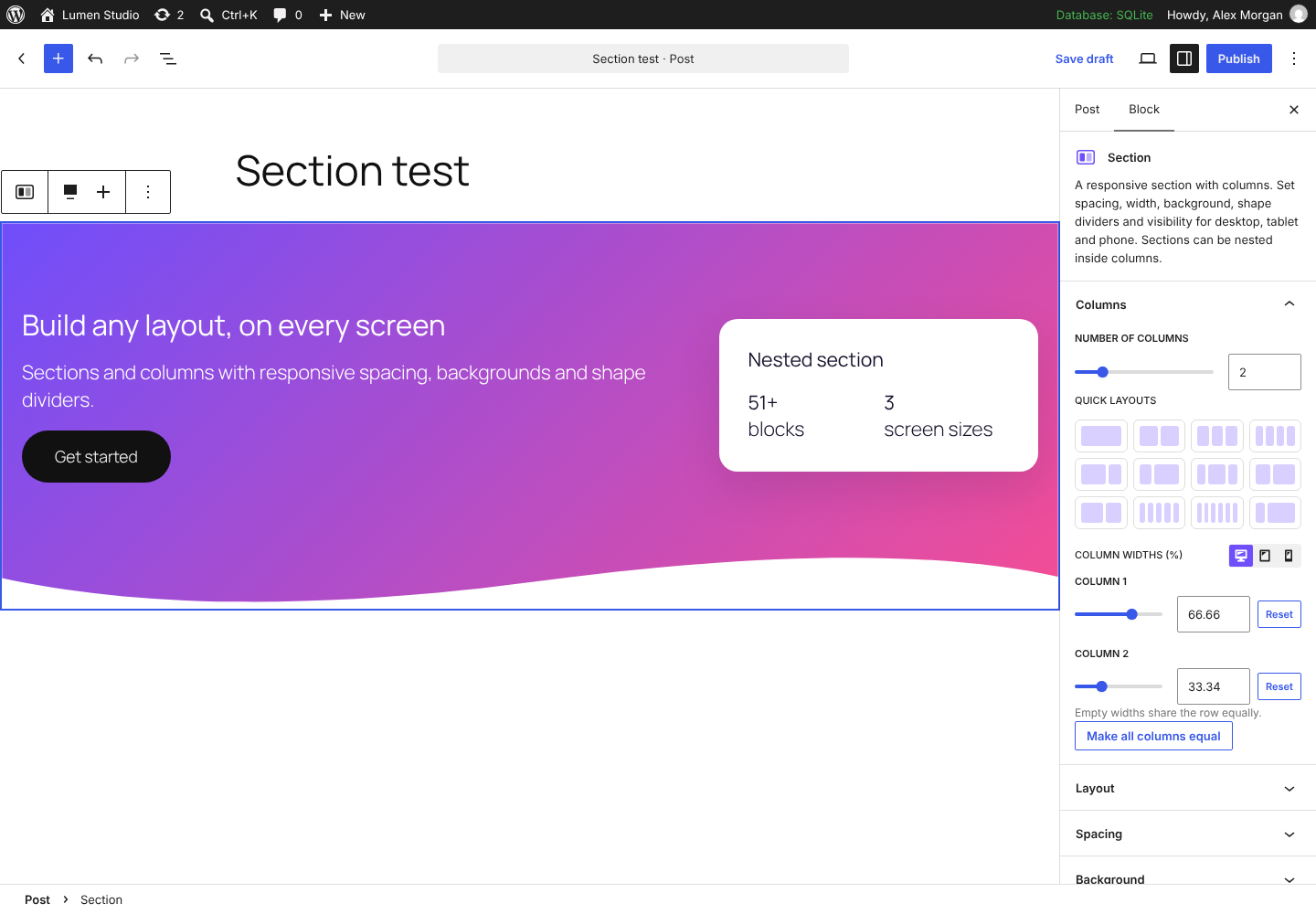
- Section & Columns – build any layout: 1 to 6 columns with quick layouts, nested sections, and padding, margin, gap, column width, minimum height and visibility set separately for desktop, tablet and phone. Color, gradient or image backgrounds with overlay and parallax, borders, rounded corners, shadows, 9 shape dividers, sticky columns, column order on small screens, entrance animations and equal height content: the last block in every column (a card, info box or pricing table) grows so the boxes line up.
- Flex / Grid Container – the modern way to lay out blocks, like containers in Elementor. Choose flexbox (direction, justify, align, wrap, equal width items) or CSS grid (1 to 12 columns, fill order, cell alignment), with gap, row gap, padding, margin and minimum height for desktop, tablet and phone. Theme, full or 100% width, nested containers, backgrounds with overlay, borders, shadows, visibility and entrance animations.
- One Page Scroller – dot, line or number navigation fixed to the side of the screen for one-page sites. It finds your sections by itself (or you choose them), shows where you are, scrolls smoothly with room for a sticky header, and can snap to sections.
Sliders
- Hero Slider – full-width hero slides with an image or a video background, pre-title, title, text and two buttons, overlay per slide, slide or fade transitions, Ken Burns motion on images, text animations, autoplay, arrows, dots, swipe and keyboard support. Only the visible slide’s video plays, and videos can be swapped for the poster image on phones.
- Image Slider – an image slider with motion effects (zoom in, zoom out, pan in every direction or random), slide or fade, captions on the image or below it, aspect ratio, links, autoplay, arrows, dots and swipe.
Content
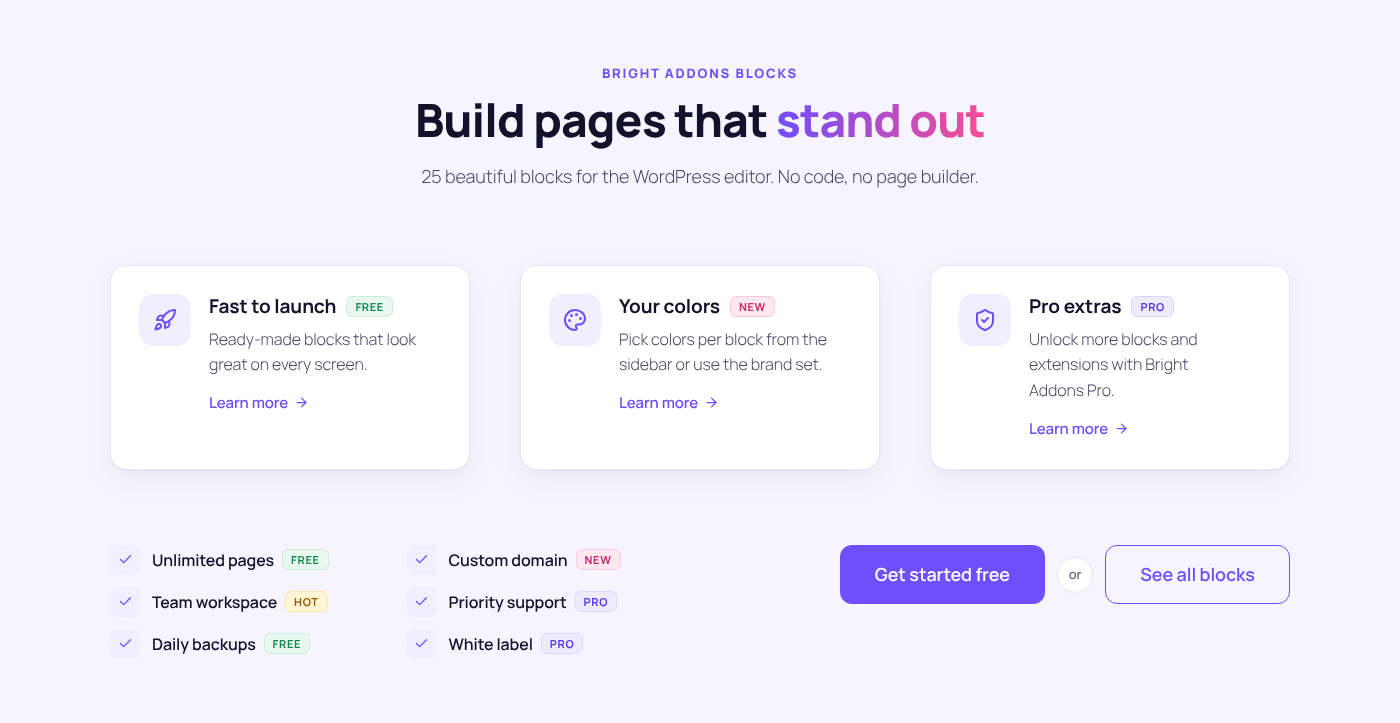
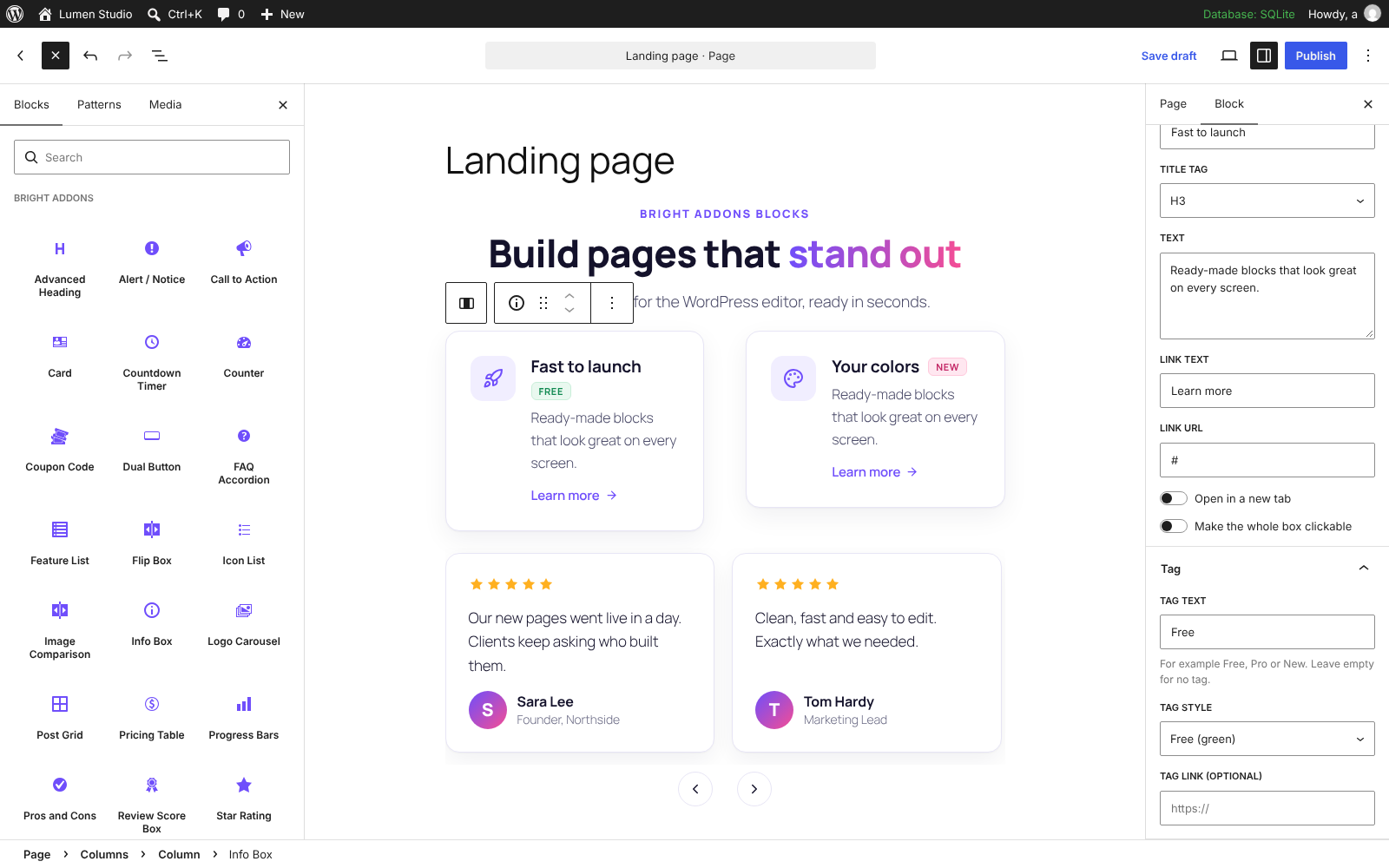
- Advanced Heading – pre-title, highlighted phrase (gradient, color, underline or marker), separator and subtitle.
- Info Box – icon, title with an optional Free/Pro/New tag, text and link. Make the whole box clickable.
- Icon List – icons, links and Free/Pro/New/Hot tags before or after the text; stacked, multi-column or inline.
- Feature List – features with icons and a connector line.
- Card – image card with badge, title, text and a link.
- Flip Box – a card that flips on hover, focus or tap.
- Content Switcher – a toggle switch (like Monthly / Yearly), pills, buttons or underline tabs that switch between contents. Each content is rich text or a synced pattern, so you can switch whole pricing tables, feature lists or anything you build with blocks.
- Timeline – milestones, history or steps on a vertical timeline (alternating sides or one side) or as a horizontal carousel, with dates, icons, numbers or dots, images, rich text and a reveal while scrolling.
- Lottie Animation – lightweight Lottie animations from an uploaded .json file or a link, played on load, in view, on hover, on click or with the page scroll, with loop, speed, reverse and a link. A sample animation is included.
- Advanced Tabs – horizontal or vertical tabs in three styles, an icon on every tab (left, top or right) and a visual editor for the tab content: headings, lists, links, bold and more.
- FAQ Accordion – native, lightweight accordion with optional FAQ schema.
- Alert / Notice – info, success, warning and error messages that visitors can close.
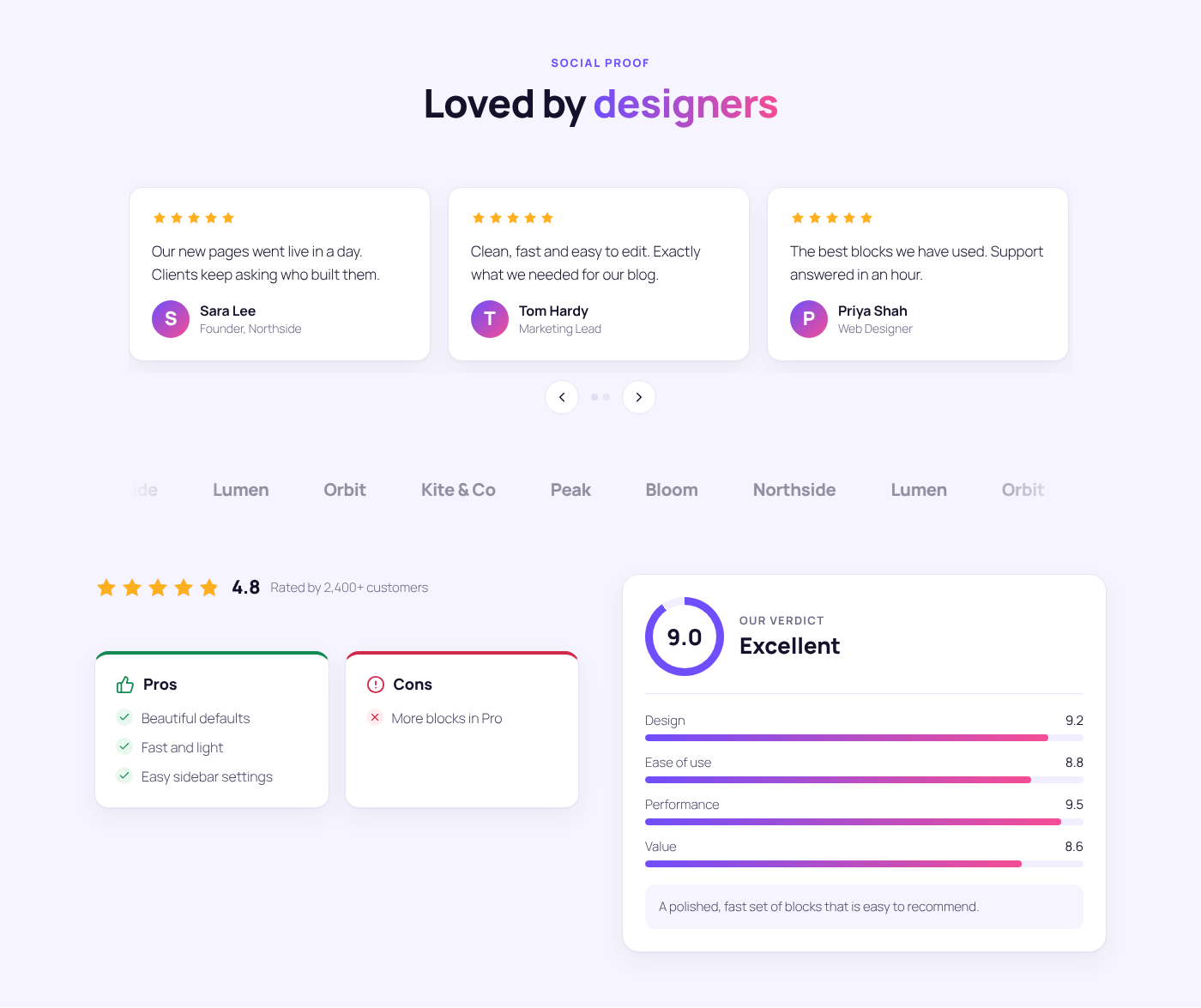
- Pros and Cons – two lists side by side.
- Tag Icon Box – icon box with a Free/Pro/New/Hot or custom-colour tag before, after or above the title.
- Advanced Divider – lines in several styles with text, an icon or both in the middle.
- Blockquote – five quote styles with drop cap, author photo, role and source link.
- Code Block – syntax highlighting for 25 languages, line numbers, highlighted lines, file name and a copy button.
- Simple Table – type rows with | between cells; striped, bordered, and stacked cards on phones.
- Recipe Card – times, servings, ingredients you can tick off, steps with photos, print button and Recipe schema.
Numbers and ratings
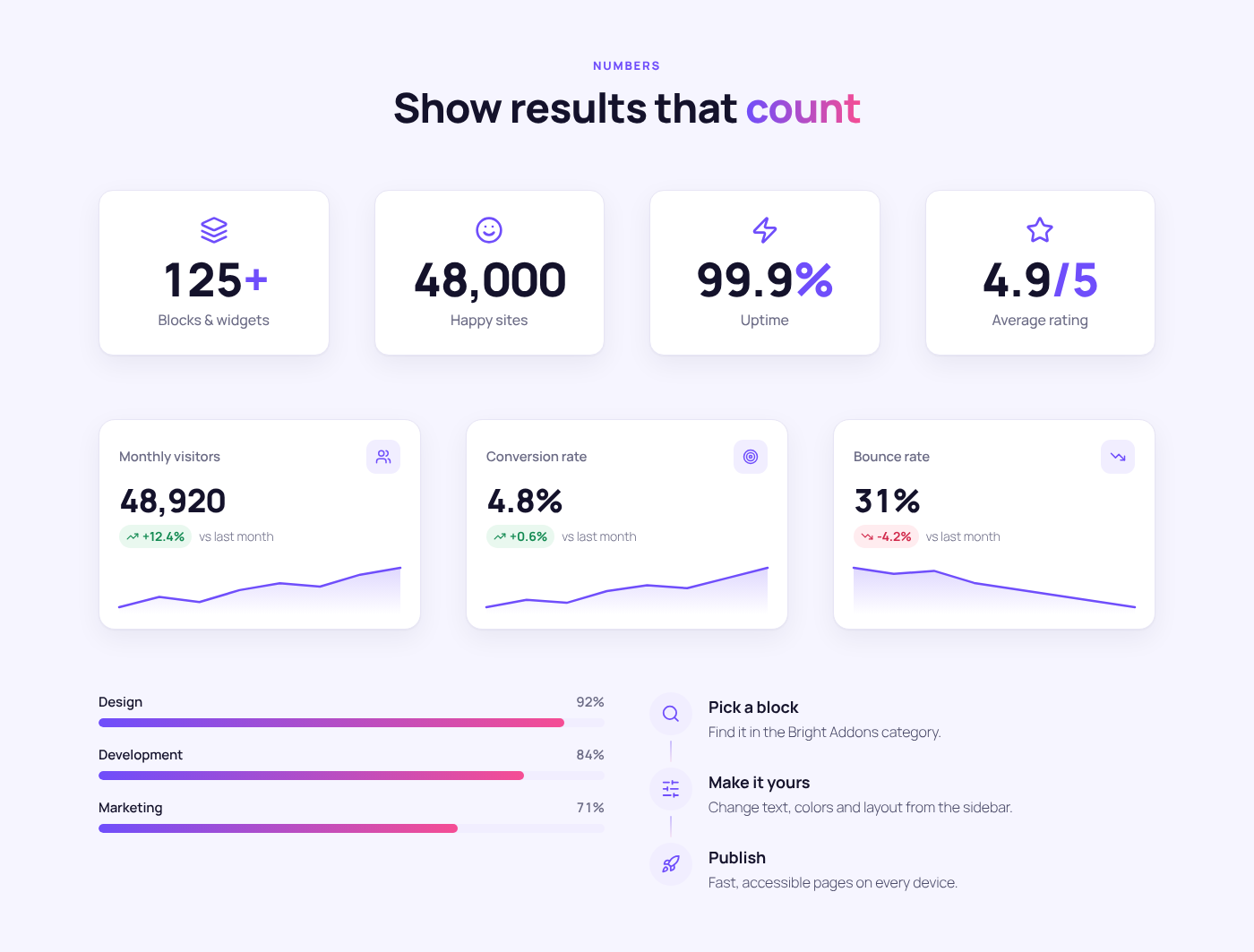
- Counter – counts up when it scrolls into view.
- Progress Bars – animated bars for skills or goals.
- Stat Card – a key number with its change and a small trend chart.
- Star Rating – half stars, score and label.
- Review Score Box – overall score ring, rating bars per category and a verdict.
Commercialisation
- Call to Action – headline, text and buttons on a gradient, dark or light background.
- Dual Button – two buttons with an optional “or” connector.
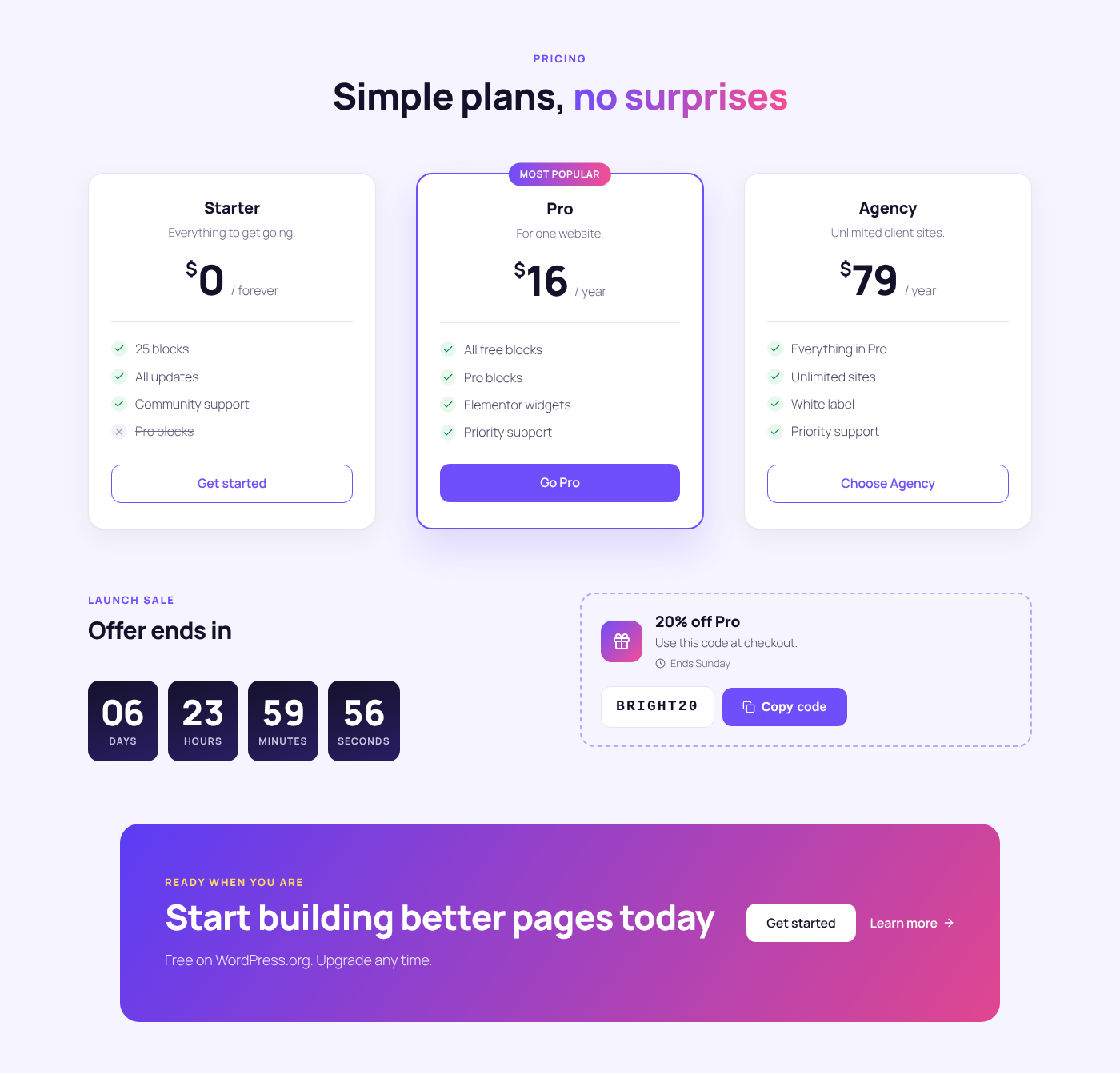
- Pricing Table – plan, price, features and a featured badge.
- Countdown Timer – for launches, sales and events (uses your site time zone).
- Coupon Code – a discount code with one-click copy.
- Testimonial Carousel – swipeable reviews with arrows, dots and autoplay. Long reviews can show only the first words (for example 150) with “See more” and “See less”, while every card keeps the same height.
- Logo Carousel – an endless, smooth logo marquee.
- Floating Contact – WhatsApp, phone, email, Messenger and Telegram buttons fixed to a corner of the screen.
- QR Code – for links, text, email, phone, SMS or Wi-Fi, with dot styles, colours, logo and download.
- Event Card – upcoming events with dates in your time zone, past events hidden automatically and Event schema.
- Job Listing – open positions with team, location and type filters.
Site and contact
- Site Logo – your site logo or title with tagline, linked home.
- Copyright – © year range, site name and footer links that update themselves.
- Contact Info – phone, email, address, hours and more, linked automatically.
- Social Icons – profile links or share buttons for 14 networks plus email in brand, outline or custom colours.
- Ajax Search – live search results as you type, with keyboard support; works as a normal search form without JavaScript.
Forms (shown when the form plugin is active)
- Contact Form 7 Styler, WPForms Styler, Gravity Forms Styler and Fluent Forms Styler – pick a form and give it outlined, filled or underline fields, your colours, rounded corners and a full-width button.
People, media and posts
- Team Member – photo, name, role, bio and social links.
- Image Comparison – a before/after slider that works with mouse, touch and keyboard.
- Post Grid – posts, pages or any custom post type (products, projects, events…) in five layouts: card, overlay, side image, minimal and featured. Filter by categories, tags or any custom taxonomy, choose the order, skip posts and leave out the post being viewed.
- Post Carousel – the same posts and custom post types in a swipeable carousel with card, overlay, side image or minimal layouts, items per view for desktop, tablet and phone, arrows, dots, loop and autoplay.
- Recent Posts – a compact list with thumbnails or numbers for sidebars and footers.
- Post Info – date, author, categories, comments and reading time for the current post.
- Image Gallery – grid, masonry or carousel layout, filter buttons that sort the images into groups, captions, hover effects and a keyboard-friendly lightbox.
- Image Mask – images in blob, arch, hexagon and other shapes, with a shape behind and gentle motion.
- Image Stack – layered images and floating info cards for hero sections.
- SVG Draw – line drawings that draw themselves in on scroll, load or hover.
- PDF Viewer – show a PDF on the page with download and open buttons.
Bright Addons Pro
Want more? Bright Addons Pro adds more blocks, Elementor widgets and extensions under one licence. This free plugin is complete on its own – nothing in it is locked.
Crédits
- Outline icons from Lucide – ISC License.
- Lottie player lottie-web 5.12.2 (light build) – MIT License, © Airbnb. Unminified source in assets/vendor/lottie/lottie_light.js.
- Brand icons from Simple Icons – CC0 1.0.
- Syntax highlighting in the Code Block by Prism 1.30.0 – MIT License, © Lea Verou. Unminified source in blocks/code-block/prism.js.
- QR codes by qrcode-generator 2.0.4 – MIT License, © Kazuhiko Arase. Source in blocks/qr-code/qrcode-generator.js. “QR Code” is a registered trademark of DENSO WAVE INCORPORATED.
Installation
- In your dashboard go to Plugins › Add New, search for Bright Addons for Gutenberg Blocks and click Install Now, then Activate.
- Open any post or page in the block editor and click the + inserter. You’ll find all blocks in the Bright Addons category.
- Optional: go to Bright Blocks in the dashboard menu to switch off blocks you don’t use.
Journal de modifications
Responsive text size, margin and padding for every block, Section and Container layouts like Elementor, and many new Hero Slider options.
1.8.0
- New: text size and heading size for every block, with a value for desktop, tablet and phone.
- New: margin and padding for every block, with a value for desktop, tablet and phone.
- New: Dual Button width (px, %, em, rem, vw) and full width, for each device.
- New: content alignment for Sections and Columns (direction, horizontal and vertical alignment, wrap) for each device.
- New: Section structure with 18 column layouts and up to 10 equal columns. Blocks inside the columns are kept.
- New: Flex / Grid Container layout picker (flexbox column layouts and grid layouts with columns and rows), on an empty container and in the sidebar. Grid rows for each device.
- New: minimum width and minimum height for Sections, Columns and Containers, for each device.
- New: Hero Slider full width layout, full width content, entrance animation for each item (pre-title, heading, text, buttons), style for each item (sizes for each device, gradient heading, pill pre-title, button shape) and background animations with a moving color light.
1.7.3
- Improved: Button colors are printed with the page styles instead of next to each block.
- Improved: small JavaScript clean-ups in the block editor (no change in how it works).
- Updated the translation template.
1.7.2
- The plugin is now called Bright Addons for Gutenberg Blocks (it was Bright Addons Blocks Library). Nothing else changes: same plugin, same blocks, same settings, and updates arrive as before.
1.7.1
- New: Button colors for every block with buttons (Call to Action, Dual Button, Hero Slider, Pricing Table, Form, Ajax Search, Coupon Code, Event Card, Flip Box, Floating Contact, Image Gallery filters, Job Listing, PDF Viewer, QR Code, Recipe Card and the four form stylers): background, text, border color and border width, each with its hover color, in a Button colors panel of the block sidebar. Blocks with two kinds of buttons get a second panel.
- Fix: the HTML anchor (Advanced > HTML anchor) now shows on the page for every block, so links such as #my-section jump to the block.
1.7.0
- New: Hero Slider block – image or video background slides with overlay, two buttons, slide or fade transitions, Ken Burns motion, text animations, autoplay, arrows, dots, swipe and keyboard support.
- New: Image Slider block – images with motion effects (zoom in, zoom out, pan or random), slide or fade, captions on or below the image, links and autoplay.
- New: Flex / Grid Container block – flexbox or CSS grid layout with responsive direction, alignment, wrapping, columns and gaps, nested containers, full width options, backgrounds, borders, visibility and entrance animations.
- Improved: a full width Section placed inside a container keeps the container’s width.
1.6.0
- New: Post Carousel block – posts, pages or any custom post type in a carousel with four layouts, items per view per device, arrows, dots, loop and autoplay.
- New: Lottie Animation block – .json uploads or links, played on load, in view, on hover, on click or with the page scroll.
- New: One Page Scroller block – side navigation for one-page sites with active section, smooth scrolling, sticky header offset and optional snap scrolling.
- New: Content Switcher block – toggle, pills, buttons or tabs that switch between rich text or synced patterns (great for monthly / yearly pricing).
- New: Timeline block – vertical (alternating or one side) or horizontal carousel, with icons, numbers or dots, images and a reveal while scrolling.
- Improved: Post Grid now supports pages and custom post types, filters by any category, tag or custom taxonomy, and has five layouts (card, overlay, side image, minimal, featured). Existing grids keep their settings.
- Fixed: in carousels a hidden screen reader label could make the page wider than the screen.
Captures d'écran



Pour les développeurs
Est-ce votre plugin ? Montrez les chiffres.
Ajoutez un badge en direct à votre site, docs ou github readme. Il se met à jour par lui-même - aucun compte n'est nécessaire.
Best Bright Addons for Gutenberg B… alternatives
All animation plugins →





FAQ
Bright Addons for Gutenberg Blocks: quick answers
Réponses directes, extraites des données en direct WordPress.org.
Source : WordPress.org
Is Bright Addons for Gutenberg Blo… free?
Yes. Bright Addons for Gutenberg Blo… is free to download and use from the official WordPress.org plugin directory.
Is Bright Addons for Gutenberg Blo… safe to use in 2026?
Bright Addons for Gutenberg Blo… is a solid plugin choice in 2026, with a few things worth checking first. Is rated 5/5 and was last updated 3 hours ago, and scores 71/100 on our health check.
How many websites use Bright Addons for Gutenberg Blo…?
Bright Addons for Gutenberg Blo… is active on <10 WordPress websites and has been downloaded 1,025 times since it launched in October 2026. It was downloaded 1,026 times in the last 30 days.
Does Bright Addons for Gutenberg Blo… work with WordPress 7.1?
Yes. The developer has tested Bright Addons for Gutenberg Blo… up to WordPress 7.1.5, the latest release. It requires WordPress 6.5 or newer.
What PHP version does Bright Addons for Gutenberg Blo… need?
Bright Addons for Gutenberg Blo… requires PHP 7.4 or higher. Most hosts run PHP 8.x today, so it works on any modern WordPress hosting.
When was Bright Addons for Gutenberg Blo… last updated?
The latest version, 1.8.0, was released on November 23, 2026 (3 hours ago).
Who makes Bright Addons for Gutenberg Blo…?
Bright Addons for Gutenberg Blo… is developed and maintained by nayem07.
What are the best alternatives to Bright Addons for Gutenberg Blo…?
The most popular alternatives to Bright Addons for Gutenberg Blo… are Blocks Animation: CSS Anima… (90K+ installs), Greenshift (70K+ installs) and UiCore Animate (40K+ installs).
Propulsé par PageForge
Un modèle et une feuille de calcul. Une vraie page pour chaque recherche.
PageForge transforme chaque ligne d'un CSV en une page WordPress avec son propre titre, URL, SEO et schéma, construit sur la mise en page que vous Déjà conçu. Gratuit sur WordPress.org.
- CSV et XLSX, plus Google Sheets sur les professionnels et les entreprises
- Son propre titre, URL, SEO champs et schéma pour chaque page
- Fonctionne avec l'éditeur de blocs, Elementor, Divi et Avada
- Gratuit sur WordPress.org, pas de carte de crédit