


BlockBee Cryptocurrency Payment Gateway for WooCommerce
Accept Bitcoin, Ethereum, USDT, USDC, Solana and other cryptocurrency payments in WooCommerce, paid straight to your own wallet.

Choix solide
BlockBee Cryptocurrency Payment… is a solid plugin choice in 2026, with a few things worth checking first. It runs on 50+ sites, is rated 3/5 and was last updated 1 week ago, and scores 64/100 on our health check.
- Développé activement — Dernière mise à jour il y a 1 semaine
- Petite base d'utilisateurs (plus de 50 installations actives)
- Très peu de critiques jusqu'à présent
Comment s'accumule-t-il ?
Côte à côte sur les installations, les mises à jour, les évaluations et le support



Téléchargements quotidiens
Les pics de téléchargement suivent généralement une nouvelle version - chaque site qui met à jour automatiquement compte comme un téléchargement.
Classements
Where BlockBee Cryptocurrency Pay… stands todayWordPress.org Classements de recherche
Position en direct dans la recherche de plugins, Top 100| Mot-clé | Position |
|---|---|
| bitcoin | #59 |
| crypto payments | #44 |
| stablecoin | #13 |
| USDC | #20 |
| USDT | #16 |
Adoption de version
Part de sites actifs par version.
Répartition des notes
★★★★★ ★★★★★ 3 sur 2 avis
About BlockBee Cryptocurrency Payment Gateway…
À partir du Lisez-moi officiel · v1.6.2Description
Accept payments in Bitcoin, Ethereum, Bitcoin Cash, Litecoin, Solana, BNB, USDT, SHIB, DOGE, and many more directly to your crypto wallet.
Allow users to pay with crypto directly on your store
The BlockBee plugin extends WooCommerce, allowing you to get paid in crypto directly on your store, with a simple setup.
Accepted cryptocurrencies & tokens include:
- (BTC) Bitcoin
- (ETH) Ethereum
- (BCH) Bitcoin Cash
- (LTC) Litecoin
- (TRX) Tron
- (BNB) Binance Coin
- (USDT) USDT
- (USDC) USDC
- (SHIB) Shiba Inu
- (DOGE) Dogecoin
- (SOL) Solana
among many others, for a full list of the supported cryptocurrencies and tokens, check this page.
Stablecoins include USDT on TRC20 (Tron), ERC20, BEP20, Polygon, Solana, Base and TON, and USDC on ERC20, BEP20, Polygon, Solana, Base and Arbitrum.
Traits
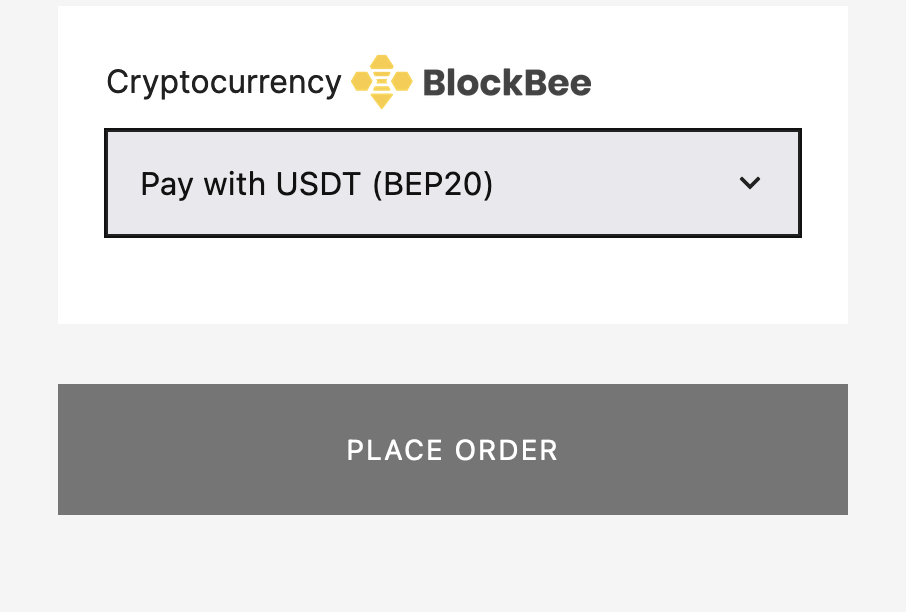
- Works with both the WooCommerce block checkout and the classic checkout
- Supports WooCommerce Subscriptions
- Supports WooCommerce HPOS (High-Performance Order Storage)
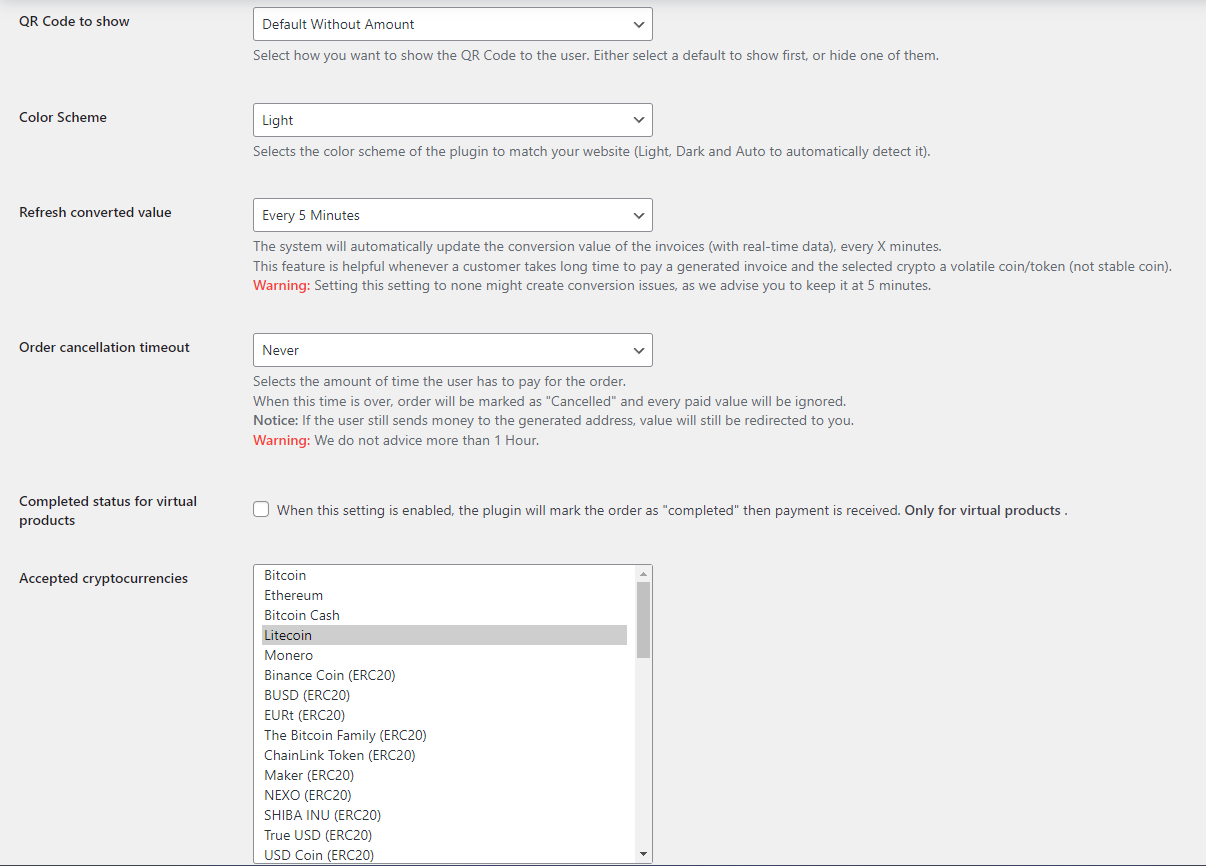
- QR codes with or without the amount
- Handles partial payments and shows a payment history on the order page
- Payment tolerance for small underpayments
- Cancels unpaid orders after a time you choose
- Can add service and blockchain fees at checkout
- Light and dark color schemes
- Translated into German, Spanish, French, Italian, Portuguese, Russian, Ukrainian and Chinese
Auto-value conversion
BlockBee will attempt to automatically convert the value you set on your store to the cryptocurrency your customer chose.
Exchange rates are fetched every 5 minutes from CoinGecko.
Supported currencies for automatic exchange rates are:
- (USD) United States Dollar
- (EUR) Euro
- (GBP) Great Britain Pound
- (CAD) Canadian Dollar
- (JPY) Japanese Yen
- (AED) UAE Dollar
- (MYR) Malaysian Ringgit
- (IDR) Indonesian Rupiah
- (THB) Thai Baht
- (CHF) Swiss Franc
- (COP) Colombian Peso
- (SGD) Singapore Dollar
- (RUB) Russian Ruble
- (ZAR) South African Rand
- (TRY) Turkish Lira
- (LKR) Sri Lankan Rupee
- (XAF) CFA Franc
- (RON) Romanian Leu
- (BGN) Bulgarian Lev
- (HUF) Hungarian Forint
- (CZK) Czech Koruna
- (PHP) Philippine Peso
- (PLN) Poland Zloti
- (UGX) Uganda Shillings
- (MXN) Mexican Peso
- (INR) Indian Rupee
- (HKD) Hong Kong Dollar
- (CNY) Chinese Yuan
- (BRL) Brazilian Real
- (DKK) Danish Krone
If your WooCommerce’s currency is none of the above, the exchange rates will default to USD.
If you’re using WooCommerce in a different currency not listed here and need support, please contact us via our live chat.
Note: BlockBee will not exchange your crypto for FIAT or other crypto, just convert the value.
Why choose BlockBee?
BlockBee has no setup fees, no monthly fees, no hidden costs.
All you need to do is to register at our dashboard click here, set up your addresses, get an API Key, and you’re ready to go.
As soon as your customers pay we forward your earnings directly to your own wallet.
BlockBee has a low 1% fee on the transactions processed. No hidden costs.
For more info on our fees click here.
Configuration
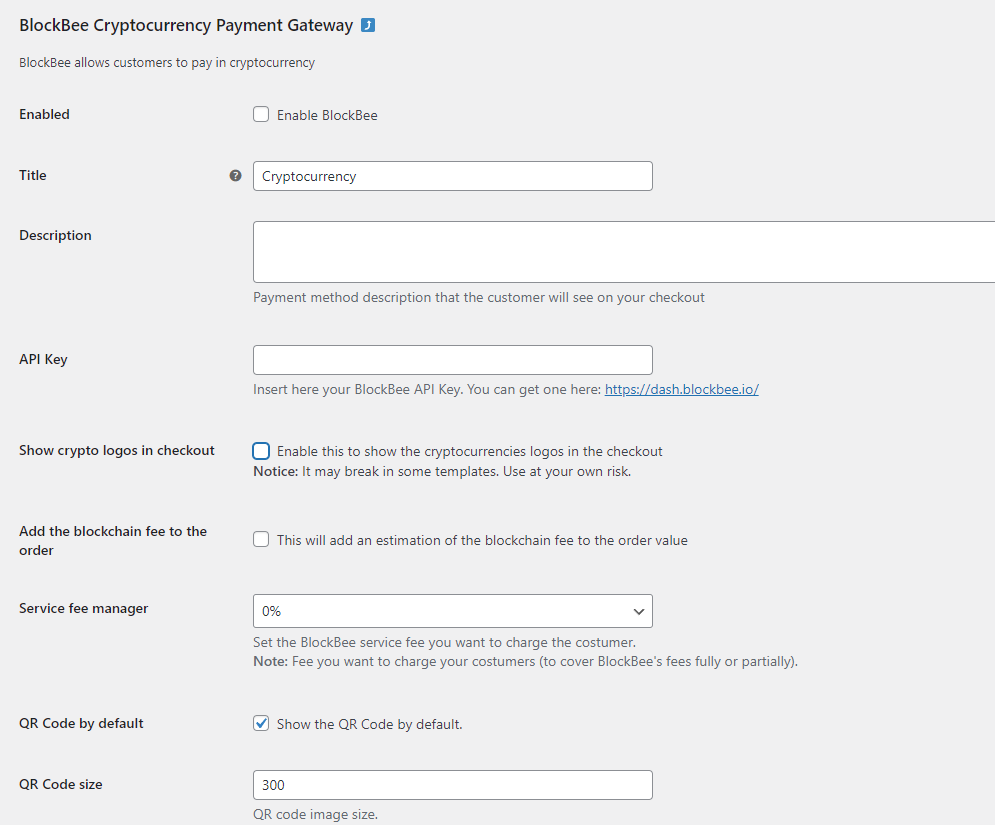
- Go to WooCommerce settings
- Select the “Payments” tab
- Activate the payment method (if inactive)
- Set the name you wish to show your users on Checkout (for example: “Cryptocurrency”)
- Fill the payment method’s description (for example: “Pay with cryptocurrency”)
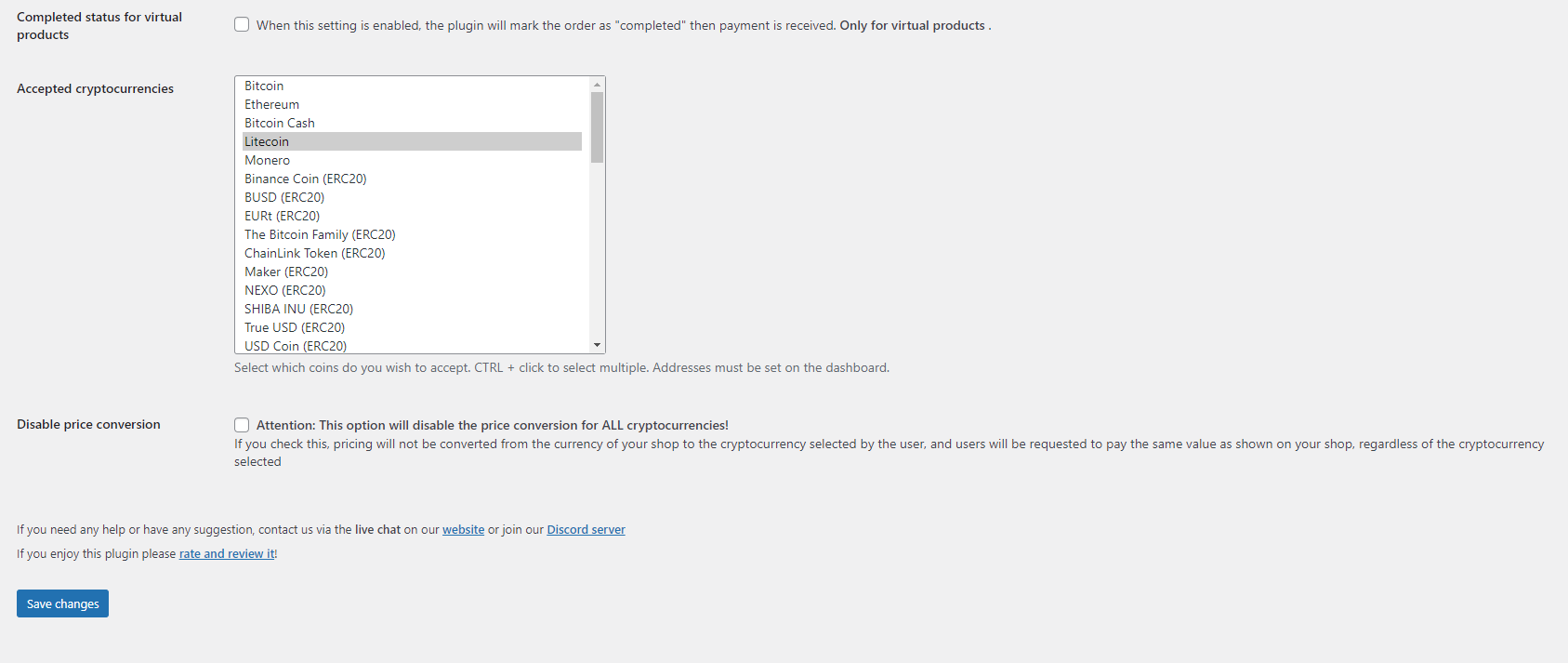
- Select which cryptocurrencies you wish to accept (control/command + click to select many). Addresses are set in BlockBee dashboard.
- Paste the API Key you got from your BlockBee dashboard.
- Click “Save Changes”
- All done!
Installation
Utilisation du tableau de bord WordPress
- Go to Plugins > Add New Plugin in the WordPress dashboard
- Search for ‘BlockBee Cryptocurrency Payment Gateway for WooCommerce’
- Cliquez sur "Installer maintenant"
- Activer le plugin sur le tableau de bord du plugin
Téléchargement dans le tableau de bord WordPress
- Go to Plugins > Add New Plugin in the WordPress dashboard
- Click ‘Upload Plugin’
- Sélectionnez
blockbee-cryptocurrency-payment-gateway.zipà partir de votre ordinateur - Cliquez sur "Installer maintenant"
- Activer le plugin dans le tableau de bord du plugin
Utilisation de FTP
- Télécharger
blockbee-cryptocurrency-payment-gateway.zip - Extrayez le répertoire
blockbee-cryptocurrency-payment-gatewaysur votre ordinateur - Téléchargez le répertoire
blockbee-cryptocurrency-payment-gatewaydans le répertoire/wp-content/plugins/ - Activer le plugin dans le tableau de bord du plugin
Réactualisation
Automatic updates should work like a charm; as always though, ensure you backup your site just in case.
Journal de modifications
1.0.0
- Version initiale.
1.0.1
- Minor fixes.
1.0.2
- Minor fixes.
1.0.3
- Minor fixes.
- UI improvements.
1.0.4
- Minor fixes.
1.0.5
- Minor fixes.
Captures d'écran
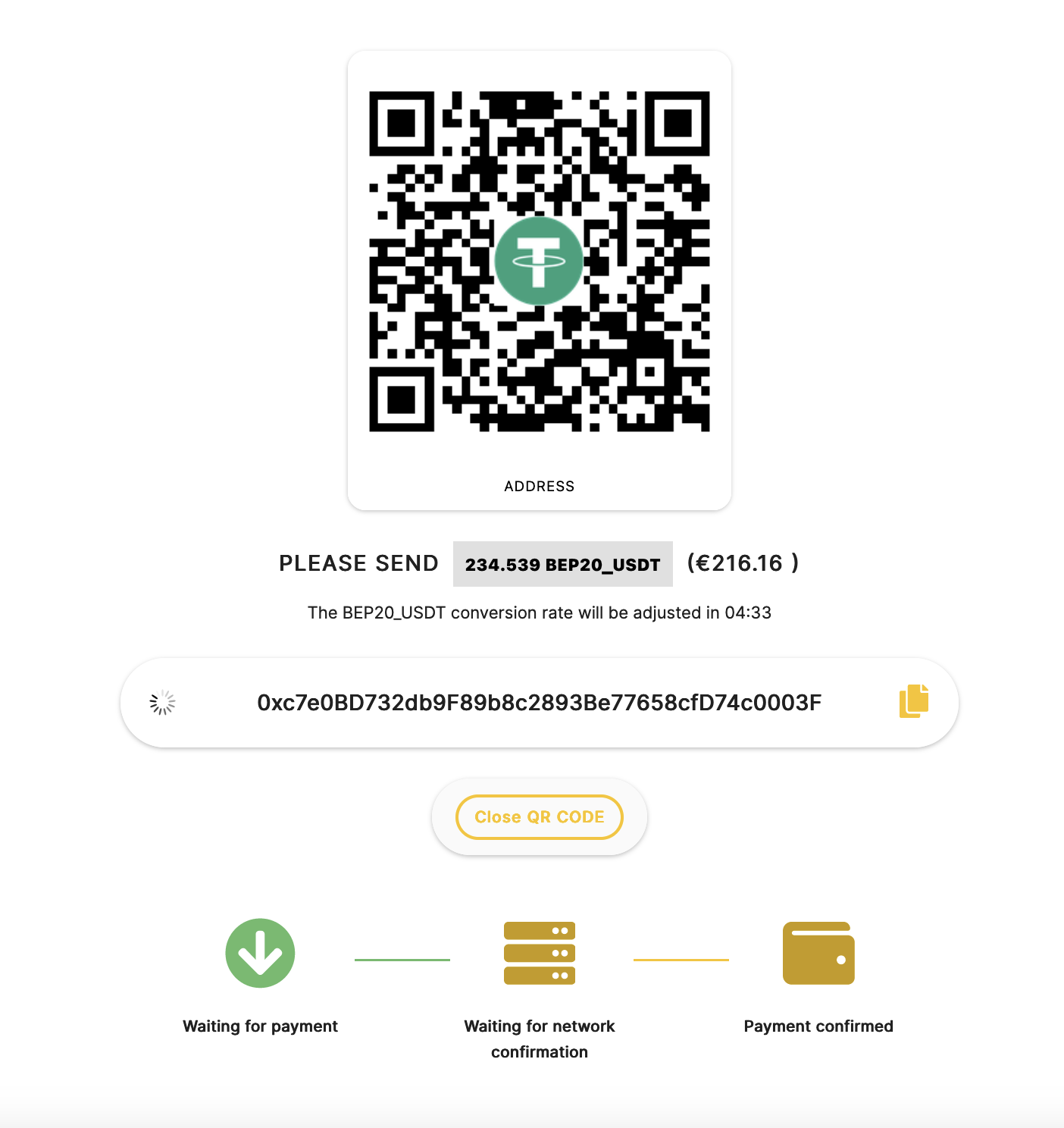
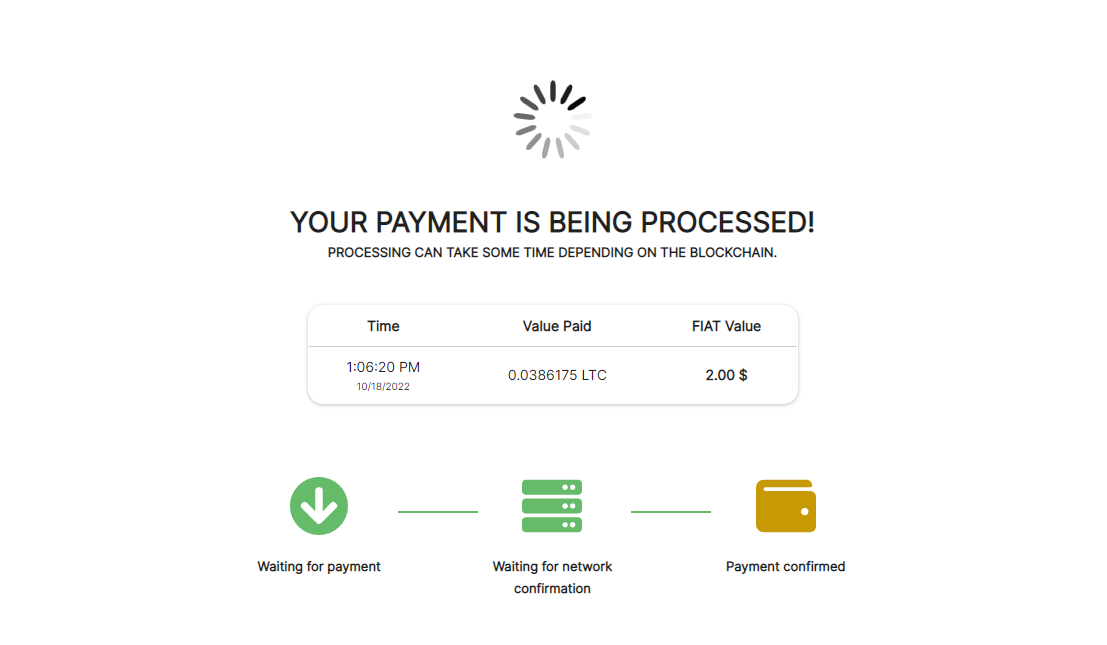
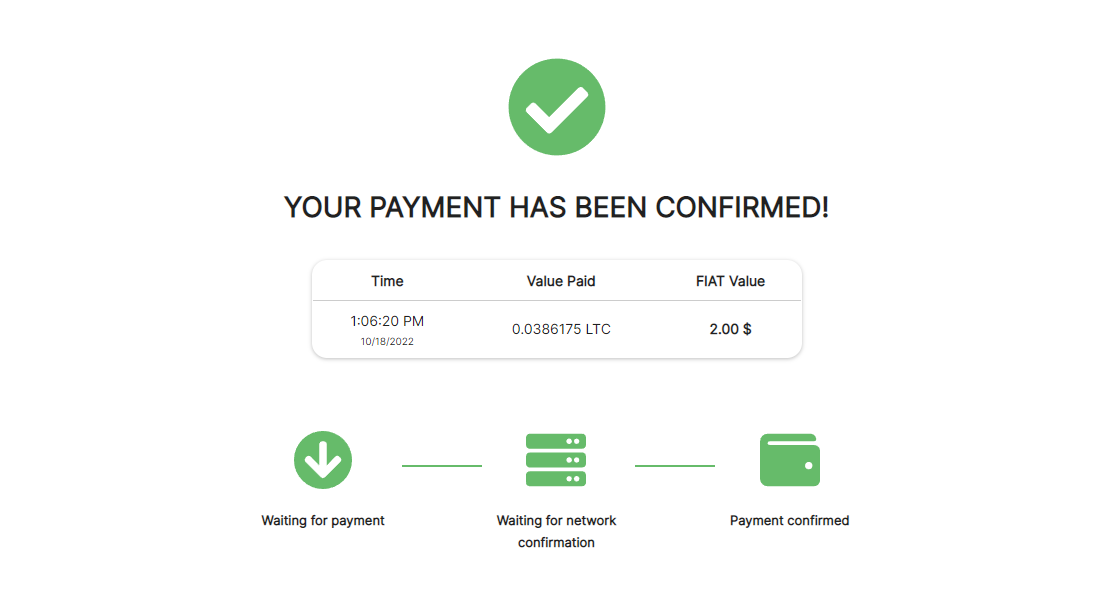
Pour les développeurs
Est-ce votre plugin ? Montrez les chiffres.
Ajoutez un badge en direct à votre site, docs ou github readme. Il se met à jour par lui-même - aucun compte n'est nécessaire.
Best BlockBee Cryptocurrency Payme… alternatives
All bitcoin plugins →



FAQ
BlockBee Cryptocurrency Payment Gat…: quick answers
Réponses directes, extraites des données en direct WordPress.org.
Source : WordPress.org
Is BlockBee Cryptocurrency Payment… free?
Yes. BlockBee Cryptocurrency Payment… is free to download and use from the official WordPress.org plugin directory.
Is BlockBee Cryptocurrency Payment… safe to use in 2026?
BlockBee Cryptocurrency Payment… is a solid plugin choice in 2026, with a few things worth checking first. It runs on 50+ sites, is rated 3/5 and was last updated 1 week ago, and scores 64/100 on our health check.
How many websites use BlockBee Cryptocurrency Payment…?
BlockBee Cryptocurrency Payment… is active on 50+ WordPress websites and has been downloaded 6,932 times since it launched in October 2022. It was downloaded 487 times in the last 30 days.
Does BlockBee Cryptocurrency Payment… work with WordPress 7.1?
BlockBee Cryptocurrency Payment… is officially tested up to WordPress 7.0.9, while the latest release is 7.1.5. It may still work, but try it on a staging site first.
What PHP version does BlockBee Cryptocurrency Payment… need?
BlockBee Cryptocurrency Payment… requires PHP 7.2 or higher. Most hosts run PHP 8.x today, so it works on any modern WordPress hosting.
When was BlockBee Cryptocurrency Payment… last updated?
The latest version, 1.6.2, was released on November 16, 2026 (1 week ago).
Who makes BlockBee Cryptocurrency Payment…?
BlockBee Cryptocurrency Payment… is developed and maintained by BlockBee.
What are the best alternatives to BlockBee Cryptocurrency Payment…?
The most popular alternatives to BlockBee Cryptocurrency Payment… are Bitcoin Payments (2K+ installs), BTCPay Server (1K+ installs) and ABC Crypto Checkout (1K+ installs).
Propulsé par PageForge
Un modèle et une feuille de calcul. Une vraie page pour chaque recherche.
PageForge transforme chaque ligne d'un CSV en une page WordPress avec son propre titre, URL, SEO et schéma, construit sur la mise en page que vous Déjà conçu. Gratuit sur WordPress.org.
- CSV et XLSX, plus Google Sheets sur les professionnels et les entreprises
- Son propre titre, URL, SEO champs et schéma pour chaque page
- Fonctionne avec l'éditeur de blocs, Elementor, Divi et Avada
- Gratuit sur WordPress.org, pas de carte de crédit