


Block Navigation
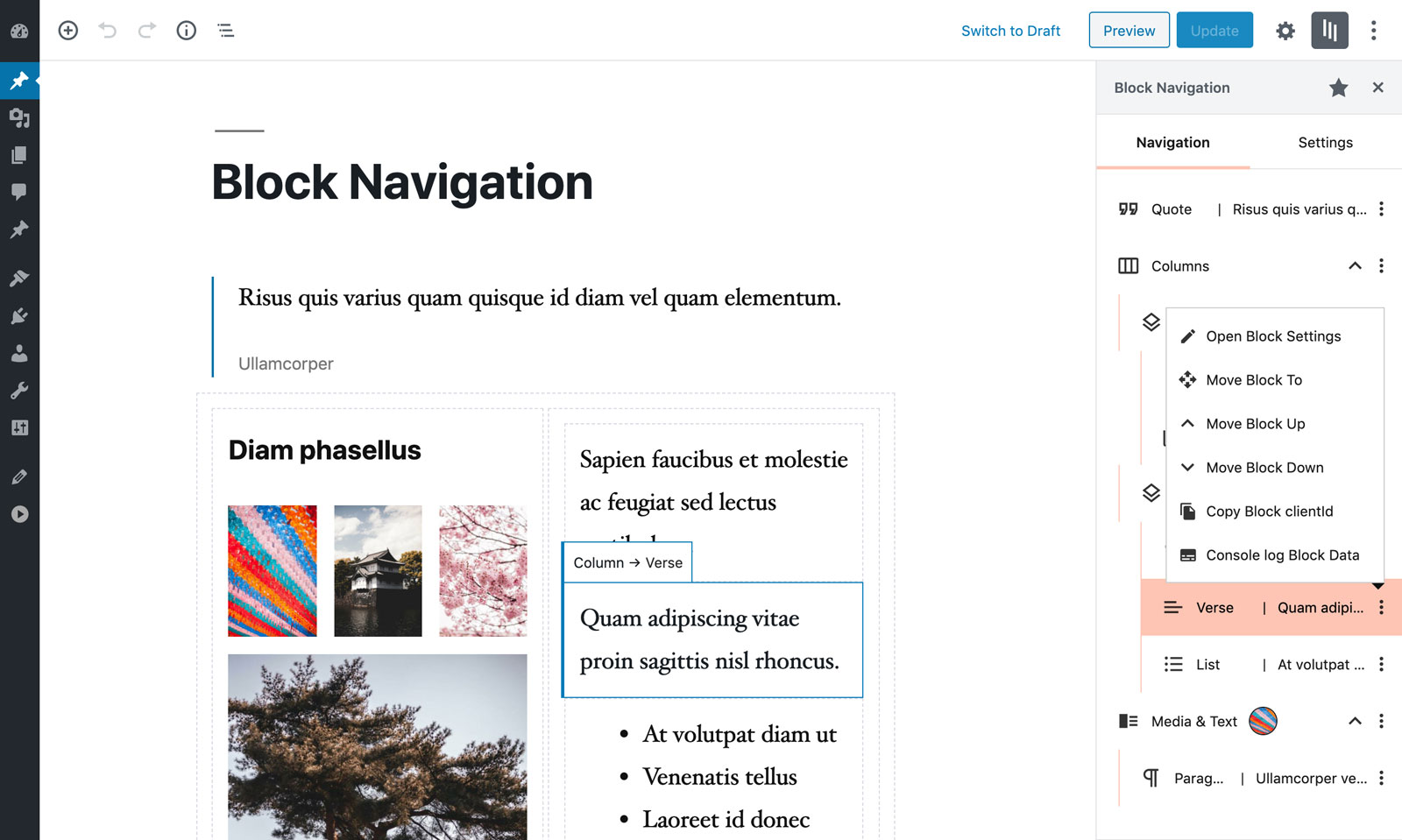
Block Navigation provides a sidebar with the current post/page’s blocks and some tools to facilitate the editing process in the new Gutenberg editor.

Utiliser avec prudence
Block Navigation works, but test it on a staging site before relying on it in 2026. It runs on 3K+ sites, is rated 5/5 and was last updated 5 years ago, and scores 45/100 on our health check.
- Loved by users — 5/5 from 33 reviews
- Pas de mise à jour dans 4 ans
- Uniquement testé jusqu'à WordPress 6,0 (le dernier est de 7,1)
Comment s'accumule-t-il ?
Côte à côte sur les installations, les mises à jour, les évaluations et le support



Téléchargements quotidiens
Les pics de téléchargement suivent généralement une nouvelle version - chaque site qui met à jour automatiquement compte comme un téléchargement.
Classements
Where Block Navigation stands todayWordPress.org Classements de recherche
Position en direct dans la recherche de plugins, Top 100| Mot-clé | Position |
|---|---|
| blocs | >100 |
| drag-and-drop | >100 |
| éditeur | >100 |
| Gutenberg | >100 |
| la navigation | >100 |
Adoption de version
Part de sites actifs par version.
Répartition des notes
★★★★★★★★★★ 5 from 33 reviews
About Block Navigation
From the official readme · v4.1.1Description
Demo – Documentation – GitHub
Block Navigation provides a sidebar with the current post/page’s blocks and some tools to facilitate the editing process in the new Gutenberg editor.
Traits
The features are especially useful for nested blocks – blocks that are inside parent blocks which are difficult to select or move in the editor.
Inside the panel several utilities are included to enhance the UX, such as:
- Dragging blocks to a different location
- Moving blocks by click
- Selecting blocks
- Easily recognising the block from a small snippet of the block’s content
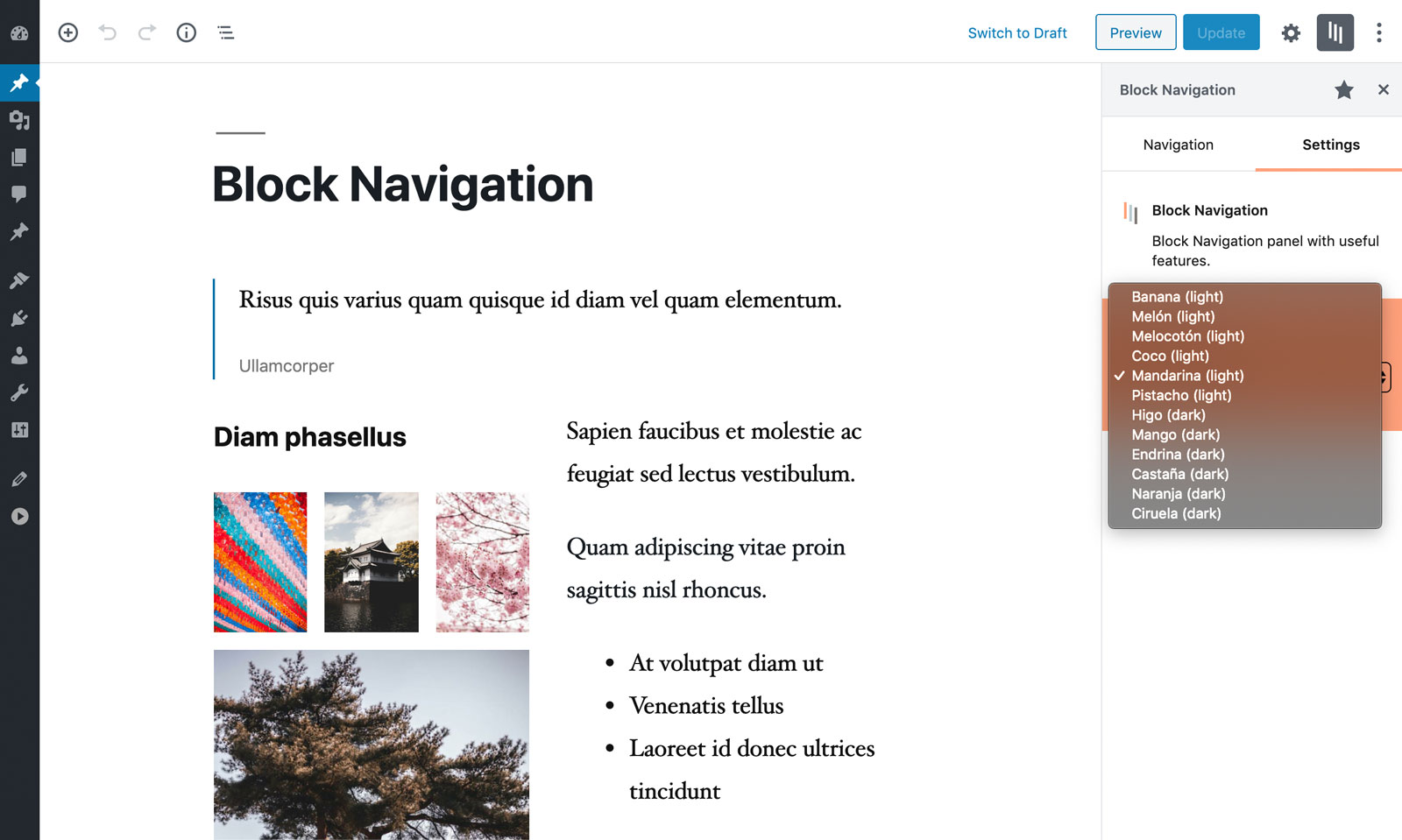
The user can select a dark or light color scheme, from the multiple included.
Plugin and Theme developers
The plugin also provides some features for Plugin and Theme developers, such as:
- Click and Copy the block’s clientId
- Click to console.log helpful data from the block
Usage
Inside the Post editor on the right side of the top Block’s Toolbar the plugin icon/button should appear (if not, please read the FAQ below).
Click the icon/button to open the plugin sidebar.
Crédits
Images from the readme banner and screenshots belong to Charles Postiaux.
Installation
Installation from the WordPress admin.
- Log in to the WordPress admin and navigate to Plugins > Add New.
- Type “Block Navigation” in the Search field.
- In the results list Block Navigation plugin should appear, click Install Now button.
- Once it finished installing, click the Activate button.
- That’s it, now you can go to any post where Gutenberg is enabled and start using the plugin.
Journal de modifications
4.1.1
- Fixed incompatibility with some custom blocks
4.1.0
- Minor fixes for WP 5.9
- Dépendances mises à jour
4.0.1
- Minor style fixes
4.0.0
- Code base refactor for improved performance
- Fixed WP 5.8 incompatibility of the drag-and-drop functionality
- Added duplicate button in block menu
- Display block variant icon and name when there is no block content
- Added toggle all blocks button
- Small style improvements
3.4.1
- Added a temporary patch for WP 5.8 drop event
3.4.0
- Fixed bug in WP 5.7, drop events not being triggered
- Dépendances mises à jour
Captures d'écran


Pour les développeurs
Est-ce votre plugin ? Montrez les chiffres.
Ajoutez un badge en direct à votre site, docs ou github readme. Il se met à jour par lui-même - aucun compte n'est nécessaire.
Best Block Navigation alternatives
Plugins Tous les blocs →





FAQ
Block Navigation: quick answers
Réponses directes, extraites des données en direct WordPress.org.
Source : WordPress.org
Is Block Navigation free?
Yes. Block Navigation is free to download and use from the official WordPress.org plugin directory.
Is Block Navigation safe to use in 2026?
Block Navigation works, but test it on a staging site before relying on it in 2026. It runs on 3K+ sites, is rated 5/5 and was last updated 5 years ago, and scores 45/100 on our health check.
How many websites use Block Navigation?
Block Navigation is active on 3K+ WordPress websites and has been downloaded 63,524 times since it launched in November 2018. It was downloaded 486 times in the last 30 days.
Does Block Navigation work with WordPress 7.1?
Block Navigation is officially tested up to WordPress 6.0.19, while the latest release is 7.1.5. It may still work, but try it on a staging site first.
What PHP version does Block Navigation need?
Block Navigation requires PHP 7.1 or higher. Most hosts run PHP 8.x today, so it works on any modern WordPress hosting.
When was Block Navigation last updated?
The latest version, 4.1.1, was released on May 19, 2022 (5 years ago).
Who makes Block Navigation?
Block Navigation is developed and maintained by Alvaro.
What are the best alternatives to Block Navigation?
The most popular alternatives to Block Navigation are Spectra Legacy (1M+ installs), Kadence Blocks (600K+ installs) and Extendify (500K+ installs).
Propulsé par PageForge
Un modèle et une feuille de calcul. Une vraie page pour chaque recherche.
PageForge transforme chaque ligne d'un CSV en une page WordPress avec son propre titre, URL, SEO et schéma, construit sur la mise en page que vous Déjà conçu. Gratuit sur WordPress.org.
- CSV et XLSX, plus Google Sheets sur les professionnels et les entreprises
- Son propre titre, URL, SEO champs et schéma pour chaque page
- Fonctionne avec l'éditeur de blocs, Elementor, Divi et Avada
- Gratuit sur WordPress.org, pas de carte de crédit