


Kadence Security – Mot de passe, authentification à deux facteurs et protection contre la force brute
Harden your site security with Login Security, Two-Factor Authentication (2FA), Vulnerability Scanner, Firewall, and more. Formerly iThemes Security.

Choix
Yes — Kadence Security is a safe, well-maintained plugin to use in 2026. It runs on 700K+ sites, is rated 4.6/5 and was last updated 4 days ago, and scores 87/100 on our health check.
- Prouvé à grande échelle sur plus de 700 000 000
- Loved by users — 4.6/5 from 3,992 reviews
- Développé activement — Dernière mise à jour il y a 4 jours
- Testé avec le dernier WordPress (7.1)
- Prise en charge lente : seulement 38 % des threads récents ont été résolus
Comment s'accumule-t-il ?
Côte à côte sur les installations, les mises à jour, les évaluations et le support



Téléchargements quotidiens
Les pics de téléchargement suivent généralement une nouvelle version - chaque site qui met à jour automatiquement compte comme un téléchargement.
Classements
Where Kadence Security stands todayWordPress.org Classements de recherche
Position en direct dans la recherche de plugins, Top 100| Mot-clé | Position |
|---|---|
| brute force protection | #1 |
| malware | #17 |
| password protection | #1 |
| la sécurité | #7 |
| two factor authentication | #2 |
Adoption de version
Part de sites actifs par version.
Répartition des notes
★★★★★★★★★★ 4.6 from 3,992 reviews
About Kadence Security
From the official readme · v10.0.6.1Description
Reduce your WordPress website’s risk to nearly zero with Kadence Security
Formerly iThemes Security. Looking for iThemes? Learn more here.
On average, 30,000 websites are hacked every day.* Cyberattacks in the US increased by 57% in 2022.** Bad actors who want to hack your site, steal your data, and cripple your business are a 24/7/365 threat.
You need a proactive, strategic approach to WordPress website security that protects your site from brute force attacks, malware infections, and other cyber threats.
Kadence Security shields your site from cyberattacks and prevents security vulnerabilities. It automatically locks out bad users identified by our Brute Force Protection Network that is nearly 1 million sites strong and leverages your own blacklist. It secures and protects your most commonly attacked part of your WordPress website – user login authentication.
With Patchstack integration (Pro) protects your site before you even have a chance to address vulnerabilities and before a plugin or theme vendor or developer can even issue a patch.
That’s 24/7/365 always-on truly Kadence Security.
🌐 Secure your Website in Minutes
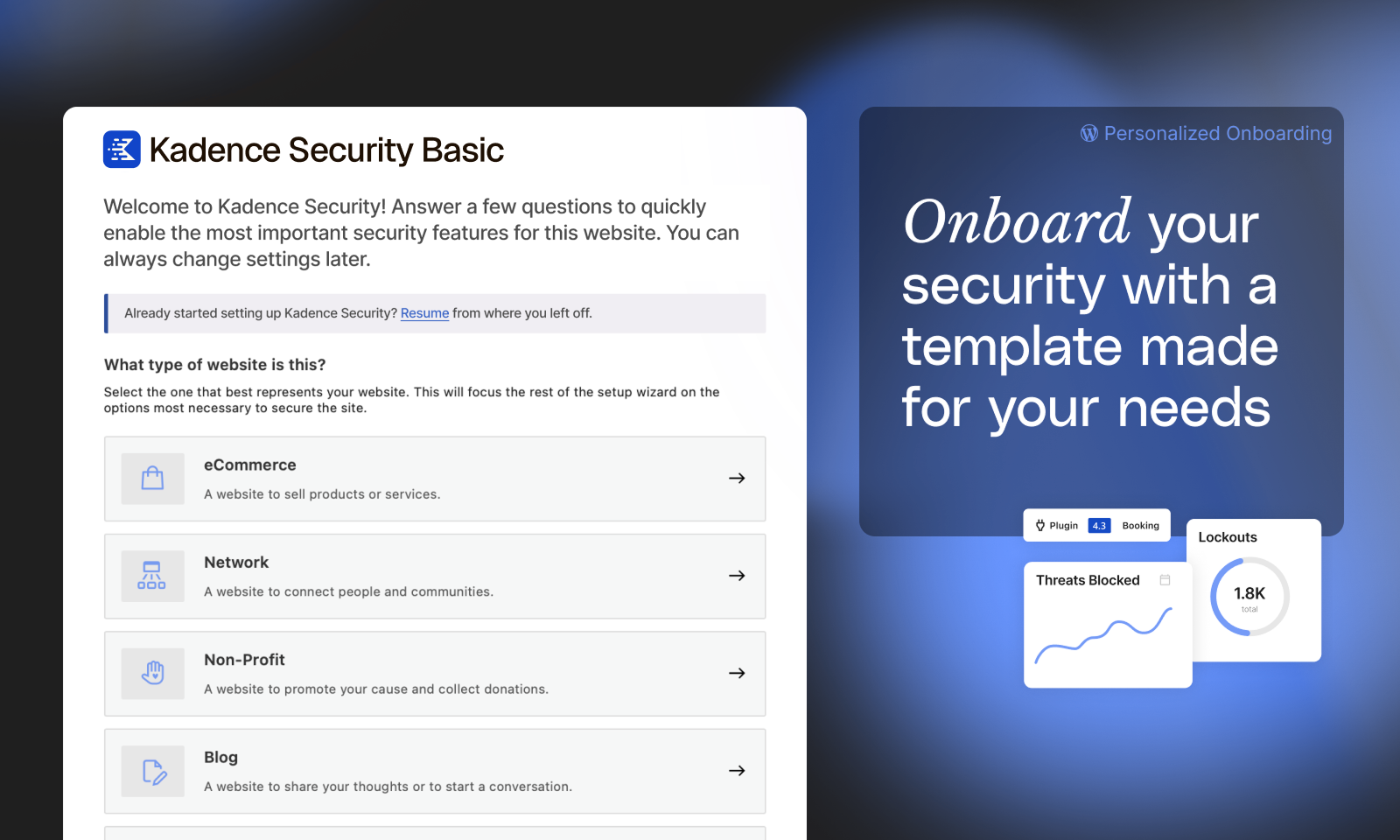
The Kadence Security setup and onboarding experience allows anyone to secure their WordPress website in under 10 minutes, regardless of technical acumen. Knowing that you have enabled all the right security settings for your website will leave you feeling like your site has never been more secure.
📚 Security Site Templates to Fit Your Type of Site
Enabling the correct security settings based on the type of website you are building or maintaining is essential for proper security. An eCommerce site requires a different level of security than a basic blog. Kadence Security Site Templates make it quick and easy to apply the right security settings for your website.
Choose from six different site templates to apply the type of security your site needs:
- Ecommerce – websites that sell products or services
- Network – websites that connect people or communities
- Non-Profit – websites that promote your cause and collect donations
- Blog – websites that share your thoughts or start a conversation
- Portfolio – websites that showcase your craft
- Brochure – simple websites that promote your business
⌚ Real-Time Website Security Dashboard
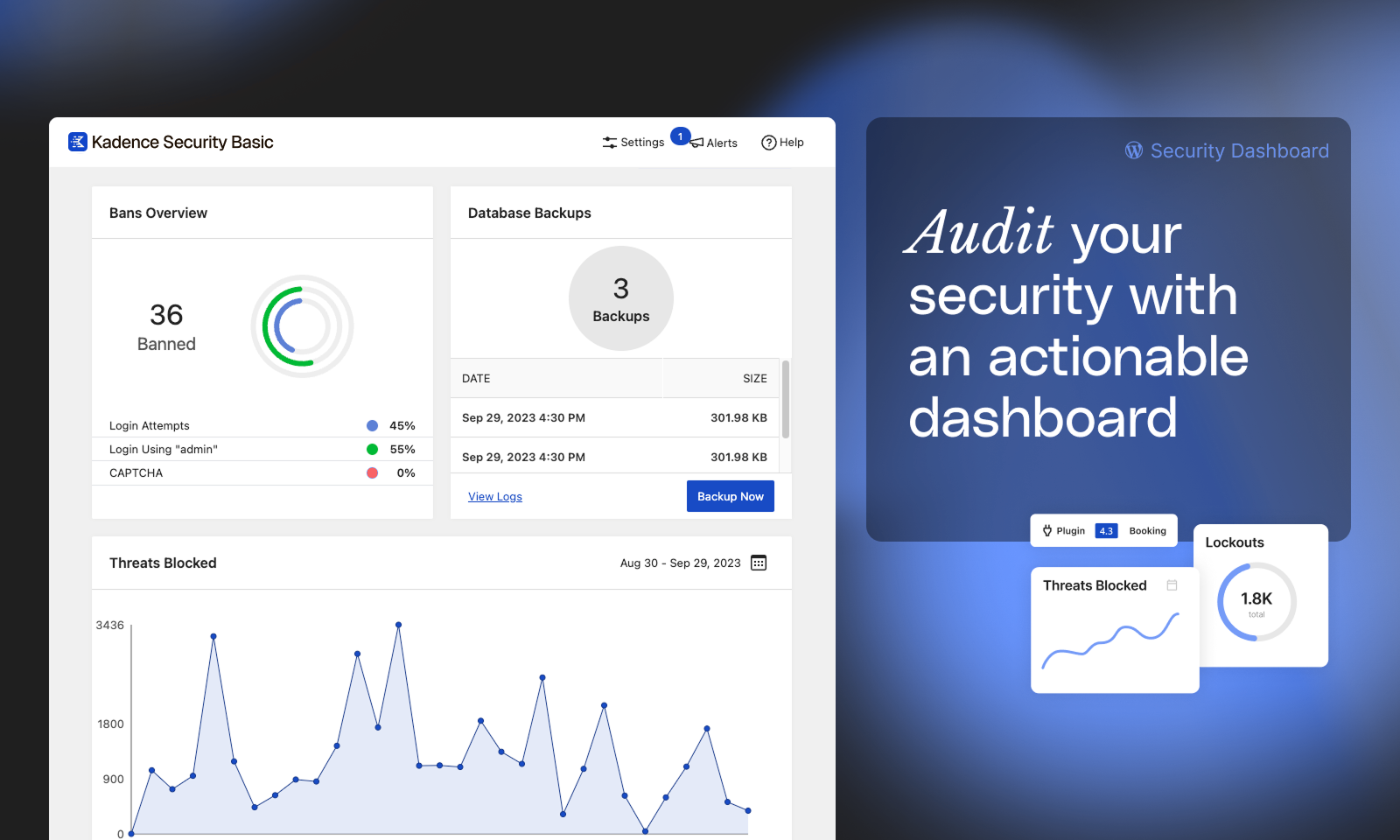
Every day, lots of activity is happening on your website that you can’t see. Many of these activities can be related to your site’s security, so monitoring these events is vital to keeping your site secure.
The Kadence Security Pro plugin provides a real-time WordPress security dashboard that monitors security-related events on your site around the clock. The Kadence Security Dashboard is a dynamic dashboard with all your WordPress website’s security activity stats in one place, including brute force attacks, banned users, active lockouts, site scan results, and user security stats (Pro).
🗝️ WordPress Login Security
Setting up and maintaining proper WordPress configurations and managing user account access are essential aspects of hardening your site against threats and vulnerabilities. Basic and Pro include features that address both of these factors.
-
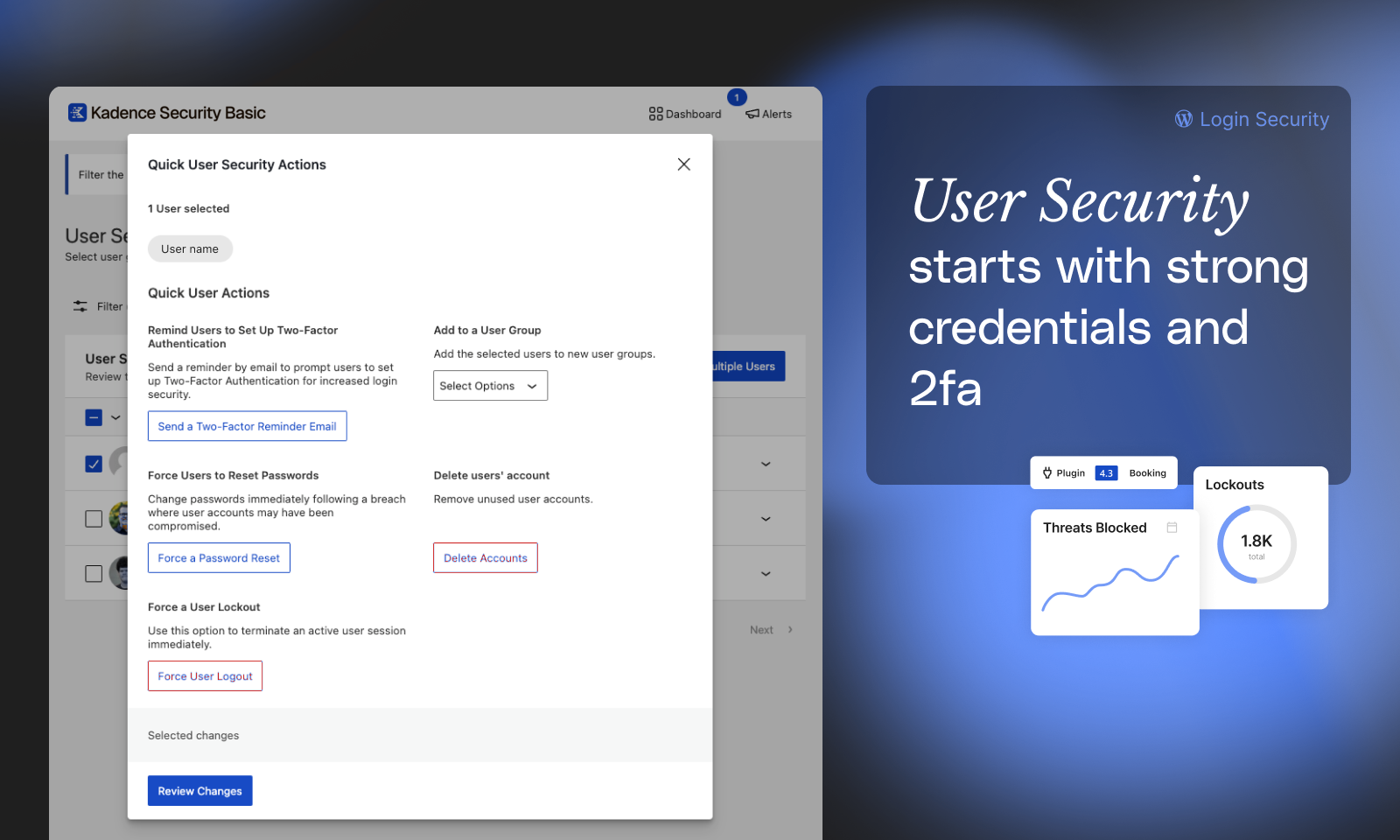
Two Factor Authentication (2FA) – Make your WordPress login nearly impenetrable to attack by requiring users to enter a security code along with a password to login. The Kadence Security plugin allows you to add two-factor authentication to your WordPress login with several authentication methods, including mobile apps like Authy and Google Authenticator, email, and backup codes.
-
Password Requirements – Create and enforce a password policy for your users in less than a minute.
-
reCAPTCHA (Pro) – Stop bad bots from engaging in abusive activities on your website, such as attempting to break into your website using compromised passwords, posting spam, or even scraping your content.
-
Passwordless Logins (Pro) – WordPress security made easy. Secure your user accounts with 2fa & strong passwords while allowing real users login with a click of a mouse.
-
Trusted Devices (Pro) – Identify the devices you and other users use to block session hijacking attacks and limit Administrator privileges to Trusted Devices.
-
Automated Vulnerability Patching (Pro) – Kadence Security Pro includes Patchstack which patches vulnerabilities before you have a chance to and applies fixes even before a plugin developer or vendor has issued a patch.
Learn more about how passwordless login is the future and how Kadence Security can help you implement it today.
👨👩👧👦 The Right Amount of Security for Every User Level
Different types of user levels require different levels of security. During the Kadence Security setup process, you can identify your website’s key user groups. Once the different types of users are identified, you can apply the level of security that is just right for each user group.
Here are a couple of examples of how User Groups are useful for securing your site:
-
For Clients – Let’s say you are configuring Kadence Security on a client’s website. You will decide whether or not they are required to use two-factor authentication and if they should have access to the Kadence Security settings.
-
For Customers – If you have an eCommerce website, you will decide whether or not you want to protect customer accounts with a password policy.
Privilege Escalation (Pro) also adds a safe, secure way to grant temporary admin-level access to your website.
🤖 Block Bad Bots & Ban User Agents with Lockouts
-
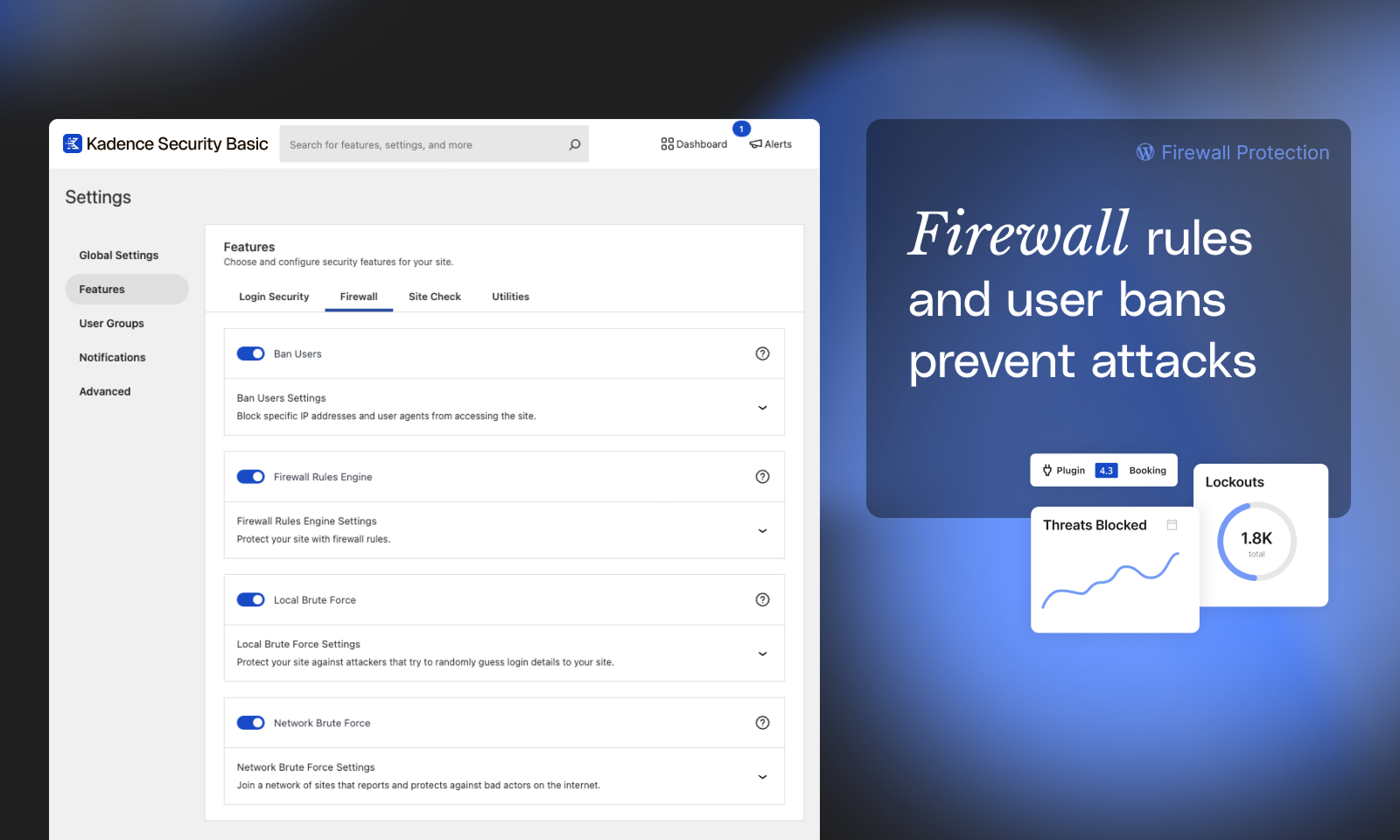
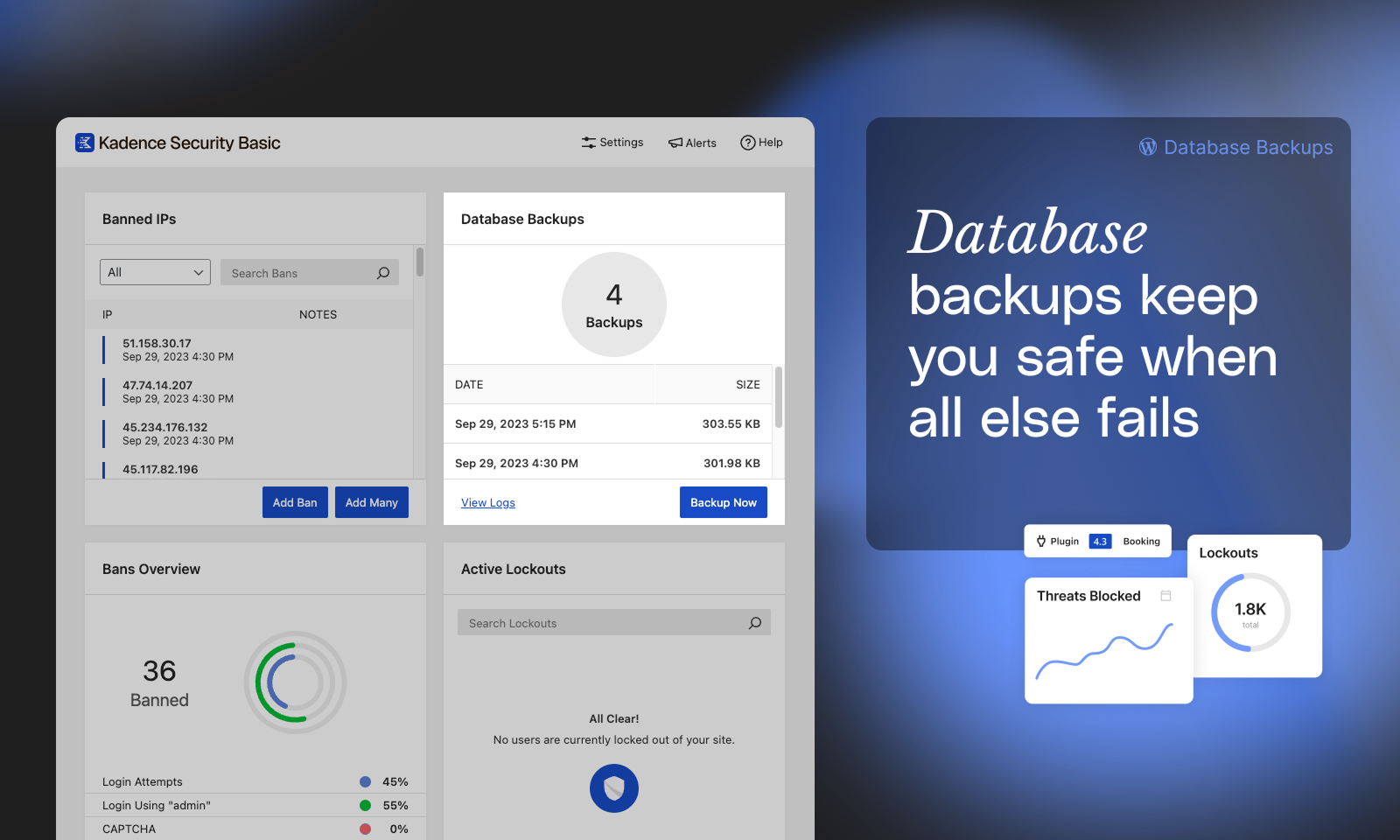
Ban Users (Basic and Pro) – Permanently block repeat offenders from accessing your site.
Local Brute Force Protection – Automatically identify and stop the most common method of attack on WordPress sites. -
Local Brute Force Protection (Basic and Pro) – Automatically identify and stop the most common method of attack on WordPress sites.
-
Network Brute Force Protection (Basic and Pro) – The network is the Kadence Security community and is nearly one million websites strong. If someone tries to break into websites in the Kadence Security community, Kadence Security will block them across the network.
-
Magic Links (Pro) – Security shouldn’t get in your way. Magic Links allow you to log in to your WordPress site while your username is locked out by the Kadence Security Local Brute Force Protection feature.
🔍 Monitor Your Site’s Security Health
-
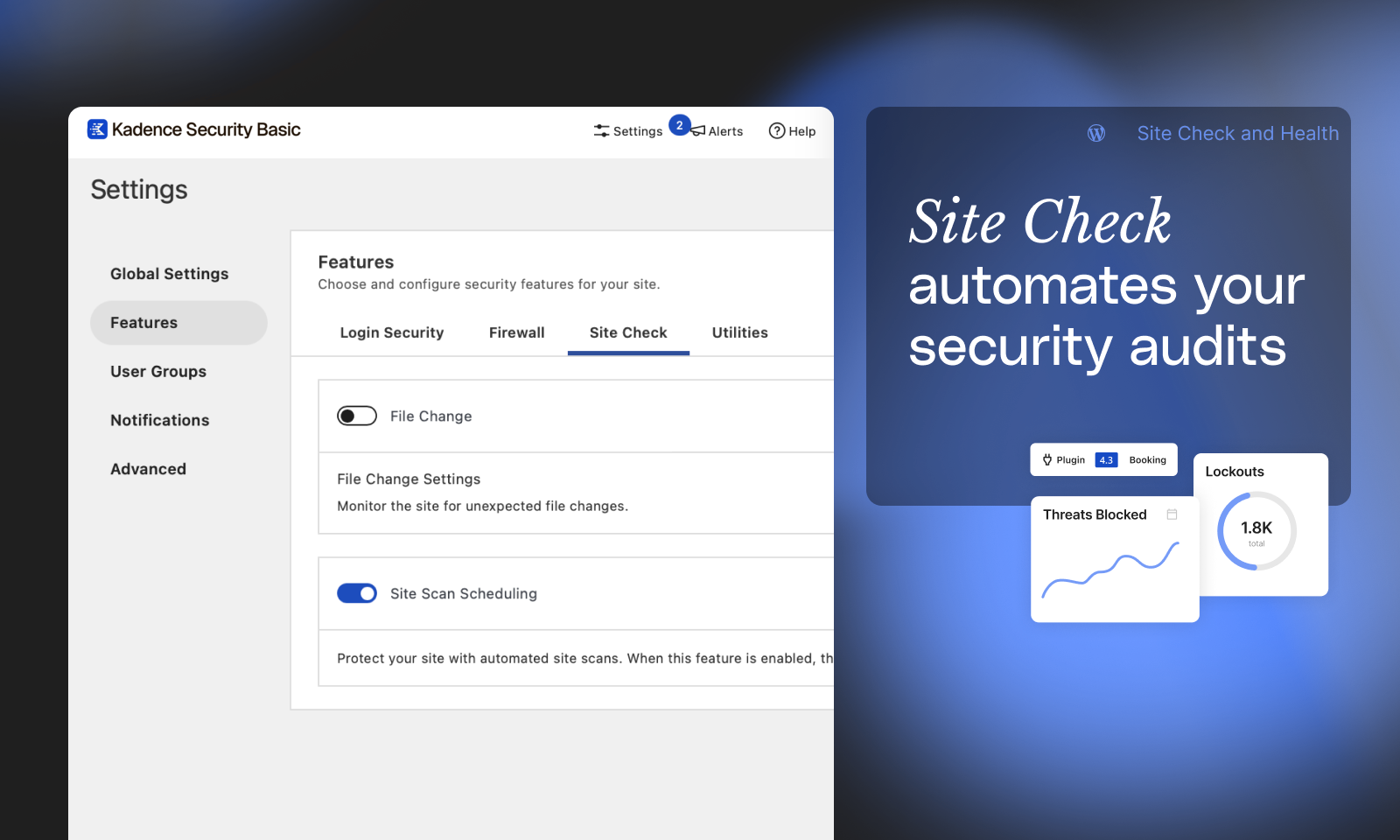
File Change Detection (Basic and Pro) – Kadence Security logs changes made to your website that can help detect malicious activity on your website.
-
Site Scanner (Basic and Pro) – Schedule checks to run four times per day (Basic) or hourly (Pro) for known vulnerabilities of WordPress core file, plugins and themes. Using the Google Safe Browsing API, the Site Scan also checks your Google’s blocklist status and will alert you if Google has found any malware on your website.
-
Patchstack integration (Pro) – Automated virtual patching of some vulnerabilities before you even have a chance to address them yourself, and before a plugin or theme vendor or developer can even issue a patch.
-
Site Scanner (Pro) – Unlock Version Management to automatically apply a patch to vulnerable software detected by the Site Scan when one is available.
-
User Logging (Pro) – Keep a record of user activity in your WordPress security logs, including login/logout, user registration, adding/removing plugins, switching themes, changes to posts and pages, and more.
-
Version Management (Pro) – The Version Management feature in Kadence Security Pro allows you to auto-update WordPress, plugins, and themes. Beyond that, Version Management also has options to harden your website when you are running outdated software and scan for old websites.
🧠 Smarter, More Actionable Vulnerability Prioritization
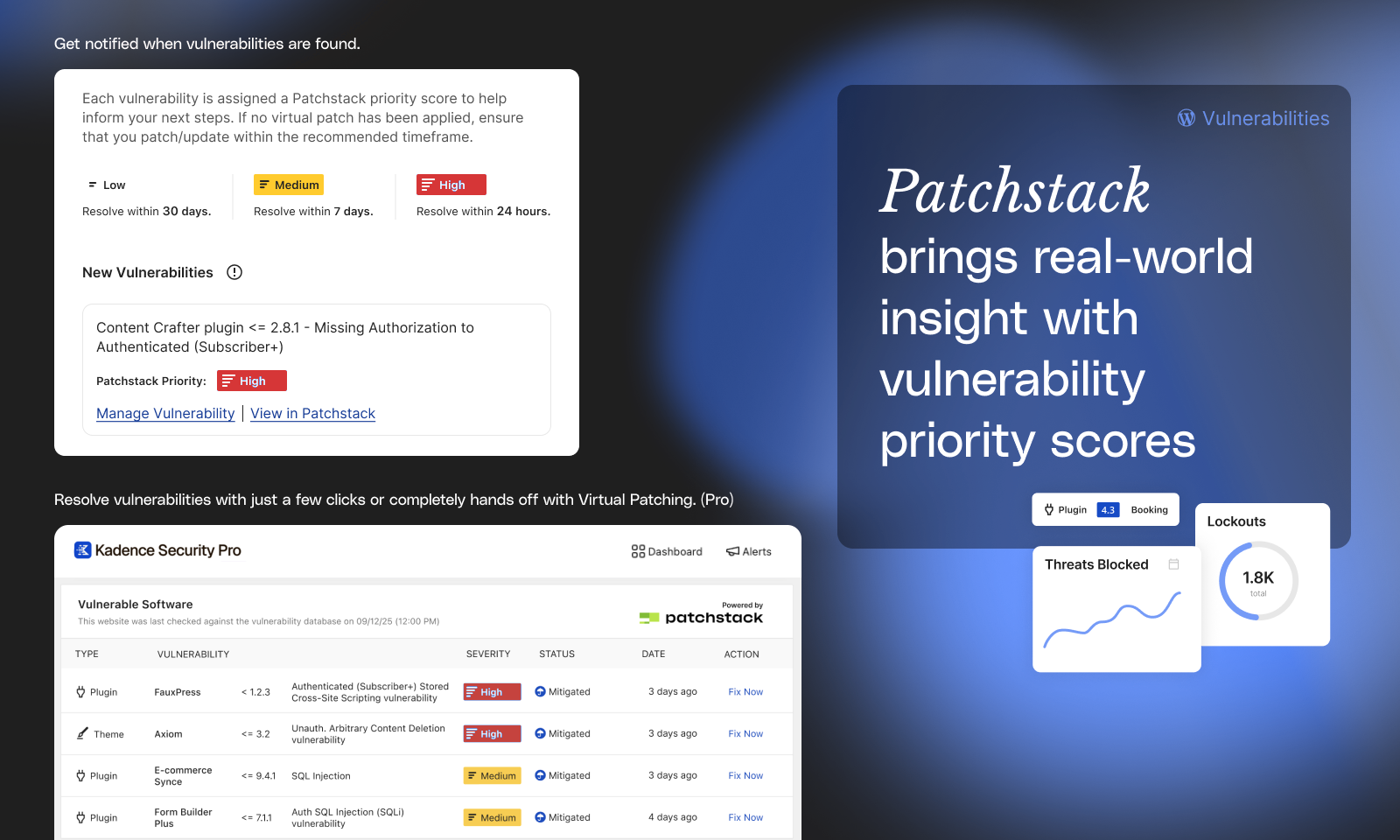
Not all vulnerabilities pose the same level of risk, and the traditional Common Vulnerability Scoring System (CVSS) score doesn’t always reflect the realities of running a WordPress site.
Kadence Security now uses the Patchstack Priority score, which goes beyond CVSS to provide a real-world risk assessment tailored to WordPress. It factors in how likely a vulnerability is to be exploited and its actual impact on your site.
With Patchstack Priority, you get a clearer picture of what really matters, helping you focus on the vulnerabilities that pose the greatest risk, and worry less about noise from low-impact issues.
🛠️ Website Security Utilities
-
Enforce SSL – Force all connections to the website to be made over SSL/TLS.
-
Database Backups – Create backups of your WordPress database. (Not a complete backup.)
-
Geolocation (Pro) – Improve Trusted Devices by connecting to an external location or mapping API.
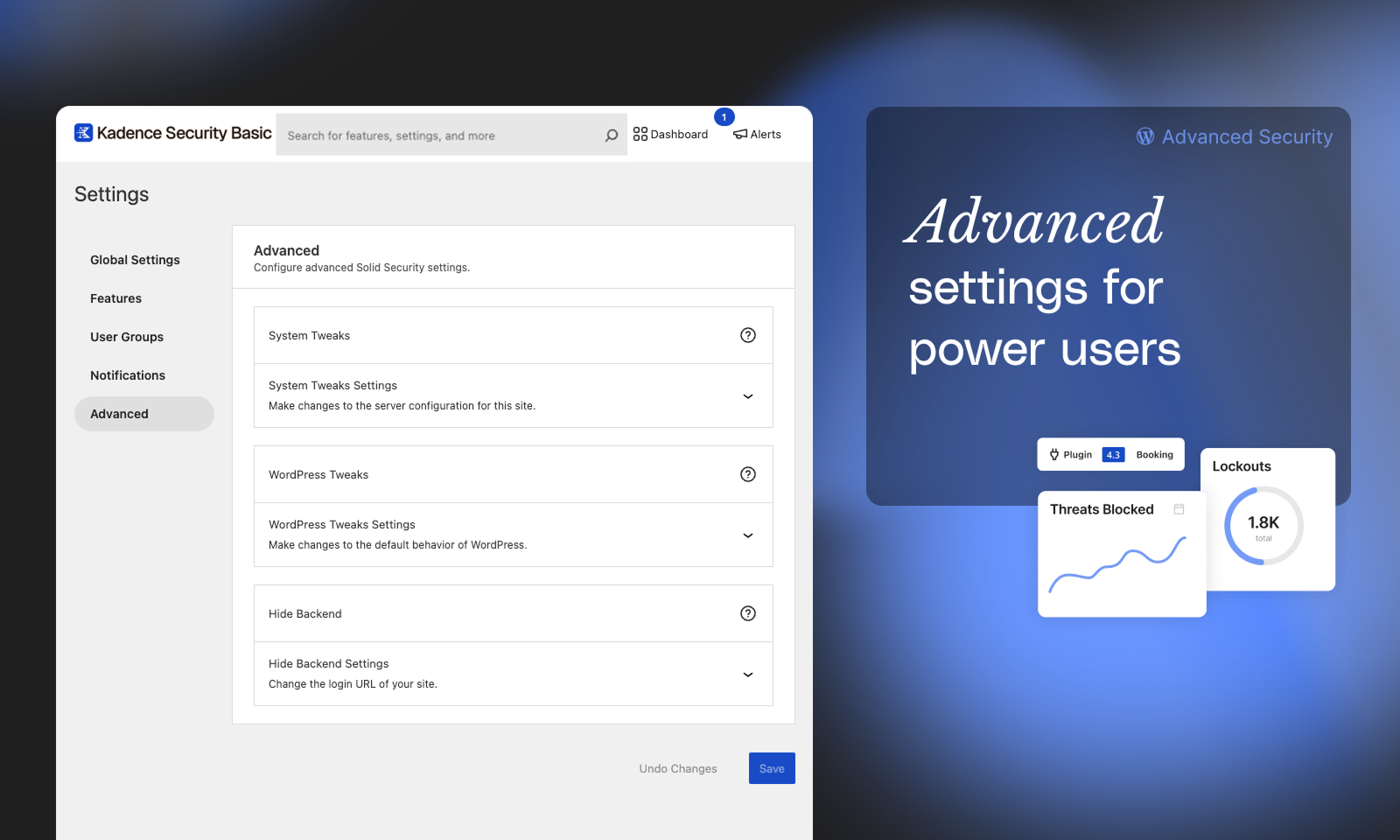
🚀 Advanced Security Tools
- Identify Server IPs – Prevent issues caused by inadvertently locking out your server IPs.
- Change User ID 1 – Change the user ID for the first WordPress user, potentially preventing attacks that assume the user with ID1 exists and is an administrator.
- Change Database Prefix – Change the database prefix that WordPress uses, potentially preventing attacks that assume the database prefix is “wp_”.
- Check File Permission – See the file and directory permissions of key areas of your site.
- Server Config Rules – View or flush the server security rules generated by Kadence Security.
- wp-config.php Rules – View or flush the wp-config.php security rules generated by Kadence Security.
- Change WordPress Salts – Secure your site after a successful attack by changing the WordPress salts used to secure cookies and security tokens.
- Hide Login URL – change the login URL of your site, making it harder for bots to find your login page and attack it.
🛟 Need Help?
Free support may be available with the community’s help in the WordPress.org support forums. Our Kadence Security support team provides top-notch technical support to all our Kadence Security Basic users there.
Our Help Center will help you become an iThemes Security expert.
Get additional peace of mind with professional support from our expert team and pro features to take your site’s security to the next level with Kadence Security Pro.
Recover From a Hacked Site
Kadence Security makes regular backups of your WordPress database, allowing you to get back online quickly in the event of a hack or security breach. Use Kadence Security to create and email database backups on a customizable schedule.
For complete site backups and the ability to restore or move WordPress to a new host or domain, check out Solid Backups.
Solid Central Integration
Manage more than one WordPress site? Release lockouts and keep your themes, plugins, and WordPress core up to date from one dashboard with Solid Central.
*Zippia. “30 Crucial Cybersecurity Statistics [2023]: Data, Trends And More” Zippia.com. Jun. 15, 2023, https://www.zippia.com/advice/cybersecurity-statistics/
**https://blog.checkpoint.com/2023/01/05/38-increase-in-2022-global-cyberattacks/
Licence
Released under the terms of the GNU General Public License.
Journal de modifications
10.0.6.1
- Security: Improved login lockouts for visitors connecting over IPv6.
10.0.6
- Bug Fix: Prevented wp-config.php and .htaccess from being left empty after a server crash or a failed file update.
- Bug Fix: Resolved an error that broke the Firewall settings tab when IP Detection was set to “Unconfigured”.
- Bug Fix: Resolved an issue where modals and popovers in the admin UI rendered without their styles.
10.0.5
- Bug Fix: Resolved 404 errors when loading settings for features.
10.0.4
- Bug Fix: Settings and setup no longer fail with a “not a valid JSON response” error when a host firewall blocks the batch REST endpoint.
- Bug Fix: Prevent fatal errors for banned IPs when Security is loaded early by the MU Plugin Loader.
10.0.3
- Tweak: Added Nexcess Licensing through Harbor library.
- Bug Fix: Prevent local 2FA QR generator fatals on large payloads.
10.0.2
- Bug Fix: Handle WP_Error in login interstitial session creation to prevent fatal errors.
Captures d'écran
Pour les développeurs
Est-ce votre plugin ? Montrez les chiffres.
Ajoutez un badge en direct à votre site, docs ou github readme. Il se met à jour par lui-même - aucun compte n'est nécessaire.
Best Kadence Security alternatives
All brute force protection plugins →




FAQ
Kadence Security: quick answers
Réponses directes, extraites des données en direct WordPress.org.
Source : WordPress.org
Is Kadence Security free?
Yes. Kadence Security is free to download and use from the official WordPress.org plugin directory. The developer also sells premium add-ons or a Pro version with extra features.
Is Kadence Security safe to use in 2026?
Yes — Kadence Security is a safe, well-maintained plugin to use in 2026. It runs on 700K+ sites, is rated 4.6/5 and was last updated 4 days ago, and scores 87/100 on our health check.
How many websites use Kadence Security?
Kadence Security is active on 700K+ WordPress websites and has been downloaded 40,537,897 times since it launched in October 2010. It was downloaded 424,189 times in the last 30 days.
Does Kadence Security work with WordPress 7.1?
Yes. The developer has tested Kadence Security up to WordPress 7.1.5, the latest release. It requires WordPress 6.5 or newer.
What PHP version does Kadence Security need?
Kadence Security requires PHP 7.4 or higher. Most hosts run PHP 8.x today, so it works on any modern WordPress hosting.
When was Kadence Security last updated?
The latest version, 10.0.6.1, was released on November 16, 2026 (4 days ago).
Who makes Kadence Security?
Kadence Security is developed and maintained by Nexcess.
What are the best alternatives to Kadence Security?
The most popular alternatives to Kadence Security are Titan Anti-spam & Security (50K+ installs), Quttera ThreatSign (10K+ installs) and Kaya Login Captcha (400+ installs).
Propulsé par PageForge
Un modèle et une feuille de calcul. Une vraie page pour chaque recherche.
PageForge transforme chaque ligne d'un CSV en une page WordPress avec son propre titre, URL, SEO et schéma, construit sur la mise en page que vous Déjà conçu. Gratuit sur WordPress.org.
- CSV et XLSX, plus Google Sheets sur les professionnels et les entreprises
- Son propre titre, URL, SEO champs et schéma pour chaque page
- Fonctionne avec l'éditeur de blocs, Elementor, Divi et Avada
- Gratuit sur WordPress.org, pas de carte de crédit