


Audio Player Block – Advanced Block for Embedding Audio Files
A block for embedding a beautiful audio player.

Choix
Yes — Audio Player Block is a safe, well-maintained plugin to use in 2026. It runs on 2K+ sites, is rated 5/5 and was last updated 2 days ago, and scores 83/100 on our health check.
- Actively developed — last update 2 days ago
- Testé avec le dernier WordPress (7.1)
Téléchargements quotidiens
Les pics de téléchargement suivent généralement une nouvelle version - chaque site qui met à jour automatiquement compte comme un téléchargement.
Classements
Where Audio Player Block stands todayWordPress.org Classements de recherche
Position en direct dans la recherche de plugins, Top 100| Mot-clé | Position |
|---|---|
| audio player block | #1 |
| block | #61 |
| Gutenberg block | #79 |
| mp3 player | #8 |
Adoption de version
Part de sites actifs par version.
Répartition des notes
★★★★★★★★★★ 5 from 10 reviews
About Audio Player Block
From the official readme · v1.6.4Description
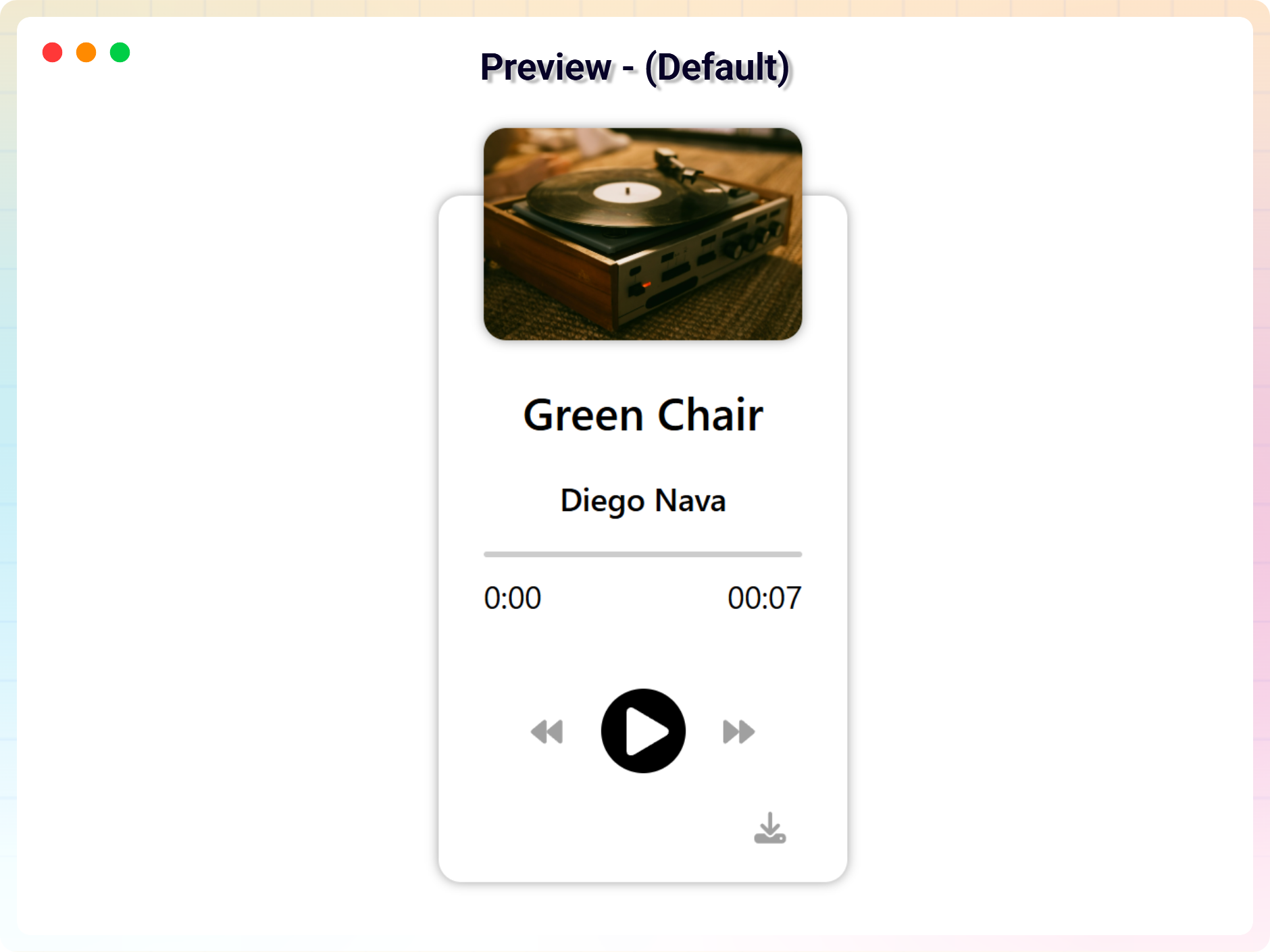
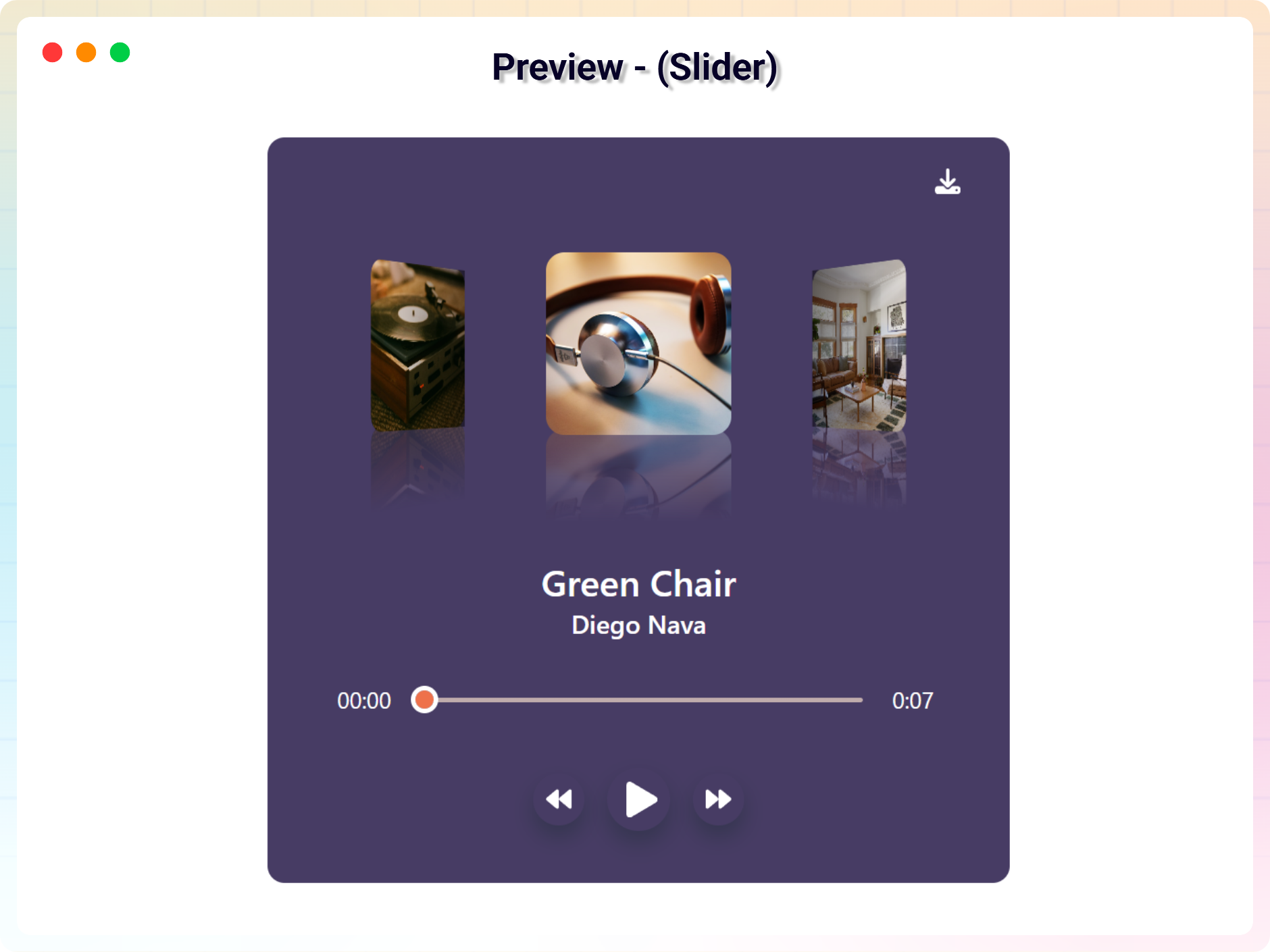
A block for embedding a beautiful audio player on the WordPress website. It supports multiple audios as a playlist and you can select a single audio file to make a non playlist player.
Free Features
- Multiple Audio Management (Add / Remove Audios): Easily add or remove multiple audio tracks from the player with full control over your playlist.
- Track Details Input (Title & Artist): Set a custom title and artist name for each audio track to keep your content well organized.
- Cover Image & Audio File Upload: Upload audio files along with a cover image to create a more engaging and visually appealing audio player.
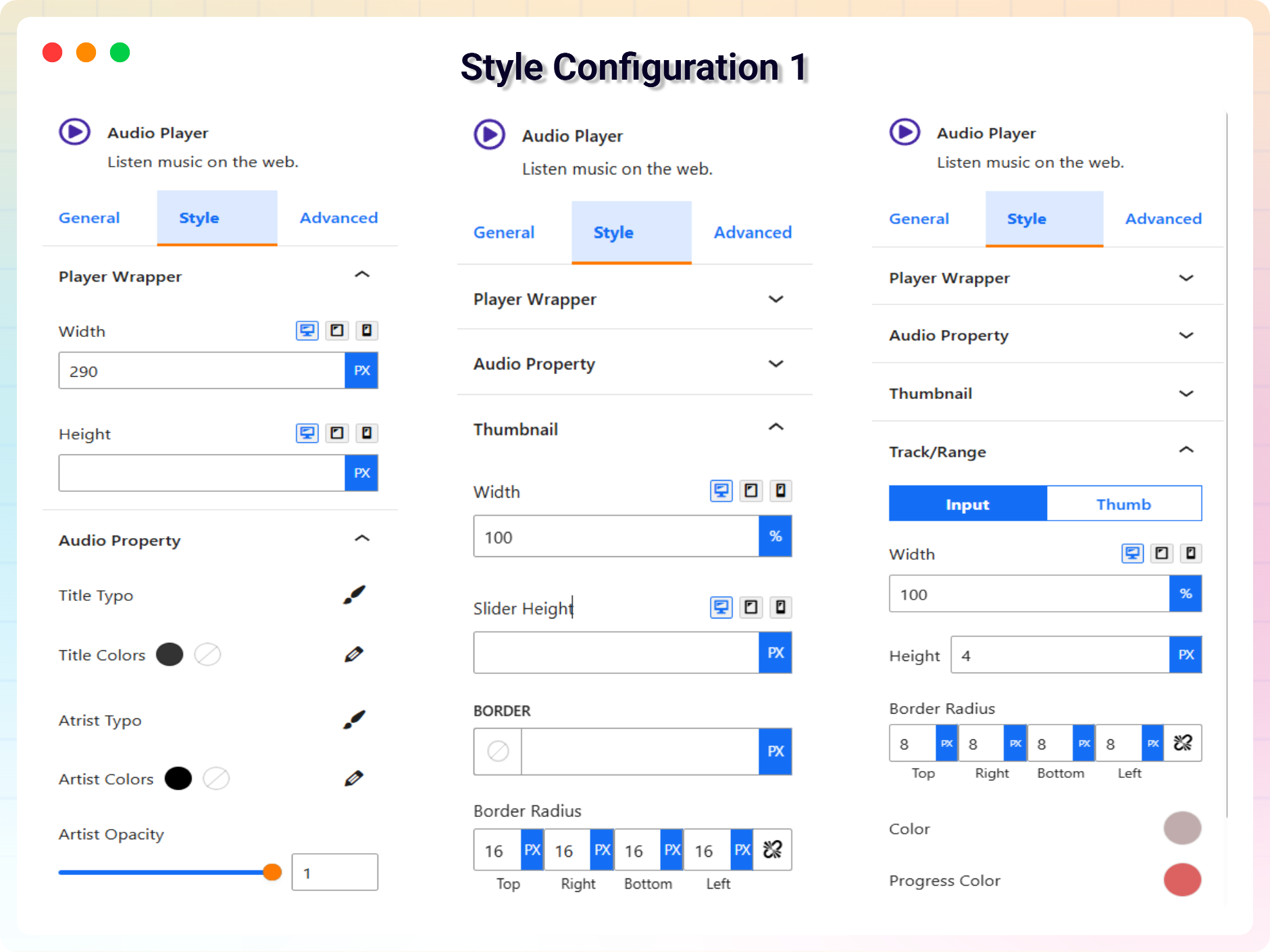
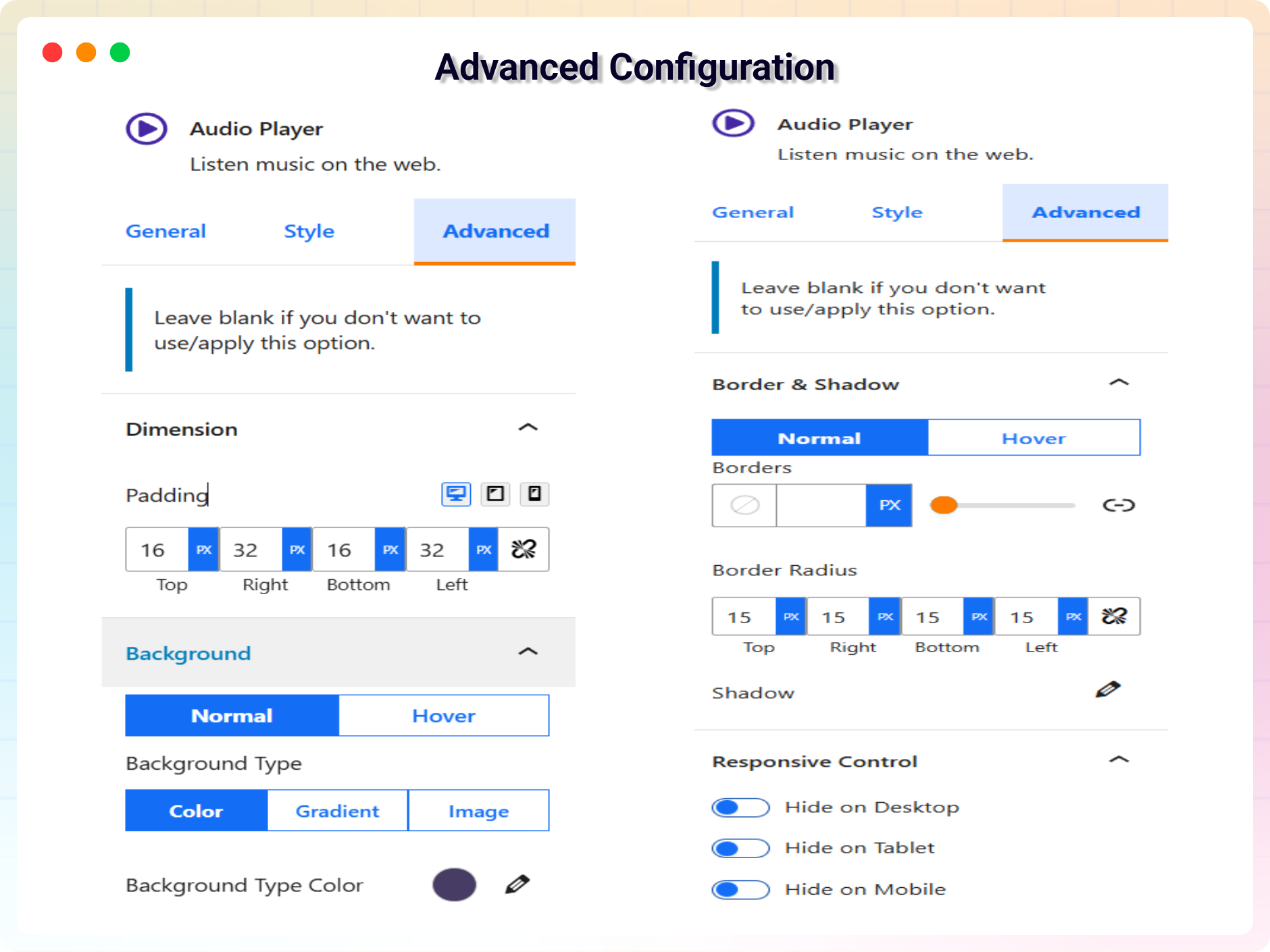
- Player Customization (Width, Height & Styles): Adjust the player’s width and height, and style it with custom colors, backgrounds, hover effects, and other design settings to match your website.
- Smart Audio Play / Pause Control: Play one audio track at a time while automatically pausing others; click again to pause the currently playing audio.
- Shortcode Integration: Use shortcode support to display the audio player anywhere on your website with ease.
Pro Features
- Customize 5 Different Themes: Add 5 new themes with different looks and settings.
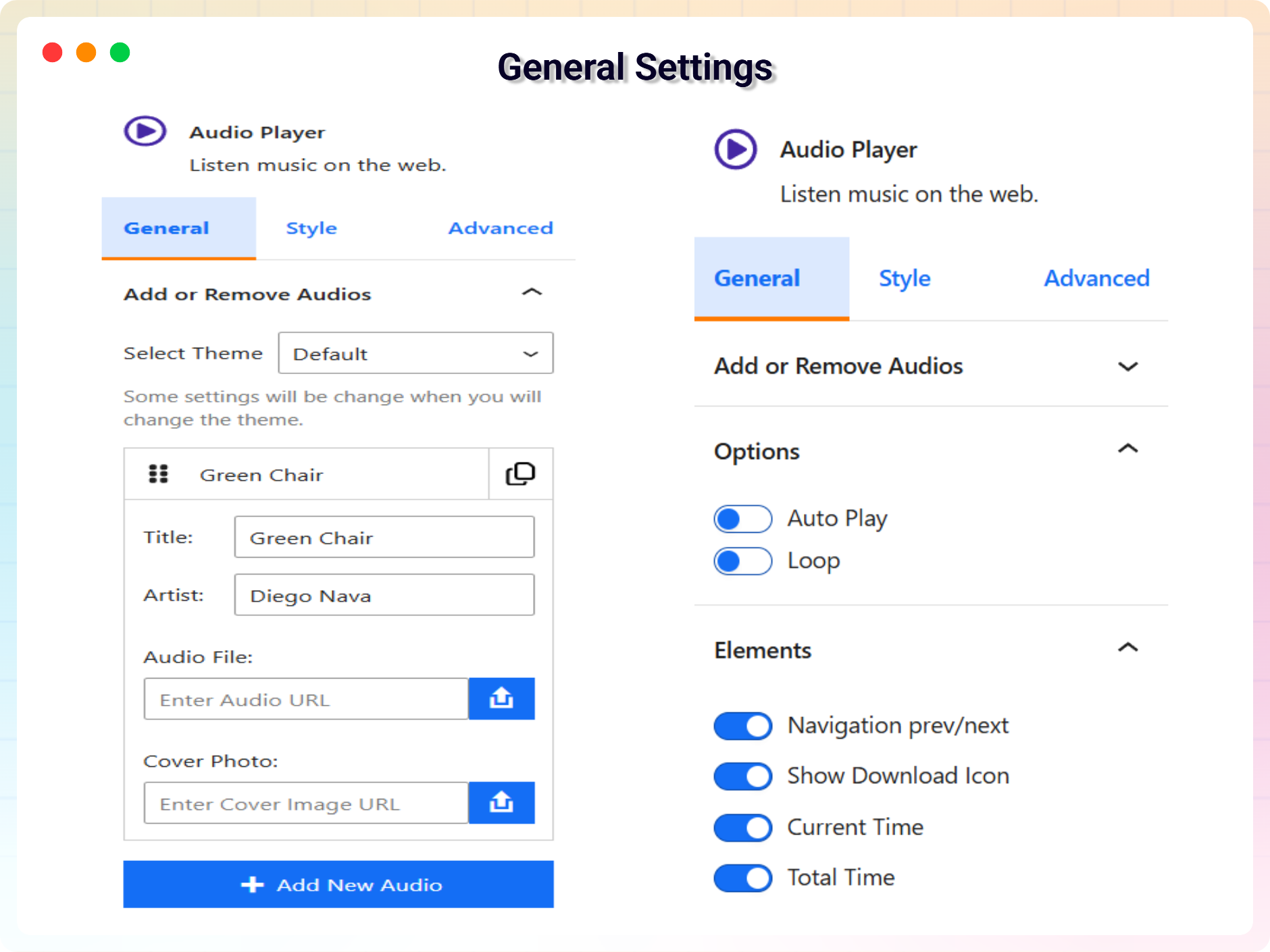
- Auto Play: Automatically start the next song once the current one ends, if enabled.
- Loop Mode: Enable looping of the current track once it finishes playing.
- Navigation Prev/Next: Easily navigate to the previous or next track in the playlist.
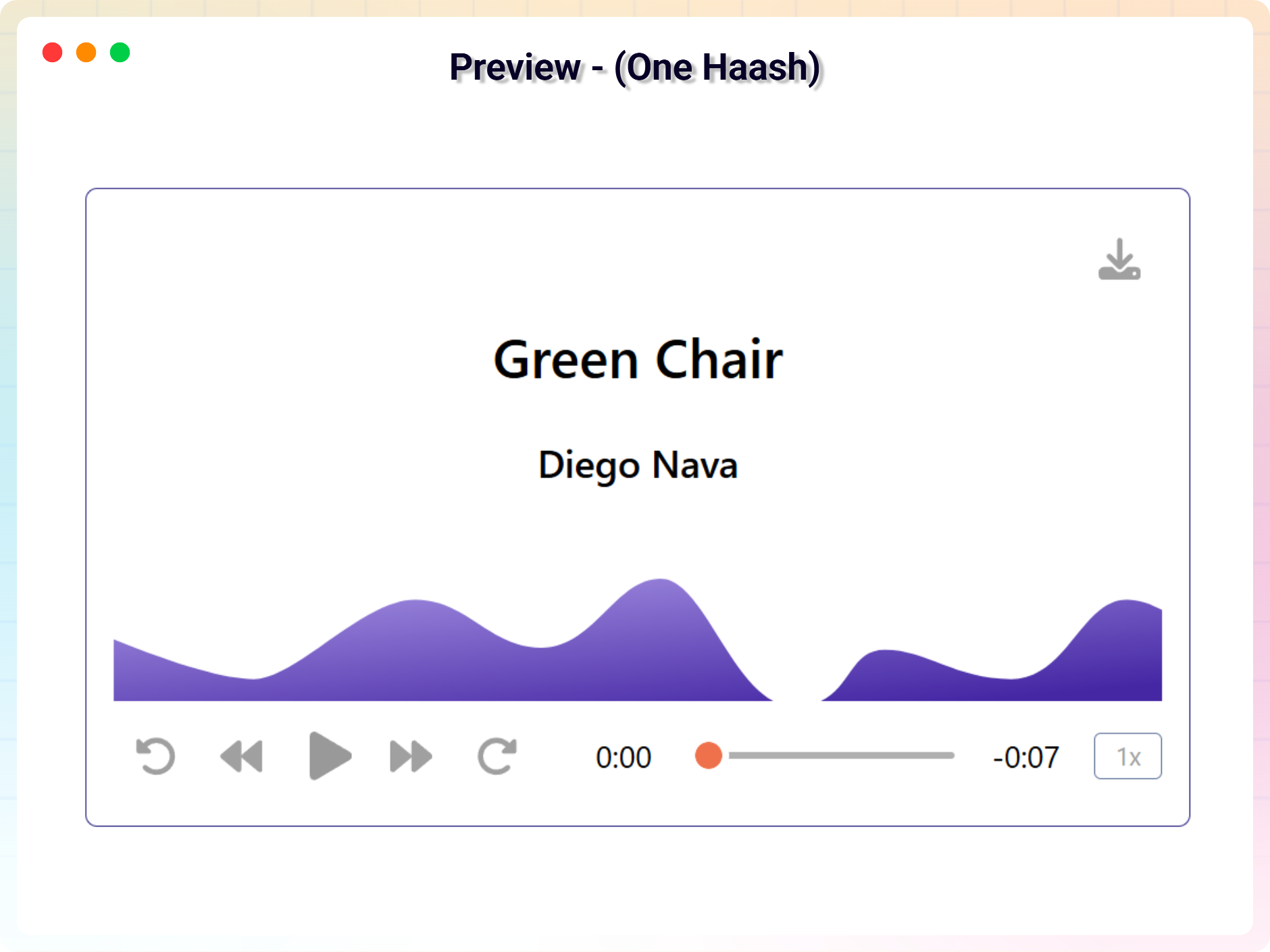
- Current & Total Time Display: Shows the current & total playback time of the audio track.
- Custom Stop Button: Show or hide a custom stop button based on your settings.
- Input Range Thumb: Customize the style of the range slider thumb for seeking.
- Playback Speed Control: Enable or disable playback speed adjustment options.
- Download Icon: Add an option to download the audio file directly from the player.
- Forward & Backward Button Visibility: Show or hide the forward & backward button for skipping parts of the track.
- Artist Opacity: Control the transparency of the artist’s name display.
- Thumbnail Border & Radius: Customize the border & radius of the track’s thumbnail image.
- Input Range Height & Radius: Adjust the height & radius of the seek range slider.
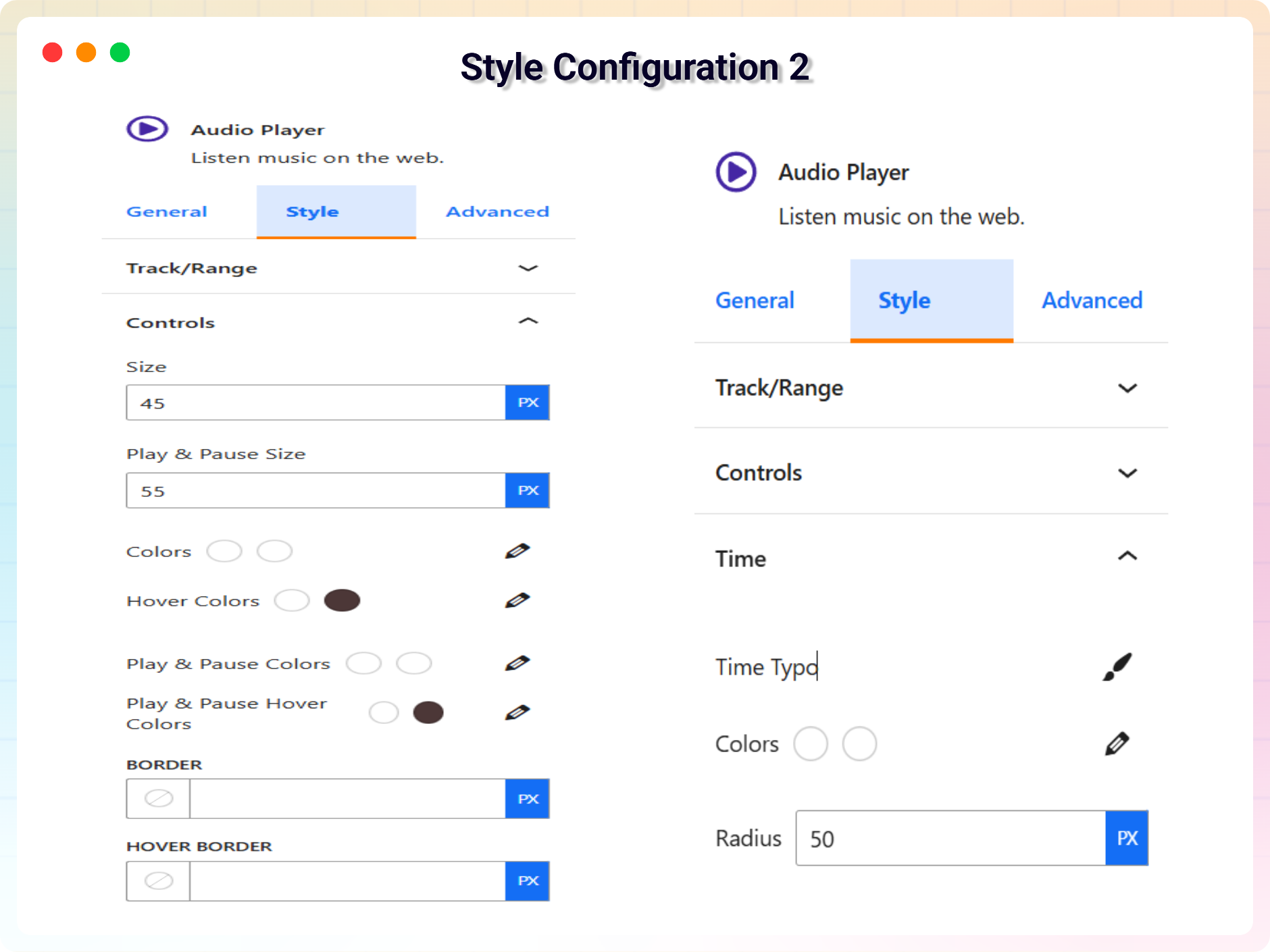
- Controls Border & Hover Border: Customize the border & hover border style of the player controls.
- Time Display Radius: Customize the corner radius of the time display boxes.
- Thumb Width, Radius, Outline & Shadow: Adjust the width, radius, outline & shadow of the seek range slider thumb.
- Wave Normal & Light Color: Set the base color & light of the audio waveform.
- Playlist Border & Radius: Customize the border and corner radius of the playlist displayed below the lite audio player.
How to use
- First, install the Audio Player Block plugin
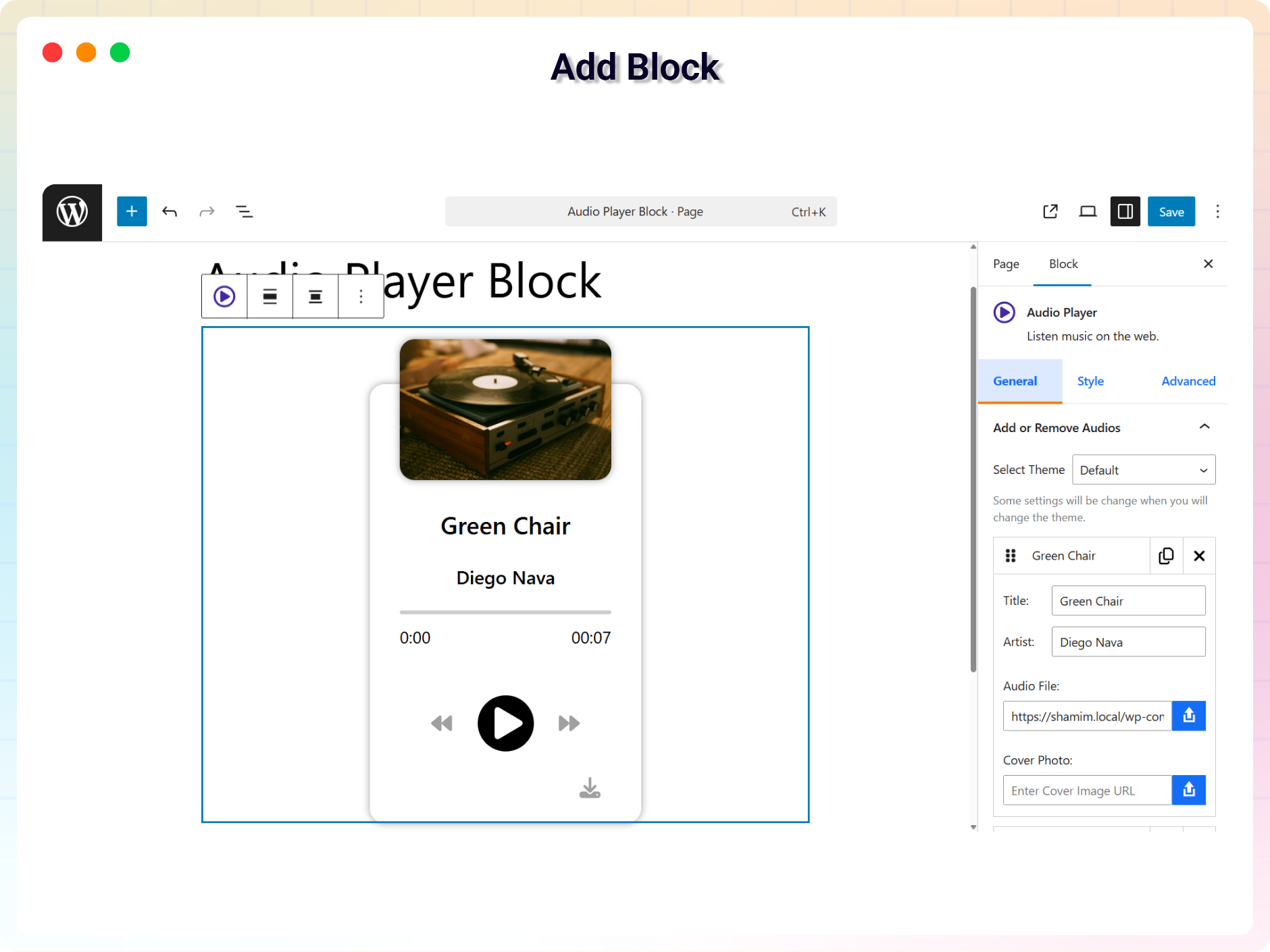
- Add the Audio Player Block from the block category called “Widgets” in the Gutenberg editor.
- You can change block settings from the right-side settings sidebar.
-
Enjoy!
-
For installation help click on Installation Tab
Source Code
You can find the source code, report bugs, and contribute to the development of this plugin on our GitHub repository:
Audio Player Block on GitHub
bpl-tools
- Source / GitHub: https://github.com/bPlugins/bpl-tools
- License: GPL-2.0-or-later – https://www.gnu.org/licenses/gpl-2.0.html
- Purpose: Shared utility library providing admin dashboard components and common Gutenberg editor controls.
- External Services: The library may connect to bPlugins, WordPress.org, and Freemius services for product data and checkout functionality. See full details: https://github.com/bPlugins/bpl-tools#external-requests–why-they-are-made
Feedback
- Did you like this plugin? Dislike it? Do you have a feature request? Please share your feedback with us
⭐ Check out the Parent Plugin of this plugin-
🔥 B Blocks – Best gutenberg blocks collections for WordPress.
⭐ Check out our other WordPress Plugins-
🔥 Html5 Audio Player – Best audio player plugin for WordPress.
🔥 Html5 Video Player – Best video player plugin for WordPress.
🔥 PDF Poster – A fully-featured PDF Viewer Plugin for WordPress.
🔥 Document Embedder – Best WordPress Document Embedder Plugin.
🔥 3D Viewer – Display interactive 3D models on the webs.
🔥 Advanced Post Block – Best Post Display Plugin for WordPress.
Installation
From Gutenberg Editor:
- Go to the WordPress Block/Gutenberg Editor
- Search For Audio Player
- Click on the Audio Player to add the block
Download & Upload:
- Download the Audio Player Block plugin (.zip file)
- In your admin area, go to the Plugins menu and click on Add New
- Click on Upload Plugin and choose the
audio-player-block.zipfile and click on Install Now - Activate the plugin and Enjoy!
Manually:
- Download and upload the Audio Player Block plugin to the
/wp-content/plugins/directory - Activate the plugin through the Plugins menu in WordPress
Journal de modifications
1.6.4 – 17 Nov, 2026
- Enhancement: Added Black Friday promotional banner and campaign notices.
1.6.3 – 22 Sep, 2026
- Security: Fixed a stored XSS issue where the Audio File URL could be set to a
javascript:/data:link that ran in a higher-privileged user’s browser when the download control was clicked. Audio URLs are now validated against an allowlist of safe protocols both when saved and when rendered.
1.6.2 – 13 July, 2026
- Added: Elementor getting started instructions.
1.6.1 – 14 June, 2026
- Updated: Modernized the admin settings dashboard layout.
1.6.0 – 04 June, 2026
- New: Added uninstall data cleanup settings to wipe database configs and post type records on delete.
- Improved: Unlocked previously locked pro fields in the Gutenberg editor and introduced a clean, non-intrusive notices UI to display premium feature requirements.
- Updated: Redesigned the shortcode copy-to-clipboard UI column in the audio player block CPT admin table for a better user experience.
- Updated: Streamlined editor Settings controls for free users, focusing on Default and Slider theme controls.
- Updated: Removed Pro-only theme styling and assets to reduce package footprint.
1.5.2 – 09 April, 2026
- Fixed: Class naming conflict and namespace resolution issue in LicenseActivation.
- Updated: Freemius SDK update new version.
Captures d'écran
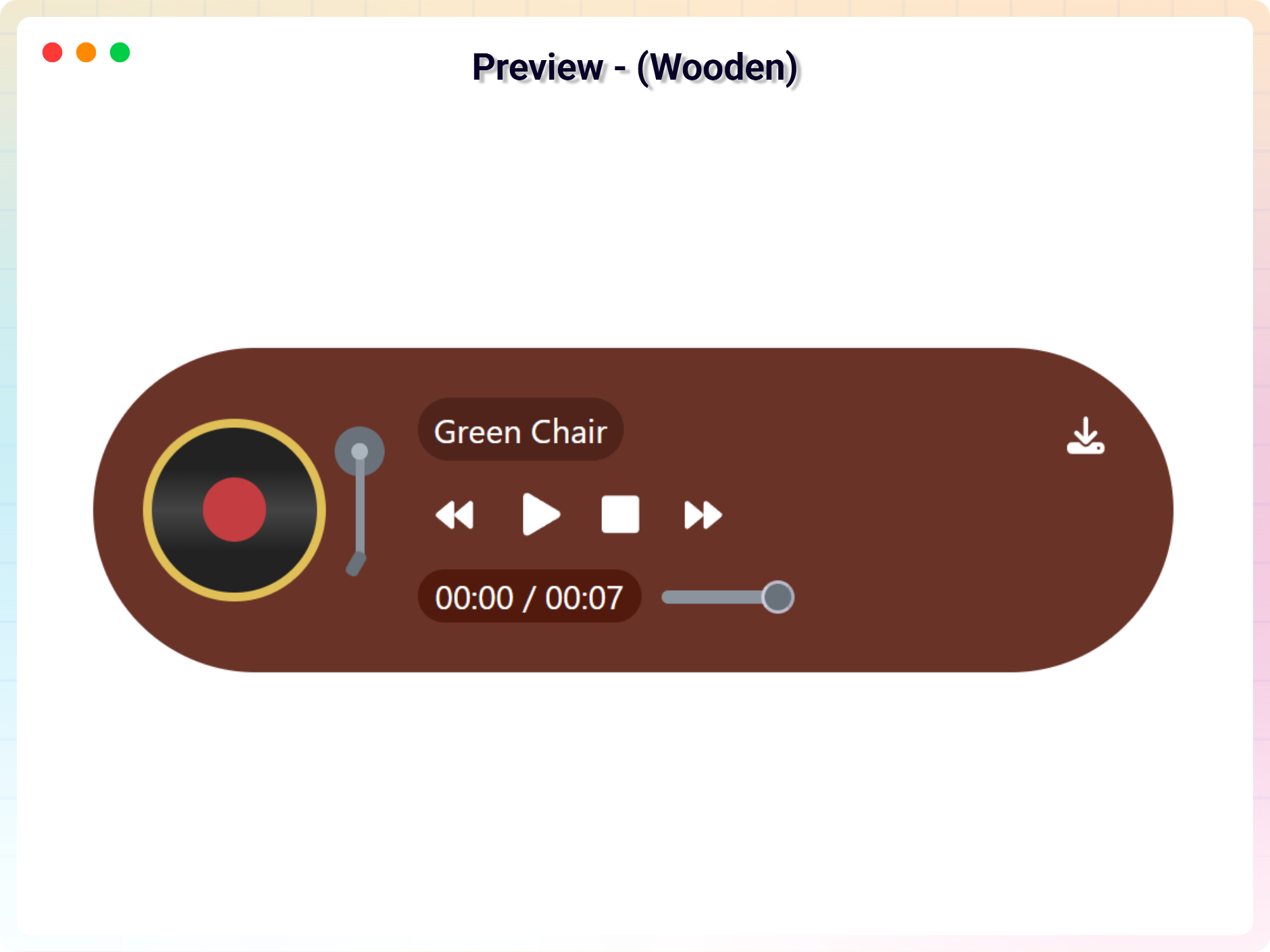
Pour les développeurs
Est-ce votre plugin ? Montrez les chiffres.
Ajoutez un badge en direct à votre site, docs ou github readme. Il se met à jour par lui-même - aucun compte n'est nécessaire.
FAQ
Audio Player Block: quick answers
Réponses directes, extraites des données en direct WordPress.org.
Source : WordPress.org
Is Audio Player Block free?
Yes. Audio Player Block is free to download and use from the official WordPress.org plugin directory.
Is Audio Player Block safe to use in 2026?
Yes — Audio Player Block is a safe, well-maintained plugin to use in 2026. It runs on 2K+ sites, is rated 5/5 and was last updated 2 days ago, and scores 83/100 on our health check.
How many websites use Audio Player Block?
Audio Player Block is active on 2K+ WordPress websites and has been downloaded 72,335 times since it launched in December 2021. It was downloaded 2,552 times in the last 30 days.
Does Audio Player Block work with WordPress 7.1?
Yes. The developer has tested Audio Player Block up to WordPress 7.1.5, the latest release. It requires WordPress 6.5 or newer.
What PHP version does Audio Player Block need?
Audio Player Block requires PHP 7.1 or higher. Most hosts run PHP 8.x today, so it works on any modern WordPress hosting.
When was Audio Player Block last updated?
The latest version, 1.6.4, was released on November 17, 2026 (2 days ago).
Who makes Audio Player Block?
Audio Player Block is developed and maintained by bPlugins.
Propulsé par PageForge
Un modèle et une feuille de calcul. Une vraie page pour chaque recherche.
PageForge transforme chaque ligne d'un CSV en une page WordPress avec son propre titre, URL, SEO et schéma, construit sur la mise en page que vous Déjà conçu. Gratuit sur WordPress.org.
- CSV et XLSX, plus Google Sheets sur les professionnels et les entreprises
- Son propre titre, URL, SEO champs et schéma pour chaque page
- Fonctionne avec l'éditeur de blocs, Elementor, Divi et Avada
- Gratuit sur WordPress.org, pas de carte de crédit