

Announcement Notification Bar – Notification Top Bar & Sticky Call to Action Banner
The Announcement Notification Bar is your go-to solution for creating effective announcement bars, scrolling notification bars, ** sticky notification banners**, and sticky headers on any WordPress site. If you are…

Choix solide
Announcement Notification Bar is a solid plugin choice in 2026, with a few things worth checking first. It runs on 60+ sites and was last updated 2 months ago, and scores 64/100 on our health check.
- Testé avec le dernier WordPress (7.1)
- Petite base d'utilisateurs (60+ installations actives)
- Très peu de critiques jusqu'à présent
Comment s'accumule-t-il ?
Côte à côte sur les installations, les mises à jour, les évaluations et le support


Téléchargements quotidiens
Les pics de téléchargement suivent généralement une nouvelle version - chaque site qui met à jour automatiquement compte comme un téléchargement.
Classements
Where Announcement Notification B… stands todayWordPress.org Classements de recherche
Position en direct dans la recherche de plugins, Top 100| Mot-clé | Position |
|---|---|
| announcement bar | #28 |
| floating bar | #74 |
| notification bar | #48 |
| scrolling text | >100 |
| sticky header | >100 |
Adoption de version
Part de sites actifs par version.
About Announcement Notification Bar
À partir du Lisezmoi officiel · v1.0.4Description
The Announcement Notification Bar is your go-to solution for creating effective announcement bars, scrolling notification bars, ** sticky notification banners**, and sticky headers on any WordPress site. If you are struggling to get visitors to notice your promotions or important updates, this WordPress top bar plugin provides a simple, high-visibility area that grabs attention without ruining the user experience.
Unlike aggressive popups that can annoy users, a floating bar or footer notification offers a polite way to highlight discount codes, shipping policies, or maintenance alerts. It sits efficiently at the top or bottom of the screen, ensuring your key messages – like a Black Friday deal or a new feature launch – are always visible, helping you reduce bounce rates and improve conversions.
Cas d'utilisation
This versatile message bar adapts to various needs across different industries:
- Retail & E-Commerce: Run a free shipping bar or a flash sale countdown message to encourage instant purchases. A sticky promo bar ensures the offer stays in view as customers scroll.
- Bloggers & Publishers: Drive consistent traffic to your newest articles or affiliate partners with a scrolling news ticker or a catchy headline in a fixed header bar.
- Business & Corporate: Inform clients about holiday operating hours, service outages, or vital company news using a clear, professional alert banner.
- Events & Webinars: Build hype for upcoming live streams or workshops by placing a clickable event notification right where every visitor looks first.
Why Choose This Notification Bar?
We built this plugin to be both powerful for developers and easy for beginners. You don’t need to touch a single line of code to get a professional-looking marketing bar up and running. From the live preview in the dashboard to the smart targeting rules that let you show specific messages on your homepage versus your blog, every feature saves you time.
- Boost Sales: Highlight discount codes, flash sales, and special offers in a promo bar.
- Increase Engagement: Use emojis and animated scrolling text (running line) to catch eyeballs.
- Inform Users: Post important updates, maintenance alerts, or holiday hours in a clear top bar.
- Responsive & Lightweight: Loads fast and looks great on all mobile devices.
Principales caractéristiques
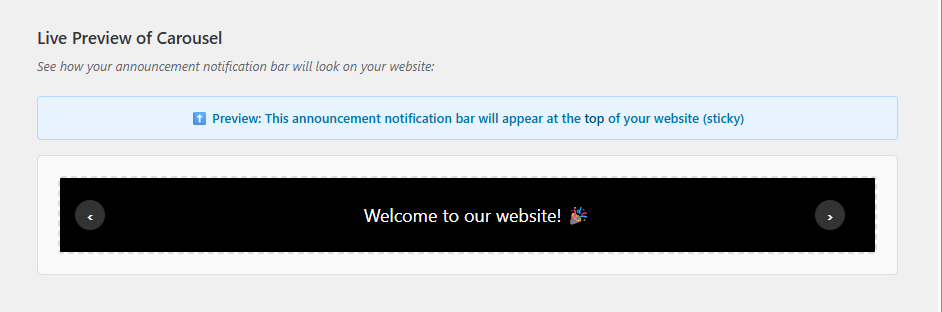
- Multiple Display Styles: Choose from Simple Text, Running Line (Marquee/Ticker), or Carousel (Rotating Slider) styles.
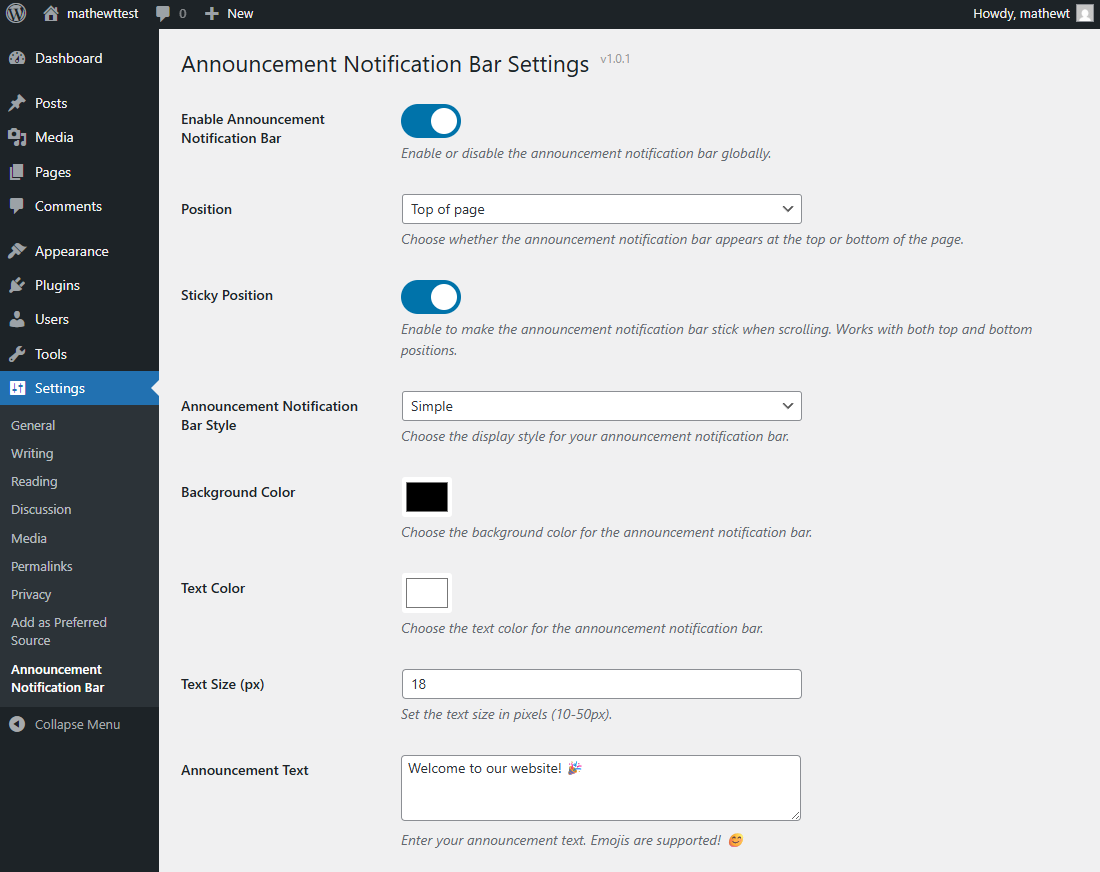
- Flexible Positioning: Place your sticky bar at the Top or Bottom of the page; keep it fixed or let it scroll.
- Full Customization: Control colors, fonts, and heights to match your brand identity perfectly.
- Emoji Support: Add emojis directly to your message for a friendly, modern touch 🎉.
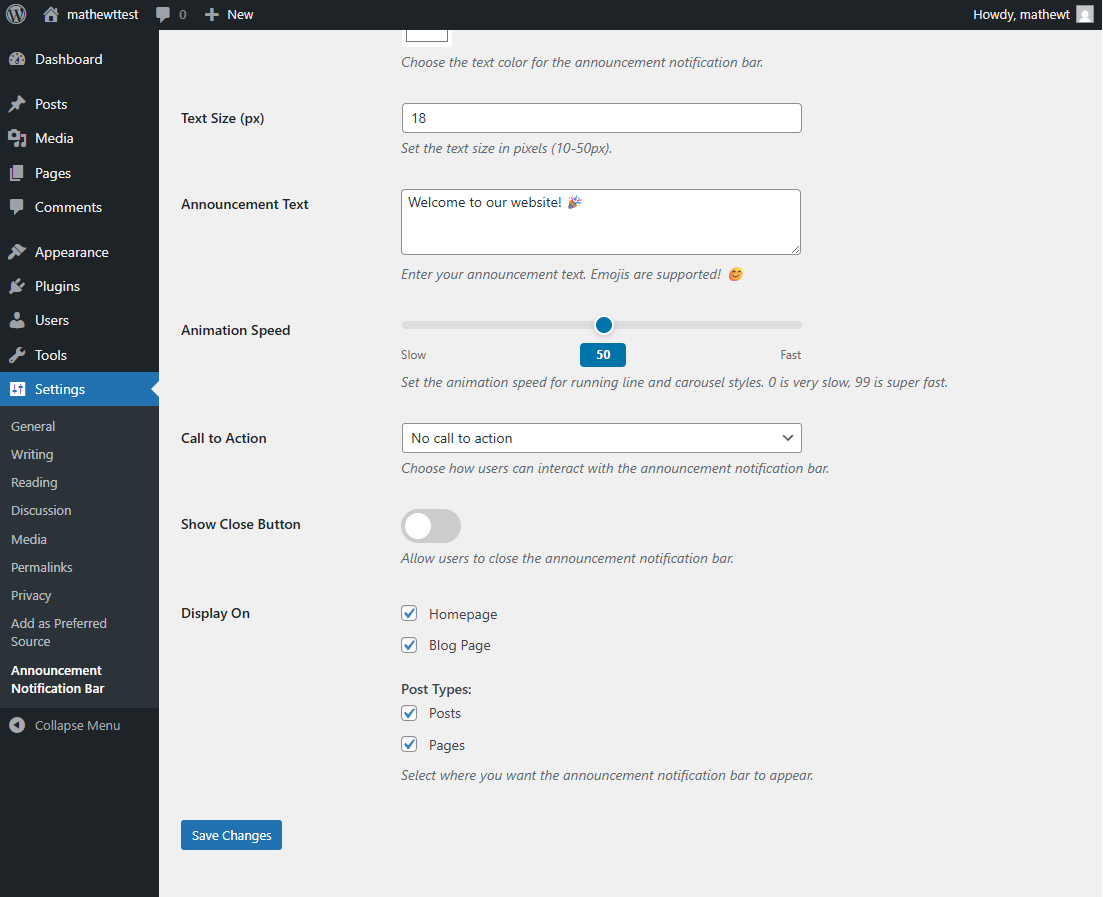
- Advanced Call-to-Action (CTA): Add a button, make the whole bar clickable, or keep it as simple text.
- Smart Display Logic: Target your notification bar to the Homepage, Blog, or specific Posts/Pages.
- User-Friendly Controls: Includes a dismiss/close button so users can hide the bar (cookie support included).
- Mobile Responsive: Looks great on all devices (iPhone, Android, Tablet).
- Performance Optimized: Lightweight code ensuring fast page load times.
Display Styles
- Simple: Clean and straightforward display
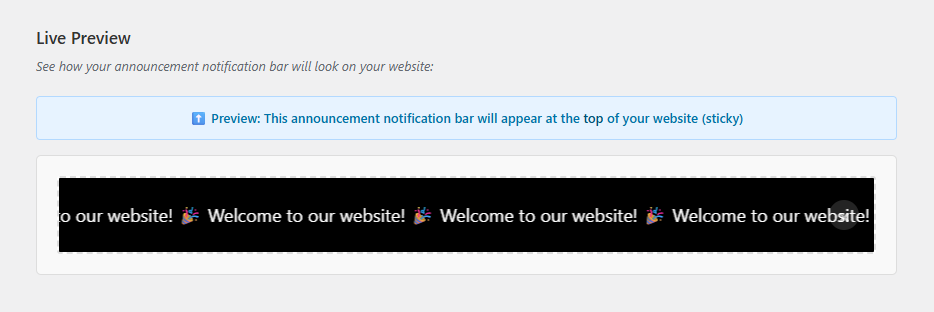
- Running Line: Scrolling text animation for attention-grabbing messages
- Carousel: Rotate between multiple messages automatically
Call-to-Action Options
- No call-to-action for simple announcements
- Add a button with custom text and link
- Make the entire announcement notification bar clickable
Display Control
Choose exactly where your announcement notification bar appears:
* Homepage
* Blog page
* Individual post types (Posts, Pages, Custom Post Types)
* Automatic detection of public custom post types
Politique de confidentialité
This plugin includes an optional deactivation feedback form. If you choose to submit feedback when deactivating the plugin, the plugin collects and transmits the following data to the developer:
- Plugin name and version
- WordPress version
- Site name and URL
- The deactivation reason you select
- Any optional text you enter in the feedback field
- Your email address (only if you tick “You may contact me to help resolve the issue”)
Purpose: We use this data solely to improve the plugin. We never sell, share, or use it for any other purpose.
Retention: We permanently delete all submitted feedback within 7 days of receipt.
Opt-out: Submitting feedback is entirely optional. You can click “Skip & Deactivate” at any time to deactivate without sending any data. Site owners can also disable the feedback form entirely by adding the following to their theme’s functions.php or a custom plugin:
add_filter( 'anb_enable_feedback_collection', '__return_false' );
Installation
- Téléchargez les fichiers du plug-in dans le répertoire
/wp-content/plugins/announcement-notification-barou installez directement le plugin via l'écran des plugins WordPress. - Activez le plugin via l'écran "Plugins" dans WordPress.
- Go to Settings > Announcement Notification Bar to configure your announcement.
- Customize your announcement notification bar settings and save.
- Visit your website to see the announcement notification bar in action!
Journal de modifications
Initial release of Announcement Notification Bar with full feature set.
1.0.3
- New: Settings page sidebar with troubleshooting guide (bar not showing tips) and plugin support card
- New: Display On – “All Pages” option (enabled by default) to show the bar across the entire site with a single toggle
- New: Display On – Taxonomy Archives section with per-taxonomy checkboxes (categories, tags, and custom taxonomies)
- New: Running Line – separator character option with presets (Bullet, Pipe, Em Dash, Star, Slash, Diamond) and a custom character input
- New: Running Line – spacing slider to control the gap between each text repetition (0-500px)
- New: Carousel style now uses a visual repeater UI with individual message rows instead of a plain textarea
- New: Automatic cache clearing on settings save (supports WP Super Cache, W3 Total Cache, WP Fastest Cache, WP Rocket, LiteSpeed Cache, and Autoptimize)
- Fixed: Running Line animation not working on mobile devices (iOS Safari and Android)
- Fixed: Running Line animation speed inconsistency between mobile and desktop devices
- Fixed: Running Line animation not playing in admin preview
- Fixed: Running Line speed=0 was incorrectly treated as speed=50
1.0.2
- Fixed: Running Line style no longer blocks saving when a short message is entered
- WordPress 7.0 compatibility confirmed
1.0.0
- Communiqué initial
- Multiple display styles (Simple, Running Line, Carousel)
- Full customization options (colors, size, text)
- Emoji support
- Call-to-action options (None, Button, Clickable)
- Display control for different post types and pages
- Optional close button
- Mobile responsive design
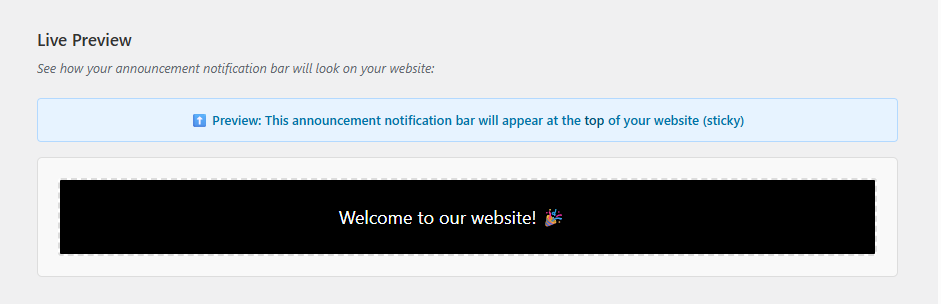
- Live preview in admin
- Performance optimized
- Top and bottom positioning options
- Sticky and non-sticky modes
Captures d'écran
Pour les développeurs
Est-ce votre plugin ? Montrez les chiffres.
Ajoutez un badge en direct à votre site, docs ou github readme. Il se met à jour par lui-même - aucun compte n'est nécessaire.
Best Announcement Notification Bar alternatives
All announcement bar plugins →




FAQ
Announcement Notification Bar: quick answers
Réponses directes, extraites des données en direct WordPress.org.
Source : WordPress.org
Is Announcement Notification Bar free?
Yes. Announcement Notification Bar is free to download and use from the official WordPress.org plugin directory.
Is Announcement Notification Bar safe to use in 2026?
Announcement Notification Bar is a solid plugin choice in 2026, with a few things worth checking first. It runs on 60+ sites and was last updated 2 months ago, and scores 64/100 on our health check.
How many websites use Announcement Notification Bar?
Announcement Notification Bar is active on 60+ WordPress websites and has been downloaded 1,178 times since it launched in November 2025. It was downloaded 166 times in the last 30 days.
Does Announcement Notification Bar work with WordPress 7.1?
Yes. The developer has tested Announcement Notification Bar up to WordPress 7.1.5, the latest release. It requires WordPress 5.0 or newer.
What PHP version does Announcement Notification Bar need?
Announcement Notification Bar requires PHP 7.4 or higher. Most hosts run PHP 8.x today, so it works on any modern WordPress hosting.
When was Announcement Notification Bar last updated?
The latest version, 1.0.4, was released on September 7, 2026 (2 months ago).
Who makes Announcement Notification Bar?
Announcement Notification Bar is developed and maintained by Mathew.
What are the best alternatives to Announcement Notification Bar?
The most popular alternatives to Announcement Notification Bar are HashBar (9K+ installs), Advanced Floating Content L… (7K+ installs) and Marquee Running Text (5K+ installs).
Propulsé par PageForge
Un modèle et une feuille de calcul. Une vraie page pour chaque recherche.
PageForge transforme chaque ligne d'un CSV en une page WordPress avec son propre titre, URL, SEO et schéma, construit sur la mise en page que vous Déjà conçu. Gratuit sur WordPress.org.
- CSV et XLSX, plus Google Sheets sur les professionnels et les entreprises
- Son propre titre, URL, SEO champs et schéma pour chaque page
- Fonctionne avec l'éditeur de blocs, Elementor, Divi et Avada
- Gratuit sur WordPress.org, pas de carte de crédit