


Alter Product – 3D Configurator for WooCommerce
Official Alter Product plugin, maintained by the Alter Product team (alterproduct.com). An Alter Product account is required.

Choix solide
Alter Product is a solid plugin choice in 2026, with a few things worth checking first. Was last updated 1 week ago, and scores 64/100 on our health check.
- Développé activement — Dernière mise à jour il y a 1 semaine
- Testé avec le dernier WordPress (7.1)
- Petite base d'utilisateurs (<10 installations actives)
- Très peu de critiques jusqu'à présent
Comment s'accumule-t-il ?
Côte à côte sur les installations, les mises à jour, les évaluations et le support



Téléchargements quotidiens
Les pics de téléchargement suivent généralement une nouvelle version - chaque site qui met à jour automatiquement compte comme un téléchargement.
Classements
Where Alter Product stands todayWordPress.org Classements de recherche
Position en direct dans la recherche de plugins, Top 100| Mot-clé | Position |
|---|---|
| personalization | >100 |
| Product Configurator | #67 |
| product customizer | >100 |
| web to print | >100 |
| WooCommerce | >100 |
About Alter Product
From the official readme · v1.8.6Description
Official Alter Product plugin, maintained by the Alter Product team (alterproduct.com). An Alter Product account is required.
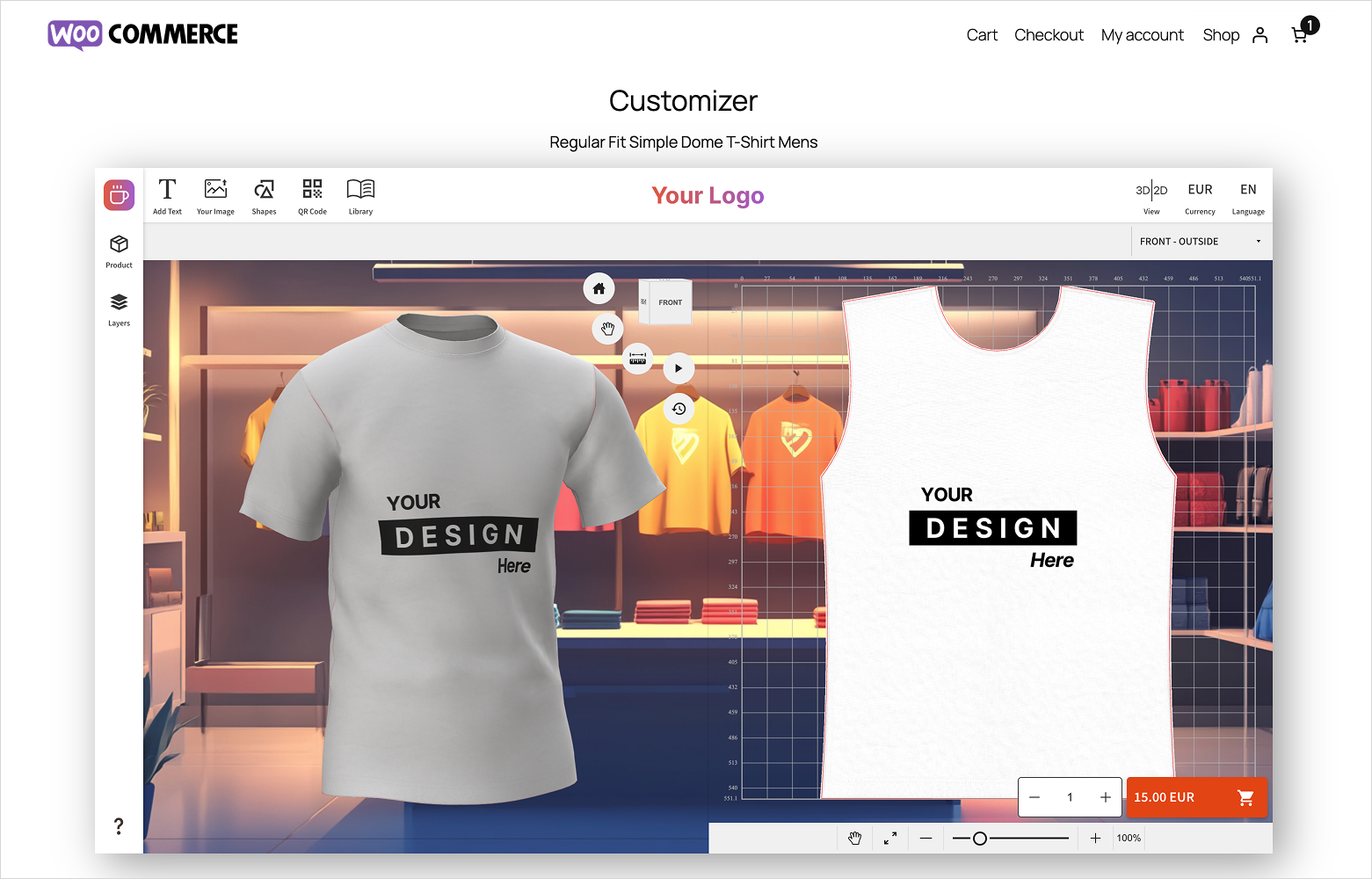
Embed an interactive 3D viewer, configurator, customizer or Designer on WooCommerce product pages. Customers can personalize products before purchase; selected configurations are synchronized with the cart and order.
Store owners manage product designs and Generator projects in WordPress. Product assets, design files, customer order files and mockups can use your shop server or private AWS S3 storage. WordPress serves the files from your chosen storage.
Principales caractéristiques
- Embed responsive 3D tools, including a click-to-load product gallery viewer
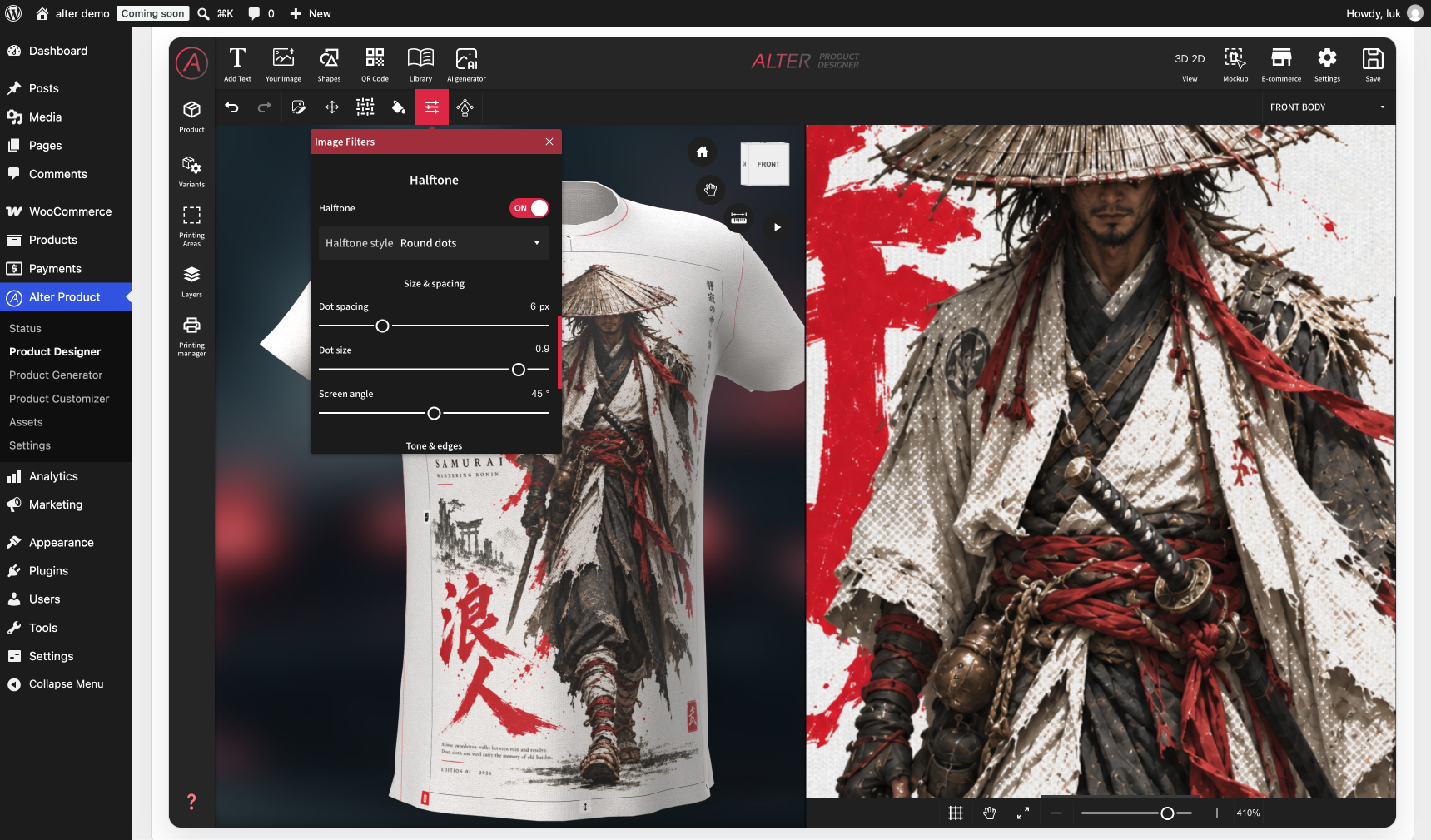
- Personalize text, images, QR codes, colors, sizes, materials and layouts
- Create, import, duplicate, archive and restore local product designs
- Manage Product Generator projects, templates, mannequins, textures and backgrounds
- Create models from downloaded templates and open linked generators from designs
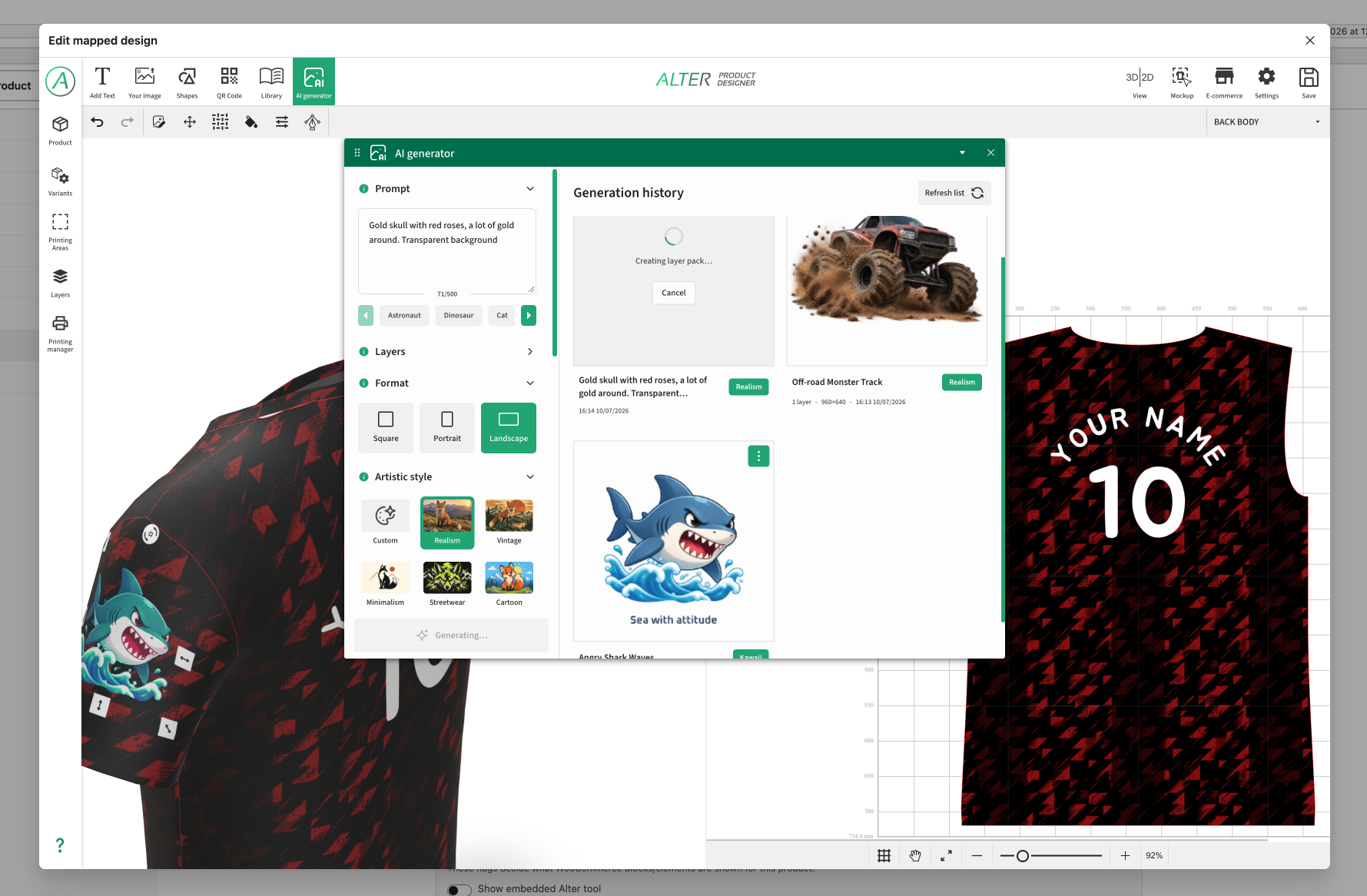
- Generate artwork and mockups using administrator-owned AI connections
- Connect trusted AI clients through optional WordPress MCP and OAuth
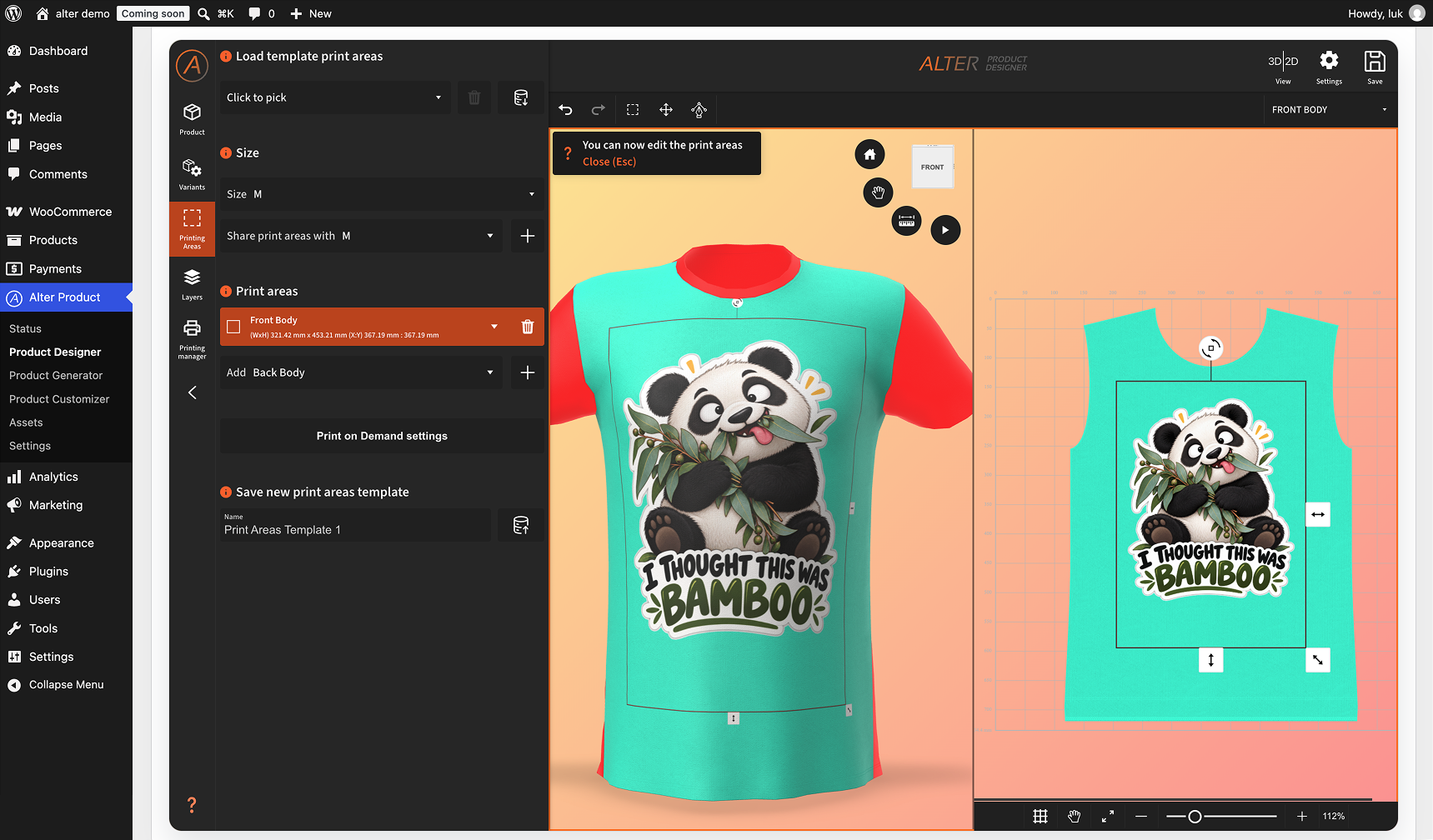
- Map products and variations to designs; add color swatches and size charts
- Publish WebP product/variation mockups and save customer designs with orders
- Manage print files and configured Printify, Printful, Gelato and CustomCat orders
- Store and migrate plugin-owned files between your server and private S3 storage
- Support simple/variable products without modifying WooCommerce core
Comment cela fonctionne
- Install the plugin and connect your Alter Product account
- Download a starter model, generator and required assets
- Create or import a product design in WordPress
- Map the design and its variations to a WooCommerce product
Obligations
The plugin is free and open-source. An eligible Alter Product plan is required for embedded tools and local project features. Monthly session and Alter cloud transfer allowances still apply; eligible plans support unlimited embedded Customizers, Viewers and Configurators. See Alter Product pricing.
Services externes
This plugin connects to the Alter Product service to provide a 3D product viewer, configurator, customizer, and designer that can be used with your WooCommerce store.
Alter Product is an external platform that provides the 3D application, account access, subscription checks, product catalogs, secure embed sessions, and design tools.
Product assets, designs, customer order files, and mockup previews are stored on your shop server or in your configured private AWS S3 bucket and served through your WordPress site. Alter Product is still used to verify access, prepare secure sessions, and provide the embedded application experience.
When the plugin is configured with Alter Product API credentials, the plugin may send requests to the Alter Product service to verify API access, load Alter Product product data for mapping, import assets or designs, check subscription access, and create secure embed sessions.
When a page containing an Alter Product embed is opened, the visitor’s browser loads the embedded Alter Product application inside an iframe. Product files and saved customer order files are loaded from your own WordPress site.
For the click-to-load product gallery integration, the embedded application and its session load only after the visitor selects 3D. Ordinary photos and locally stored size charts do not start a 3D session.
Data sent to Alter Product may include API authentication headers configured by the administrator, the store domain or site origin, Alter Product and WooCommerce identifiers such as product/design/order IDs, product/design metadata, and configuration session IDs.
Product assignments are stored only in WordPress and are not synchronized with Alter Product. These requests occur only when credentials are configured and the administrator imports assets/designs, opens embedded tools, when a WooCommerce page containing an Alter Product embed is opened, when an embed session is created, or when a customizer design is saved to the cart or order.
The plugin does not send WooCommerce billing or shipping personal data to Alter Product for the embedded customizer flow. If print-on-demand order creation is used, shipping recipient data is sent only to the selected print-on-demand provider as described below.
This service is provided by Alter Product.
Terms of Service: https://alterproduct.com/terms-of-use
Privacy Policy: https://alterproduct.com/privacy-policy
Optional print-on-demand features can connect to Printify, Printful, Gelato and CustomCat after the administrator adds provider API credentials. Default endpoints are Printify https://api.printify.com, Printful https://api.printful.com, Gelato https://order.gelatoapis.com, https://product.gelatoapis.com and https://ecommerce.gelatoapis.com, and CustomCat https://customcat-beta.mylocker.net/api/v1. Gelato product configuration imports an administrator-provided Template ID, with variant Product UIDs and printable dimensions from the template API. Gelato selects the fulfillment partner automatically. CustomCat imports DIGISOFT or Sublimation products, concrete catalog SKUs, and available front/back print dimensions. The administrator selects a CustomCat shipping method for a destination country.
Provider calls may test credentials, load shops/stores, catalog/product/variant/template/shipping data, create/refresh/cancel orders. Sent data may include API keys or OAuth bearer tokens in headers (CustomCat requires its API key in GET/DELETE query parameters or the POST JSON body), shop/store IDs, WooCommerce order/item or idempotency IDs, order labels, provider product/blueprint/template/SKU/variant IDs, quantities, shipping method, print placements, recipient name, company, email, phone, address, city, state/region, postal code, country, and tokenized URLs to generated print-ready files stored in WordPress uploads.
Provider calls happen only after provider credentials are configured and POD catalog/order tools or manual POD order submission are used. In sandbox mode, the provider payload is prepared locally and is not submitted to the provider.
The optional Snapwear adapter submits configured orders to https://snapwear.pro/api/order/add. It sends the configured x-api-token header, order reference, product SKU, quantities, print placement and artwork URLs, and shipping recipient contact/address data. It is used only after Snapwear credentials and a product profile are configured and submission is requested; sandbox prepares the payload locally. There is no supported read-only connection test: checking the connection must not create a supplier order. Confirm API availability and account terms with Snapwear; integration information.
POD orders are submitted only through an explicit administrator action for configured products. Generating, uploading or saving print files does not submit a provider order. Personalized order files take precedence; missing personalization is not replaced with product artwork. Complete product print files can be used for unpersonalized items. A Gelato Template ID imports product configuration and does not replace the production artwork required by the order adapter.
Printify Terms: https://printify.com/terms-of-service/
Printify Privacy: https://printify.com/privacy-policy/
Printful Terms: https://www.printful.com/policies/terms-of-service
Printful Privacy: https://www.printful.com/policies/privacy
Gelato Terms: https://www.gelato.com/legal/api-terms
Gelato Privacy: https://www.gelato.com/legal/privacy
CustomCat Terms: https://help.customcat.com/what-is-customcats-terms-of-service
CustomCat Privacy: https://app.customcat.com/?t=h.privacy
Snapwear Terms: https://snapwear.pro/terms-of-service
Snapwear Privacy: https://snapwear.pro/privacy-policy
Optional administrator-only AI tools connect from WordPress to OpenAI (api.openai.com), Google Gemini (generativelanguage.googleapis.com), or Anthropic Claude (api.anthropic.com). In Settings -> AI integration, choose WordPress AI Client with a provider configured in WordPress Settings -> Connectors, or a direct connection with a separate encrypted key. AI remains disabled until the administrator configures and enables a connection and accepts the costs and content-processing notice. Existing direct connections are not switched automatically. Changing the connection method requires renewed consent.
Optional WordPress MCP product authoring uses the native WordPress Abilities API and the separately installed official WordPress MCP Adapter. It remains disabled until an administrator enables it in Alter settings and authorizes an authenticated MCP client. The client receives the requested product, design and tool arguments/results under that client’s own data policy. Alter Product does not bundle an AI client, install the adapter automatically, or forward MCP traffic through the Alter backend. Existing configured POD catalogue/import operations still contact the selected provider as described above. Product authoring does not submit fulfillment orders or payments.
Connecting an open administrator editor through WordPress MCP is a separate opt-in action in its AI MCP panel. WordPress stores bounded temporary job arguments/results; simulation and visual editing run in the connected browser. Closing or disconnecting the tab ends the connection. Saving uses the editor’s existing WordPress save operation. Public embedded pages do not receive administrator authoring permissions or WordPress browser nonces. Uninstalling removes the new MCP settings and temporary connection/operation receipts while retaining saved products, designs and assets.
Compatible MCP Apps clients can display a WordPress-owned Designer, Customizer, Configurator, Viewer or Product Generator workspace inside the AI conversation after OAuth approval. The existing configured Alter frontend remains an essential embedded UI and can download its normal static assets; commands and saves use WordPress rather than the Alter MCP relay. The cached UI resource contains no user credentials. A one-use link is delivered only in private tool metadata and redeemed on the shop into a project-scoped browser proof, limited to eight hours with a two-hour idle timeout and revocable through the original OAuth authorization. Logged-in product managers can also choose Edit with AI beside a local storefront embed to open a separate owner workspace. The original customer embed keeps its normal restrictions. A client without inline UI can use the WordPress owner-workspace link and existing connected-editor tools. All saves remain explicit.
Optional OAuth sign-in supports the configured ChatGPT and Codex clients after a separate administrator opt-in. WordPress retrieves public client metadata from https://chatgpt.com/oauth/client.json or https://chatgpt.com/oauth/codex/client.json when resolving a supported client during authorization. This metadata request does not send projects, artwork, credentials or customer data. The user logs in to WordPress and explicitly approves the requesting client; the WordPress password is never given to that client. OAuth access is restricted to the dedicated Alter Product MCP endpoint and the user’s current WooCommerce permissions. Revoke the authorization from the WordPress profile or disable OAuth in Alter settings. Existing Application Password clients may continue using the default official adapter endpoint.
When the administrator generates or enhances artwork in the Designer or generates a mockup in Product Generator, WordPress sends the selected provider the API key in an authentication header, prompt text, generation settings, and the selected source images. Mockups can include the 3D product view, an additional product photograph, and a locally prepared contour guide or edit mask. No AI request is sent merely by saving the key. These AI operations do not use the Alter Product backend; storefront visitors cannot use the administrator’s AI connection. Provider billing and data handling follow the administrator’s provider account terms.
AI history and generated assets are stored on the WordPress server. Private AI JSON is compressed and encrypted, reference/result images are encrypted, and direct-connection keys are encrypted using the site’s WordPress secrets. WordPress AI Client uses credentials managed by the selected connector; Alter Product never copies these credentials. WordPress 7.1 does not encrypt connector keys saved in its database; environment variables or wp-config.php constants are supported alternatives. Shared connector keys can also be used by other compatible plugins. Artwork added to a design or saved generator project is stored independently with that project and is available wherever the project is shared or displayed.
The WordPress AI Client option requires WordPress 7.0 or newer and an active provider connector. It uses the core SDK without bundling it. The selected provider and model remain explicit; a failed request does not automatically switch providers, models or connection methods. Both connection methods respect WordPress’s global AI policy. WordPress AI Client also respects its core prompt-prevention filter. Requests and provider billing still originate from your WordPress installation, and normal plugin permissions, consent and generation limits remain in place. The client itself does not improve model quality or make provider usage free.
During an explicit generation request, a WordPress connector may first refresh its cached provider model list. These metadata requests do not submit artwork and are not included in the plugin’s daily generation-attempt limit. Each generation attempt, including failures, counts; there are no automatic paid retries.
OpenAI Terms: https://openai.com/policies/services-agreement/
OpenAI Privacy: https://openai.com/policies/privacy-policy/
Gemini Terms and data use: https://ai.google.dev/gemini-api/terms
Google Privacy: https://policies.google.com/privacy
Anthropic Terms: https://www.anthropic.com/legal/commercial-terms
Anthropic Privacy: https://www.anthropic.com/legal/privacy
Optional AWS S3 storage
Store plugin-owned projects and files on your WordPress server or in your own private Amazon S3 bucket. Settings -> Storage lets you connect and test S3, migrate existing file groups and select the default for new groups. S3 requests use the WordPress HTTP API; large file transfers use bounded streaming and the existing version/checksum recovery journal. Shop server is the initial default. Make default automatically tests the selected S3 connection before saving that choice; existing groups keep their saved destinations. Migration completion offers the same explicit choice. Saving a connection alone does not send files or call AWS.
The Test connection action contacts the configured bucket’s regional Amazon S3 HTTPS endpoint. It sends AWS Signature Version 4 authentication headers and the expected bucket owner, reads versioning, ownership, public-access blocking and encryption settings, and writes/reads/verifies a small random object under .storage-tests before deleting only that exact version. No product, customer, order or AI files are sent by this test. A failed request can leave a test object requiring the bucket owner’s cleanup.
Separately, the administrator can review and run a migration plan for one owned group. This uploads its files to the selected connection, verifies the copy and atomically switches references, retaining sources and earlier versions. Subsequent reads and writes for that registered group can contact its saved S3 connection. Groups can contain assets, projects, mockups, fonts, private order/AI state and POD files; private state retains its domain encryption. A reviewed migration can return files to the shop server. Changing the default, saving credentials or testing never migrates existing files automatically.
Credentials are encrypted with this WordPress site’s secrets and never sent to Alter Product. Keep WordPress salts, database and object versions together in backups. Alter Product does not charge an additional storage fee when you increase your own S3 capacity; AWS storage, requests and transfer are billed to your AWS account. Public delivery and temporary processing use your WordPress server, with no Alter Product storage proxy. The connection test does not create a bucket, change its policy or configure browser CORS.
Supported plugin mockups use standard WordPress editing with verified private working files. The administrator can separately review and encrypt legacy order files and database-only state before migration; encrypted recovery copies are retained. Third-party editors that bypass the supported storage lifecycle are not supported. Storage statistics identify their scan scope, and temporary-file cleanup preserves active operations and retained source files. See the storage guide for setup, supported behavior and verification, and the backup and recovery procedure for restoring your site’s data.
AWS Customer Agreement: https://aws.amazon.com/agreement/
AWS Privacy: https://aws.amazon.com/privacy/
Installation
- Install and activate WooCommerce, then install and activate this plugin.
- Connect your Alter Product account and download the starter resources offered during setup.
- Create or import a product design and map it to a WooCommerce product.
- Choose the embedded tool and preview your product. Configure optional storage or POD connections if needed.
See the WooCommerce integration guide for detailed setup instructions.
Journal de modifications
Restores editable skinned garments and static poses in saved Generator projects. Preserves selected mannequins and shared UV print areas while keeping authoring sources private.
1.8.6
- Save and reopen skinned garments and exact static poses in the WordPress Product Generator.
- Keep editable source models private while Designer, Customizer, Configurator and Viewer load the compiled product model.
- Keep selected imported mannequins and their saved poses or animations when publishing generated products.
- Preserve shared UV print areas and offered sizes when publishing the base model.
- Adjust stitch segment endpoints through the Product Generator MCP integration.
- Keep MCP tool descriptions and behavior hints in sync with the current editors.
1.8.5
- Store generated low-detail models in WordPress and improve size and mannequin display.
- Save generated accessories separately from the 3D model to keep model downloads smaller.
- Open Configurator faster from product pages.
- Replace outdated copied variation mockups while preserving manually selected primary images.
- Enable AR in supported WordPress admin editor frames.
1.8.4
- Added optional AI product authoring through the WordPress Abilities API and the official WordPress MCP Adapter, with administrator opt-in and existing WooCommerce permissions.
- Added WordPress OAuth sign-in for supported ChatGPT and Codex clients, with individual user consent, PKCE, protected-resource discovery and revocable access. Existing Application Password clients remain supported.
- Open Designer, Customizer, Configurator, Viewer and Product Generator in compatible AI conversations, or connect an owner workspace on the shop website. Browser editing supports undo/redo and explicit WordPress saves while retaining customer restrictions.
- Added MCP tools for WooCommerce products, attributes, variations, POD mappings, local designs and generator projects, including in-house and provider print-area settings.
- Added revision-checked product-set workflows and operation receipts without automatically submitting fulfillment orders or payments.
- Added local mannequin model resources for generated products, with lower-detail assets for Low and Medium quality served from the shop’s configured storage.
- Added cleanup of temporary MCP connections and settings on uninstall while preserving saved products, projects and assets.
- Updated setup documentation and all interface translations.
1.8.3
- Added Gelato template imports, variation mapping and manual order fulfillment; a Template ID configures the product and does not replace print artwork.
- Added CustomCat catalog imports, SKU mapping, print-area validation and destination shipping methods.
- Improved manual order print-file management and POD artwork checks.
- Sped up administrator pages and asset imports, with grouped downloads and consistent filtering.
- Improved product mockup publishing, variation previews and embedded-tool navigation.
- Moved S3 transfers to the WordPress HTTP API with bounded streaming and integrity checks.
- Updated interface translations and setup instructions.
- Added a server-side print queue available only in DEV mode; its controls remain hidden in normal mode.
1.8.2
- Added a shared print-file manager for each WooCommerce order item, with files grouped by print area, drag-and-drop uploads, replacement, removal, previews and downloads.
- Added secure saving of Designer print exports directly to the current order item, with authenticated administrator downloads for saved files.
- Let merchants choose generated or uploaded production files for each POD placement, while keeping other saved files available and making mockup generation optional.
- Use saved order print-area settings and product mappings for POD setup, preserving each area’s format, dimensions and DPI without requiring a separate fulfillment profile.
- Import POD attributes and variations without clearing existing variation choices or replacing established provider mappings. Refresh mapping status after saving and provide a direct route to synchronize variations in the Designer.
- Improved administrator editing of existing order designs and variations while preserving paid amounts, order-item boundaries and WooCommerce stock adjustments.
- Show incomplete POD setup and sandbox restrictions clearly, and refresh order fulfillment controls after WooCommerce reloads its order items.
- Added clearer generation, transfer and server-save progress. Reduced repeated file downloads and media loading when saving or managing production files.
- Prioritize visible POD catalog thumbnails, cancel offscreen image requests while scrolling, and fall back to original supplier images when thumbnail resizing fails.
- Load Printify provider variants and shipping independently, reuse pending catalog requests, and keep refreshed provider data consistent with variation imports.
- Made the POD product catalog more compact, with a narrower selection column and an outlined button for the selected product.
- Added previous/next navigation with centered arrows and saved view names in cart, drawer and checkout mockup previews; prevented unnecessary image reloads.
- Strengthened print-file validation, order ownership checks and private-storage integrity, and updated the bundled translations.
1.8.1
- Prioritize the WooCommerce store’s theme and background over personal Alter Product preferences in embedded tools, and preserve cleared custom background images after reloading.
- Speed up reopening saved customizer designs and updating cart drawers without rebuilding all catalog variation prices. Cart and checkout still validate current WooCommerce prices and artwork surcharges.
- Load embedded tools faster by reusing variation metadata and validated asset data during rendering, while preserving live availability checks and native WooCommerce cart rules.
- Keep the selected WooCommerce product’s prices and native options when several products share a design.
- Preserve concrete printing-method choices for wildcard variations when adding and editing a customizer cart item.
- Recognize local variation attributes in mapping diagnostics and keep missing prices unavailable.
- Show compact print-color swatches in the cart and checkout, keeping area surcharges included in the price without verbose metadata rows.
- Refresh cart drawers once per customizer change, avoid duplicate mockup thumbnails and support keyboard navigation in image previews.
- Use the customer’s current variation choices when reopening Customize from a product page.
- Preserve original variants, quantities, addresses and production files when retrying rejected POD shipments; prevent duplicate submissions after uncertain provider responses.
- Invalidate stale POD connection tests after configuration changes and keep saved connections when updating global defaults.
- Validate provider acknowledgements and use stable Printful external IDs within the API length limit.
- Preserve server-owned print color prices, saved recipes and generator revision checks.
- Protect POD shipments from overlapping submission and cancellation requests, and preserve their status after refreshing production files.
- Validate all batch groups before dispatch and keep artwork permissions and supplier routing when retrying a rejected shipment.
Captures d'écran
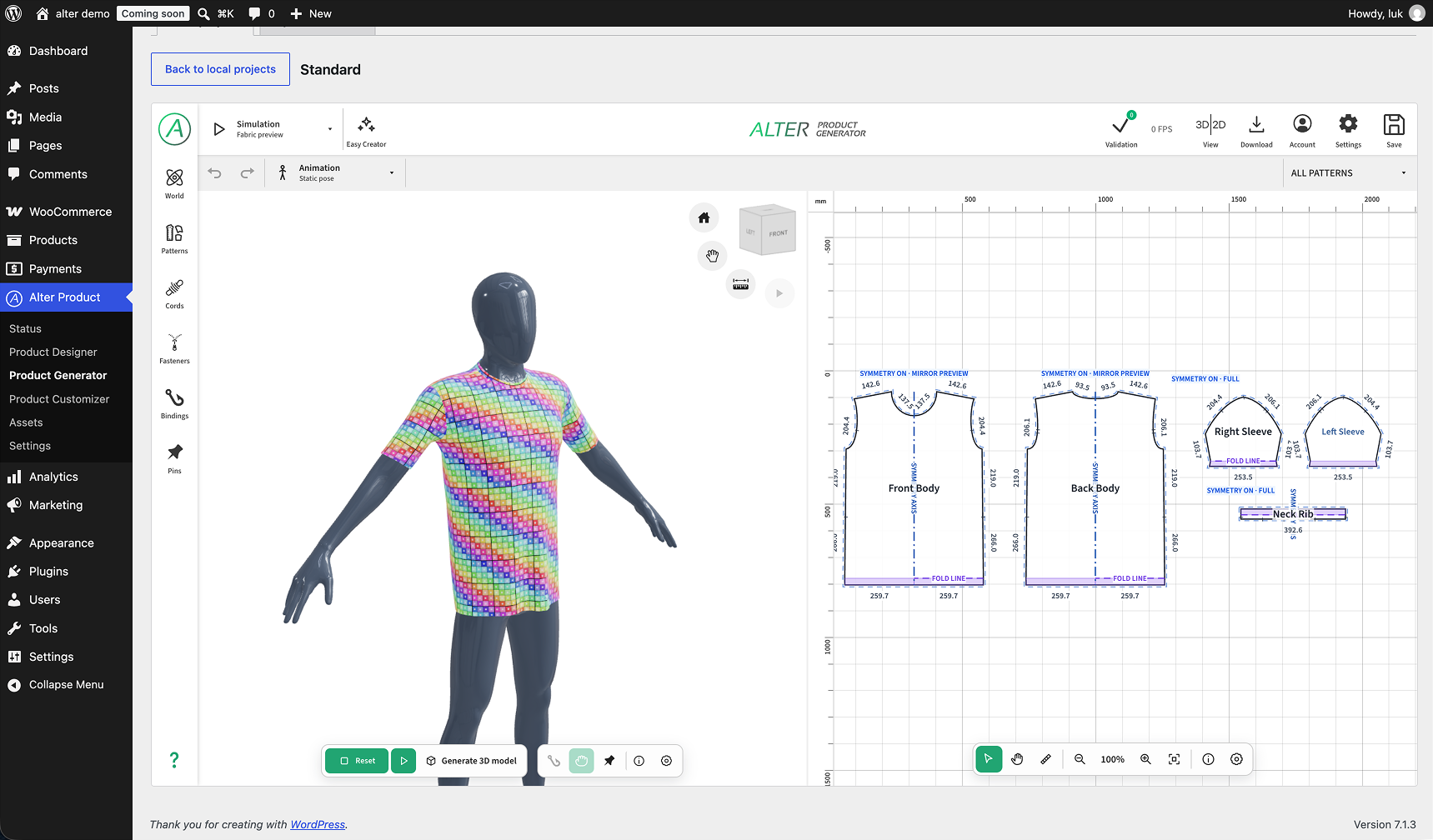
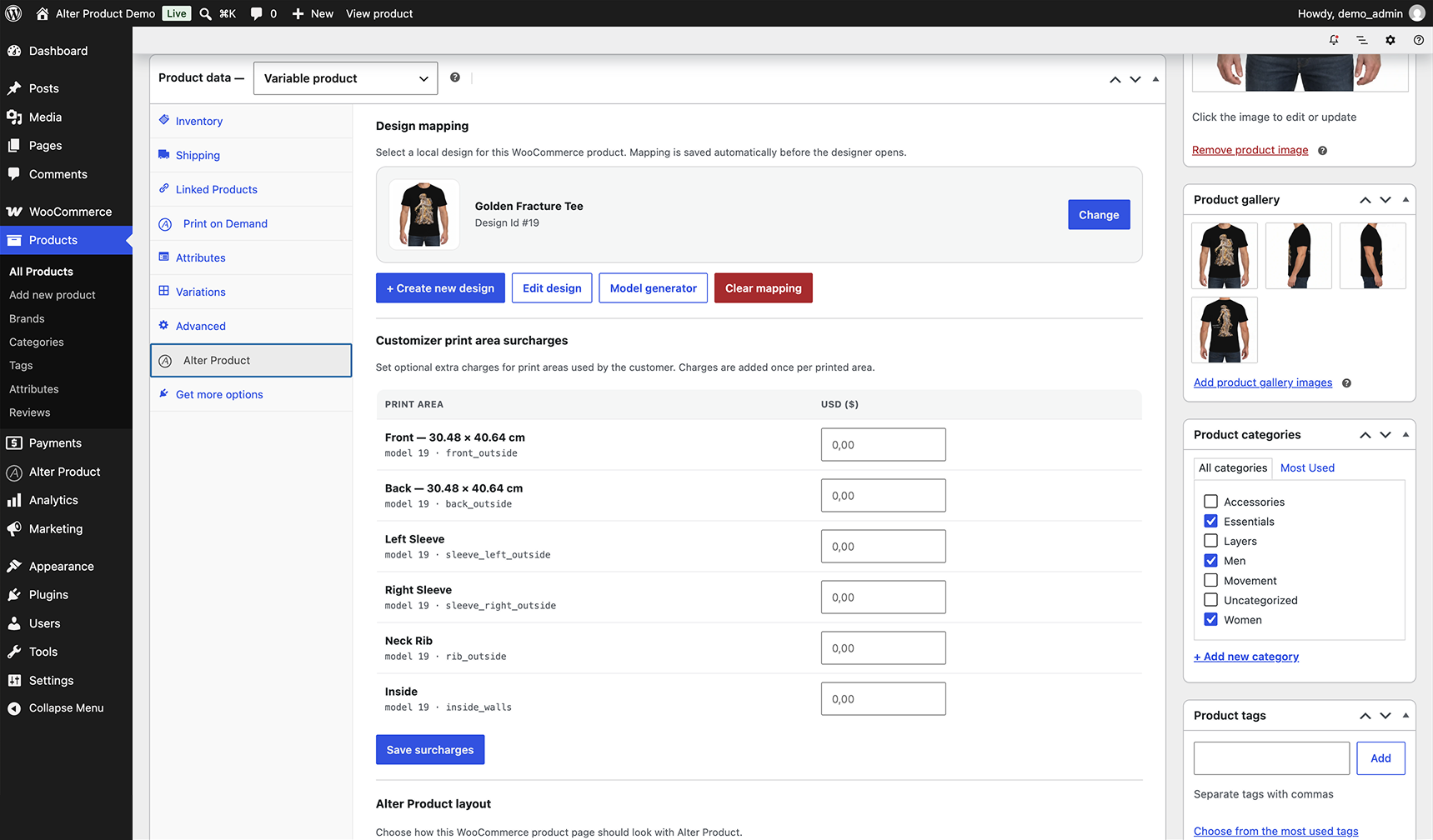
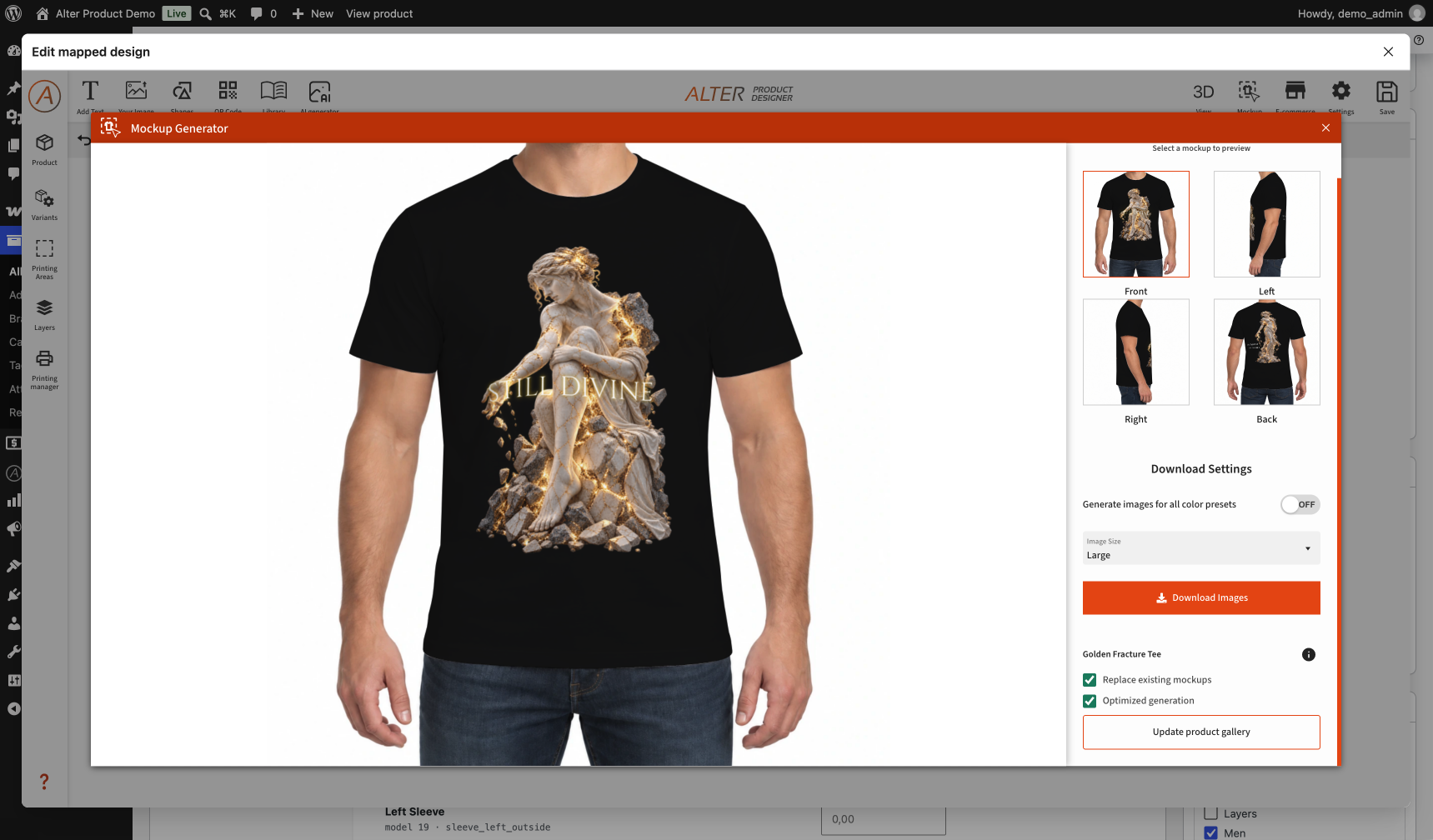
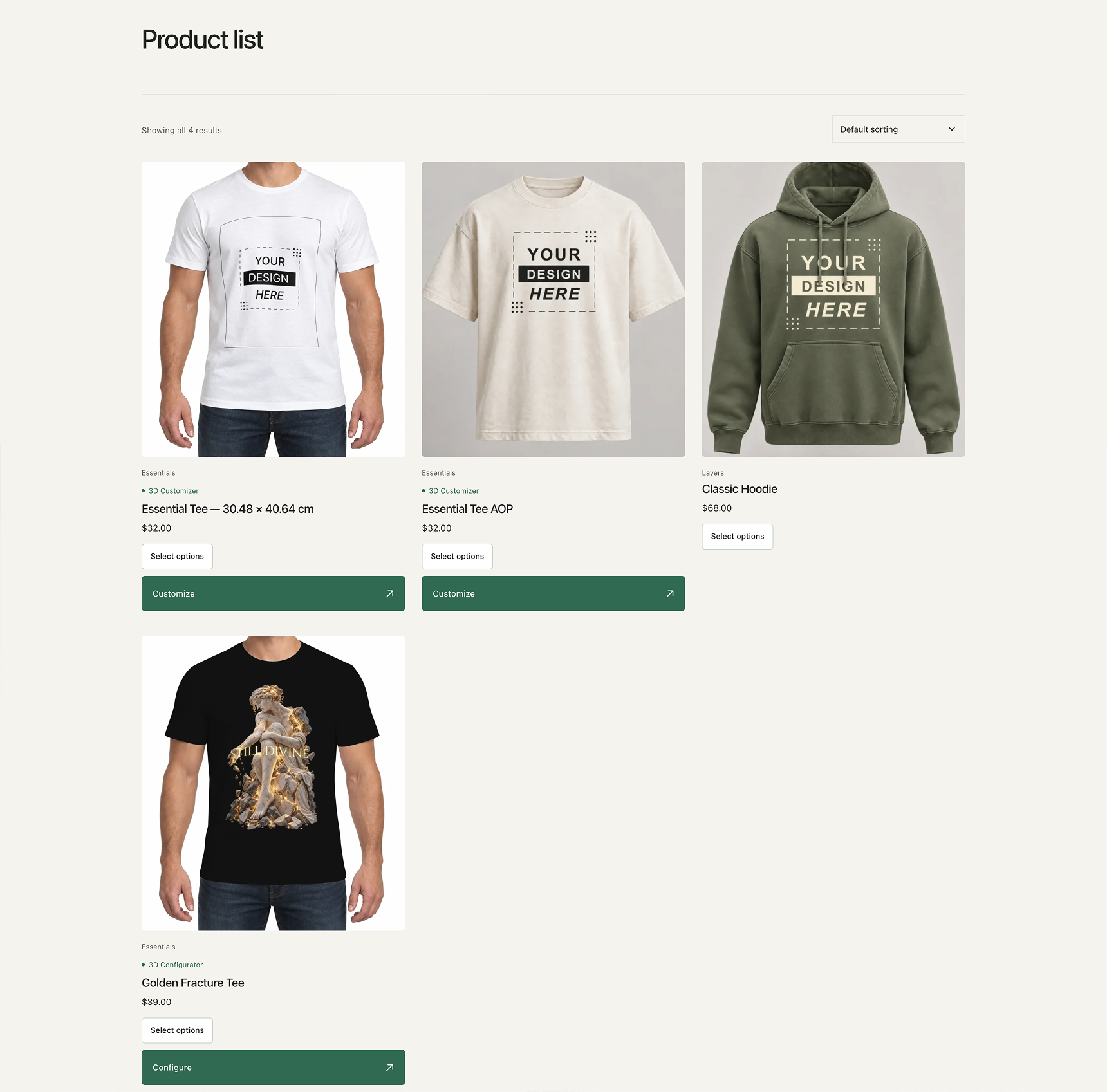
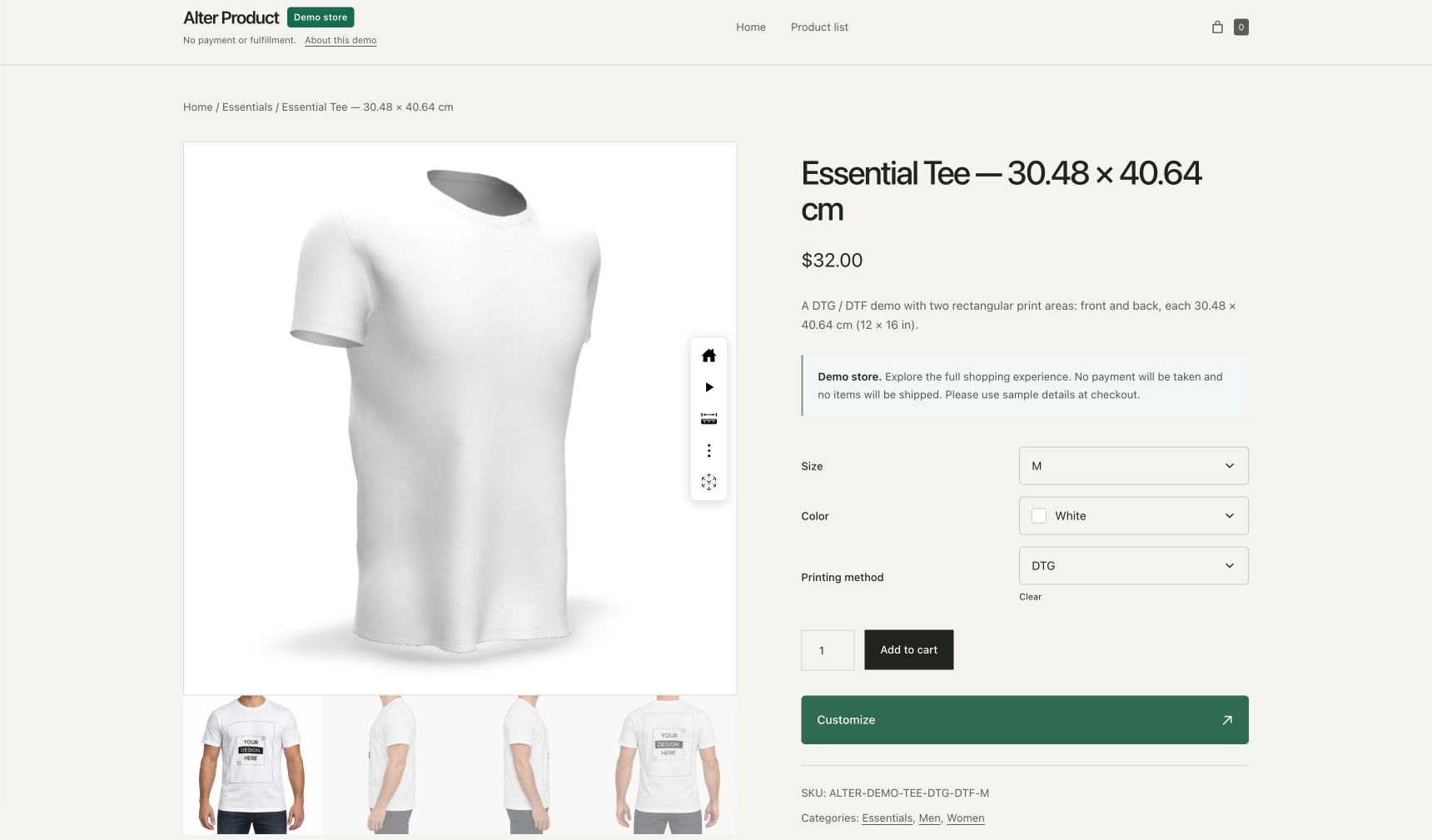
Pour les développeurs
Est-ce votre plugin ? Montrez les chiffres.
Ajoutez un badge en direct à votre site, docs ou github readme. Il se met à jour par lui-même - aucun compte n'est nécessaire.
Best Alter Product alternatives
All personalization plugins →



FAQ
Alter Product: quick answers
Réponses directes, extraites des données en direct WordPress.org.
Source : WordPress.org
Is Alter Product free?
Yes. Alter Product is free to download and use from the official WordPress.org plugin directory.
Is Alter Product safe to use in 2026?
Alter Product is a solid plugin choice in 2026, with a few things worth checking first. Was last updated 1 week ago, and scores 64/100 on our health check.
How many websites use Alter Product?
Alter Product is active on <10 WordPress websites and has been downloaded 1,381 times since it launched in March 2026. It was downloaded 342 times in the last 30 days.
Does Alter Product work with WordPress 7.1?
Yes. The developer has tested Alter Product up to WordPress 7.1.5, the latest release. It requires WordPress 6.4 or newer.
What PHP version does Alter Product need?
Alter Product requires PHP 8.0 or higher. Most hosts run PHP 8.x today, so it works on any modern WordPress hosting.
When was Alter Product last updated?
The latest version, 1.8.6, was released on November 17, 2026 (1 week ago).
Who makes Alter Product?
Alter Product is developed and maintained by lucasmacon.
What are the best alternatives to Alter Product?
The most popular alternatives to Alter Product are Quiz Builder for WooCommerce (2K+ installs), Sailthru for WordPress (1K+ installs) and What Would Seth Godin Do (900+ installs).
Propulsé par PageForge
Un modèle et une feuille de calcul. Une vraie page pour chaque recherche.
PageForge transforme chaque ligne d'un CSV en une page WordPress avec son propre titre, URL, SEO et schéma, construit sur la mise en page que vous Déjà conçu. Gratuit sur WordPress.org.
- CSV et XLSX, plus Google Sheets sur les professionnels et les entreprises
- Son propre titre, URL, SEO champs et schéma pour chaque page
- Fonctionne avec l'éditeur de blocs, Elementor, Divi et Avada
- Gratuit sur WordPress.org, pas de carte de crédit