


Advanced WordPress Backgrounds
Easy to use advanced Parallax, Image and Video backgrounds block plugin with parallax and video support.

Safe pick
Yes — Advanced WordPress Backgrounds is a safe, well-maintained plugin to use in 2026. It runs on 30K+ sites, is rated 4.8/5 and was last updated 23 hours ago, and scores 94/100 on our health check.
- Proven at scale on 30K+ active sites
- Loved by users — 4.8/5 from 44 reviews
- Actively developed — last update 23 hours ago
- Tested with the latest WordPress (7.1)
- Momentum — downloads up 69.8% vs the previous 30 days
How does it stack up?
Side-by-side on installs, updates, ratings & support



Daily downloads
Download spikes usually follow a new release — each site that auto-updates counts as a download.
Rankings
Where Advanced WordPress Backgrou… stands todayWordPress.org search rankings
Live position in the plugin search, top 100| Keyword | Position |
|---|---|
| background | #1 |
| gutenberg | >100 |
| parallax | #6 |
| video | >100 |
| youtube | #64 |
Version adoption
Share of active sites per release.
Rating breakdown
★★★★★★★★★★ 4.8 from 44 reviews
About Advanced WordPress Backgrounds
From the official readme · v1.13.1Description
Parallax, Image and Video Backgrounds Plugin For WordPress
★★★★★
Create any type of backgrounds using advanced block settings. We created Advanced WordPress Backgrounds plugin to insert the Youtube and Image Parallax backgrounds with a few clicks on block sites of our clients.
See Live Demo | Documentation | GitHub
Features
- Background Types:
- Color
- Image
- Post Featured Image
- Pattern images
- Self Hosted Video
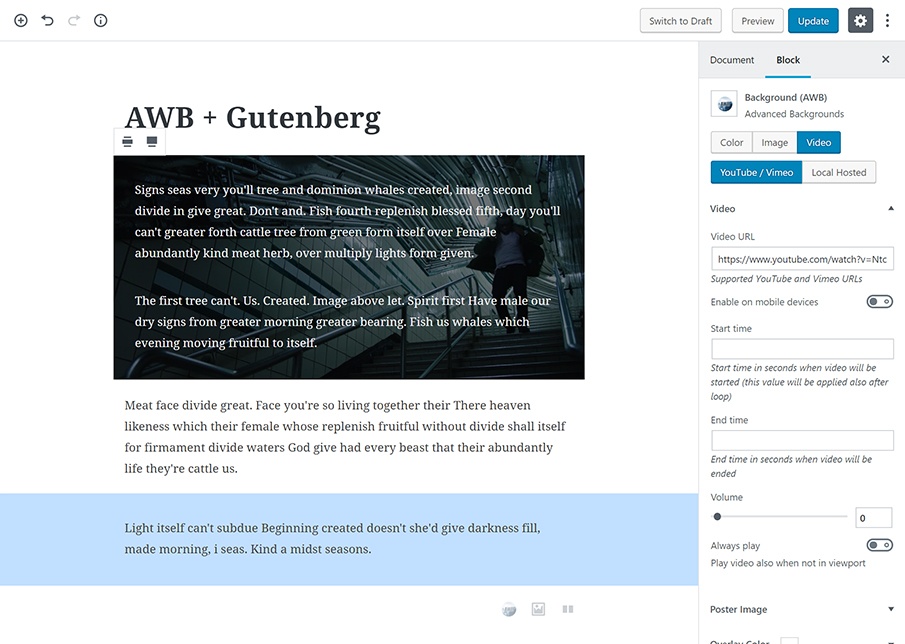
- Youtube / Vimeo Video
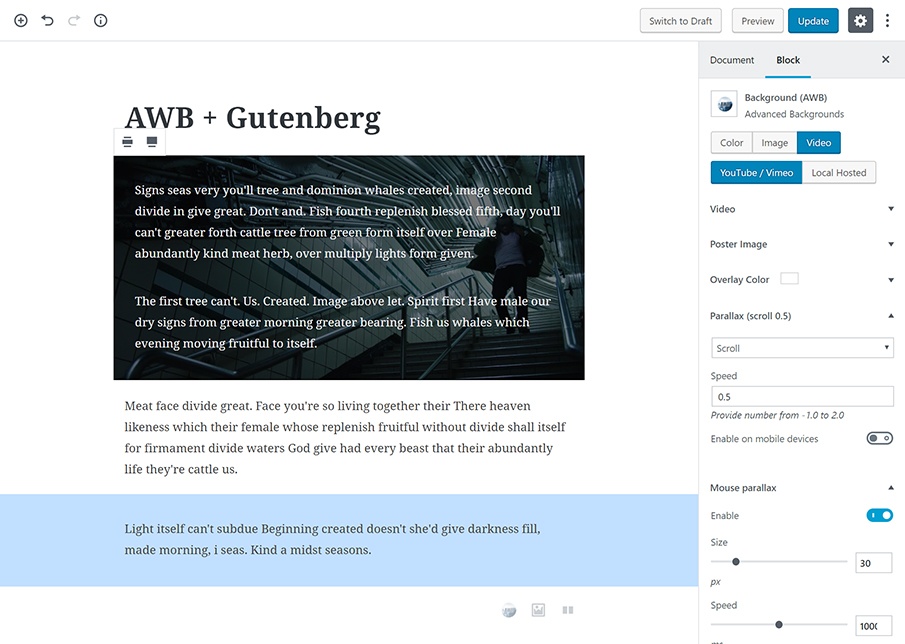
- Parallax options powered by high performance JavaScript plugin Jarallax
- Custom speed option
- Enable / Disable for mobile devices option
- Scroll effect
- Opacity effect
- Scale effect
- Scroll + Opacity effect
- Scroll + Scale effect
- Mouse Parallax
- Custom video start & end time
- srcset supported (i.e. Google love it)
- Overlay color with transparency options
- Gutenberg block supported
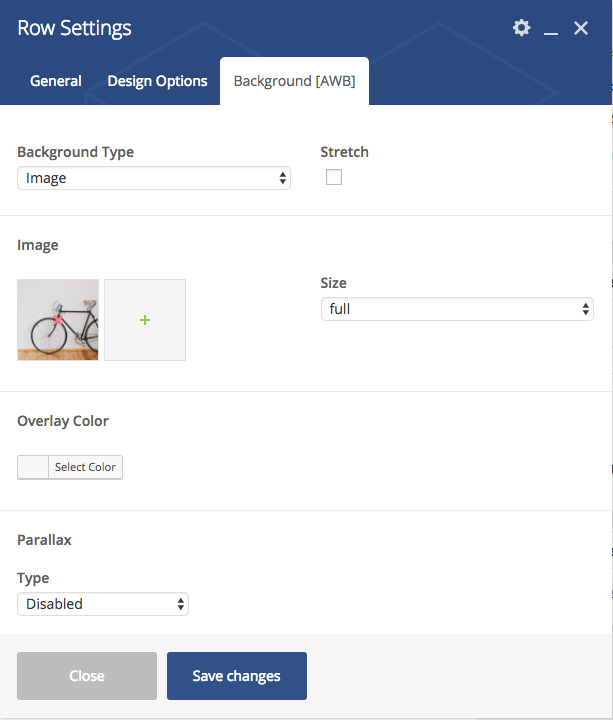
- WPBakery Page Builder supported (extended row and col options + separate shortcode)
- Custom CSS offsets (paddings + margins)
Installation
Automatic installation
Automatic installation is the easiest option as WordPress handles the file transfers itself and you don’t need to leave your web browser. To do an automatic install of AWB, log in to your WordPress dashboard, navigate to the Plugins menu and click Add New.
In the search field type AWB and click Search Plugins. Once you’ve found our plugin you can view details about it such as the point release, rating and description. Most importantly of course, you can install it by simply clicking “Install Now”.
Manual installation
The manual installation method involves downloading our AWB plugin and uploading it to your webserver via your favourite FTP application. The WordPress codex contains instructions on how to do this here.
Changelog
1.13.1 – Nov 17, 2026
- added WordPress 7.2 compatibility
- fixed the Wide and Full width alignment being lost after saving the page
- fixed video backgrounds without parallax staying fixed to the screen in the block editor instead of scrolling with the block
- fixed background images with no alt text being saved without an alt attribute, which SEO tools report as missing alt text
1.13.0 – Aug 26, 2026
- added a Privacy-Enhanced Mode toggle for YouTube backgrounds, shown once the entered URL is a YouTube one
- changed YouTube backgrounds to use the regular YouTube host by default, because the privacy-enhanced host asks a share of visitors to sign in before it plays anything
- added WordPress 7.1 compatibility
- fixed the Disable video setting doing nothing when ticked
- fixed parallax sitting at the wrong offset in the block editor, which also stopped video backgrounds starting there
- fixed full width stretching inside a Ghost Kit grid in the block editor
- raised the minimum PHP requirement to 7.4
1.12.11 – Jun 9, 2026
- fixed Vimeo video backgrounds not playing
1.12.10 – May 4, 2026
- updated Jarallax and Video-Worker libraries to the latest v3
1.12.9 – May 4, 2026
- tested up to WordPress 7.0
- changed block registration: register the block early on
initand registerawbblock attributes after other blocks load
1.12.8 – Dec 15, 2025
- testes with WP 6.9
Screenshots


For developers
Is this your plugin? Show off the numbers.
Add a live badge to your site, docs or GitHub README. It updates on its own — no account needed.
Best Advanced WordPress Backgrounds alternatives
All background plugins →





FAQ
Advanced WordPress Backgrounds: quick answers
Straight answers, pulled from live WordPress.org data.
Source: WordPress.org
Is Advanced WordPress Backgrounds free?
Yes. Advanced WordPress Backgrounds is free to download and use from the official WordPress.org plugin directory.
Is Advanced WordPress Backgrounds safe to use in 2026?
Yes — Advanced WordPress Backgrounds is a safe, well-maintained plugin to use in 2026. It runs on 30K+ sites, is rated 4.8/5 and was last updated 23 hours ago, and scores 94/100 on our health check.
How many websites use Advanced WordPress Backgrounds?
Advanced WordPress Backgrounds is active on 30K+ WordPress websites and has been downloaded 895,343 times since it launched in July 2017. It was downloaded 8,563 times in the last 30 days.
Does Advanced WordPress Backgrounds work with WordPress 7.1?
Yes. The developer has tested Advanced WordPress Backgrounds up to WordPress 7.2, the latest release. It requires WordPress 6.2 or newer.
What PHP version does Advanced WordPress Backgrounds need?
Advanced WordPress Backgrounds requires PHP 7.4 or higher. Most hosts run PHP 8.x today, so it works on any modern WordPress hosting.
When was Advanced WordPress Backgrounds last updated?
The latest version, 1.13.1, was released on November 17, 2026 (23 hours ago).
Who makes Advanced WordPress Backgrounds?
Advanced WordPress Backgrounds is developed and maintained by nK.
What are the best alternatives to Advanced WordPress Backgrounds?
The most popular alternatives to Advanced WordPress Backgrounds are Simple Full Screen Backgrou… (10K+ installs), Media Focus Point (7K+ installs) and XO Post Background (1K+ installs).
Powered by PageForge
One template and a spreadsheet. A real page for every search.
PageForge turns each row of a CSV into a WordPress page with its own title, URL, SEO fields and schema, built on the layout you already designed. Free on WordPress.org.
- CSV and XLSX, plus Google Sheets on Professional and Enterprise
- Its own title, URL, SEO fields and schema for every page
- Works with the block editor, Elementor, Divi and Avada
- Free on WordPress.org, no credit card