


Admin Page Framework
One of the time-consuming part of developing WordPress plugins and themes is creating setting pages. As you more and more write plugins and themes, you will soon realize major part of code can be reused. Admin Page…

Utiliser avec prudence
Admin Page Framework works, but test it on a staging site before relying on it in 2026. It runs on 70+ sites, is rated 5/5 and was last updated 5 years ago, and scores 42/100 on our health check.
- Aimé par les utilisateurs — 5/5 sur 23 avis
- Petite base d'utilisateurs (plus de 70 installations actives)
- Pas de mise à jour dans 4 ans
- Uniquement testé jusqu'à WordPress 5,9 (le dernier est de 7,1)
Comment s'accumule-t-il ?
Côte à côte sur les installations, les mises à jour, les évaluations et le supportTéléchargements quotidiens
Les pics de téléchargement suivent généralement une nouvelle version - chaque site qui met à jour automatiquement compte comme un téléchargement.
Classements
Where Admin Page Framework stands todayWordPress.org Classements de recherche
Position en direct dans la recherche de plugins, Top 100| Mot-clé | Position |
|---|---|
| admin pages | >100 |
| api | >100 |
| developers | >100 |
| options | >100 |
| settings | >100 |
Adoption de version
Part de sites actifs par version.
Répartition des notes
★★★★★ ★★★★★ 5 sur 23 avis
About Admin Page Framework
From the official readme · v3.9.1Description
Reduce the Time Spent for Plugin and Theme Development
One of the time-consuming part of developing WordPress plugins and themes is creating setting pages. As you more and more write plugins and themes, you will soon realize major part of code can be reused. Admin Page Framework aims to provide reusable code that eliminates the necessity of writing repeated code over and over again.
You will have more organized means of building option pages with the framework. Extend the library class and pass your arrays defining the form elements to the predefined class methods. The library handles all the complex coding behind the scene and creates the pages and the forms for you.
Create Essential Page and Form Components for Your Users
- Top-level Page, Sub Pages, and In-page Tabs – where your users will access to operate your plugin or theme.
- Forms – to let your users store their options.
- Custom Post Types – and the custom columns in the post listing table.
- Custom Taxonomies and Fields – store options associated with a taxonomy in the taxonomy definition page.
- Meta Boxes and Fields – store meta data associated with posts of set post types. Also meta boxes can be added to the pages created with the framework.
- Widgets and Fields – display modular outputs based on the user’s settings in the front end.
- Network Admin Pages and Forms – create admin pages in the newtork admin area of WordPress multi-sites.
Construct Simple Yet Complex Setting Forms
- Section Tabs – form sections can be displayed in a tabbed box.
- Collapsible Sections – form sections can be collapsed and expanded.
- Repeatable Sections and Fields – dynamically add/remove form sections and fields.
- Sortable Sections and Fields – drag and drop form sections and fields to change the order.
- Nested Sections and Fields – nest sections and fields to construct complex forms.
- Import and Export Options – buttons that the user can import and export settings by uploading and downloading text files.
- Reset Button – let your users to initialize the saved options.
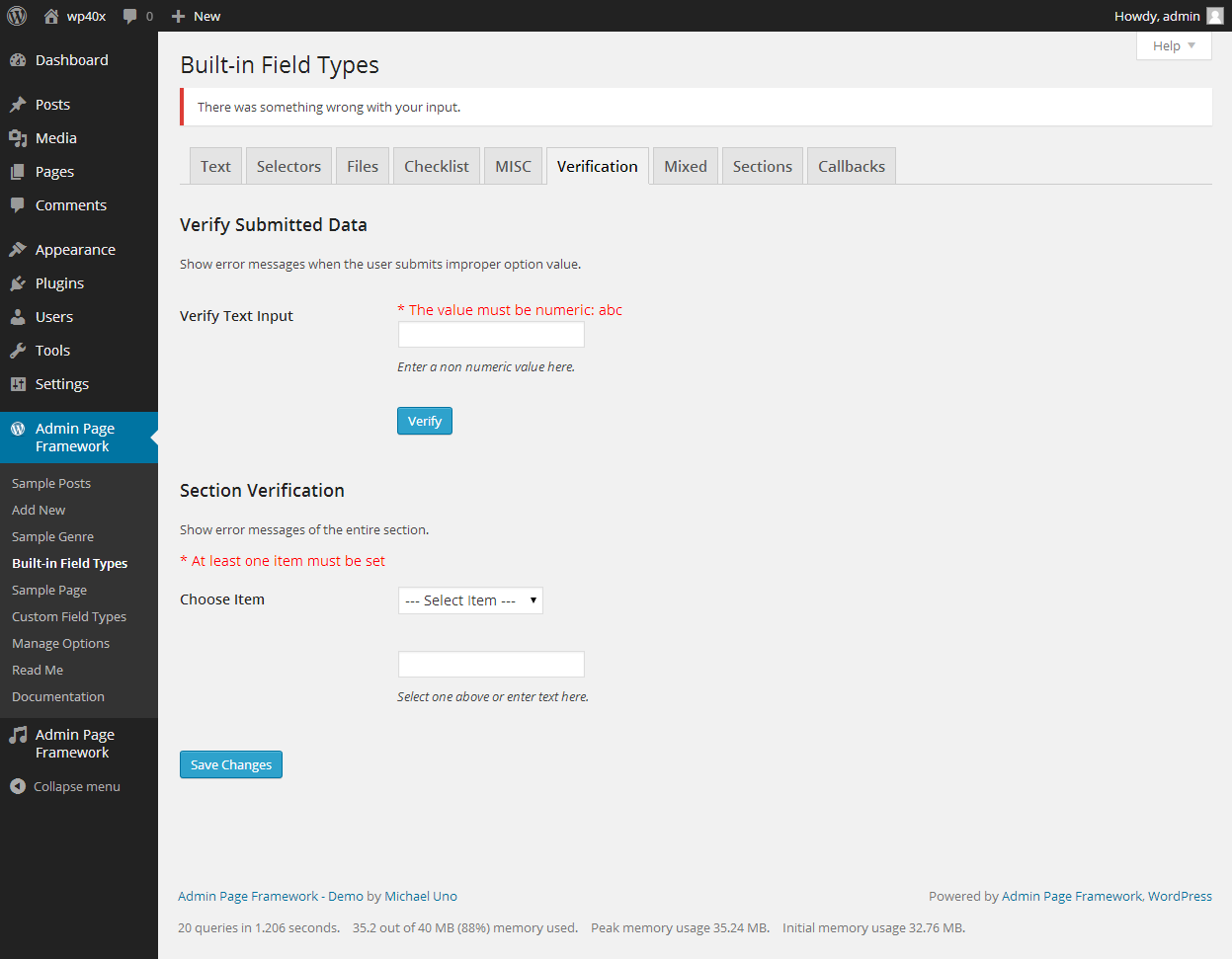
- Validation and Error Messages – with the pre-defined validation callbacks, the user’s submitting form data can be verified. Furthermore, by setting the error array, you can display the error message to the user.
- Contextual Help Pane – help information can be added to the contextual help pane that appears at the top right of each screen.
- Custom Field Types – your own field type can be registered. This allows you to design own fields such as a combination of a checkbox with a text field.
- Contact Form – receive emails of user feedback and issue reports sent via the contact form embedded in an admin page.
- Tooltips – add a small pop-up box beside section and field title for the users to read about the option.
Produce a Series of Products with the Framework Extensibility
If you are planning to create a product possibly extended with an unlimited number of add-ons, take advantage of the framework’s native extensibility. The created admin pages and forms will become highly extensible with the automatically created hooks. In other words, it empowers other developers to customize your plugin or theme. That will result on making your projects grow.
Also, use the framework as a library and your plugin or theme does not have to require an extra dependency to be installed. Therefore, your product will be perfectly portable.
Built-in Field Types
text– a normal field to enter text input.password– a masked text input field.textarea– a text input field with multiple lines. It supports TinyMCE rich text editor.radio– a set of radio buttons that lets the user pick an option.checkbox– a check box that lets the user enable/disable an item.select– a drop-down list that lest the user pick one or more item(s) from a list.hidden– a hidden field that will be useful to insert invisible values.file– a file uploader that lets the user upload files.image– a custom text field with the image uploader script that lets the user set an image URL.media– a custom text field with the media uploader script that lets the user set a file URL.color– a custom text field with the color picker script.submit– a submit button that lets the user send the form.export– a custom submit field that lets the user export the stored data.import– a custom combination field of the file and the submit fields that let the user import data.posttype– a set of check-lists of taxonomies enabled on the site in a tabbed box.taxonomy– check-lists of taxonomies enabled on the site in a tabbed box.size– a combination field of the text and the select fields that let the user set sizes with a selectable unit.section_title– a text field placed in the section title to let the user name the section.system– displays the site system information.inline_mixed– consists of inline elements of fields with different field types.
Bundled Custom Field Types
With custom field types, you can create more detailed customized field outputs. The demo component includes the following example custom field types.
sample– a sample custom field type with a JavaScript script.github– displays GitHub buttons.path– lets the user select file paths on the server.toggle– lets the user toggle a switch button.no_ui_slider– lets the user set values between ranges with a slider.select2– lets the user select items from a predefined list which cam be populated with AJAX.post_type_taxonomy– lets the user select taxonomy terms of selected post types.
If you want a field type that are not listed here, you can check the field type pack or request a new one in the forum.
Commencer
To get started, go to Dashboard -> Admin Page Framework -> About -> Getting Started.
Modèle de démonstration
Activate the demo pages to see the possible features of the framework. To activate it, go to Dashboard -> Admin Page Framework -> Add Ons -> Demo.
Documentation
Notes: this framework does not do anything by itself. If you are not a developer, you do not need this.
Use Unique Page Slug
The framework internally uses the add_submenu_page() function to register sub menu pages. When the same page slug is registered for multiple root pages, only the last registered callback gets triggered. The other ones will be ignored.
This means if you choose a very simple page slug such as about for your plugin/theme’s information page and then if there is another plugin using the same page slug, your users will get either of your page or the other.
To avoid this, make sure to use a unique page slug. One way to do that is to add a prefix like apf_about.
Use the files generated with the component generator
There is one thing you need to be careful when you include the framework: the framework version conflicts. Imagine you publish a plugin using the framework v3.4.6 and your plugin user installs a plugin using the framework v3.0.0 which is below your framework version. If the other plugin loads earlier than yours, your plugin may not work properly and vice versa.
There is a way to avoid such a conflict: change the PHP class names of the framework you include. All the class names have the prefix AdminPageFramework so just change it to something like MyPlugin_AdminPageFramework.
Go to Dashboard -> Admin Page Framework -> Tools -> Generator. Set the prefix in the option field and download the files.
If you do not modify the framework class names, you are supposed to extend the AdminPageFramework factory class.
class MyAdminPage extends AdminPageFramework {
    ...
}
When you modify the framework class names, make sure you extend the class with the modified name.
class MyAdminPage extends MyPlugin_AdminPageFramework {
    ...
}
For more detailed instruction, go to Dashboard -> Admin Page Framework -> About -> Getting Started.
By the time WordPress’s minimum required PHP version becomes 5.3 or higher, we can use name spaces then this problem will be solved.
Change Framework’s System Messages
The default messages defined by the framework can be changed. For example, when you import a setting with the framework, the setting notice “The options have been updated.” will be displayed.
If you want to change it to something else, modify the oMsg object. It has the aMessages public property array holding all the messages that the framework uses.
Get comfortable with the ‘attributes’ array argument
In each field definition array, you can set the attributes arguments which defines the HTML attributes of the field so that you can modify the output of the field by passing attribute values.
The argument accepts the values as an array. Each element represents the attribute’s name and value. The array key corresponds to the name of the attribute and the value to the attribute value.
For example,
array(
    'field_id'      => 'interval',
    'title'         => __( 'Interval', 'task-scheduler' ),
    'type'          => 'number',
    'attributes'    => array(
        'min'   => 0,
        'step'  => 1,
        'max'   => 24,
    ),
),
In addition, you can change the attributes of the following container elements by setting their key and passing a nested attribute array.
fieldrow– thetdtag element containing the field output.fieldset– thefieldsettag element containing the field output.fields– thedivtag element containing the sub-fields and the main field.field– thedivtag element containing each field.
This submit button will float right.
array(
    'field_id'          => 'submit',
    'type'              => 'submit',
    'save'              => false,
    'value'             => __( 'Save', 'task-scheduler' ),
    'label_min_width'   => 0,
    'attributes'        => array(
        'field' => array(
            'style' => 'float:right; clear:none; display: inline;',
        ),
    ),
)
For meta box and widget form fields (as they have slightly different styling than generic admin pages),
array(
    'field_id'          => 'submit_in_meta_box',
    'type'              => 'submit',
    'save'              => false,
    'show_title_column' => false,
    'label_min_width'   => 0,
    'attributes'        => array(
        'field' => array(
            'style' => 'float:right; width:auto;',
        ),
    ),
),
Change Preview Image Size of the ‘image’ Field Type
To specify a custom size to the preview element of the image field type, set an attribute array like the below, where 300px is the max width.
array(
    'field_id'      => 'my_image_field_id',
    'title'         => __( 'Image', 'admin-page-framework-demo' ),
    'type'          => 'image',
    'attributes'    => array(
        'preview' => array(
            'style' => 'max-width: 200px;',
        ),
    ),
),
Display items of ‘radio’ field type one per line
To display radio button items one per line, set the label_min_width to 100%.
array(
    'field_id'          => 'my_radio_field_id',
    'title'             => __( 'Radio Button', 'admin-page-framework-demo' ),
    'type'              => 'radio',
    'label_min_width'   => '100%',
    'label'             => array(
        'a' => __( 'This is a.', 'admin-page-framework-demo' ),
        'b' => __( 'This is b.', 'admin-page-framework-demo' ),
        'c' => __( 'This is a.', 'admin-page-framework-demo' )c
    ),
),
Set default field value
To set the initial value of a field, use the default argument in the field definition array.
array(
    'field_id'  => 'my_text_field_id',
    'title'     => __( 'My Text Input Field', 'admin-page-framework-demo' ),
    'type'      => 'text',
    'default'   => 'This text will be displayed for the first time that the field is displayed and will be overridden when a user set an own value.',
),
Always display a particular value in a field
The value argument in the definition array can suppress the saved value. This is useful when you want to set a value from a different data source or create a wizard form that stores the data in a custom location.
array(
    'field_id'  => 'my_text_field_id',
    'title'     => __( 'My Text Input Field', 'admin-page-framework-demo' ),
    'type'      => 'text',
    'value'     => 'This will be always set.',
),
If it is a repeatable field, set values in numerically indexed sub-elements.
array(
    'field_id'      => 'my_text_field_id',
    'title'         => __( 'My Text Input Field', 'admin-page-framework-demo' ),
    'type'          => 'text',
    'repeatable'    => true,
    'value'         => 'the first value',
    array(
        'value' => 'the second value',
    ),
    array(
        'value' => 'the third value',
    ),
),
Alternately, you may use the options_{instantiated class name} filter to suppress the options so that setting the value argument is not necessary.
See examples, https://gist.github.com/michaeluno/c30713fcfe0d9d45d89f, https://gist.github.com/michaeluno/fcfac27825aa8a35b90f,
Installation
- Upload admin-page-framework.zip via Dashboard -> Plugins -> Add New -> Upload Plugin.
- Activate it.
For usage instructions to get started, go to Dashboard -> Admin Page Framework -> About -> Getting Started and create your first plugin.
Journal de modifications
3.9.1 – 2022/04/14
- Added the
mime_typesargument for theimageandmediafield types. - Fixed a bug that setting notices set with
setSettingNotice()of classes extending the post type factory class were not displayed. - Changed the behavior of the
colorfield type by triggering a change event after setting a new value. - Changed the behavior of the custom image uploader by triggering a change event after setting a new value.
3.9.0 – 2022/03/02
- Refined tooltips.
- Refined the
pathcustom field type due to the deprecation of thejQueryFileTreelibrary and switching tojstree, which involves deprecation of some arguments and UI improvements. - Added the
tablebuilt-in field type. - Added the
contactbuilt-in field type. - Added the
selectorargument to theselect2custom field type that enables to show/hide elements on selection. - Added the ability for tooltips to include
atags. - Added the
widthargument for thetipfield argument. - Added the ability to insert included custom field type labels in the file header comment of the compiled bootstrap file.
- Fixed a bug that sortable sections could not be sorted in some cases.
- Fixed an issue that field repeat buttons and labels of the
colorfield type are hidden by the color picker pallet in recent WordPress versions. - Fixed an issue that tooltips created with the
tipfield argument made the document width wider than the initial width. - Fixed an issue that class names and text domains of sub-files of custom field types were not converted when building.
- Changed the default argument value of
saveof thesubmitfield type tofalse. - Changed the behavior of loading framework resources (stylesheets and JavaScript scripts) from internally to externally for most cases.
- Changed the tab label
GeneratortoCompiler. - Deprecated the
emailargument of thesubmitfield type.
Old Change Log
See here
Captures d'écran




Pour les développeurs
Est-ce votre plugin ? Montrez les chiffres.
Ajoutez un badge en direct à votre site, docs ou github readme. Il se met à jour par lui-même - aucun compte n'est nécessaire.
Best Admin Page Framework alternatives
All admin pages plugins →| Rang | Plugin | Installations actives |
|---|---|---|
| 2 |
 Menulookin Admin Menu Debugger
Inspect WordPress admin submenu menu slugs and identify their actual hook suffixes through… |
<10 |
FAQ
Admin Page Framework: quick answers
Réponses directes, extraites des données en direct WordPress.org.
Source : WordPress.org
Is Admin Page Framework free?
Yes. Admin Page Framework is free to download and use from the official WordPress.org plugin directory.
Is Admin Page Framework safe to use in 2026?
Admin Page Framework works, but test it on a staging site before relying on it in 2026. It runs on 70+ sites, is rated 5/5 and was last updated 5 years ago, and scores 42/100 on our health check.
How many websites use Admin Page Framework?
Admin Page Framework is active on 70+ WordPress websites and has been downloaded 66,390 times since it launched in February 2013. It was downloaded 292 times in the last 30 days.
Does Admin Page Framework work with WordPress 7.1?
Admin Page Framework is officially tested up to WordPress 5.9.21, while the latest release is 7.1.5. It may still work, but try it on a staging site first.
When was Admin Page Framework last updated?
The latest version, 3.9.1, was released on April 15, 2022 (5 years ago).
Who makes Admin Page Framework?
Admin Page Framework is developed and maintained by miunosoft.
What are the best alternatives to Admin Page Framework?
The most popular alternatives to Admin Page Framework are Menulookin Admin Menu Debug… (<10 installs).
Propulsé par PageForge
Un modèle et une feuille de calcul. Une vraie page pour chaque recherche.
PageForge transforme chaque ligne d'un CSV en une page WordPress avec son propre titre, URL, SEO et schéma, construit sur la mise en page que vous Déjà conçu. Gratuit sur WordPress.org.
- CSV et XLSX, plus Google Sheets sur les professionnels et les entreprises
- Son propre titre, URL, SEO champs et schéma pour chaque page
- Fonctionne avec l'éditeur de blocs, Elementor, Divi et Avada
- Gratuit sur WordPress.org, pas de carte de crédit