


A Random Number
Display a random number anywhere with a shortcode. Set a min/max range, choose number formatting and get a fresh value on every page load.

Choix solide
A Random Number is a solid plugin choice in 2026, with a few things worth checking first. It runs on 700+ sites, is rated 3.7/5 and was last updated 3 weeks ago, and scores 66/100 on our health check.
- Développé activement — Dernière mise à jour il y a 3 semaines
- Testé avec le dernier WordPress (7.1)
- Momentum : téléchargements en hausse de 40,1 % par rapport aux 30 jours précédents
- Petite base d'utilisateurs (plus de 700 installations actives)
Comment s'accumule-t-il ?
Côte à côte sur les installations, les mises à jour, les évaluations et le support



Téléchargements quotidiens
Les pics de téléchargement suivent généralement une nouvelle version - chaque site qui met à jour automatiquement compte comme un téléchargement.
Classements
Where A Random Number stands todayWordPress.org Classements de recherche
Position en direct dans la recherche de plugins, Top 100| Mot-clé | Position |
|---|---|
| Gutenberg | >100 |
| fait au hasard | #3 |
| random number | #1 |
| random number generator | #1 |
| shortcode | >100 |
Adoption de version
Part de sites actifs par version.
Répartition des notes
★★★★★★★★★★ 3.7 from 6 reviews
About A Random Number
From the official readme · v1.3.0Description
A Random Number adds a simple random number generator to WordPress. Add the “A Random Number” block in the block editor, or put the [arandomnumber] shortcode in any post, page or widget, and it prints a new random number every time the page loads. Use it as many times as you like on the same page.
Traits
- Gutenberg block with minimum, maximum and thousands-separator settings and a live preview
- Random number generator shortcode for posts, pages and text widgets
- Custom range with the
minandmaxattributes (default 1 to 100) - Negative numbers and large ranges are supported
- Thousands separators on by default, switch them off with
comma=no - Insert button in the classic editor (visual and text mode)
- No settings page and no database tables to manage
Comment utiliser
In the block editor click the add-block button, search for “A Random Number” and set the range in the block sidebar.
Or add the shortcode wherever you want the number to appear. The default range is 1 to 100.
[arandomnumber]
Pick your own range with min and max:
[arandomnumber min=1 max=10000]
This prints a number between 1 and 10,000, for example 8,014.
[arandomnumber min=-500 max=-1]
This prints a number between -500 and -1, for example -232.
[arandomnumber min=50000000 max=60000000]
This prints a number between 50,000,000 and 60,000,000, for example 56,449,060.
To print the number without thousands separators use comma=no:
[arandomnumber min=100000 max=999999 comma=no]
This prints something like 456245.
Cas d'utilisation
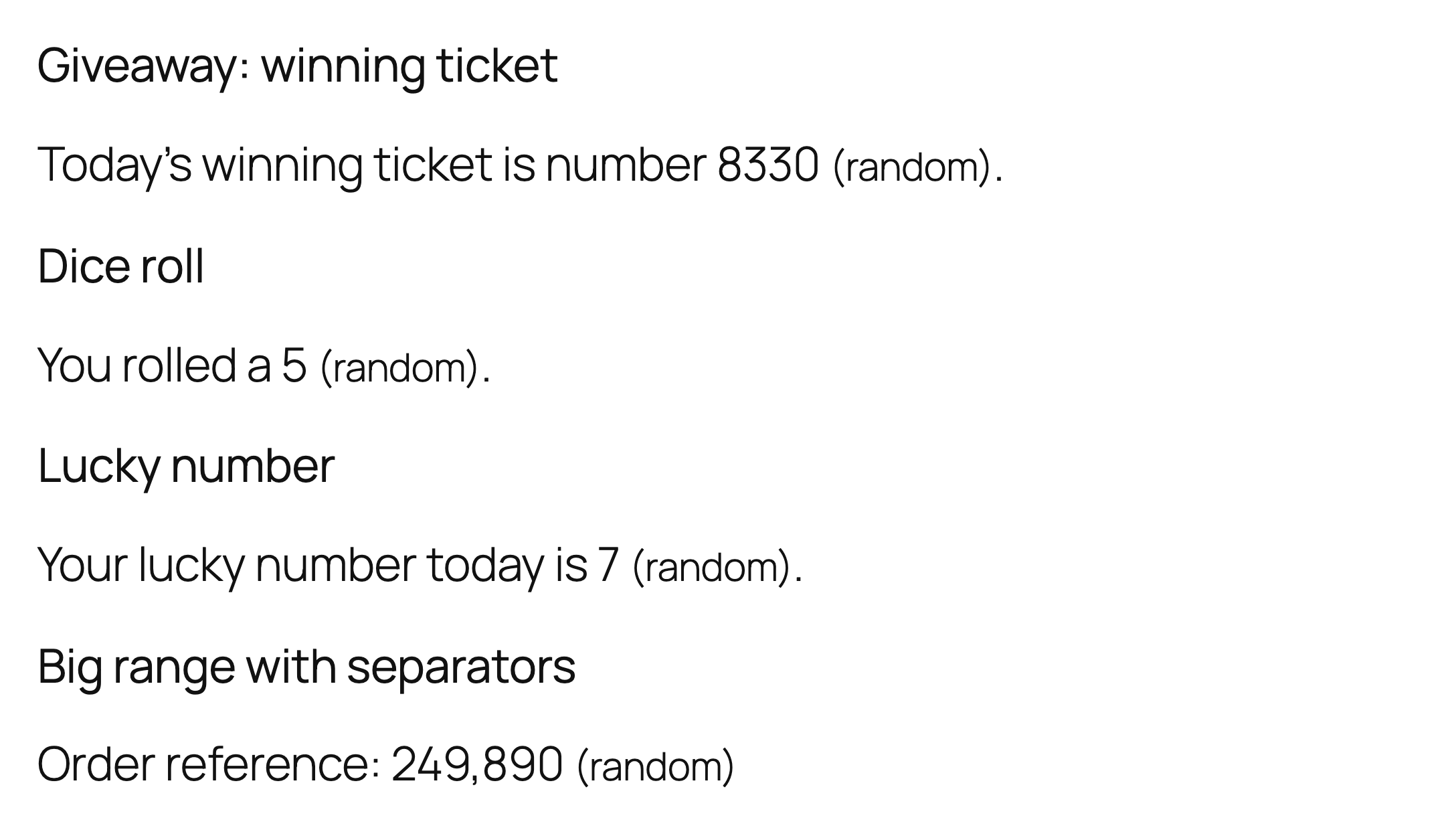
- Giveaway or contest placeholder numbers
- Lucky numbers, dice-style demos and games
- Test data and sample figures while you build a page
- Random values for form fields or URLs
- Checking whether a page is cached: the number changes on every uncached page load
Installation
- Téléchargez les fichiers du plug-in dans le répertoire
/wp-content/plugins/a-random-numberou installez directement le plugin via l'écran des plugins WordPress. - Activez le plugin via l'écran "Plugins" dans WordPress
- Use the shortcode to display your magic number.
Journal de modifications
Adds a Gutenberg block and makes the plugin translation-ready.
1.3.0
- New: Gutenberg block “A Random Number” with minimum, maximum and thousands-separator settings.
- Translation-ready: all strings use the a-random-number text domain.
- A review reminder in the admin after two weeks, dismissible.
- Requires WordPress 5.8 or newer.
1.2.2
- Hardening: direct-access guard, prefixed function names, shortcode min/max are cast to integers (non-numeric values no longer cause a fatal error on PHP 8), output of the stored link data is escaped, editor button accepts only whole numbers, WordPress random functions are used.
1.2.1
- Tested with WordPress 7.1. Outbound credit links now carry rel=”nofollow”.
1.2
- Updated to the latest WordPress version.
1.1
- Added comma attribute to remove commas if needed.
- Released August 19, 2017
1.0
- Launched A Random Number into the Internets. It’s alive!
- Released January 8, 2016
Captures d'écran

Pour les développeurs
Est-ce votre plugin ? Montrez les chiffres.
Ajoutez un badge en direct à votre site, docs ou github readme. Il se met à jour par lui-même - aucun compte n'est nécessaire.
Best A Random Number alternatives
Tous les plugins Gutenberg →





FAQ
A Random Number: quick answers
Réponses directes, extraites des données en direct WordPress.org.
Source : WordPress.org
Is A Random Number free?
Yes. A Random Number is free to download and use from the official WordPress.org plugin directory.
Is A Random Number safe to use in 2026?
A Random Number is a solid plugin choice in 2026, with a few things worth checking first. It runs on 700+ sites, is rated 3.7/5 and was last updated 3 weeks ago, and scores 66/100 on our health check.
How many websites use A Random Number?
A Random Number is active on 700+ WordPress websites and has been downloaded 16,276 times since it launched in January 2016. It was downloaded 807 times in the last 30 days.
Does A Random Number work with WordPress 7.1?
Yes. The developer has tested A Random Number up to WordPress 7.1.5, the latest release. It requires WordPress 5.8 or newer.
What PHP version does A Random Number need?
A Random Number requires PHP 7.4 or higher. Most hosts run PHP 8.x today, so it works on any modern WordPress hosting.
When was A Random Number last updated?
The latest version, 1.3.0, was released on October 27, 2026 (3 weeks ago).
Who makes A Random Number?
A Random Number is developed and maintained by Mortgage Calculator.
What are the best alternatives to A Random Number?
The most popular alternatives to A Random Number are Classic Editor (8M+ installs), Classic Widgets (2M+ installs) and Advanced Editor Tools (1M+ installs).
Propulsé par PageForge
Un modèle et une feuille de calcul. Une vraie page pour chaque recherche.
PageForge transforme chaque ligne d'un CSV en une page WordPress avec son propre titre, URL, SEO et schéma, construit sur la mise en page que vous Déjà conçu. Gratuit sur WordPress.org.
- CSV et XLSX, plus Google Sheets sur les professionnels et les entreprises
- Son propre titre, URL, SEO champs et schéma pour chaque page
- Fonctionne avec l'éditeur de blocs, Elementor, Divi et Avada
- Gratuit sur WordPress.org, pas de carte de crédit