


3D Viewer – Turn Product Pages into Interactive 3D Experiences
Embed interactive 3D models, 360° product views, and AR experiences in WordPress. Supports GLB, GLTF, OBJ, STL, FBX – WooCommerce ready.

Choix
Yes — 3D Viewer is a safe, well-maintained plugin to use in 2026. It runs on 9K+ sites, is rated 4.7/5 and was last updated 2 weeks ago, and scores 92/100 on our health check.
- Loved by users — 4.7/5 from 24 reviews
- Développé activement — Dernière mise à jour il y a 2 semaines
- Testé avec le dernier WordPress (7.1)
- Momentum — downloads up 53.2% vs the previous 30 days
Comment s'accumule-t-il ?
Côte à côte sur les installations, les mises à jour, les évaluations et le support



Téléchargements quotidiens
Les pics de téléchargement suivent généralement une nouvelle version - chaque site qui met à jour automatiquement compte comme un téléchargement.
Classements
Where 3D Viewer stands todayWordPress.org Classements de recherche
Position en direct dans la recherche de plugins, Top 100| Mot-clé | Position |
|---|---|
| 360 product view | #3 |
| 3D model viewer | #1 |
| Augmented Reality | #2 |
| glb | #1 |
| WooCommerce | >100 |
Adoption de version
Part de sites actifs par version.
Répartition des notes
★★★★★★★★★★ 4.7 from 24 reviews
About 3D Viewer
À partir du Lisezmoi officiel · v2.1.0Description
Turn flat product photos into interactive 3D experiences your visitors can rotate, zoom, and even place in their own room with Augmented Reality – no code required.
3D Viewer | Documentation | Pricing | Support | Live Demo
Why 3D Viewer?
Static images make visitors guess. 3D Viewer lets them explore. Embed interactive 3D models in posts, pages, widgets, and WooCommerce product pages – visitors can rotate, zoom, pan, and inspect every angle with a mouse or touchscreen, exactly like holding the product in their hands.
Built on the proven Three.js engine, 3D Viewer supports all major 3D formats (GLB, GLTF, OBJ, STL, FBX, DAE, PLY, 3DS) and renders them responsively on every device. Lazy loading keeps your pages fast, and native Gutenberg and Elementor integration means you place a model the same way you place an image.
Selling online? Show your WooCommerce products in 3D and let customers interact before they buy – interactive product views build the confidence that turns browsers into buyers.
Augmented Reality is free. AR is part of the free plugin – no upgrade, no add-on. Switch it on for any model and visitors on supported phones can place it in their own room, while desktop visitors scan a QR code to open the same model in AR on their phone.
Free Features – Everything You Need to Get Started
- Embed Anywhere: Place 3D models in posts, pages, and widgets with a shortcode or Gutenberg block.
- Augmented Reality (AR) – now free: Let mobile visitors view models in their real environment via WebXR, Scene Viewer, and Quick Look – including QR code access from desktop. Set the AR placement (floor or wall) and add an optional iOS
.usdzsource. - All Popular 3D Formats: Upload and display .GLB, .GLTF, .OBJ, .STL, and more.
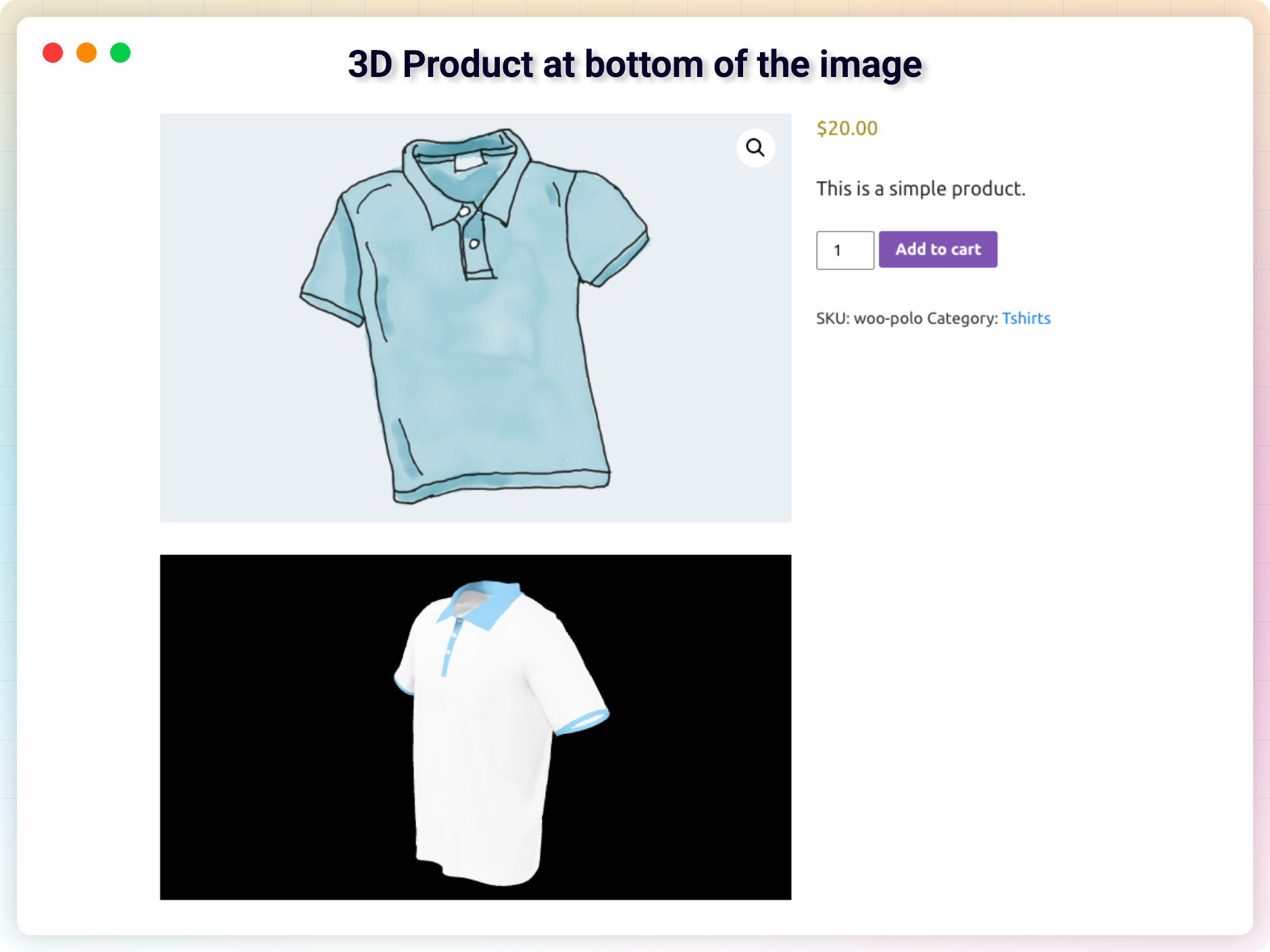
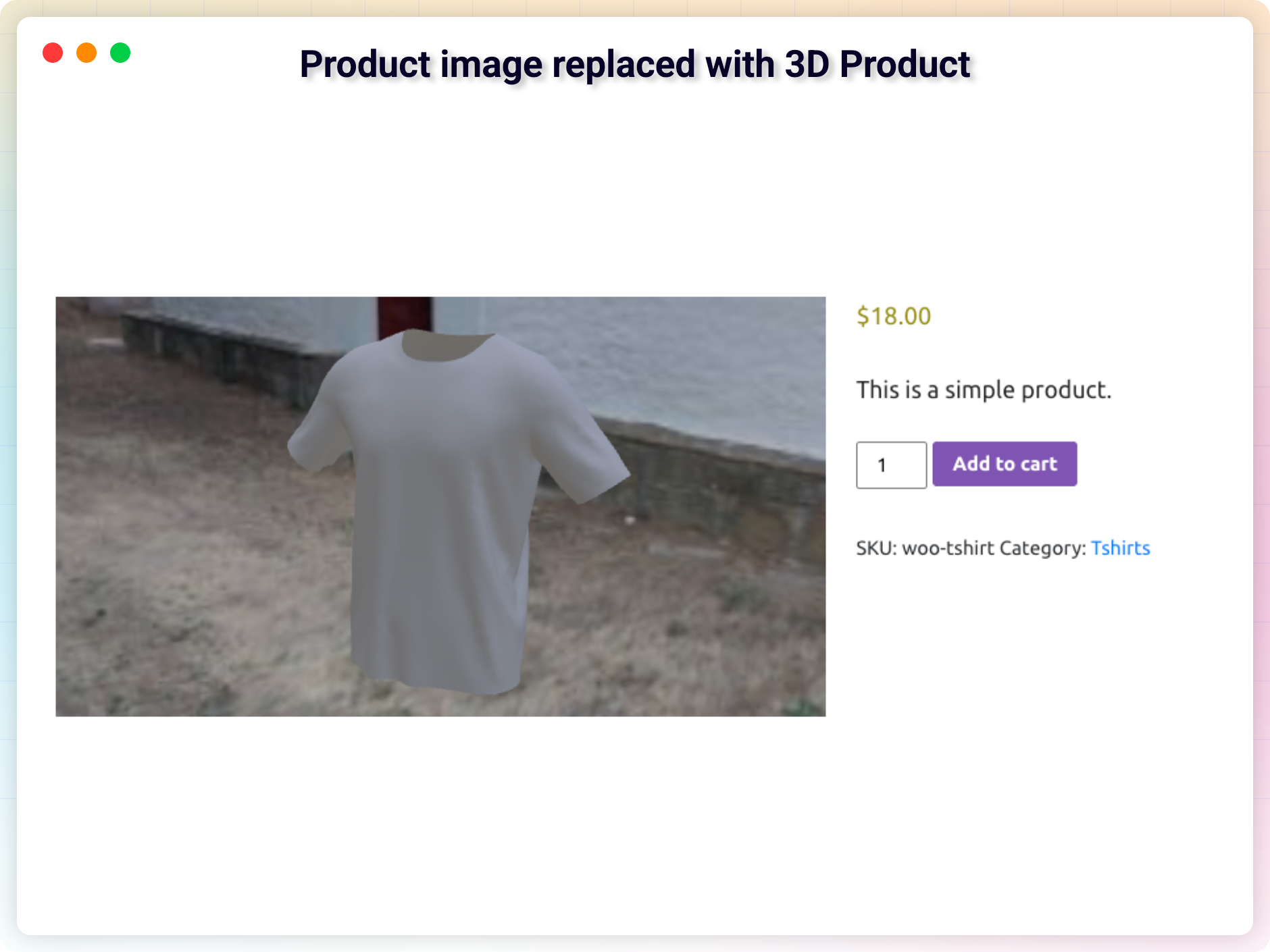
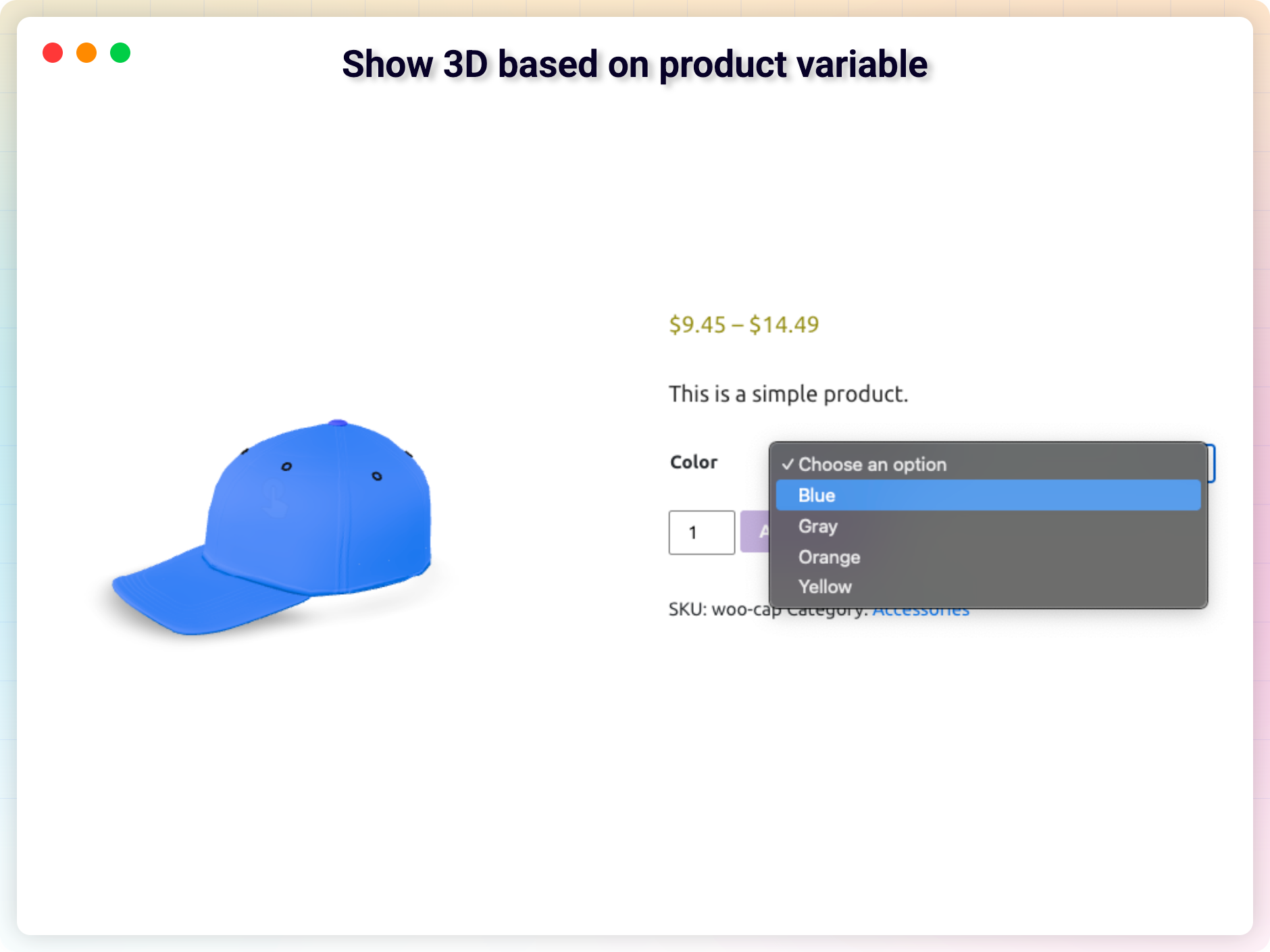
- WooCommerce Integration: Show interactive 3D product views right on your product pages.
- FluentCart Integration: Show a 3D model on FluentCart product pages – in the gallery as a thumbnail, above or below it, or instead of it.
- Dokan Marketplace Support: Let vendors add 3D models to their own products, within the limits you set.
- Touch, Pan, Zoom & Rotate: Full mouse and touchscreen gesture support out of the box.
- Environment & Skybox Images – now free: Add an environment image for realistic lighting and reflections, or set an HDR skybox as the model’s background.
- Elementor Compatible: Drop 3D models into Elementor layouts with ease.
- Lazy Loading for Performance: Models load only when visible, keeping pages fast and SEO-friendly.
- Live Editor Preview: See your 3D model directly in the editor while you configure it.
- Optional Download Button: Let visitors download the 3D file straight from the viewer – off by default, one toggle to enable.
- Guided Setup: A short walkthrough on first activation that gets your first 3D model on the page.
Pro Version – Unlock More Control & Customization
Want even more flexibility? 3D Viewer Pro adds powerful features that let you fine-tune the viewer, improve performance, and streamline your workflow.
Pro features include:
- Drag-and-drop Elementor widget with full viewer settings.
- External model URLs (Amazon S3, Google Drive, CDNs, and more).
- Fine-grained lighting, shadow intensity, and exposure controls.
- Poster image shown while the model loads, plus a loading progress bar.
- Auto-rotate, fullscreen, and autoplay toggles.
- Custom camera angle for the perfect first impression.
- WooCommerce 3D gallery with multiple models per product.
- Hotspots and annotations to highlight product details.
How to Use 3D Viewer – Quick Start
Add your first model in under a minute:
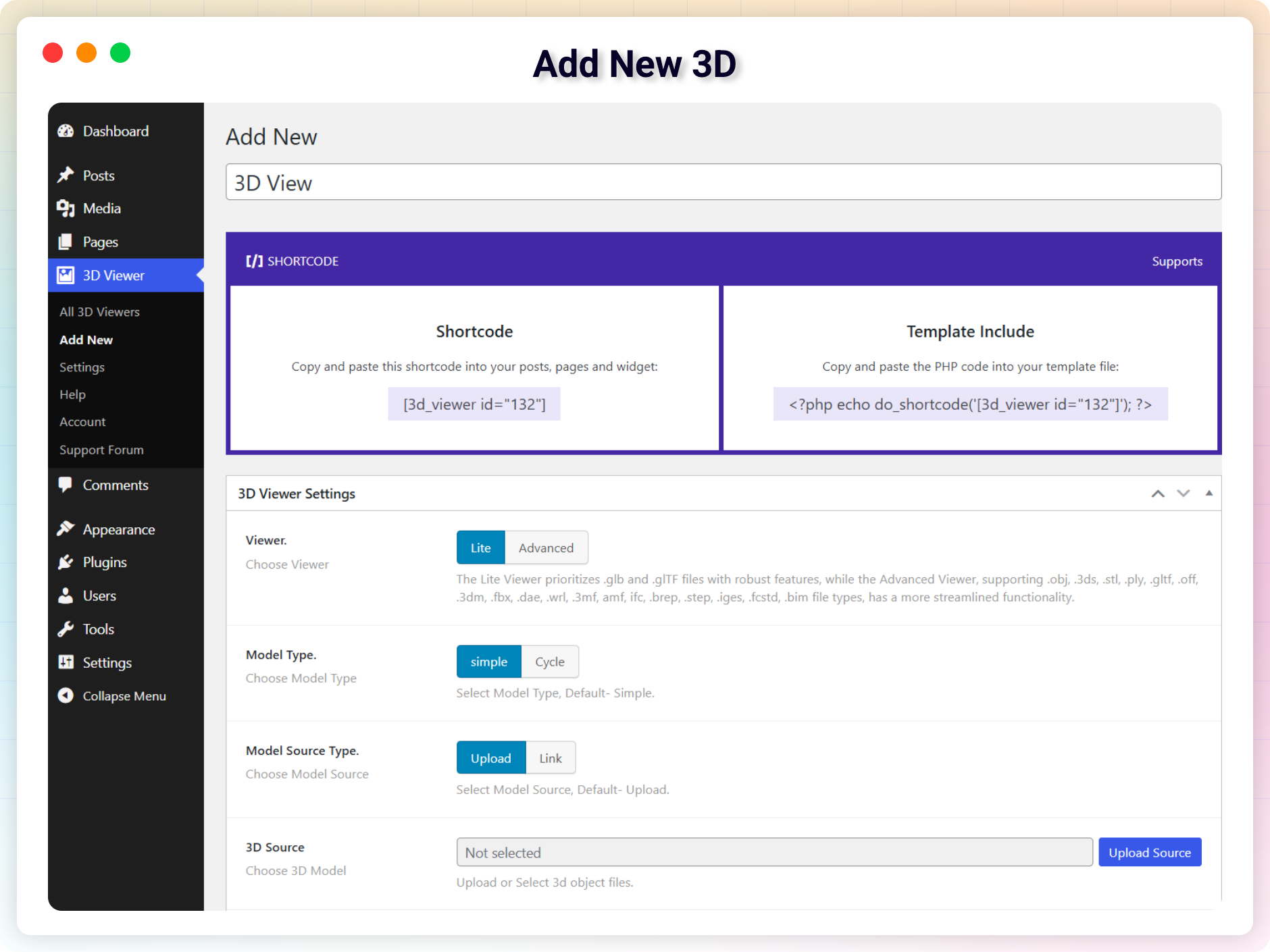
- Go to 3D Viewer → Add New in your WordPress dashboard.
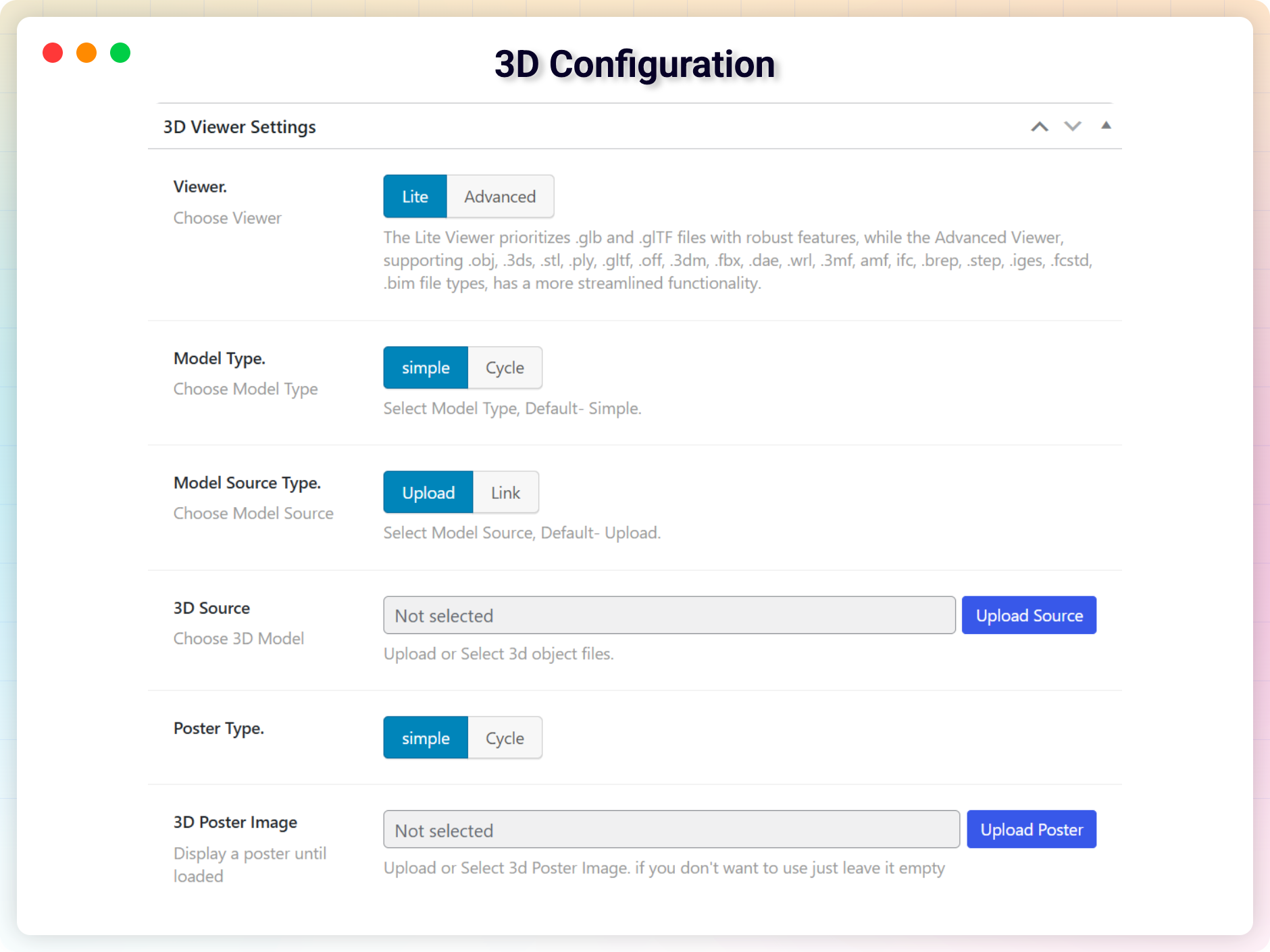
- Upload your 3D model or paste a URL.
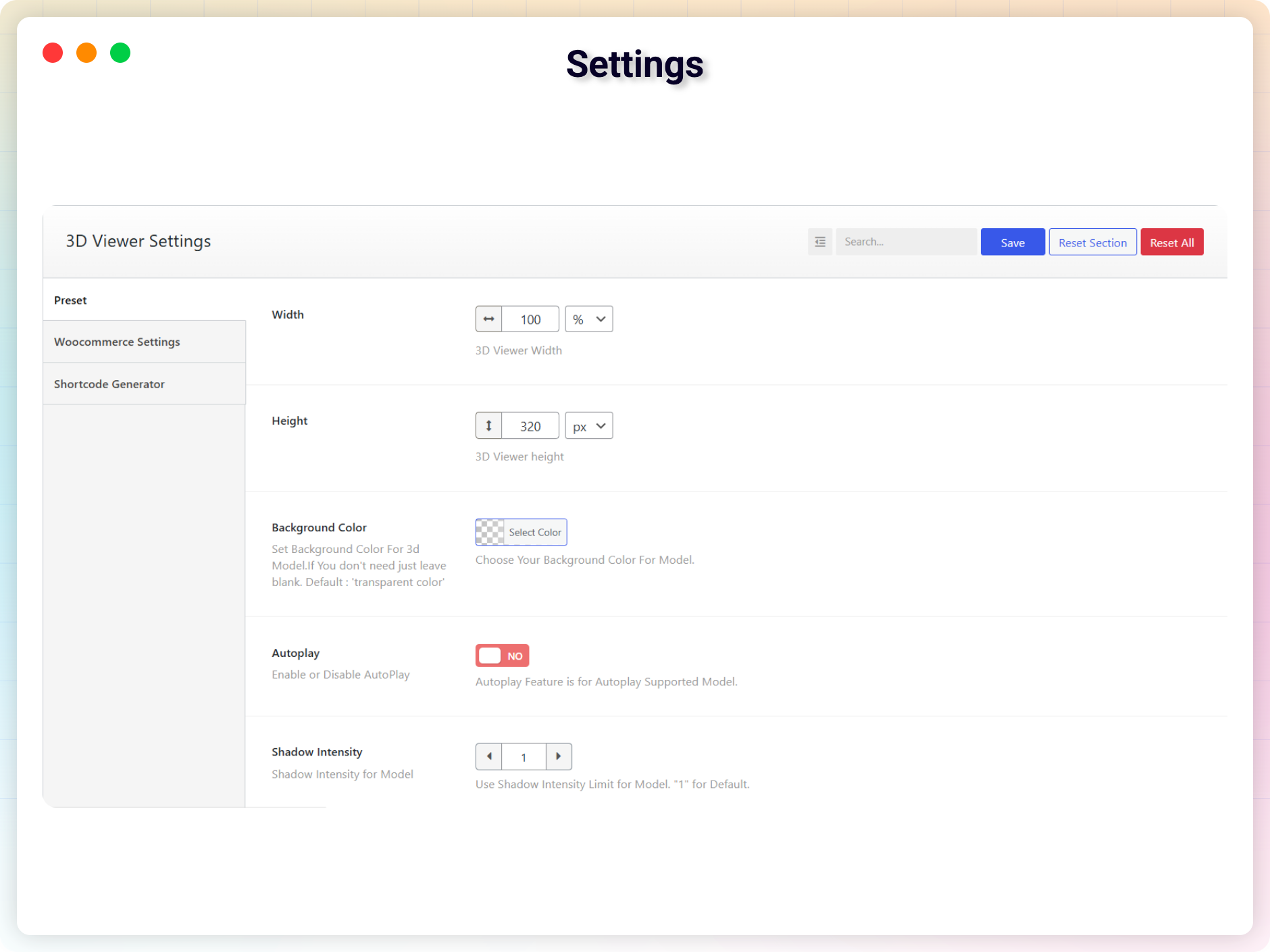
- Customize the viewer (lighting, rotation, background, and more).
- Click Save to generate a shortcode.
- Paste the shortcode into any post, page, or widget.
Embed in a WooCommerce product:
- Edit or create a WooCommerce product.
- Scroll to the 3D Viewer Settings metabox.
- Upload the model file or paste an external link.
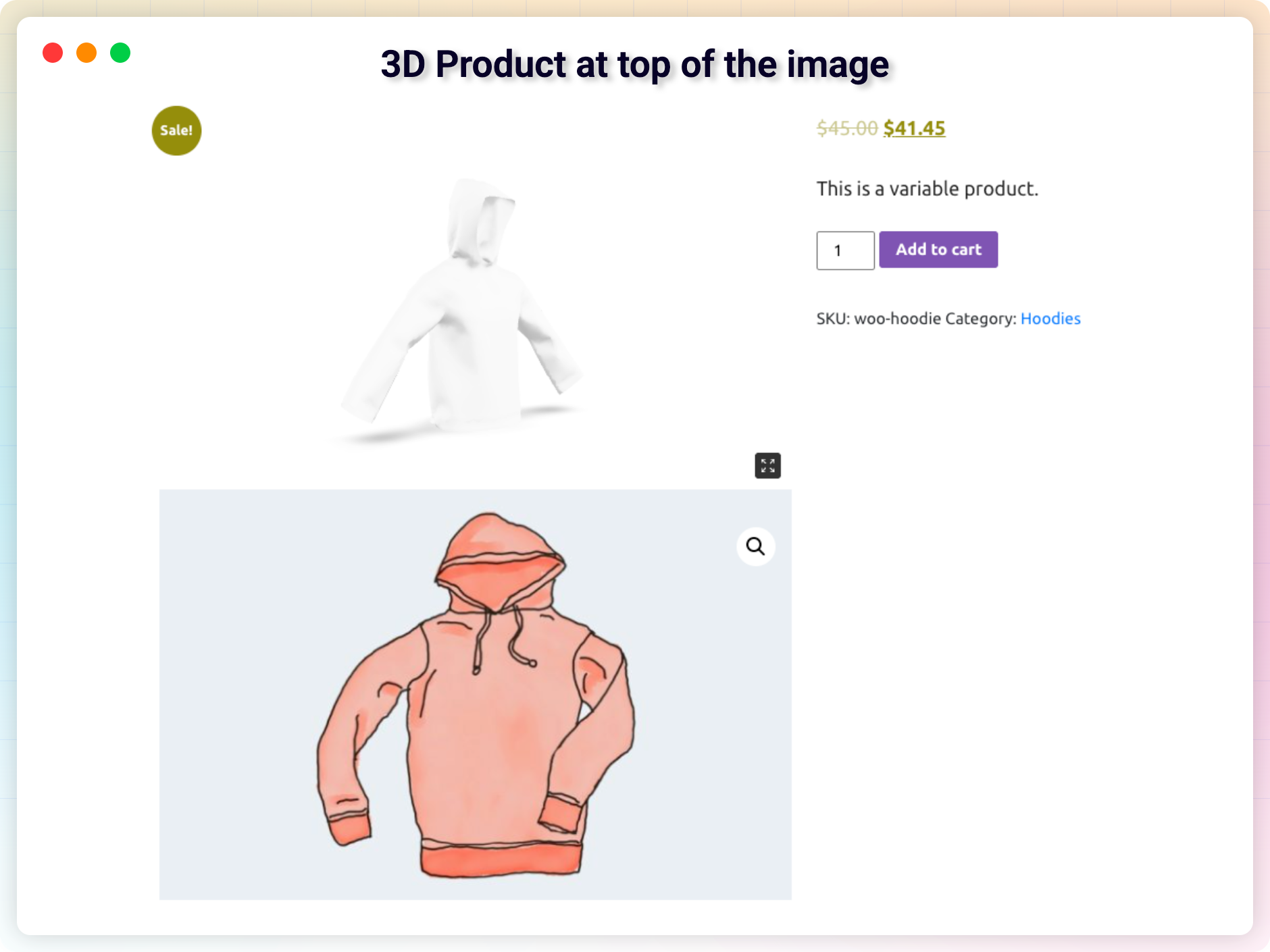
- Publish – the 3D model appears on the product page.
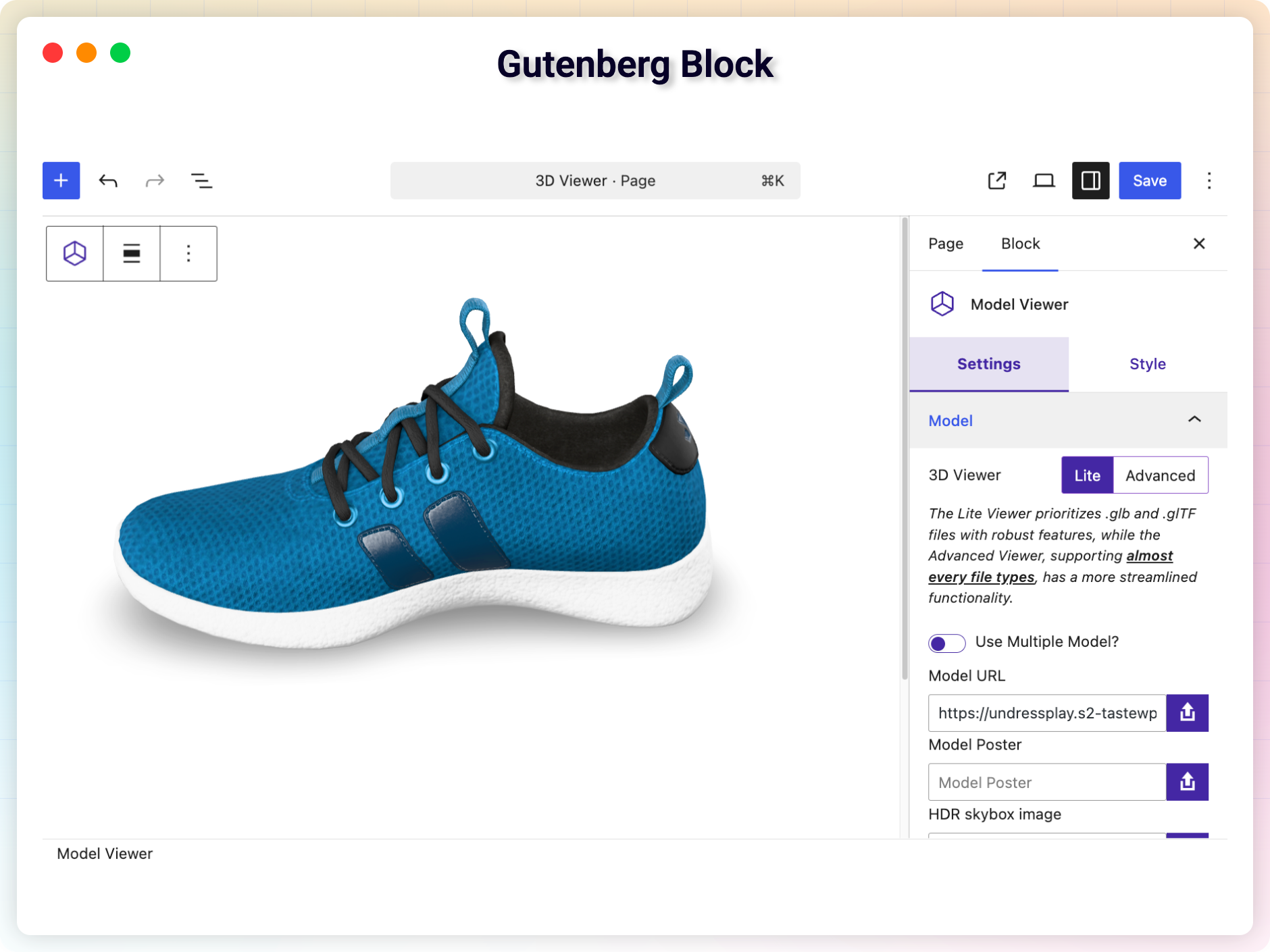
Prefer the block editor? Add the 3D Viewer block to any post or page, choose your model, and hit Publish. That’s it – your 3D model is live!
Use Cases
- WooCommerce Stores: Let customers rotate and inspect products in 3D before buying.
- Education & Training: Embed anatomical models, mechanical parts, or scientific visuals.
- Architecture & Engineering: Present 3D building plans and prototypes to clients.
- Gaming & Digital Assets: Showcase characters, assets, and environments interactively.
- Art & Design Portfolios: Highlight sculpture, product design, and creative work.
- Research & Prototyping: Share experimental models for collaborative feedback.
- Packaging & Mockups: Let stakeholders explore packaging in real time before production.
Supported 3D File Formats
.GLB, .GLTF, .OBJ, .STL, .FBX, .DAE, .PLY, .3DS
Optimized for All Devices
- Fully responsive and mobile-friendly
- Touch gesture support (rotate, zoom, pan)
- Retina-ready rendering
- Compatible with popular WordPress themes
What Users Say
❛❛It’s the most valid plugin I have found for viewing 3D models. The support is also very good and an issue I reported was immediately corrected.❜❜
– diegoparoni
❛❛Fantastic plugin. The main feature that I like is the 3D model is perfectly loaded and you can adjust the light. I am using the PRO version.❜❜
– blunoa
Like the plugin? Missing a feature? Send your feedback – we ship improvements every month.
Check Out Our Other WordPress Plugins
Html5 Video Player – Display videos as single and playlist in multiple skins.
Html5 Audio Player – Listen to audio with awesome visuals.
PDF Poster – Display and embed PDF files with different styles.
StreamCast – Customizable radio player with different skins.
Advanced Post Block – Show posts and custom posts in different layouts.
Source Code
You can find the source code, report bugs, and contribute to the development of this plugin on our GitHub repository:
3D Viewer on GitHub
External Services
This plugin connects to the following external services. Apart from the decoder downloads listed under “Google Hosted Libraries” and “jsDelivr”, connections are made only from the plugin’s admin dashboard pages and are not triggered for your site’s visitors on the front end.
bPlugins API
- Service: bPlugins product API –
https://api.bplugins.com - What it does: When you open the plugin’s dashboard, the plugin requests product information (such as the plugin’s own details and other plugins by bPlugins) so it can display product cards, version information, and upgrade options.
- What data is sent: A request is made to the bPlugins API endpoint with the product identifier (e.g.
https://api.bplugins.com/wp-json/bpl/v1/products/{id}). No personal data or site content is sent as part of this request. - When: Only while an administrator is viewing the plugin’s dashboard in wp-admin.
- Terms of Service: https://bplugins.com/terms-of-service/
- Privacy Policy: https://bplugins.com/privacy-policy/
WordPress.org Plugins API
- Service: WordPress.org Plugins Info API –
https://api.wordpress.org - What it does: The dashboard queries the public WordPress.org Plugins API to list other plugins published by the author (titles, icons, ratings, active installs, etc.).
- What data is sent: A public, read-only query request (e.g.
https://api.wordpress.org/plugins/info/1.2/?action=query_plugins&request[author]=bplugins). No personal data is sent. - When: Only while an administrator is viewing the plugin’s dashboard in wp-admin.
- Terms of Service: https://wordpress.org/about/privacy/
- Privacy Policy: https://wordpress.org/about/privacy/
Freemius Checkout
- Service: Freemius Checkout –
https://checkout.freemius.com - What it does: When an administrator clicks “Buy” or “Upgrade” in the plugin’s dashboard, the Freemius checkout overlay is loaded so the purchase can be completed without leaving wp-admin.
- What data is sent: The product and plan identifiers, and the current administrator’s email address and display name, to pre-fill the checkout form.
- When: Only when an administrator opens the checkout from the plugin’s dashboard in wp-admin.
- Terms of Service: https://freemius.com/terms/
- Privacy Policy: https://freemius.com/privacy/
Google Hosted Libraries (Draco and Basis decoders)
- Service:
https://www.gstatic.com - What it does: The bundled
<model-viewer>library downloads the Draco mesh decoder and the Basis Universal texture decoder from Google’s CDN, but only when a model actually uses Draco compression or KTX2/Basis textures. - What data is sent: A plain file request; no personal data or site content is sent.
- When: On the front end, when a visitor views a compressed model that needs one of these decoders.
- Terms of Service: https://developers.google.com/speed/libraries/terms
- Privacy Policy: https://policies.google.com/privacy
jsDelivr (Advanced viewer format decoders)
- Service:
https://cdn.jsdelivr.net - What it does: The bundled Online 3D Viewer library (the “Advanced” viewer) downloads the
occt-import-js,rhino3dm,web-ifcanddraco3ddecoders from jsDelivr, but only when a model in a format that needs them (STEP, IGES, BREP, 3DM, IFC or Draco-compressed) is viewed. - What data is sent: A plain file request; no personal data or site content is sent.
- When: On the front end, when a visitor views a model in one of those formats with the Advanced viewer.
- Terms of Service: https://www.jsdelivr.com/terms
- Privacy Policy: https://www.jsdelivr.com/terms/privacy-policy-jsdelivr-net
Third-Party Libraries
This plugin bundles the following third-party JavaScript/PHP libraries.
Codestar Framework
- Source: http://codestarframework.com/
- GitHub: https://github.com/Codestar/codestar-framework
- License: GPLv2 or later – https://github.com/Codestar/codestar-framework/blob/master/LICENSE.md
- Purpose: Provides the options framework for the plugin’s settings and shortcode generator.
bfields
- Folder:
lib/bfields/ - Author: bPlugins
- GitHub: https://github.com/bPlugins/bfields (this plugin ships release
v1.1.1) - Download: bfields 1.1.1 (zip) – the same
php/,build/andlanguages/this plugin bundles inlib/bfields/. - Source: The compiled files in
lib/bfields/build/are built from the TypeScript/CSS in theui/folder of the repository above withnpm ci && npm run build. Build steps and a file-by-file source map are in the repository’s README. - License: GPLv2 or later – https://www.gnu.org/licenses/gpl-2.0.html
- Purpose: Draws the new admin interface for the settings page and the viewer and product meta boxes.
Inter (font)
- Files:
build/fonts/inter-*.woff2,lib/bfields/build/fonts/inter-*.woff2 - Author: Rasmus Andersson
- GitHub: https://github.com/rsms/inter
- License: SIL Open Font License 1.1 – https://github.com/rsms/inter/blob/master/LICENSE.txt
- Purpose: The typeface of the Help & Demos, onboarding and new admin interface screens. Self-hosted; no requests to Google Fonts.
Freemius SDK
- Source: https://freemius.com/
- GitHub: https://github.com/Freemius/wordpress-sdk
- License: GPLv3 – https://github.com/Freemius/wordpress-sdk/blob/master/LICENSE.txt
- Purpose: Provides opt-in usage tracking and analytics to help improve the plugin.
Online 3D Viewer (o3dv)
- File:
public/js/o3dv.min.js - Source: https://github.com/kovacsv/Online3DViewer
- License: MIT – https://github.com/kovacsv/Online3DViewer/blob/master/LICENSE.md
- Purpose: Provides the “Advanced” 3D viewer engine, supporting GLB, GLTF, OBJ, STL, and other 3D file formats.
The bundle also includes the following sub-dependencies:
- Three.js r163 – MIT – https://github.com/mrdoob/three.js
- fflate 0.8.2 – MIT – https://github.com/101arrowz/fflate
- Chevrotain 9.0.1 – Apache-2.0 – https://github.com/Chevrotain/chevrotain
Google Model Viewer
- File:
public/js/model-viewer.latest.min.js - Source: https://github.com/google/model-viewer
- npm:
@google/model-viewer - License: Apache-2.0 (code) / BSD-3-Clause (some components) – https://github.com/google/model-viewer/blob/master/LICENSE
- Purpose: Provides the
<model-viewer>web component used for the “Lite” viewer and WooCommerce product display.
The bundle also includes the following sub-dependencies:
- Three.js r174 – MIT – https://github.com/mrdoob/three.js
- Lit 3.2.1 / LitElement 4.1.1 – BSD-3-Clause – https://github.com/lit/lit
bpl-tools
- Source / GitHub: https://github.com/bPlugins/bpl-tools
- License: GPL-2.0-or-later – https://www.gnu.org/licenses/gpl-2.0.html
- Purpose: Shared utility library providing admin dashboard components and common Gutenberg editor controls.
- External Services: The library may connect to bPlugins, WordPress.org, and Freemius services for product data and checkout functionality. See full details: https://github.com/bPlugins/bpl-tools#external-requests–why-they-are-made
bp-extension-manager
- Source / GitHub: https://github.com/bPlugins/bp-extension-manager
- License: GPL-2.0-or-later – https://www.gnu.org/licenses/gpl-2.0.html
- Purpose: Shared library that discovers, gates, licenses, and administers the plugin’s add-on extensions from the “Extensions” admin page.
- External Services: The library may connect to bPlugins, WordPress.org, and Freemius services to list available add-ons, resolve download URLs, and manage licenses. Connections are made only from the plugin’s admin dashboard.
Installation
From your WordPress dashboard (recommended):
- Go to Plugins → Add New.
- Search for “3D Viewer”.
- Click Install Now, then Activate.
- Go to 3D Viewer → Add New to upload your first model.
Manual installation:
- Upload the plugin folder to the
/wp-content/plugins/directory. - Activez le plugin via le menu plugins dans WordPress.
- Use the shortcode in any page, post, or widget.
- To embed in theme PHP, place
<?php echo do_shortcode('YOUR_SHORTCODE'); ?>in your template.
Journal de modifications
New admin interface; the classic one stays available in Settings. Viewer controls are now buttons: custom CSS that targets svg.control-btn should use .control-btn.
2.1.0 – 2 November, 2026
- New: FluentCart integration: show 3D models on FluentCart product pages.
- New: Dokan integration: vendors can add 3D models to their own products (off by default).
- New: WooCommerce products show AR and the iOS USDZ model set in Pro or by a Dokan vendor; the product box can switch AR and change the USDZ file.
- Improvement: Products without 3D settings start on Show 3D on First Image instead of None; products with 3D settings keep theirs.
- Changed: The AR QR code opens centred over the model instead of beside the AR button.
- Fixed: A product without a model no longer loads an empty viewer and its scripts.
- Fixed: The Lite viewer poster is now centred instead of anchored to the top-left.
- Fixed: Advanced Viewer: switching models threw console errors, and pages with Tailwind CSS shrank it to a small box.
- Security: The iOS (USDZ) model URL now accepts web addresses only, so an unsafe link can no longer reach the AR button.
2.0.0 – 18 October, 2026
- New: New admin interface for Settings, viewers and WooCommerce products; switch back to the classic interface any time from Settings.
- New: Redesigned Help & Demos dashboard.
- New: Exit fullscreen button.
- Changed: Model pickers show only 3D files.
- Changed: Viewer controls are now buttons; custom CSS that targets
svg.control-btnshould use.control-btn. - Fixed: Saving in the free version no longer drops data added with the Pro version.
- Fixed: Lazy Load now works for blocks and WooCommerce products.
- Fixed: Theme Compatibility Mode works with more themes.
- Fixed: The Advanced viewer no longer downloads the model twice.
- Fixed: Multi-model viewers made with Pro show their first model, as Pro does without a licence.
- Fixed: Re-saving an older viewer no longer turns on zoom buttons, the progress bar, or a different environment image.
- Fixed: The download button icon no longer goes blank on some themes and in the Live Preview.
- Fixed: The model picker notes list the formats actually enabled for upload.
- Fixed:
[3d_viewer_product id="…"]shows that product’s model on any page.
1.9.4 – 26 September, 2026
- Changed: Redesigned the guided setup as a three-step onboarding.
- New: Added a Monthly billing cycle to the Pricing page.
- Update: The block editor placeholder now reads “Add Your 3D Model” and keeps the block’s height.
- Update: The old guided setup URL now redirects to the new one.
1.9.3 – 9 September, 2026
- New: Environment Image and HDR Skybox Image are now available in the free version, in the Gutenberg block, the Elementor widget, and the shortcode generator.
- Fixed: The viewer no longer spins forever when the 3D model file is missing (404) or fails to load; it now shows a short message instead.
- Update: All supported 3D formats, including .hdr for skybox images, are now enabled for upload by default; any of them can still be turned off in Settings → Allowed Mime Types.
- Fixed: The double-extension upload guard (e.g. model.php.glb) passed such files through instead of blocking them; they are now refused.
- Fixed: Guided Setup kept its full-screen layout only if no other plugin appended its admin body class without a space (e.g. Tutor LMS); it now stays full-screen regardless.
1.9.2 – 12 August, 2026
- New: Added a 3D file download button that lets visitors download the model file from the viewer. Off by default, and available in the Gutenberg block, the Elementor widget, and the shortcode generator.
- New: Added a guided setup walkthrough for new installs, covering the ways to add a model and ending on your first 3D model. Existing sites can start it from Help & Demos → Guided Setup.
- Fixed: Uninstalling the free plugin no longer removes 3D Viewer data while 3D Viewer Pro is active.
- Fixed: The Elementor widget no longer stays blank on sites that reorder, defer, or delay scripts, and the editor preview now always loads the viewer libraries.
- Update: The Elementor widget keeps its configured height while no model is selected, instead of collapsing to the widget icon.
- Update: Rebuilt the Elementor file picker with a file preview, a Replace button and a Remove button. Selected files are unchanged.
- Fixed: The Elementor file picker no longer clashes with other bPlugins plugins (Panorama Lite, HTML5 Video Player) that shipped a control of the same name, which could leave one plugin’s picker unresponsive.
- Update: Augmented Reality (AR) is now available in the free version, including WebXR, Scene Viewer, Quick Look, QR code access, AR placement, and the iOS .usdz source.
1.9.1 – 19 July, 2026
- New: Enabled GLB and GLTF uploads by default; other formats can be enabled from Settings → Allowed Mime Types.
- New: Added reminder notices in the shortcode generator, Gutenberg block, and Elementor widget prompting to enable other 3D formats from settings.
Captures d'écran
Pour les développeurs
Est-ce votre plugin ? Montrez les chiffres.
Ajoutez un badge en direct à votre site, docs ou github readme. Il se met à jour par lui-même - aucun compte n'est nécessaire.
Best 3D Viewer alternatives
All 360 product view plugins →FAQ
3D Viewer: quick answers
Réponses directes, extraites des données en direct WordPress.org.
Source : WordPress.org
Is 3D Viewer free?
Yes. 3D Viewer is free to download and use from the official WordPress.org plugin directory.
Is 3D Viewer safe to use in 2026?
Yes — 3D Viewer is a safe, well-maintained plugin to use in 2026. It runs on 9K+ sites, is rated 4.7/5 and was last updated 2 weeks ago, and scores 92/100 on our health check.
How many websites use 3D Viewer?
3D Viewer is active on 9K+ WordPress websites and has been downloaded 226,064 times since it launched in April 2021. It was downloaded 10,701 times in the last 30 days.
Does 3D Viewer work with WordPress 7.1?
Yes. The developer has tested 3D Viewer up to WordPress 7.1.5, the latest release. It requires WordPress 6.5 or newer.
What PHP version does 3D Viewer need?
3D Viewer requires PHP 7.4 or higher. Most hosts run PHP 8.x today, so it works on any modern WordPress hosting.
When was 3D Viewer last updated?
The latest version, 2.1.0, was released on November 2, 2026 (2 weeks ago).
Who makes 3D Viewer?
3D Viewer is developed and maintained by bPlugins.
What are the best alternatives to 3D Viewer?
The most popular alternatives to 3D Viewer are Easy 3d Model Viewer (100+ installs), 3D Scan & Show: Product Vie… (<10 installs) and Thridify (<10 installs).
Propulsé par PageForge
Un modèle et une feuille de calcul. Une vraie page pour chaque recherche.
PageForge transforme chaque ligne d'un CSV en une page WordPress avec son propre titre, URL, SEO et schéma, construit sur la mise en page que vous Déjà conçu. Gratuit sur WordPress.org.
- CSV et XLSX, plus Google Sheets sur les professionnels et les entreprises
- Son propre titre, URL, SEO champs et schéma pour chaque page
- Fonctionne avec l'éditeur de blocs, Elementor, Divi et Avada
- Gratuit sur WordPress.org, pas de carte de crédit