


PixeBuilder – Drag & Drop Page Builder & Website Builder
Free drag & drop page builder. Edit in place or in a side panel, add scroll-driven video with no add-on, and keep pages clean.

Safe pick
Yes — PixeBuilder is a safe, well-maintained plugin to use in 2026. It runs on 300+ sites, is rated 5/5 and was last updated 16 hours ago, and scores 81/100 on our health check.
- Actively developed — last update 16 hours ago
- Tested with the latest WordPress (7.1)
- Momentum — downloads up 243.1% vs the previous 30 days
- Small user base (300+ active installs)
How does it stack up?
Side-by-side on installs, updates, ratings & support



Daily downloads
Download spikes usually follow a new release — each site that auto-updates counts as a download.
Rankings
Where PixeBuilder stands todayWordPress.org search rankings
Live position in the plugin search, top 100| Keyword | Position |
|---|---|
| drag-and-drop | #60 |
| landing page | #89 |
| page builder | #100 |
| scroll animation | #93 |
| website builder | #45 |
Version adoption
Share of active sites per release.
Rating breakdown
★★★★★★★★★★ 5 from 6 reviews
About PixeBuilder
From the official readme · v1.3.3Description
PixeBuilder is a free drag & drop page builder for WordPress. Click any element on your page and edit it right there with the on-click popup, or switch to a classic side panel when you want every setting in view.
Pages stay lean: PixeBuilder outputs clean HTML and loads only the CSS and JavaScript each page actually uses.
The free version is a complete builder, not a trial: no time limit, no credit card, unlimited sites. When a project needs more, PixeBuilder Pro adds 100+ elements, 400+ prebuilt blocks, 200+ prebuilt pages, AI writing and image tools, and a header, footer and popup builder, with a 30-day money-back guarantee.
Built by a team with 14+ years of WordPress theme and plugin development.
Why PixeBuilder
Scroll Video, built in
Turn a video into a scroll story. Set it as the background of a container and it plays forward as visitors scroll down, rewinds as they scroll up, and holds still while your text scrolls past. Plan the scenes on a simple timeline of Play and Hold rows, and add separate files for tablets and phones if you like. No add-on, no code. Visitors who prefer reduced motion see a still image instead. Want text and cards to animate over the video? That’s Scroll Motion, part of PixeBuilder Pro.
Two ways to edit, one click apart
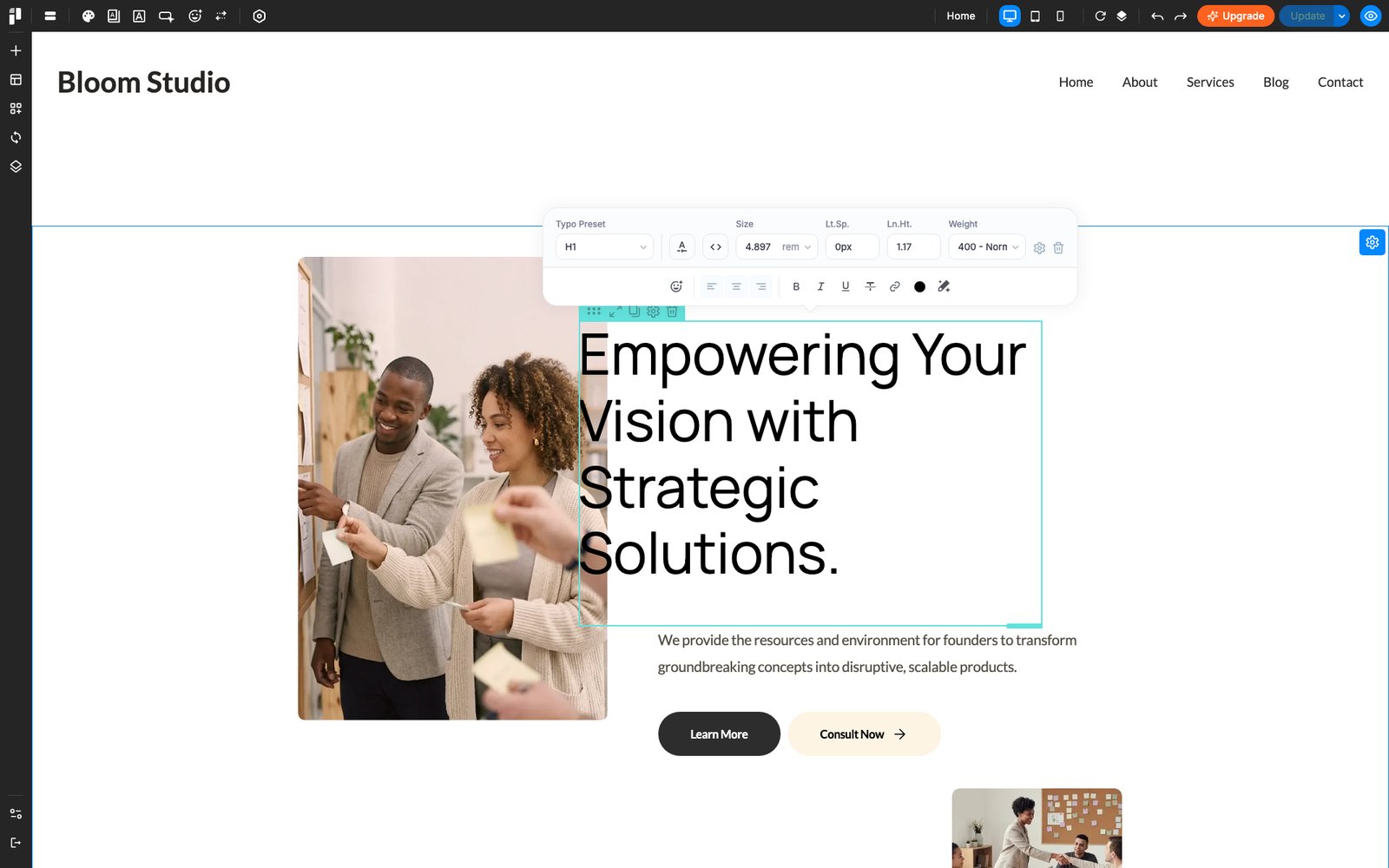
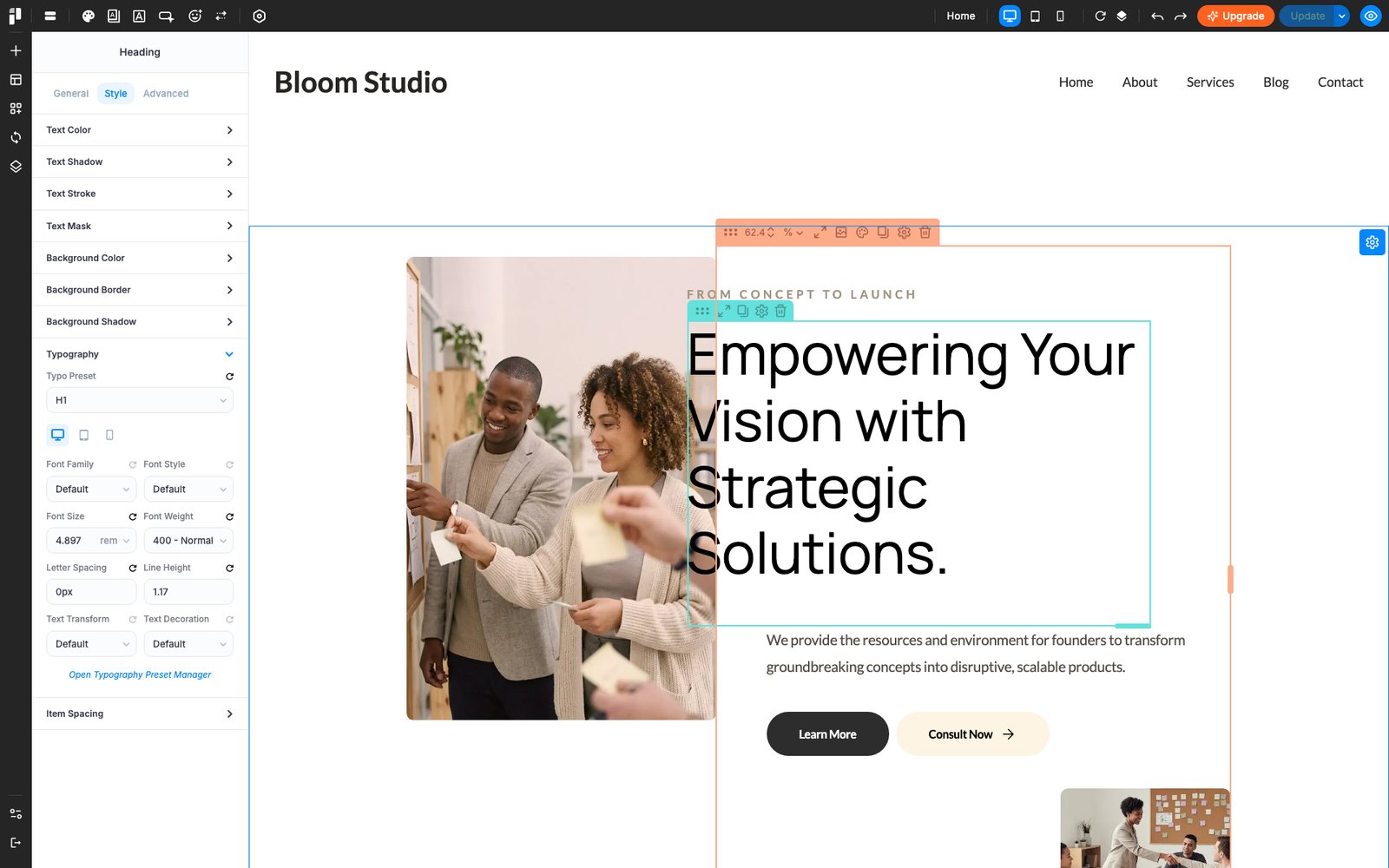
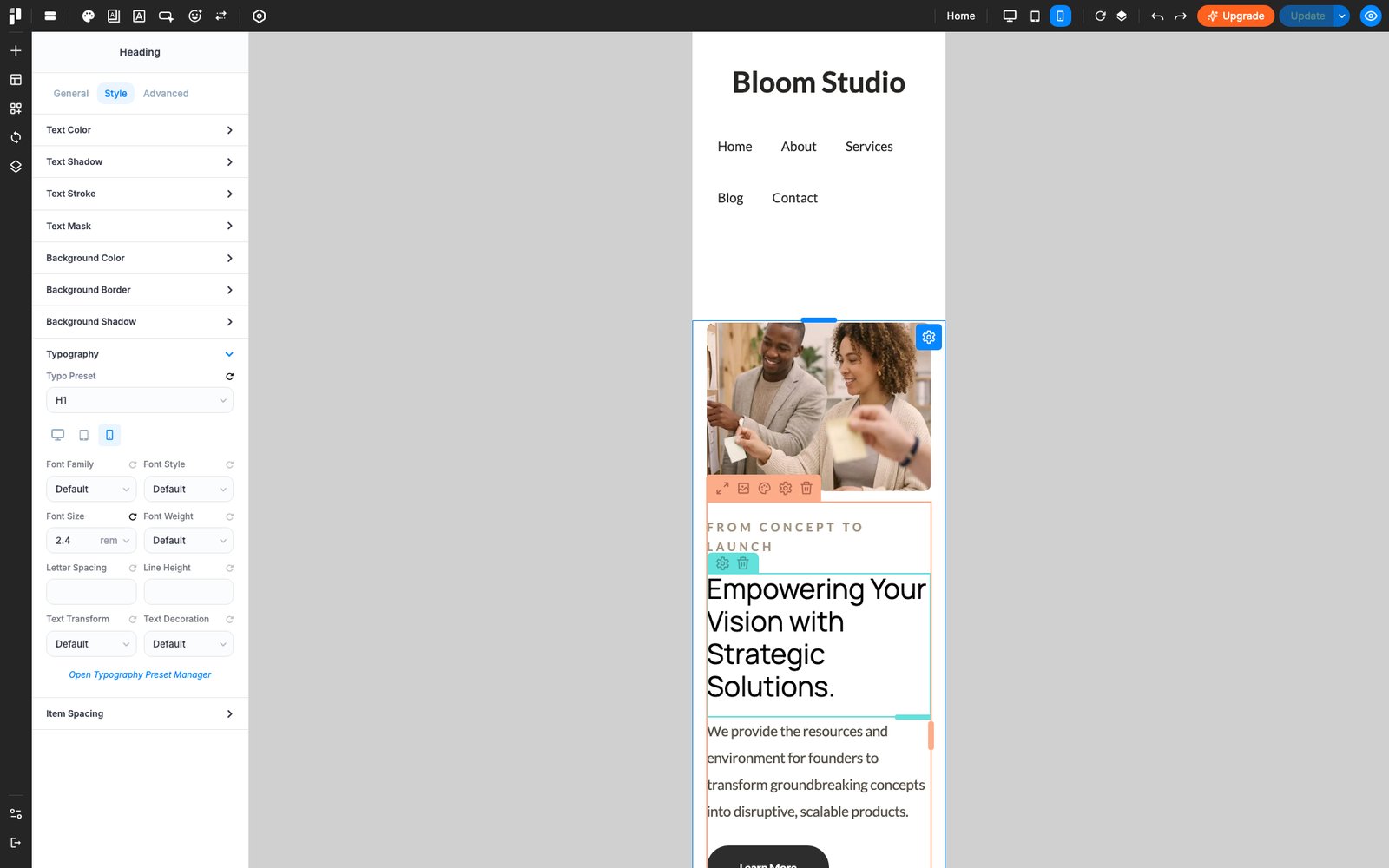
Click any element to open a compact settings popup right on the canvas, or switch to the Side Panel when you want every setting in view. Change modes at any time.
Lightweight by design, so your pages load fast
PixeBuilder adds no jQuery to your pages: its scripts are plain JavaScript. Icons are inline SVG, so there are no icon fonts, images further down the page lazy-load, and PixeBuilder’s styles and scripts load only on pages built with it. A resource manager loads only the CSS and JavaScript each page needs, and the output is clean HTML, so your pages stay lean as your site grows.
Set your styles once, use them everywhere
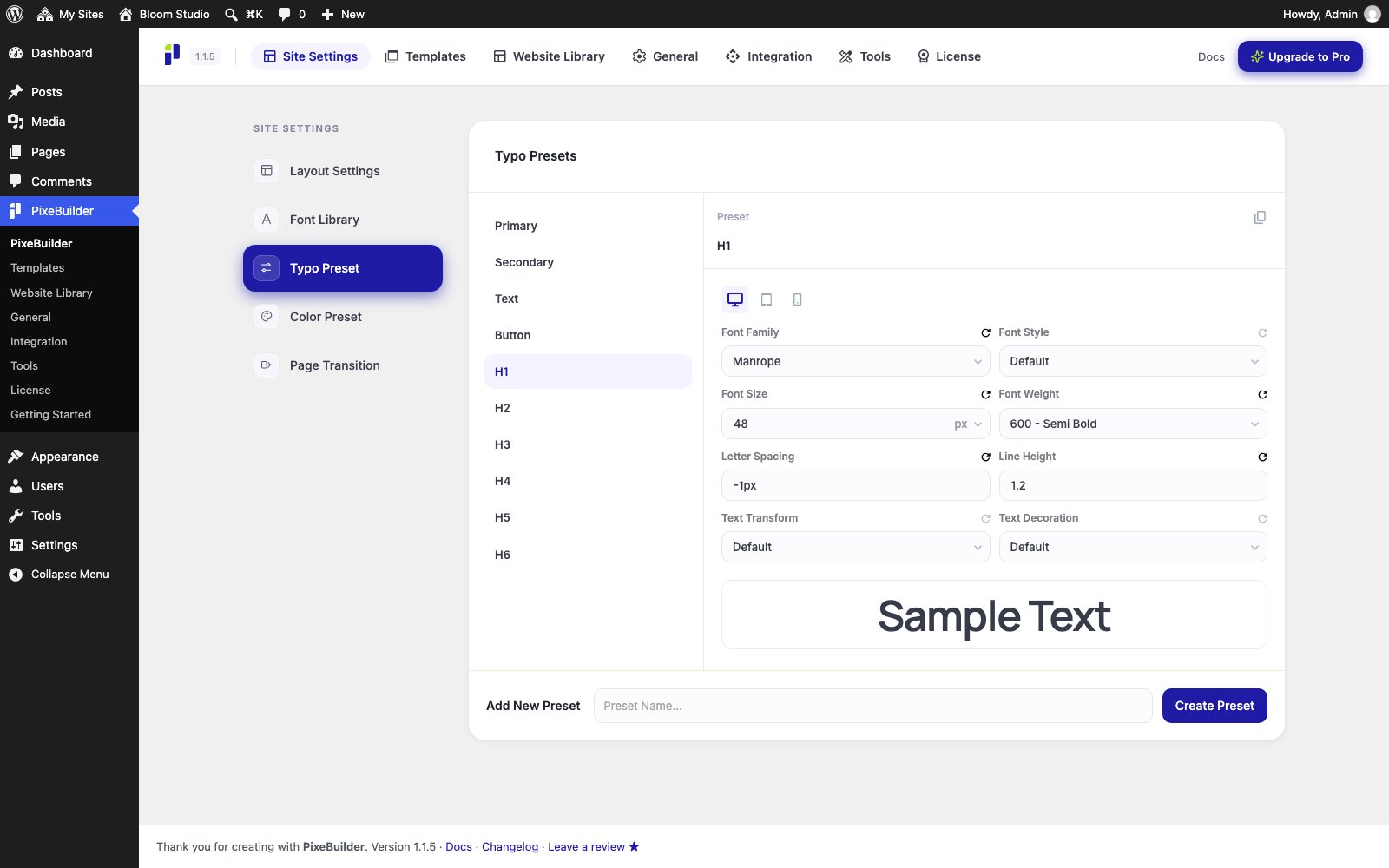
Add Google Fonts or upload your own in the Font Library, then save typography and color presets and reuse them on every page.
What’s Free
The free plugin is a complete page builder, not a demo: no time limit, no credit card, unlimited sites.
- Drag & drop visual editor with On-Click Popup and Side Panel editing modes
- 14 core elements for text, images, video, buttons, icons, tabs, accordions, tables, maps and more
- Multi-level nested columns
- Desktop, tablet and mobile preview
- Font Library: Google Fonts or your own uploaded fonts
- Typography presets and color presets, reused site-wide
- Parallax backgrounds
- Scroll Video: a container background that plays as visitors scroll, with Play and Hold timeline rows, per-device video files and a still image for reduced motion
- Page transitions
- Clean HTML output that loads only the CSS and JavaScript a page uses
- Adds no jQuery to your pages: its scripts are plain JavaScript
- Works with any well-coded theme
What Pro Unlocks
Upgrade to a Pro plan to unlock the complete toolkit for professional and agency work.
Full Element Library (100+ elements)
- 43 standard elements for flexible content layouts
- 10 composite elements for advanced, pre-combined content sections
- 22 query elements for dynamic post, taxonomy, and archive displays
- 16 WooCommerce elements for shop, cart, and checkout pages
- 15 single WooCommerce elements for individual product page design
Prebuilt Templates & Assets
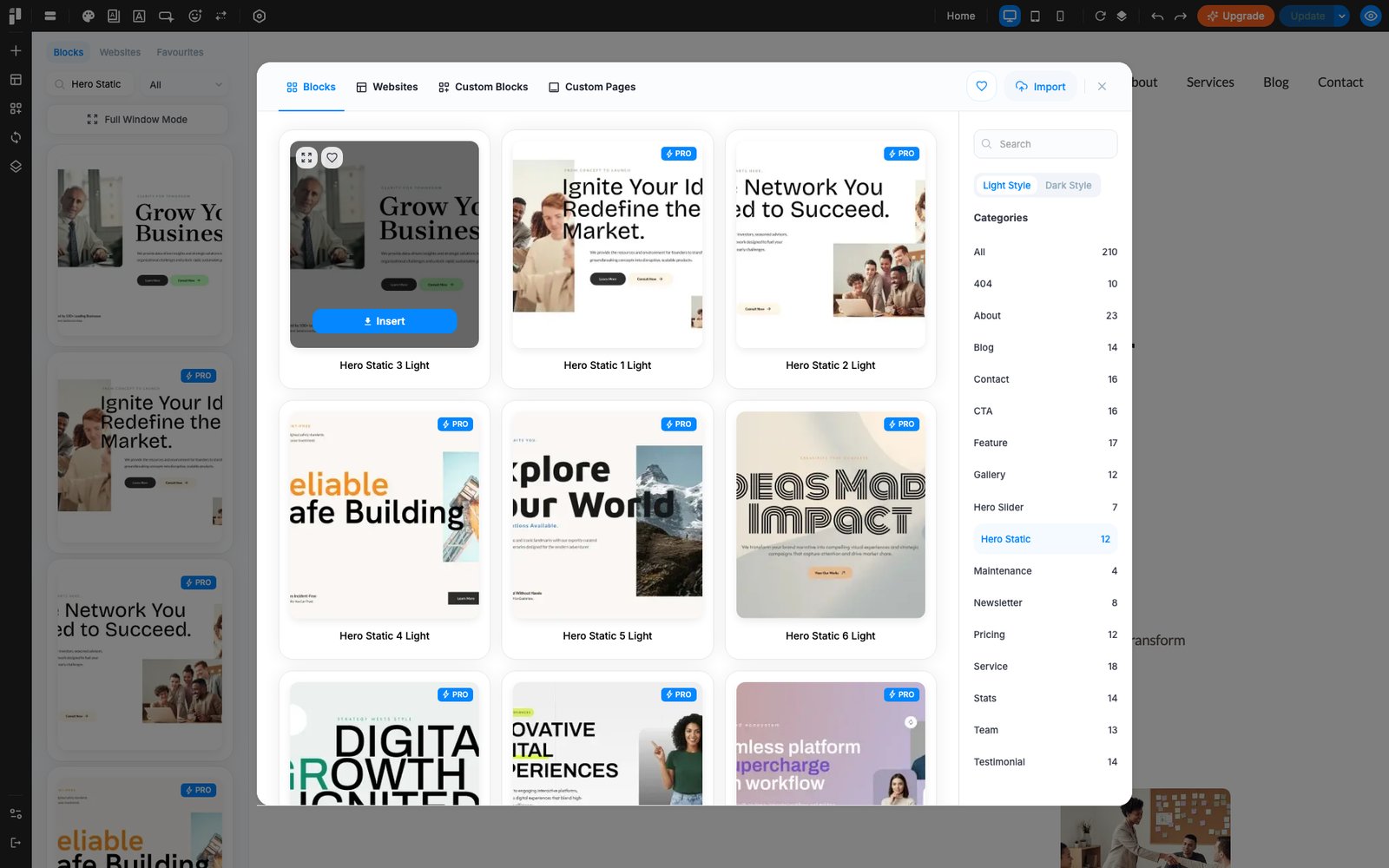
- 400+ premium prebuilt blocks — ready to drop into any page
- 200+ complete prebuilt page templates — import and customize in minutes
- Carousel and slider container — no third-party slider plugins required
Editor & Layout Power
- Per-element device visibility controls
- Content hover animations
- Custom CSS per element
- Revision history with undo/redo
- Scroll Motion and Scroll Counter: animate text, cards and numbers as visitors scroll, in sync with a Scroll Video timeline when you use one
Site-Wide Design Tools
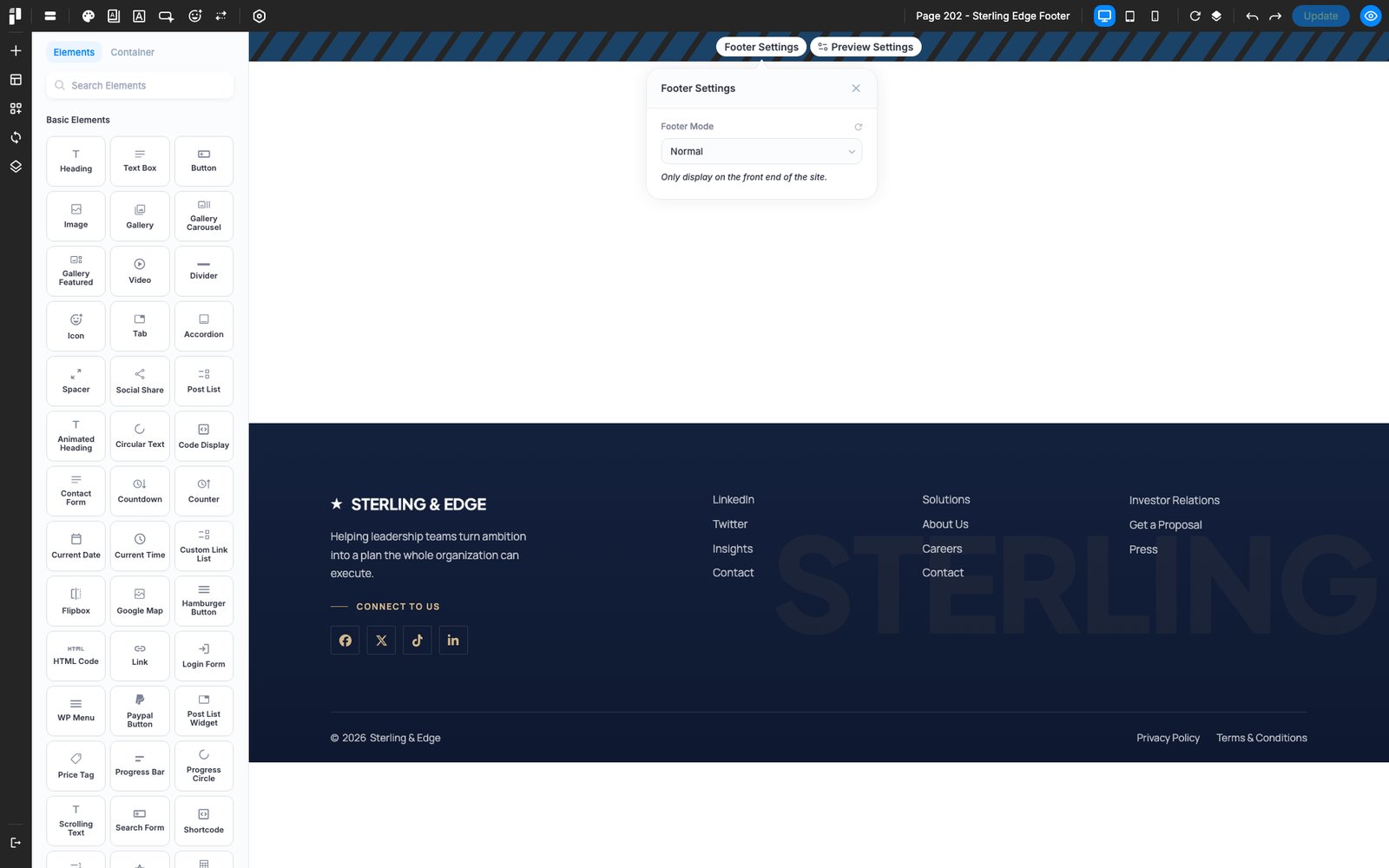
- Header and Footer Builder — custom, site-wide navigation and footers
- Popup Builder — build modal windows and overlays
- Synced (Global) Blocks — edit once, update everywhere across your site
- Custom Blocks and Custom Page Templates — save and reuse designs across projects
- Post and taxonomy archive templates
- Template parts and conditional theme management
Pro Design Presets
- Icon, Button, Bullet and Navigation style presets
- Variable Manager — design tokens for spacing, typography, radius, and shadows, with Fixed and Fluid modes (CSS
clamp()output) - Variable Presets — save and instantly switch between complete design configurations
AI Tools
- AI Writing Assistant — generate, rewrite, or polish website copy directly inside the editor
- AI Image Generation — create custom visuals for any image element, gallery, or section background without leaving the canvas
- Stock Image Browser — insert Pexels photos directly into your layouts
WooCommerce, Forms & More
- WooCommerce shop, single product, cart and checkout layouts
- Contact Form Builder
- PayPal button element
- Password-protected content sections
Free vs Pro
The free version is free, forever. No time limit, no credit card required. It includes the full drag-and-drop editor and 14 core elements — everything you need to explore PixeBuilder and start building.
Upgrade to Pro to unlock the complete element library, prebuilt templates, AI tools, WooCommerce support, site-wide design tools, and multi-site licensing. Pro plans include a money-back guarantee.
See plans and pricing at pixebuilder.com
Useful Links
- PixeBuilder Website
- Features Overview
- Prebuilt Blocks Library
- Prebuilt Website Templates
- Documentation
- Pricing
- Contact & Support
Third Party / External Services
This plugin connects to external services to provide certain features.
Vimeo
Used to embed Vimeo videos and retrieve video information.
Data sent: Vimeo video URL.
When: When a video element is used.
Terms: https://vimeo.com/terms
Privacy: https://vimeo.com/privacy
YouTube
Used to embed YouTube videos.
Data sent: YouTube video URL.
When: When a video element is used.
Terms: https://www.youtube.com/t/terms
Privacy: https://policies.google.com/privacy
Google Maps
Used to display maps.
Data sent: Map location entered by the user.
When: When a map element is used.
Terms: https://cloud.google.com/maps-platform/terms
Privacy: https://policies.google.com/privacy
Google Fonts
Used to load fonts for page design.
Data sent: Selected font family name.
When: When a page uses Google Fonts.
Terms: https://developers.google.com/fonts/faq
Privacy: https://policies.google.com/privacy
PayPal
Used to create a PayPal button.
Data sent: Payment data required by PayPal.
When: When a user clicks the PayPal button to initiate a payment.
Terms: https://www.paypal.com/webapps/mpp/ua/useragreement-full
Privacy: https://www.paypal.com/webapps/mpp/ua/privacy-full
PixeBuilder API
Used to import prebuilt templates and AI tools.
Data sent: Request parameters (template_id, text prompts, image generation prompts).
When: When a user imports prebuilt content or uses AI features.
Terms: https://pixebuilder.com/terms-and-conditions/
Privacy: https://pixebuilder.com/privacy-policy/
PixeBuilder Scroll Video Library
Used to list the ready-made clips in the Scroll Video Library and download a chosen clip into the Media Library.
Data sent: A plain download of a public clip list and the chosen free clip files from cdn.pixebuilder.com. For Pro clips, the request goes through the PixeBuilder Pro license check (see below) to get a short-lived download link.
When: Only when a user opens the Scroll Video Library in the editor and picks a clip, or imports a prebuilt that uses one.
Terms: https://pixebuilder.com/terms-and-conditions/
Privacy: https://pixebuilder.com/privacy-policy/
PixeBuilder Pro update check (Pro only)
Used to check for new versions of the separate PixeBuilder Pro add-on.
Data sent: A plain download of a public version file from account.pixebuilder.com. Only the standard request data is sent (IP address, and the site URL and WordPress version that WordPress puts in the user-agent).
When: Daily through WordPress scheduled tasks (WP-Cron), only when PixeBuilder Pro is active. Low-traffic sites may run the check later. The free plugin alone never makes this request.
Terms: https://pixebuilder.com/terms-and-conditions/
Privacy: https://pixebuilder.com/privacy-policy/
PixeBuilder Pro license verification (Pro only)
Used to verify the active Pro license with account.pixebuilder.com.
Data sent: License key, site domain, request timestamp and signature, and the verification request type.
When: On Pro activation or manual verification, and daily through WP-Cron. Connection failures retain the last verification result for up to 14 days.
Terms: https://pixebuilder.com/terms-and-conditions/
Privacy: https://pixebuilder.com/privacy-policy/
PixeBuilder newsletter (optional)
Used to sign up for the PixeBuilder newsletter from the optional box on the PixeBuilder > Getting Started page.
Data sent: The email address the user types in the box, sent to pixebuilder.com.
When: Only when the user ticks the consent box and clicks Subscribe. Nothing is sent before that, and the box can be closed for good.
Terms: https://pixebuilder.com/terms-and-conditions/
Privacy: https://pixebuilder.com/privacy-policy/
PixeBuilder deactivation feedback (optional)
Used to learn why people stop using PixeBuilder, from the optional question that opens when you click Deactivate on the PixeBuilder row of the Plugins screen.
Data sent: The reason you pick and the note you type, plus the PixeBuilder, WordPress and PHP versions and the site language. Your site URL is sent only if you tick “Include my site URL”. No email address, user name or other personal data is sent. Sent from your server to account.pixebuilder.com.
When: Only when you click “Submit & Deactivate”. “Skip & Deactivate”, Cancel, Esc and bulk deactivation send nothing.
Terms: https://pixebuilder.com/terms-and-conditions/
Privacy: https://pixebuilder.com/privacy-policy/
Pexels
Used to browse and insert free stock photos into your layouts.
Data sent: Search query terms.
When: When a user searches for stock images in the editor.
Terms: https://www.pexels.com/terms-of-service/
Privacy: https://www.pexels.com/privacy-policy/
Third Party Libraries
This plugin includes the following third-party libraries:
Font Awesome
License: SIL Open Font License 1.1
Source: https://fontawesome.com/
Lucide
License: ISC License
Source: https://lucide.dev/
Material Symbols
License: Apache License 2.0
Source: https://fonts.google.com/icons
DOMPurify
License: Apache License 2.0
Source: https://github.com/cure53/DOMPurify
html2canvas
License: MIT License
Source: https://github.com/niklasvh/html2canvas
GLightbox
License: MIT License
Source: https://github.com/biati-digital/glightbox
Plyr (bundled with GLightbox)
License: MIT License
Source: https://github.com/sampotts/plyr
Installation
From the WordPress Plugin Directory (Recommended)
- In your WordPress dashboard, go to Plugins > Add New.
- Search for PixeBuilder.
- Click Install Now, then Activate.
- Open any page or post and click Edit with PixeBuilder to start building.
Manual Installation
- Download the plugin zip file from WordPress.org.
- In your dashboard, go to Plugins > Add New > Upload Plugin.
- Upload the zip file and click Install Now.
- Activate the plugin through the Plugins screen.
After Activation
- Go to PixeBuilder > Settings to configure global options.
- Visit the Templates library to browse prebuilt blocks and pages (Pro).
- Connect your PixeBuilder Pro license at account.pixebuilder.com to activate Pro features.
Changelog
Entrance animation fix for mobile.
1.3.3
- Fix: Entrance animations no longer leave a column blank on mobile when the page bounces or the browser toolbar reappears during the fade
1.3.2
- Fix: Entrance animations no longer stall — they keep checking on scroll while out of view, re-check when the tab comes back, and ignore child animation events
1.3.1
- New: 16 Scroll Video prebuilt websites in the website importer (62 websites in total)
- Fix: Duplicate element IDs in the editor
1.3.0
- New: Scroll Video Library to pick a ready-made clip for a container’s Scroll background (free clips included; more clips with Pro)
- New: Scroll Video scene length per device
- New: Free Contact Form (simple), with more options in Pro
- New: Free Icon List, Social Icons and Testimonial Grid components
- New: Before After (image compare) element in the element panel (Pro)
- New: Scroll Motion editor Edit / Live switch on containers with Scroll Motion layers; Timeline mode (Pro)
- New: Position offsets (Top / Right / Bottom / Left) accept vh
- New: “Make your own with AI” guide link in the Scroll tab
- Improvement: Scroll Motion and Scroll Video are easier to find (Motion tab order, Scroll tab marked “New”)
- Improvement: Color presets make the active preset clear and safe to switch
- Improvement: Full Website Import shows a demo media notice under the button
- Improvement: Prebuilt import brings Pro Scroll Video clips in full on licensed sites, and videos use the local file
- Fix: Scroll Video shows the right frame on load, no stray play, and unlocks reliably on iOS
- Fix: Scroll Video undo no longer leaves the scene height behind
- Fix: Entrance animation re-checks after page jumps and after the fade ends
- Fix: Lightbox script loads only for items with a lightbox link
- Fix: Font icons stay one line high
- Fix: Tablet / mobile position offsets are kept when the device inherits position
- Fix: Range input handles a typed unit in every field; an empty value saves nothing
- Fix: Manual link target now saves
1.2.6
- New: Link “Anchor Scroll” option to choose Smooth or Jump for links to a section on the same page
- Improvement: Template option reads “None (Using Theme’s Layout)” (Pro)
- Improvement: Select Popup shows a short description with a link to the Popup Builder guide (Pro)
- Improvement: Page Layout “Refresh” notice appears right below the Template option (Pro)
- Fix: Template “Select Popup” now loads the selected popup on pages that use the template (Pro)
1.2.5
- New: Template “Use Theme Header & Footer” option to keep the active theme’s header and footer (classic themes) (Pro)
- New: Header Settings “Before Floating” option keeps the transparent header on top until the floating header starts (Pro)
- Improvement: Page Layout shows the Header / Footer options only when the page uses a PixeBuilder template (Pro)
- Improvement: Lighter option headings in the settings popups
- Fix: Removing the default header / footer no longer shows “Template Not Found” in the editor
- Fix: “Upgrade to Pro” button hidden when PixeBuilder Pro is active
- Fix: “Manage Menus” button in the Select Menu option opens Appearance > Menus
- Fix: “Scroll for more” notice updates when options are shown or hidden
- Fix: Editor error popup shows an apostrophe instead of ‘
- Fix: Prebuilt page, block and template library updates
Screenshots



For developers
Is this your plugin? Show off the numbers.
Add a live badge to your site, docs or GitHub README. It updates on its own — no account needed.
Best PixeBuilder alternatives
All drag-and-drop plugins →





FAQ
PixeBuilder: quick answers
Straight answers, pulled from live WordPress.org data.
Source: WordPress.org
Is PixeBuilder free?
Yes. PixeBuilder is free to download and use from the official WordPress.org plugin directory.
Is PixeBuilder safe to use in 2026?
Yes — PixeBuilder is a safe, well-maintained plugin to use in 2026. It runs on 300+ sites, is rated 5/5 and was last updated 16 hours ago, and scores 81/100 on our health check.
How many websites use PixeBuilder?
PixeBuilder is active on 300+ WordPress websites and has been downloaded 4,739 times since it launched in June 2026. It was downloaded 3,119 times in the last 30 days.
Does PixeBuilder work with WordPress 7.1?
Yes. The developer has tested PixeBuilder up to WordPress 7.1.5, the latest release. It requires WordPress 6.0 or newer.
What PHP version does PixeBuilder need?
PixeBuilder requires PHP 7.4 or higher. Most hosts run PHP 8.x today, so it works on any modern WordPress hosting.
When was PixeBuilder last updated?
The latest version, 1.3.3, was released on November 28, 2026 (16 hours ago).
Who makes PixeBuilder?
PixeBuilder is developed and maintained by PixeBuilder.
What are the best alternatives to PixeBuilder?
The most popular alternatives to PixeBuilder are Elementor Agent Ready Websi… (10M+ installs), Kirki (400K+ installs) and Page Builder by SiteOrigin (400K+ installs).
Powered by PageForge
One template and a spreadsheet. A real page for every search.
PageForge turns each row of a CSV into a WordPress page with its own title, URL, SEO fields and schema, built on the layout you already designed. Free on WordPress.org.
- CSV and XLSX, plus Google Sheets on Professional and Enterprise
- Its own title, URL, SEO fields and schema for every page
- Works with the block editor, Elementor, Divi and Avada
- Free on WordPress.org, no credit card