


Table Editor
Table Editor is a WordPress plugin used to quickly create tables from Excel, CSV, JSON and other data sources. Allows you to create beautiful sortable and responsive tables inside your posts, pages, custom post types or…

Solide Wahl
Table Editor is a solid plugin choice in 2026, with a few things worth checking first. It runs on 100+ sites and was last updated 3 months ago, and scores 64/100 on our health check.
- Getestet mit dem neuesten WordPress (7.1)
- Kleine Benutzerbasis (100+ aktive Installationen)
- Bisher sehr wenige Bewertungen
Wie stapelt es sich?
Side-by-side bei Installationen, Updates, Bewertungen und Support



Tägliche Downloads
Download-Spitzen folgen normalerweise einer neuen Version - jede Website, die automatisch aktualisiert wird, gilt als Download.
Ranglisten
Where Table Editor stands todayWordPress.org Ranglisten suchen
Live-Position in der Plugin-Suche, Top 100| Stichwort | Position |
|---|---|
| datatables | #16 |
| Tabelle | #53 |
| Table Builder | #53 |
| table editor | #9 |
Versionsübernahme
Anteil aktiver Sites pro Release.
About Table Editor
From the official readme · v1.6.5Beschreibung
Table Editor is a WordPress plugin used to quickly create tables from Excel, CSV, JSON and other data sources. Allows you to create beautiful sortable and responsive tables inside your posts, pages, custom post types or widget area.
Live Demo
Live Admin
Create table from…
– CSV, XLS, XLSX, JSON File or Database
– Product Table for WooCommerce
– Order Table for WooCommerce
– Post Table for WordPress
– Page Table for WordPress
– JSON url
– Google Sheets
Please visit the plugin website at wptableeditor.com for more information or a demo.
Here is the list of the feature
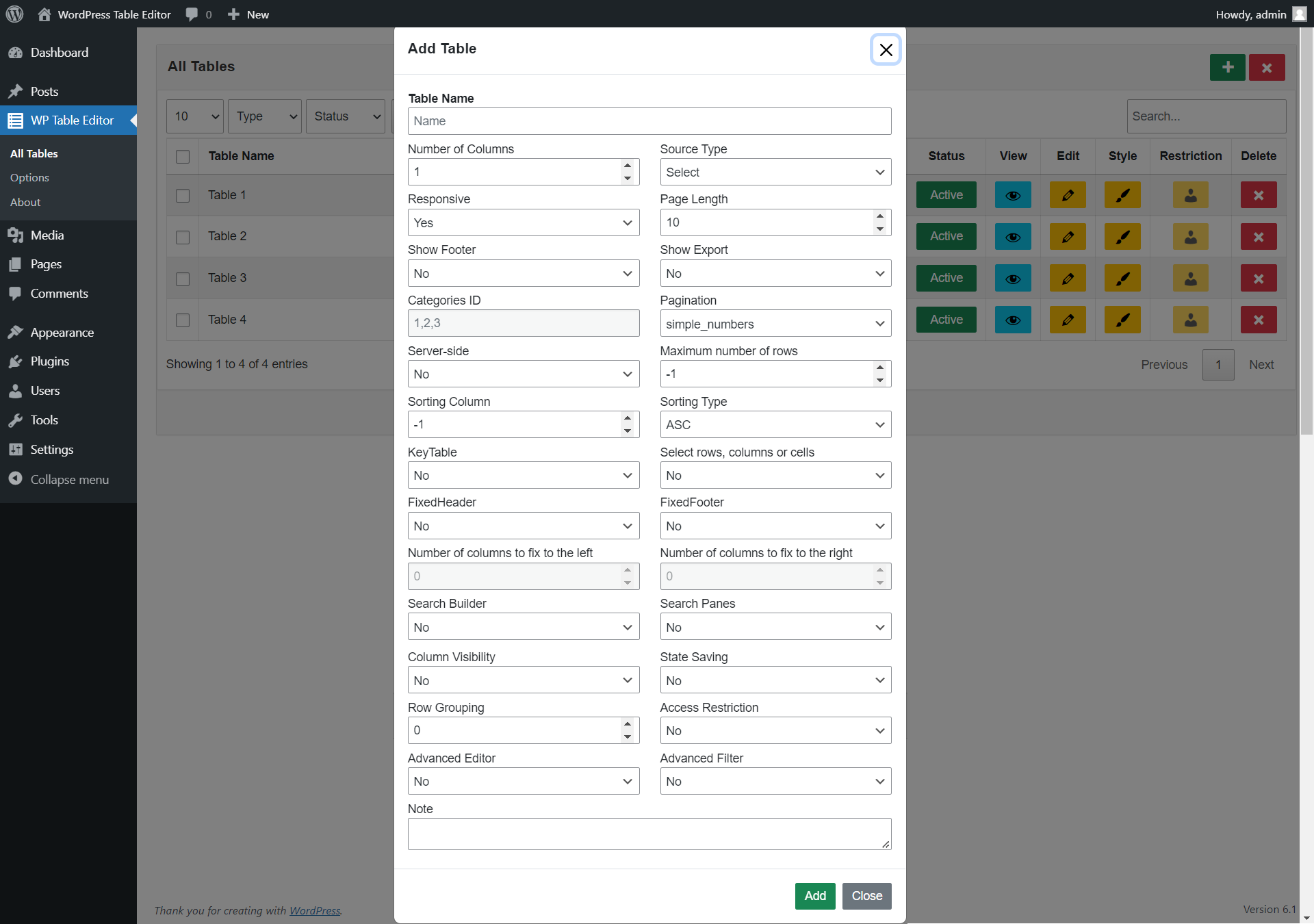
- Responsive mode or show the table in a viewport, which can be scrolled.
- Page Length: Number of rows to display on a single page when using pagination.
- Show/hide Footer
- FixedHeader/FixedFooter: it can be useful to have the table’s header and / or footer fixed to the top or bottom of the scrolling window.
- Sorting Column: you can set the table to display the data in exactly the order that you want.
- Search Builder: with the capability to search the DataTable by creating groups and conditions. This offers more advanced search controls than is currently.
- Search Panes: adds panes to the DataTable with the capability to search the DataTable by selecting rows in the panes. This is very useful when it comes to adding a more accessible searching feature and custom search capabilities.
- SearchPanes can search DataTables for multiple values that have been selected across multiple panes. They also provide the ability to define custom search functions which cannot be achieved through a simple searchBox.
- Column Visibility: with column visibility in DataTables.
- Column Searching (text inputs): has the ability to apply searching to a specific column.
- Column Filter (select inputs): has the ability to apply searching to a specific column, but in this case using input controls.
You can select which information to display using attributes
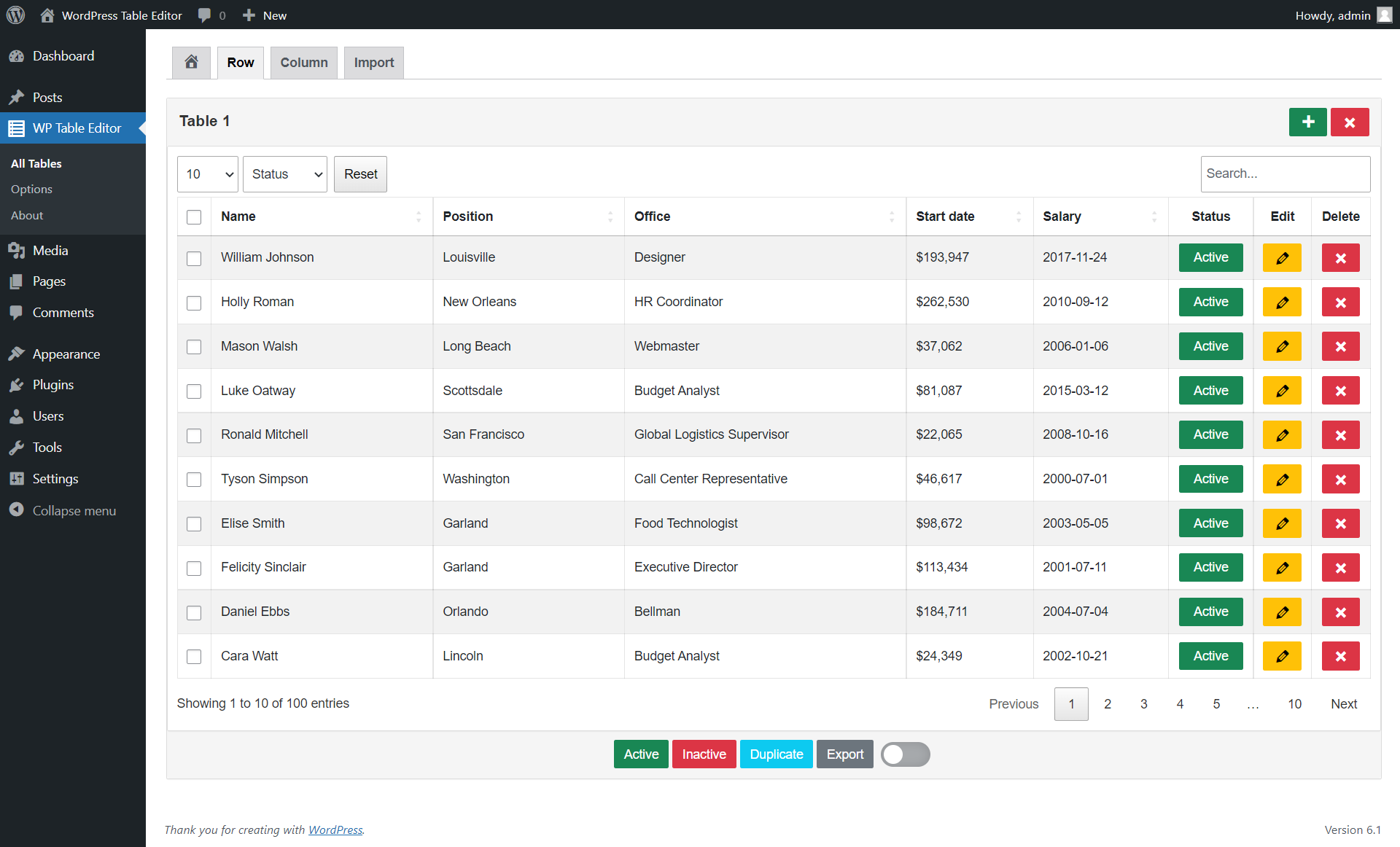
* Search any column in the list
* Sort by any column in the list
* Drag and drop columns to reorder them
* Add/Remove columns and rows
* Resize/Reorder columns
* Custom links
* Add media
* Custom HTML
* Shortcode in cells
USAGE
To show one of your tables in a post or on a page, embed the Shortcode [wptableeditor id=ID] into a “Shortcode” block at the desired place in the block editor.
Each table has a unique ID that needs to be adjusted in that Shortcode.
Useful links
- Documentation – How to use Table Editor?
- Facebook Page
Filters
Installation
If you would prefer to do things manually then follow these instructions:
- Laden Sie den Ordner
wp-table-editorin das/wp-content/plugins/-Verzeichnis hoch - Aktivieren Sie das Plugin über das „Plugins“-Menü in WordPress
- Go to the Table Editor
Änderungsprotokoll
1.6.5
- Code Optimization
1.6.4
- Code Optimization
1.6.3
- Code Optimization
1.6.2
- Code Optimization
1.6.1
- Code Optimization
1.6.0
- Sicherheitskorrekturen
Screenshots





Für Entwickler
Ist das dein Plugin? Zeigen Sie die Zahlen.
Fügen Sie Ihrer Website, Docs oder GitHub Readme ein Live-Badge hinzu. Es wird von selbst aktualisiert - kein Konto erforderlich.
Best Table Editor alternatives
All datatables plugins →




Fragen und Antworten
Table Editor: quick answers
Gerade Antworten, gezogen von Live WordPress.org Daten.
Quelle: WordPress.org
Is Table Editor free?
Yes. Table Editor is free to download and use from the official WordPress.org plugin directory.
Is Table Editor safe to use in 2026?
Table Editor is a solid plugin choice in 2026, with a few things worth checking first. It runs on 100+ sites and was last updated 3 months ago, and scores 64/100 on our health check.
How many websites use Table Editor?
Table Editor is active on 100+ WordPress websites and has been downloaded 6,941 times since it launched in December 2022. It was downloaded 271 times in the last 30 days.
Does Table Editor work with WordPress 7.1?
Yes. The developer has tested Table Editor up to WordPress 7.1.5, the latest release. It requires WordPress 6.0 or newer.
What PHP version does Table Editor need?
Table Editor requires PHP 7.2 or higher. Most hosts run PHP 8.x today, so it works on any modern WordPress hosting.
When was Table Editor last updated?
The latest version, 1.6.5, was released on September 2, 2026 (3 months ago).
Who makes Table Editor?
Table Editor is developed and maintained by wptableeditor.
What are the best alternatives to Table Editor?
The most popular alternatives to Table Editor are WP DataTable (500+ installs), Stylish Google Sheet Reader (200+ installs) and SheetFusion (50+ installs).
Angetrieben von PageForge
Eine Vorlage und eine Tabelle. Eine echte Seite für jede Suche.
PageForge Verwandelt jede Zeile eines CSV in eine WordPress-Seite mit eigenem Titel, URL, SEO Felder und Schema entworfen. Kostenlos auf WordPress.org.
- CSV und XLSX, plus Google Sheets auf Beruf und Unternehmen
- seinen eigenen Titel, URL, SEO Felder und Schema für jede Seite
- Arbeitet mit dem Blockeditor, Elementor, Divi und Avada
- Kostenlos auf WordPress.org, keine Kreditkarte