


Sheetable – Google Sheets to WP Table
Turn Google Sheets into WP tables with search & pagination. No API key needed. Ultra-lightweight.

Mit Vorsicht verwenden
Sheetable works, but test it on a staging site before relying on it in 2026. It runs on 100+ sites, is rated 5/5 and was last updated 1 month ago, and scores 60/100 on our health check.
- Getestet mit dem neuesten WordPress (7.1)
- Kleine Benutzerbasis (100+ aktive Installationen)
- Bisher sehr wenige Bewertungen
Wie stapelt es sich?
Side-by-side bei Installationen, Updates, Bewertungen und Support



Tägliche Downloads
Download-Spitzen folgen normalerweise einer neuen Version - jede Website, die automatisch aktualisiert wird, gilt als Download.
Ranglisten
Where Sheetable stands todayWordPress.org Ranglisten suchen
Live-Position in der Plugin-Suche, Top 100| Stichwort | Position |
|---|---|
| datatable | #12 |
| Google Sheets | #31 |
| spreadsheet | >100 |
| table plugin | >100 |
| wordpress table | >100 |
Versionsübernahme
Anteil aktiver Sites pro Release.
Bewertungsaufschlüsselung
★★★★★★★★★★ 5 from 2 reviews
About Sheetable – Google Sheets to WP Table
Aus der offiziellen Readme · V1.0.4Beschreibung
Website | Documentation | Get Sheetable Pro
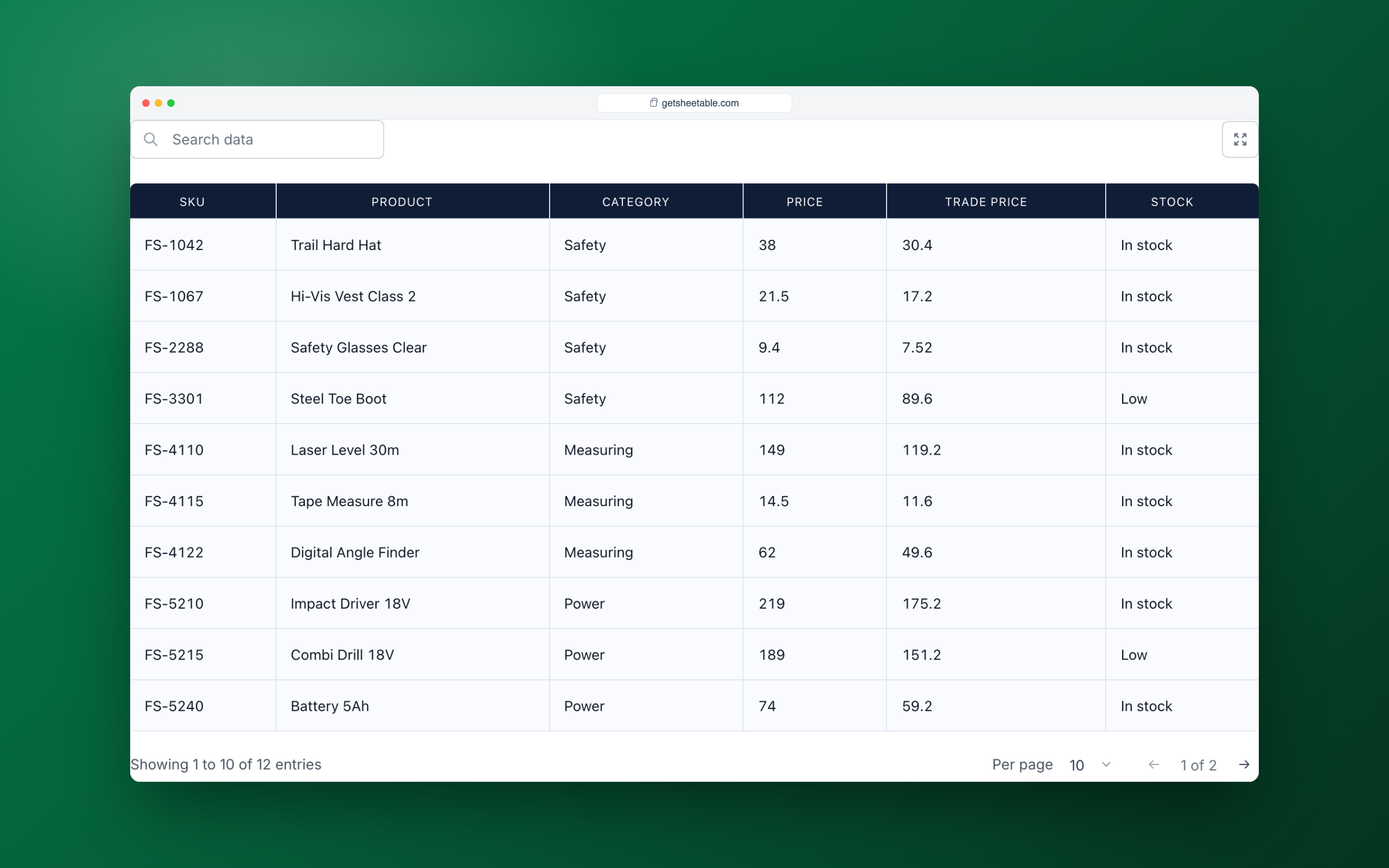
Sheetable – Google Sheets to WP Table lets you embed and sync Google Sheets data as responsive WordPress tables. Import your spreadsheet, customize the display, and embed it anywhere using shortcode or Gutenberg block. No API key required, no server load, no complex setup.
Paste your Google Sheet link, customize, embed – done.
Why Choose Sheetable?
Sheetable takes a modern approach to embedding Google Sheets in WordPress:
- Ultra-lightweight (only ~10KB footprint on frontend) – Won’t slow down your site
- Client-side caching – Lightning-fast repeat loads
- No API key required – No setup, no limits, no OAuth
- Zero server processing – All rendering happens in browser
- Core Web Vitals optimized – Built for 100/100 Lighthouse scores
- Large spreadsheet support – Handles large datasets smoothly, even millions of rows
- Formatting support – Checkboxes, links, images, email, phone detected automatically
Modern performance without complexity.
Kostenlose Funktionen
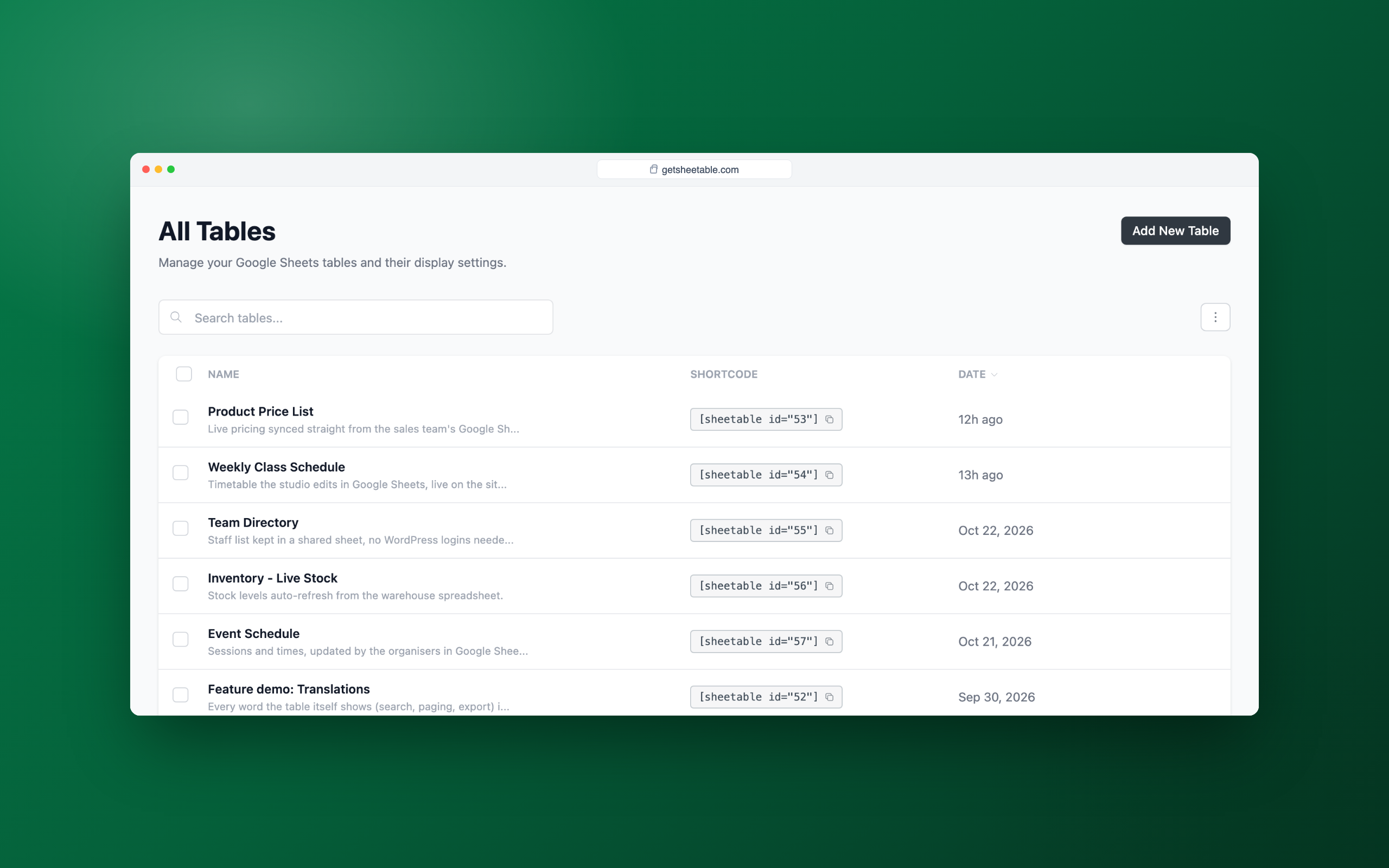
- Unlimited tables – Create as many as you need
- Unlimited Google Sheets – Connect any public sheet
- Unlimited rows & columns – No artificial limits like others
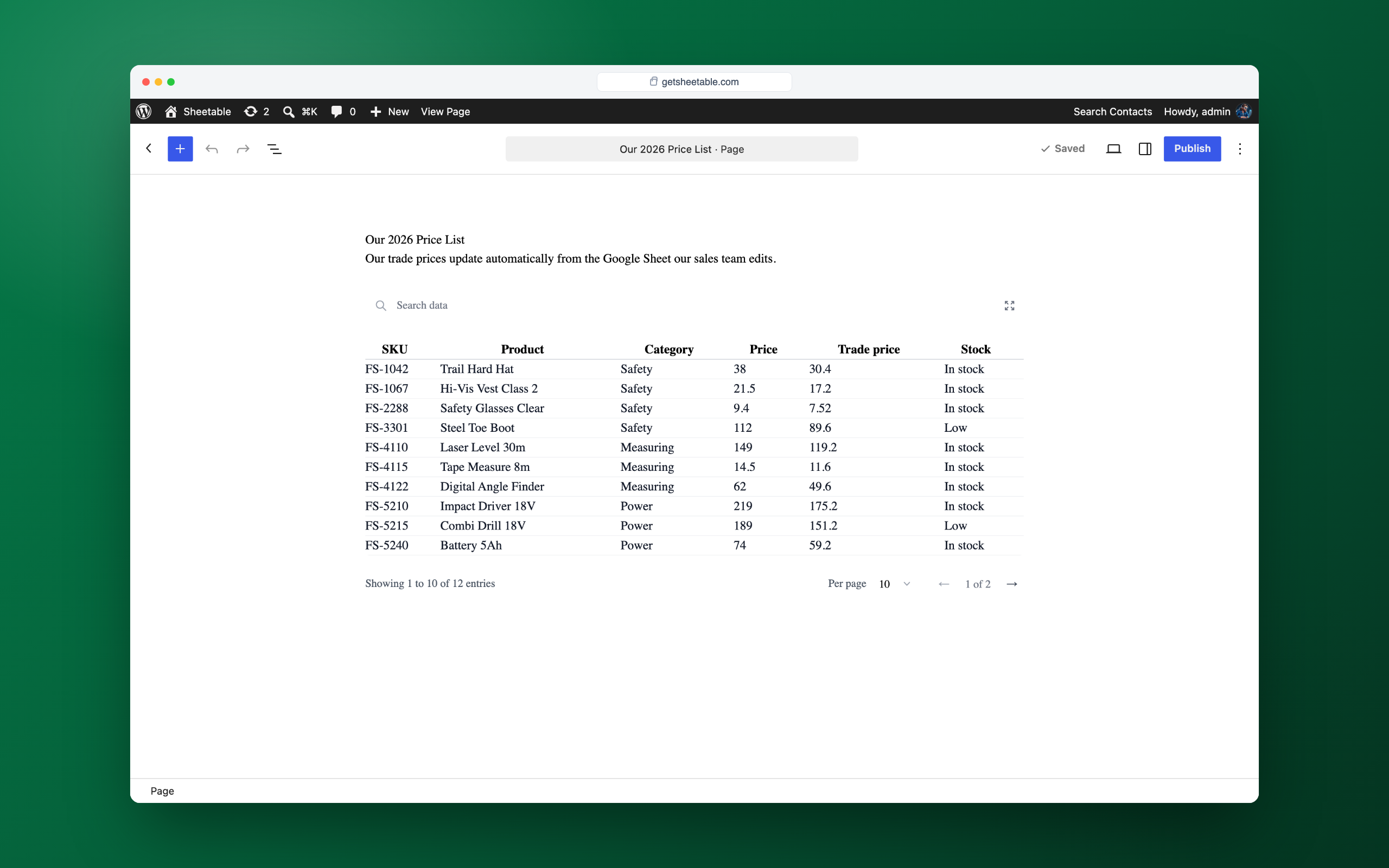
- Real-time search – Find data instantly
- Pagination – Navigate large datasets easily
- Refresh – Update data on demand without loading page
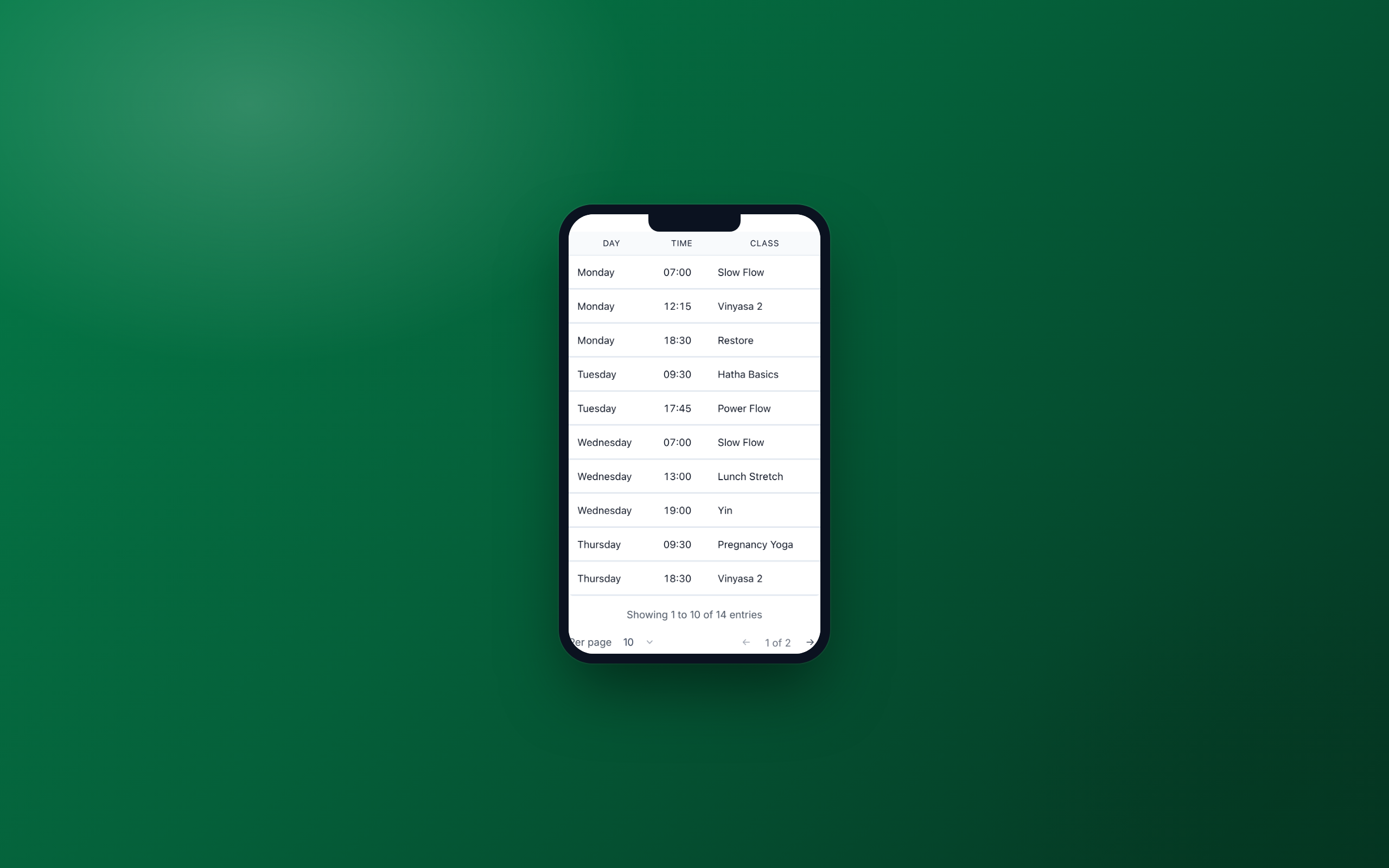
- Fully responsive – Works on all devices including mobile, tablet, desktop, folding devices
- Rich content support – Links, images, text, numbers, dates, emojis, checkboxes
- Smart links – Auto-detect emails and phone numbers as clickable links
- Text wrapping options – Control how long text displays in cells
- Show/hide title & description – Control what visitors see
- Row numbers display – Easy reference
- Shortcode support – Embed anywhere
- Gutenberg block – Native WordPress editor support
Pro-Funktionen
Unlock advanced functionality with Sheetable Pro:
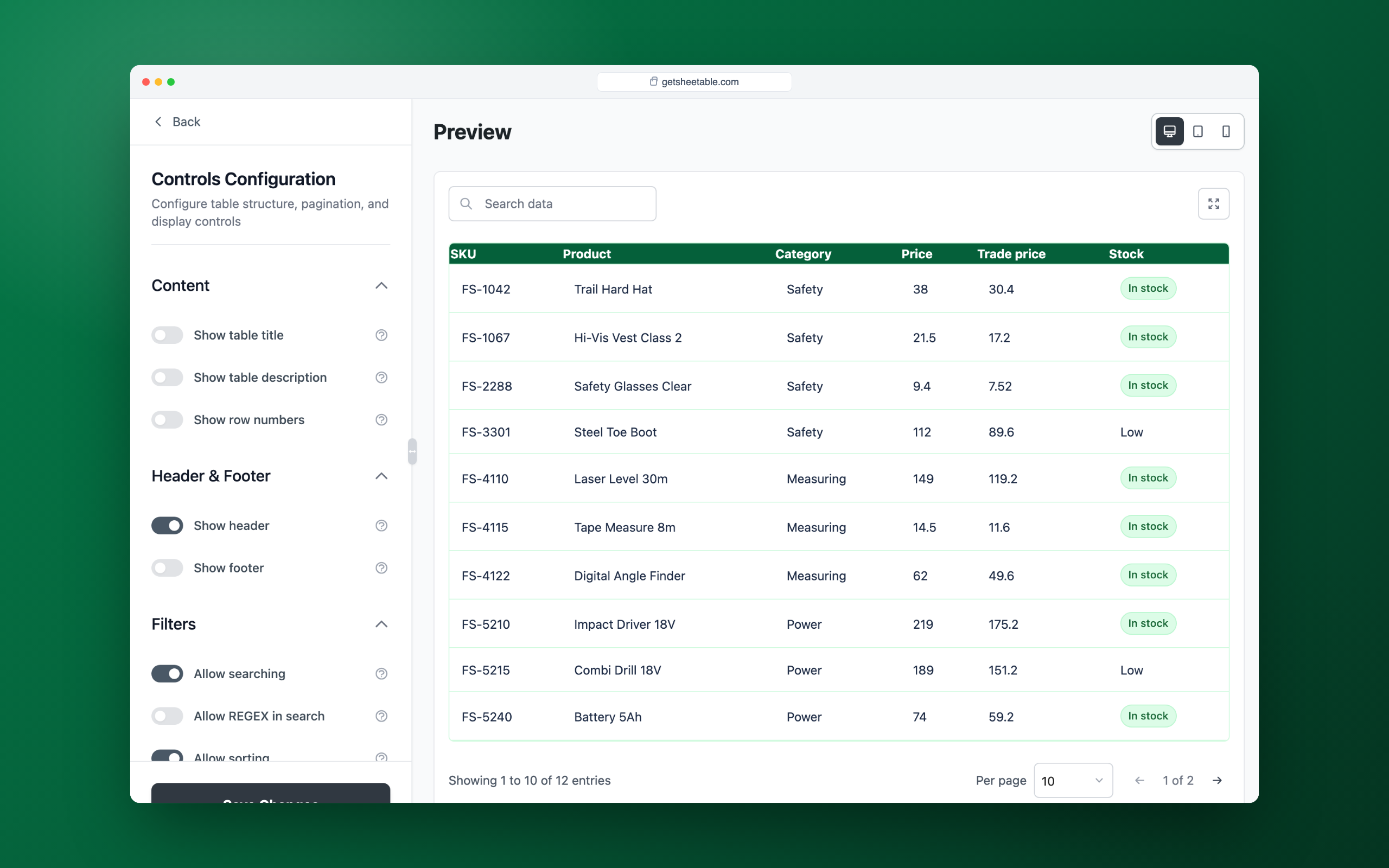
- Show/hide header & footer – Full table control
- Column sorting – Visitors sort by any column header
- Auto-refresh – Set custom intervals for live sync
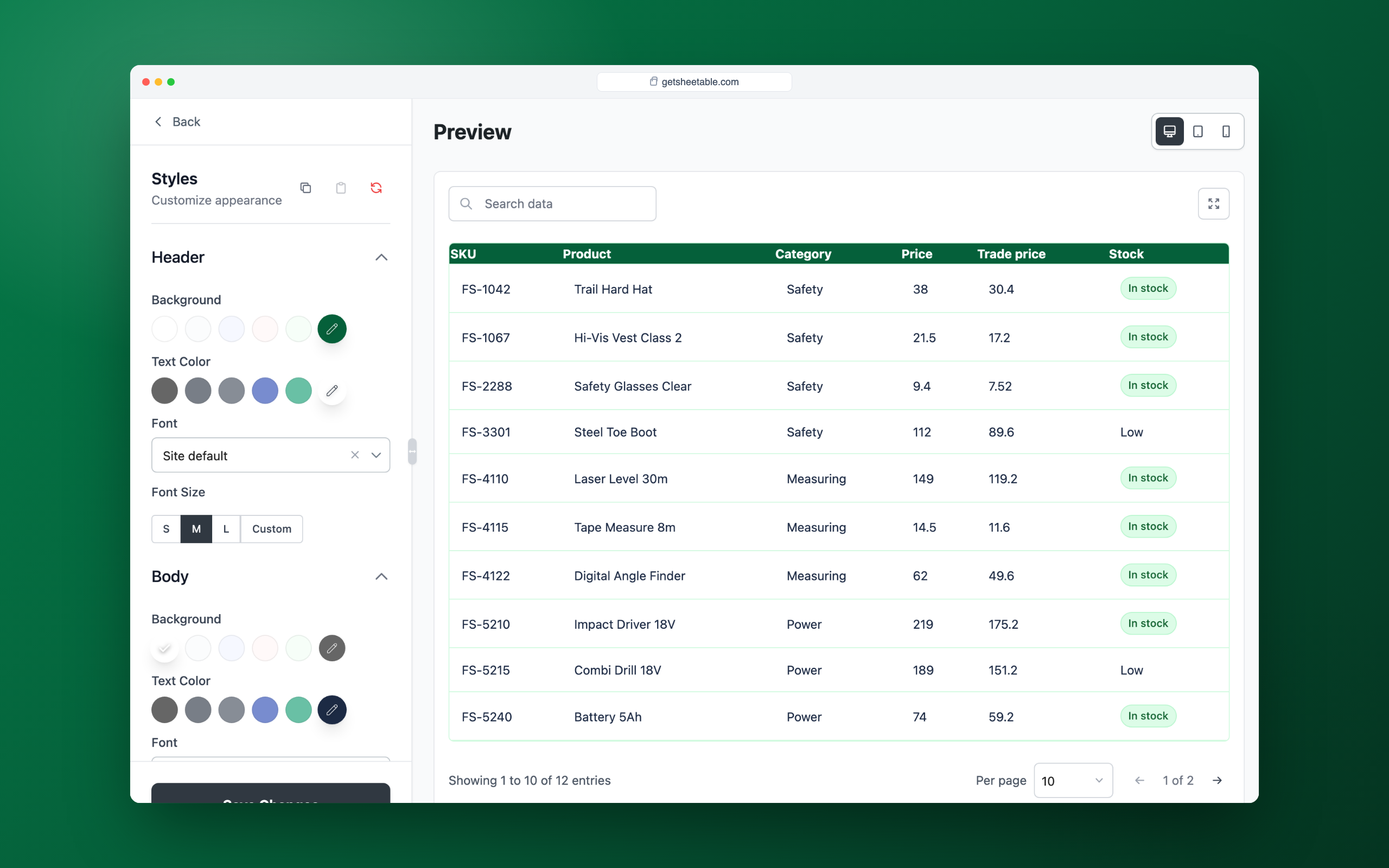
- Custom CSS editor – Complete styling freedom
- Full styling control – Colors, fonts, borders, spacing
- Row & column offset – Start from any position
- Limit rows & columns – Display exactly what you need
- Range selection – Specify A1:F200 or any range
- Regex search – Advanced pattern matching
- Content protection – Disable text selection & copy
- Responsive column visibility – Hide specific columns on mobile/tablet
- Responsive column wrapping – Show limited columns with expandable rows
- Copy & paste styles – Apply styling from one table to another
- Export options:
- Excel (XLSX)
- CSV
- TSV
- HTML
- Kalkulationsabschlag
- JSON
- Copy to clipboard
Ready to do more with your tables? Sheetable Pro unlocks full styling control, auto-refresh for live data, one-click exports (Excel, PDF, CSV & more), advanced display options, and content protection: everything you need for polished, on-brand data tables.
👉 See Sheetable Pro plans & pricing →
Have questions? Browse the documentation or ask in the WordPress.org support forum.
Wie es funktioniert
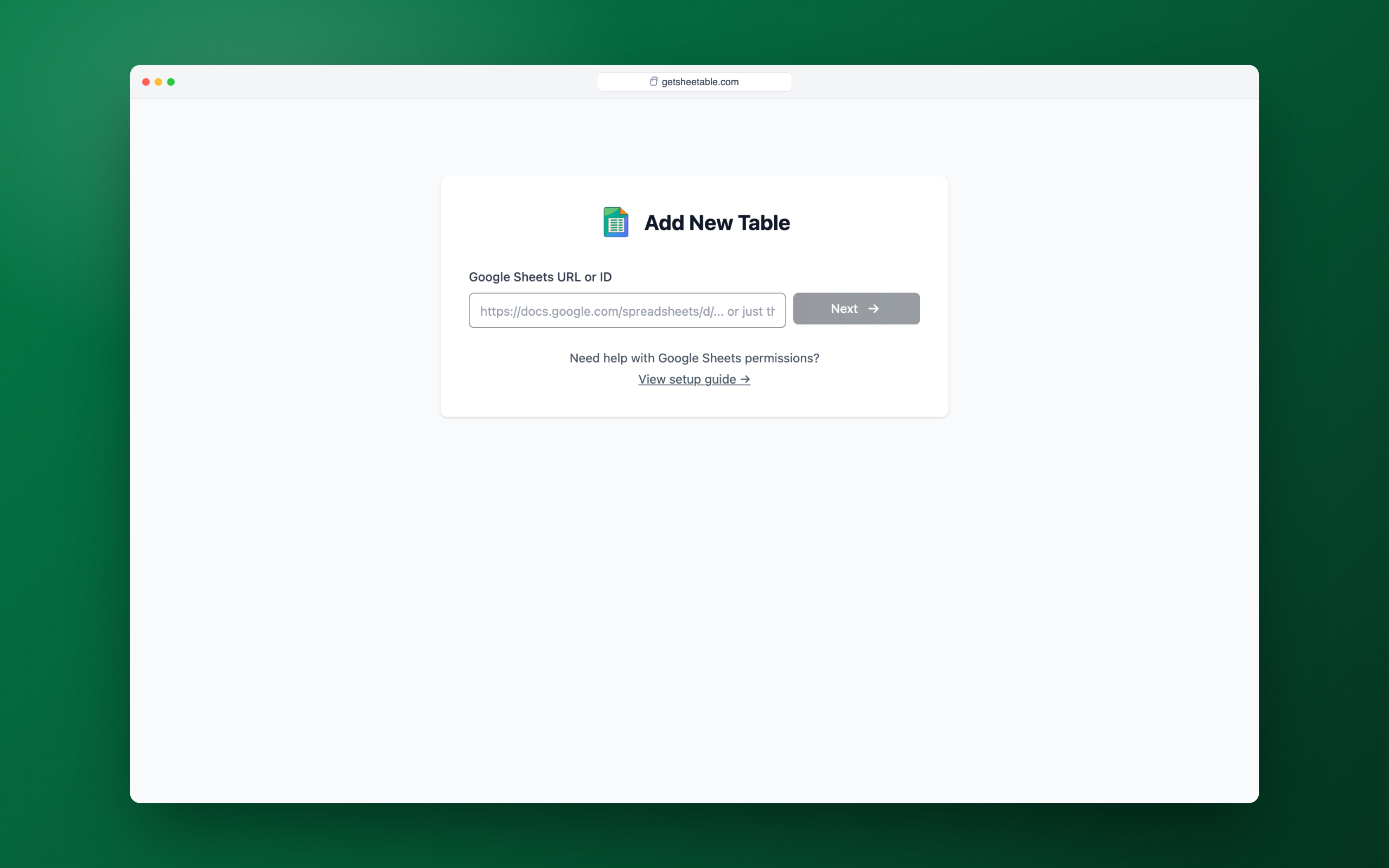
- Make your Google Sheet public and paste the URL
- Customize your table settings and styles
- Embed using shortcode or Gutenberg block
SEO & Performance Benefits
- Fully indexable HTML output – Search engines can read your data
- Ultra-lightweight – Better Core Web Vitals scores
- Fast mobile performance – Optimized for all devices
- Clean semantic markup – SEO-friendly structure
- Lower bounce rate – Fast loading keeps visitors engaged
Sheetable helps both your site speed and search rankings.
Externe Dienste
Sheetable connects to the following external services. Frontend table data goes directly from Google to your visitors.
Google Sheets (Google LLC)
- What it does: Fetches your spreadsheet data directly to the visitor’s browser (client-side)
- Data sent: The visitor’s browser sends a request to your public Google Sheet URL
- Data received: Spreadsheet content (rows, columns, formatting)
- When: Each time a visitor loads a page containing your table
- Terms of Service: Google Terms of Service
- Privacy Policy: Google Privacy Policy
No data is sent to Sheetable servers or any third-party intermediary for table rendering. All visitor data transfer happens directly between the browser and Google’s servers.
PackEdge
Sheetable uses PackEdge for optional usage analytics and, if you use Sheetable Pro, for license management. Nothing is sent to PackEdge unless you opt in to analytics or enter a license key.
- Service URL: https://api.packedge.dev
- Analytics (opt-in only): If you allow analytics, Sheetable sends your site URL, site title, admin email address, the email address of the user who granted consent, server IP address, timezone, locale, WordPress, PHP and MySQL versions, server software, memory limit, debug mode, theme, and the list of installed plugins. This is sent when you opt in and with plugin activation, deactivation and uninstall events. You can withdraw consent at any time.
- Deactivation feedback (opt-in only): If you allowed analytics, a short survey appears when you deactivate the plugin. Your selected reason, any comment you type, and the analytics data above are sent.
- License management (Pro only): When you activate, check or deactivate a Sheetable Pro license, the license key and your site URL are sent to verify the license.
- Privacy Policy: PackEdge Privacy Policy
- Terms of Service: PackEdge Terms of Service
We never sell your data; it is used only to improve the plugin and to manage licenses.
Datenschutzerklärung
Sheetable respects your privacy.
Visitor / table data
- No personal data is collected from your site visitors
- No cookies or tracking are set on the frontend
- Your Google Sheet data is fetched directly from Google’s servers to the visitor’s browser; Sheetable acts only as a display layer
- No visitor data is sent to Sheetable, PackEdge, or any other third party
See the External Services section above for the full list of what is sent, when, and to which service.
Installation
- Install the plugin via WordPress Dashboard > Plugins > Add New, search for “Sheetable”
- Aktivieren Sie das Plugin
- Go to Sheetable in your WordPress Dashboard
- Paste your Google Sheet link
- Customize your table settings
- Insert via shortcode or Gutenberg block
That’s it! Your Google Sheet is now a live WordPress table.
Änderungsprotokoll
Initial stable release of Sheetable. Create unlimited WordPress tables from Google Sheets with search, sorting, and pagination.
1.0.4 – October 2026
- New: Two pagination styles – choose “Prev / Next” or “Numbered” page buttons from the Controls tab
- New: Show/hide the per-page selector per table
- New: Editable “Prev” and “Next” labels in the Translations tab
- New: The Tables list is now paginated (10 tables per page)
- Improved: Prev/Next buttons now show chevron icons alongside the labels
- Removed: Jump-to-page selector
- Fixed: License activation and checks now read PackEdge’s response format correctly
- Improved: Sample tables now use sample sheets owned by the Sheetable Google account
- Improved: The WordPress Playground demo now sets up a sample table and home page
- Privacy: analytics (including install, uninstall and deactivation feedback) are now sent only after you explicitly opt in
1.0.3 – May 2026
- Improved: Minor UX improvements across the admin interface
1.0.2 – January 2026
- New: Text wrapping options – Control how long text displays in cells (wrap, ellipsis, or no wrap)
- New: Copy & Paste Styles – Copy styling from one table and apply to another with one click
- New: Responsive column visibility – Hide specific columns on mobile and tablet devices
- New: Auto-detect email addresses and convert to clickable mailto: links
- New: Auto-detect phone numbers and convert to clickable tel: links
- New: Responsive column wrapping – Show limited columns with expandable rows on mobile
- New: Click row to expand – Click any row to show full text when truncation is enabled
- Improved: Better error handling when default sheet (gid=0) doesn’t exist
- Improved: Smooth animations for row expansion and text de-truncation
- Improved: Text wrapping now has configurable max column width
1.0.1 – December 2025
- Fixed default sheet selection. Now Sheetable can sense your deleted sheet.
1.0.0 – December 2025
- Erste Freigabe
- Unlimited table creation
- Google Sheets integration (no API key required)
- Real-time search functionality
- Column sorting
- Pagination support
- Responsive table design
- Gutenberg block support
- Shortcode support
- IndexedDB caching for performance
- Mobile-optimized display
Screenshots
Für Entwickler
Ist das dein Plugin? Zeigen Sie die Zahlen.
Fügen Sie Ihrer Website, Docs oder GitHub Readme ein Live-Badge hinzu. Es wird von selbst aktualisiert - kein Konto erforderlich.
Best Sheetable alternatives
All datatable plugins →




Fragen und Antworten
Sheetable: quick answers
Gerade Antworten, gezogen von Live WordPress.org Daten.
Quelle: WordPress.org
Is Sheetable free?
Yes. Sheetable is free to download and use from the official WordPress.org plugin directory.
Is Sheetable safe to use in 2026?
Sheetable works, but test it on a staging site before relying on it in 2026. It runs on 100+ sites, is rated 5/5 and was last updated 1 month ago, and scores 60/100 on our health check.
How many websites use Sheetable?
Sheetable is active on 100+ WordPress websites and has been downloaded 2,221 times since it launched in December 2025. It was downloaded 384 times in the last 30 days.
Does Sheetable work with WordPress 7.1?
Yes. The developer has tested Sheetable up to WordPress 7.1.5, the latest release. It requires WordPress 5.3 or newer.
What PHP version does Sheetable need?
Sheetable requires PHP 7.4 or higher. Most hosts run PHP 8.x today, so it works on any modern WordPress hosting.
When was Sheetable last updated?
The latest version, 1.0.4, was released on October 25, 2026 (1 month ago).
Who makes Sheetable?
Sheetable is developed and maintained by Sheetable.
What are the best alternatives to Sheetable?
The most popular alternatives to Sheetable are wpDataTables (60K+ installs), Visualizer (20K+ installs) and Data Tables Generator by Su… (10K+ installs).
Angetrieben von PageForge
Eine Vorlage und eine Tabelle. Eine echte Seite für jede Suche.
PageForge Verwandelt jede Zeile eines CSV in eine WordPress-Seite mit eigenem Titel, URL, SEO Felder und Schema entworfen. Kostenlos auf WordPress.org.
- CSV und XLSX, plus Google Sheets auf Beruf und Unternehmen
- seinen eigenen Titel, URL, SEO Felder und Schema für jede Seite
- Arbeitet mit dem Blockeditor, Elementor, Divi und Avada
- Kostenlos auf WordPress.org, keine Kreditkarte