


Random Quote – Daily Inspirational Quotes for WordPress
Random Quote is a powerful yet lightweight WordPress plugin that brings daily inspiration to your website through carefully curated quotes from the ZenQuotes API. Perfect for blogs, business websites, or any platform…

Betrachten Sie eine Alternative
Random Quote shows warning signs in 2026 — compare the alternatives below before installing. It runs on 60+ sites and was last updated 2 years ago, and scores 28/100 on our health check.
- Small user base (60+ active installs)
- Bisher sehr wenige Bewertungen
- Kein Update in über einem Jahr
- Nur getestet bis WordPress 6.7 (letzt ist 7.1)
Wie stapelt es sich?
Side-by-side bei Installationen, Updates, Bewertungen und Support



Tägliche Downloads
Download-Spitzen folgen normalerweise einer neuen Version - jede Website, die automatisch aktualisiert wird, gilt als Download.
Ranglisten
Where Random Quote stands todayWordPress.org Ranglisten suchen
Live-Position in der Plugin-Suche, Top 100| Stichwort | Position |
|---|---|
| Zitat | >100 |
| random quote | #28 |
| Shortcode | >100 |
Versionsübernahme
Anteil aktiver Sites pro Release.
About Random Quote
Aus der offiziellen Readme · V1.1.0Beschreibung
Random Quote is a powerful yet lightweight WordPress plugin that brings daily inspiration to your website through carefully curated quotes from the ZenQuotes API. Perfect for blogs, business websites, or any platform seeking to engage visitors with meaningful content.
Hauptmerkmale
- Daily Fresh Quotes – Automatically fetches and displays new inspirational quotes every 24 hours
-
Multiple Integration Options:
- Modern Gutenberg Block for visual integration
- Classic [wpprq_quote] shortcode support
-
Performance Optimized:
- Smart 24-hour quote caching
- Minimal API requests
- Lightweight and fast loading
Check out our other Plugins
Enhance your WordPress site with our other powerful plugins:
- Smart Password Protect – Secure your WordPress site with password protection and IP whitelisting.
- Redirect After Logout – Redirect users to a custom page after logging out for enhanced user experience.
- Access Defender – Advanced security plugin to protect your WordPress site from unauthorized access and malicious attacks.
- Contributors Gallery – Showcase your WordPress contributors in a beautiful and customizable gallery layout.
- Product Spotlight Badge – Highlight your WooCommerce products with eye-catching badges to boost sales.
Please Note: This plugin relies on the ZenQuotes API to fetch the daily quotes. By using this plugin, you agree to the ZenQuotes API Terms and Conditions and Privacy Policy. Your website will send a request to the ZenQuotes API to retrieve a quote, and the API’s servers may log certain data such as IP addresses as part of their normal operations.
Datenschutzerklärung
Random Quote uses Appsero SDK to collect some telemetry data upon user’s confirmation. This helps us to troubleshoot problems faster & make product improvements.
Appsero SDK does not gather any data by default. The SDK only starts gathering basic telemetry data when a user allows it via the admin notice. We collect the data to ensure a great user experience for all our users.
Integrating Appsero SDK DOES NOT IMMEDIATELY start gathering data, without confirmation from users in any case.
Learn more about how Appsero collects and uses this data.
API Credits
The plugin uses the ZenQuotes API (https://zenquotes.io/) to fetch daily inspirational quotes.
Lizenz
This plugin is licensed under the GNU General Public License v2 or later.
Installation
Via WordPress Repository (Recommended):
- Log in to your WordPress Dashboard
- Navigate to Plugins > Add New
- Search for “Random Quote”
- Click “Install Now” and wait for the installation to complete
- Click “Activate” to enable the plugin
- Start using the plugin by adding the Gutenberg block or shortcode
Manual Installation:
- Download the plugin zip file from WordPress.org
- Log in to your WordPress Dashboard
- Navigate to Plugins > Add New > Upload Plugin
- Choose the downloaded zip file and click “Install Now”
- After installation, click “Activate”
- Begin using the plugin’s features
Wie man benutzt
Using Gutenberg Block (Recommended):
1. Create or edit a post/page
2. Click the ‘+’ button to add a new block
3. Search for “Random Quote”
4. Select the Random Quote block
5. The quote will automatically appear in the editor
6. Customize the appearance using block settings
Using Shortcode:
1. Edit any post, page, or widget
2. Add the shortcode [wpprq_quote] where you want the quote to appear
3. Save your changes
4. The quote will be displayed on your page
Änderungsprotokoll
Major update with Gutenberg block support and performance improvements.
1.1.0
- Added Gutenberg block support for easier quote integration
- Improved code organization with PSR-4 autoloading
- Optimized API calls with 24-hour quote caching
- Enhanced performance by minimizing API requests
1.0.2
- Added integration with AppSero for tracking plugin usage and updates.
1.0.1
- Update Description.
1.0.0
- Erste Freigabe.
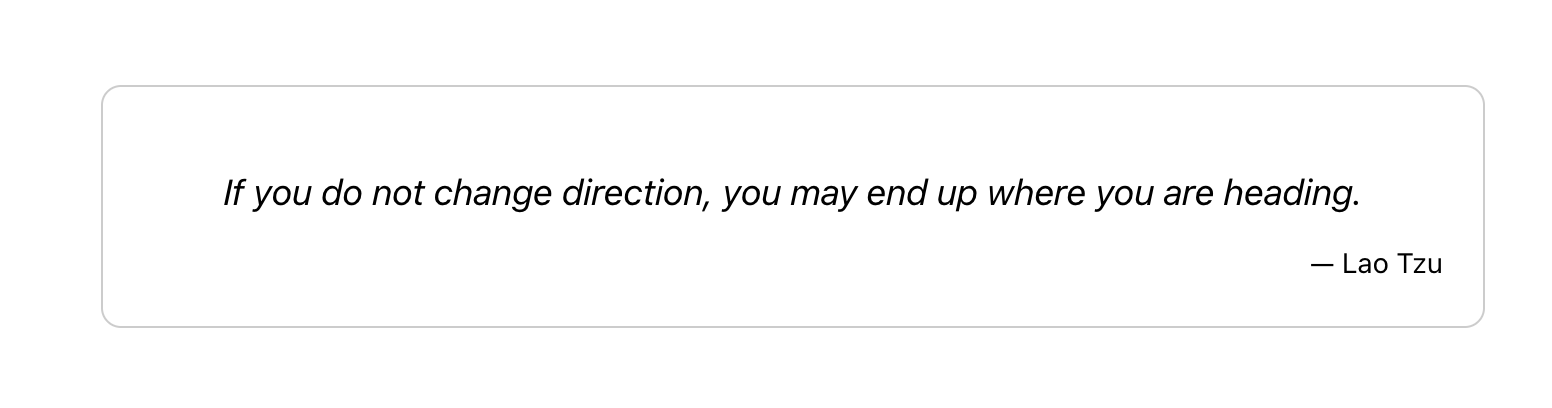
Screenshots
Für Entwickler
Ist das dein Plugin? Zeigen Sie die Zahlen.
Fügen Sie Ihrer Website, Docs oder GitHub Readme ein Live-Badge hinzu. Es wird von selbst aktualisiert - kein Konto erforderlich.
Best Random Quote alternatives
All quote plugins →





Fragen und Antworten
Random Quote: quick answers
Gerade Antworten, gezogen von Live WordPress.org Daten.
Quelle: WordPress.org
Is Random Quote free?
Yes. Random Quote is free to download and use from the official WordPress.org plugin directory.
Is Random Quote safe to use in 2026?
Random Quote shows warning signs in 2026 — compare the alternatives below before installing. It runs on 60+ sites and was last updated 2 years ago, and scores 28/100 on our health check.
How many websites use Random Quote?
Random Quote is active on 60+ WordPress websites and has been downloaded 2,498 times since it launched in August 2024. It was downloaded 136 times in the last 30 days.
Does Random Quote work with WordPress 7.1?
Random Quote is officially tested up to WordPress 6.7.12, while the latest release is 7.1.5. It may still work, but try it on a staging site first.
What PHP version does Random Quote need?
Random Quote requires PHP 7.0 or higher. Most hosts run PHP 8.x today, so it works on any modern WordPress hosting.
When was Random Quote last updated?
The latest version, 1.1.0, was released on March 13, 2025 (2 years ago).
Who makes Random Quote?
Random Quote is developed and maintained by Huzaifa Al Mesbah.
What are the best alternatives to Random Quote?
The most popular alternatives to Random Quote are YITH Request a Quote for Wo… (10K+ installs), eCommerce Product Catalog (7K+ installs) and Request a Quote for WooComm… (6K+ installs).
Angetrieben von PageForge
Eine Vorlage und eine Tabelle. Eine echte Seite für jede Suche.
PageForge Verwandelt jede Zeile eines CSV in eine WordPress-Seite mit eigenem Titel, URL, SEO Felder und Schema entworfen. Kostenlos auf WordPress.org.
- CSV und XLSX, plus Google Sheets auf Beruf und Unternehmen
- seinen eigenen Titel, URL, SEO Felder und Schema für jede Seite
- Arbeitet mit dem Blockeditor, Elementor, Divi und Avada
- Kostenlos auf WordPress.org, keine Kreditkarte