

Pattern CSS – The CSS Editor For Blocks
Add a CSS editor to your blocks and patterns! Loads only where necessary. Supports adding global CSS too.

Sichere Auswahl
Yes — Pattern CSS is a safe, well-maintained plugin to use in 2026. It runs on 100+ sites, is rated 5/5 and was last updated 2 days ago, and scores 80/100 on our health check.
- Aktiv entwickelt — Letztes Update vor 2 Tagen
- Getestet mit dem neuesten WordPress (7.1)
- Kleine Benutzerbasis (100+ aktive Installationen)
Wie stapelt es sich?
Side-by-side bei Installationen, Updates, Bewertungen und Support



Tägliche Downloads
Download-Spitzen folgen normalerweise einer neuen Version - jede Website, die automatisch aktualisiert wird, gilt als Download.
Ranglisten
Where Pattern CSS stands todayWordPress.org Ranglisten suchen
Live-Position in der Plugin-Suche, Top 100| Stichwort | Position |
|---|---|
| Block | >100 |
| css | #35 |
| Editor | >100 |
| inline | >100 |
| styles | >100 |
Versionsübernahme
Anteil aktiver Sites pro Release.
Bewertungsaufschlüsselung
★★★★★★★★★★ 5 from 8 reviews
About Pattern CSS – The CSS Editor For Blocks
From the official readme · v1.5.7Beschreibung
The missing inline block CSS editor for the Gutenberg editor. Very powerful with synced patterns as well. And it pairs well with global styles.
This plugin is perfect for users looking to add CSS for blocks without needing to create a child theme, or use a bloated plugin. Client safe too. CSS won’t leak outside of the block, and only valid block CSS is persisted.
Star it on GitHub
Follow me on Twitter @kevinbatdorf
How to
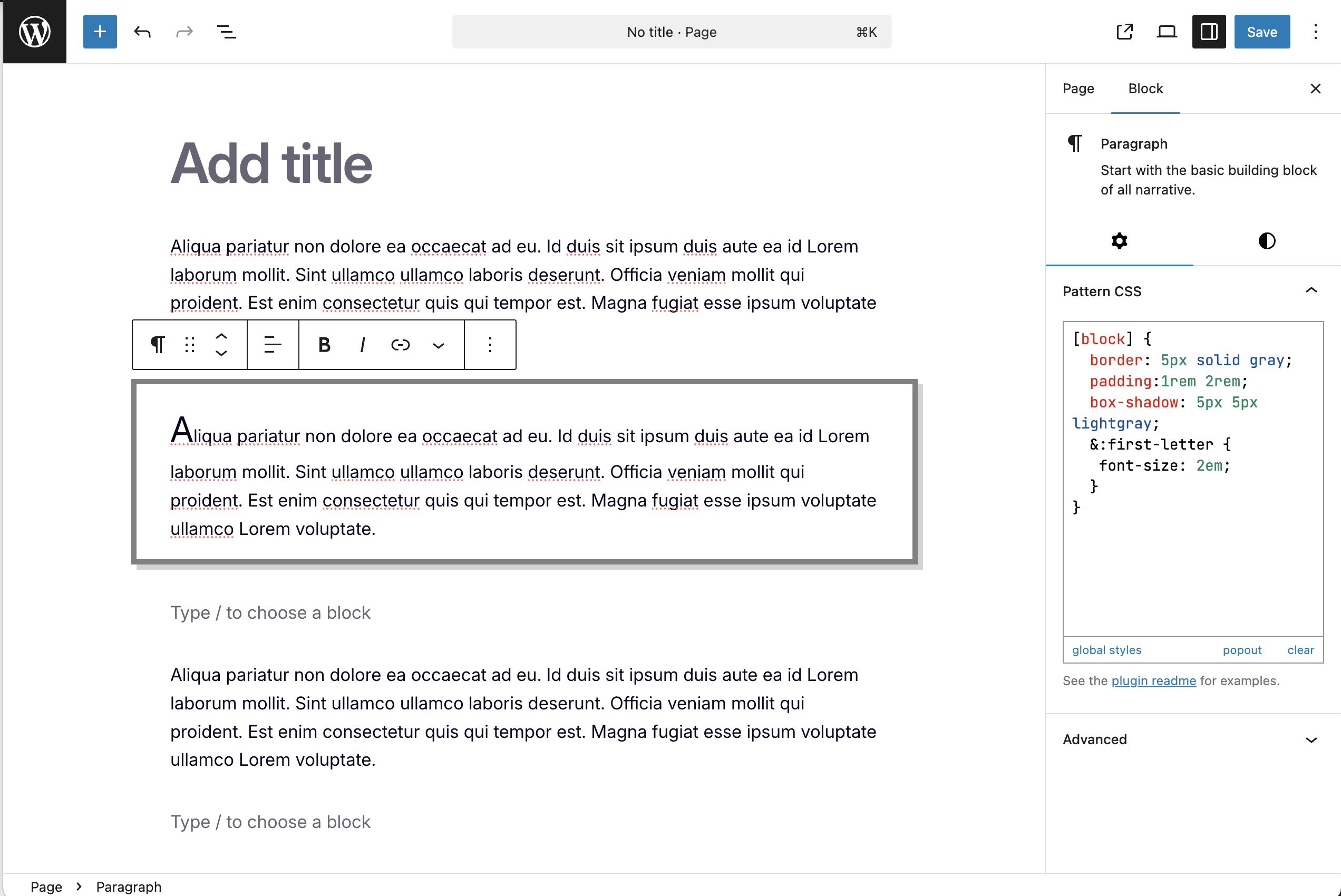
- Every block will have a new “Pattern CSS” settings panel
- Open it and add any CSS. It will be scoped to the block
- To target the block directly, you must use the
[block]selector - To target any element inside the block, use the normal CSS selector
- Use
!importantto override your theme styles (use sparingly)
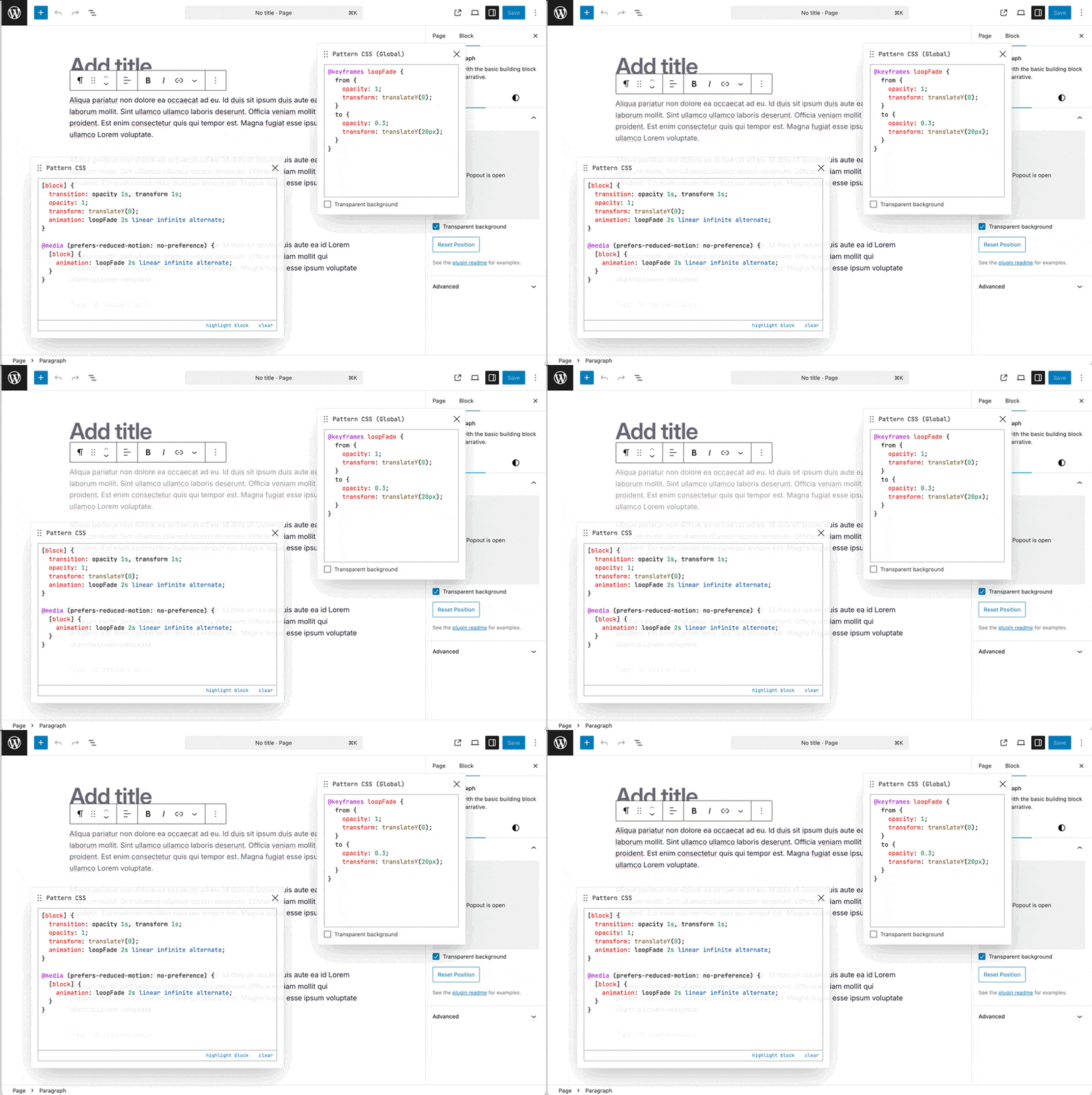
Global Editor
- Access global styles under the options menu (three dots) in the top right corner of the editor
- Additionaly, you can open from the Pattern CSS block editor controls
Merkmale
- Powered by WebAssembly for fast and secure CSS parsing
- Smart loading. Only loads the CSS when the block is present
- Styles persist when changing themes
- Scopes styles to the block so that parent/sibling blocks are not affected
- It’s fast
- CSS is minified and optimized
- It’s safe. Invalid, non-spec CSS is never persisted
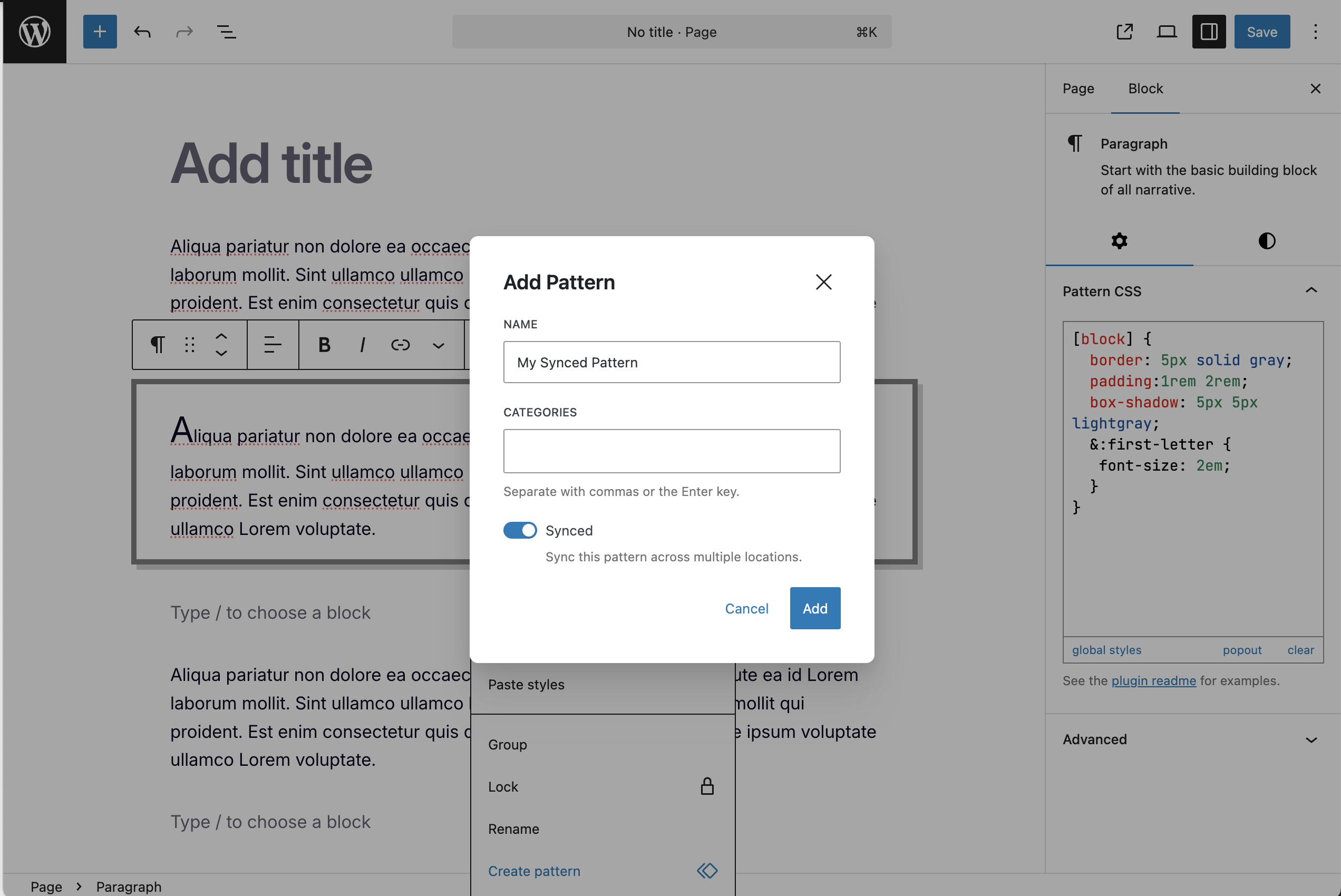
- Supports reusable (synced or not-synced) patterns
- See changes on the page as you make them
- Combines adjacent rules (to decrease size)
- Minifies colors and math functions to simplify according to spec
- Supports CSS nesting
Basic Example
/* Target the block directly */
[block] {
  background: antiquewhite;
  padding: 2rem;
}
/* Target any inner elements */
a {
  text-decoration-color: burlywood;
  text-decoration-thickness: 2px;
  text-decoration-style: solid !important;
}
a:hover {
  text-decoration-color: darkgoldenrod;
}

/* Output: */
.pcss-a1b7b016{background:#faebd7;padding:2rem}.pcss-a1b7b016 a{text-decoration-color:#deb887;text-decoration-thickness:2px;text-decoration-style:solid!important}.pcss-a1b7b016 a:hover{text-decoration-color:#b8860b}
Supports Media Queries
@media (prefers-color-scheme: dark) {
  [block] {
    border-color: blue;
  }
}

/* Output: */
@media (prefers-color-scheme:dark){.pcss-cddaa023{border-color:#00f}}
Combines Rules
[block] {
  color: red;
}
.bar {
  color: red;
}

/* Output: */
.pcss-3aa0f0fc,.pcss-3aa0f0fc .bar{color:red}
Fixes redundant properties
[block] {
  padding-top: 5px;
  padding-left: 50px;
  padding-bottom: 15px;
  padding-right: 5px;
}

/* Output: */
.pcss-3aa0f0fc{padding:5px 5px 15px 50px}
Supports CSS nesting
[block] {
  padding: 1rem;
  a {
    color: red;
  }
  background: white;
  /* Including media queries */
  @media (prefers-color-scheme: dark) {
    background: black;
    color:white;
  }
}

/* Output: */
.pcss-f526bb2d{background:#fff;padding:1rem;& a{color:red}@media (prefers-color-scheme:dark){&{color:#fff;background:#000}}}
Check browser support for CSS nesting
Installation
- Aktivieren Sie das Plugin über den Bildschirm „Plugins“ in WordPress
Änderungsprotokoll
1.5.7 – 2026-08-15
- Tested up to WordPress 7.1
- Chore: Update GitHub Actions off the deprecated Node 20 runtime
1.5.6 – 2026-04-11
- Removes class ID from block when CSS is cleared
1.5.5 – 2026-03-24
- Added manual class ID override (opt-in via constant)
- Warns when duplicate class IDs are detected in the editor
- Prevents duplicate inline styles on the frontend
- Switched to Biome for linting and formatting
- Switched to Playwright and WP Playground for testing
1.5.4 – 2026-03-23
- Fixed dynamic blocks with POST
1.5.3 – 2025-09-27
- Fixes an issue where filtered attributes sent wp/v2/block-renderer causes a block validation error
1.5.2 – 2025-05-21
- Fixes an overflow bug in the editor
Screenshots

Für Entwickler
Ist das dein Plugin? Zeigen Sie die Zahlen.
Fügen Sie Ihrer Website, Docs oder GitHub Readme ein Live-Badge hinzu. Es wird von selbst aktualisiert - kein Konto erforderlich.
Best Pattern CSS alternatives
Alle Block-Plugins →





Fragen und Antworten
Pattern CSS: quick answers
Gerade Antworten, gezogen von Live WordPress.org Daten.
Quelle: WordPress.org
Is Pattern CSS free?
Yes. Pattern CSS is free to download and use from the official WordPress.org plugin directory.
Is Pattern CSS safe to use in 2026?
Yes — Pattern CSS is a safe, well-maintained plugin to use in 2026. It runs on 100+ sites, is rated 5/5 and was last updated 2 days ago, and scores 80/100 on our health check.
How many websites use Pattern CSS?
Pattern CSS is active on 100+ WordPress websites and has been downloaded 6,075 times since it launched in November 2023. It was downloaded 303 times in the last 30 days.
Does Pattern CSS work with WordPress 7.1?
Yes. The developer has tested Pattern CSS up to WordPress 7.2, the latest release. It requires WordPress 6.7 or newer.
What PHP version does Pattern CSS need?
Pattern CSS requires PHP 7.0 or higher. Most hosts run PHP 8.x today, so it works on any modern WordPress hosting.
When was Pattern CSS last updated?
The latest version, 1.5.7, was released on November 27, 2026 (2 days ago).
Who makes Pattern CSS?
Pattern CSS is developed and maintained by Kevin Batdorf.
What are the best alternatives to Pattern CSS?
The most popular alternatives to Pattern CSS are Spectra Legacy (1M+ installs), Breadcrumb NavXT (700K+ installs) and PDF Embedder (300K+ installs).
Angetrieben von PageForge
Eine Vorlage und eine Tabelle. Eine echte Seite für jede Suche.
PageForge Verwandelt jede Zeile eines CSV in eine WordPress-Seite mit eigenem Titel, URL, SEO Felder und Schema entworfen. Kostenlos auf WordPress.org.
- CSV und XLSX, plus Google Sheets auf Beruf und Unternehmen
- seinen eigenen Titel, URL, SEO Felder und Schema für jede Seite
- Arbeitet mit dem Blockeditor, Elementor, Divi und Avada
- Kostenlos auf WordPress.org, keine Kreditkarte