


Malsift – Malware Scanner & Cleanup
Find out whether your WordPress site has been hacked, clean it up safely, and keep attackers out with a firewall and login limits.

Solid choice
Malsift is a solid plugin choice in 2026, with a few things worth checking first. It runs on 10+ sites and was last updated 2 weeks ago, and scores 66/100 on our health check.
- Actively developed — last update 2 weeks ago
- Tested with the latest WordPress (7.1)
- Small user base (10+ active installs)
- Very few reviews so far
How does it stack up?
Side-by-side on installs, updates, ratings & support



Daily downloads
Download spikes usually follow a new release — each site that auto-updates counts as a download.
Rankings
Where Malsift stands todayWordPress.org search rankings
Live position in the plugin search, top 100| Keyword | Position |
|---|---|
| firewall | >100 |
| login security | >100 |
| malware removal | #28 |
| malware scanner | #42 |
| security | >100 |
Version adoption
Share of active sites per release.
About Malsift – Malware Scanner & Cleanup
From the official readme · v1.3.3Description
Malsift checks a WordPress site the way an incident responder would after a hack, and puts every result on one dashboard.
Files
- Compares WordPress core files with the official WordPress.org checksums.
- Compares plugins from WordPress.org with their official releases and flags modified or extra files.
- Scans everything that cannot be verified (themes, premium and custom plugins, uploads, the site root) for malicious code: encoded loaders, code run from web requests, webshells, droppers and obfuscation.
- Finds hidden loader files, suspicious must-use plugins, look-alike plugin folders, PHP files in uploads, and injected .htaccess / .user.ini rules.
Access
- Lists administrator accounts created in the last 30 days.
- Reviews application passwords (API keys), flags names used by attackers, and lets you approve or revoke each key.
Database
- Finds casino and betting spam: betting brand names in titles, text or links, and bursts of posts created within minutes of each other.
- Finds obfuscated scripts and hidden iframes in settings, widgets and content, and a changed site address.
- Flags suspicious scheduled tasks.
Hardening
- Checks that PHP has the fixes for PHP2Shell (CVE-2026-109618, CVE-2026-109619).
- Shows whether the theme/plugin code editor is enabled (and can disable it), two-factor coverage for administrators, and pending updates.
Firewall and login protection
- Request firewall that blocks SQL injection, script injection (XSS), path traversal, PHP and shell command injection, and known attack tools. It checks requests while plugins are still loading, before WordPress runs its hooks, so it also protects other plugins. Requests too large to inspect are treated as suspicious.
- Learning mode logs attacks without blocking them, so you can check for false alarms before switching to Protect. Logged-in editors and administrators are never blocked.
- Limits failed logins on wp-login.php and XML-RPC, and locks out password-guessing bots.
- Blocks XML-RPC multi-call password guessing and pingback abuse, or turns XML-RPC off completely.
- Stops visitors from listing usernames through author scans, the users REST endpoint and the users sitemap.
- Optionally blocks PHP from running in the uploads folder (Apache and LiteSpeed), so an uploaded webshell cannot be used.
- Allow and block lists for IP addresses and ranges, and correct visitor IPs behind Cloudflare and proxies on your own network.
- Event log with one-click “Not an attack”, “Block IP” and “Unlock” buttons.
Clean-up
- Restore modified core and WordPress.org plugin files with verified official copies.
- Quarantine suspicious files and folders. Quarantined files are stored compressed in a protected folder, cannot run, and can be restored.
- Reinstall WordPress core, and plugins and themes from WordPress.org, in one click. Changed and extra files are backed up to quarantine first.
- Revoke API keys, move spam posts to the trash or delete them permanently (large batches are processed in steps), remove suspicious scheduled tasks.
- “Fix all threats” applies only safe automatic fixes; anything that could break a plugin or theme is left for you to review.
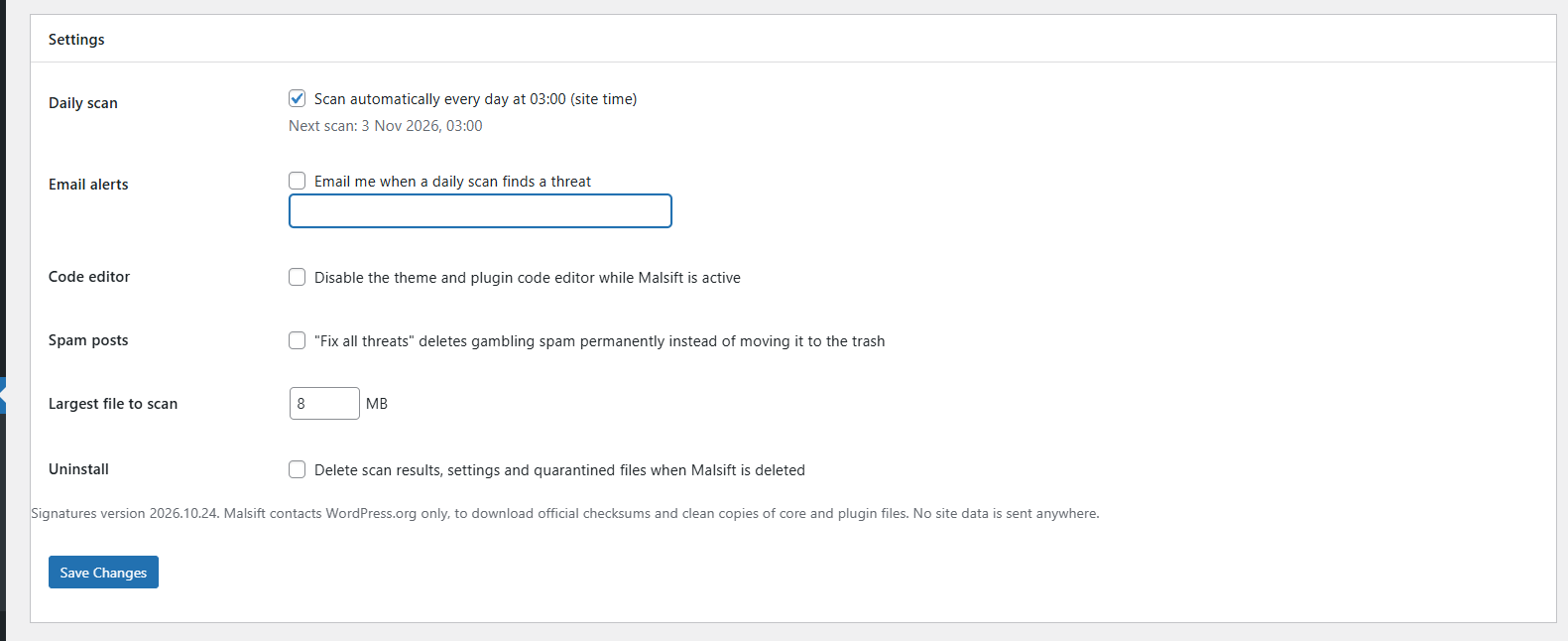
- Daily automatic scan, optional email alerts, scan history and a printable report.
Every scan runs in short steps, so it works on shared hosting without timeouts.
External services
Malsift connects to WordPress.org only:
api.wordpress.org– official checksums for your WordPress version (the same service WordPress core uses).downloads.wordpress.org– official checksums for plugins hosted on WordPress.org.core.svn.wordpress.organdplugins.svn.wordpress.org– clean copies of individual files, downloaded only when you choose to restore a file. Every download is verified against the official checksum before it is written.downloads.wordpress.org– WordPress, plugin and theme packages, downloaded only when you choose to reinstall them, through WordPress’s own updater.
Only your WordPress version, locale, and the slug and version of installed plugins are sent, as part of the request URL. No other site data, personal data or file contents are sent anywhere. WordPress.org terms: https://wordpress.org/about/privacy/
Installation
- Install and activate Malsift.
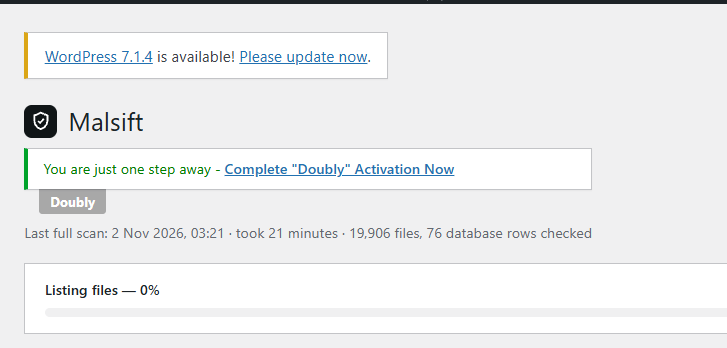
- Open Malsift in the admin menu and click Run full scan.
- Review threats and warnings. Use Fix all threats for the safe automatic fixes, then run a new scan to confirm the site is clean.
On multisite, Malsift is managed from the Network Admin.
Changelog
1.3.3
- Security: restoring an official file no longer follows symbolic links, and refuses targets outside the site.
- Security: the firewall log stores only the request path, and no longer stores values taken from the query string, form data or cookies.
- Fixed: restoring a quarantined file keeps the quarantined copy if the file could not be written.
1.3.2
- Security: the request firewall no longer inspects any WordPress login cookie (including the legacy wordpressuser_ and wordpresspass_ names), and never stores text taken from a cookie in its log.
- Fixed: plugin, must-use and content folders are located with WordPress functions instead of hardcoded constants, including setups where the plugins folder is outside the site root.
- Removed unnecessary core file includes in the reinstall handler.
1.3.1
- New: request a manual clean-up by the Malsift team from the dashboard.
- Fixed: updated styles now load straight away instead of an older cached copy.
1.3.0
- New: redesigned screens. One tab bar replaces the long menu, the dashboard shows your score, what to fix next and on/off switches for each protection, and findings open in place with their fix.
- New: firewall mode switch (Protect, Learning, Off) at the top of the Firewall screen, with a 7-day chart of blocked attacks.
- New: recent activity on the dashboard (scans, blocked attacks, lockouts).
- Improved: works better on phones and small screens.
1.2.0
- New: request firewall with learning mode, blocking SQL injection, XSS, path traversal, code and shell injection, and attack tools.
- New: login protection: failed-login limits and lockouts (including XML-RPC), the same error for wrong usernames and passwords, and blocking XML-RPC multi-call abuse.
- New: hide usernames from author scans, the users REST endpoint and the users sitemap.
- New: option to block PHP from running in the uploads folder.
- New: IP allow and block lists, correct visitor IPs behind Cloudflare and proxies, and a firewall event log.
- New: dashboard checks for the firewall, login limits and PHP in uploads, with one-click fixes.
- New: link to professional clean-up when threats are found.
- Security: quarantining a folder never follows symbolic links, and a flagged symbolic link is removed itself instead of the file it points to. Earlier versions could delete files outside the site if a folder planted by an attacker contained a link. Update recommended.
- Fixed: an edited readme, translation or image file in a plugin or core is no longer reported as a modified file. These files cannot run, and WordPress.org rebuilds a version’s file list when its readme changes.
- Developers: hooks for add-ons (malsift_loaded, malsift_firewall_rules, malsift_signature_rules, malsift_admin_menu, malsift_render_page).
1.1.0
- New: Reinstall screen for WordPress core, plugins and themes from WordPress.org, with automatic backups of changed files.
- New: spam detection looks at post text and links, not just titles, and flags bursts of posts created within minutes.
- New: delete spam permanently, and an option for “Fix all threats” to do so.
- Large spam batches are removed in steps to avoid timeouts.
Screenshots

For developers
Is this your plugin? Show off the numbers.
Add a live badge to your site, docs or GitHub README. It updates on its own — no account needed.
Best Malsift alternatives
All firewall plugins →





FAQ
Malsift – Malware Scanner & Cleanup: quick answers
Straight answers, pulled from live WordPress.org data.
Source: WordPress.org
Is Malsift free?
Yes. Malsift is free to download and use from the official WordPress.org plugin directory.
Is Malsift safe to use in 2026?
Malsift is a solid plugin choice in 2026, with a few things worth checking first. It runs on 10+ sites and was last updated 2 weeks ago, and scores 66/100 on our health check.
How many websites use Malsift?
Malsift is active on 10+ WordPress websites and has been downloaded 298 times since it launched in November 2026. It was downloaded 306 times in the last 30 days.
Does Malsift work with WordPress 7.1?
Yes. The developer has tested Malsift up to WordPress 7.1.5, the latest release. It requires WordPress 6.2 or newer.
What PHP version does Malsift need?
Malsift requires PHP 7.4 or higher. Most hosts run PHP 8.x today, so it works on any modern WordPress hosting.
When was Malsift last updated?
The latest version, 1.3.3, was released on November 16, 2026 (2 weeks ago).
Who makes Malsift?
Malsift is developed and maintained by Blackspace Applications.
What are the best alternatives to Malsift?
The most popular alternatives to Malsift are Wordfence Security (5M+ installs), Limit Login Attempts Securi… (1M+ installs) and Security Optimizer (1M+ installs).
Powered by PageForge
One template and a spreadsheet. A real page for every search.
PageForge turns each row of a CSV into a WordPress page with its own title, URL, SEO fields and schema, built on the layout you already designed. Free on WordPress.org.
- CSV and XLSX, plus Google Sheets on Professional and Enterprise
- Its own title, URL, SEO fields and schema for every page
- Works with the block editor, Elementor, Divi and Avada
- Free on WordPress.org, no credit card