


Category Posts Block
Shows a list of recent posts from a category - with thumbnails, excerpt and a load more button. For posts, pages and the Site Editor.

Solide Wahl
Category Posts Block is a solid plugin choice in 2026, with a few things worth checking first. It runs on 40K+ sites, is rated 4.5/5 and was last updated 3 weeks ago, and scores 78/100 on our health check.
- Bewährt auf 40.000 aktiven Standorten
- Loved by users — 4.5/5 from 79 reviews
- Aktiv entwickelt – letztes Update vor 3 Wochen
- Getestet mit dem neuesten WordPress (7.1)
Wie stapelt es sich?
Side-by-side bei Installationen, Updates, Bewertungen und Support



Tägliche Downloads
Download-Spitzen folgen normalerweise einer neuen Version - jede Website, die automatisch aktualisiert wird, gilt als Download.
Ranglisten
Where Category Posts Block stands todayWordPress.org Ranglisten suchen
Live-Position in der Plugin-Suche, Top 100| Stichwort | Position |
|---|---|
| latest posts | #5 |
| load more | #25 |
| post list | #38 |
| post thumbnails | #18 |
| recent posts | #3 |
Versionsübernahme
Anteil aktiver Sites pro Release.
Bewertungsaufschlüsselung
★★★★★★★★★★ 4.5 from 79 reviews
About Category Posts Block
From the official readme · v5.2.0Beschreibung
Category Posts Block is a light block designed to do one thing and do it well: display the most recent posts from a certain category.
Category Posts Block
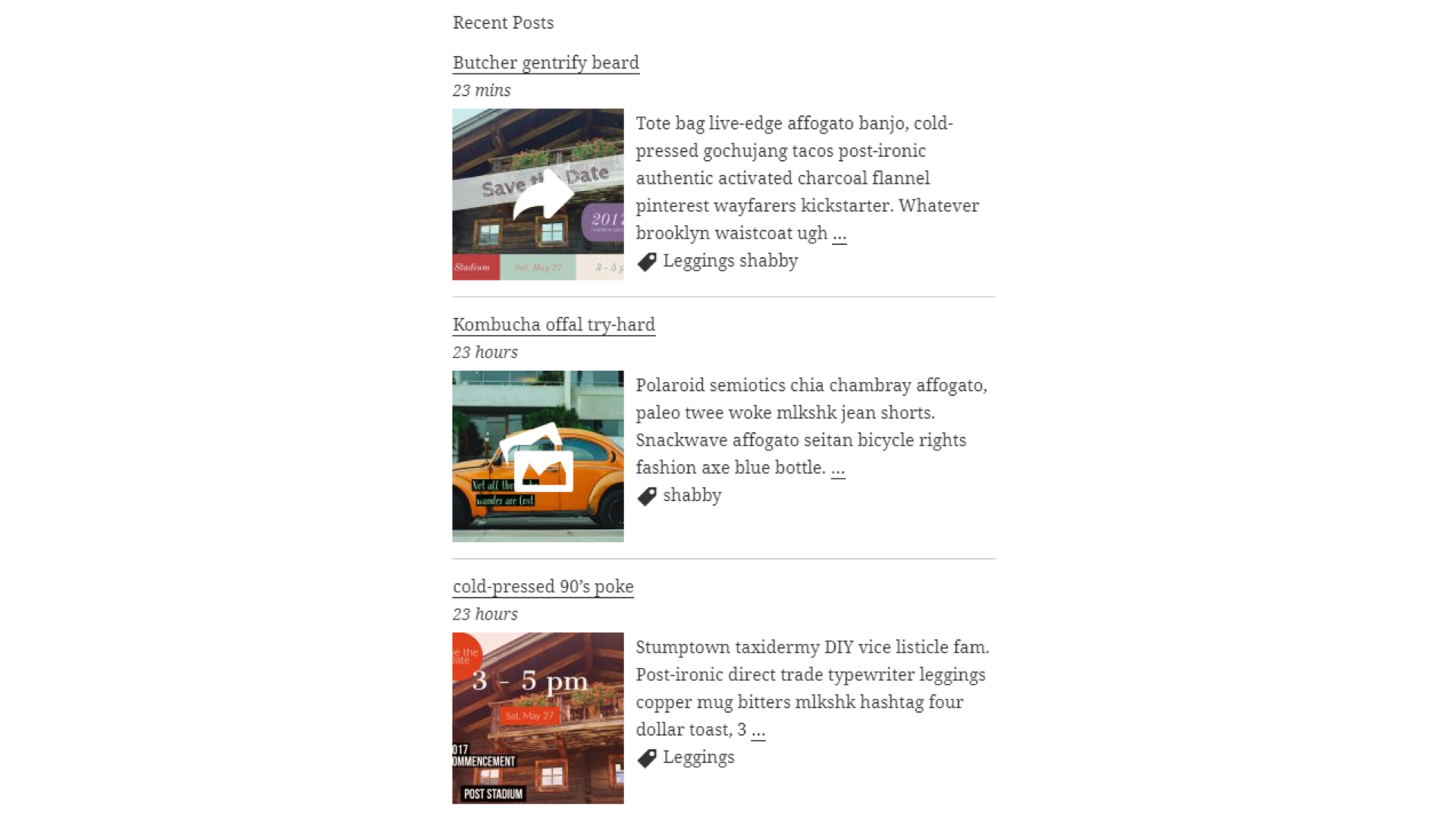
Use the “Category Posts” block in the Gutenberg editor to place the post list anywhere in your content. All options are available in the block sidebar panels: Title, Filter, Details, Thumbnail, Excerpt, Footer, Load more and General. Several blocks can be used on the same page, each with its own settings.
Term and Category based Posts Block
A premium version of that free block available at tiptoppress.com created for big WordPress sites.
Premium-Funktionen
- Custom Post Types, Events, Products support
- Tags, custom taxonomies and authors as filters, with ANY, NOT and AND
- Auto-sizing Grid layout
- Image-Slider and News-Ticker (horizontal or vertical)
- Masonry responsive grid layout
- Query type “Matching” for tags, custom taxonomies, post type archives, author, date and search
- Custom field support in the Template
- Asymmetrical list layouts
- Full background images
- Shortcode support in the Template
- Pagination with your own link text and number of links
- Search term in the title
- All free features
- E-Mail support
- More examples on the demo pages
Merkmale
- Block for the block editor and Site Editor.
- Query types: “Default” takes over the query of the page (e.g. archive templates), “Matching” shows posts from the category of the current archive or post, “Custom” uses the block’s own filter
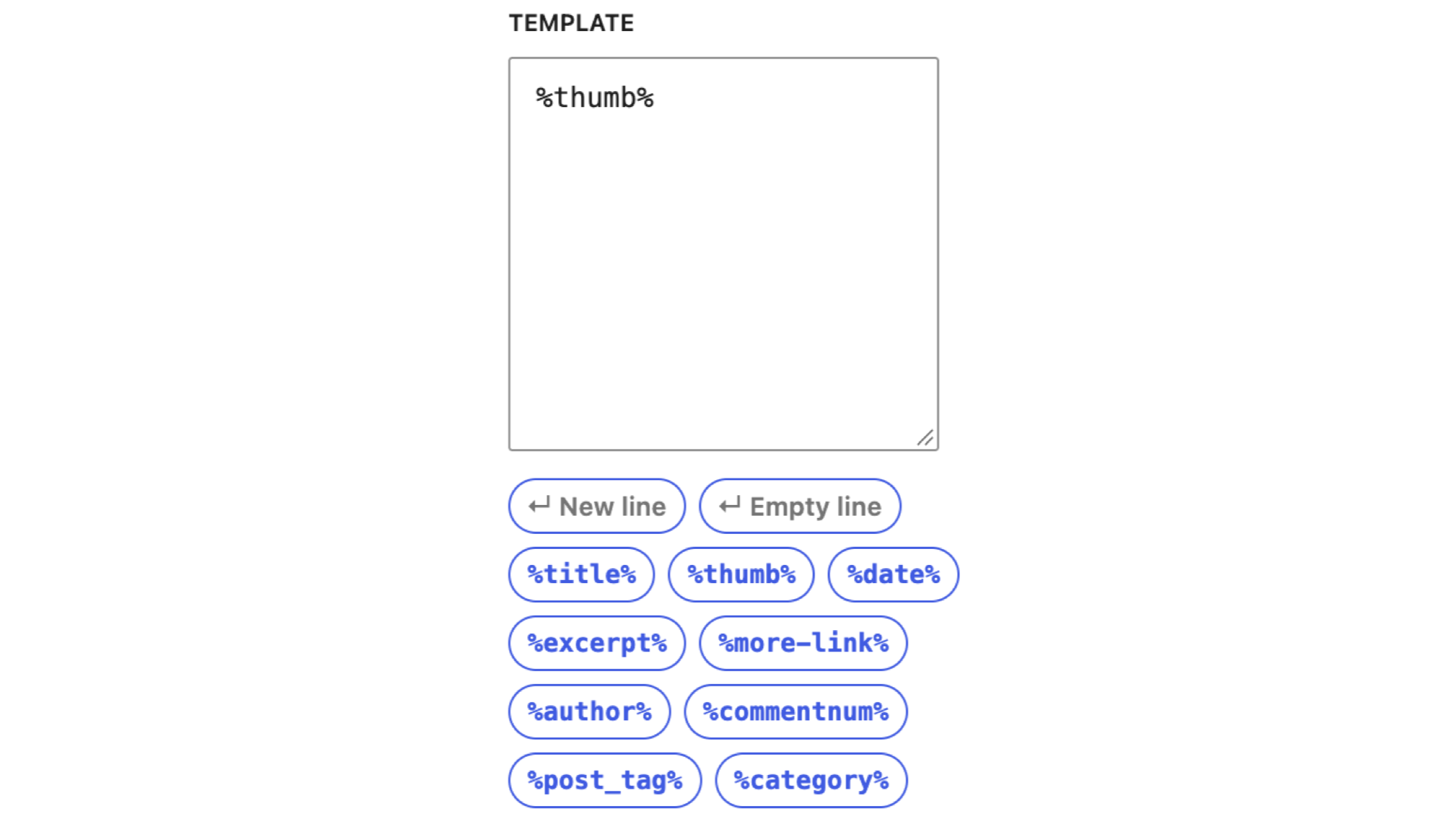
- Template to arrange the post details.
- The Template text can be a post details placeholder, plain text, HTML or a font-icons.
- ‘Load more’ button / Ajax API or pagination
- Set thumbnail width & height / image crop with CSS (object-fit)
- Option show post author, comment’s count, post date
- Excerpt length and item title in lines (line-clamp)
- Option exclude current post, also inside a Query Loop
- Date range filter
- Filter by post status: Published, scheduled, private
- Add option for post offset (use two or more blocks after another)
- Show the archive title as the block title
- “Edit template” links in the category and post lists
- Item Title heading level buttons
- Option to hide posts which have no thumbnail
- Set a default thumbnail
- Option to set mouse hover effects for post thumbnail
- Fluid images (max-width in %)
- One thumb dimension can be left empty
- Font-icon support
- New date format: Time since published
- Option to touch device friendly “everything is a link”
- Hide the block text, if there is no post
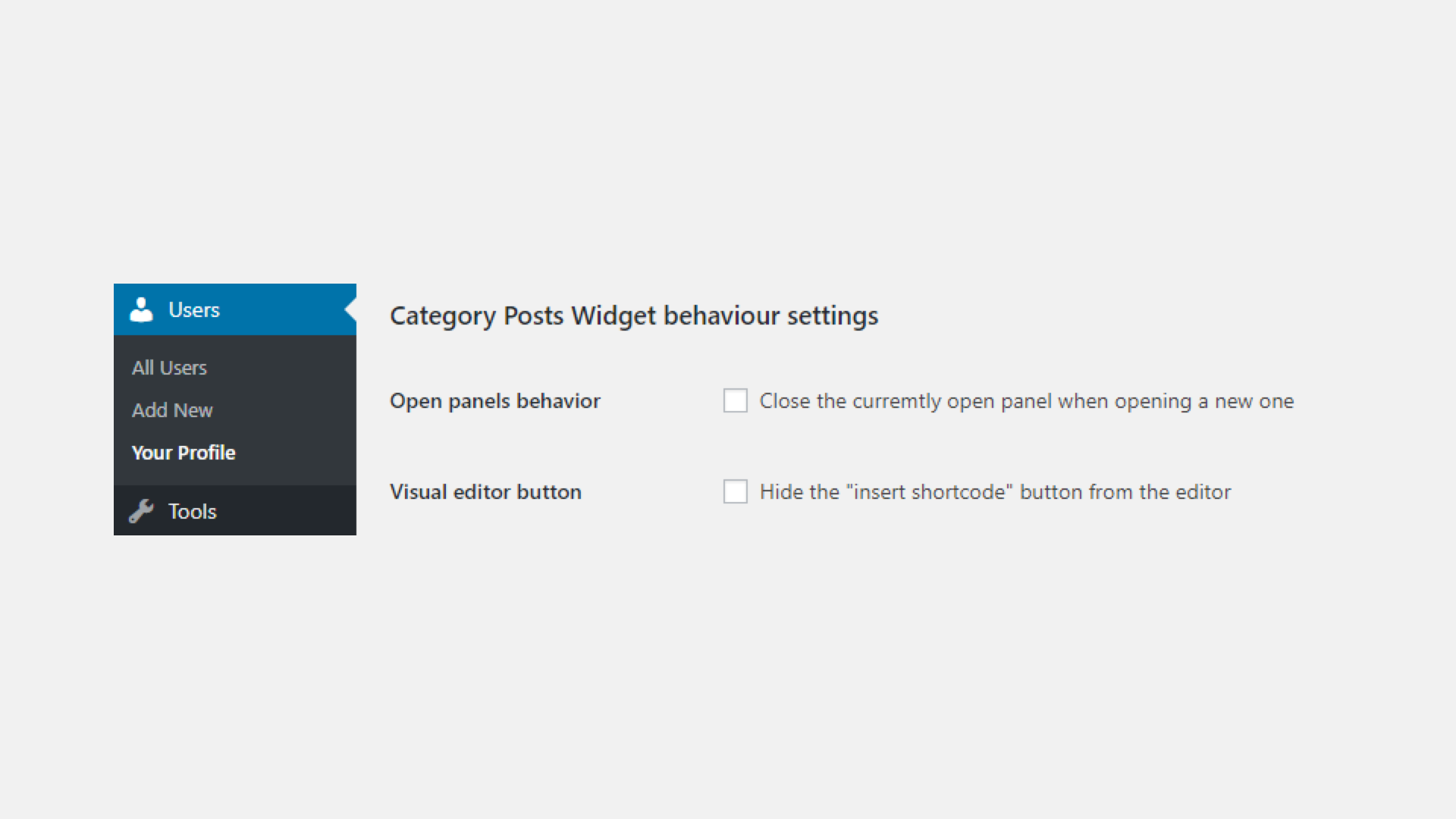
- Classic editor: toolbar button to insert the shortcode
Dokumentation
- Full documentation
- Formatting date and time: See Formatting Date and Time
Beitragen
While using this plugin if you find any bug or any conflict, please submit an issue at
Github (If possible with a pull request).
Installation
Automatische Installation
Automatic installation is the easiest option as WordPress handles the file transfers itself and you don’t need to leave your web browser. To do an automatic install of Category Posts Block
- Log in to your WordPress dashboard, navigate to the Plugins menu and click Add New.
- In the search field type “Category Posts Block” and click Search Plugins.
- Once you’ve found plugin, you can install it by simply clicking “Install Now”.
- Then, go to plugins page of WordPress admin activate the plugin.
- Add the “Category Posts Block” to a post, page or template in the editor.
Manuelle Installation
- Laden Sie das Plugin herunter.
- Upload it to the plugins folder of your blog.
- Aktivieren Sie das Plugin über das „Plugins“-Menü in WordPress
- Add the “Category Posts Block” to a post, page or template in the editor.
Änderungsprotokoll
5.2.0 – November 10th 2026
- Pagination
- Query types: “Default”, “Matching” and “Custom”. Take over the query of the page, e.g. on archive templates
- Show the archive title in the title
- Transform a Query Loop block into this block
- Block supports for color, spacing, typography and border
- “Content” tab in the block sidebar (WordPress 7.0+)
- “Edit template” links in the category and post lists
- Bugfixes
5.1.2 – October 19th 2026
- Block settings split into Settings and Styles
- More uniform block settings
- Thumbnail ratio kept by CSS
- Bugfixes
5.1.1 – September 21st 2026
- Transform to Term and Category Posts based Block
5.1.0 – September 12th 2026
- Show the whole image for logos
- Bugfix Block-supports classes
- Bugfix Wrap text around image
5.0.0 – August 18th 2026
- Category Posts Block for the Gutenberg editor
4.9.22 – July 26th 2025
- Calculate the attachment size
Screenshots


Für Entwickler
Ist das dein Plugin? Zeigen Sie die Zahlen.
Fügen Sie Ihrer Website, Docs oder GitHub Readme ein Live-Badge hinzu. Es wird von selbst aktualisiert - kein Konto erforderlich.
Best Category Posts Block alternatives
All latest posts plugins →


Fragen und Antworten
Category Posts Block: quick answers
Gerade Antworten, gezogen von Live WordPress.org Daten.
Quelle: WordPress.org
Is Category Posts Block free?
Yes. Category Posts Block is free to download and use from the official WordPress.org plugin directory.
Is Category Posts Block safe to use in 2026?
Category Posts Block is a solid plugin choice in 2026, with a few things worth checking first. It runs on 40K+ sites, is rated 4.5/5 and was last updated 3 weeks ago, and scores 78/100 on our health check.
How many websites use Category Posts Block?
Category Posts Block is active on 40K+ WordPress websites and has been downloaded 1,900,913 times since it launched in October 2007. It was downloaded 22,725 times in the last 30 days.
Does Category Posts Block work with WordPress 7.1?
Yes. The developer has tested Category Posts Block up to WordPress 7.1.5, the latest release. It requires WordPress 6.6 or newer.
What PHP version does Category Posts Block need?
Category Posts Block requires PHP 7.2 or higher. Most hosts run PHP 8.x today, so it works on any modern WordPress hosting.
When was Category Posts Block last updated?
The latest version, 5.2.0, was released on November 10, 2026 (3 weeks ago).
Who makes Category Posts Block?
Category Posts Block is developed and maintained by ZephyrWest.
What are the best alternatives to Category Posts Block?
The most popular alternatives to Category Posts Block are Latest Posts (4K+ installs), news ticker benaceur (1K+ installs) and Relevant (800+ installs).
Angetrieben von PageForge
Eine Vorlage und eine Tabelle. Eine echte Seite für jede Suche.
PageForge Verwandelt jede Zeile eines CSV in eine WordPress-Seite mit eigenem Titel, URL, SEO Felder und Schema entworfen. Kostenlos auf WordPress.org.
- CSV und XLSX, plus Google Sheets auf Beruf und Unternehmen
- seinen eigenen Titel, URL, SEO Felder und Schema für jede Seite
- Arbeitet mit dem Blockeditor, Elementor, Divi und Avada
- Kostenlos auf WordPress.org, keine Kreditkarte