
Every major option tested and compared — so you can stop guessing and start ranking.
In this guide
- What is a programmatic SEO WordPress plugin?
- Who actually needs one?
- What to look for before you buy
- The top plugins compared (2026)
- Why agencies are switching to PageForge
- How to launch your first campaign in 4 steps
- How to avoid Google penalties at scale
- Frequently asked questions
- Final verdict
In 2026, the gap between businesses with 50 web pages and businesses with 5,000 is not a content team or a budget — it is a programmatic SEO plugin.
The sites ranking at the top of Google for “plumber in Austin,” “divorce attorney in Chicago,” and ten thousand similar searches did not write those pages manually. They built one template, loaded a spreadsheet, and let a plugin do the rest.
This guide covers every major programmatic SEO WordPress plugin on the market right now — how they work, what they cost, where they fall short, and which one is the right fit for your use case.
Quick answer
For most agencies and local SEO teams in 2026, PageForge is the best all-round choice: it combines bulk generation, built-in AI content and meta writing, location-aware schema, and Google Sheets sync in a single plugin with no AI add-on fees.
1. What is a programmatic SEO WordPress plugin?
Programmatic SEO (pSEO) is the practice of generating hundreds or thousands of web pages from a single template plus a structured data source. Each page is unique because dynamic placeholders — like {city}, {service}, or {neighborhood} — are swapped with real values from your dataset.
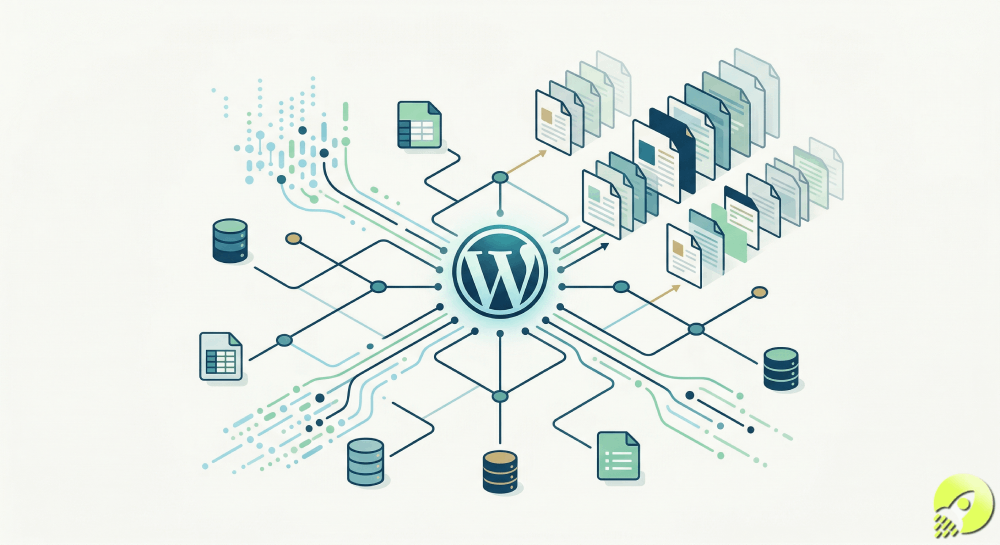
A programmatic SEO WordPress plugin does all of this inside your existing WordPress install. You design one template in Elementor, Gutenberg, or Divi, upload a CSV (or connect a Google Sheet), map your columns to placeholders, and the plugin generates every page combination automatically.
The result: a local plumber goes from one generic “Services” page to 400 individual pages targeting “emergency plumber in [city]” — each with unique content, its own URL, meta title, meta description, and schema markup. That is the kind of footprint it takes years to build manually, done in an afternoon.
Important distinction
A programmatic SEO plugin is not the same as a standard SEO plugin like Yoast or Rank Math. Yoast optimizes pages you already wrote. A pSEO plugin generates the pages for you at scale.
2. Who actually needs a programmatic SEO plugin?
🏢 Local SEO agencies Build location and service pages at scale for every client without manual duplication.
🔧 Service businesses Plumbers, roofers, electricians — generate one page per city you serve, fast.
🏠 Real estate sites Neighborhood guides, school district pages, ZIP code landing pages.
📂 Directory builders Category + location combinations at the thousands.
🛒 eCommerce stores Product + location landing pages, or product variant pages.
🤝 Affiliate marketers “Best [product] in [city]” pages across every geo you target.
🚀 SaaS companies Integration pages, use-case pages, competitor comparison pages.
🏥 Multi-location brands Franchise networks, medical groups, dental chains — one page per location.
If you find yourself copy-pasting pages and manually changing the city name, you need a programmatic SEO plugin.
3. What to look for before you buy
Not every plugin is equal. Here are the eight criteria that actually determine whether a pSEO plugin will rank your pages or get them ignored:
Data source flexibility
Can it import from CSV, Google Sheets, Excel, and Airtable? Can it sync in real time?
Built-in AI content
Does AI write unique body content and meta tags per page, or do you have to bring your own prompts?
Page builder support
Works with Elementor, Gutenberg, Divi, and others without breaking layouts.
SEO plugin integration
Directly writes to Yoast, Rank Math, or SEOPress fields — not just the content body.
Schema / structured data
Auto-injects JSON-LD schema per page — LocalBusiness, Service, FAQPage, etc.
Duplicate protection
Detects and prevents near-duplicate pages that trigger Google spam filters.
Queue & scheduling
Drip-feeds pages over days or weeks so your index grows at a natural, safe rate.
Scale ceiling
Can it generate 10,000+ pages without timing out or crashing your server?
4. The top programmatic SEO WordPress plugins compared (2026)
We tested and researched every major plugin on the market. Here is the complete picture:
| Plugin | AI content built-in | Google Sheets sync | Auto schema | Duplicate guard | Pricing (starts at) | Best for |
|---|---|---|---|---|---|---|
| PageForge Editor’s pick | ✓ Native | ✓ Real-time | ✓ Auto JSON-LD | ✓ Built-in | pageforge.pro/pricing | Agencies & local SEO at scale |
| Page Generator Pro | ⚠ Add-on cost | ✓ | ⚠ Via 3rd-party plugin | ⚠ Basic | $49/yr (1 site) | WordPress power users |
| LPagery Pro | ⚠ Limited | ✓ Real-time | ✗ | ⚠ Manual | $19/mo (1 site) | Simple location pages |
| SEOBrrr | ✓ | ✗ (Airtable only) | ✗ | ✗ | $49/mo | Non-WordPress pSEO |
| Magic Page Plugin | ✗ | ⚠ Via Zapier | ✗ | ✗ | $97/mo | Basic city page creation |
| WP All Import | ✗ | ✗ | ✗ | ✗ | $99/yr | Data import, not pSEO |
Page Generator Pro — detailed verdict
Good
Page Generator Pro
From $49/yr (1 site) · $199 lifetime · $299 agency lifetime
The most established plugin in this space with over a decade of development. It generates pages, posts, and custom post types from templates and supports 25+ page builders including Elementor, Divi, and Beaver Builder. Data can come from CSV, Google Sheets, Airtable, or Notion.
Strengths
- Very mature plugin with extensive documentation
- 25+ page builder integrations
- Broad data source support
- Directory/hierarchy generation (region → city → ZIP)
- 14-day money-back guarantee
Weaknesses
- AI content is a paid add-on, not included
- Schema requires a separate schema plugin
- Support is ticketing only — no live chat
- No Zapier/Make integrations or REST API
- No pre-built templates or datasets to start from
LPagery Pro — detailed verdict
Good for simple use cases
LPagery Pro
From $19/mo (1 site) · $590 lifetime (1 site)
A popular choice for simple local SEO page generation. LPagery uses a CSV, XLSX, or Google Sheet to generate location pages quickly. Its free version on WordPress.org is capped at 100 pages per run. The standout feature is its radius targeting — automatically generating pages for every city within a geographic radius.
Strengths
- Free version available to test
- Real-time Google Sheets sync
- Radius targeting for local SEO
- Simple, fast onboarding
- Yoast and Rank Math compatible
Weaknesses
- No native schema injection
- AI content is very basic
- Limited to one site on most plans
- Pages can feel repetitive without extra uniqueness work
- No built-in duplicate protection system
5. Why agencies are switching to PageForge
PageForge was purpose-built for the way local SEO and programmatic SEO actually works in 2026 — not bolted together from features added over a decade. The differences that matter most for agencies and serious SEO teams:
AI content and meta generation — built in, not bolted on
Every other plugin in this category either skips AI entirely or charges extra for it. PageForge writes unique AI content per page at generation time, using your brand voice and data context to avoid the “AI slop” that Google’s spam systems now detect. It also generates unique meta titles and meta descriptions for every page — not a simple find-and-replace of your template tag.
Location-aware schema injection
PageForge auto-injects JSON-LD structured data on every generated page — LocalBusiness, Service, GeoCoordinates, FAQPage — matched to the location data in your spreadsheet row. This is not a general schema plugin integration; it is schema built specifically around your generated content. Competitors either skip schema entirely or rely on you to configure a third-party schema plugin separately.
Google Sheets real-time sync
Connect a Google Sheet and PageForge stays in sync. Add a row and the page publishes. Edit a cell and the page updates. Remove a row and the page can be deleted or moved to draft. This workflow is essential for agencies managing multi-location clients — your client updates their own spreadsheet and the site updates automatically.
Duplicate protection system
Generating thousands of pages from a template is the fastest way to get hit by a Google spam update — unless your plugin prevents near-duplicate content. PageForge’s duplicate protection checks both URL and content fingerprints before publishing, and its AI content layer ensures each page has meaningful unique copy beyond just the location name.
Queue mode and daily limits
Publishing 5,000 pages in one hour is a red flag for Google’s crawlers. PageForge’s queue mode lets you schedule generation over days or weeks, drip-feeding pages at a natural rate. This is a feature most users discover they need only after experiencing an indexation problem — PageForge surfaces it in the setup flow before it becomes an issue.
Builder compatibility with Gutenberg, Elementor, and Divi
PageForge clones your existing page builder layout — including complex Elementor or Divi designs — and replaces placeholders within it. You design the page once in the builder you already know. The generated pages are genuine page builder pages, editable individually if needed.
Key differentiator
PageForge is the only WordPress plugin in this category that combines bulk page generation, native AI content writing, location-aware JSON-LD schema, and real-time Google Sheets sync without requiring additional plugins or paid add-ons.
6. How to launch your first programmatic SEO campaign in 4 steps
Here is the exact workflow for getting your first bulk campaign live with PageForge:
Build your data source
Create a Google Sheet with one row per page you want to generate. Columns become your placeholders: city, service, phone, address, etc. For local SEO, 50–200 rows is a strong starting batch. Include latitude and longitude columns if you want geo-targeted schema.
Design your template page
Build one page in Elementor, Gutenberg, or Divi exactly as you want every generated page to look. Wherever you want dynamic content, type the placeholder name wrapped in brackets — [city], [service], and so on. This is your master layout; PageForge clones it for every row.
Connect, map, and enable AI
In PageForge, connect your Google Sheet, map each column to its placeholder, and set your URL slug pattern (e.g., /[service]-in-[city]/). Enable AI content generation and point it at your brand voice doc if you have one. Set the queue to publish 20–50 pages per day.
Generate, review, and monitor
Run a test generation of 3–5 pages first. Check that placeholders resolved correctly, that AI content is unique and on-brand, and that schema is injecting properly. Once satisfied, start the full run. Monitor Google Search Console impressions over the following 2–4 weeks; expect early indexation signals within days on established domains.
7. How to avoid Google penalties when generating pages at scale
This is the question most buyers ask after they have seen a competitor’s pSEO site get hit by an update. The risk is real, but it is almost entirely avoidable if you follow these principles:
Unique value on every page — not just the city name
A page that replaces {city} with “Austin” but otherwise has identical content to the Dallas page is thin content. Google’s Helpful Content system looks at pages at scale and demotes sites where the majority of pages add no unique value. Use AI content to generate a unique service description, a location-specific intro paragraph, and unique FAQs for each row.
Use queue mode, not bulk instant generation
A site gaining 3,000 new pages in one day is unusual crawl behavior. PageForge’s queue mode lets you cap daily generation — 20, 50, or 100 pages per day — so your index grows at the same rate it would from a real content team. This alone eliminates most indexation and spam-filter issues.
Start small, validate, then scale
Generate 20–50 pages in a single cluster first. Wait 2–4 weeks. Check Search Console for impressions and index coverage. If the batch is healthy, scale to the next 200. If you see indexation problems, diagnose before scaling. The biggest pSEO mistakes happen when people generate 5,000 pages before confirming the first 50 are performing.
Schema and internal linking
Structured data helps Google understand exactly what each page is about — critical when generating pages at scale. PageForge auto-handles this. Internal links between generated pages (a city page linking to nearby city pages, or to the parent service page) build topical authority and crawl efficiency. Set up a hub-and-spoke internal linking structure before you start your run.
The one thing that kills pSEO sites
Duplicate content is the single biggest cause of pSEO penalties. If the only difference between your pages is the city name in the H1 and the URL, Google will eventually demote or deindex your entire batch. AI-generated unique content per page is not optional in 2026 — it is the baseline requirement.
Ready to build your first bulk campaign?
PageForge handles the AI content, schema, and Google Sheets sync so you can focus on strategy — not copy-paste.
Frequently Asked Questions
What is a programmatic SEO WordPress plugin?
A programmatic SEO WordPress plugin lets you generate hundreds or thousands of SEO-optimized pages from a single template and a data source such as a CSV file or Google Sheet. Each page is unique because dynamic placeholders are swapped with location names, service types, or other variables from your data.
Which is better: PageForge or Page Generator Pro?
PageForge includes built-in AI content and meta generation, location-aware JSON-LD schema injection, and real-time Google Sheets sync in its core product. Page Generator Pro charges extra for AI add-ons and requires a separate schema plugin. For agencies wanting a modern AI-first workflow without the overhead, PageForge is the stronger option in 2026.
Can I use a programmatic SEO plugin without any coding?
Yes. Both PageForge and LPagery are designed for non-developers. You build a template in your existing page builder, upload a CSV or connect Google Sheets, set your placeholders, and click generate. No PHP or custom code is required.
Will programmatic SEO pages be penalized by Google?
Pages are only penalized if they are thin or near-duplicate. PageForge combats this with AI-generated unique content per page, a built-in duplicate protection system, auto-injected schema markup, and a queue mode that drip-feeds pages so your index grows at a natural rate. Sites that generate unique, helpful pages at scale consistently rank well.
How many pages can PageForge generate?
PageForge has no hard cap on page counts. Users regularly generate 5,000–10,000+ pages per campaign. Queue mode manages server load automatically so generation runs smoothly regardless of scale.
Does PageForge work with Elementor, Divi, and Gutenberg?
Yes. PageForge clones your existing page builder layout — including complex Elementor and Divi designs — and replaces placeholders within the native page builder structure. Generated pages are fully editable in your builder of choice.
What data sources does PageForge support?
PageForge connects to Google Sheets (with real-time sync), CSV files, and Excel files. The Google Sheets integration is live: add a row and the page publishes, edit a cell and the page updates, remove a row and the page can be auto-deleted or moved to draft.
Is PageForge suitable for agencies with multiple clients?
Yes. PageForge includes multi-site support, role-based access controls, and agency-specific features. Each client’s campaign is isolated. The managed services team at PageForge can also handle implementation directly for agencies that want a done-for-you option.
9. Final verdict
There are good plugins in this category. Page Generator Pro is mature and flexible. LPagery is fast and simple for location-only campaigns. But neither was built for the realities of 2026 SEO — where Google’s Helpful Content system demands genuine uniqueness at scale, where AI content is table stakes, and where schema is expected on every local page.
PageForge is the only WordPress plugin that ships all of this in a single product without add-ons or workarounds: bulk generation, native AI content and meta writing, location-aware JSON-LD schema, real-time Google Sheets sync, duplicate protection, and queue scheduling.
For agencies running local SEO campaigns, for multi-location brands, for directory builders and affiliate marketers who need their pages to rank and convert — PageForge is the right tool for 2026.
Our recommendation
Start with a 20–50 page pilot campaign targeting your highest-value service + city combination. Use PageForge’s queue mode, enable AI content, and check Search Console after 3 weeks. You will have enough data to justify scaling the full campaign.
Start building your pSEO campaign today
Join agencies and local SEO teams generating thousands of ranking pages with PageForge.


