

WP Server Health Stats
Monitor your WP site the right way with most important stats like Database, PHP details, PHP Memory, RAM Usage, CPU load, Server Uptime & more.

Solid choice
WP Server Health Stats is a solid plugin choice in 2026, with a few things worth checking first. It runs on 9K+ sites, is rated 4.8/5 and was last updated 4 months ago, and scores 73/100 on our health check.
- Loved by users — 4.8/5 from 110 reviews
How does it stack up?
Side-by-side on installs, updates, ratings & support



Daily downloads
Download spikes usually follow a new release — each site that auto-updates counts as a download.
Rankings
Where WP Server Health Stats stands todayWordPress.org search rankings
Live position in the plugin search, top 100| Keyword | Position |
|---|---|
| health | #3 |
| information | #17 |
| isaumya | #2 |
| server | #6 |
| stats | #4 |
Version adoption
Share of active sites per release.
Rating breakdown
★★★★★★★★★★ 4.8 from 110 reviews
About WP Server Health Stats
From the official readme · v1.9.1Description
WP Server Health Stats plugin will give you the ability to monitor your WordPress site at its core level. With all-important server health stats like allocated PHP memory, memory usage, realtime RAM usage, CPU usage etc. you can always identify if something wrong is going on with your site.
Now you don’t have to contact your host every single time for minor things. You can easily see the server health stats in your WP admin dashboard and make critical decisions based on that, like if enabling some plugin is consuming a lot of memory or CPU etc.
Please Note: This plugin uses 3rd party systems ip-api.com to get the location details for the server IP. Please check their Privacy Policy and Terms. By default the plugin uses the free version of IP-API service but if you have purchased a premium version then you can enter your API key inside the plugin settings page.
It took many countless hours to code, design, test and include useful server info to show up in your WordPress dashboard. If you enjoy this plugin and understand the huge effort I put into this, please consider donating some amount (no matter how small) to keep alive the development of this plugin. Thank you again for using my plugin. If you love using this plugin, I would really appreciate it if you took 2 minutes out of your busy schedule to share your review about this plugin.
Q: After installing this plugin my server load has increased tremendously. How to fix this?
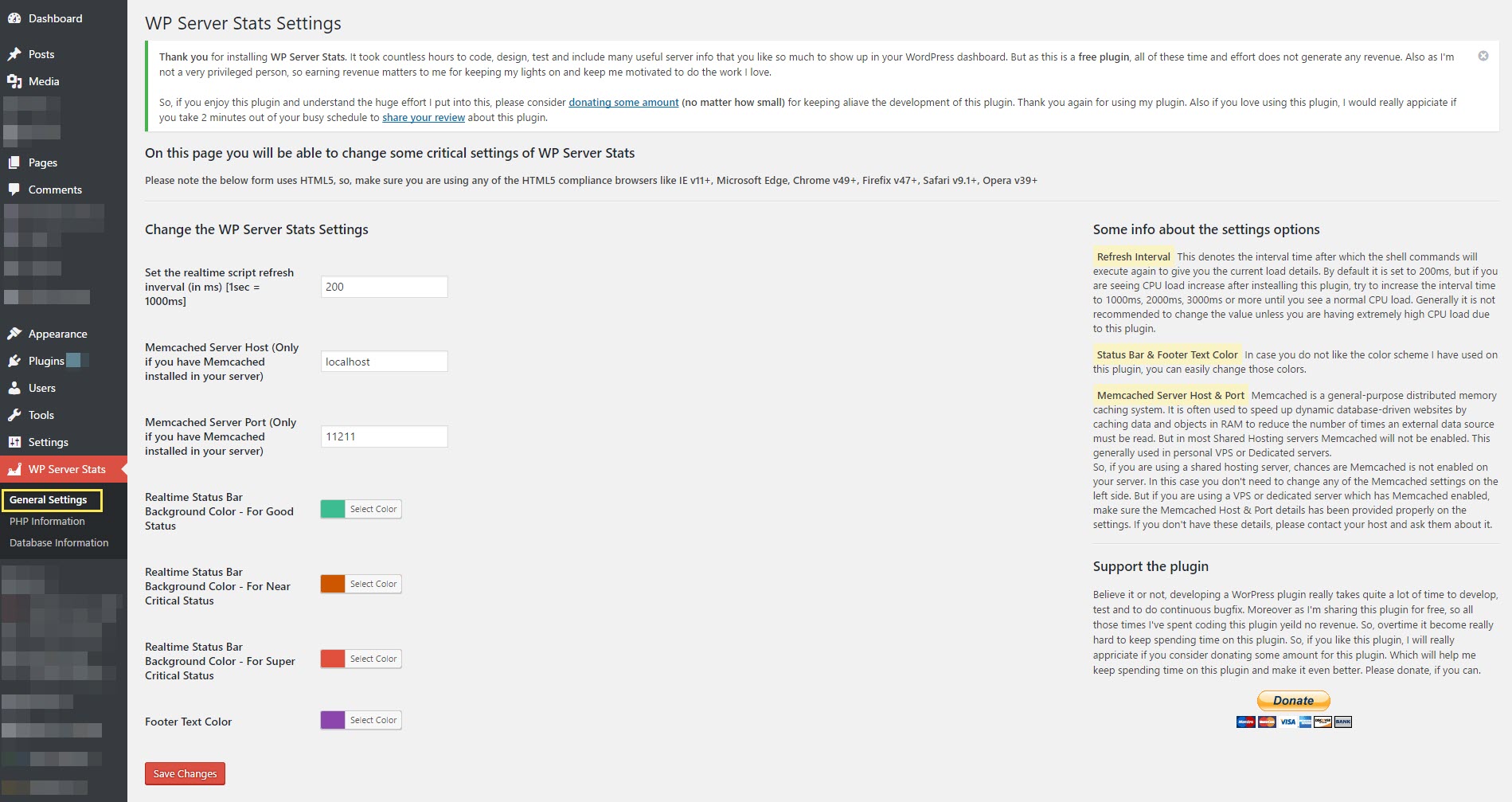
This plugin uses Ajax to call the server after an interval of time to get the latest data about the server, giving you the real-time update. By default, this happens after every 200ms. But if you are using a low-end server with fewer resources, calling the server after each 200ms can increase your server load drastically. You can easily solve this too. On the left-hand side menu of WP Admin panel, you will see a settings panel for WP Server Stats under that you will find another sub-menu called General Settings. Within general settings, the first option is to change the interval time. Change it to how much higher your want like 2000ms (2 sec) or maybe 20000ms (20 sec) depending on your need. Once you save the settings the plugin will call the server only after the interval you have set, reducing your server load back to how it was without this plugin.
But again, generally speaking, if you are in a decent to good hosting, you won’t face this problem at all, as this a very lightweight plugin.
Features of the plugin include:
- Purge WP Server Stats Cache (Which you can disable also. Check the FAQ section for more details.)
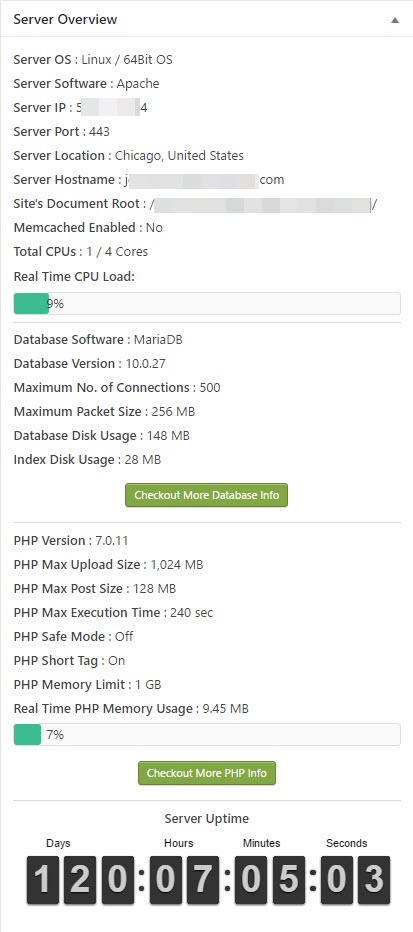
- Shows server OS
- Shows server software
- Shows the server IP address
- Shows server port
- Shows server location
- Shows server hostname
- Shows server document root
- Shows if Memcached is enabled on your server or not
- If Memcached is enabled it will show you detailed information about your Memcached installation if provided appropriate Memcached host and port details in the WP Server Stats > General Settings page
- Shows total number of allowed CPU for your site
- Shows Real-Time CPU usage percentage
- Shows Total RAM allocated
- Shows Real-Time RAM Usage percentage
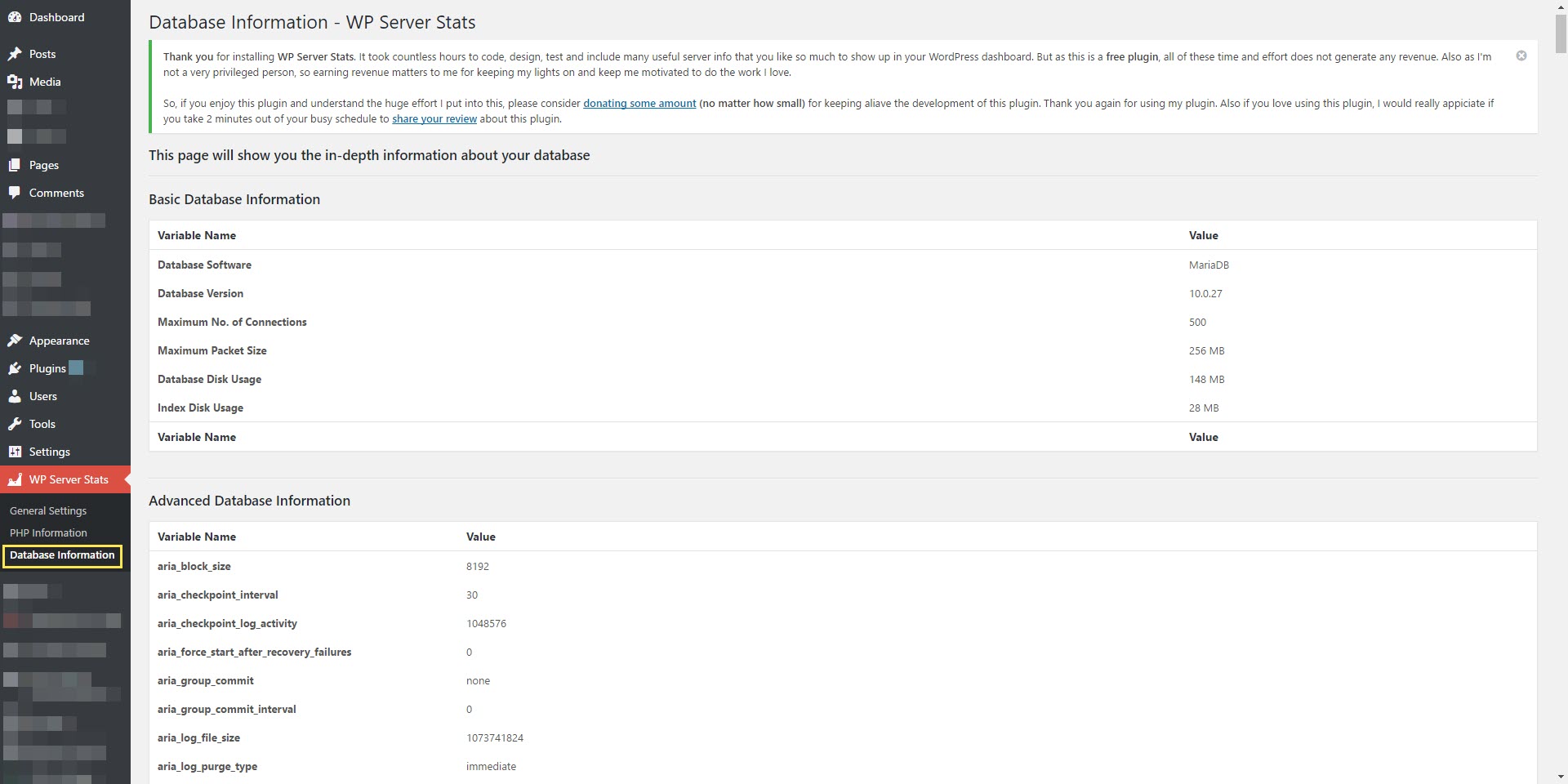
- Shows the database software installed on your site e.g. MySQL, MariaDB, Oracle etc.
- Shows the database version number
- Shows maximum number of connections allowed to your database
- Shows maximum packet size of your database
- Shows database disk usage
- Shows database index disk usage
- A separate page to show up even more details about your database server
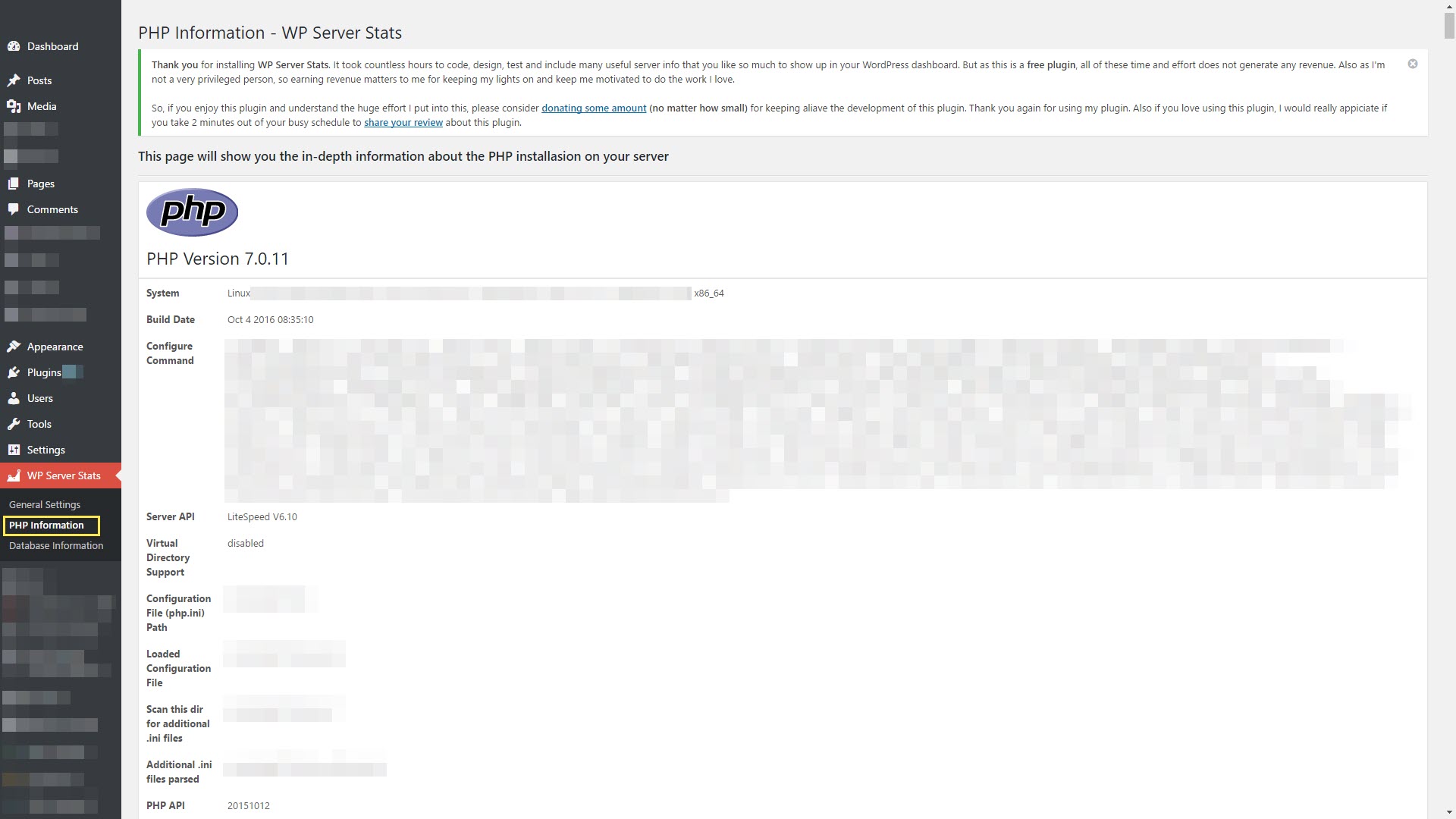
- Shows your PHP version number
- Shows your PHP max upload size limit
- Shows PHP max post size
- Shows PHP max execution time
- Shows if PHP safe mode is on or off
- Shows if PHP short tag is on or off
- Shows allowed PHP memory for your WordPress site
- Real-Time Amount & Percentage of your PHP memory usage
- A separate page to show up even more details about your installed PHP & its various modules
- Real-Time PHP Memory, RAM Usage & CPU info bar changes colour based on the load (you can change the colours from the WP Server Stats General Settings Page)
- Designed with flat colours (you can change the colour scheme if you want)
- Realtime PHP Memory, RAM Usage & CPU usage info at the admin footer so that no matter what admin page you are, you can always see it
- Uses advanced WordPress Transient Caching mechanism to run the plugin super smooth without eating a lot of server resources. All the cache data will be auto expired on each week and then the plugin will re-cache the updated data again, to ensure the least possible resource consumption by the plugin
- Only shows to the Administrators. For Multi-site, it will show the details to each site administrators, but not the network admins
- Option to change the realtime script refresh interval (default: 200ms), colour scheme, Memcached host and port details from the WP Server Stats – General Settings Page
- Automatically removes all the data added by this plugin to your WordPress database upon uninstallation of the plugin
READ BEFORE INSTALLING
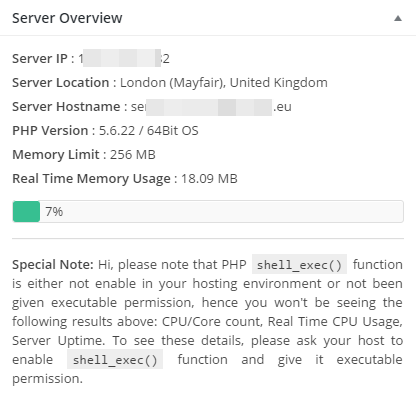
This plugin uses PHP shell_exec() function which is by default enabled by all good hosting companies. But a small percentage of hosting company disable shell_exec() by default. So, please contact your hosting company to make sure shell_exec() is enabled in your account before installing this plugin. Otherwise, you will get an ERROR Code EXEC096T for every feature that uses shell_exec().
Now this plugin is also hosted in Github. But the Github repo will be used for the development of the plugin. So, from now on you can also report the bugs in Github Issue Tracker if you want.
Very Important Note
This plugin has been developed and tested on Linux based servers only so there is a very high chance that it might NOT work for Windows-based servers. So, I highly recommend this plugin to be used by those users who use a Linux based server.
I currently have no plan to add Windows Server support as a very tiny amount of people still use Windows Server in this Linux age. I may add Windows support in future.
ERROR Code List
EXEC096T – PHP shell_exec() function has not been enabled in your account, which this plugin needs to run properly. Contact your server host and ask them to enable PHP shell_exec() function for your account.
IP096T – Your server is not returning the IP properly. There is definitely some issue with your server configuration. Please contact your host and tell them that PHP gethostbyname( gethostname() ) is unable to get the server IP, ask them to look into their server configuration and to fix the configuration issue. If you have a self-hosted VPS or dedicated server, the reason is still the same. If you are unable to find the configuration issue inside your server, I highly suggest you hire a knowledgeable server admin to look into your server. In most cases, you should never get this error message.
Languages
WP Server Stats is 100% compatible with translation and you can translate any text to whatever language you want. As this plugin doesn’t come with an inbuilt translation, I will suggest you to use a plugin like Say What? to change the text, you just have to use the text domain as wp-server-stats within the plugin to change the text.
Very Special Thanks
The list of people whom I especially want to thank without whom this plugin would have never been completed.
- Justin Catello from BigScoots Hosting – Looking for quality managed SSD hosting? Go with BigScoot Hosting keeping your eye closed. They are that much good.
- Pippin Williamson from Easy Digital Download
- Justin Kimbrell for FlipClock.js
- Alex Rabe
- Vlad from ip-api.com
- Lester Chan
Support the Plugin
If you like this plugin please don’t forget to write a review and if possible please Donate some amount to keep the plugin and it’s development alive.
Installation
- Go to Plugins > Add New
- Search for WP Server Stats and Install it
- Go to your admin dashboard and you will see the dashboard widget there.
- To change the settings of the WP Server Stats plugin, head over to WP Server Stats > General Settings menu in your WordPress’s left vertical menu
Changelog
1.9.0, July 21, 2026
- Fix GPLv2 Licensing issue
1.9.0, July 21, 2026
- Improved the “Purge Cache” admin bar option to ask for confirmation before purging, show a “Purging Cache…” status while the request is in progress, and then show a clear success/failure message.
- Fixed a bug where the “Purge Cache” action always failed permission verification due to a mismatched nonce field name, meaning the cache could never actually be purged.
- Added a proper capability check to the cache purge handler so only admins can purge the cache.
1.8.0, July 1, 2024
- Pushing update that holds proper code without any garbage code added by the hacker who hacked my account to push malware via this plugin.
- Added escape to many data that is being shown by the plugin to strengthening the code security.
1.7.5, January 3, 2024
- Fixed CSRF vulnerability & removed unnecessary script as reported by Plugin Vulnerabilities.
1.7.4, December 29, 2023
- Fixed CSRF vulnerability (CVSS 3.1 score) reported by Patchstack.
1.7.3, February 28, 2023
- Updated donation link. Please consider donating for this plugin.
Screenshots
For developers
Is this your plugin? Show off the numbers.
Add a live badge to your site, docs or GitHub README. It updates on its own — no account needed.
Best WP Server Health Stats alternatives
All health plugins →





FAQ
WP Server Health Stats: quick answers
Straight answers, pulled from live WordPress.org data.
Source: WordPress.org
Is WP Server Health Stats free?
Yes. WP Server Health Stats is free to download and use from the official WordPress.org plugin directory.
Is WP Server Health Stats safe to use in 2026?
WP Server Health Stats is a solid plugin choice in 2026, with a few things worth checking first. It runs on 9K+ sites, is rated 4.8/5 and was last updated 4 months ago, and scores 73/100 on our health check.
How many websites use WP Server Health Stats?
WP Server Health Stats is active on 9K+ WordPress websites and has been downloaded 331,343 times since it launched in October 2015. It was downloaded 1,598 times in the last 30 days.
Does WP Server Health Stats work with WordPress 7.1?
WP Server Health Stats is officially tested up to WordPress 7.0.9, while the latest release is 7.1.5. It may still work, but try it on a staging site first.
What PHP version does WP Server Health Stats need?
WP Server Health Stats requires PHP 7.4.0 or higher. Most hosts run PHP 8.x today, so it works on any modern WordPress hosting.
When was WP Server Health Stats last updated?
The latest version, 1.9.1, was released on July 21, 2026 (4 months ago).
Who makes WP Server Health Stats?
WP Server Health Stats is developed and maintained by iSaumya.
What are the best alternatives to WP Server Health Stats?
The most popular alternatives to WP Server Health Stats are AF Companion (9K+ installs), WP Calorie Calculator (900+ installs) and BMI Adult & Kid Calculator (600+ installs).
Powered by PageForge
One template and a spreadsheet. A real page for every search.
PageForge turns each row of a CSV into a WordPress page with its own title, URL, SEO fields and schema, built on the layout you already designed. Free on WordPress.org.
- CSV and XLSX, plus Google Sheets on Professional and Enterprise
- Its own title, URL, SEO fields and schema for every page
- Works with the block editor, Elementor, Divi and Avada
- Free on WordPress.org, no credit card