


ScanForge Database Security
Database scanner for WordPress: finds and cleans malware in posts, options and meta, and lists spam so you can review and delete it.

Solid choice
ScanForge Database Security is a solid plugin choice in 2026, with a few things worth checking first. It runs on 80+ sites, is rated 5/5 and was last updated 1 week ago, and scores 79/100 on our health check.
- Actively developed — last update 1 week ago
- Tested with the latest WordPress (7.1)
- Momentum — downloads up 94.8% vs the previous 30 days
- Small user base (80+ active installs)
- Very few reviews so far
Daily downloads
Download spikes usually follow a new release — each site that auto-updates counts as a download.
Rankings
Where ScanForge Database Security stands todayWordPress.org search rankings
Live position in the plugin search, top 100| Keyword | Position |
|---|---|
| database scanner | #16 |
| database security | #19 |
| malware Cleaner | #8 |
| malware removal | #23 |
| spam cleaner | #16 |
Version adoption
Share of active sites per release.
Rating breakdown
★★★★★★★★★★ 5 from 1 reviews
About ScanForge Database Security
From the official readme · v1.1.0Description
ScanForge Database Security is a WordPress database scanner. It finds malware and spam hidden in your posts, options, post meta, user meta and comments, cleans the malware, and lets you review the spam and delete only what you choose.
Use it as a malware cleaner and a spam cleaner for your database: it handles malware removal for infected rows, and gives you a separate page to review and remove spam.
Many hacks live only in the database: a redirect script inside an option, a spam link inside an old post, an obfuscated payload in a custom field. A file scanner cannot see these. ScanForge looks at the database tables directly, and it runs entirely on your server with no external service.
Who is this plugin for?
- Site owners whose file scanner says “clean” but whose site still redirects visitors or shows spam
- Freelancers and agencies cleaning up hacked client sites
- Hosting support staff who need a quick database check after a hack
- Anyone who wants to check the database after removing a nulled plugin or theme
What does it work with?
- WordPress 5.0 or newer and PHP 7.4 or newer
- The five tables attackers use most: wp_posts, wp_options, wp_postmeta, wp_usermeta and wp_comments
- Custom table prefixes, because it uses the WordPress database object
- Data stored by other plugins in those tables. It is designed to avoid false alarms on plugins such as Wordfence, Elementor and Gravity Forms
- It scans the database only. To audit plugin and theme files, use our separate plugin ScanForge File & Theme Security
Two pages, two jobs
Malware Scanner finds known malware signatures and cleans them.
- Traffic hijacking scripts and nulled plugin backdoors
- Obfuscated PHP injections that use encoded or compressed payloads
- Dynamic script injections and tracking cookie injections
- Known malware loader functions
- Shell command execution attempts and known web shell signatures
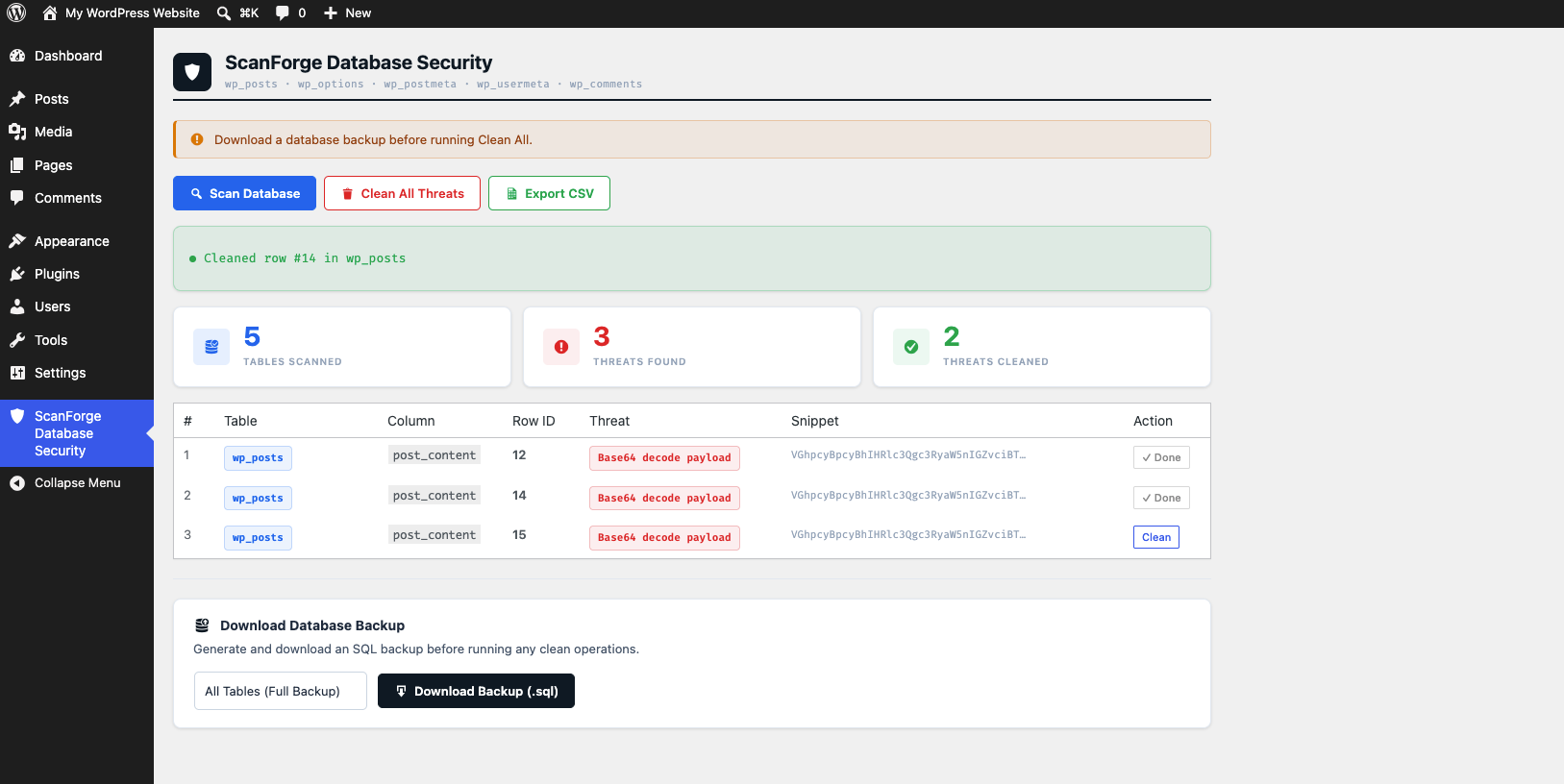
- Clean one row or all threats at once
- Download a database backup (.sql) before cleaning
- Export the results as a CSV report
Spam Detection lists spam content so you can decide what to do with it.
- Gambling and casino spam
- Pharmaceutical spam
- Adult spam
- Cryptocurrency spam
- Financial and loan spam
- SEO and backlink spam
- Nothing is deleted automatically. Delete one item, or tick several and use Delete Selected
- Posts go to the Trash so you can restore them. Comments, post meta, user meta and options are deleted permanently
- Core WordPress options, such as the site URL, can never be deleted from this page
- Each item is checked again just before deletion, and skipped if it no longer matches
How to use it
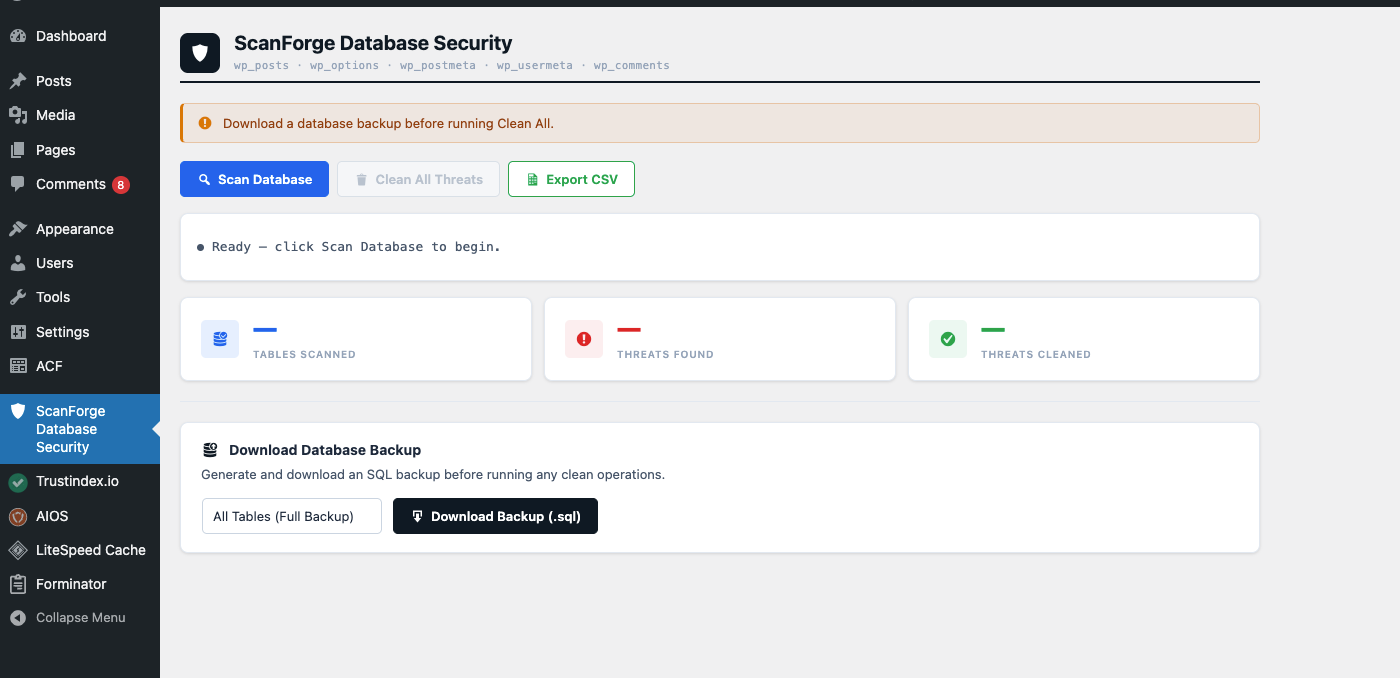
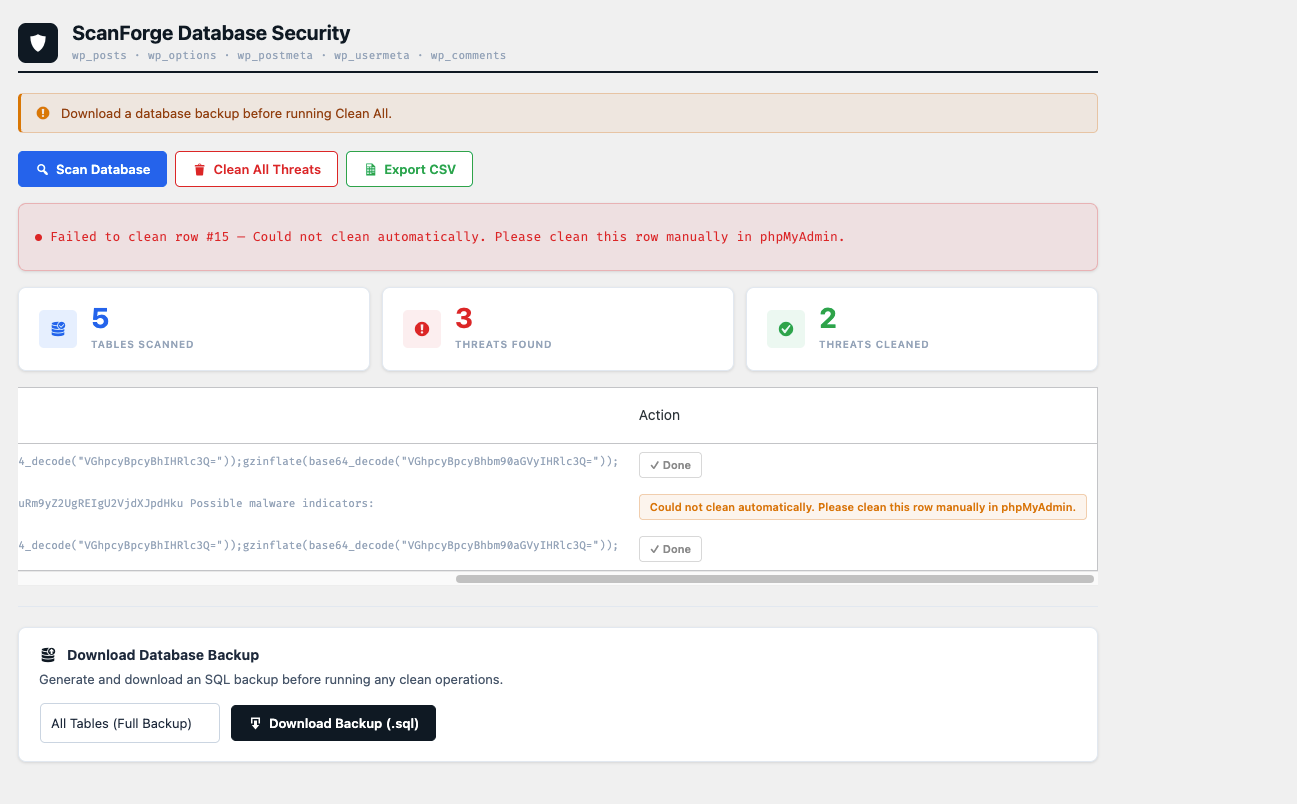
- Go to ScanForge Database Security > Malware Scanner
- Click Download Backup to save a copy of your database
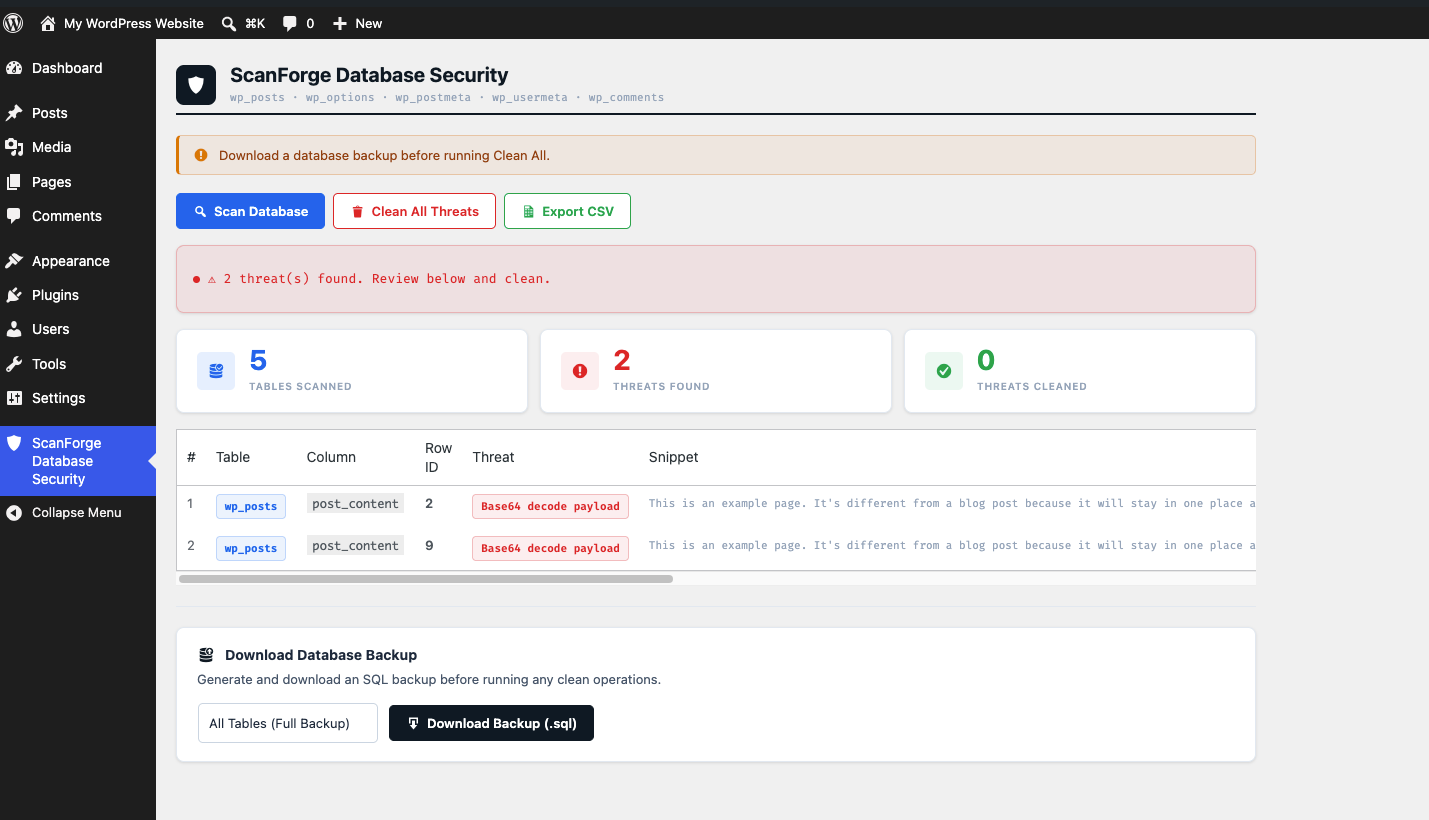
- Click Scan Database and review the threats found
- Click Clean All Threats, or clean rows one at a time
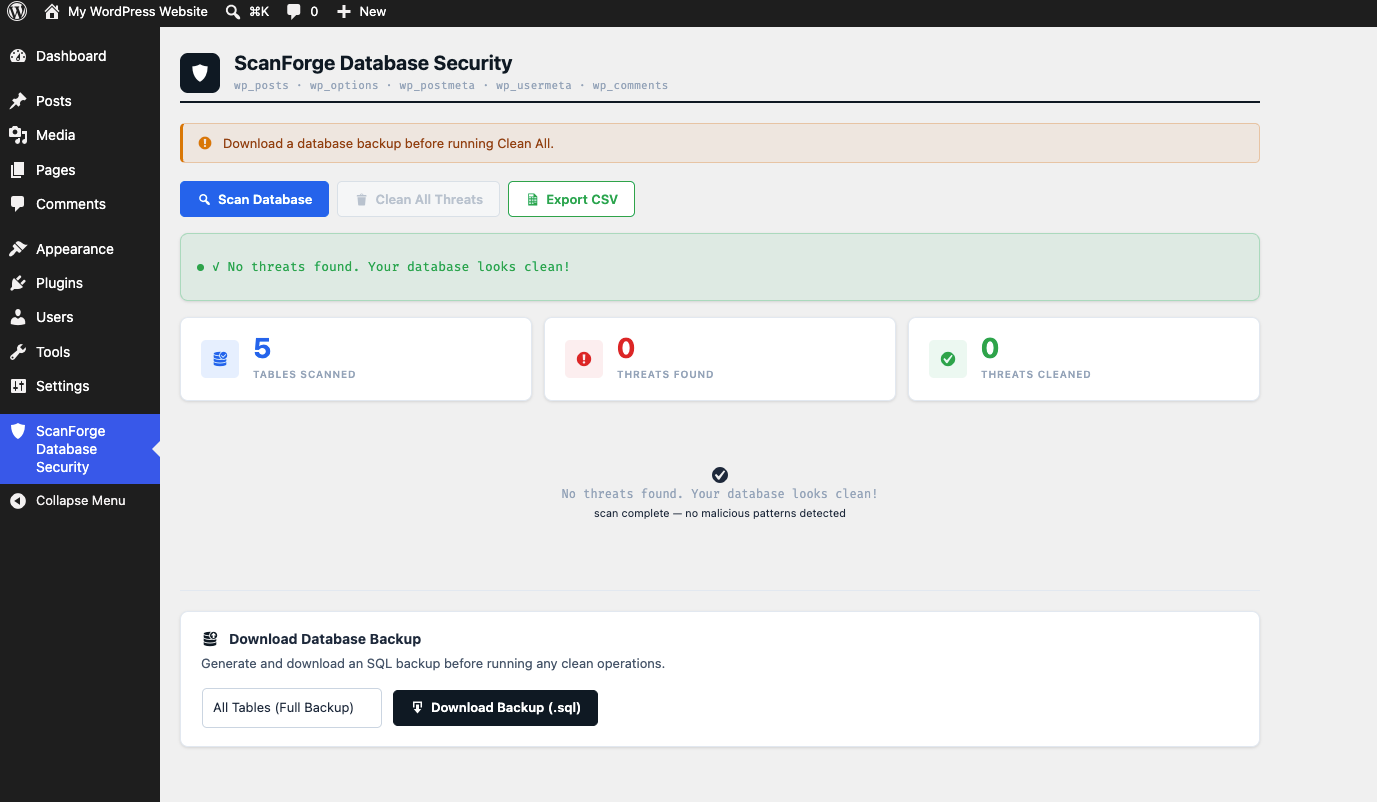
- Scan again to confirm the database is clean
- Open ScanForge Database Security > Spam Detection, click Scan for Spam, and delete only the items you want removed
Want to scan files too?
ScanForge Database Security checks the database only. Our separate plugin, ScanForge File & Theme Security, audits your plugin and theme files. It compares them with the official WordPress.org checksums and looks for web shells and modified code.
Each plugin works fully on its own, and you do not need both. They are only connected by links. A card at the bottom of the Malware Scanner and Spam Detection pages shows whether the file scanner is installed:
- Not installed: click Install & Activate to download it from WordPress.org and turn it on
- Installed but off: click Activate
- Already active: the card turns green, says “Full stack covered”, and shows an Open File Scanner button that takes you straight to it
Nothing is installed unless an administrator clicks the button.
Important Notice
This plugin helps clean database infections but it does NOT prevent reinfection if the source of the malware (such as nulled or pirated plugins or themes) is still installed. Remove nulled software and keep everything updated to fix the cause.
Spam detection is based on phrases, so a genuine post that uses one of them (for example an article about online casinos) can be listed. Always review each result and take a backup first.
External Services
The scanner itself runs entirely on your server and sends no data anywhere.
The only external connection is optional and happens when you click Install & Activate on the file scanner card:
- Service: the WordPress.org plugin directory (api.wordpress.org and downloads.wordpress.org)
- Purpose: to find and download the ScanForge File & Theme Security plugin
- Data sent: the plugin slug, using the standard WordPress plugin installer. No personal data, visitor data, site content or credentials are sent
- Privacy policy: https://wordpress.org/about/privacy/
Installation
Automatic Installation
- Go to Plugins > Add New in your WordPress admin
- Search for “ScanForge Database Security”
- Click Install Now and then Activate
Manual Installation
- Download the plugin zip file
- Go to Plugins > Add New > Upload Plugin
- Upload the zip file and click Install Now
- Click Activate Plugin
After Installation
Navigate to ScanForge Database Security in your WordPress admin sidebar to start scanning.
Changelog
New Ignore button for false alarms, "Found in" links to the post or comment, and CSV export on the Spam Detection page.= 1.0.9 = Fixes "Request failed" and timeout errors when scanning large databases. Scans are now faster, show progress, and give clearer error messages. Fewer false positives: spam phrases must now match as whole words, and each result shows the matched phrase in context.
1.0.0
- Initial release
- Scan wp_posts, wp_options, wp_postmeta, wp_usermeta, wp_comments
- Detect 15+ malware patterns
- Clean individual rows or all threats
- Export CSV report
1.0.1
Added compatibility with PHP 7.0
1.0.2
Added single-table scanning functionality
Added “Scan All Tables” option for scanning the entire database
Improved scan performance and usability
1.0.3
- Added Wordfence compatibility.
- Added Elementor compatibility.
- Added Gravity Forms compatibility.
- Added Slide Security exclusions.
- Fixed minor bugs and improved overall stability.
1.0.4
Improved scan performance and usability.
1.0.5
- Added gambling, casino, betting, pharmaceutical, adult, cryptocurrency, financial, and SEO spam injection detection.
- Added detection for common gambling and casino spam phrases, including online casino, sports betting, betting bonuses, free spins, and related content.
- Improved detection of common pharmaceutical, adult, cryptocurrency, financial, and backlink/SEO spam injections.
- Improved spam detection coverage while using targeted phrases to help reduce false positives.
- Improved scan performance and usability.
Screenshots

For developers
Is this your plugin? Show off the numbers.
Add a live badge to your site, docs or GitHub README. It updates on its own — no account needed.
FAQ
ScanForge Database Security: quick answers
Straight answers, pulled from live WordPress.org data.
Source: WordPress.org
Is ScanForge Database Security free?
Yes. ScanForge Database Security is free to download and use from the official WordPress.org plugin directory.
Is ScanForge Database Security safe to use in 2026?
ScanForge Database Security is a solid plugin choice in 2026, with a few things worth checking first. It runs on 80+ sites, is rated 5/5 and was last updated 1 week ago, and scores 79/100 on our health check.
How many websites use ScanForge Database Security?
ScanForge Database Security is active on 80+ WordPress websites and has been downloaded 1,984 times since it launched in June 2026. It was downloaded 906 times in the last 30 days.
Does ScanForge Database Security work with WordPress 7.1?
Yes. The developer has tested ScanForge Database Security up to WordPress 7.1.5, the latest release. It requires WordPress 5.0 or newer.
What PHP version does ScanForge Database Security need?
ScanForge Database Security requires PHP 7.4 or higher. Most hosts run PHP 8.x today, so it works on any modern WordPress hosting.
When was ScanForge Database Security last updated?
The latest version, 1.1.0, was released on November 21, 2026 (1 week ago).
Who makes ScanForge Database Security?
ScanForge Database Security is developed and maintained by adnan.limdi.
Powered by PageForge
One template and a spreadsheet. A real page for every search.
PageForge turns each row of a CSV into a WordPress page with its own title, URL, SEO fields and schema, built on the layout you already designed. Free on WordPress.org.
- CSV and XLSX, plus Google Sheets on Professional and Enterprise
- Its own title, URL, SEO fields and schema for every page
- Works with the block editor, Elementor, Divi and Avada
- Free on WordPress.org, no credit card