


Anti-Malware Security and Brute-Force Firewall
This Anti-Malware scanner searches for Malware, Viruses, and other security threats and vulnerabilities on your server and it helps you fix them.

Safe pick
Yes — Anti-Malware Security and Brute… is a safe, well-maintained plugin to use in 2026. It runs on 100K+ sites, is rated 4.9/5 and was last updated 1 month ago, and scores 92/100 on our health check.
- Proven at scale on 100K+ active sites
- Loved by users — 4.9/5 from 784 reviews
- Tested with the latest WordPress (7.1)
Daily downloads
Download spikes usually follow a new release — each site that auto-updates counts as a download.
Rankings
Where Anti-Malware Security and B… stands todayWordPress.org search rankings
Live position in the plugin search, top 100| Keyword | Position |
|---|---|
| anti-malware | #3 |
| Brute Force | #6 |
| firewall | #15 |
| scanner | #29 |
| security | #34 |
Version adoption
Share of active sites per release.
Rating breakdown
★★★★★★★★★★ 4.9 from 784 reviews
About Anti-Malware Security and Brute-Force F…
From the official readme · v4.23.92Description
Features:
- Download Definition Updates to protect against new threats.
- Run a Complete Scan to automatically remove known security threats, backdoor scripts, and database injections.
- Firewall block SoakSoak and other malware from exploiting Revolution Slider and other plugins with known vulnerabilites.
- Upgrade vulnerable versions of timthumb scripts.
Premium Features:
- Patch your wp-login and XMLRPC to block Brute-Force and DDoS attacks.
- Check the integrity of your WordPress Core files.
- Automatically download new Definition Updates when running a Complete Scan.
Register this plugin at GOTMLS.NET and get access to new definitions of “Known Threats” and added features like Automatic Removal, plus patches for specific security vulnerabilities like old versions of timthumb. Updated definition files can be downloaded automatically within the admin once your Key is registered. Otherwise, this plugin just scans for “Potential Threats” and leaves it up to you to identify and remove the malicious ones.
NOTICE: This plugin makes calls to GOTMLS.NET to check for updates not unlike what WordPress does when checking your plugins and themes for new versions. Staying up-to-date is an essential part of any security plugin and this plugin can let you know when there are new plugin and definition update available. If you’re allergic to “phone home” scripts then don’t use this plugin (or WordPress at all for that matter).
Special thanks to:
- Clarus Dignus for design suggestions and graphic design work on the banner image.
- Jelena Kovacevic and Andrew Kurtis of webhostinghub.com for providing the Spanish translation.
- Marcelo Guernieri for the Brazilian Portuguese translation.
- Umut Can Alparslan for the Turkish translation.
- Micha Cassola for the German translation.
- Robi Erwin Setiawan for the Indonesian translation.
Installation
- Download and unzip the plugin into your WordPress plugins directory (usually
/wp-content/plugins/). - Activate the plugin through the ‘Plugins’ menu in your WordPress Admin.
- Register on gotmls.net and download the newest definition updates to scan for Known Threats.
Changelog
Fixed path condition in save_contents function that prevented Brute-Force patch from installing.
4.23.92
- Fixed path condition in save_contents function that prevented Brute-Force patch from installing (thank to Sean Dempsey for finding this error).
4.23.91
- Fixed CSS display issue in the alignment of the scan path text.
- Hardened nonce token and removed debug output to prevent stored XSS via CSRF.
- Checked code for compatibility with WordPress 7.1.3 and ClassicPress 2.7.4.
4.23.90
- Incremented version number to force update of index file that was missing changes from the last update.
4.23.89
- Fixed XSS vulnerability to prevent WP Administrators from inserting script into the REQUEST_URI.
- Checked code for compatibility with WordPress 7.0 and ClassicPress 2.7.
4.23.88
- Fixed PHP Object Injection vulnerability with DB Scan.
4.23.87
- Checked code for compatibility with WordPress 6.9.1 and ClassicPress 2.6.
Screenshots
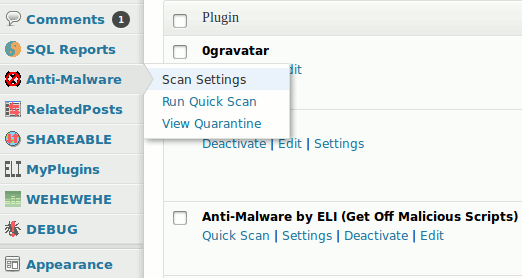

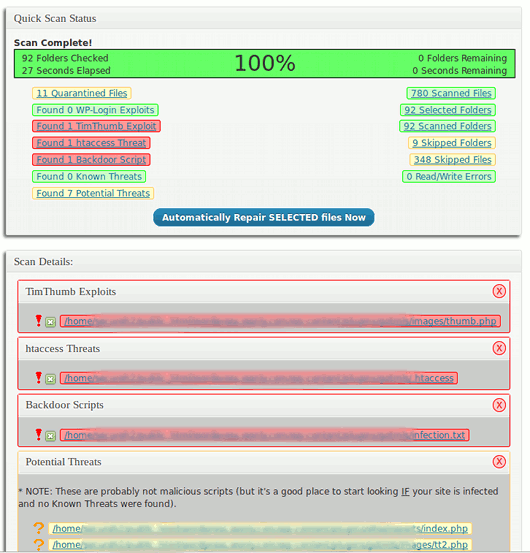
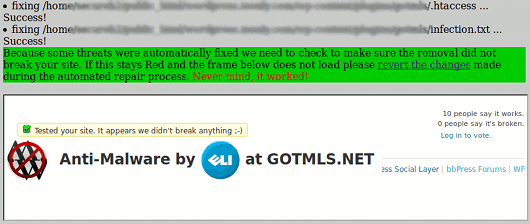

For developers
Is this your plugin? Show off the numbers.
Add a live badge to your site, docs or GitHub README. It updates on its own — no account needed.
FAQ
Anti-Malware Security and Brute-For…: quick answers
Straight answers, pulled from live WordPress.org data.
Source: WordPress.org
Is Anti-Malware Security and Brute… free?
Yes. Anti-Malware Security and Brute… is free to download and use from the official WordPress.org plugin directory.
Is Anti-Malware Security and Brute… safe to use in 2026?
Yes — Anti-Malware Security and Brute… is a safe, well-maintained plugin to use in 2026. It runs on 100K+ sites, is rated 4.9/5 and was last updated 1 month ago, and scores 92/100 on our health check.
How many websites use Anti-Malware Security and Brute…?
Anti-Malware Security and Brute… is active on 100K+ WordPress websites and has been downloaded 8,100,723 times since it launched in March 2012. It was downloaded 45,839 times in the last 30 days.
Does Anti-Malware Security and Brute… work with WordPress 7.1?
Yes. The developer has tested Anti-Malware Security and Brute… up to WordPress 7.1.5, the latest release. It requires WordPress 3.3 or newer.
What PHP version does Anti-Malware Security and Brute… need?
Anti-Malware Security and Brute… requires PHP 5.6 or higher. Most hosts run PHP 8.x today, so it works on any modern WordPress hosting.
When was Anti-Malware Security and Brute… last updated?
The latest version, 4.23.92, was released on October 27, 2026 (1 month ago).
Who makes Anti-Malware Security and Brute…?
Anti-Malware Security and Brute… is developed and maintained by Eli.
Powered by PageForge
One template and a spreadsheet. A real page for every search.
PageForge turns each row of a CSV into a WordPress page with its own title, URL, SEO fields and schema, built on the layout you already designed. Free on WordPress.org.
- CSV and XLSX, plus Google Sheets on Professional and Enterprise
- Its own title, URL, SEO fields and schema for every page
- Works with the block editor, Elementor, Divi and Avada
- Free on WordPress.org, no credit card