


iPages – FlipBook Image & PDF Viewer
Create interactive HTML5 flipbooks from PDFs or images instantly - turn them into online magazines, catalogs, or brochures with ease.

Consider an alternative
iPages shows warning signs in 2026 — compare the alternatives below before installing. It runs on 2K+ sites, is rated 3.7/5 and was last updated 1 year ago, and scores 38/100 on our health check.
- Momentum — downloads up 50.3% vs the previous 30 days
- No update in over a year
- Only tested up to WordPress 6.7 (latest is 7.1)
How does it stack up?
Side-by-side on installs, updates, ratings & support


Daily downloads
Download spikes usually follow a new release — each site that auto-updates counts as a download.
Rankings
Where iPages stands todayWordPress.org search rankings
Live position in the plugin search, top 100| Keyword | Position |
|---|---|
| flip book | #25 |
| flipbook | #16 |
| image flipbook | #13 |
| pdf flipbook | #19 |
| pdf viewer | #47 |
Version adoption
Share of active sites per release.
Rating breakdown
★★★★★★★★★★ 3.7 from 7 reviews
About iPages – FlipBook Image & PDF Viewer
From the official readme · v1.5.5Description
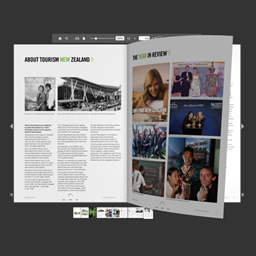
iPages Flipbook is a lightweight and rich-feature plugin helps you create great interactive digital HTML5 flipbooks. With this plugin you are able to easily make media books for your site that empower publishers and bloggers to create more engaging content. It provides an easy way for you to convert static PDF documents and image sets into the online magazine, interactive catalogs, media brochures or booklets in seconds. The plugin can be deployed easily and runs on all modern browsers and mobile devices.
Using [ipages id=”123″] shortcode, you can publish a flipbook on any Page or Post in your WordPress sites.
This is the LITE version of the official iPages Flipbook For WordPress plugin which comes with support and doesn’t have some limitations.
Quick Video Demo
The sample of how to create a flipbook from images
Features
- 3 Render Book Modes – two & one page flip, swipe
- 2 Data Sources – images and PDF or you can mix them together
- Markers – add image or text to any page
- Thumbnails – the side panel with page miniatures
- Portrait & Landscape – unique look for different container sizes
- Outline – bookmarks and external links
- Keyboard Navigation – arrows can be used for the book navigation
- Multilevel Zoom – zoom books pages to make better look
- Share – share a link with friends
- Fullscreen – you can toggle from the normal state to fullscreen and back
- PDF download – download source PDF file
- Powerful Interface – over 100 options
- AJAX saving – save your config without page reloading
- JSON config – the config is served from the filesystem instead of the database for better performance
- Code editors – add extra css styles or js code with syntax highlighting
- Customization – create you own theme
Installation
- From the WP admin panel, click “Plugins” -> “Add new”
- In the browser input box, type “iPages Flipbook”
- Select the “iPages Flipbook” plugin and click “Install”
- Activate the plugin
Alternatively, you can manually upload the plugin to your wp-content/plugins directory
Changelog
1.5.5
- Fix: Undefined array key “className”
1.5.4
- Fix: ajax request params
1.5.3
- Fix: rest api endpoints of third-party plugins stop working
1.5.2
- Fix: unauthorized access to view deactivated items
1.5.1
- Fix: empty list of items
1.5.0
- Fix: constant FILTER_SANITIZE_STRING is deprecated
- Fix: SQL injection vulnerability when sorting items in orderby parameter
Screenshots


For developers
Is this your plugin? Show off the numbers.
Add a live badge to your site, docs or GitHub README. It updates on its own — no account needed.
Best iPages alternatives
All flip book plugins →



FAQ
iPages – FlipBook Image & PDF Viewer: quick answers
Straight answers, pulled from live WordPress.org data.
Source: WordPress.org
Is iPages free?
Yes. iPages is free to download and use from the official WordPress.org plugin directory.
Is iPages safe to use in 2026?
iPages shows warning signs in 2026 — compare the alternatives below before installing. It runs on 2K+ sites, is rated 3.7/5 and was last updated 1 year ago, and scores 38/100 on our health check.
How many websites use iPages?
iPages is active on 2K+ WordPress websites and has been downloaded 81,628 times since it launched in August 2018. It was downloaded 714 times in the last 30 days.
Does iPages work with WordPress 7.1?
iPages is officially tested up to WordPress 6.7.12, while the latest release is 7.1.5. It may still work, but try it on a staging site first.
What PHP version does iPages need?
iPages requires PHP 7.4 or higher. Most hosts run PHP 8.x today, so it works on any modern WordPress hosting.
When was iPages last updated?
The latest version, 1.5.5, was released on August 8, 2025 (1 year ago).
Who makes iPages?
iPages is developed and maintained by Avirtum.
What are the best alternatives to iPages?
The most popular alternatives to iPages are DearFlip (200K+ installs), 3D FlipBook (70K+ installs) and flowpaper (10K+ installs).
Powered by PageForge
One template and a spreadsheet. A real page for every search.
PageForge turns each row of a CSV into a WordPress page with its own title, URL, SEO fields and schema, built on the layout you already designed. Free on WordPress.org.
- CSV and XLSX, plus Google Sheets on Professional and Enterprise
- Its own title, URL, SEO fields and schema for every page
- Works with the block editor, Elementor, Divi and Avada
- Free on WordPress.org, no credit card