


Innova GEO AI Indexer
Get mentioned and indexed by AI. Generative Engine Optimization (GEO) for WordPress with multi-provider AI.

Use with caution
Innova GEO AI Indexer works, but test it on a staging site before relying on it in 2026. Was last updated 4 months ago, and scores 49/100 on our health check.
- Small user base (<10 active installs)
- Very few reviews so far
- Needs PHP 8.1 or newer
How does it stack up?
Side-by-side on installs, updates, ratings & support


Daily downloads
Download spikes usually follow a new release — each site that auto-updates counts as a download.
Rankings
Where Innova GEO AI Indexer stands todayWordPress.org search rankings
Live position in the plugin search, top 100| Keyword | Position |
|---|---|
| AI | >100 |
| Generative Engine Optimization | #99 |
| llms.txt | >100 |
| schema | >100 |
| seo | >100 |
About Innova GEO AI Indexer
From the official readme · v3.3.2Description
Innova GEO AI Indexer adds the essential GEO fields and structures to WordPress for optimizing content for Generative Search Engines (ChatGPT, Claude, Gemini, Perplexity, Mistral, Kimi). It features single-field AI population using your own provider API keys (BYOK), multi-stack Schema.org JSON-LD output, and site-level llms.txt file management.
Fully free with no account, no license, no subscription — you bring your own API key and the plugin calls the provider directly. Nothing goes through geocite22.com.
What the free version does
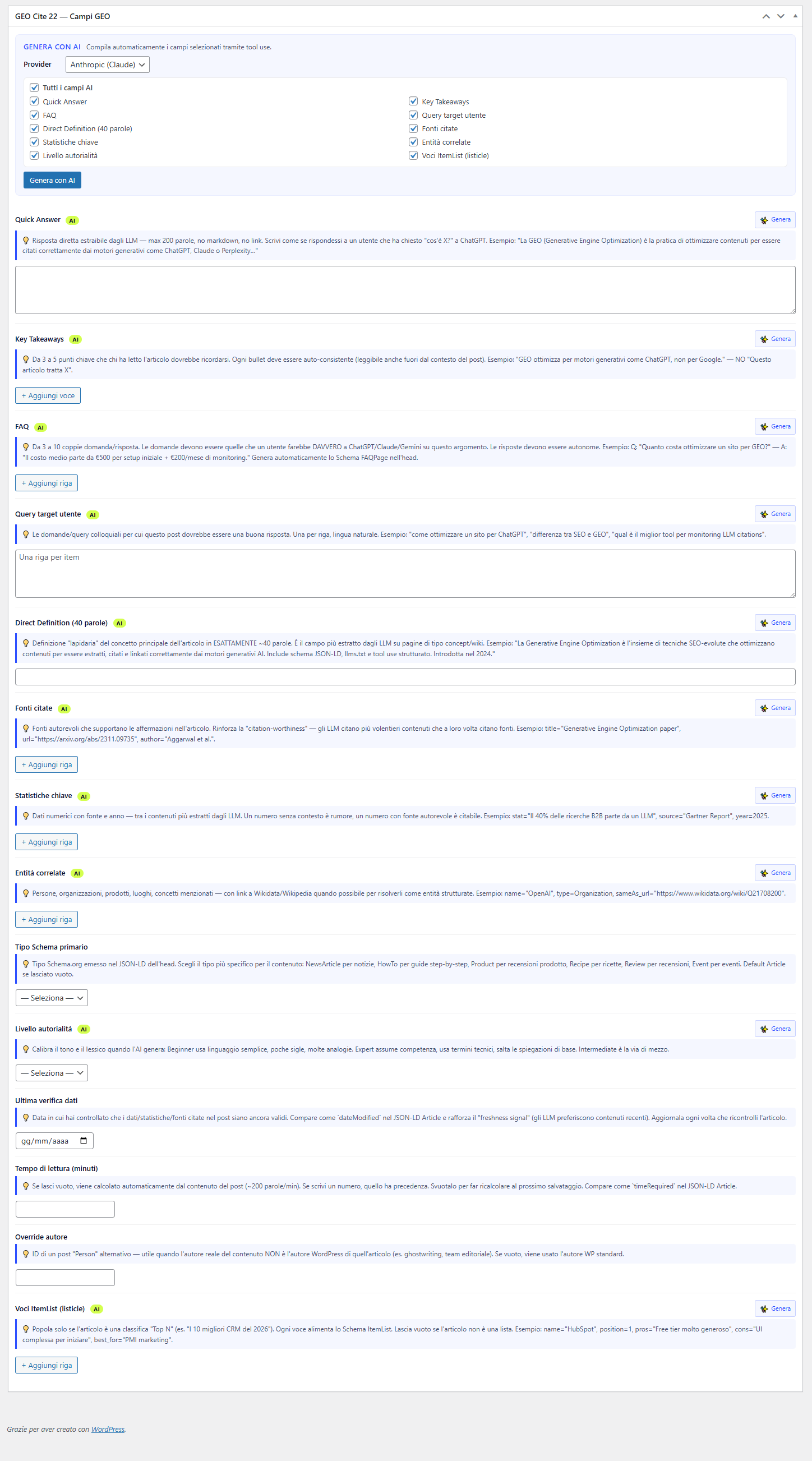
- 5 core Post-level GEO fields: Quick Answer, FAQ, Direct Definition, Reading Time, Author Override.
- Multi-stack Schema.org JSON-LD: Organization + BreadcrumbList + Article/BlogPosting/NewsArticle/HowTo/Product/Review/Recipe/Event + FAQPage (optional) — all within a single
@graphin the<head>. - Dynamic llms.txt: Automatically generated with pillar content + contact email + topical clusters.
- AI generation via BYOK: single-field ✨ Generate button next to each AI-generable field, using your own API key from any of the 5 supported providers (Anthropic Claude, OpenAI ChatGPT, Google Gemini, Mistral, Kimi/Moonshot). Native structured tool use per provider.
- Model auto-discovery: click Test on a saved provider key and the plugin fetches the current list of available models from the provider’s own
/v1/modelsendpoint. The Model field becomes an autocompleted dropdown — no need to remember exact model names as they change. - User-friendly errors: connection errors are translated to human-readable suggestions (“Il provider è momentaneamente sovraccarico, riprova tra qualche secondo”) with the raw technical detail available on a
ⓘtooltip for debugging. - API keys encrypted at-rest using Sodium secretbox (derived from
AUTH_KEY). - AI generation audit log: full tracking of generations in a dedicated DB table.
- Automatic reading time calculation from post content (~200 words/min).
- Extendable: exposes hooks that a Pro add-on (or your own code) can use to add fields, sections, post types, and features.
Not in the free version — Pro add-on
There is an optional Innova GEO AI Indexer Pro add-on plugin distributed separately at geocite22.com that adds — on top of everything the free plugin does:
- 9 additional GEO fields (Key Takeaways, Target Queries, Citation Sources, Key Statistics, Related Entities, Schema Type, Expertise Level, Last Fact Check, ItemList Entries)
- Multi-field generation in a single click (batch panel above the metabox)
- Support for page builders (Elementor / Divi / Beaver Builder) — fetches the rendered HTML instead of
post_content - Frontend display of GEO fields (auto-inject, shortcodes, Gutenberg blocks)
- Custom post types support + per-post-type field selection matrix
- Managed AI mode (no BYOK — credits included in the subscription)
- Roadmap features: LLM citation monitoring, AI-generated cover images, batch generation on the archive, WPML/Polylang translations
The Pro is entirely optional. The free plugin is fully functional and does not degrade in any way if the Pro is not installed.
Privacy & Third-Party Services
The free plugin communicates ONLY with the AI provider you configure — geocite22.com is never contacted:
- Anthropic (Claude) — Terms of Service · Privacy Policy · endpoint
api.anthropic.com - OpenAI (ChatGPT) — Terms of Use · Privacy Policy · endpoint
api.openai.com - Google Gemini — Terms of Service · Privacy Policy · endpoint
generativelanguage.googleapis.com - Mistral AI — Terms of Service · Privacy Policy · endpoint
api.mistral.ai - Kimi / Moonshot AI — Terms of Service · Privacy Policy · endpoint
api.moonshot.cn
The plugin sends the post title + content + your prompt to the provider you selected, and receives back the AI-generated field values. No data is sent anywhere else. Your API keys are stored encrypted (Sodium secretbox) in wp_options and never leave your site except as Authorization headers in the direct provider calls.
IndexNow (optional, disabled by default) — if you switch it on in Settings → IndexNow, publishing or updating a post whose Quick Answer is filled sends a notification to the search endpoints you selected:
- Bing / Microsoft (IndexNow) — Terms of Use · Privacy Statement · endpoint
api.indexnow.org - Yandex — Terms · Privacy Policy · endpoint
yandex.com - Naver — Terms · Privacy Policy · endpoint
searchadvisor.naver.com - Seznam — Terms · endpoint
search.seznam.cz
Each notification contains only the URL of the content, your site host and a randomly generated verification key — never the post content. The key is published as a plain text file at https://your-site.com/{key}.txt, as the IndexNow protocol requires. Turning the feature off stops all outbound calls immediately.
Extension points
Filterable hooks for developers and the Pro add-on:
innogai22_field_definitions— add/remove GEO fields.innogai22_displayable_fields— extend the list of publicly-displayable fields.innogai22_enabled_post_types— extend the post types where the metabox appears.innogai22_schema_output— modify JSON-LD payload before output.innogai22_tool_schema— modify AI tool-use schema.innogai22_ai_providers— register custom AI providers.innogai22_license_manager— replace the null license manager (used by the Pro add-on).innogai22_indexnow_should_notify— decide whether a saved post triggers an IndexNow notification (default: only posts with a filled Quick Answer).innogai22_citation_density_config— recalibrate the Citation Density weights, thresholds and bonus meta keys.innogai22_registered_geo_blocks— add or modify the GEO blocks catalogue.innogai22_block_html— replace the public markup of a GEO block. Receives(string $html, string $blockName, array $attrs).
JavaScript filters (via wp.hooks, editor side):
innogai22.citationDensity.suggestions— append or replace the actionable suggestions in the Citability sidebar. Receives(suggestions, analysis).innogai22.citationDensity.panels— append panels to the Citability sidebar. Receives(panels, analysis).innogai22_metabox_before_fields— inject markup at the top of the metabox (used by the Pro for the multi-field panel).innogai22_settings_before_provider_section/innogai22_settings_before_locale_section— inject Settings sections (used by the Pro for the advanced tabs).innogai22_dashboard_after_main_cards— inject Dashboard widgets (used by the Pro for license status, credits, monitoring).innogai22_required_capability— custom capability for plugin management.
Installation
- Upload the
innova-geo-ai-indexerfolder to/wp-content/plugins/, or install directly from the WordPress Plugin Directory. - Activate the plugin through the WordPress Plugins menu.
- Ensure pretty permalinks are active (Settings → Permalinks → any option other than “Plain”) if you want the
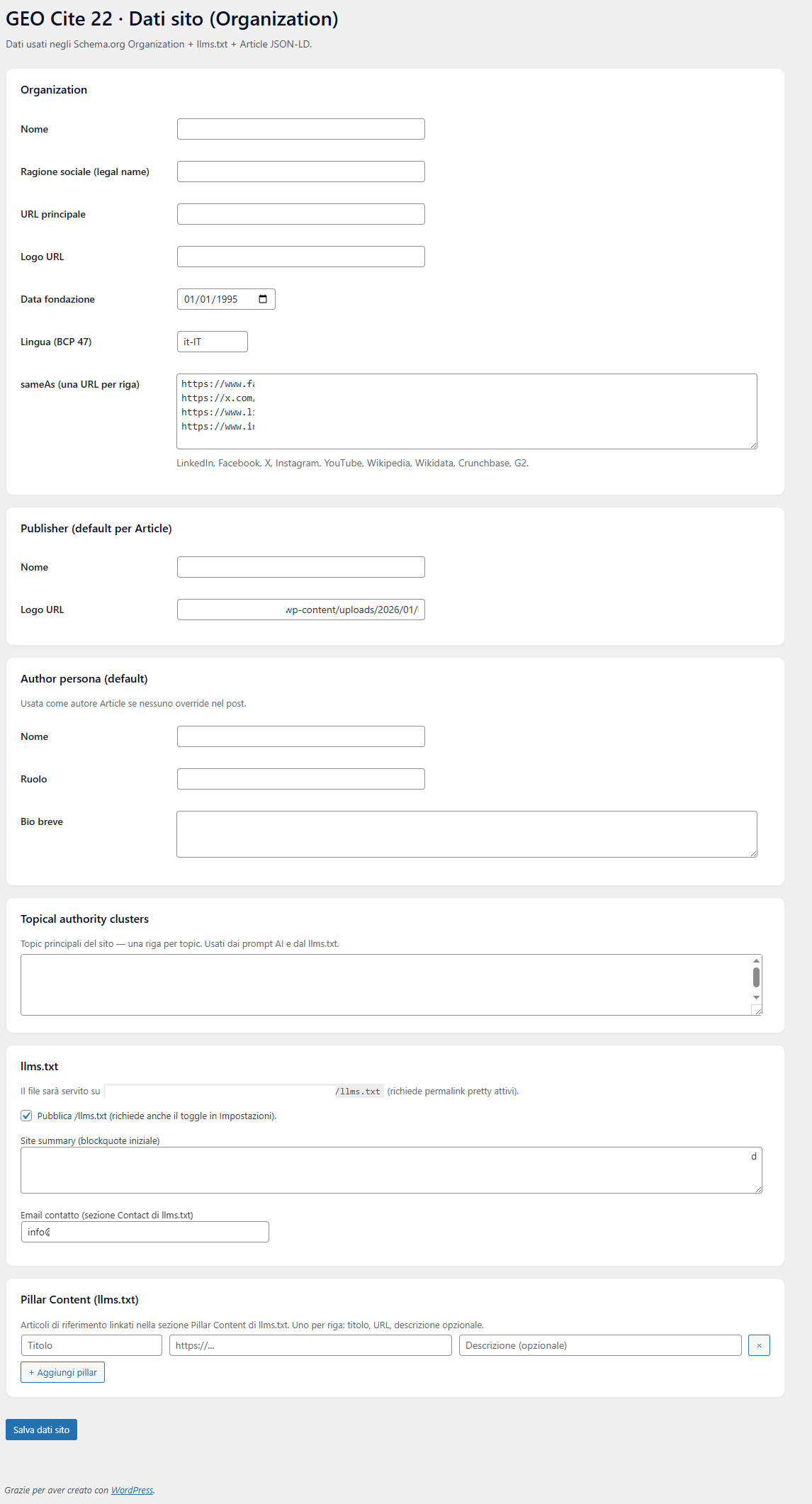
/llms.txtendpoint. - Configure Innova GEO AI Indexer → Dati sito (Organization, publisher, topical clusters, pillar content for llms.txt).
- (Optional, for AI generation) Paste at least one provider API key in Innova GEO AI Indexer → Impostazioni → API Keys. Click Test to verify the key and load the model dropdown.
- On each post, fill the GEO fields manually or use the ✨ Genera button next to each AI-generable field.
Changelog
Final 2 Plugin Check warnings resolved (ContentStats GEO coverage query). No functional changes.
3.3.2
- The message shown while there is not enough content to score no longer assumes the page is empty. 3.3.1 said “write the content”, but the threshold also applies at 30 or 45 words — to text that has been written. Telling someone who just finished a short page that they should write it is a defect, not help.
- The panel now shows a word counter (
30 / 50 words) with a progress bar, so the threshold is visible instead of looking like a broken feature. It also answers the obvious question — how much is still missing — without anyone having to ask.
3.3.1
- Fix: an empty page showed a citability score of 50/100 with a green bar, as if half the work were already done. The penalties are calibrated on prose — “fewer than 3 numeric claims” and “no list or table” say nothing about text that is not there yet. Below 50 words the panel now says there is not enough to analyse instead of showing a number that looks like information without being any.
- The suggestions are hidden too while the content is that short: four lines telling you to add everything were noise covering the only thing to do, which is write.
- The threshold lives with the other Citability settings and can be changed through
innogai22_citation_density_config.
3.3.0
- GEO blocks now tell you what is missing. Each of the four GEO blocks gets a “GEO · What’s missing” panel in the block sidebar: a statistic without a source, a comparison with a single row, a procedure step with no description. The checks are deterministic — no AI call, no cost — and they point at the things that make the difference between structured data an assistant can quote and structured data it cannot verify.
- Groundwork for image analysis: the AI provider layer now accepts images, with each provider receiving them in its own required format. Anthropic, OpenAI and Google Gemini are marked as image-capable; Mistral and Kimi are not, and a request carrying an image to them fails immediately with a clear message instead of silently producing a description of nothing.
- Two extension points for add-ons, both declared in the plugin’s architecture notes but never actually implemented:
innogai22_block_geo_hints(PHP) andinnogai22.blockToolbar.controls(JS). - Nothing changes if you do not use the GEO blocks. Existing AI generation is untouched: request payloads keep exactly the shape they had, and there is a regression test asserting it.
3.2.0
- Citability score in the Classic Editor: the 0-100 quotability score shipped in 3.1.0 was a Gutenberg sidebar, so it never appeared for anyone editing with the Classic Editor. It is now also a GEO · Citability metabox in the sidebar column of the classic post screen, with the same score, the same statistics and the same suggestions. It updates as you type in both the Visual and the Text tab, and the Quick Answer bonus reads the GEO box live instead of the last save.
- One score, two editors: the analysis engine moved to a shared file so Gutenberg and the Classic Editor cannot drift apart. A parity test asserts that the same content, given as blocks and as HTML, produces the same number.
- Page builders are told the truth: on posts managed by Elementor, Divi, Beaver Builder, Bricks or WPBakery the real content lives in the builder’s own storage, not in the WordPress editor. The metabox now says so instead of showing a score computed on an almost-empty field — a wrong number looks like information, which is worse than no number.
- Note: the 4 GEO blocks introduced in 3.1.0 remain Gutenberg-only. They are block editor components and have no Classic Editor equivalent.
- New: two filters on
llms.txtgeneration, for add-ons.innogai22_llms_txt_pillarsreceives the Pillar Content entries as structured data (title,url,description) and lets an add-on append its own — the plugin stays in charge of ordering, deduplication by URL, the 25-entry cap (raisable viainnogai22_llms_txt_pillars_max) and the markdown rendering.innogai22_llms_txt_contentis the escape hatch on the final markdown, documented since 1.0 but never actually implemented. - Fix: the citability sidebar used
wp.editPost.PluginSidebar, deprecated since WordPress 6.6 in favour ofwp.editor.PluginSidebar. It now prefers the current API and falls back to the old one, so the sidebar keeps working on WordPress 6.4-6.5 and will not disappear when core drops the deprecated proxy.
3.1.0
- IndexNow (optional, off by default): publishing or updating a post whose Quick Answer is filled notifies the search endpoints you selected (Bing, Yandex, Naver, Seznam). The verification key is generated on first activation and served at
https://your-site.com/{key}.txt. The ping is non-blocking (0.5s timeout) so saving a post is never slowed down; a per-URL throttle avoids hammering the endpoints when you save the same post repeatedly. Log of the last 100 notifications, “Test connection” button, key regeneration. - AI crawler control: new Settings → AI crawlers panel with 18 known AI crawlers (OpenAI, Anthropic, Google-Extended, Applebot-Extended, Perplexity, Common Crawl, ByteDance, Meta, Mistral, Cohere, Diffbot, You.com and more). Each row states what blocking that crawler costs you. Everything is Allowed by default — blocking a crawler means leaving its data, which is the opposite of what this plugin is for. Live preview of the exact robots.txt block, plus a warning if a physical robots.txt file is bypassing WordPress.
- Citability sidebar in the block editor: a 0-100 score of how quotable your content is for an AI assistant, with statistics and actionable suggestions. The analysis is deterministic and entirely local — no AI call, no network request, your text never leaves the browser.
- 4 new GEO blocks: Definition (emits
DefinedTerm), Statistic (emitsClaimwith its citation), Comparison (emitsItemListwithPropertyValue) and Procedure (emitsItemListofHowToStep). Plus 3 ready-made block patterns. Compose semantic blocks, get correct JSON-LD without ever seeing schema.org. - Improved JSON-LD entity graph: three new nodes (
WebSite,WebPage,Person) and stable cross-references between them. The author is now aPersonnode with a stable@idshared across posts, so fifty articles by the same byline read as fifty articles by the same person. - Fix: invalid schema.org types in the Related entities field no longer break JSON-LD validation. Entities saved as
Concept(not a real schema.org type) made the schema.org validator rejectArticle.mentions. Types are now normalised on output —Concept,TopicandTechnologybecomeDefinedTerm,CompanybecomesOrganization, and anything unrecognised falls back toThing. Already-published content is fixed on the next page load, with no database migration. - Fix: the
@idof the main article no longer changes when you change “Primary schema type” — it used to become#howtoor#blogposting, which changed the identity of already-indexed content. It is now always#article. - Fix:
mainEntityOfPagepointed at a node that did not exist in the graph. It now points at the newWebPagenode. - Full English translation, including every string in the block editor.
3.0.0
- Freemium split: the plugin becomes the free “essentials” edition. 9 advanced fields (Key Takeaways, Target Queries, Citation Sources, Key Statistics, Related Entities, Schema Type, Expertise Level, Last Fact Check, ItemList Entries) move to the new Innova GEO AI Indexer Pro add-on distributed at geocite22.com. Data saved under those meta keys remains in the DB — if you later install the Pro, the fields reappear populated.
- Free version = 5 core fields (Quick Answer, FAQ, Direct Definition, Reading Time, Author Override) + JSON-LD + llms.txt + single-field AI generation via BYOK.
- Removed the “Post Types abilitati”, “Campi GEO per post type” and “Visualizzazione frontend” sections from Settings — hardcoded to post + page + all 5 core fields always visible in the metabox. These configurability options move to the Pro add-on.
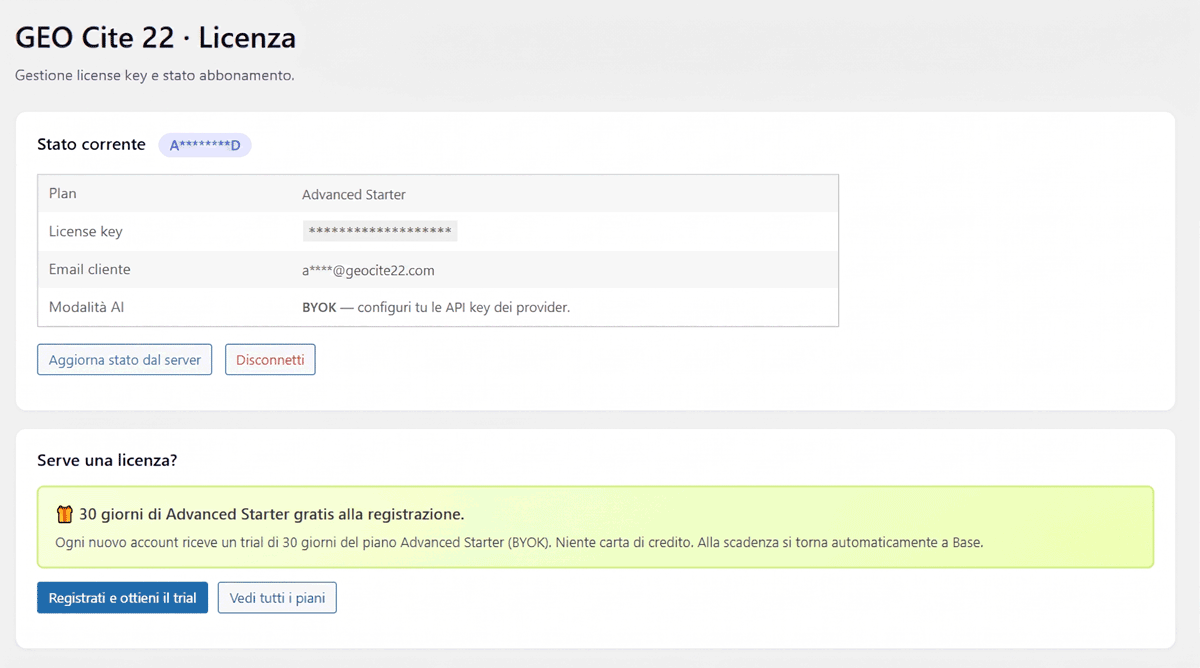
- Removed the “Licenza” and “Acquista” admin pages. The free plugin no longer talks to geocite22.com — it’s fully local and offline. A new Versione PRO ⭐ page replaces them with a conversion funnel to the Pro add-on.
- Removed the multi-field “Genera con AI” panel at the top of the metabox — the free plugin generates one field at a time via the ✨ button next to each AI-generable field. Multi-field batch generation moves to the Pro.
- Removed the “Usa contenuto renderizzato” checkbox — page-builder-aware content fetching (Elementor / Divi / Beaver Builder) moves to the Pro.
- Removed the
ManagedProvider,RemoteLicenseManager,CreditsTrackerinternal classes. The free plugin is now pure BYOK. - New extension hooks for the Pro add-on:
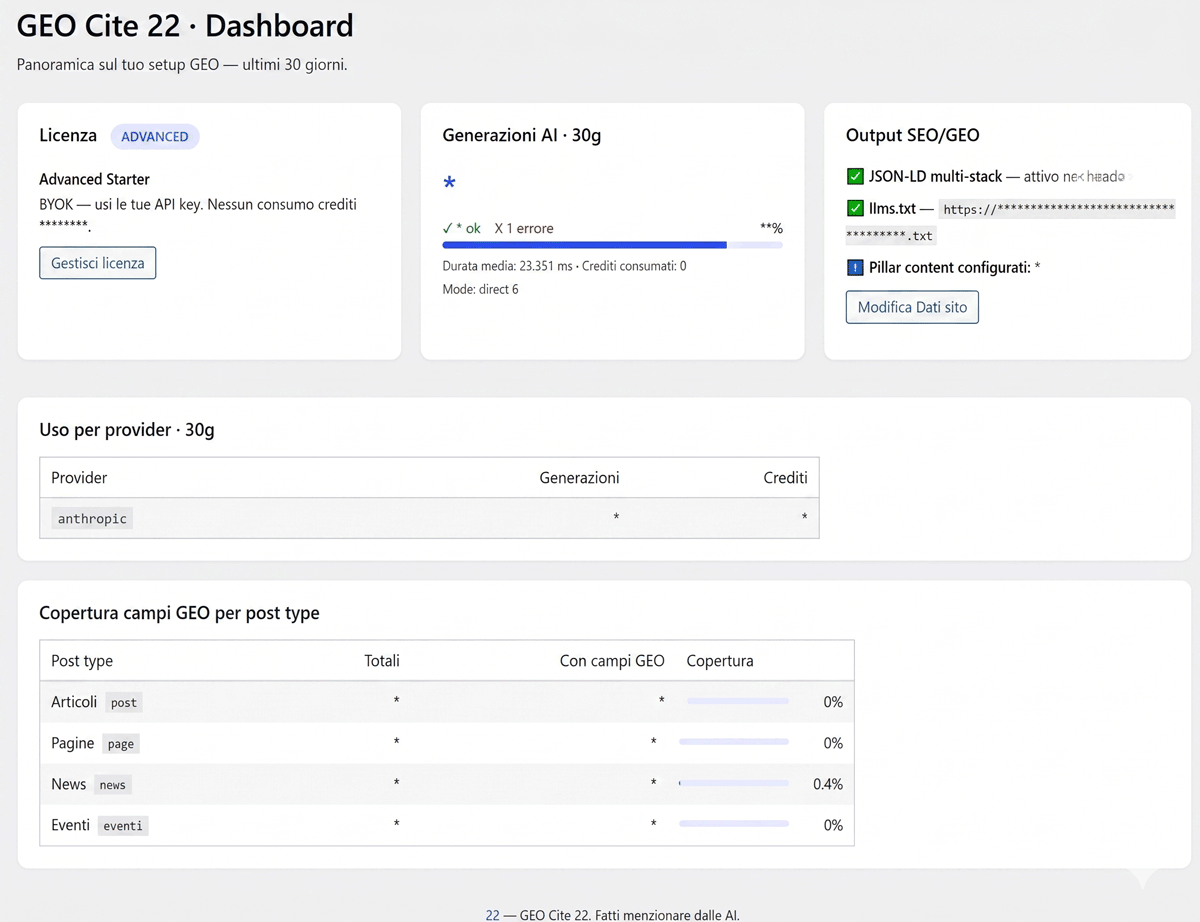
innogai22_displayable_fields,innogai22_enabled_post_types,innogai22_license_manager,innogai22_metabox_before_fields,innogai22_settings_before_provider_section,innogai22_settings_before_locale_section,innogai22_dashboard_after_main_cards.
Screenshots
For developers
Is this your plugin? Show off the numbers.
Add a live badge to your site, docs or GitHub README. It updates on its own — no account needed.
Best Innova GEO AI Indexer alternatives
All AI plugins →





FAQ
Innova GEO AI Indexer: quick answers
Straight answers, pulled from live WordPress.org data.
Source: WordPress.org
Is Innova GEO AI Indexer free?
Yes. Innova GEO AI Indexer is free to download and use from the official WordPress.org plugin directory.
Is Innova GEO AI Indexer safe to use in 2026?
Innova GEO AI Indexer works, but test it on a staging site before relying on it in 2026. Was last updated 4 months ago, and scores 49/100 on our health check.
How many websites use Innova GEO AI Indexer?
Innova GEO AI Indexer is active on <10 WordPress websites and has been downloaded 653 times since it launched in July 2026. It was downloaded 117 times in the last 30 days.
Does Innova GEO AI Indexer work with WordPress 7.1?
Innova GEO AI Indexer is officially tested up to WordPress 7.0.9, while the latest release is 7.1.5. It may still work, but try it on a staging site first.
What PHP version does Innova GEO AI Indexer need?
Innova GEO AI Indexer requires PHP 8.1 or higher. Most hosts run PHP 8.x today, so it works on any modern WordPress hosting.
When was Innova GEO AI Indexer last updated?
The latest version, 3.3.2, was released on August 1, 2026 (4 months ago).
Who makes Innova GEO AI Indexer?
Innova GEO AI Indexer is developed and maintained by alessandroang.
What are the best alternatives to Innova GEO AI Indexer?
The most popular alternatives to Innova GEO AI Indexer are Elementor Agent Ready Websi… (10M+ installs), Jetpack (3M+ installs) and All in One SEO (2M+ installs).
Powered by PageForge
One template and a spreadsheet. A real page for every search.
PageForge turns each row of a CSV into a WordPress page with its own title, URL, SEO fields and schema, built on the layout you already designed. Free on WordPress.org.
- CSV and XLSX, plus Google Sheets on Professional and Enterprise
- Its own title, URL, SEO fields and schema for every page
- Works with the block editor, Elementor, Divi and Avada
- Free on WordPress.org, no credit card