


Ghostline
A fake cursor moves, marks, or types the text that you select, when the text scrolls into view.

Use with caution
Ghostline works, but test it on a staging site before relying on it in 2026. Was last updated 1 month ago, and scores 60/100 on our health check.
- Tested with the latest WordPress (7.1)
- Small user base (<10 active installs)
- Very few reviews so far
- Needs PHP 8.1 or newer
How does it stack up?
Side-by-side on installs, updates, ratings & support



Daily downloads
Download spikes usually follow a new release — each site that auto-updates counts as a download.
Rankings
Where Ghostline stands todayWordPress.org search rankings
Live position in the plugin search, top 100| Keyword | Position |
|---|---|
| animation | >100 |
| Highlight | >100 |
| scroll animation | >100 |
| text animation | >100 |
| typography | >100 |
About Ghostline
From the official readme · v1.1.0Description
Ghostline adds cursor motions to text in headings and paragraphs. Select some words and apply the Ghostline format. When a visitor scrolls, a fake cursor operates the text. When the visitor scrolls back, the motion plays in reverse.
Motions
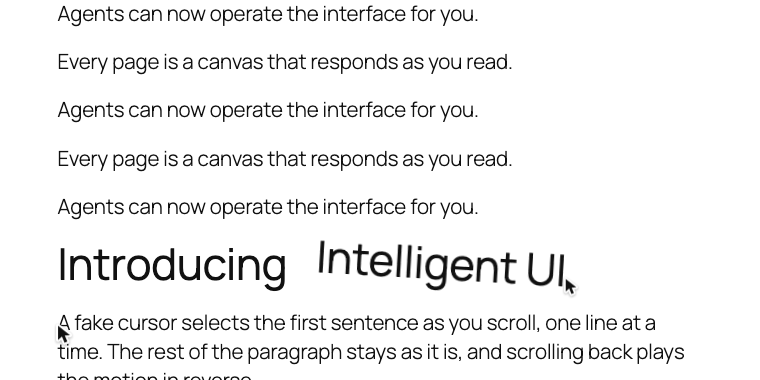
- Move: The cursor drags tilted text into its position.
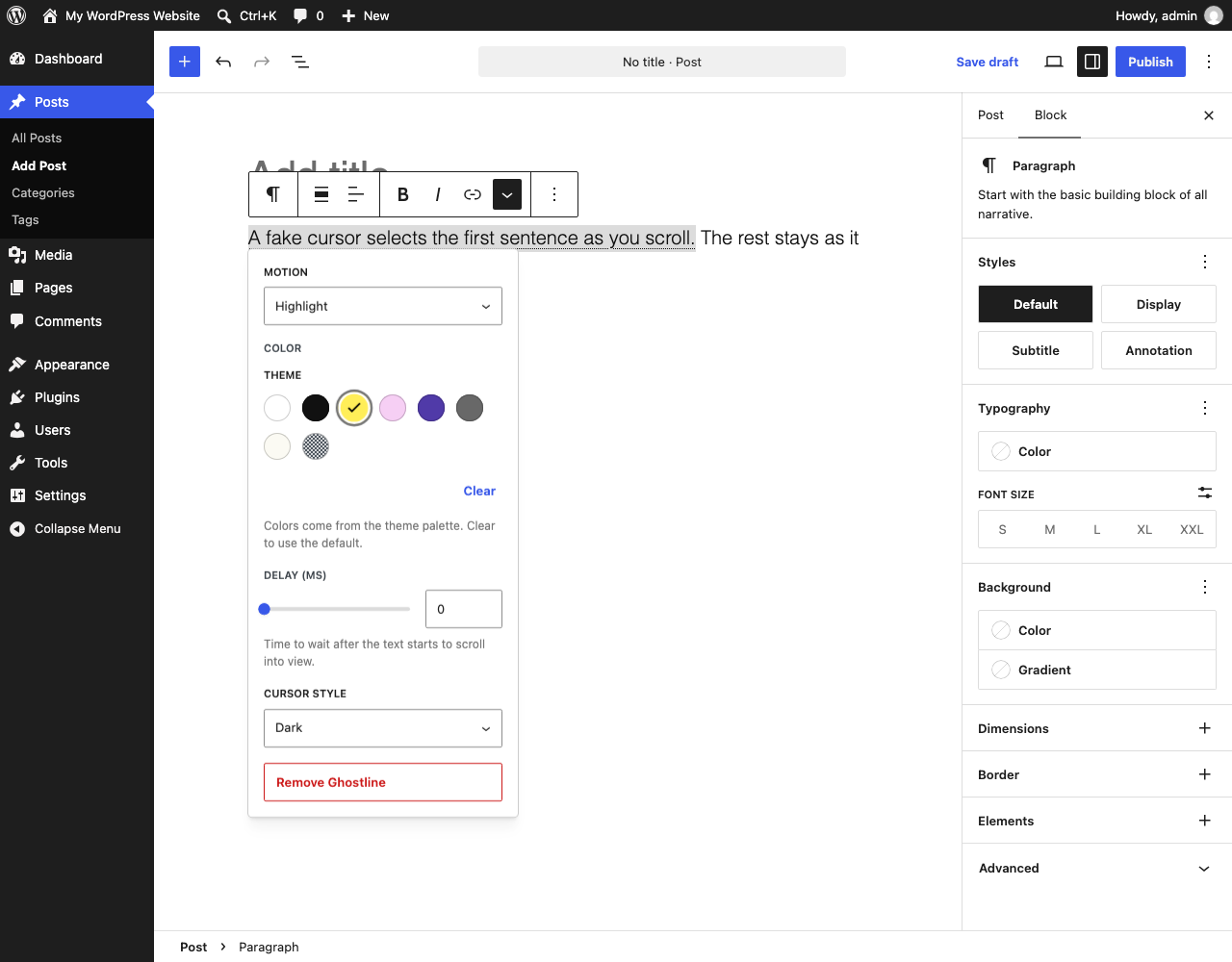
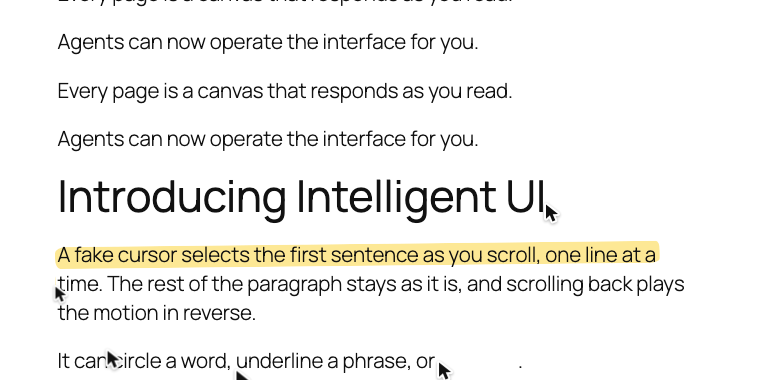
- Highlight: The cursor marks the text. A marker stroke stays on each line.
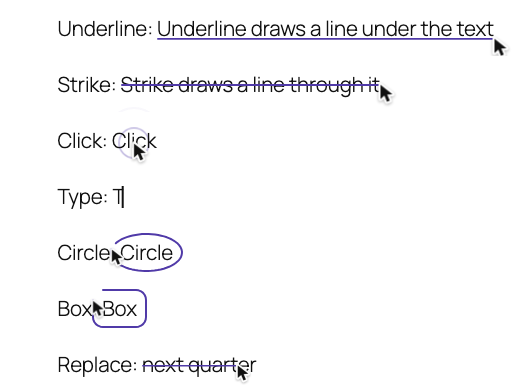
- Underline: The cursor draws a line below the text.
- Strike: The cursor draws a line through the text.
- Click: The cursor clicks the text. A ring spreads out.
- Type: A caret types the text, one character at a time.
- Circle: The cursor draws a ring around the text.
- Box: The cursor draws a box around the text.
- Replace: The cursor strikes out old text. Then the new text is typed.
Features
- Works in the core Heading, Paragraph, List, and Quote blocks.
- Options for each motion: type, theme color, delay, cursor style.
- Works with block themes and classic themes.
- Supports right-to-left languages.
Accessibility and performance
- The real text always stays on the page. Screen readers do not read the cursor or the decoration.
- With “reduce motion” on, the text shows its final state immediately.
- Without JavaScript, the text shows as normal text.
- The motions do not move the page layout.
- The script loads only on pages that use a motion. The main script is about 4 KB (gzip).
- The plugin does not collect data or connect to external services.
Installation
- Install and activate the plugin.
- In the block editor, select some text in a Heading, Paragraph, List, or Quote block.
- In the block toolbar, open More (the arrow) and click Ghostline.
- Set the options in the popover.
To change the options, put the cursor in the text and click Ghostline again.
Changelog
Highlight now looks like a marker stroke. Existing highlights get the new look. You do not have to change your content.
1.1.0
- Highlight now looks like a marker stroke: uneven round ends, a small tilt, and a little past the text.
1.0.0
- First release.
Screenshots

For developers
Is this your plugin? Show off the numbers.
Add a live badge to your site, docs or GitHub README. It updates on its own — no account needed.
Best Ghostline alternatives
All animation plugins →





FAQ
Ghostline: quick answers
Straight answers, pulled from live WordPress.org data.
Source: WordPress.org
Is Ghostline free?
Yes. Ghostline is free to download and use from the official WordPress.org plugin directory.
Is Ghostline safe to use in 2026?
Ghostline works, but test it on a staging site before relying on it in 2026. Was last updated 1 month ago, and scores 60/100 on our health check.
How many websites use Ghostline?
Ghostline is active on <10 WordPress websites and has been downloaded 285 times since it launched in October 2026. It was downloaded 136 times in the last 30 days.
Does Ghostline work with WordPress 7.1?
Yes. The developer has tested Ghostline up to WordPress 7.1.5, the latest release. It requires WordPress 6.5 or newer.
What PHP version does Ghostline need?
Ghostline requires PHP 8.1 or higher. Most hosts run PHP 8.x today, so it works on any modern WordPress hosting.
When was Ghostline last updated?
The latest version, 1.1.0, was released on October 27, 2026 (1 month ago).
Who makes Ghostline?
Ghostline is developed and maintained by Utkarsh.
What are the best alternatives to Ghostline?
The most popular alternatives to Ghostline are Blocks Animation: CSS Anima… (90K+ installs), Greenshift (70K+ installs) and UiCore Animate (40K+ installs).
Powered by PageForge
One template and a spreadsheet. A real page for every search.
PageForge turns each row of a CSV into a WordPress page with its own title, URL, SEO fields and schema, built on the layout you already designed. Free on WordPress.org.
- CSV and XLSX, plus Google Sheets on Professional and Enterprise
- Its own title, URL, SEO fields and schema for every page
- Works with the block editor, Elementor, Divi and Avada
- Free on WordPress.org, no credit card