


BookPress – PDF eBook Maker
BookPress turns your WordPress content into a polished PDF book. Choose the posts, pages or custom post types you want, arrange them into chapters and parts, pick a cover and an interior template, and download a…

Solid choice
BookPress – PDF eBook Maker is a solid plugin choice in 2026, with a few things worth checking first. It runs on 10+ sites and was last updated 3 weeks ago, and scores 66/100 on our health check.
- Actively developed — last update 3 weeks ago
- Tested with the latest WordPress (7.1)
- Small user base (10+ active installs)
- Very few reviews so far
How does it stack up?
Side-by-side on installs, updates, ratings & support


Daily downloads
Download spikes usually follow a new release — each site that auto-updates counts as a download.
Rankings
Where BookPress – PDF eBook Maker stands todayWordPress.org search rankings
Live position in the plugin search, top 100| Keyword | Position |
|---|---|
| book | >100 |
| ebook | #59 |
| export | >100 |
| >100 | |
| >100 |
Version adoption
Share of active sites per release.
About BookPress – PDF eBook Maker
From the official readme · v2.0.1Description
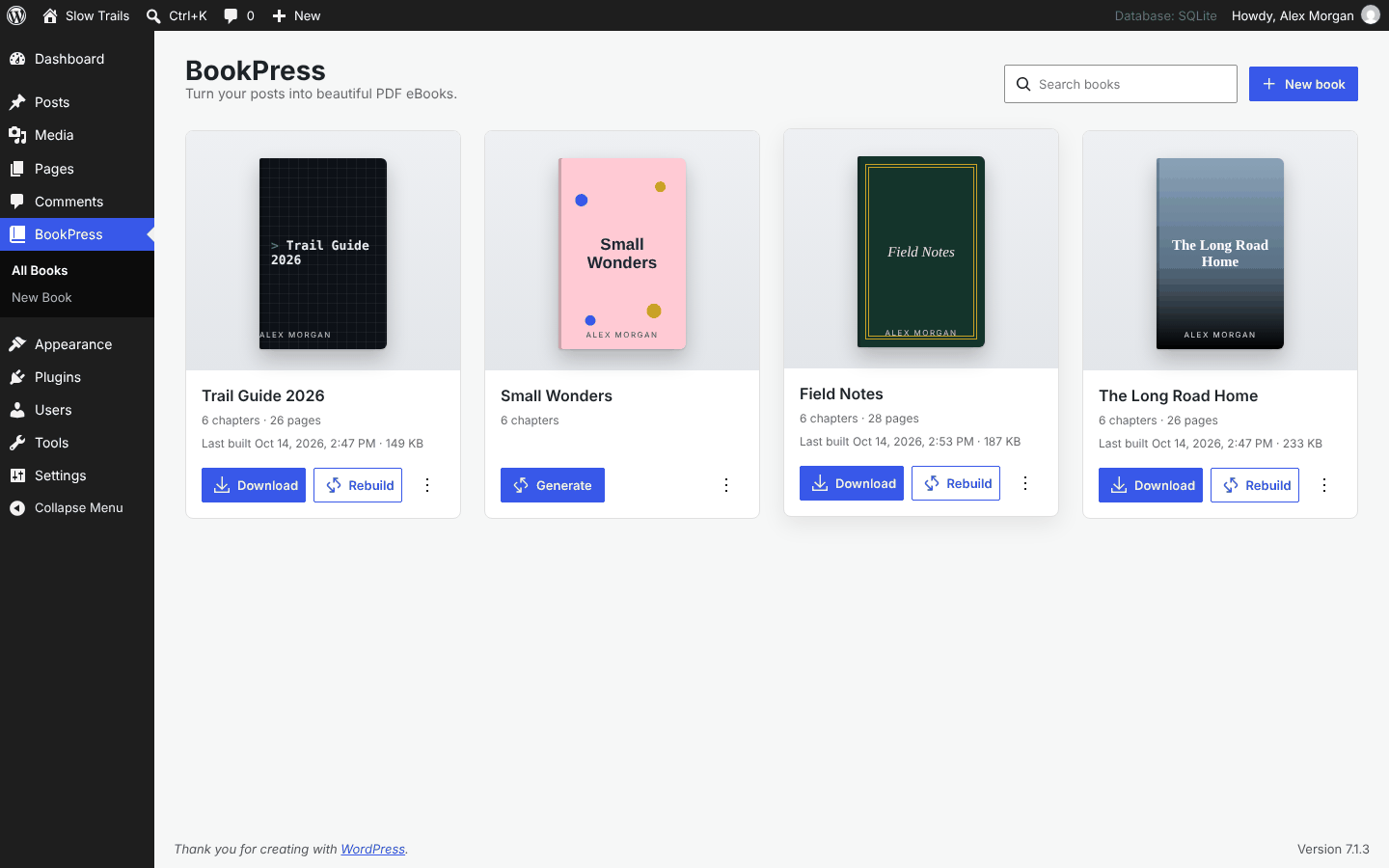
BookPress turns your WordPress content into a polished PDF book. Choose the posts, pages or custom post types you want, arrange them into chapters and parts, pick a cover and an interior template, and download a print-ready PDF from your dashboard. You don’t need any design or coding skills.
Formerly WP Book.
Video walkthrough
See every feature in five minutes, from choosing a cover to downloading the finished book:
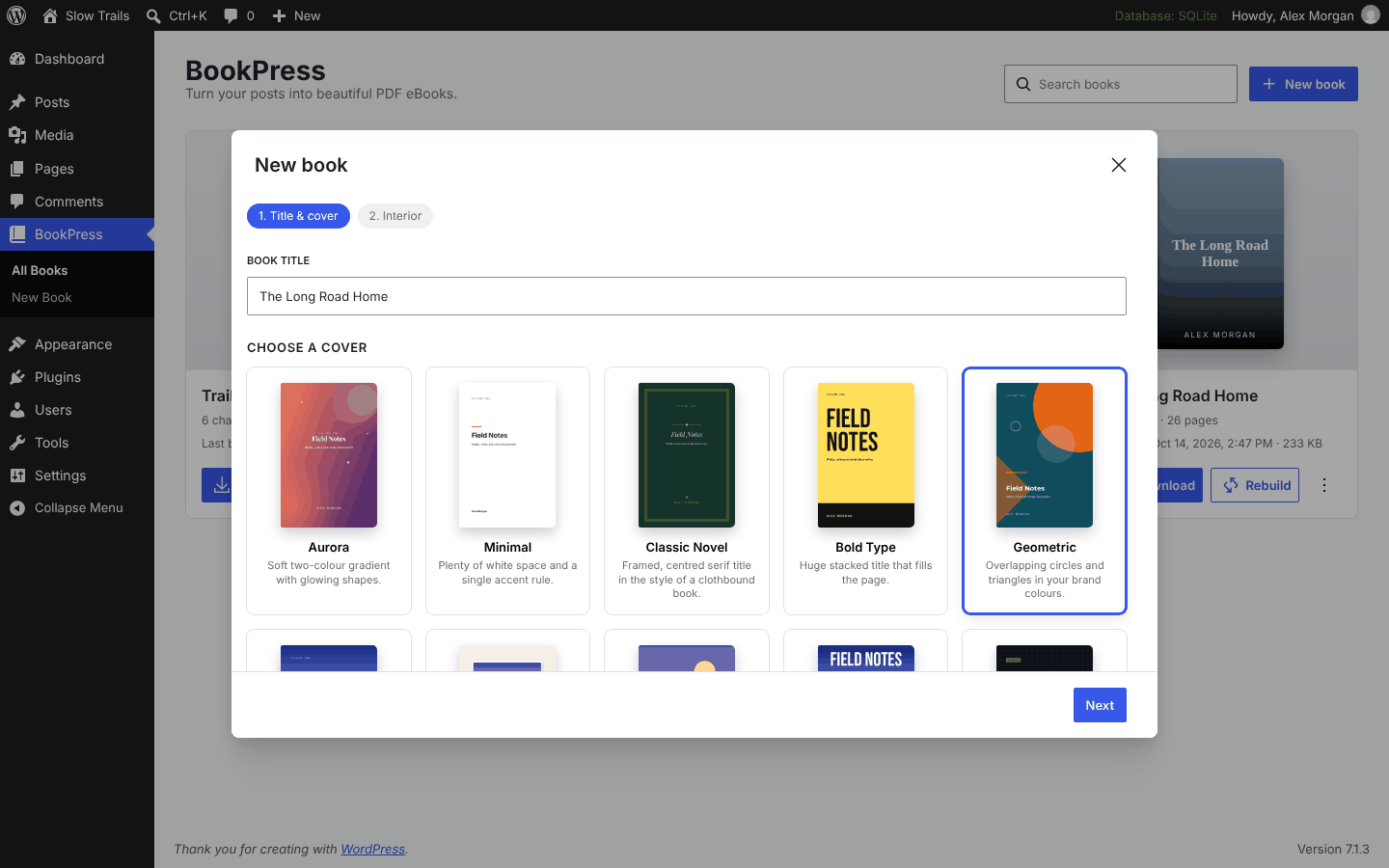
A cover for every book
Choose from 12 cover designs and make them your own:
- Aurora, Minimal, Classic Novel, Bold Type, Geometric, Tech Guide, Botanical and Playful
- Full-bleed Photo, Photo Frame, Split and Magazine for covers with a picture
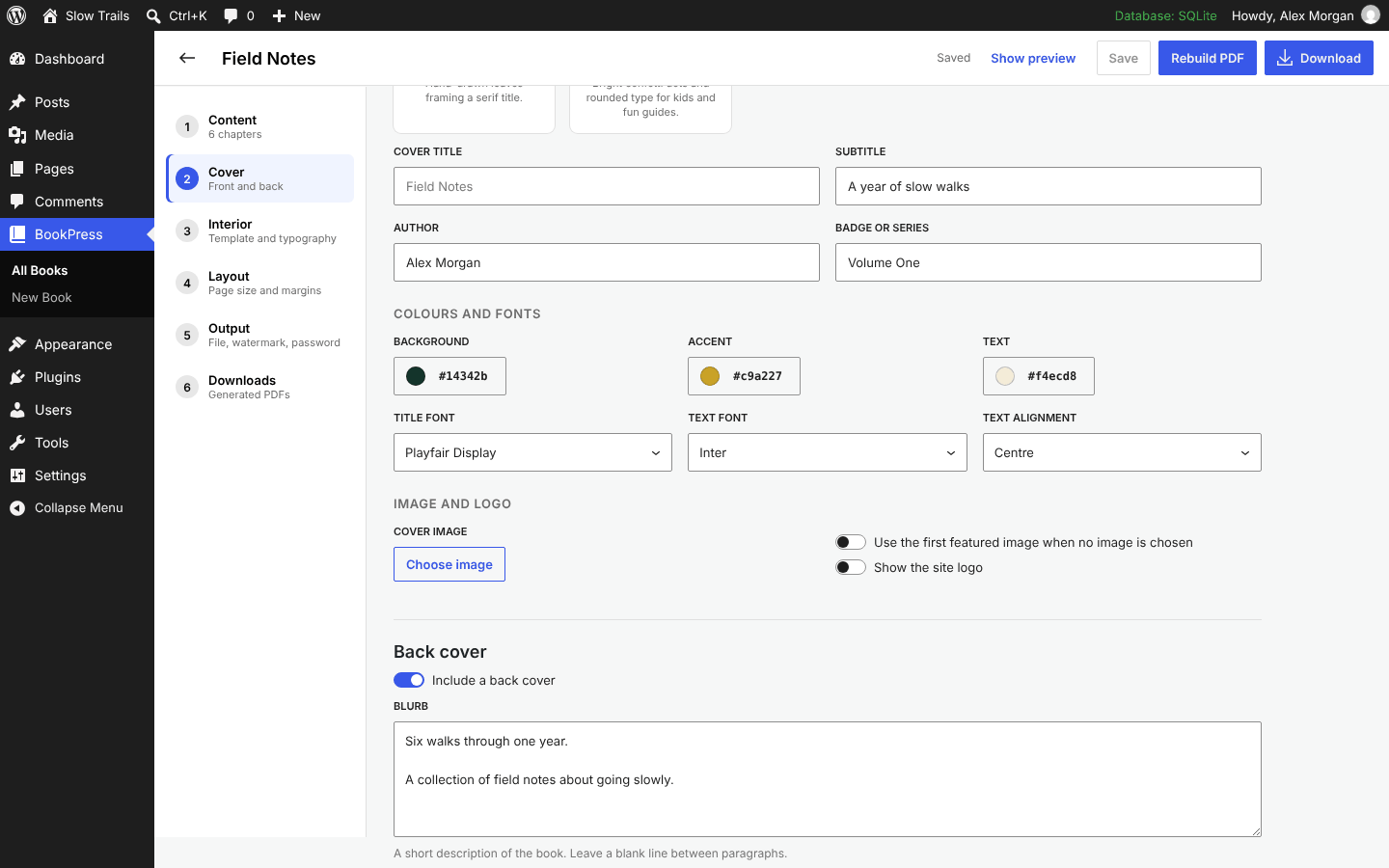
- Set your own title, subtitle, author, series or volume badge, colours, fonts and alignment.
- Auto cover: one click builds a cover from your theme’s colours, your site logo and the first featured image.
- Back cover with a blurb, an author bio and a QR code that links to your site.
- Print cover: back, spine and front on one sheet with bleed, ready for print-on-demand services. The spine width follows your page count.
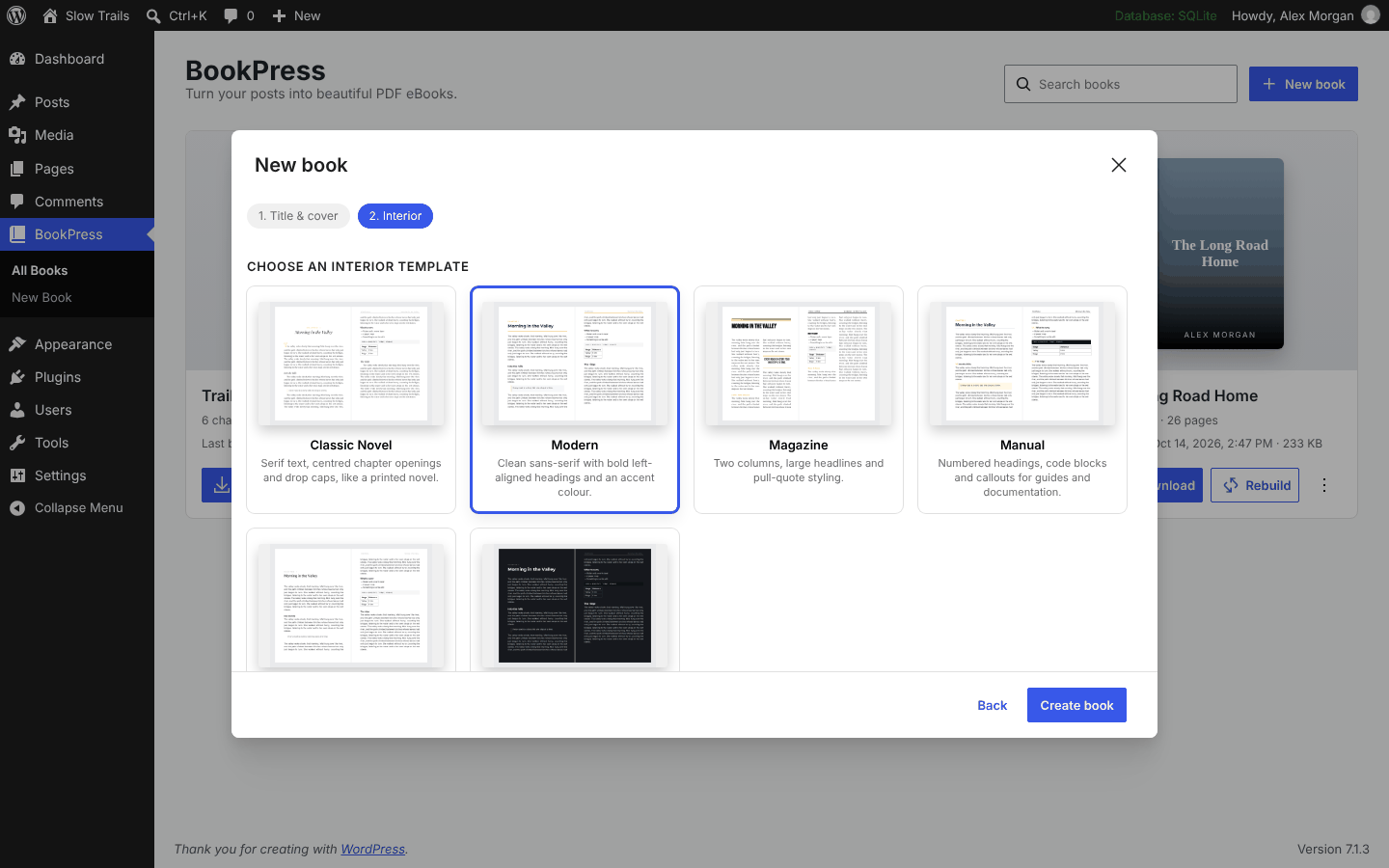
Interior templates
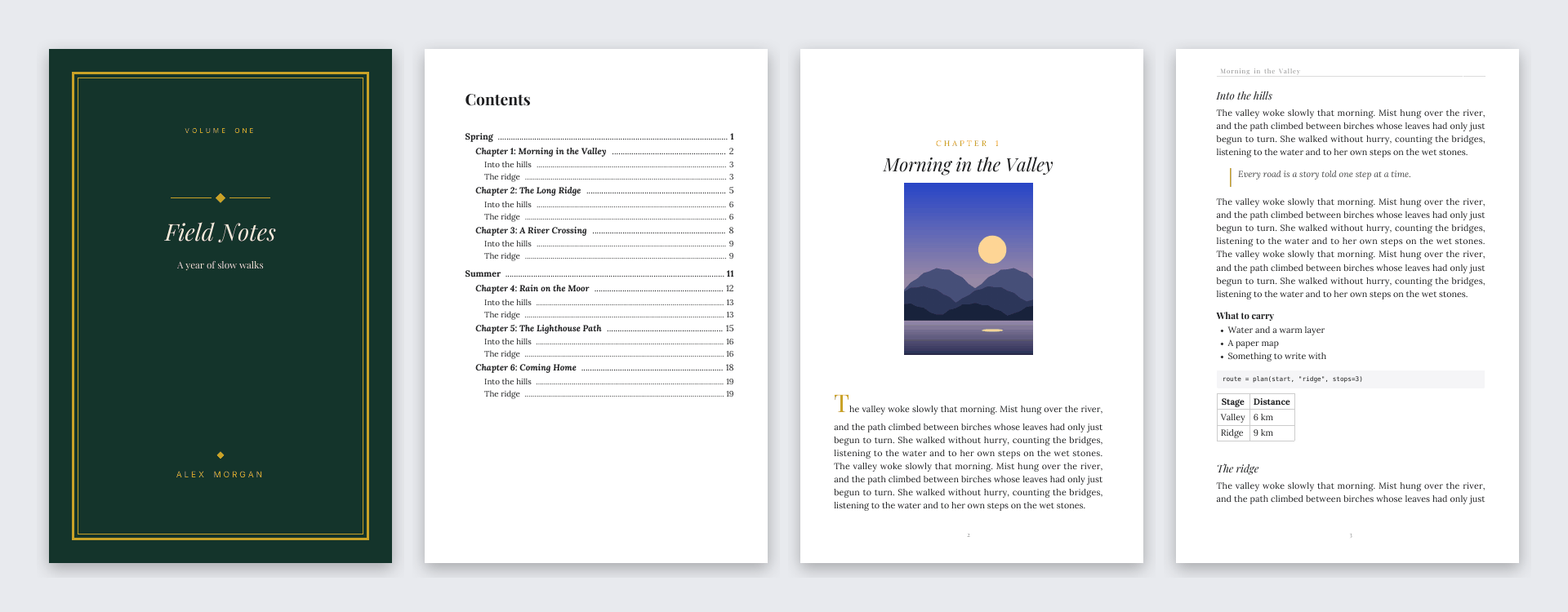
- Classic Novel: serif text, centred chapter openings and a raised initial.
- Modern: clean sans-serif with an accent colour.
- Magazine: two columns, big headlines and pull quotes.
- Manual: numbered headings, code blocks and callouts for documentation.
- Minimal: quiet typography and generous margins.
- Dark Reader: light text on dark pages for reading on screens.
Fine-tune the font, size, line height, justification, paragraph indents and drop caps.
Everything a real book needs
- Title page, copyright page, dedication and preface
- Automatic table of contents with page numbers and links
- Chapter numbers and part dividers
- Running headers with the chapter title, and page numbers
- Mirrored margins and right-hand chapter starts for print
- PDF bookmarks, metadata, an optional watermark and an optional password
- Trade book sizes (6×9, 5.5×8.5, 5×8 and more) as well as A4, A5 and Letter
Built for real sites
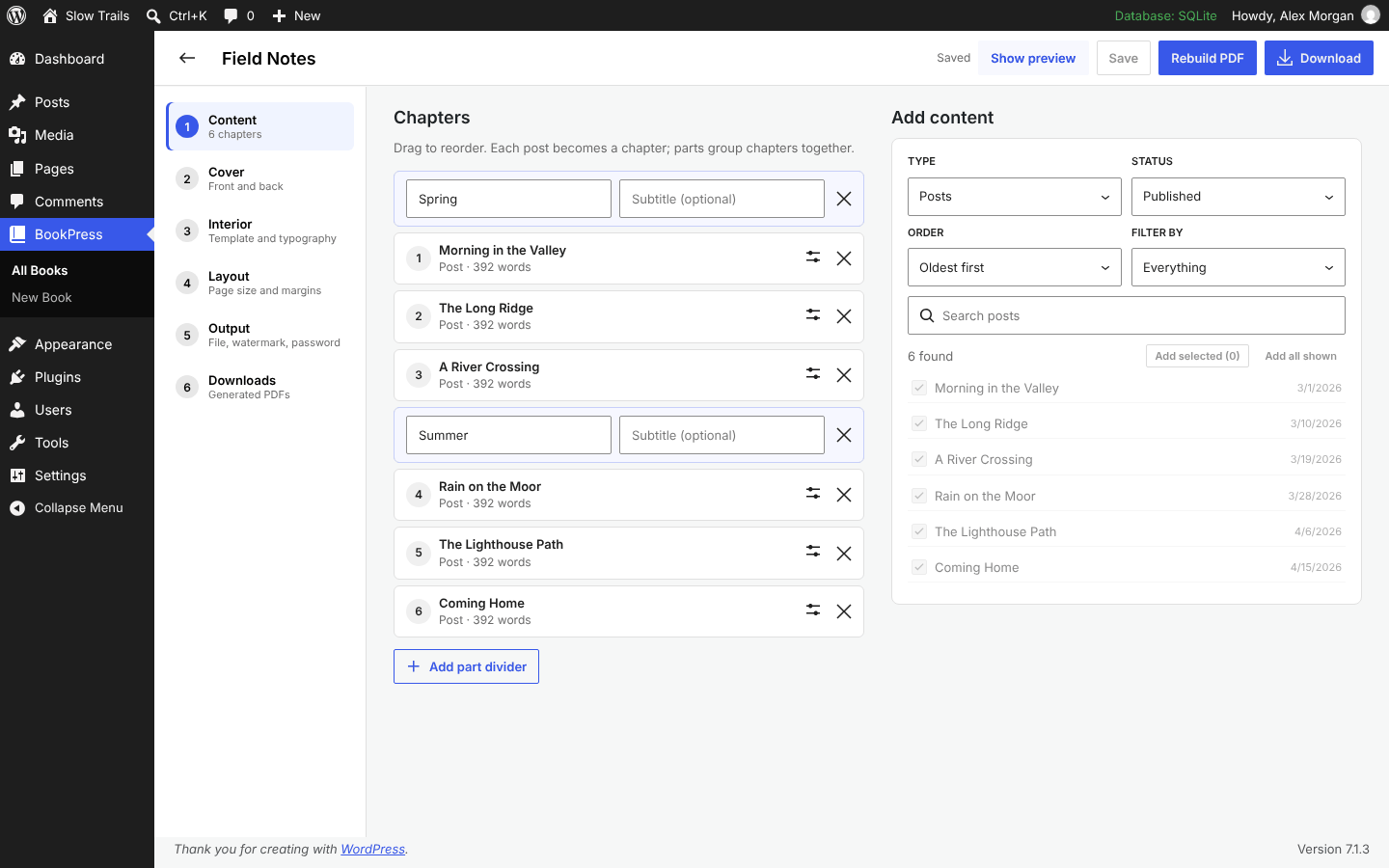
- Drag-and-drop chapters: search and filter your content by type, status, category or tag, then reorder.
- Live preview of the cover and sample pages while you edit.
- Background generation with a progress bar, so long books don’t time out.
- Download history: your last PDFs are kept and offered through a secure link that only logged-in editors can use.
- Blocks and shortcodes are rendered; scripts, ads and remote content are left out.
- Chinese, Japanese, Korean, Arabic, Hebrew, Indic and other scripts are supported with optional font packs, downloaded with one click.
- Works on PHP 7.4 to 8.4.
Privacy
BookPress does not send your content anywhere. PDFs are created on your server and stored in a protected folder in your uploads directory.
External service: font packs
BookPress includes fonts for Latin, Greek and Cyrillic text. Fonts for other scripts (Chinese, Japanese, Korean, Arabic, Hebrew, Indic scripts and more) are large, so they are not bundled. When an administrator clicks Download under Interior → Languages, BookPress downloads these fonts from the open-source mPDF project on GitHub (raw.githubusercontent.com). Nothing is downloaded unless an administrator asks for it, and only the font files are requested: no content or personal data is sent. Each file is checked against a stored SHA-256 checksum before it is used. GitHub’s terms of service and privacy statement apply to these downloads.
Installation
- In your dashboard, go to Plugins → Add New, search for BookPress, then install and activate it.
- Open BookPress in the admin menu and click New book.
- Choose a cover and an interior template, add your chapters, then click Generate PDF.
- Click Download when the book is ready.
Changelog
WP Book is now BookPress: saved books, 12 cover designs, 6 templates, a table of contents and background generation. Requires WordPress 6.4.
2.0.1
- Maintenance: updated a JavaScript dependency that had a security advisory, and tidied the admin styles. No changes to how the plugin works.
2.0.0
- BookPress: WP Book is now BookPress – PDF eBook Maker, rebuilt from the ground up.
- New: save books and come back to them, with a download history for each book.
- New: 12 cover designs, a cover editor, Auto cover, back cover with QR code and a print cover with spine.
- New: 6 interior templates with typography controls.
- New: title, copyright, dedication and preface pages, table of contents, parts, running headers and page numbers.
- New: drag-and-drop chapters, a content picker with filters, and a live preview.
- New: background generation with progress, so large books don’t time out.
- New: trade book sizes, mirrored margins, watermark and password protection.
- New: optional font packs for Chinese, Japanese, Korean and other scripts, which keeps the plugin download small.
- Security: books only include content the user may read, and downloads require a logged-in user who can manage books.
- Requirements: WordPress 6.4 or later.
1.1.1
- Security: Only users who can manage options can list posts or generate books, and books only include posts the user is allowed to read.
- Security: The post list sent to the browser now contains only post IDs and titles.
- Security: Generated PDF file names are now random and cannot be guessed.
1.1.0
- New: PHP 8 support. WP Book now bundles mPDF 8.3, which works on PHP 7.4 through 8.5.
- New: Japanese, Arabic and other non-Latin scripts render in the PDF instead of empty boxes.
- Fix: The Sort option now orders posts as selected.
- Fix: mPDF temporary files are written to the server’s temp directory, so a read-only plugin folder no longer stops PDF generation.
- Fix: PHP warnings and notices on PHP 8.
- Security: All admin screen output is escaped and request input is validated.
- Security: Updated bundled libraries (mPDF 8.3.1, FPDI 2.6.9) to fix known vulnerabilities.
- Requirements: PHP 7.4 or later and WordPress 4.4 or later.
1.0.1
- Rewrote the plugin description, FAQ and screenshot captions.
- New plugin banners.
- Added a Requires PHP header (7.1).
- Updated bundled libraries: myclabs/deep-copy 1.13.4 and psr/log 1.1.4.
1.0
- Initial release.
Screenshots
For developers
Is this your plugin? Show off the numbers.
Add a live badge to your site, docs or GitHub README. It updates on its own — no account needed.
Best BookPress – PDF eBook Maker alternatives
All book plugins →




FAQ
BookPress – PDF eBook Maker: quick answers
Straight answers, pulled from live WordPress.org data.
Source: WordPress.org
Is BookPress – PDF eBook Maker free?
Yes. BookPress – PDF eBook Maker is free to download and use from the official WordPress.org plugin directory.
Is BookPress – PDF eBook Maker safe to use in 2026?
BookPress – PDF eBook Maker is a solid plugin choice in 2026, with a few things worth checking first. It runs on 10+ sites and was last updated 3 weeks ago, and scores 66/100 on our health check.
How many websites use BookPress – PDF eBook Maker?
BookPress – PDF eBook Maker is active on 10+ WordPress websites and has been downloaded 3,451 times since it launched in October 2018. It was downloaded 234 times in the last 30 days.
Does BookPress – PDF eBook Maker work with WordPress 7.1?
Yes. The developer has tested BookPress – PDF eBook Maker up to WordPress 7.1.5, the latest release. It requires WordPress 6.4 or newer.
What PHP version does BookPress – PDF eBook Maker need?
BookPress – PDF eBook Maker requires PHP 7.4 or higher. Most hosts run PHP 8.x today, so it works on any modern WordPress hosting.
When was BookPress – PDF eBook Maker last updated?
The latest version, 2.0.1, was released on November 5, 2026 (3 weeks ago).
Who makes BookPress – PDF eBook Maker?
BookPress – PDF eBook Maker is developed and maintained by Rajan Vijayan.
What are the best alternatives to BookPress – PDF eBook Maker?
The most popular alternatives to BookPress – PDF eBook Maker are MyBookTable Bookstore by St… (1K+ installs), Book Previewer for Woocomme… (1K+ installs) and Book Review Block (900+ installs).
Powered by PageForge
One template and a spreadsheet. A real page for every search.
PageForge turns each row of a CSV into a WordPress page with its own title, URL, SEO fields and schema, built on the layout you already designed. Free on WordPress.org.
- CSV and XLSX, plus Google Sheets on Professional and Enterprise
- Its own title, URL, SEO fields and schema for every page
- Works with the block editor, Elementor, Divi and Avada
- Free on WordPress.org, no credit card