


SiteAuditHub: SEO Audit, Malware Scan & Site Health
Check your whole WordPress site for SEO, accessibility, health and malware problems from one dashboard. Runs on your own server.

Solid choice
SiteAuditHub: SEO Audit, Malwar… is a solid plugin choice in 2026, with a few things worth checking first. It runs on 40+ sites and was last updated 2 weeks ago, and scores 67/100 on our health check.
- Actively developed — last update 2 weeks ago
- Tested with the latest WordPress (7.1)
- Small user base (40+ active installs)
- Very few reviews so far
How does it stack up?
Side-by-side on installs, updates, ratings & support


Daily downloads
Download spikes usually follow a new release — each site that auto-updates counts as a download.
Rankings
Where SiteAuditHub: SEO Audit, Ma… stands todayWordPress.org search rankings
Live position in the plugin search, top 100| Keyword | Position |
|---|---|
| accessibility | >100 |
| broken links | >100 |
| malware scanner | #88 |
| seo audit | >100 |
| site health | #80 |
Version adoption
Share of active sites per release.
About SiteAuditHub: SEO Audit, Malware Scan &…
From the official readme · v1.0.2Description
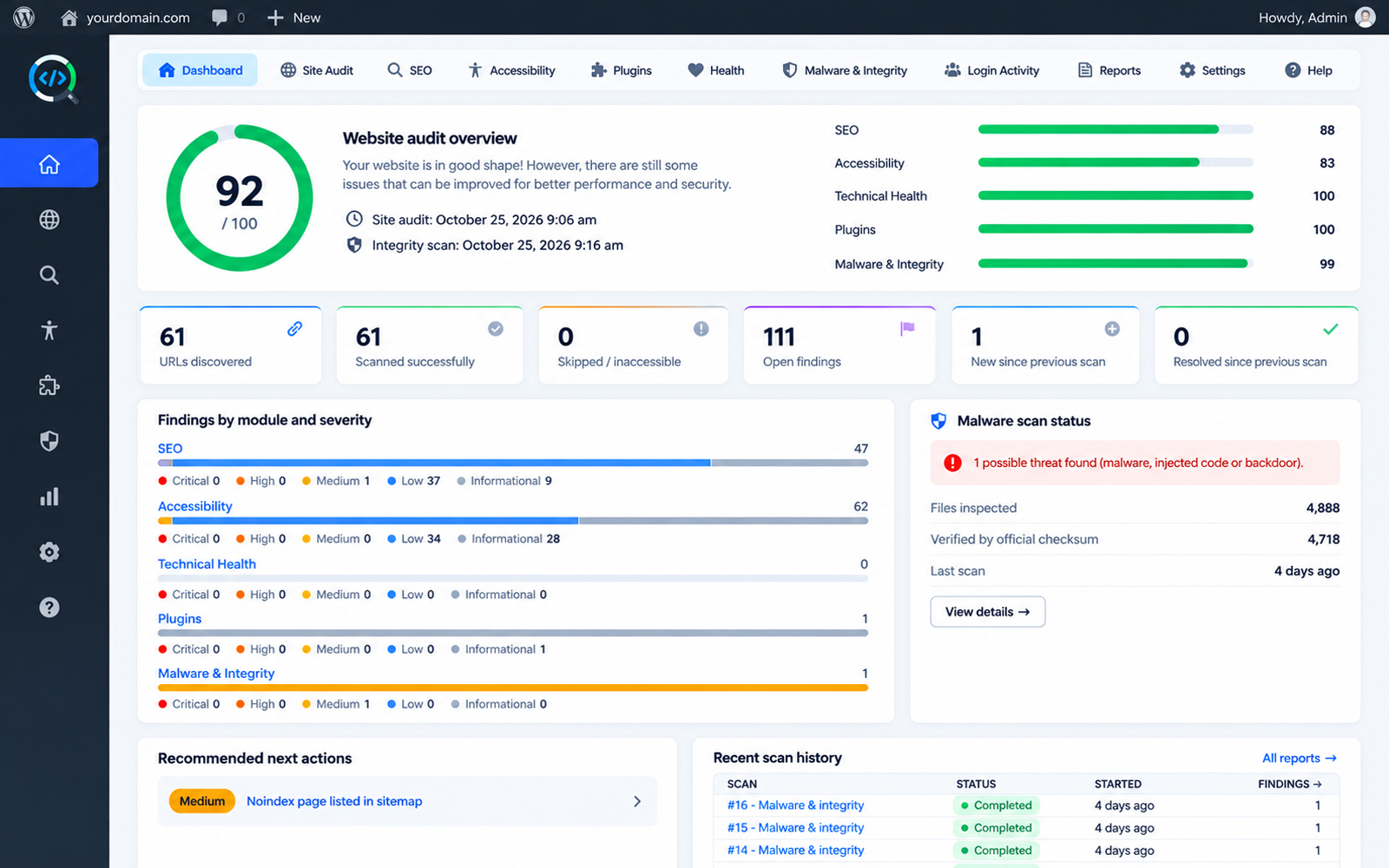
SiteAuditHub checks your whole WordPress site and lists what needs fixing, in plain words, on one dashboard. All checks run on your own server.
What it checks
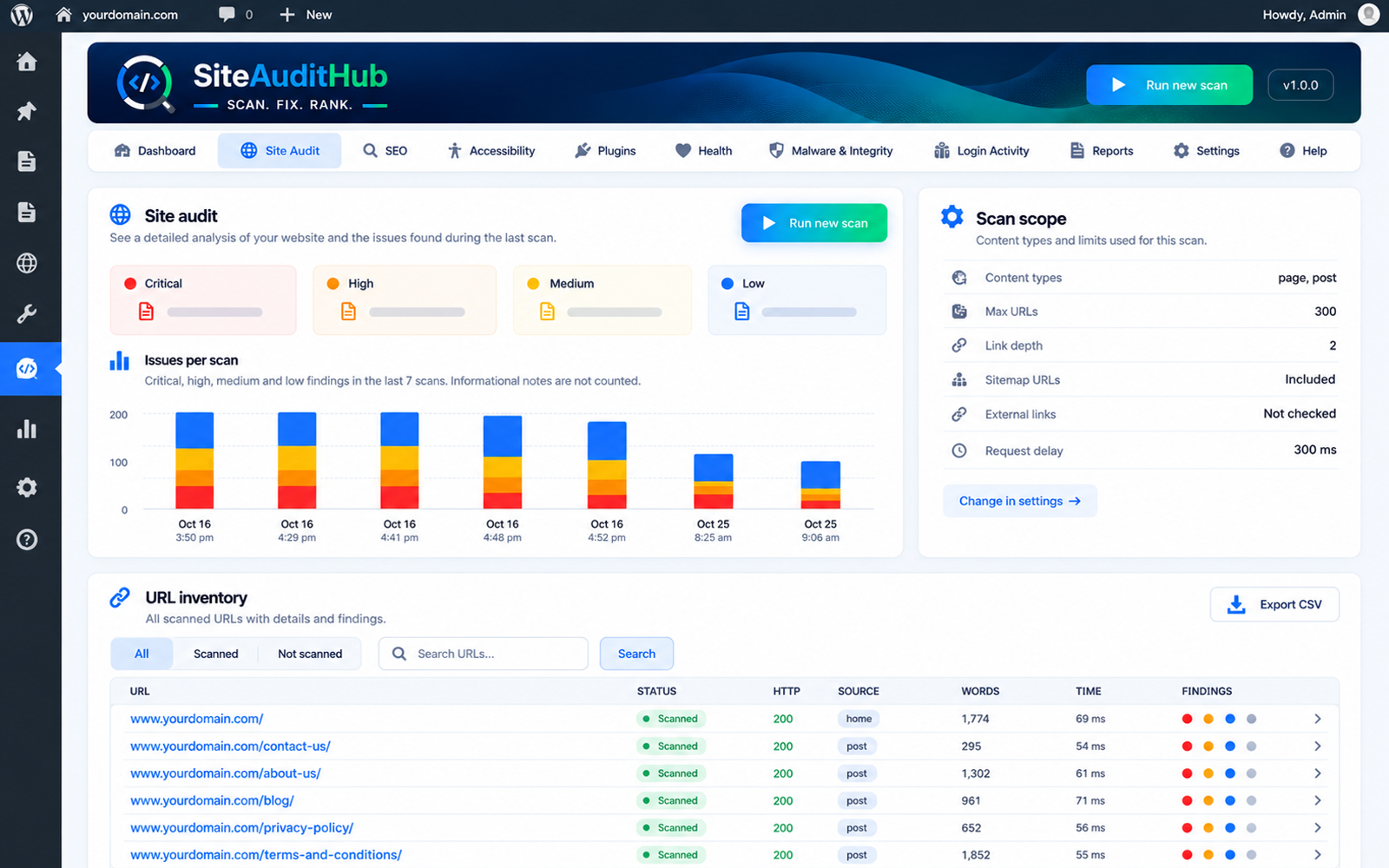
- Site audit: finds your published pages, posts, WooCommerce products and other public content, reads your XML sitemap and robots.txt, and follows internal links. You choose how deep it goes and how many URLs it checks.
- SEO: page titles, meta descriptions, canonical tags, noindex, robots.txt conflicts, H1 and heading order, image alt text, broken links, redirect chains and loops, HTTP errors, sitemap coverage, thin content, duplicate titles, descriptions and content, orphan pages, mixed content and invalid JSON-LD.
- Accessibility: missing alt text, buttons and links without a name, page language and title, skipped heading levels, invalid ARIA, focusable elements hidden from screen readers, iframe titles, blocked zoom, inline colour contrast and more. Things that need a manual test are shown separately.
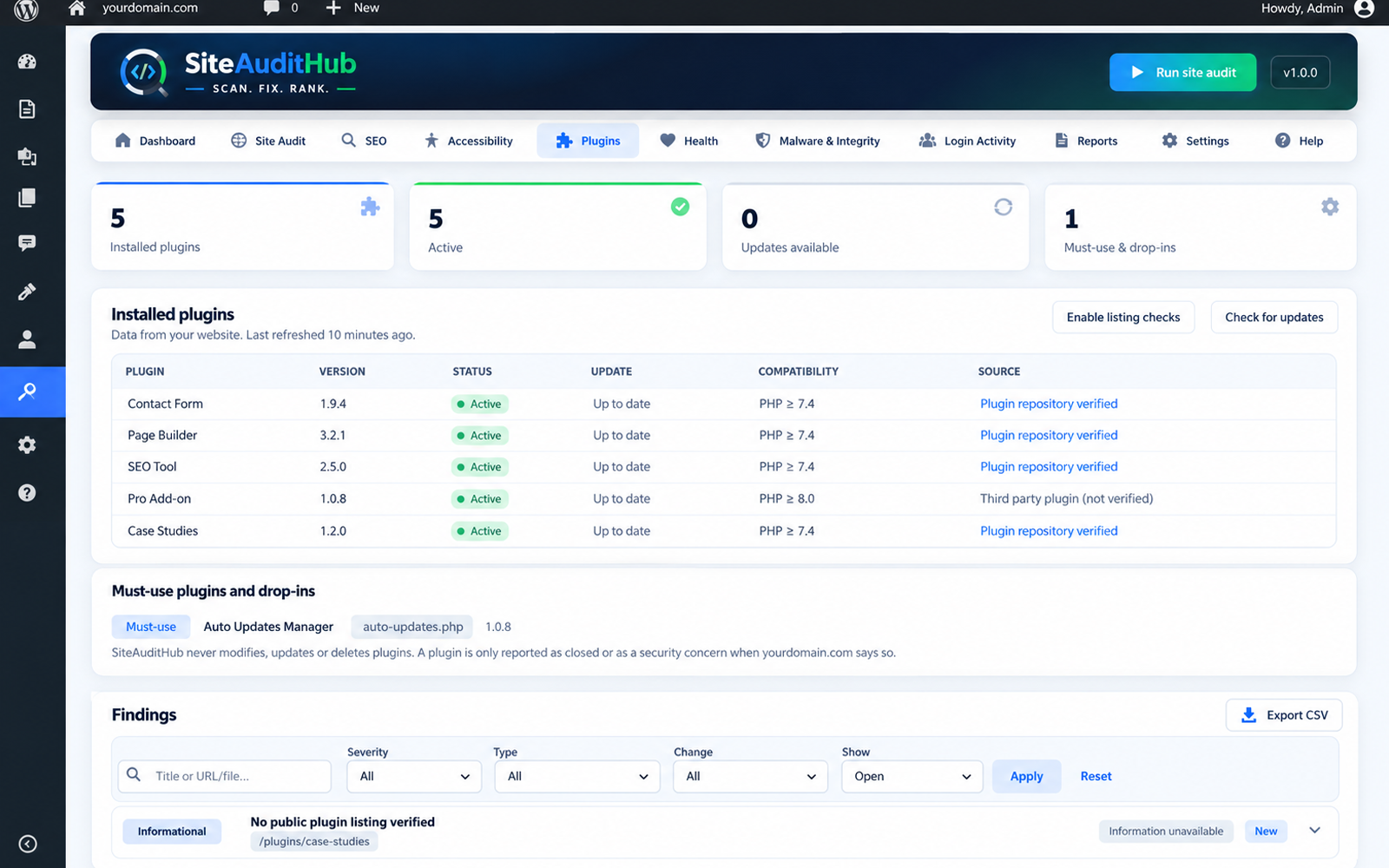
- Plugins: installed and active plugins, available updates, PHP and “tested up to” compatibility, and (if you turn it on) whether a plugin is still listed on WordPress.org.
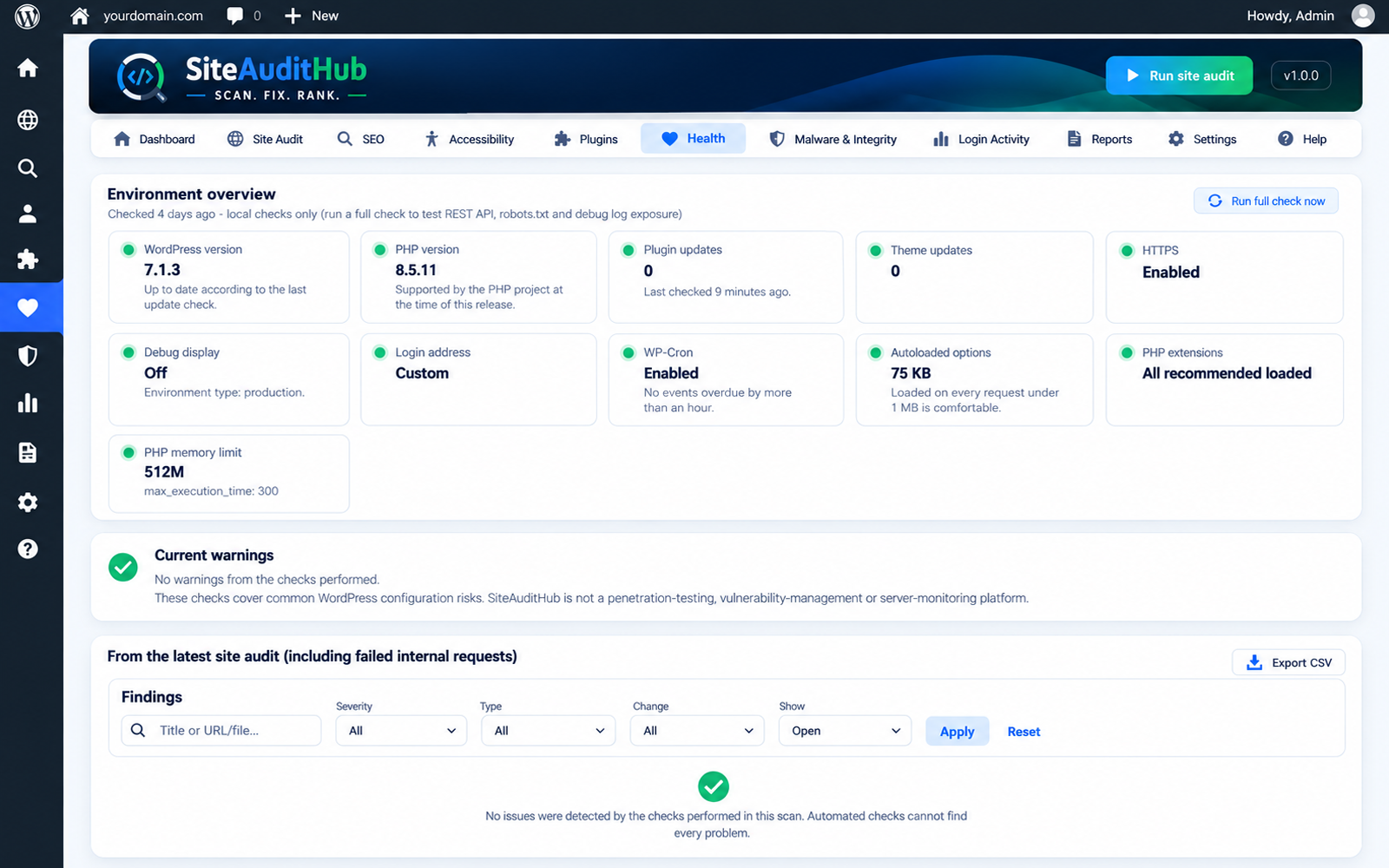
- Site health: WordPress and PHP versions, pending updates, HTTPS, debug settings, a public debug.log, REST API, WP-Cron, autoloaded options, PHP extensions, memory and failed internal requests.
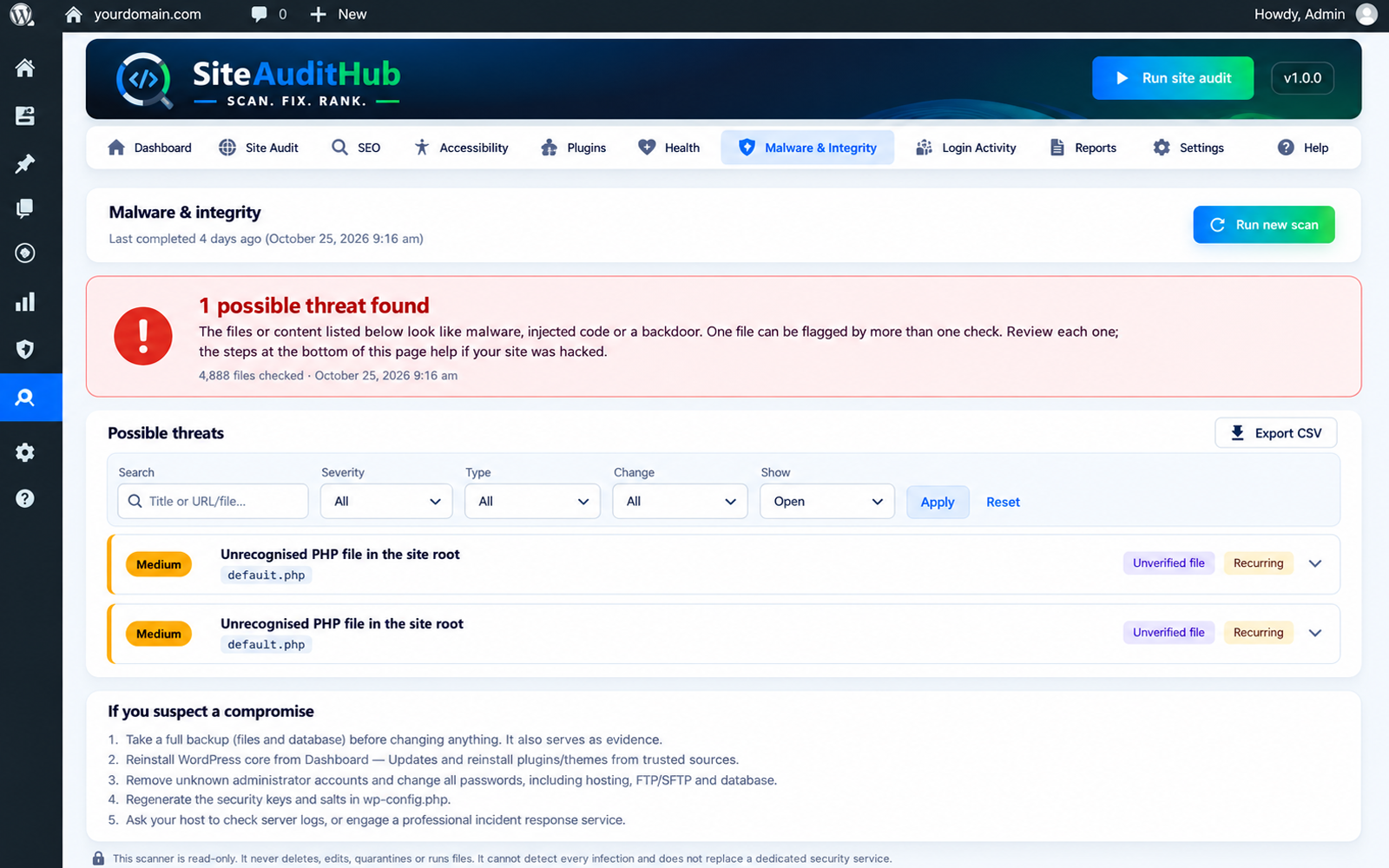
- Malware and file changes: known web shell and backdoor code, suspicious code, unknown files and folders in the site root, new code files added since the last scan, files changed without a plugin, theme or WordPress update, PHP files in uploads, hidden or disguised PHP files (photo.jpg.php), harmful .htaccess rules, injected scripts and hidden iframes in posts, code stored in settings and new administrator accounts. With one click it also compares WordPress core and WordPress.org plugin files with the official releases. The result is either “All safe” or a short list of possible threats.
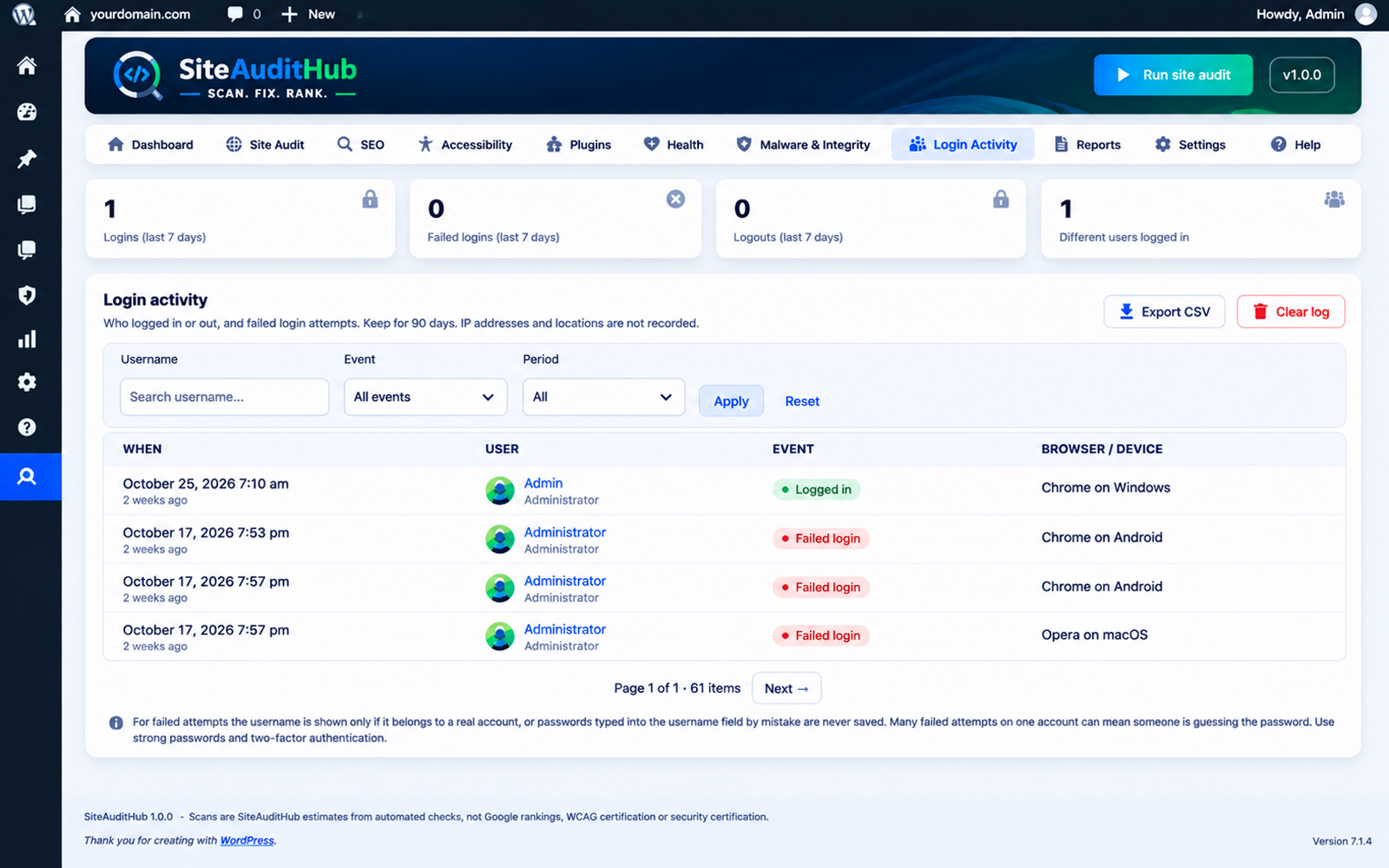
- Login activity: logins, logouts and failed attempts with username, time and browser/device. IP addresses and locations are not recorded. Includes filters, CSV export, automatic clean-up and WordPress privacy export/erase support.
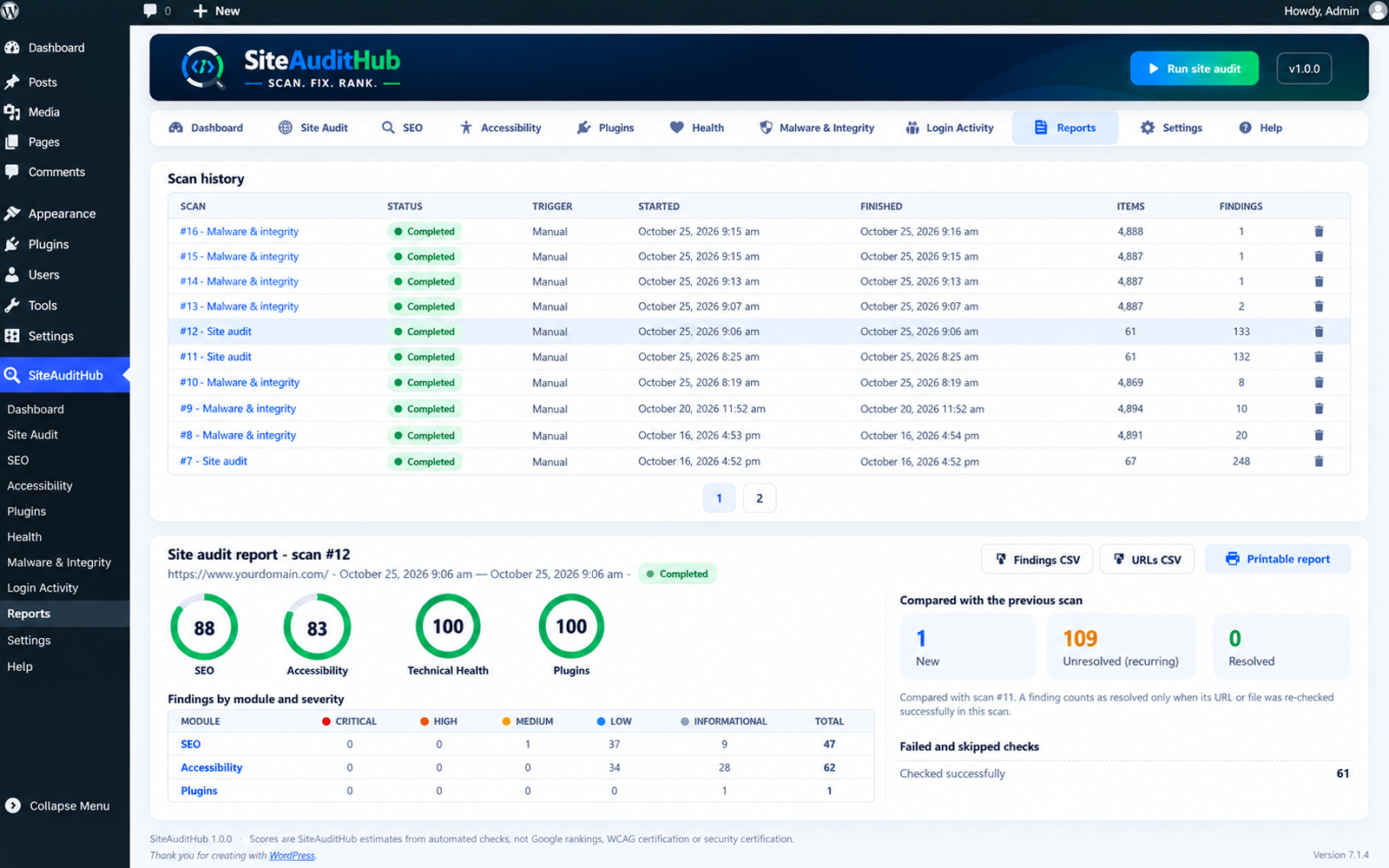
- Reports: scan history, what is new, recurring or fixed since the previous scan, failed and skipped checks, details per URL, CSV export and a printable report.
- Schedules and email: daily, weekly or monthly scans, with an email when something important is found.
Optional tools (all off until you turn them on)
- Custom login address: move the login page away from wp-login.php. wp-login.php and /wp-admin/ (for logged-out visitors) then show a 404 page or go to the home page. You get the new address by email, and a wp-config.php line restores the default login if you forget it.
- Login page design: show your site logo or your own logo instead of the WordPress logo, and set a background colour or image.
- Security: limit failed login attempts, turn off XML-RPC, turn off the theme and plugin file editors, add security headers (X-Content-Type-Options, X-Frame-Options, Referrer-Policy), stop visitors from finding usernames and hide the WordPress version. Nothing is written to wp-config.php or .htaccess.
- Spam filter: one switch that stops form messages and comments containing links, email addresses, phone numbers, junk text, repeated characters or fewer than 3 words. Comments, Elementor Pro, Contact Form 7, WPForms, Gravity Forms, Fluent Forms, Ninja Forms, Formidable Forms and WooCommerce order notes are checked on the server; the message box of any other form is checked in the browser. Name, email, phone and other single-line fields are not touched.
- Turn off comments and reviews: two separate switches, one that closes and hides comments on posts and pages, and one that turns off WooCommerce product reviews. Nothing is deleted.
- Speed and SEO: remove the emoji and embed scripts, remove jQuery Migrate, load Dashicons only for logged-in users, defer JavaScript, add missing image alt text and add a meta description when no SEO plugin does it.
How results are reported
- Every number comes from a stored scan. A check that did not run is never shown as passed, and a failed request is never shown as healthy.
- Each finding says what kind it is: a confirmed issue, a possible issue, something to check by hand, or a check that could not run.
- Scores are SiteAuditHub estimates to help you track progress. They are not Google rankings, PageSpeed scores, WCAG conformance or a security certificate.
- The malware scan only reads files. It never edits, moves, deletes or runs them, and it does not replace a dedicated security service.
Works on shared hosting
Scans run in small, time-limited batches, so they keep going on slow or limited hosting. They move forward while a SiteAuditHub screen is open and continue in the background through WP-Cron. No shell commands are used.
Free online tools for any website
Need a quick check on a site where you cannot install a plugin, such as a client site, a Shopify store or a site you are about to take over? SiteAuditHub also has free online tools that work on any public URL, with no signup:
- Site audit: SEO, links, HTTPS, security and crawling checks on one URL, with one score.
- Broken link checker: finds 404 errors, dead links and broken images on a page.
- Redirect checker: traces every 301 and 302 hop and finds redirect chains and loops.
Privacy and external services
SiteAuditHub sends no usage data and never contacts siteaudithub.com. The features below contact other servers only after you turn them on (all are off by default):
- Official file check: downloads the official file lists from
https://api.wordpress.org/core/checksums/1.0/(sends your WordPress version and language) andhttps://downloads.wordpress.org/plugin-checksums/{slug}/{version}.json(sends the plugin slug and version). Your files are never sent. Turn it off under Settings, Plugins & Integrity. - WordPress.org plugin lookup: sends your installed plugin slugs to
https://api.wordpress.org/plugins/info/1.2/to check whether each plugin is still listed. Turn it off under Settings, Plugins & Integrity. - External link check: sends a HEAD or GET request to each external URL your pages link to. Turn it off under Settings, Scanning.
WordPress.org privacy policy: https://wordpress.org/about/privacy/
When “Limit failed login attempts” is on, the visitor’s IP address is combined with the username into a one-way, salted code that is kept only for the lockout time. The IP address itself is never saved and never shown in Login Activity.
Site audits load your own public pages as a logged-out visitor. Requests to private, local and cloud metadata addresses are blocked (except your own site when you allow it), and every redirect, timeout and response size is checked.
When the spam filter is on, one small script is added to the front end of your site. When “Add a meta description” or “Add missing image alt text” is on, the plugin changes the page HTML sent to visitors. Nothing else is added to the front end.
Installation
- Go to Plugins, Add New Plugin, Upload Plugin, choose the ZIP file and activate it.
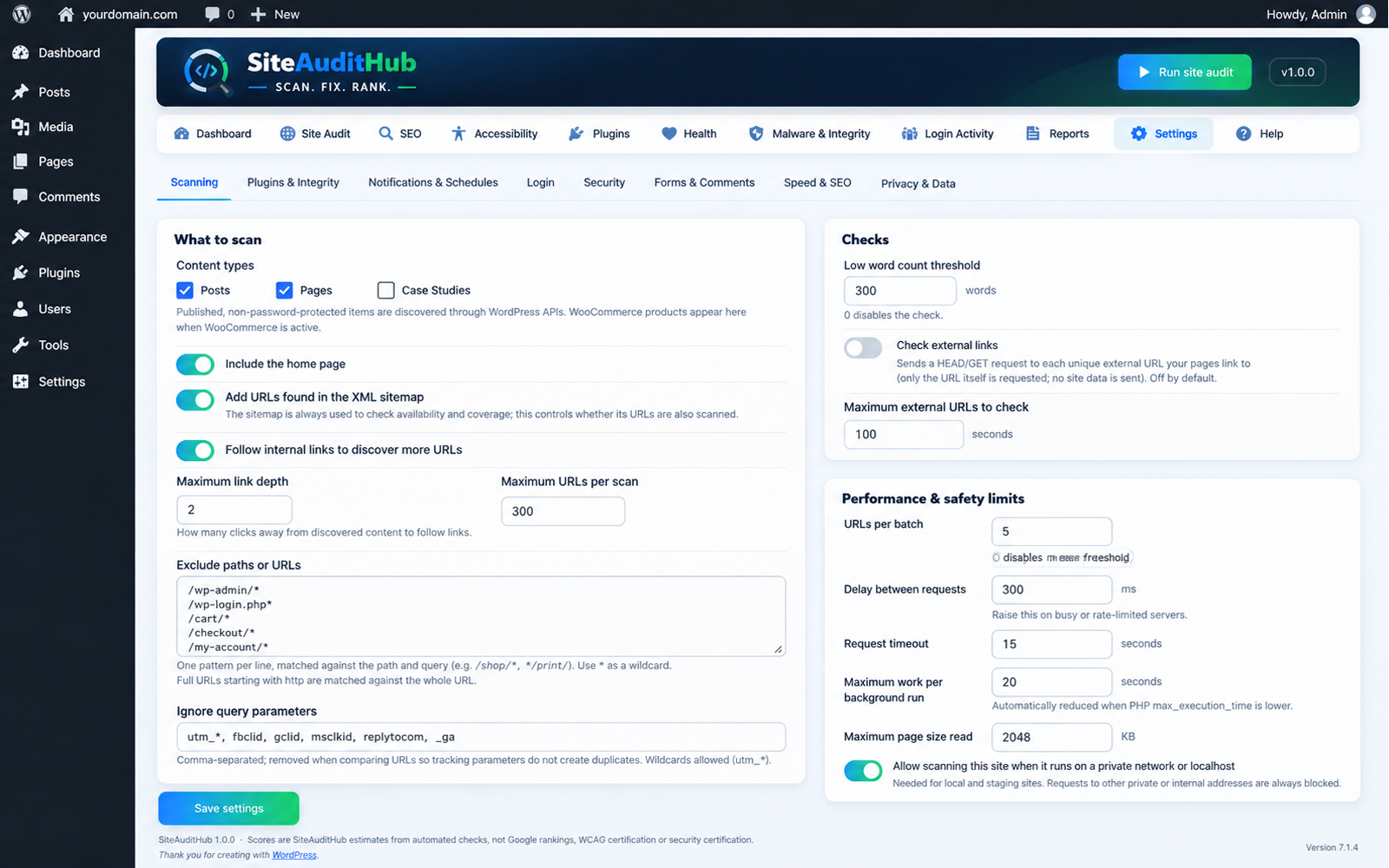
- Open SiteAuditHub, Settings to check what is scanned and the limits.
- Click “Run site audit” on the dashboard.
Changelog
Separate switches for blog comments and WooCommerce product reviews.
1.0.2
- Comments and WooCommerce product reviews now have separate switches under Settings > Forms & Comments: “Disable comments on posts and pages” and “Disable WooCommerce product reviews”. Sites that had comments off keep both off.
- Disable comments now also hides the Latest Comments block.
- Disable product reviews removes the Reviews tab, star ratings and the Products > Reviews screen.
1.0.1
- New plugin title: SiteAuditHub: SEO Audit, Malware Scan & Site Health.
- Added an optional review reminder after 7 days and 2 completed scans. It can be dismissed, shows at most three times and sends nothing anywhere.
- Added “Leave a review” and “Send a suggestion” links on the Plugins screen.
1.0.0
- First release.
- Site-wide SEO, accessibility and site health audits with history, comparison, CSV export and printable reports.
- Plugin monitor and a read-only malware scan with a clear “All safe” or possible threats result.
- Login activity log (no IP addresses) and an optional custom login address.
- Optional login page design, security tools, spam filter, comment switch and speed and SEO options.
Screenshots

For developers
Is this your plugin? Show off the numbers.
Add a live badge to your site, docs or GitHub README. It updates on its own — no account needed.
Best SiteAuditHub: SEO Audit, Malw… alternatives
All accessibility plugins →





FAQ
SiteAuditHub: SEO Audit, Malware Sc…: quick answers
Straight answers, pulled from live WordPress.org data.
Source: WordPress.org
Is SiteAuditHub: SEO Audit, Malwar… free?
Yes. SiteAuditHub: SEO Audit, Malwar… is free to download and use from the official WordPress.org plugin directory.
Is SiteAuditHub: SEO Audit, Malwar… safe to use in 2026?
SiteAuditHub: SEO Audit, Malwar… is a solid plugin choice in 2026, with a few things worth checking first. It runs on 40+ sites and was last updated 2 weeks ago, and scores 67/100 on our health check.
How many websites use SiteAuditHub: SEO Audit, Malwar…?
SiteAuditHub: SEO Audit, Malwar… is active on 40+ WordPress websites and has been downloaded 634 times since it launched in October 2026. It was downloaded 638 times in the last 30 days.
Does SiteAuditHub: SEO Audit, Malwar… work with WordPress 7.1?
Yes. The developer has tested SiteAuditHub: SEO Audit, Malwar… up to WordPress 7.1.5, the latest release. It requires WordPress 6.2 or newer.
What PHP version does SiteAuditHub: SEO Audit, Malwar… need?
SiteAuditHub: SEO Audit, Malwar… requires PHP 7.4 or higher. Most hosts run PHP 8.x today, so it works on any modern WordPress hosting.
When was SiteAuditHub: SEO Audit, Malwar… last updated?
The latest version, 1.0.2, was released on November 15, 2026 (2 weeks ago).
Who makes SiteAuditHub: SEO Audit, Malwar…?
SiteAuditHub: SEO Audit, Malwar… is developed and maintained by SiteAuditHub.
What are the best alternatives to SiteAuditHub: SEO Audit, Malwar…?
The most popular alternatives to SiteAuditHub: SEO Audit, Malwar… are Web Accessibility (formally… (500K+ installs), Auto Image Attributes From… (100K+ installs) and Accessibility by UserWay (80K+ installs).
Powered by PageForge
One template and a spreadsheet. A real page for every search.
PageForge turns each row of a CSV into a WordPress page with its own title, URL, SEO fields and schema, built on the layout you already designed. Free on WordPress.org.
- CSV and XLSX, plus Google Sheets on Professional and Enterprise
- Its own title, URL, SEO fields and schema for every page
- Works with the block editor, Elementor, Divi and Avada
- Free on WordPress.org, no credit card