


Quiz Maker by AYS
QUIZ MAKER plugin allows you to make an unlimited number of Quizzes, Exams and Tests

Sichere Auswahl
Yes — Quiz Maker by AYS is a safe, well-maintained plugin to use in 2026. It runs on 20K+ sites, is rated 4.9/5 and was last updated 6 days ago, and scores 90/100 on our health check.
- Bewährt auf 20.000 aktiven Standorten
- Loved by users — 4.9/5 from 605 reviews
- Aktiv entwickelt – letztes Update vor 6 Tagen
- Getestet mit dem neuesten WordPress (7.1)
- Responsive Support – 75 % der aktuellen Threads wurden behoben
Wie stapelt es sich?
Side-by-side bei Installationen, Updates, Bewertungen und Support


Tägliche Downloads
Download-Spitzen folgen normalerweise einer neuen Version - jede Website, die automatisch aktualisiert wird, gilt als Download.
Ranglisten
Where Quiz Maker by AYS stands todayWordPress.org Ranglisten suchen
Live-Position in der Plugin-Suche, Top 100| Stichwort | Position |
|---|---|
| education | #3 |
| exam | #1 |
| quiz | #1 |
| quiz maker | #1 |
| quizzes | #5 |
Versionsübernahme
Anteil aktiver Sites pro Release.
Bewertungsaufschlüsselung
★★★★★★★★★★ 4.9 from 605 reviews
About Quiz Maker by AYS
From the official readme · v6.7.2.1Beschreibung
WordPress Quiz Maker plugin
Quiz Maker is a powerful WordPress quiz plugin that helps you create interactive quizzes, online exams, personality tests, trivia quizzes, knowledge tests, IQ quizzes, true-or-false quizzes, yes-or-no quizzes, BuzzFeed-style quizzes, and more. Create questions, choose question types, customize the design, and publish engaging quizzes on your website in just a few minutes.
There are 7+ types of questions available to use:
Radio – a multiple-choice question(MCQ) with one right answer.
Checkbox – a multiple-choice question(MCQ) with more than one right answer.
Dropdown – a multiple-choice question(MCQ) with one right answer presented in a form of a dropdown list.
Text – a question that needs to be answered by typing in.
Short text – a question that needs to be answered by typing in shortly.
Number – a question that needs to be answered by typing in a number.
Date – a question that needs to be answered by picking a date.
Banner (HTML) – show an informational message that doesn’t need a response.
Fill in the Blank – ask to complete sentences by adding missing words.
Fill in the blanks (Dropdown) – ask users to complete sentences by selecting missing words from dropdown lists.
Matching – ask to connect items from two lists.
Ranking – ask users to arrange the options in the correct order.
Example quiz with question types
Are you looking for the best WordPress quiz plugin ? This plugin allows you to make an unlimited number of quizzes. Each QUIZ can include unlimited questions. Questions can be a single-choice, multiple-choice, dropdown, text and number. The plugin is very user-friendly and easy to use. With this WordPress questionnaire plugin you can also categorize the questions and quizzes.
This WordPress quiz plugin allows you to create various types of quizzes, including Trivia quiz, Personality test, Scored quiz, Multiple-choice quiz, Knowledge quiz, IQ test, Yes-or-no quiz, True-or-false quiz, This-or-that quiz, Diagnostic quiz, Buzzfeed quiz and etc.
Quiz Demos (Free)
- Trivia Quiz
- Quiz with Timer
- English Test
- IQ Test
- Assessment Quiz
- Password Protected Quiz
- Audio Quiz
- Video Quiz
- Math Quiz
- One Page Quiz
Quiz Demos (Pro)
- Personality Quiz
- Exam with certificate
- Assessment quiz
- Psychology test
- Paid Quiz (PayPal)
- Quiz with Navigation bar
- Multi-page Quiz
- IQ Test
- Leaderboards
- Flashcard
- Custom Pagination Quiz
- Quiz with Timer per Question
- TOEFL Practice Test
WordPress Quiz, Exam and Test maker plugin features
Creating a simple quiz
To create a simple quiz in minutes, please follow these steps:
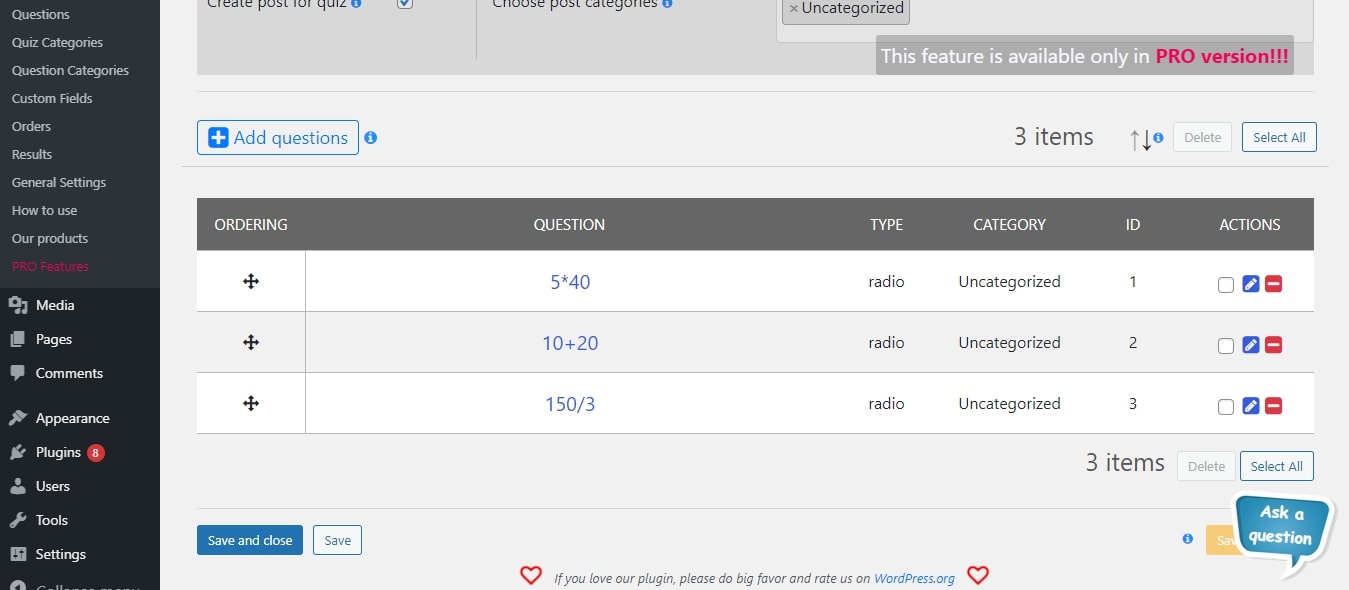
- Go to the Questions page and create new questions,
- Go to the Quizzes page and create your first quiz by clicking on the Add New button,
- Fill out the information by adding a title, previously created questions, and so on.
That’s all. Your quiz is ready to shine.
To insert the Quiz into a Page, Post or text widget, copy shortcode [ays_quiz id=’quiz_id’] and paste it at the desired place in the editor.
Quiz shortcode
[ays_quiz id=’quiz_id’]
Customizable questions
You can make fully customizable questions by using the built-in text editor. It gives you an opportunity to format the text easily and effortlessly. You can add image, audio, and video questions. If you are a techy guy, you are free to use your HTML and CSS skills and fulfill all your needs. Last but not least, you can insert a shortcode of another plugin in the question.
Quiz settings
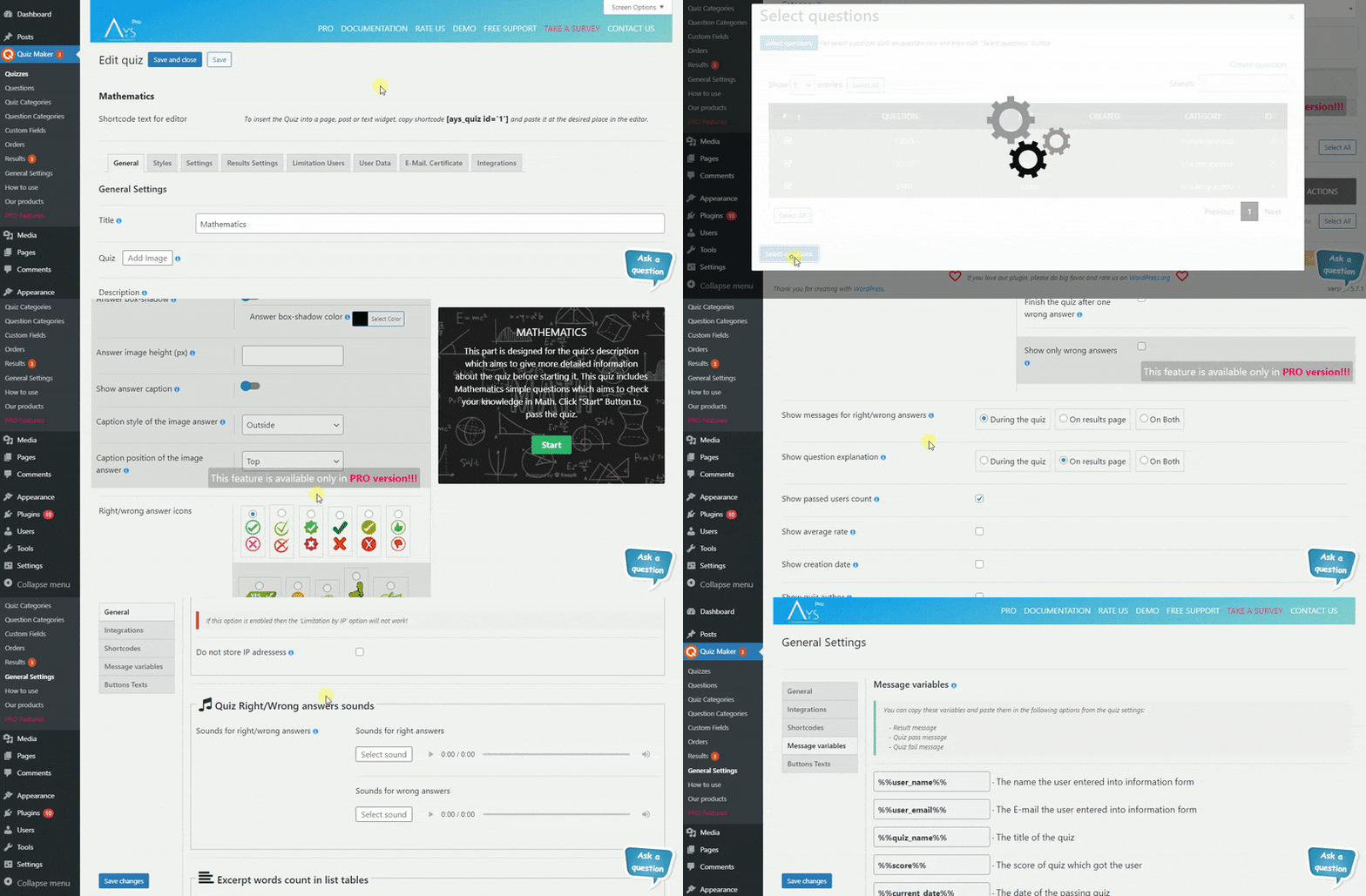
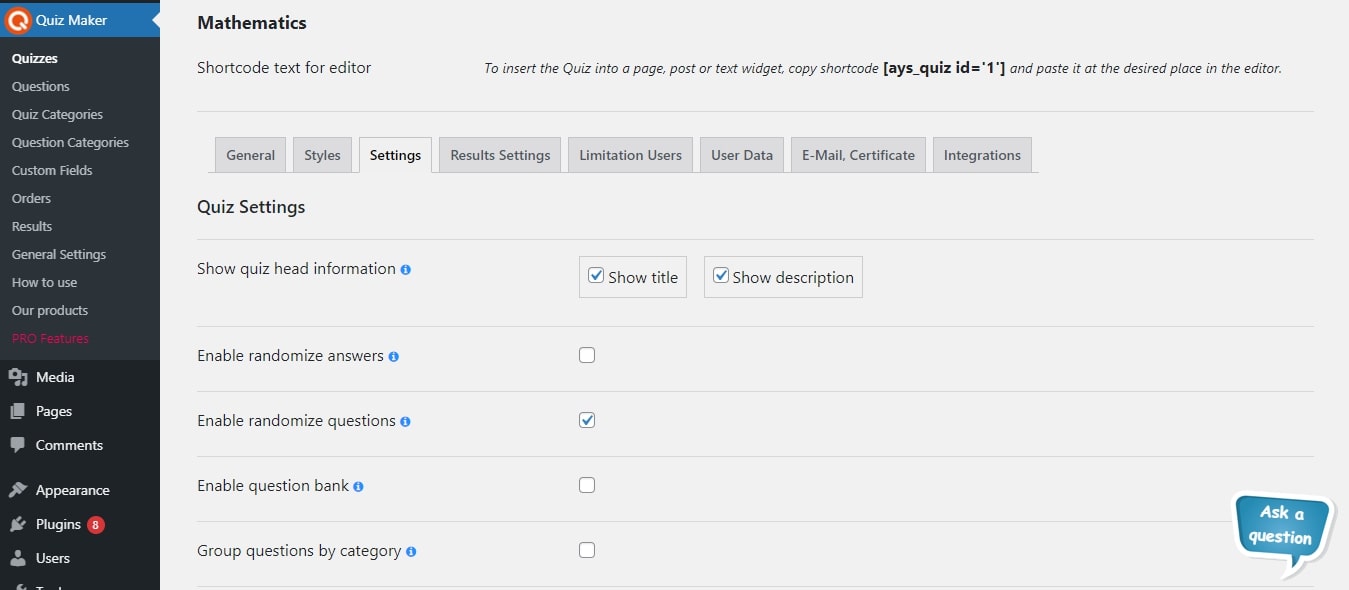
This WordPress test plugin offers dozens of options(100+) to take your quiz building to an advanced level. It allows you to fully customize all parts of your exam.
Here are presented some of those settings:
- Randomize questions
- Randomize answers
- Question bank – Example: insert 100 questions in the quiz and then enable and set this option 20. Every time the plugin will get 20 questions from 100 randomly.
- Buttons text – change the buttons texts of your quizzes by going to the General Settings page
- Schedule – Arrange your quiz to be available for your users at a certain time.
- Show answers and explanation – Write an explanation for each question separately and display them when the user answers it.
- Redirect users – Redirect your quiz takers to another page after quiz completion.
- Pass score – Specify the passing score of your exam and show different result messages to passed and failed users.
- Intervals – show different messages according to the user’s score. This functionality allows you to create a Personality quiz.
Quiz with timer
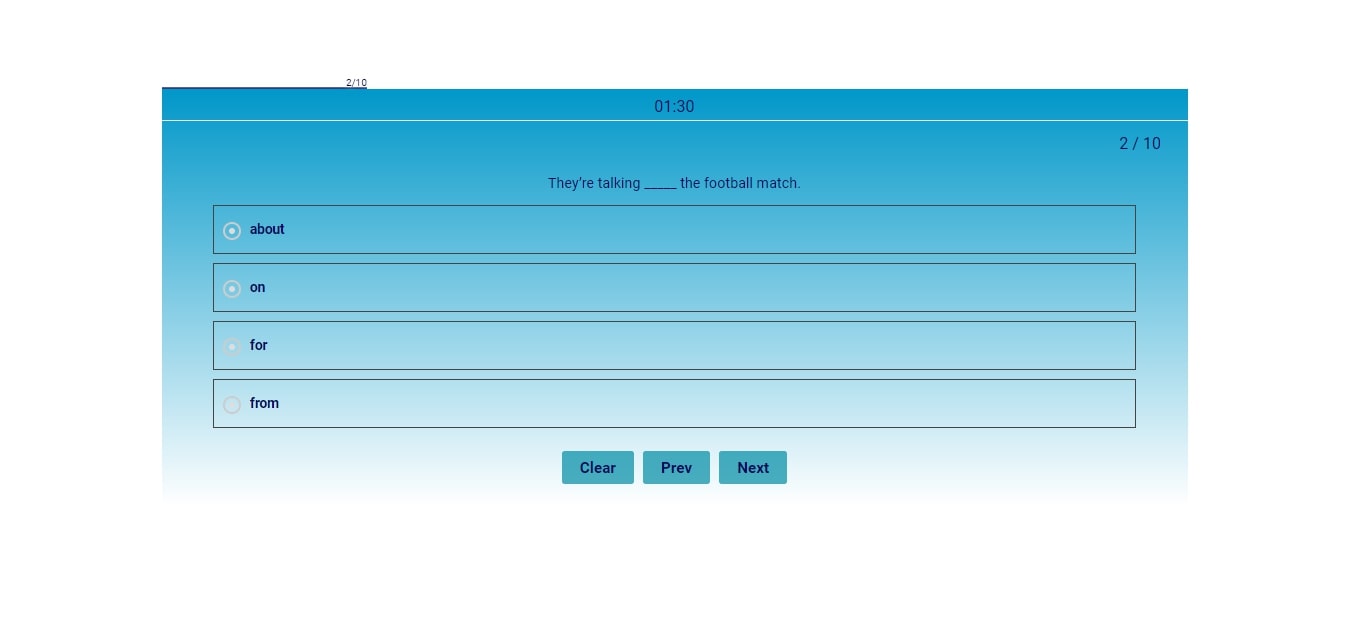
You can set a timer for your quiz and when the timer ends, the quiz will be submitted automatically. A quiz timer option is very useful for making an online exam or test. So we can call it the WordPress Exam plugin too.
Quiz results, scores and data form
After successful completion of the quiz, you can track from your dashboard your visitors’ results, duration, when they start, and when they end the quiz.
We have created a beautiful form and you can choose fields of the form from the dashboard and assign this form to your quiz ( After or Before quiz ) and when the user finishes the quiz you can collect data and have beautiful statistics on your dashboard. This data allows you to create your email and SMS marketing, which will attract much more users from your specific target.
There are 3 static form fields in the free version` name, email and phone. For more custom fields you need to upgrade to the Quiz PRO version.
Also, results’ statistics with graphs and export functionality are available only in the Pro version.
Results page on the front-end
You are free to choose what your visitors should see after completion of the Quiz, Exam or Test.
– Show progress bar with the percentage on the final step
– Show only percentage of result
– Show fail or pass messages
– Show user mistakes on final page
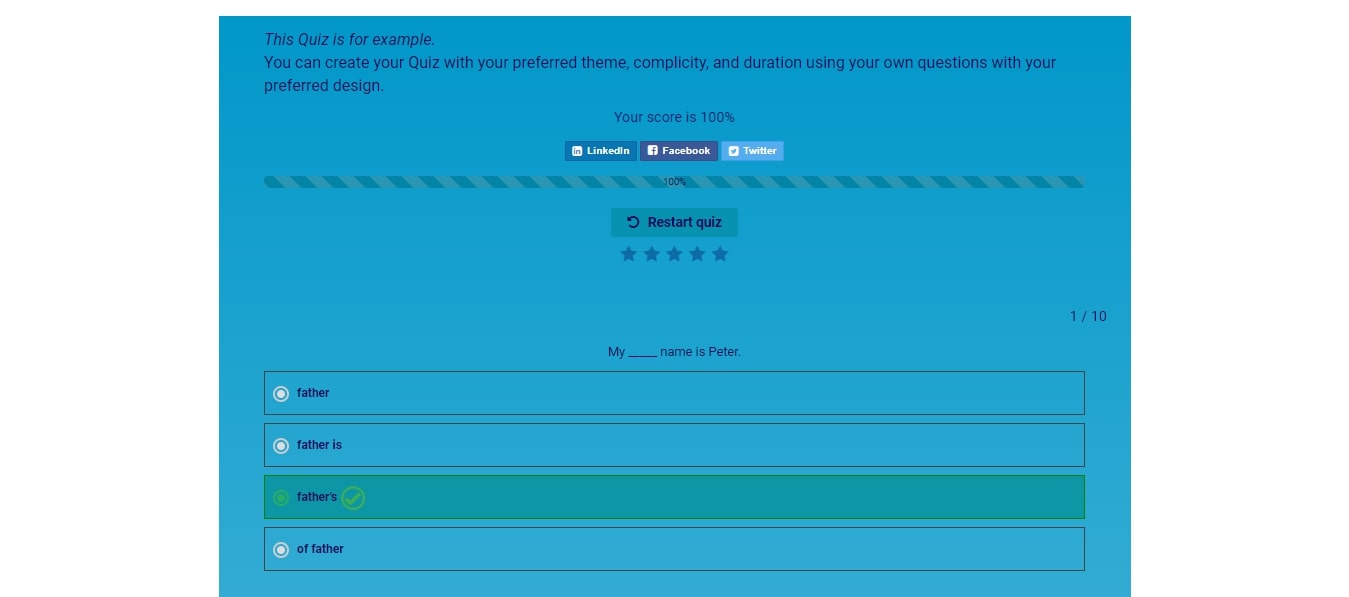
– Show correct answers of each question (if the user selected wrong answer this question will be marked with red marker and when user selected right answer question will be marked with green marker)
– Make use of Message variables to show user data individually such as user name, results by category, wrong and right answers count, quiz time, and so on.
In the Premium version, there is a shortcode for registered users, which you can paste into users page for showing their history.
Personality Quiz
Having a personality quiz on your website is a great method for boosting engagement and getting data insights. If you have an e-commerce website, you can give personalized offers to your clients by creating personality tests and letting them pass. You can offer different products based on the choices your users made during the quiz. Earn more income and make your users stay on your websites longer. Check out How to Create a Personality Test in WordPress article for more detailed information.
You can create quizzes such as Truity enneagram test, 16 Personality Test, Big 5 Personality Traits Test, and many more popular tests.
Survey
Using our plugin you can make a Survey too. We have made text and number question types and also No influence to the score option.
It means that questions will not be counted for the final result. It stands as a survey plugin too. Also, you can make quiz and survey mixes. You can enable the Hide score option from the quiz settings and you will just collect the data which users filled in the survey.
By the way, we have also created a separate WordPress Survey plugin.
Quick Quiz
You can create a quick quiz from the dashboard without visiting the questions page or quiz page. Just click on a quick quiz button and you’ll see a modal window with an opportunity to add questions and save the quiz, but note that it is only for adding a new quiz. For editing quiz you should do the steps as usually you edit quizzes or questions.
Quiz themes, styles and live preview
There are 6 themes available for making awesome quizzes.
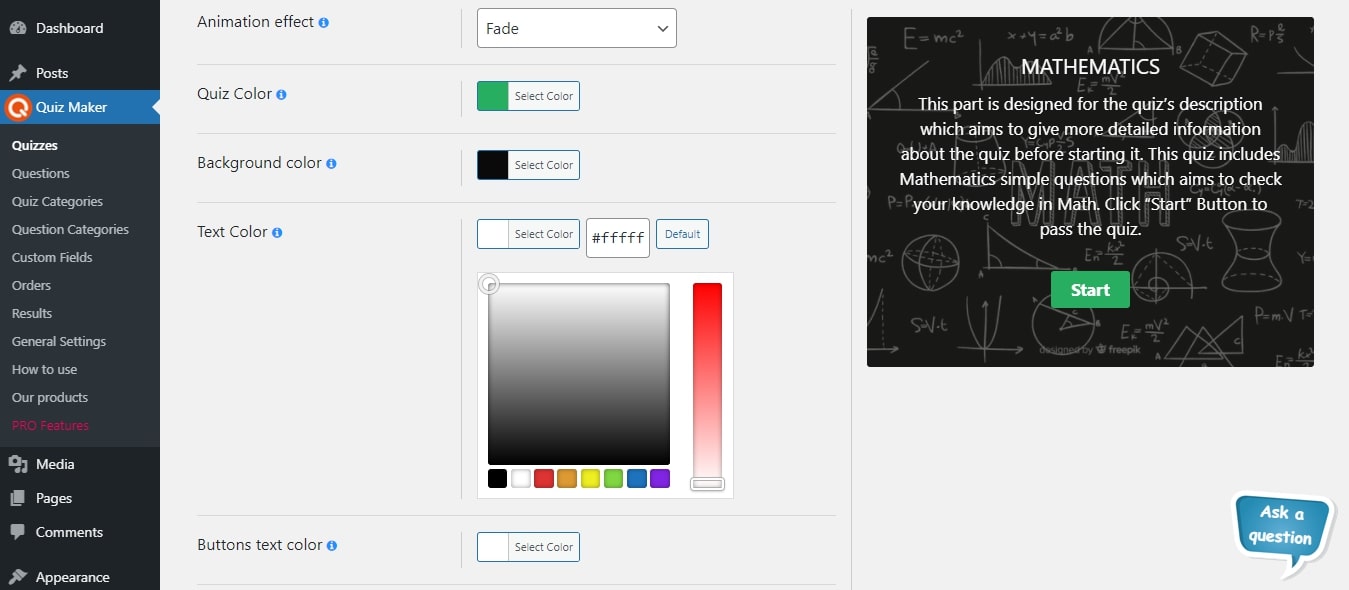
You can choose one of them and then customize it with our 50+ style options (colors, backgrounds, borders). Also, there is a live preview feature in the style section in the dashboard, which allows the admin to see every change of options. There is no need to save and go to the front end to see changes in styles. Have fun!
Quiz user restriction
You can restrict your users by enabling and selecting user roles from the dashboard and only selected users with given roles can pass your quiz. If you don’t want to restrict your quiz by role, we have created another opportunity for you, just enable “Only for logged in users” option and write some message to non-logged-in users, in this way you can enlarge your community. If your quiz is interesting non-registered users will register on your website for passing the quiz and you will have ultra traffic on your website. Please note that by selecting restriction by user roles, the quiz will automatically select only for logged-in users option.
PRO | DEMO | DOCUMENTATION | ALL FEATURES
Quiz social sharing
Also, users can share your quiz, test, or exam on their social networks (Facebook, Linkedin, Twitter), which is important for your SMM and increases your website traffic and popularity.
Additional Shortcodes
We have developed extra shortcodes to present more data and statistics about your users on the front end. Here are some of them:
– Single quiz results
– All results
– Question bank
– Single and global leaderboards (Pro)
– User history (Pro)
New Integration is available with Chart Builder Plugin. The integration will allow you to create beautiful charts based on your quiz data and share them with your website visitors.
For more detailed information please check the Documentation.
3RD PARTY OR EXTERNAL SERVICE DISCLAIMER
The plugin uses ipinfo.io API (https://ipinfo.io) in order to get users’ location by their IP address.
IT DOES NOT SEND ANY DATA NOR DO WE COLLECT INFORMATION FROM THE REQUEST
The privacy policy can be found at this URL https://ipinfo.io/privacy-policy
Merkmale
- Unlimited Quizzes
- Unlimited Questions
- Question weight/points
- Answer weight/points
- Intervals (Conditional result messages)
- Results sheet
- Question Image
- Quiz styles(width, height, color, background etc.)
- Question bank
- Randomize questions
- Randomize answers
- Only for logged in users option
- Show correct answers
- Text for right/wrong answers
- Quiz with Timer
- Fields for user data collection
- Styles preview
- Supports RTL languages (right-to-left)
Quiz PRO Features
- Includes ALL Free version Features and
- Export and import questions
- Export results to CSV
- User location
- Image answers
- Multi-page quiz
- Advanced question bank (by categories)
- Send email to user
- Send email to admin
- Result text according to result (according to percent)
- Results with charts
- Quiz with a certificate
- Manual Grading
- Custom Attributes
- Quiz Widget
- Copy content protection
- Schedule quiz
- User page shortcode
- Email configuration
- Flash Card shortcode
- Personality quiz
- Leaderboards
- Password protected quiz
- Make questions required
- Frontend Statistics
- User Dashboard
- Frontend Request
- Track Users
- Popup Quiz
- Chained Quiz
- Conditional Results
- ChatGPT Question Builder
- 15+ Integrations
- More on the way …
Connect with your Favorite Tools and Plugins (Pro feature)
PayPal integration (paid quiz), Stripe integration (paid quiz), Mailchimp integration, Campaign Monitor integration, Zapier integration, Slack integration, Recaptcha integration, ActiveCampaign integration, Mad Mimi integration, ConvertKit integration, GetResponse integration, Sendinblue integration, MailerLite integration, Mailpoet integration, WooCommerce integration, Easy Digital Downloads integration, GamiPress integration, MyCred integration.
*How to upgrade Free to Pro version Without losing your data?
It’s your chance to add unlimited quizzes, exams, and tests with the best quiz plugin for WordPress.
Don’t forget, in case of any problems, questions or suggestions feel free to contact us via FREE SUPPORT FORUM.
New Fox LMS plugin: Use the potential of your online learning platform with the best WordPress LMS plugin. You can easily manage courses, quizzes, and progress tracking to keep learners engaged and motivated.
Other plugins from Ays Pro Team
- Survey Maker for collecting data and analyze it.
- Popup Box, an easy way to create eye-catching and engaging popups.
- Poll Maker for creating powerful and interactive polls.
- Secure Copy Content Protection to protect web content from being plagiarized.
- AI ChatBot to generate high-quality content for your blog, and finding the answer to any questions in seconds.
- Chartify to build both static and dynamic charts, graphs and diagrams.
- Easy Form to create various forms for your website.
- Personal Dictionary to create and organize their vocabulary lists, study and memorize the words.
- Photo Gallery for displaying responsive image gallery with awesome layout options.
- FAQ Builder to display Frequently Asked Questions on your website with a beautiful accordion.
- Image Slider give the aility to grab your audience’s attention with amazing and entertaining slideshows.
- Random Posts and Pages Widget for creating internal links and encouraging visitor engagement on your website.
- Popup Like box to promote your Facebook page and add number of Likes.
- Advanced Related Posts allows you to show a related posts list on your website after a post or via a widget.
- Portfolio Responsive Gallery to showcase beautiful image galleries on your WordPress websites.
Installation
Don’t worry about the installation of your favorite quiz plugin for WordPress, as we’re here to help you! With this easy guide, you will quickly learn how to get the wp quiz plugin and enjoy its amazing features to create interactive and engaging content for your website.
There are two ways to install the Quiz maker plugin: the first way is when you are installing it from your WordPress dashboard. The second way of installing this free WordPress quiz plugin is doing it from wordpress.org.
Let’s look at the first and easiest way to enjoy Quiz Maker:
- Log in to your WP dashboard.
- Go to the Plugins section on the left menu bar.
- Click on the Add New button at the top of the page.
- Search for the Quiz Maker.
- Click on the Install now button.
That’s it. Simple and easy installation of the quiz plugin WordPress. The second way of the WordPress quiz plugin installation is the following:
- Download the zip file from https://wordpress.org/plugins/quiz-maker (Click on the Download button).
- When you have downloaded the zip file go to the Plugins section of your Dashboard.
- Afterward, click on the Add New and then Upload plugin buttons.
- Click on the Choose file and choose quiz-maker.zip file (You can also simply drag the zip file into the Upload section).
- Click on the Install button.
Here it is. Once activated configure any options as desired and you can enjoy our best WordPress quiz plugin. Build your best WP quiz within a few minutes.
Änderungsprotokoll
6.7.2.1 ( Nov 23, 2026 )
- Tested: Compatible up to WordPress 7.1.5
- Updated: POT file
- Fixed: Checkbox questions with only one correct answer were always scored as incorrect
6.7.2.0 ( Nov 16, 2026 )
- Improved: Output handling on the Question Reports page
- Fixed: Question edit link issue on the Question Reports page
6.7.1.99 ( Nov 10, 2026 )
- Improved: Quiz submission process
- Improved: Made some changes to the admin dashboard
- Fixed: Quiz score calculation issue
6.7.1.98 ( Nov 05, 2026 )
- Improved: Made some changes to the admin dashboard
- Updated: POT file
6.7.1.97 ( Oct 30, 2026 )
- Added: Quiz time shortcode to the General Settings page
- Tested: Compatible up to WordPress 7.1.4
6.7.1.96 ( Oct 27, 2026 )
- Added: Answer Image Zoom option to the Quick Quiz popup
Screenshots


Für Entwickler
Ist das dein Plugin? Zeigen Sie die Zahlen.
Fügen Sie Ihrer Website, Docs oder GitHub Readme ein Live-Badge hinzu. Es wird von selbst aktualisiert - kein Konto erforderlich.
Best Quiz Maker by AYS alternatives
All education plugins →



Fragen und Antworten
Quiz Maker by AYS: quick answers
Gerade Antworten, gezogen von Live WordPress.org Daten.
Quelle: WordPress.org
Is Quiz Maker by AYS free?
Yes. Quiz Maker by AYS is free to download and use from the official WordPress.org plugin directory. The developer also sells premium add-ons or a Pro version with extra features.
Is Quiz Maker by AYS safe to use in 2026?
Yes — Quiz Maker by AYS is a safe, well-maintained plugin to use in 2026. It runs on 20K+ sites, is rated 4.9/5 and was last updated 6 days ago, and scores 90/100 on our health check.
How many websites use Quiz Maker by AYS?
Quiz Maker by AYS is active on 20K+ WordPress websites and has been downloaded 3,954,456 times since it launched in July 2016. It was downloaded 37,632 times in the last 30 days.
Does Quiz Maker by AYS work with WordPress 7.1?
Yes. The developer has tested Quiz Maker by AYS up to WordPress 7.1.5, the latest release. It requires WordPress 4.0 or newer.
What PHP version does Quiz Maker by AYS need?
Quiz Maker by AYS requires PHP 7.0 or higher. Most hosts run PHP 8.x today, so it works on any modern WordPress hosting.
When was Quiz Maker by AYS last updated?
The latest version, 6.7.2.1, was released on November 23, 2026 (6 days ago).
Who makes Quiz Maker by AYS?
Quiz Maker by AYS is developed and maintained by Ays Pro.
What are the best alternatives to Quiz Maker by AYS?
The most popular alternatives to Quiz Maker by AYS are Tutor LMS (90K+ installs), LearnPress (60K+ installs) and Interactive Content – H5P (40K+ installs).
Angetrieben von PageForge
Eine Vorlage und eine Tabelle. Eine echte Seite für jede Suche.
PageForge Verwandelt jede Zeile eines CSV in eine WordPress-Seite mit eigenem Titel, URL, SEO Felder und Schema entworfen. Kostenlos auf WordPress.org.
- CSV und XLSX, plus Google Sheets auf Beruf und Unternehmen
- seinen eigenen Titel, URL, SEO Felder und Schema für jede Seite
- Arbeitet mit dem Blockeditor, Elementor, Divi und Avada
- Kostenlos auf WordPress.org, keine Kreditkarte