


PixelAvo – serverseitige Tracking- und Pixel + KI-Anzeigentools
Add pixel tracking to your WordPress site with Conversions API, server-side tracking, AI ad copy generation, and AI marketing consultant.

Solide Wahl
Pixelavo is a solid plugin choice in 2026, with a few things worth checking first. It runs on 2K+ sites, is rated 3/5 and was last updated 4 days ago, and scores 72/100 on our health check.
- Actively developed — last update 4 days ago
- Getestet mit dem neuesten WordPress (7.1)
- Bisher sehr wenige Bewertungen
Wie stapelt es sich?
Side-by-side bei Installationen, Updates, Bewertungen und Support


Tägliche Downloads
Download-Spitzen folgen normalerweise einer neuen Version - jede Website, die automatisch aktualisiert wird, gilt als Download.
Ranglisten
Where Pixelavo stands todayWordPress.org Ranglisten suchen
Live-Position in der Plugin-Suche, Top 100| Stichwort | Position |
|---|---|
| Conversion-Tracking | #37 |
| Facebook-Pixel | #19 |
| Meta Pixel | #22 |
| Server Side Tracking | #4 |
| WooCommerce | >100 |
Versionsübernahme
Anteil aktiver Sites pro Release.
Bewertungsaufschlüsselung
★★★★★★★★★★ 3 from 2 reviews
About Pixelavo
From the official readme · v1.5.8Beschreibung
Pixelavo – Pixel Tracking & AI Ad Tools for WordPress
Pixelavo helps you install and manage Facebook Pixel (Meta Pixel) on your WordPress site. It combines two main capabilities:
1. Pixel Tracking & Conversions API:
Set up Facebook Pixel tracking with support for the Conversions API (server-side tracking). Track visitor interactions such as page views, purchases, add-to-cart actions, form submissions, and more. Server-side tracking via the Conversions API helps maintain tracking accuracy even when browser-based methods are blocked by ad blockers or privacy settings. Pixelavo supports both WooCommerce and Easy Digital Downloads stores.
2. AI-Powered Ad Tools:
Pixelavo includes two AI tools that run in your WordPress dashboard:
– AI Ad Copy Generator: Input your product details, target audience, and campaign objectives to generate multiple variations of ad text, headlines, and descriptions. Supports tone adaptation (professional, casual, urgent, luxury) and campaign-specific optimization.
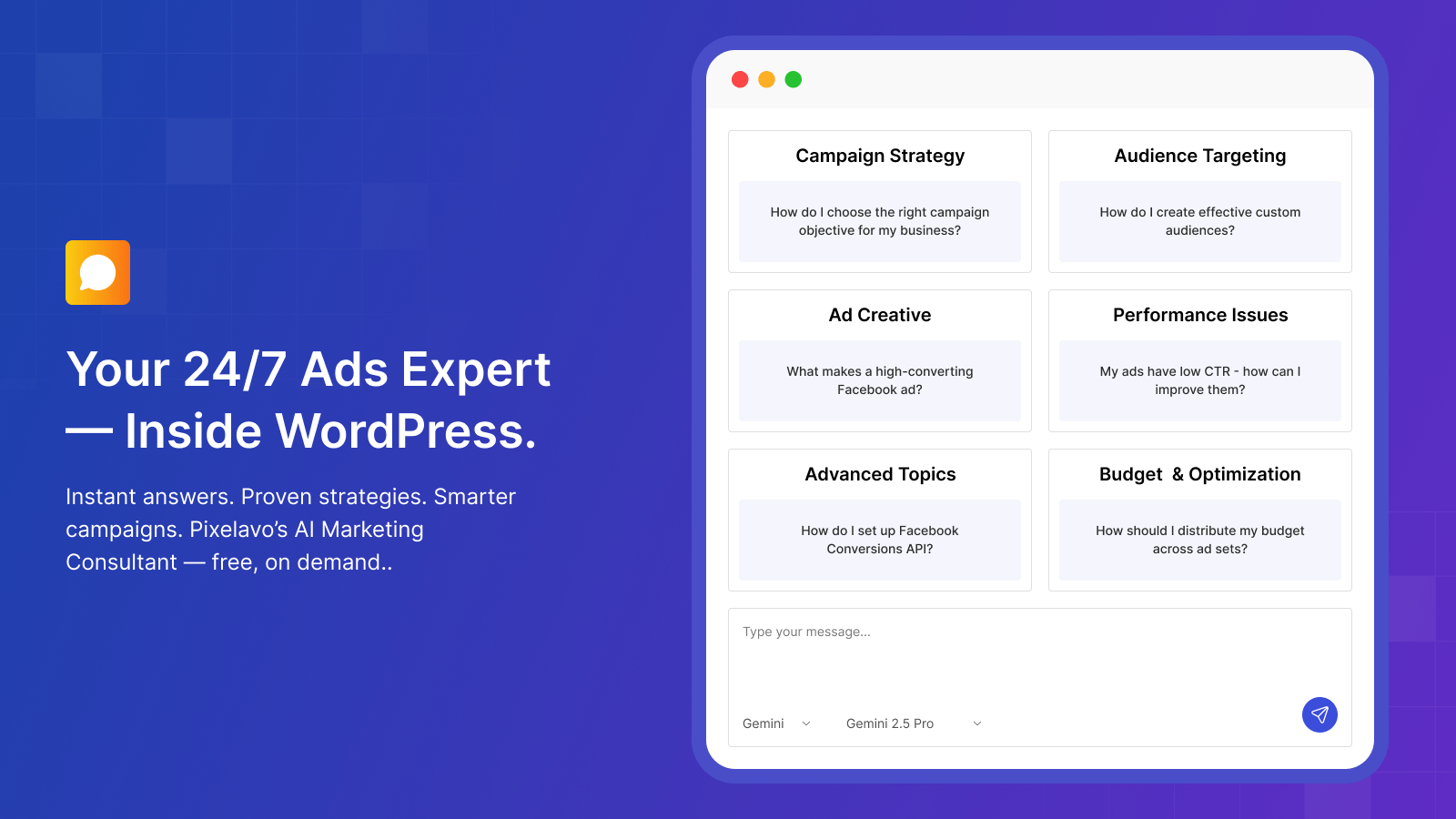
– AI Marketing Consultant: A chat-based interface for Facebook advertising questions. Ask about campaign setup, targeting strategies, pixel troubleshooting, budget allocation, and more. Conversation history is saved so you can pick up where you left off.
– Multiple AI Models: Choose from OpenAI (GPT-3.5, GPT-4, GPT-5) or Google Gemini models depending on your preference and budget.
How AI features work: Pixelavo connects to OpenAI or Google Gemini using your own API key (BYOK — Bring Your Own Key). There is no subscription fee for the AI features — you pay the API provider directly based on your usage. No credit card is required by Pixelavo itself.
Get Pro Features | Documentation | Support
Who Is Pixelavo For?
- E-commerce store owners using WooCommerce or Easy Digital Downloads who need Facebook Pixel tracking
- Digital marketers managing Facebook ad campaigns who want AI-assisted ad copy creation
- Small businesses looking to set up conversion tracking and server-side events
- Agencies managing Facebook Pixels across multiple client sites (Pro)
- Beginners who want guided help with Facebook advertising through the AI consultant
Key features:
- WordPress integration: Pixelavo integrates with WordPress, allowing you to implement the Conversions API and server-side tracking on your website.
- Event tracking: With Pixelavo, businesses can track a variety of events on their website, including purchases, leads, pageviews, and more. This data can be used to optimize Facebook advertising campaigns and improve targeting.
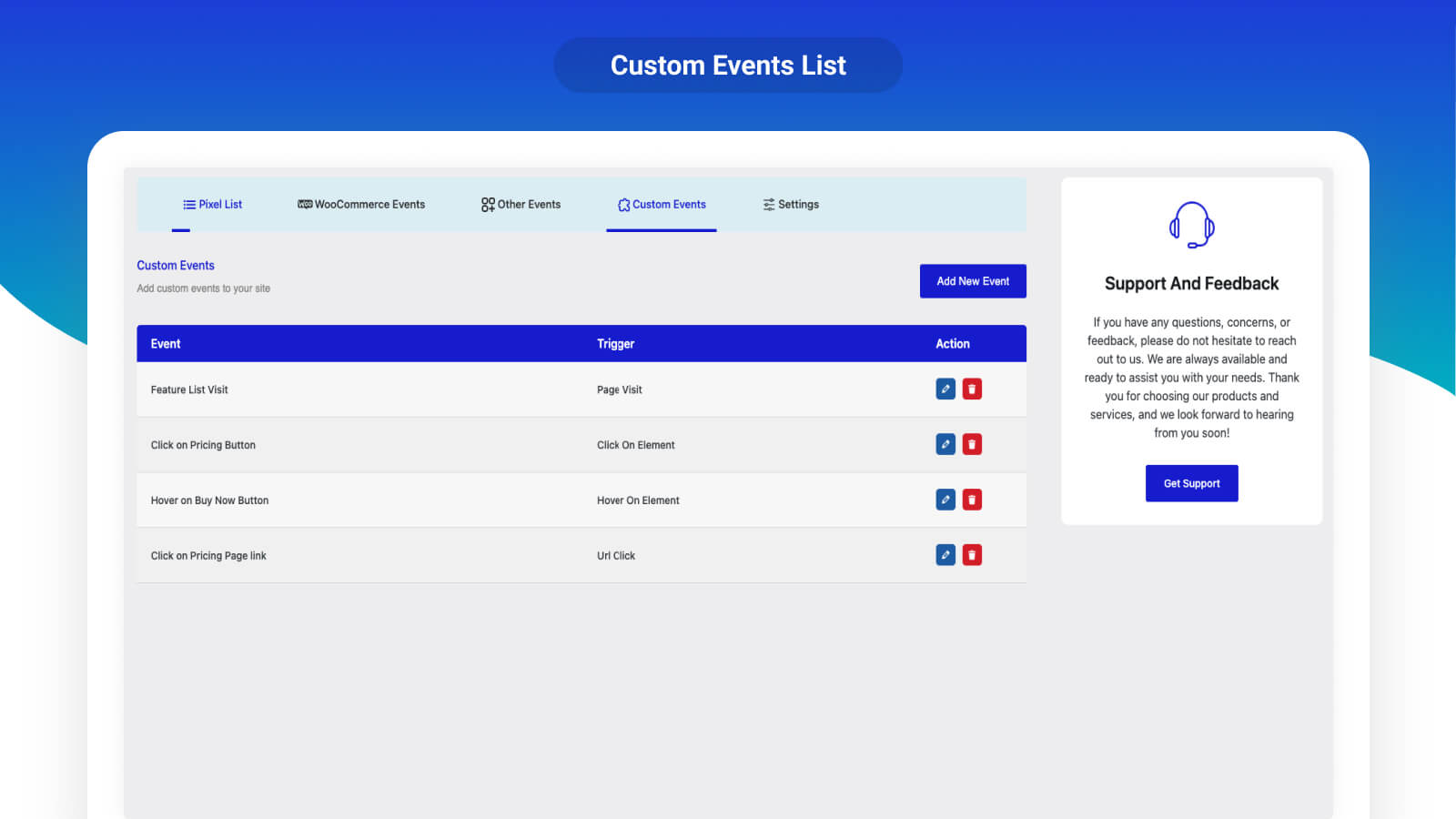
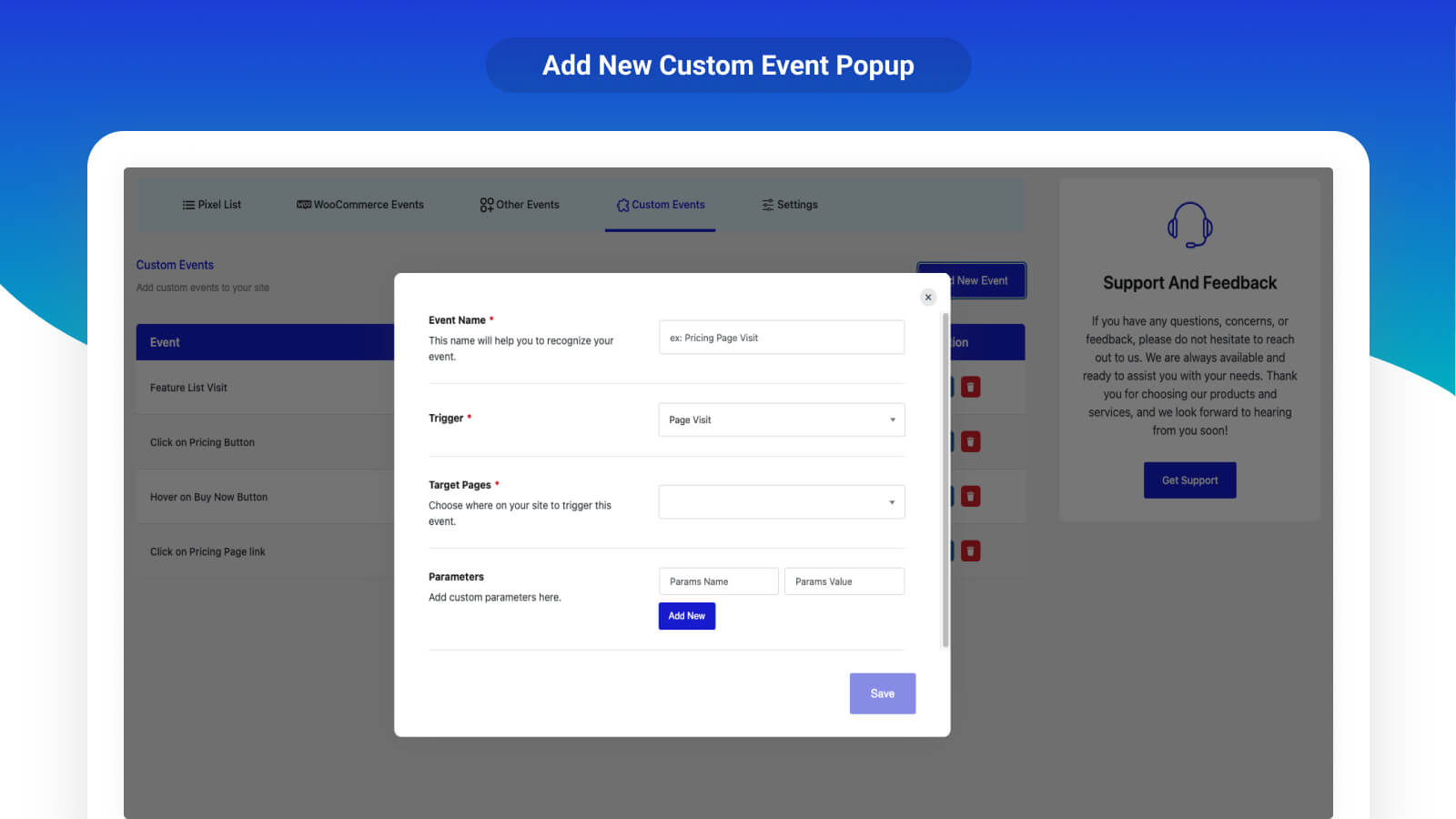
- Custom event tracking: In addition to standard events, Pixelavo allows businesses to track custom events, such as button clicks, form submissions, or any other actions that are valuable to their business.
- Automatic event matching: Pixelavo automatically matches events on the website to the corresponding events in Facebook Ads Manager, making it easy to track conversions and optimize campaigns.
- Real-time event tracking: Pixelavo provides real-time event tracking, allowing businesses to quickly see how users are interacting with their website and make data-driven decisions about their advertising campaigns.
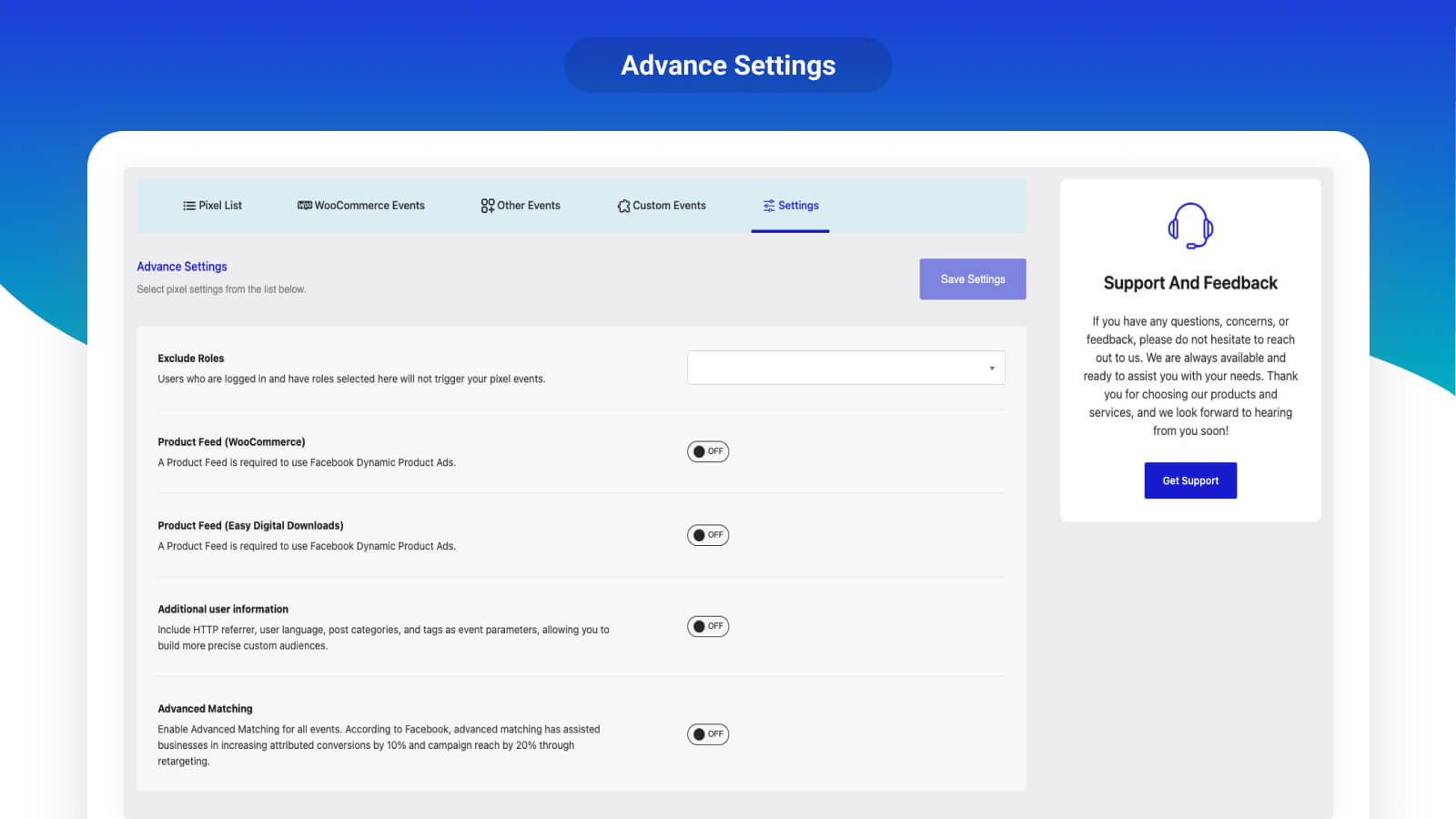
- Exclude Roles: Exclude members of your team to ensure your Pixel data remains accurate. You can exclude specific WordPress user levels, such as Admins, Editors, and Contributors.
- Product Feed: Generate Dynamic Product Ads and Custom Audiences feeds for Facebook ad targeting.
- Create Custom Events: Define custom events to track specific activities on your site, including page visits, button clicks, and link interactions.
- AI Ad Copy Generator: Generate Facebook ad copy using AI. Input your product details, target audience, and campaign objectives to get multiple variations of primary text, headlines, and descriptions. Supports OpenAI (GPT-4/GPT-5) and Google Gemini models with tone adaptation (professional, casual, urgent, luxury) and campaign-specific settings.
- AI Marketing Consultant: Chat-based Facebook advertising guidance in your WordPress dashboard. Ask questions about campaign optimization, targeting strategies, pixel setup, conversion tracking, and advertising best practices. Includes persistent chat history. Powered by OpenAI or Google Gemini.
AI Features:
AI Ad Copy Generator:
Input your product details, target audience, and campaign objectives to generate 3 variations each of:
– Primary text tailored for your campaign objective (awareness, traffic, conversions, or retargeting)
– Headlines for your ad creative
– Descriptions to complement the headline
– Optimization tips based on your inputs
AI Marketing Consultant:
Ask questions about:
– Campaign optimization strategies
– Audience targeting
– Pixel setup and troubleshooting
– iOS 14.5+ tracking solutions
– Budget optimization and scaling
– Creative testing strategies
Both AI features support OpenAI (GPT-3.5/GPT-4/GPT-5) and Google Gemini models. API keys are stored with AES-256-CBC encryption. Requires your own API key from OpenAI or Google.
Available Events:
Pixelavo supports tracking of numerous Facebook pixel events, including:
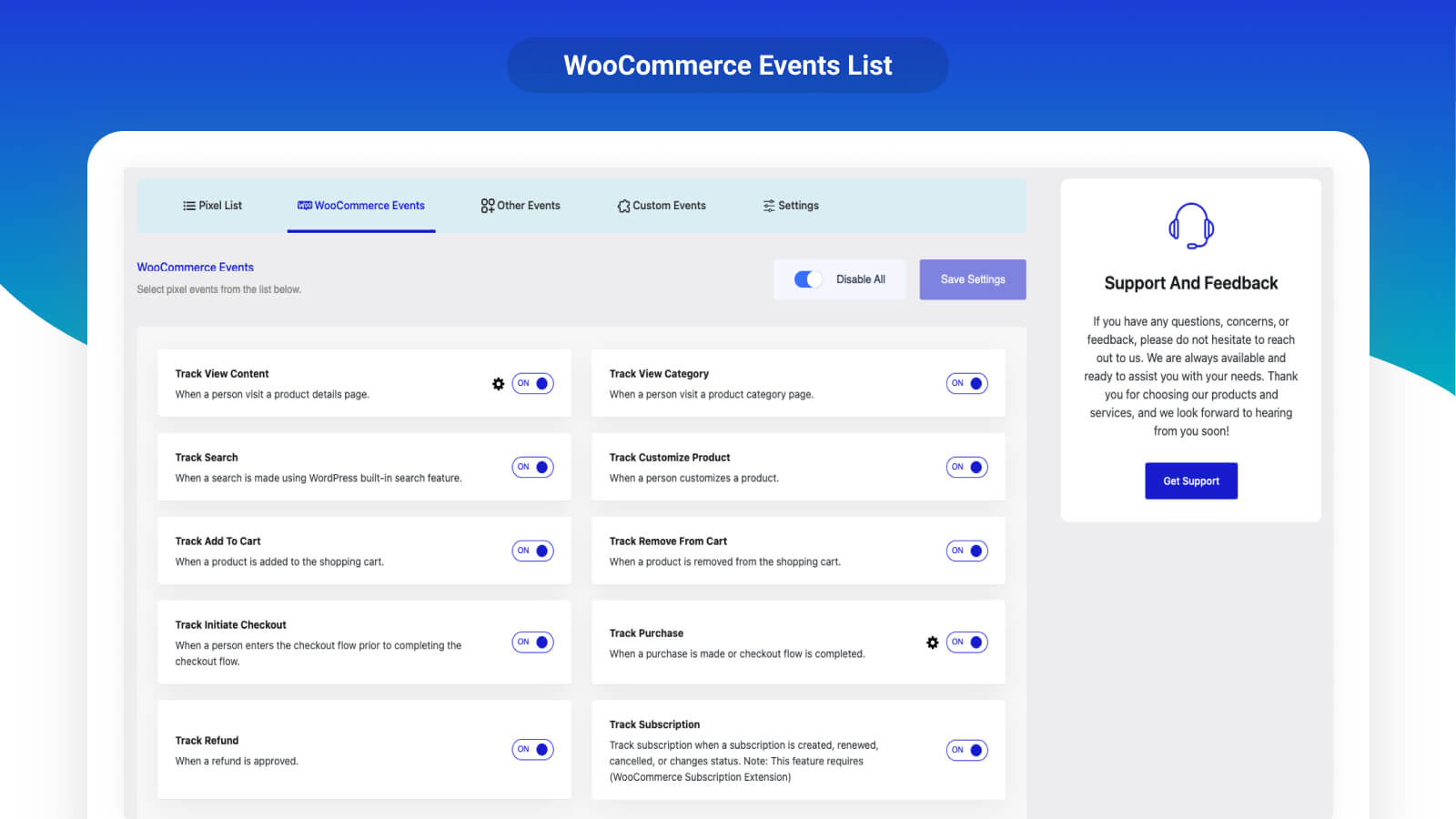
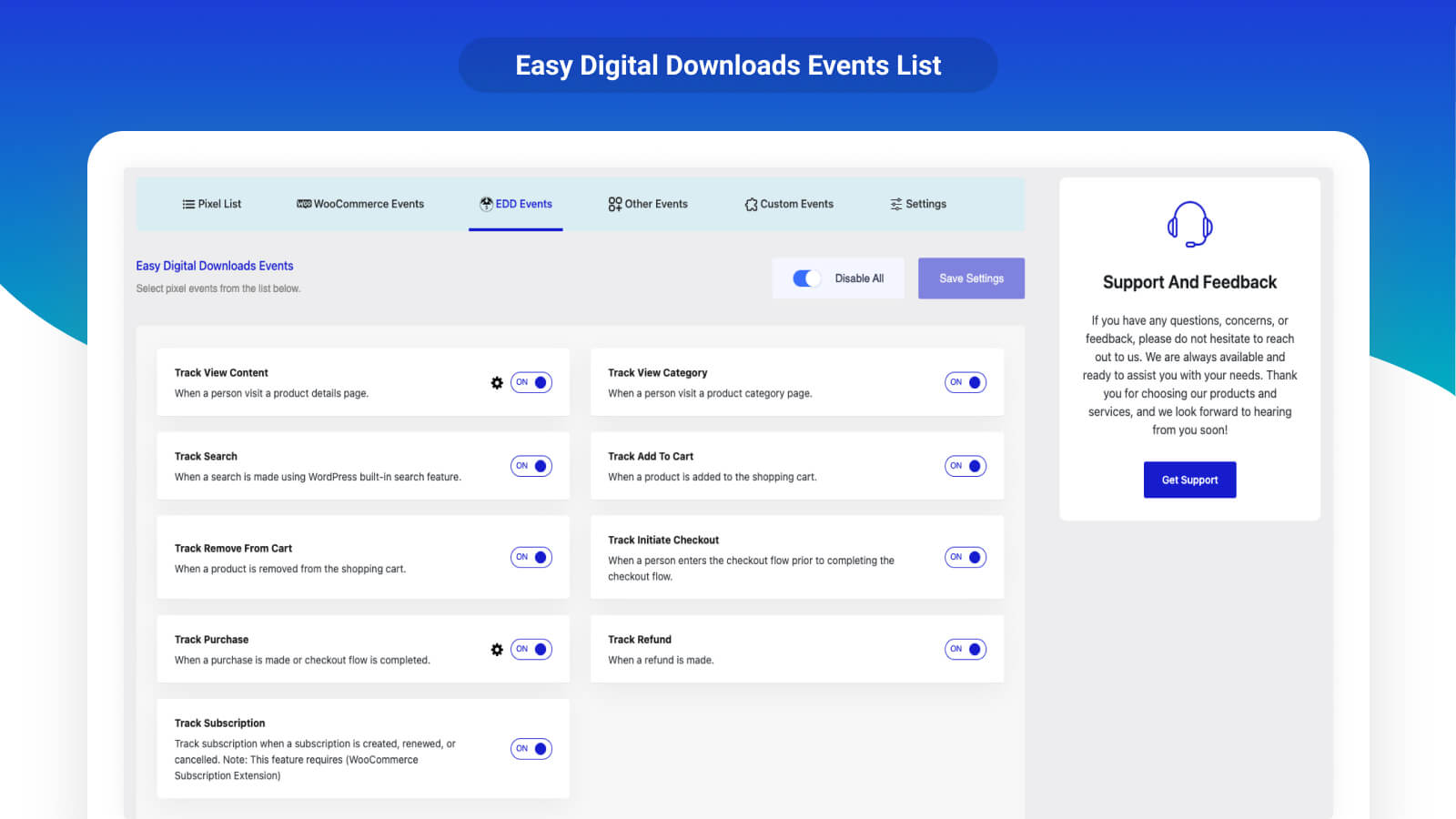
- View Content
- View Category
- Suche
- Remove From Cart
- Add To Cart [Pro]
- Initiate Checkout [Pro]
- Purchase [Pro]
- Refund [Pro]
- Subscription [Pro] (SubscriptionCreated, SubscriptionRenewed & SubscriptionCancelled)
- Customize Product (WooCommerce Only) [Pro]
- PageScroll
- TimeOnPage
- FormSubmission (Fluent Forms, Contact Form 7, WPForms & HT Contact Form)
- Nachladen
- CompleteRegistration
- Login
- TelClick
- InternalLinks [Pro]
- ExternalLinks [Pro]
- Video (YouTube, Vimeo & SelfHosted) [Pro]
Integrations:
- WooCommerce: Integrates with WooCommerce to track key events like purchases, add-to-cart actions, and product views. Supports both browser-side pixel and server-side Conversions API tracking for WooCommerce stores.
- Easy Digital Downloads (EDD): Supports Easy Digital Downloads to track Facebook Pixel events and conversion data. Integrates with Facebook’s Conversions API for server-side tracking of digital product purchases and downloads.
Quick Setup:
- Install and activate Pixelavo
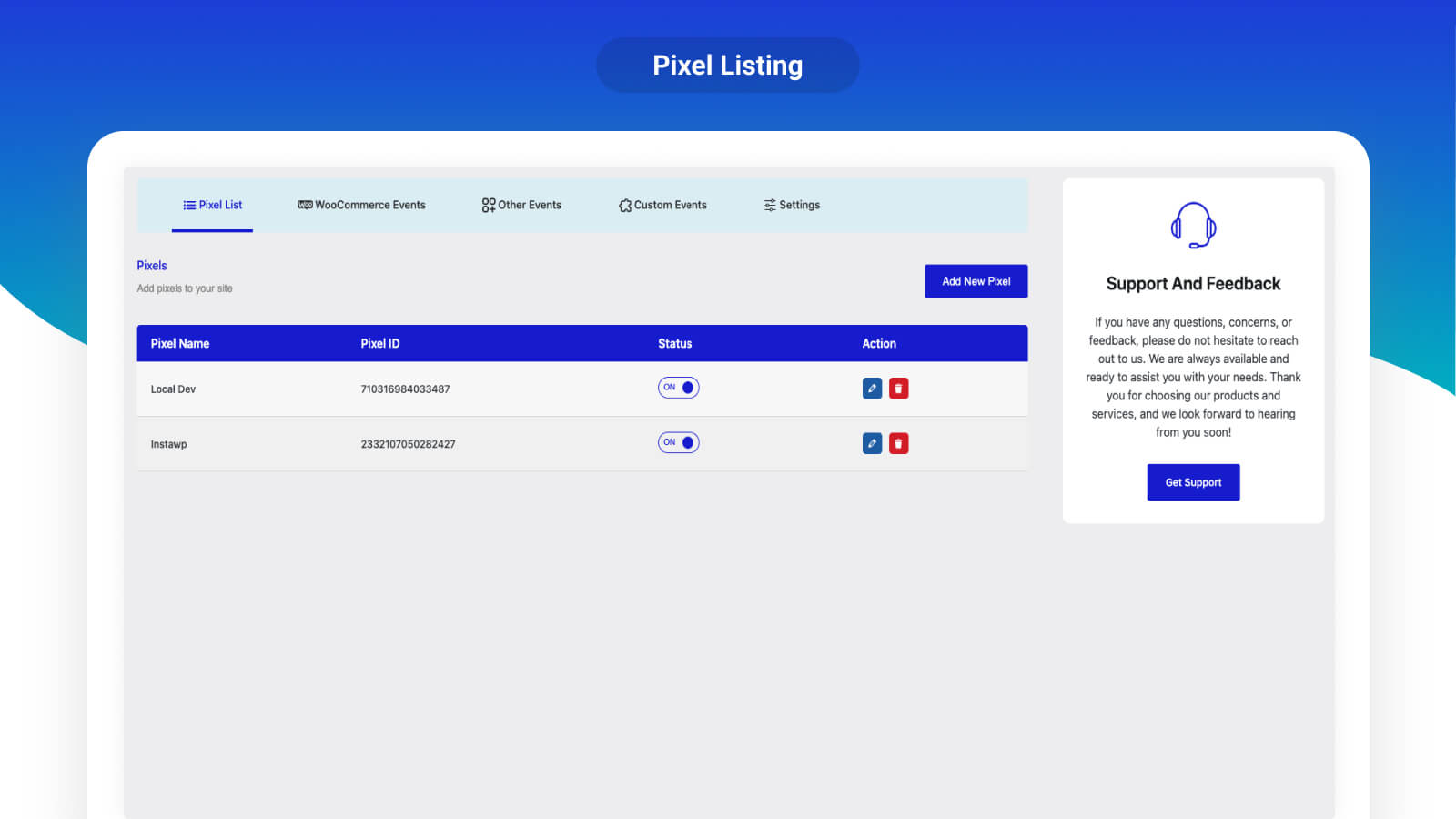
- Add your Facebook Pixel ID
- Optionally add an API key from OpenAI or Google for AI features
- Configure events and start tracking
Tutorials:
How to Setup Facebook Pixel on WordPress Using Pixelavo Plugin
https://www.youtube.com/watch?v=4pGyczp2XD4
How to Setup Facebook Custom Events by Pixelavo Facebook Pixel WordPress Plugin
https://www.youtube.com/watch?v=Krn5M2JdIRg
Security:
- AES-256-CBC encryption for API keys
- Data stays on your WordPress site
- No third-party data sharing for tracking data
- AI queries are sent directly to your chosen provider (OpenAI/Google) — Pixelavo does not proxy or store your conversations
Pro Features:
Upgrade to Pro for advanced tracking and optimization features:
- Multiple pixel support: Add multiple Facebook Pixels to track data across different ad accounts or campaigns.
- Advanced WooCommerce Events: Track purchases, add-to-cart, initiate checkout, and more e-commerce events.
- Advanced EDD Events: Full Easy Digital Downloads integration with purchase tracking.
- Exclude Bouncing Visitors: Time delay settings to prevent bouncing visitors from triggering events.
- Advanced Matching: Send additional customer information to improve attribution accuracy.
- Additional user information: Include referrer, language, categories, and tags as event parameters.
- Additional Purchase Information: Track coupon usage and shipping details for better audience targeting.
- Premium Events: Video tracking, internal/external links, subscription events, and more.
Facebook Conversions API
Facebook Conversions API (formerly known as the Server-Side API) is a tool that allows businesses to send their website or app conversion data directly to Facebook’s servers, bypassing the need for browser-based tracking methods like the Facebook Pixel.
Using the Conversions API, businesses can track actions such as purchases, sign-ups, and other valuable events that occur on their website or app. This data can then be used to optimize Facebook advertising campaigns, such as retargeting ads to users who have already taken specific actions on the business’s website or app.
Some benefits of using Facebook Conversions API include:
- Helps improve tracking accuracy: By bypassing the need for browser-based tracking, businesses can ensure that all conversion data is captured accurately, even if a user’s browser settings or ad-blocking software prevent the Facebook Pixel from tracking their actions.
- Increased privacy: Because the Conversions API sends data directly to Facebook’s servers, businesses can reduce the amount of user data that is shared with third-party trackers, potentially improving user privacy and security.
- Greater control: The Conversions API allows businesses to track and send custom data points to Facebook, giving them greater flexibility and control over how they track and optimize their advertising campaigns.
- Helps reduce potential data loss: Because the Conversions API relies on server-to-server communication, rather than browser-based tracking, businesses can reduce the risk of data loss due to issues like browser crashes or network outages.
Overall, the Facebook Conversions API can provide businesses with a more accurate, flexible, and privacy-focused way to track and optimize their Facebook advertising campaigns.
Need Help?
Is there any feature that you want to get in this plugin?
Needs assistance to use this plugin?
Feel free to Contact us
Externe Dienste
This plugin connects to several third-party services to provide enhanced functionality. Below are the services used and the data transmitted:
HasThemes Feed Service
- Purpose: Used for fetching and displaying plugin notices, announcements content within the WordPress admin dashboard.
- When: During plugin activation, admin dashboard visits, and periodic checks for new notices (cached for 2 days).
- Service Provider: HasThemes
- Terms and Conditions: https://hasthemes.com/terms-conditions/
- Privacy Policy: https://hasthemes.com/privacy-policy/
Diagnostic Data Webhook
- Purpose: Used for sending diagnostic data when users opt-in to help improve plugin compatibility, performance and inform client for any critical issues.
- Data Sent: Complete diagnostic information including site details, admin email, admin name, server configuration, WordPress setup, theme information & plugin lists.
- When: Only when users explicitly agree to share diagnostic data through the admin notice.
- Service Provider: Pixelavo / HasThemes (we operate this webhook on our own infrastructure; all domains are owned by us)
- Terms and Conditions: https://pixelavo.com/terms-conditions/
- Privacy Policy: https://pixelavo.com/privacy-policy/
Google Base Namespace
- Purpose: Used for generating product feeds compatible with Google Shopping, Google Merchant Center, and other services that support Google’s product feed format.
- Data Sent: Product information including names, prices, descriptions, categories, images, availability, and attributes from your WooCommerce/EDD store.
- When: When generating product feeds via the feed URLs (yoursite.com/feed/pixelavo or yoursite.com/feed/pixelavo-edd).
- Service Provider: Google (namespace specification only – no data sent directly to Google)
- Terms of Service: https://policies.google.com/terms
- Privacy Policy: https://policies.google.com/privacy
Data Privacy Notice
- Diagnostic data collection is completely optional and requires explicit user consent through an admin notice.
- No personal user data is transmitted without explicit consent.
- All data transmission occurs over secure HTTPS connections.
- Users can decline data sharing without affecting plugin functionality.
- The plugin works fully without connecting to external services.
Legal Compliance
By using this plugin, you acknowledge that data may be transmitted to the above-mentioned third-party services only when you explicitly consent to diagnostic data sharing or when generating product feeds.
Installation
This section describes how to install the Pixelavo plugin and get it working.
- Go to the WordPress Dashboard “Add New Plugin” section.
- Search For “Pixelavo”.
- Install, then Activate it.
OR:
- Unzip (if it is zipped) and Upload
pixelavofolder to the/wp-content/plugins/directory - Aktivieren Sie das Plugin über das „Plugins“-Menü in WordPress
Änderungsprotokoll
Version: 1.5.8 – Date: 25-11-2026
- Fixed: Purchase, Refund and Subscription server events sent from a payment webhook, scheduled task or admin action now use the customer’s IP address and browser recorded at checkout instead of the server’s or admin’s.
Version: 1.5.7 – Date: 19-11-2026
- Security: Hardened the public RemoveFromCart and server-side event endpoints. Client-supplied event parameters are now limited to known fields, so value, currency and product data can no longer be overridden. RemoveFromCart is rate-limited, validates quantity and only fires for published products, and form titles are only returned for published forms. Thanks to kta1kri for the responsible disclosure.
Version: 1.5.6 – Date: 07-10-2026
- Added: “Include Categories” option for the WooCommerce and EDD product feeds, so a feed can contain only selected categories.
- Improved: The WordPress security keys notice now only appears once an AI API key is saved, so it no longer shows on fresh installs.
- Fixed: Fatal error on the WooCommerce and EDD product feed URLs when plugin settings had not been saved yet.
- Fixed: Special characters such as “&” in product titles producing an invalid product feed.
- Fixed: PHP 8 warnings and TypeErrors caused by empty or unexpected option values and missing terms or downloads.
- Getestet: Kompatibilität mit der neuesten Version von WordPress.
Version: 1.5.5 – Date: 04-08-2026
- Fixed: Potential issue where Pixel and Custom Event list entries could fail to save correctly.
- Fixed: Custom event parameters not being saved in some cases.
Version: 1.5.4 – Date: 15-07-2026
- Security: Hardened the server-side event endpoint against unauthenticated event forwarding to the Conversions API. Login and CompleteRegistration now fire server-side, permitted event names are allow-listed, monetary fields are stripped from valueless events, and the endpoint is rate-limited. Thanks to Md Amin Ullah Sheikh for the responsible disclosure (reported via WPScan).
Version: 1.5.3 – Date: 03-03-2026
- Fixed: Nonce sanitization and externalized jQuery in webpack build.
- Fixed: Added translators comment for sprintf placeholders in diagnostic notice.
- Fixed: Replaced heredoc syntax with single-quoted strings for Plugin Check compliance.
- Improved: Updated Plugin URI
Screenshots


Für Entwickler
Ist das dein Plugin? Zeigen Sie die Zahlen.
Fügen Sie Ihrer Website, Docs oder GitHub Readme ein Live-Badge hinzu. Es wird von selbst aktualisiert - kein Konto erforderlich.
Best Pixelavo alternatives
Alle Plugins für Conversion-Tracking →





Fragen und Antworten
Pixelavo: quick answers
Gerade Antworten, gezogen von Live WordPress.org Daten.
Quelle: WordPress.org
Is Pixelavo free?
Yes. Pixelavo is free to download and use from the official WordPress.org plugin directory. The developer also sells premium add-ons or a Pro version with extra features.
Is Pixelavo safe to use in 2026?
Pixelavo is a solid plugin choice in 2026, with a few things worth checking first. It runs on 2K+ sites, is rated 3/5 and was last updated 4 days ago, and scores 72/100 on our health check.
How many websites use Pixelavo?
Pixelavo is active on 2K+ WordPress websites and has been downloaded 35,985 times since it launched in March 2023. It was downloaded 3,456 times in the last 30 days.
Does Pixelavo work with WordPress 7.1?
Yes. The developer has tested Pixelavo up to WordPress 7.1.5, the latest release. It requires WordPress 5.0 or newer.
What PHP version does Pixelavo need?
Pixelavo requires PHP 7.4 or higher. Most hosts run PHP 8.x today, so it works on any modern WordPress hosting.
When was Pixelavo last updated?
The latest version, 1.5.8, was released on November 25, 2026 (4 days ago).
Who makes Pixelavo?
Pixelavo is developed and maintained by HasThemes.
What are the best alternatives to Pixelavo?
The most popular alternatives to Pixelavo are Pixel Manager for WooCommer… (40K+ installs), CallRail Phone Call Tracking (10K+ installs) and Conversios (10K+ installs).
Angetrieben von PageForge
Eine Vorlage und eine Tabelle. Eine echte Seite für jede Suche.
PageForge Verwandelt jede Zeile eines CSV in eine WordPress-Seite mit eigenem Titel, URL, SEO Felder und Schema entworfen. Kostenlos auf WordPress.org.
- CSV und XLSX, plus Google Sheets auf Beruf und Unternehmen
- seinen eigenen Titel, URL, SEO Felder und Schema für jede Seite
- Arbeitet mit dem Blockeditor, Elementor, Divi und Avada
- Kostenlos auf WordPress.org, keine Kreditkarte