


Pipe9 WSOD Debugger
Automatically detects White Screen of Death crashes, identifies the culprit plugin/theme, and provides an emergency rescue panel to recover your site.

Mit Vorsicht verwenden
Pipe9 WSOD Debugger works, but test it on a staging site before relying on it in 2026. Was last updated 5 months ago, and scores 49/100 on our health check.
- Kleine Benutzerbasis (<10 aktive Installationen)
- Bisher sehr wenige Bewertungen
Wie stapelt es sich?
Side-by-side bei Installationen, Updates, Bewertungen und Support


Tägliche Downloads
Download-Spitzen folgen normalerweise einer neuen Version - jede Website, die automatisch aktualisiert wird, gilt als Download.
Ranglisten
Where Pipe9 WSOD Debugger stands todayWordPress.org Ranglisten suchen
Live-Position in der Plugin-Suche, Top 100| Stichwort | Position |
|---|---|
| debug | >100 |
| error recovery | >100 |
| fatal error | >100 |
| white-screen-of-death | #15 |
| WSOD | #4 |
About Pipe9 WSOD Debugger
From the official readme · v1.3.3Beschreibung
Pipe9 WSOD Debugger is an emergency recovery tool for WordPress. When a fatal error causes a White Screen of Death, this plugin:
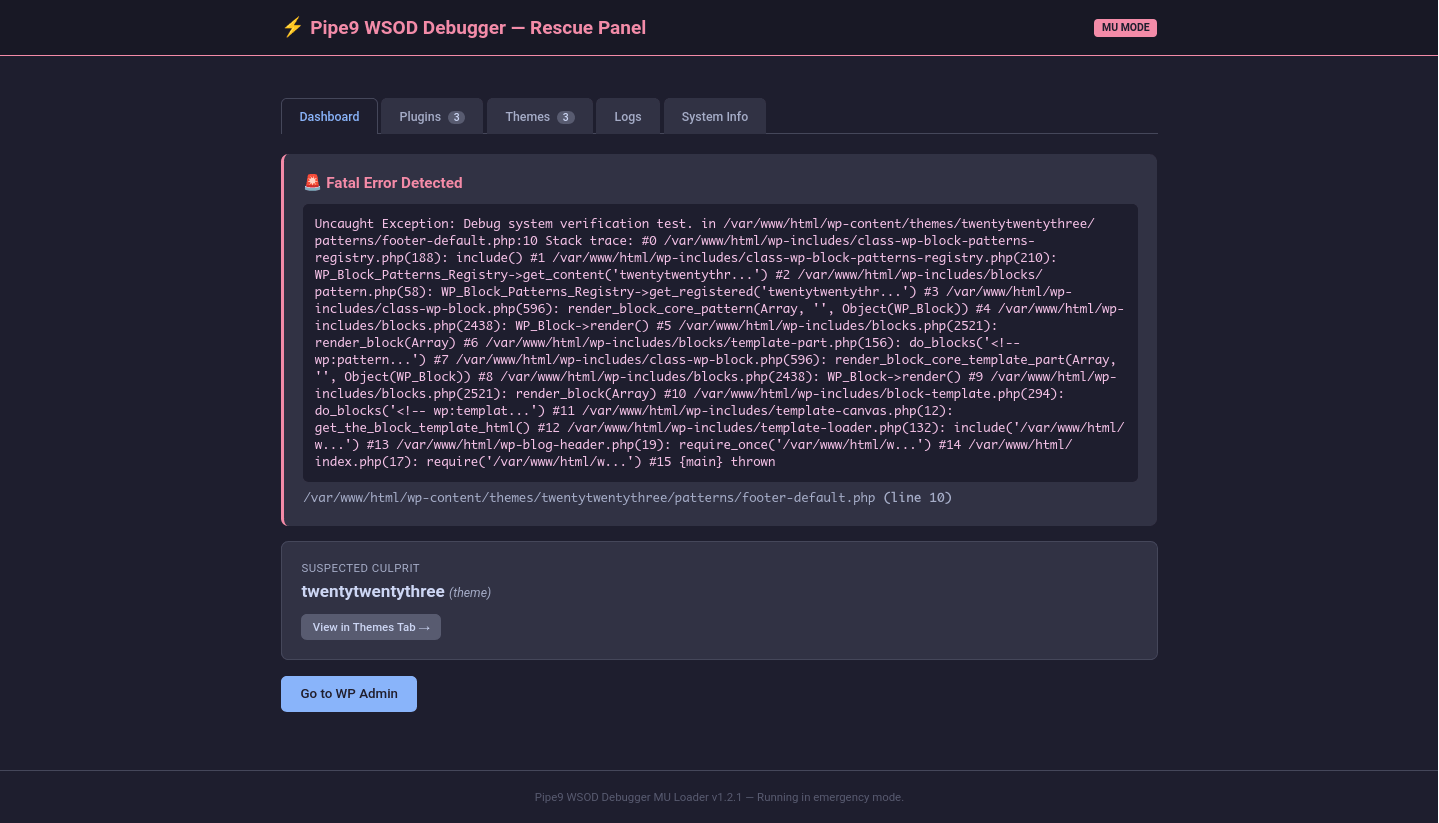
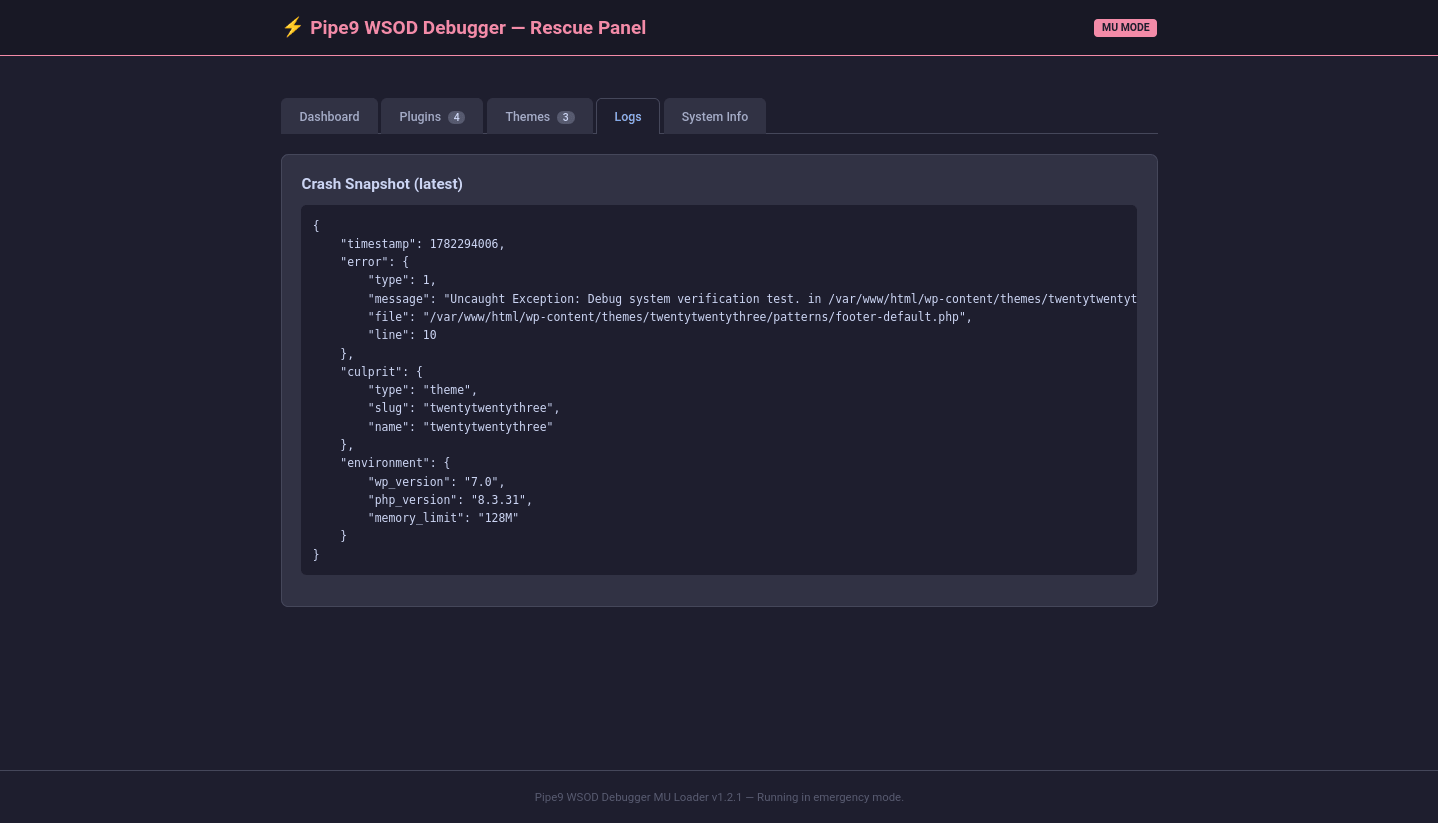
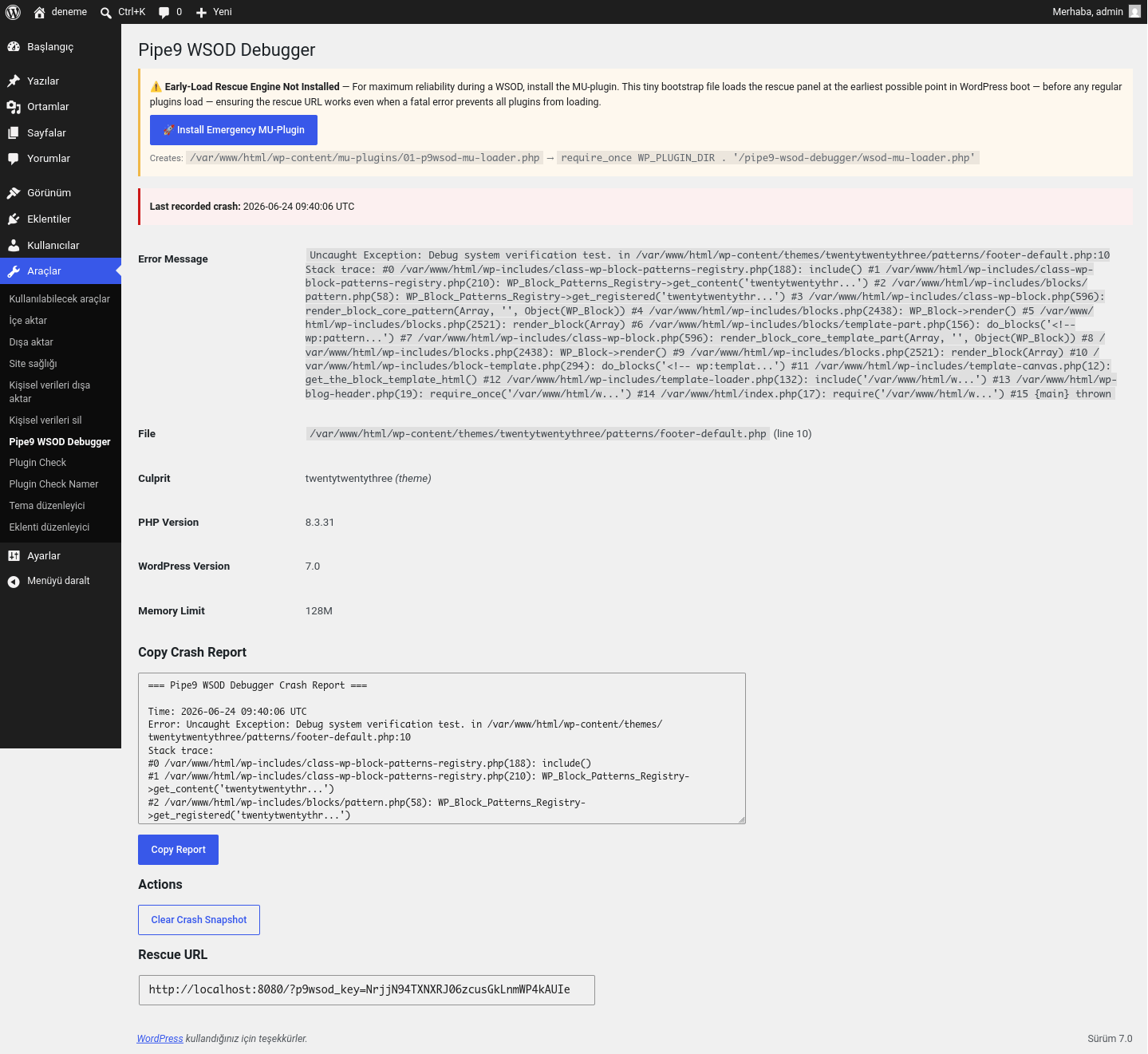
- Captures the error snapshot automatically (shutdown handler)
- Identifies the plugin or theme that caused the crash
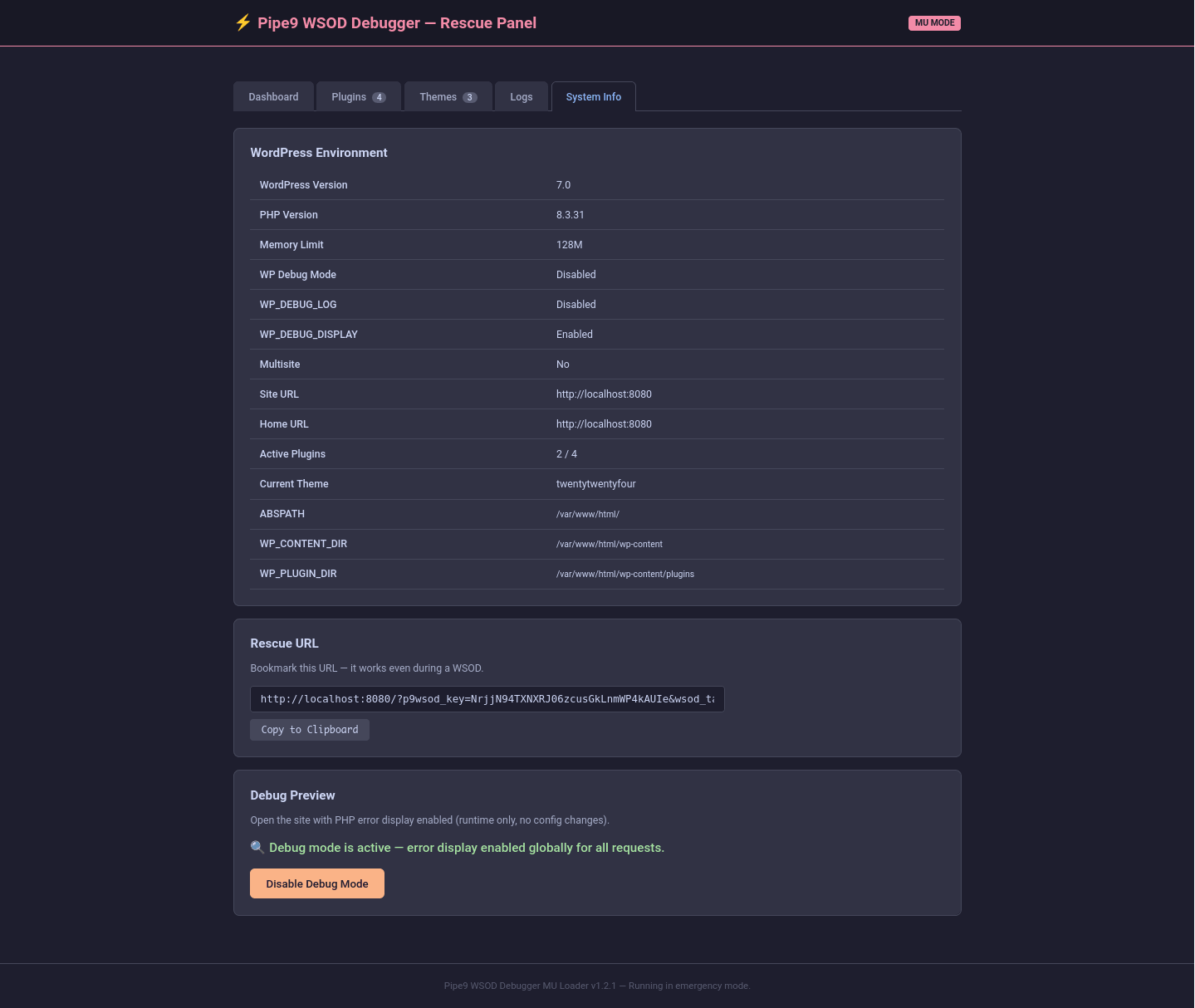
- Provides a secret rescue URL that works even during a WSOD
- Renders a full debug/rescue panel before any other plugin loads
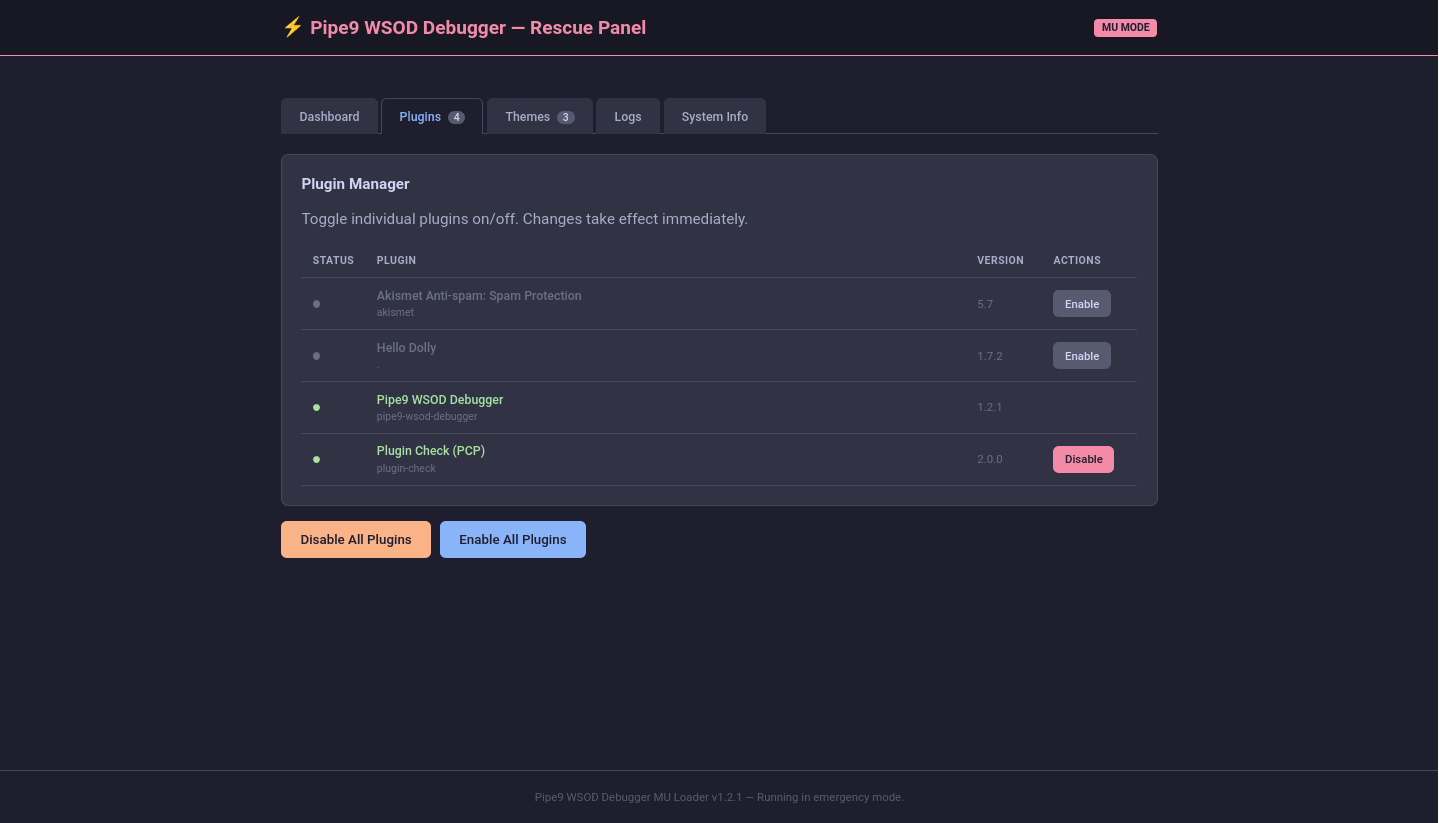
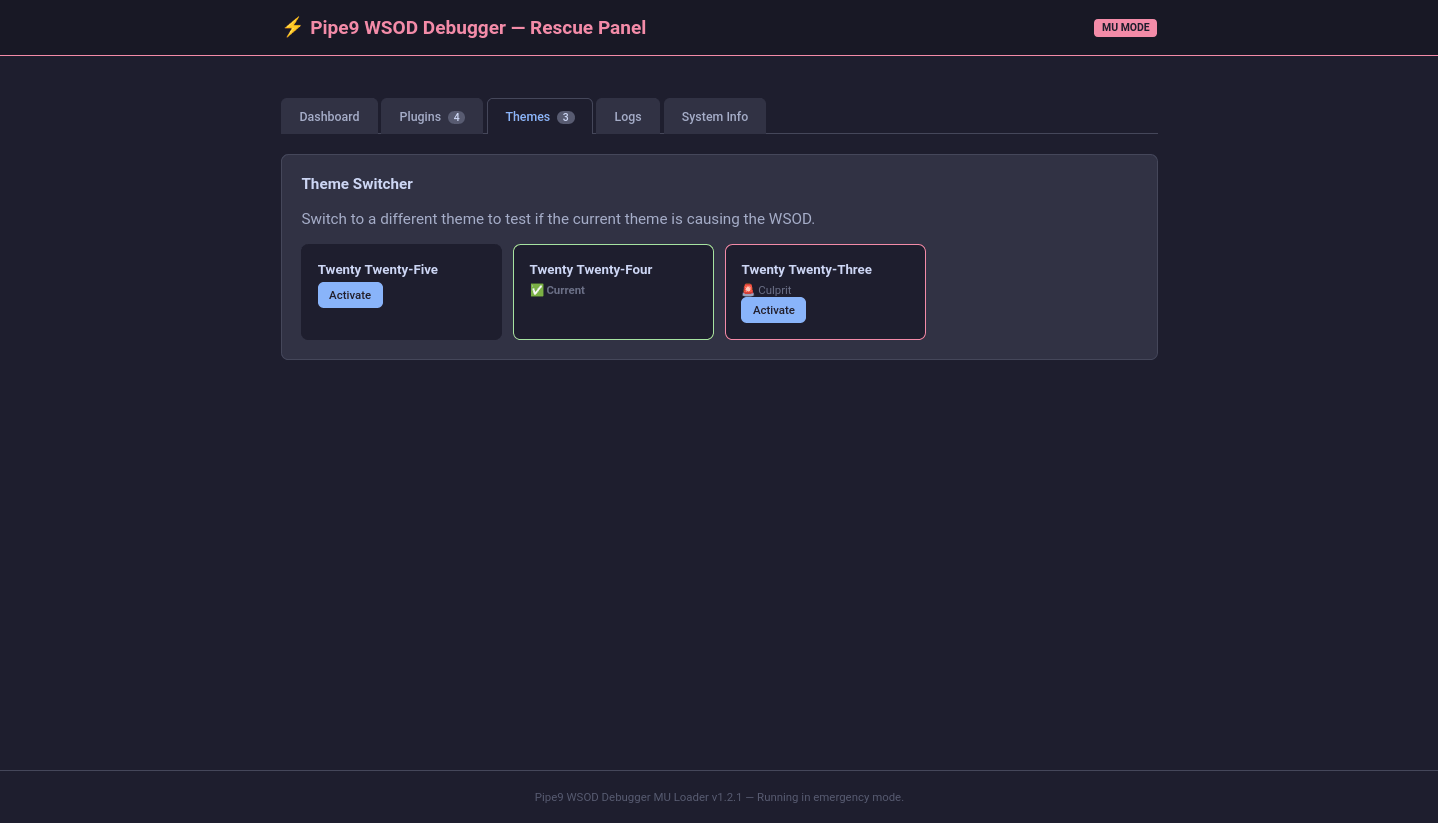
- Allows you to disable the culprit plugin, switch themes, or manage plugins/themes from the rescue panel
Installation
- Upload the
pipe9-wsod-debuggerfolder to/wp-content/plugins/ - Activate the plugin through the WordPress admin
- Find the Rescue URL in Tools → Pipe9 WSOD Debugger
- Bookmark the Rescue URL — use it when your site crashes with a white screen
Änderungsprotokoll
1.3.3
- Fix: replace wp_redirect() with wp_safe_redirect()
- Fix: remove load_plugin_textdomain() (automatic since WP 4.6)
- Fix: widen rescue URL input for full URL visibility
- Fix: enqueue rescue CSS on admin tools page
- Refactor: scope rescue-page CSS under body class to prevent admin layout leaks
1.3.2
- Fix: sanitize crash snapshot fields with sanitize_text_field() instead of raw string casts
- Fix: add capability checks (manage_options) and proper input sanitization to rescue actions
- Fix: add FILTER_UNSAFE_RAW + wp_unslash() to all filter_input() calls
- Fix: sanitize nonce with wp_unslash() + sanitize_text_field() before wp_verify_nonce()
- Fix: missing load_plugin_textdomain() call for proper i18n
- Fix: replace scandir() with WP_Filesystem::dirlist() for hosting compatibility
- Fix: replace raw header() calls with WordPress functions (wp_redirect, status_header)
- Fix: replace file_exists() with $wp_filesystem->exists() in WP_Filesystem contexts
- Fix: remove inline style attributes, move to CSS classes
- Fix: culprit mis-attribution when previous crash blamed our own plugin
- Fix: plugin disable/enable/toggle actions now use WP activation API directly
- Fix: lift option_active_plugins filter during plugin operations so deactivate/activate work correctly
- Refactor: centralise path resolution into shared Path_Resolver class
- Refactor: centralise wp-admin includes into ensure_* helper methods
- Refactor: remove redundant ABSPATH guard checks from method bodies
- i18n: add 4 missing translatable strings with full locale coverage
- i18n: rebuild .mo binaries for all 9 locales
1.3.0
- Flag-based WSOD recovery system with option_active_plugins filtering
- Restored full rescue panel: Dashboard, Plugins, Themes, Logs, System Info tabs
- Removed mu-plugin dependency — everything runs from the regular plugin
- Replaced PHP stdlib file ops with WP_Filesystem equivalents
- Replaced manual path building with WordPress constants (WPINC, WP_CONTENT_DIR)
- Used wp_normalize_path() for cross-platform path normalization
- Used wp_get_themes() instead of manual theme directory scanning
1.2.2
- Bump requires-at-least to 6.4, tested-up-to to 7.0
- Fix variable prefixing and add direct access protection in place-mu-plugin.php
- Fix author attribution
1.2.1
- Erste Freigabe
- WSOD detection via shutdown handler
- Crash snapshot with culprit identification
- Secret rescue URL
- Early-load rescue panel (MU-plugin — replaced by flag-based recovery in v1.3.0)
- Plugin/theme management in rescue mode
Screenshots
Für Entwickler
Ist das dein Plugin? Zeigen Sie die Zahlen.
Fügen Sie Ihrer Website, Docs oder GitHub Readme ein Live-Badge hinzu. Es wird von selbst aktualisiert - kein Konto erforderlich.
Best Pipe9 WSOD Debugger alternatives
All debug plugins →




Fragen und Antworten
Pipe9 WSOD Debugger: quick answers
Gerade Antworten, gezogen von Live WordPress.org Daten.
Quelle: WordPress.org
Is Pipe9 WSOD Debugger free?
Yes. Pipe9 WSOD Debugger is free to download and use from the official WordPress.org plugin directory.
Is Pipe9 WSOD Debugger safe to use in 2026?
Pipe9 WSOD Debugger works, but test it on a staging site before relying on it in 2026. Was last updated 5 months ago, and scores 49/100 on our health check.
How many websites use Pipe9 WSOD Debugger?
Pipe9 WSOD Debugger is active on <10 WordPress websites and has been downloaded 294 times since it launched in July 2026. It was downloaded 70 times in the last 30 days.
Does Pipe9 WSOD Debugger work with WordPress 7.1?
Pipe9 WSOD Debugger is officially tested up to WordPress 7.0.9, while the latest release is 7.1.5. It may still work, but try it on a staging site first.
What PHP version does Pipe9 WSOD Debugger need?
Pipe9 WSOD Debugger requires PHP 7.2 or higher. Most hosts run PHP 8.x today, so it works on any modern WordPress hosting.
When was Pipe9 WSOD Debugger last updated?
The latest version, 1.3.3, was released on July 6, 2026 (5 months ago).
Who makes Pipe9 WSOD Debugger?
Pipe9 WSOD Debugger is developed and maintained by Özgür Altunyurt.
What are the best alternatives to Pipe9 WSOD Debugger?
The most popular alternatives to Pipe9 WSOD Debugger are WP Crontrol (300K+ installs), Query Monitor (200K+ installs) and Debug Bar (20K+ installs).
Angetrieben von PageForge
Eine Vorlage und eine Tabelle. Eine echte Seite für jede Suche.
PageForge Verwandelt jede Zeile eines CSV in eine WordPress-Seite mit eigenem Titel, URL, SEO Felder und Schema entworfen. Kostenlos auf WordPress.org.
- CSV und XLSX, plus Google Sheets auf Beruf und Unternehmen
- seinen eigenen Titel, URL, SEO Felder und Schema für jede Seite
- Arbeitet mit dem Blockeditor, Elementor, Divi und Avada
- Kostenlos auf WordPress.org, keine Kreditkarte