


Pinery Static
Export WordPress to a fast static site on Cloudflare Pages in pure PHP — no Node.js, no build server. Incremental deploys, SEO intact.

Solide Wahl
Pinery Static is a solid plugin choice in 2026, with a few things worth checking first. Was last updated 1 month ago, and scores 64/100 on our health check.
- Actively developed — last update 1 month ago
- Getestet mit dem neuesten WordPress (7.1)
- Kleine Benutzerbasis (<10 aktive Installationen)
- Bisher sehr wenige Bewertungen
Wie stapelt es sich?
Side-by-side bei Installationen, Updates, Bewertungen und SupportTägliche Downloads
Download-Spitzen folgen normalerweise einer neuen Version - jede Website, die automatisch aktualisiert wird, gilt als Download.
Ranglisten
Where Pinery Static stands todayWordPress.org Ranglisten suchen
Live-Position in der Plugin-Suche, Top 100| Stichwort | Position |
|---|---|
| cloudflare-pages | >100 |
| Performance | >100 |
| Sicherheit | >100 |
| static export | >100 |
| static site | >100 |
About Pinery Static
From the official readme · v2.5.1Beschreibung
Pinery Static turns your WordPress site into a fast, secure static site hosted on Cloudflare Pages. You keep editing in WordPress as usual; visitors get plain HTML from Cloudflare’s network. No Node.js, no wrangler, no build server — the export and the Direct Upload to Cloudflare run in pure PHP, so it works on ordinary shared hosting.
Free — the full static pipeline, no limits on size
- One-click export of the whole site and deploy to Cloudflare Pages (pure-PHP Direct Upload, unlimited pages)
- Incremental exports — only changed pages and the archives they appear on are re-crawled
- Batched and resumable, so large sites survive shared-hosting timeouts
- Choose which content types to export and exclude paths (WooCommerce cart / checkout / account are excluded by default)
- SEO intact: absolute canonical / og:url, sitemap.xml with lastmod, your own robots.txt rules, 404 page, _redirects
- Theme, Yoast and Rank Math meta and structured data carry over in the static HTML
- Paginated listings (/page/2/ …) are exported too
- Cloudflare connection test, deployment history, bilingual admin (English / 中文)
Plus (optional upgrade) — for running the static site as your production site:
- Auto-deploy on publish: edit in WordPress, the static site updates itself
- Comments, live search and a contact form keep working on the static site (handled by WordPress through its REST API)
- WebP images: uploaded JPEG / PNG files are converted on export (cached) and served as WebP, usually 30–70% smaller
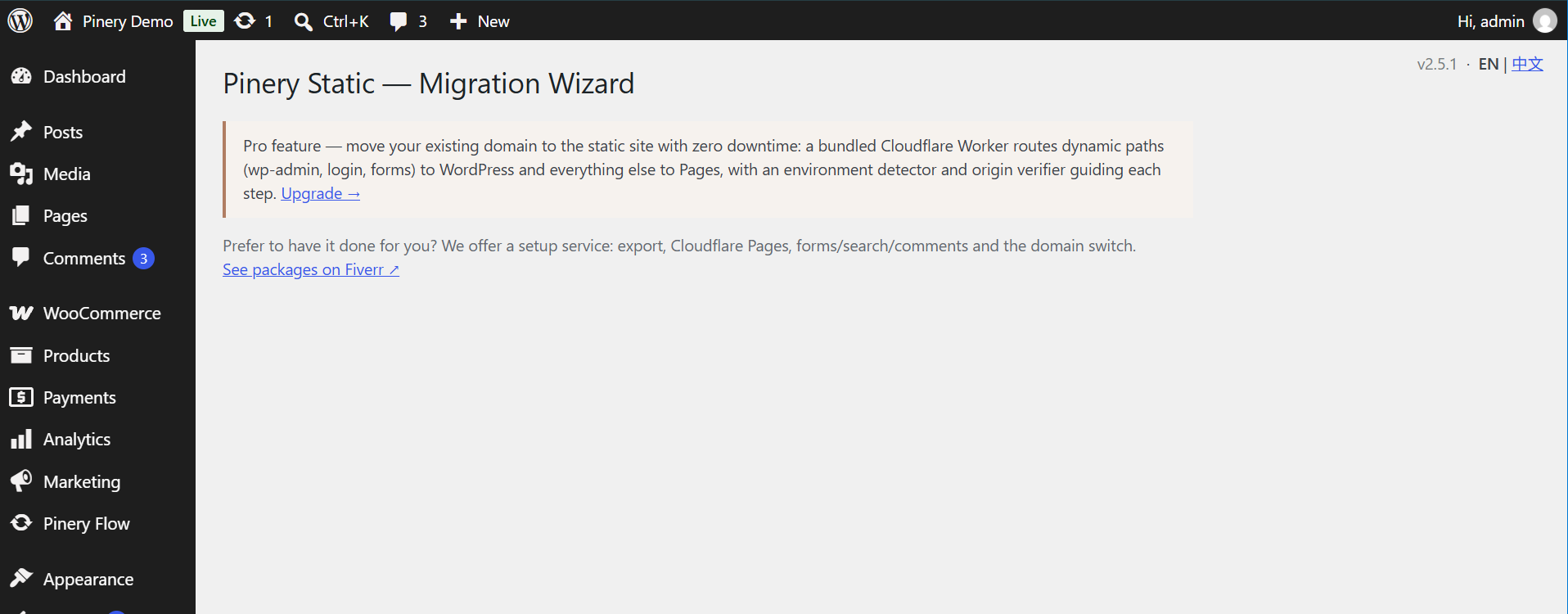
- One-click domain switch: serve the static site on your existing domain through a Cloudflare Worker, while /wp-admin keeps working on the same domain — with one-click roll back
- Roll production back to any earlier deployment
Pro — everything in Plus, for stores:
- WooCommerce live prices, stock and add-to-cart on static product pages
- Priority support
Plus and Pro are a separate download you get after upgrading; the version on WordPress.org contains no locked code.
Wie es funktioniert
- The plugin crawls your published pages (through your own site) and writes a static build: HTML plus the CSS, JS, images and fonts they use.
- It hashes the files (BLAKE3, as Cloudflare’s own tools do) and uploads only what changed to your Cloudflare Pages project.
- Your site is live on
<project>.pages.dev; add your own domain in Cloudflare whenever you are ready.
Not affiliated with, or endorsed by, Cloudflare or WordPress.
Externe Dienste
This plugin connects to the following services:
Cloudflare API (api.cloudflare.com) — to publish your static site, which is the purpose of the plugin. When you click Test connection, Export & Deploy or Refresh (deployments), it sends your Cloudflare Account ID and API token (for authentication), your Pages project name and branch, and the files of the generated static site (HTML pages and the assets they use) to Cloudflare. Nothing is sent until you enter credentials and start one of these actions. Pro additionally uses the Cloudflare API to deploy a Worker and add its routes when you click the domain switch buttons.
Cloudflare terms: https://www.cloudflare.com/website-terms/ — privacy policy: https://www.cloudflare.com/privacypolicy/
The plugin also requests pages from your own site to build the static copy; those requests stay between your server and your site.
Installation
- Installieren und aktivieren Sie das Plugin.
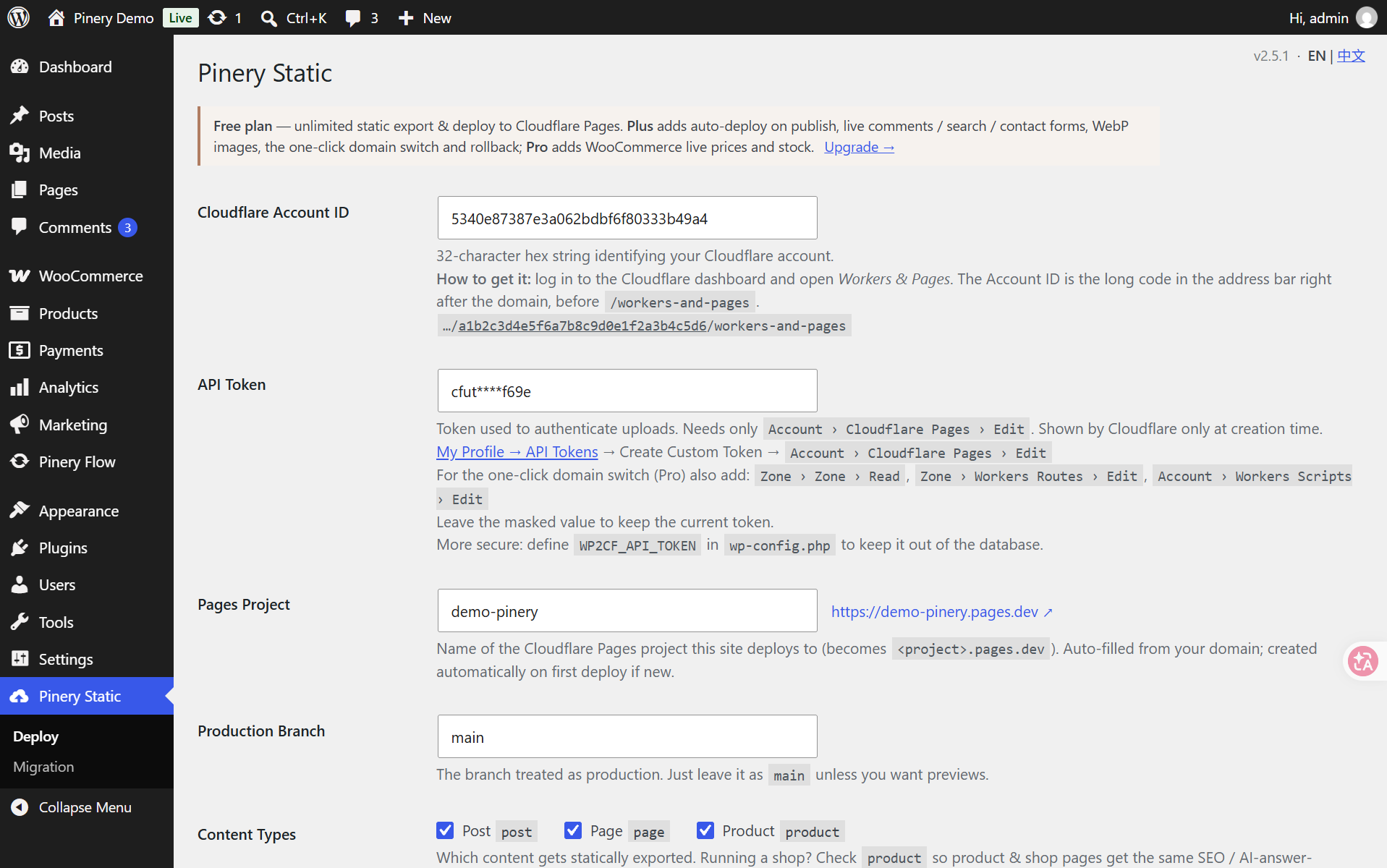
- Go to Pinery Static → Deploy in the admin menu.
- Enter your Cloudflare Account ID and an API Token with the permission
Account › Cloudflare Pages › Edit. The Project name is filled in from your domain. - Click Export & Deploy to Pages.
For maximum security, keep the token out of the database by defining it in wp-config.php:
define( ‘WP2CF_API_TOKEN’, ‘your-token’ );
Änderungsprotokoll
2.5.1
- New plugin icon
- Community link (r/pinery) on the Plugins screen and at the bottom of the Deploy screen
2.5.0
- Three plans: Free, Plus and Pro. Plus includes every paid feature except WooCommerce live prices / stock, which is in the Pro plan
- On a Plus license the WooCommerce option is shown locked with an upgrade link; a stored setting is kept, so moving to Pro turns it back on
2.4.2
- The WordPress.org version no longer bundles the Freemius SDK: it is smaller, has no opt-in screen and contacts no service besides Cloudflare. Upgrade links go to the pricing page; Pro (with its own licensing and updates) is a separate download
- When Pinery Static Pro is active, a free copy that is still installed steps aside with a notice instead of competing with it
- Uninstall cleanup is shared by both versions and still keeps the settings while another copy of the plugin is installed
2.4.1
- Plugin header: Plugin URI now points to the plugin’s own page (it was the same as the Author URI)
2.4.0
- Pro: new “Images” option — serve uploaded JPEG / PNG images as WebP on the static site. Converted on your server while exporting through the WordPress image editor (GD or Imagick), cached so each image is converted once, used only when smaller; originals stay in the build and social-preview images (og:image) keep the original. Off by default; the setting explains when the server can’t write WebP
2.3.9
- Settings, free plan on WooCommerce sites: a note under Content Types explains that exported product pages show price and stock as of export time (checkout always uses the live price) and that Pro keeps them live
Screenshots
Für Entwickler
Ist das dein Plugin? Zeigen Sie die Zahlen.
Fügen Sie Ihrer Website, Docs oder GitHub Readme ein Live-Badge hinzu. Es wird von selbst aktualisiert - kein Konto erforderlich.
Best Pinery Static alternatives
All cloudflare-pages plugins →| Rang | Plugin | Aktive Installationen |
|---|---|---|
| 1 |
 Aouwal Static Site Export – Static Site Generator
Turn WordPress into a fast static HTML site. Export pages, CSS, JS, images, fonts and… |
<10 |
Fragen und Antworten
Pinery Static: quick answers
Gerade Antworten, gezogen von Live WordPress.org Daten.
Quelle: WordPress.org
Is Pinery Static free?
Yes. Pinery Static is free to download and use from the official WordPress.org plugin directory.
Is Pinery Static safe to use in 2026?
Pinery Static is a solid plugin choice in 2026, with a few things worth checking first. Was last updated 1 month ago, and scores 64/100 on our health check.
How many websites use Pinery Static?
Pinery Static is active on <10 WordPress websites and has been downloaded 394 times since it launched in October 2026. It was downloaded 403 times in the last 30 days.
Does Pinery Static work with WordPress 7.1?
Yes. The developer has tested Pinery Static up to WordPress 7.1.5, the latest release. It requires WordPress 5.6 or newer.
What PHP version does Pinery Static need?
Pinery Static requires PHP 7.4 or higher. Most hosts run PHP 8.x today, so it works on any modern WordPress hosting.
When was Pinery Static last updated?
The latest version, 2.5.1, was released on October 30, 2026 (1 month ago).
Who makes Pinery Static?
Pinery Static is developed and maintained by amgoodman.
What are the best alternatives to Pinery Static?
The most popular alternatives to Pinery Static are Aouwal Static Site Export (<10 installs).
Angetrieben von PageForge
Eine Vorlage und eine Tabelle. Eine echte Seite für jede Suche.
PageForge Verwandelt jede Zeile eines CSV in eine WordPress-Seite mit eigenem Titel, URL, SEO Felder und Schema entworfen. Kostenlos auf WordPress.org.
- CSV und XLSX, plus Google Sheets auf Beruf und Unternehmen
- seinen eigenen Titel, URL, SEO Felder und Schema für jede Seite
- Arbeitet mit dem Blockeditor, Elementor, Divi und Avada
- Kostenlos auf WordPress.org, keine Kreditkarte