


Nitida Tables – Responsive, Mobile-Friendly Table Builder
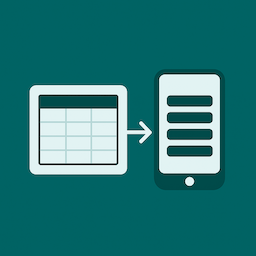
Lightweight tables that stay readable on phones. Rows turn into cards, with instant search, sorting, revisions and a fast spreadsheet-style editor.

Solide Wahl
Nitida Tables is a solid plugin choice in 2026, with a few things worth checking first. Was last updated 5 hours ago, and scores 64/100 on our health check.
- Aktiv entwickelt - letztes Update vor 5 Stunden
- Getestet mit dem neuesten WordPress (7.1)
- Kleine Benutzerbasis (<10 aktive Installationen)
- Bisher sehr wenige Bewertungen
Wie stapelt es sich?
Side-by-side bei Installationen, Updates, Bewertungen und Support


Tägliche Downloads
Download-Spitzen folgen normalerweise einer neuen Version - jede Website, die automatisch aktualisiert wird, gilt als Download.
Ranglisten
Where Nitida Tables stands todayWordPress.org Ranglisten suchen
Live-Position in der Plugin-Suche, Top 100| Stichwort | Position |
|---|---|
| data table | >100 |
| Mobile Table | >100 |
| responsive table | >100 |
| Tabelle | >100 |
| Table Builder | >100 |
About Nitida Tables
From the official readme · v1.2.3Beschreibung
Most table plugins make you scroll sideways on a phone. Nitida Tables turns every row into a readable card on small screens, so visitors see the whole row at once: the first column becomes the card title and every other cell is shown with its column name.
It is fast, too. There is no jQuery and no big data-table library on your pages: the front end is one small stylesheet and one small script, under 8 KB together when compressed.
Responsive tables that stay readable on phones
- Mobile-first cards. Rows become cards when the screen or the content column is narrow (it uses a container query, so tables in sidebars and narrow columns work as well).
- Instant search and sorting. Search appears on longer tables; headers sort text, numbers and dates (31.12.2026, 2026-12-31, 12/31/2026 and month names).
- Fits your theme. Uses your theme’s primary color automatically, supports dark mode (system setting or your theme’s dark-mode class), right-to-left languages and screen readers.
- Styles with a live preview. Clean, striped, bordered or minimal; comfortable or compact; subtle or colored header; corner radius; when rows become cards. Every change shows in a live desktop and phone preview before you save.
A table builder that works like a spreadsheet
- Spreadsheet-style editor. Type, press Tab and Enter, paste straight from Excel or Google Sheets, insert, move, hide and delete rows and columns, add links, undo and redo.
- Paste a table, get the same table. Copy a table from any web page, Excel, Google Sheets or Word and paste it: rows, columns, links, bold and italic text and line breaks come through 1:1.
- Formulas. Start a cell with = to calculate:
=SUM(B2:B10),=B2*C2,=IF(D2>100,"Yes","No"). Cell addresses work like a spreadsheet (A1 is the first cell of the header row), and functions include SUM, AVERAGE, MIN, MAX, COUNT, ROUND, IF and FIXED. - Merged cells. Select cells and choose Merge cells. On phones the merged value shows in every card it covers. Tables moved from TablePress keep their merged cells and formulas.
- Column types. Auto-detected or set by hand: text, number, date, link, or a highlighted key value that is easy to copy.
- Images and buttons. Pick images from the Media Library for product lists, team pages and catalogs. On phones the image sits at the top of each card. Button columns turn links into clear buttons, for example Buy, Download or Book.
- Choose what shows on phones. Show a column everywhere, only in the wide table or only in the phone cards, so wide tables stay short and readable on small screens.
- Highlight the first row. Mark the newest item with a small “Latest” badge.
- Live preview. See the desktop and the phone layout before you save.
- Revisions. Every save is kept; restore any earlier version in one click.
- Safe with automation. If a table changes while you are editing it (another editor, an import, an API update), Nitida Tables does not overwrite it silently.
Templates for pricing tables, schedules, specs and more
Start from one of 34 ready-made tables: pricing plans, a comparison of two options, product specs, an event schedule, a class timetable, opening hours, a restaurant menu, shipping rates, a size chart, league standings, an FAQ, a contact directory, pros and cons, a product comparison with top picks, property listings, review scores, an employee directory, store locations, match fixtures, a transit timetable, a glossary and more. Replace the sample rows with yours or paste them from Excel. See every template as a live table on getnitida.com.
Import from Excel, CSV and other table plugins
- Import and export. CSV, TSV, Excel (.xlsx), HTML and JSON in; CSV and JSON out.
- Migration assistant. Nitida Tables finds tables made with TablePress, Ninja Tables, wpDataTables and Data Tables Generator by Supsystic, shows where each one is used and what carries over, and copies them. Turn on “Keep old shortcodes working” and existing posts show the Nitida copies without edits. The original tables are never changed, so you can switch back at any time.
- Convert WordPress table blocks. Select a table block in the editor and click Convert to Nitida Table: the cells carry over and the table becomes searchable, sortable and readable on phones. The migration assistant lists the posts that still have table blocks.
- Backup and restore. Download all tables as one JSON file and restore them on any site.
Works where you build your pages
- Block, Elementor widget and shortcode. Use the Nitida Table block, the Nitida Table widget in Elementor, or
[nitida_table id="1"]. - Ready for translation. Every text in the plugin and its scripts can be translated on translate.wordpress.org.
- Optimization friendly. Optional inline CSS mode for sites that strip unused plugin CSS.
Need more? Nitida Tables Pro
The free plugin is complete on its own. Nitida Tables Pro is a separate add-on for sites that need more: tables that update themselves from Google Sheets, CSV or JSON, filters and pagination for large tables, a comparison layout for pricing plans and products, charts, and CSV or Excel downloads for visitors. Details are on getnitida.com.
Made by Nitida
Documentation, live examples and the separate Nitida Tables Pro add-on are on getnitida.com.
Privatsphäre
Nitida Tables does not track visitors, does not set cookies and makes no external requests.
Installation
- Install and activate the plugin. A short guide on the Nitida Tables screen walks you through the first steps.
- Go to Nitida Tables > Add new, or Nitida Tables > Import to bring in a CSV, Excel, HTML or JSON file (or your TablePress tables).
- Add the Nitida Table block to a post or page, or paste the shortcode shown in the table list.
Änderungsprotokoll
1.2.3
- Fix: on WordPress 6.5 and 6.6 the translations that come with the plugin are loaded again (newer versions load them by themselves).
- Compatibility: Jetpack Boost and SiteGround Speed Optimizer no longer defer or combine the plugin’s scripts.
1.2.2
- New: “Tidy table names” when you copy tables from another plugin. It drops a file extension such as .csv and turns underscores into spaces. On by default, new copies only.
- Improved: in the phone cards a long column label sits above its value instead of wrapping beside it.
- Compatibility: the plugin’s scripts are excluded from “Delay JavaScript execution” in WP Rocket and marked for LiteSpeed Cache and Cloudflare, so search, sorting and cards work when the page loads, not after the first tap.
1.2.1
- Fix: a merged cell that crosses a column shown only in the phone cards no longer shifts the cells after it in the wide table.
- Fix: the phone “Sort by” menu keeps working when an add-on replaces the header cells.
- Fix: a converted table block’s caption no longer uses the paragraph alignment that WordPress 7.0 deprecates.
- Security: size limits for HTML, Excel and JSON imports and for formula results, so oversized input can no longer exhaust the server.
- Security: a table that shows itself through its own shortcode no longer breaks the page.
- Security: CSV exports escape cells that spreadsheet apps would run as formulas.
- Security: WordPress quick edit and trash can no longer change table posts. Tables are changed only through the plugin’s own screens.
- Security: “Used in” lists only posts the current user can read.
- Change: the TablePress import overwrites only tables that were imported from that TablePress table.
- Developers: new filter nitida_tables_can_change, asked before a revision restore, trash, backup restore or import overwrites an existing table.
1.2.0
- New: image columns. Insert images from the Media Library or paste an image address. Images load lazily, Media Library images get the right size for each screen, and on phones the image sits at the top of each card. Their alt text is searchable.
- New: button columns. Links show as buttons; a bare address gets the column name as its label.
- New: “Show on” for every column: everywhere, only in the wide table, or only in the phone cards. Search still covers every column.
- New: convert a WordPress table block into a Nitida table with one click in the block editor. The migration assistant lists the posts and pages that still have table blocks.
- New: a short getting started guide on the Nitida Tables screen. It ticks off each step by itself and can be hidden.
- New: 16 more templates, 34 in all: service price list, membership tiers, ticket prices, pros and cons, course curriculum, glossary, changelog by type, employee directory, store locations, match fixtures and results, transit timetable, holiday and closure calendar, product comparison and top picks, property listings, review scores and exchange rates.
- Change: columns where almost every cell is an image are now detected as image columns. On phones that image moves to the top of the card, and these columns are not sortable.
1.1.1
- New: a “Sort by” menu on phones. When a table shows as cards, visitors can still sort it by any column.
- Improved: search ignores accents and letter variants (cafe finds café, istanbul finds İstanbul, strasse finds Straße) and finds numbers with or without thousands separators.
- Improved: sorting understands prices and percentages ($1,299, 1.299,00 €, 45%) and keeps empty cells last.
- Improved: links, sort arrows and the “Clear search” button are easier to read on dark backgrounds; the green highlight badge has more contrast.
- Improved: the editor is much faster on large tables when you add rows or paste.
- Improved: arrow keys move between cells at the edge of the text, Esc leaves the grid, and screen readers hear the column name with each cell.
- Improved: when saving fails you can download your draft as a CSV file, and a file over the server’s upload limit says so.
- Fixed: hidden table headers in card view no longer take keyboard focus.
- Change: the template list shows only templates this plugin can create. Templates that use Pro features are part of Nitida Tables Pro.
1.1.0
- New: formulas. Start a cell with = to calculate, for example =SUM(B2:B10), =B2*C2 or =IF(D2>100,”Yes”,”No”). Cell addresses work like a spreadsheet: A1 is the first cell of the header row. Functions: SUM, AVERAGE, MIN, MAX, COUNT, COUNTA, PRODUCT, MEDIAN, ROUND, ROUNDUP, ROUNDDOWN, INT, ABS, SQRT, POWER, MOD, PI, IF, AND, OR, NOT, IFERROR, CONCAT, FIXED, ROW and COLUMN. Start a cell with ‘= to show the text as it is.
- New: merged cells. Select cells in the editor and choose Merge cells, or Unmerge to split them again. On phones the merged value shows in every card it covers. Tables with merged rows turn off sorting and search, because those would split the merged rows.
- New: tables moved from TablePress keep their merged cells and formulas; HTML imports keep merged cells.
- Change: editor row numbers start at 1 for the first row, like a spreadsheet, so they match formula addresses.
Screenshots


Für Entwickler
Ist das dein Plugin? Zeigen Sie die Zahlen.
Fügen Sie Ihrer Website, Docs oder GitHub Readme ein Live-Badge hinzu. Es wird von selbst aktualisiert - kein Konto erforderlich.
Best Nitida Tables alternatives
All data table plugins →



Fragen und Antworten
Nitida Tables: quick answers
Gerade Antworten, gezogen von Live WordPress.org Daten.
Quelle: WordPress.org
Is Nitida Tables free?
Yes. Nitida Tables is free to download and use from the official WordPress.org plugin directory.
Is Nitida Tables safe to use in 2026?
Nitida Tables is a solid plugin choice in 2026, with a few things worth checking first. Was last updated 5 hours ago, and scores 64/100 on our health check.
How many websites use Nitida Tables?
Nitida Tables is active on <10 WordPress websites and has been downloaded 184 times since it launched in November 2026. It was downloaded 134 times in the last 30 days.
Does Nitida Tables work with WordPress 7.1?
Yes. The developer has tested Nitida Tables up to WordPress 7.1.5, the latest release. It requires WordPress 6.5 or newer.
What PHP version does Nitida Tables need?
Nitida Tables requires PHP 7.4 or higher. Most hosts run PHP 8.x today, so it works on any modern WordPress hosting.
When was Nitida Tables last updated?
The latest version, 1.2.3, was released on November 29, 2026 (5 hours ago).
Who makes Nitida Tables?
Nitida Tables is developed and maintained by Nitida.
What are the best alternatives to Nitida Tables?
The most popular alternatives to Nitida Tables are WP Data Access (10K+ installs), FlexTable (3K+ installs) and TableKit (3K+ installs).
Angetrieben von PageForge
Eine Vorlage und eine Tabelle. Eine echte Seite für jede Suche.
PageForge Verwandelt jede Zeile eines CSV in eine WordPress-Seite mit eigenem Titel, URL, SEO Felder und Schema entworfen. Kostenlos auf WordPress.org.
- CSV und XLSX, plus Google Sheets auf Beruf und Unternehmen
- seinen eigenen Titel, URL, SEO Felder und Schema für jede Seite
- Arbeitet mit dem Blockeditor, Elementor, Divi und Avada
- Kostenlos auf WordPress.org, keine Kreditkarte