


Lightweight Grid Columns
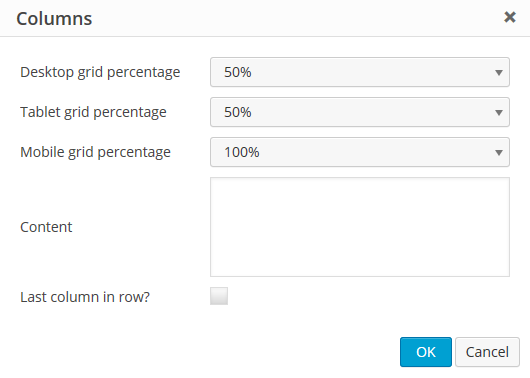
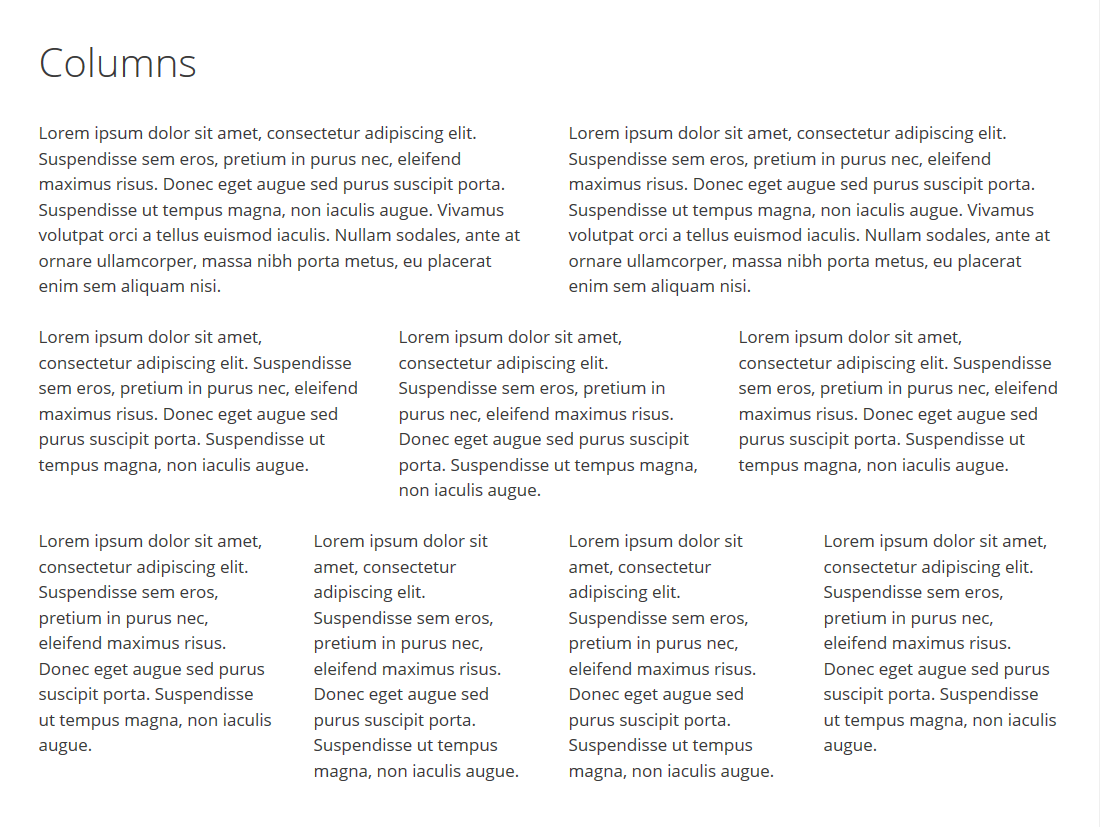
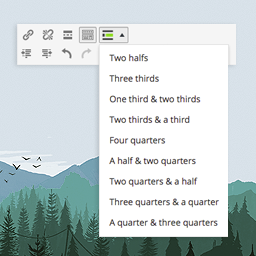
Lightweight Grid Columns are super easy to use! Install and activate the plugin, then look for the columns icon within your TinyMCE toolbar (see screenshots).

Use with caution
Lightweight Grid Columns works, but test it on a staging site before relying on it in 2026. It runs on 10K+ sites, is rated 4.9/5 and was last updated 8 years ago, and scores 47/100 on our health check.
- Proven at scale on 10K+ active sites
- Loved by users — 4.9/5 from 42 reviews
- Momentum — downloads up 32% vs the previous 30 days
- No update in 7 years
- Only tested up to WordPress 5.1 (latest is 7.1)
How does it stack up?
Side-by-side on installs, updates, ratings & support



Daily downloads
Download spikes usually follow a new release — each site that auto-updates counts as a download.
Rankings
Where Lightweight Grid Columns stands todayWordPress.org search rankings
Live position in the plugin search, top 100| Keyword | Position |
|---|---|
| columns | >100 |
| columns shortcode | >100 |
| grid columns | >100 |
Version adoption
Share of active sites per release.
Rating breakdown
★★★★★★★★★★ 4.9 from 42 reviews
About Lightweight Grid Columns
From the official readme · v1.0Description
Lightweight Grid Columns are super easy to use! Install and activate the plugin, then look for the columns icon within your TinyMCE toolbar (see screenshots).
Specify your desired desktop, tablet and mobile widths of the columns, add your content and then insert your shortcode into your content.
Lightweight Grid Columns uses the awesome Unsemantic Framework: (http://unsemantic.com/)
Check out GeneratePress, our awesome WordPress theme! (https://wordpress.org/themes/generatepress)
Features include:
- Desktop grid width
- Tablet grid width
- Mobile grid width
- Add custom classes
- Add custom inline styles
- Equal height columns
Installation
There’s two ways to install Lightweight Grid Columns.
- Go to “Plugins > Add New” in your Dashboard and search for: Lightweight Grid Columns
- Download the .zip from WordPress.org, and upload the folder to the
/wp-content/plugins/directory via FTP.
In most cases, #1 will work fine and is way easier.
Changelog
Move custom class value to the parent container Code cleanup
1.0
- Move custom class value to the parent container
- Code cleanup
0.7
- Fix weird scroll behavior caused by transitions and matchHeight
- Only load matchHeight on pages where columns are present with it enabled
0.6
- Fix column class bug causing some columns not to work
0.5
- Move margin-bottom setting to inner element so style attribute can overwrite it
- Adjust lgc_columns_helper function to fix issue with
<p>and<br />tags around the shortcode - Add jQuery matchHeight to match the height of columns for better responsive user experience
- Reduce the file size of stylesheet considerably
0.4
- Show TinyMCE icon on all post types
0.3
- Fix bug where TinyMCE icon wasn’t showing up if SiteOrigin Page Builder and Black Studio TinyMCE Widget were activated together
- Add IE 7 & 8 compatibility
Screenshots

For developers
Is this your plugin? Show off the numbers.
Add a live badge to your site, docs or GitHub README. It updates on its own — no account needed.
Best Lightweight Grid Columns alternatives
All columns plugins →



FAQ
Lightweight Grid Columns: quick answers
Straight answers, pulled from live WordPress.org data.
Source: WordPress.org
Is Lightweight Grid Columns free?
Yes. Lightweight Grid Columns is free to download and use from the official WordPress.org plugin directory.
Is Lightweight Grid Columns safe to use in 2026?
Lightweight Grid Columns works, but test it on a staging site before relying on it in 2026. It runs on 10K+ sites, is rated 4.9/5 and was last updated 8 years ago, and scores 47/100 on our health check.
How many websites use Lightweight Grid Columns?
Lightweight Grid Columns is active on 10K+ WordPress websites and has been downloaded 123,691 times since it launched in May 2015. It was downloaded 788 times in the last 30 days.
Does Lightweight Grid Columns work with WordPress 7.1?
Lightweight Grid Columns is officially tested up to WordPress 5.1.29, while the latest release is 7.1.5. It may still work, but try it on a staging site first.
When was Lightweight Grid Columns last updated?
The latest version, 1.0, was released on March 14, 2019 (8 years ago).
Who makes Lightweight Grid Columns?
Lightweight Grid Columns is developed and maintained by Tom.
What are the best alternatives to Lightweight Grid Columns?
The most popular alternatives to Lightweight Grid Columns are Admin Columns (100K+ installs), Column Shortcodes (60K+ installs) and ACF Quick Edit Fields (30K+ installs).
Powered by PageForge
One template and a spreadsheet. A real page for every search.
PageForge turns each row of a CSV into a WordPress page with its own title, URL, SEO fields and schema, built on the layout you already designed. Free on WordPress.org.
- CSV and XLSX, plus Google Sheets on Professional and Enterprise
- Its own title, URL, SEO fields and schema for every page
- Works with the block editor, Elementor, Divi and Avada
- Free on WordPress.org, no credit card