


Scientific and Interactive Blocks – inseri core
Scientific and Interactive Gutenberg Blocks to facilitate Open Science

Mit Vorsicht verwenden
Scientific and Interactive Bloc… works, but test it on a staging site before relying on it in 2026. It runs on 70+ sites and was last updated 6 months ago, and scores 47/100 on our health check.
- Small user base (70+ active installs)
- Bisher sehr wenige Bewertungen
Wie stapelt es sich?
Side-by-side bei Installationen, Updates, Bewertungen und Support


Tägliche Downloads
Download-Spitzen folgen normalerweise einer neuen Version - jede Website, die automatisch aktualisiert wird, gilt als Download.
Ranglisten
Where Scientific and Interactive… stands todayWordPress.org Ranglisten suchen
Live-Position in der Plugin-Suche, Top 100| Stichwort | Position |
|---|---|
| adopt-me | #7 |
| interactive | >100 |
| javascript | >100 |
| plotly | #1 |
| python | #16 |
Versionsübernahme
Anteil aktiver Sites pro Release.
About Scientific and Interactive Blocks
Aus der offiziellen Readme · V1.0.6Beschreibung
⚠️ This project is unmaintained. ⚠️
The vision of inseri is to enable scholars to design and publish interactive and executable online content without requiring web development skills. So that they can publish with ease the research findings in an open, citable and interactive way for effortless reuse by any researcher or the general public. Through interactivity, everyone is encouraged to edit the parameters, use own data, or reuse publicly published data to explore the research findings.
As a result, inseri core introduces scientific and interactive Gutenberg blocks to facilitate open access and open science communication. The inseri core blocks are not isolated elements but they can receive input from and give output to other blocks. A typical example would start with a Text Editor block containing the configuration for a Dropdown block. By selecting one option in the Dropdown block would provide a Web API block with the parameters to retrieve data from an external source. Using a Python Code block, the web API response could then be transformed into a suitable data format for a Plotly Chart block.
Blocks:
- Cytoscape Block: It displays network diagram using the data of another block with Cytoscape.
- Data Table Block: It displays tabular data of another block and gives guests the option to explore it.
- Download Block: It gives guests the possibility to download data from another block.
- Dropdown Block: It provides guests options to choose from and the selected option can be reused in other blocks.
- Export Block: It makes the post or page content open access by allowing the visitors to download the corresponding blueprint.json and WXR file.
- HTML Code Block: It renders HTML code using the other block’s data.
- IIIF Viewer Block: It showcases images with pan/zoom functionality, along with videos and audios consumed by an IIIF API.
- Image Box Block: It displays an image utilizing the data of another block.
- JavaScript Code Block: Guests can run JavaScript code with data from other blocks and the result of the execution is made available to other blocks.
- Local File Import Block: It allows guests to provide their own data for blocks.
- Media Collection Block: A collection of media files is made available as data for other blocks.
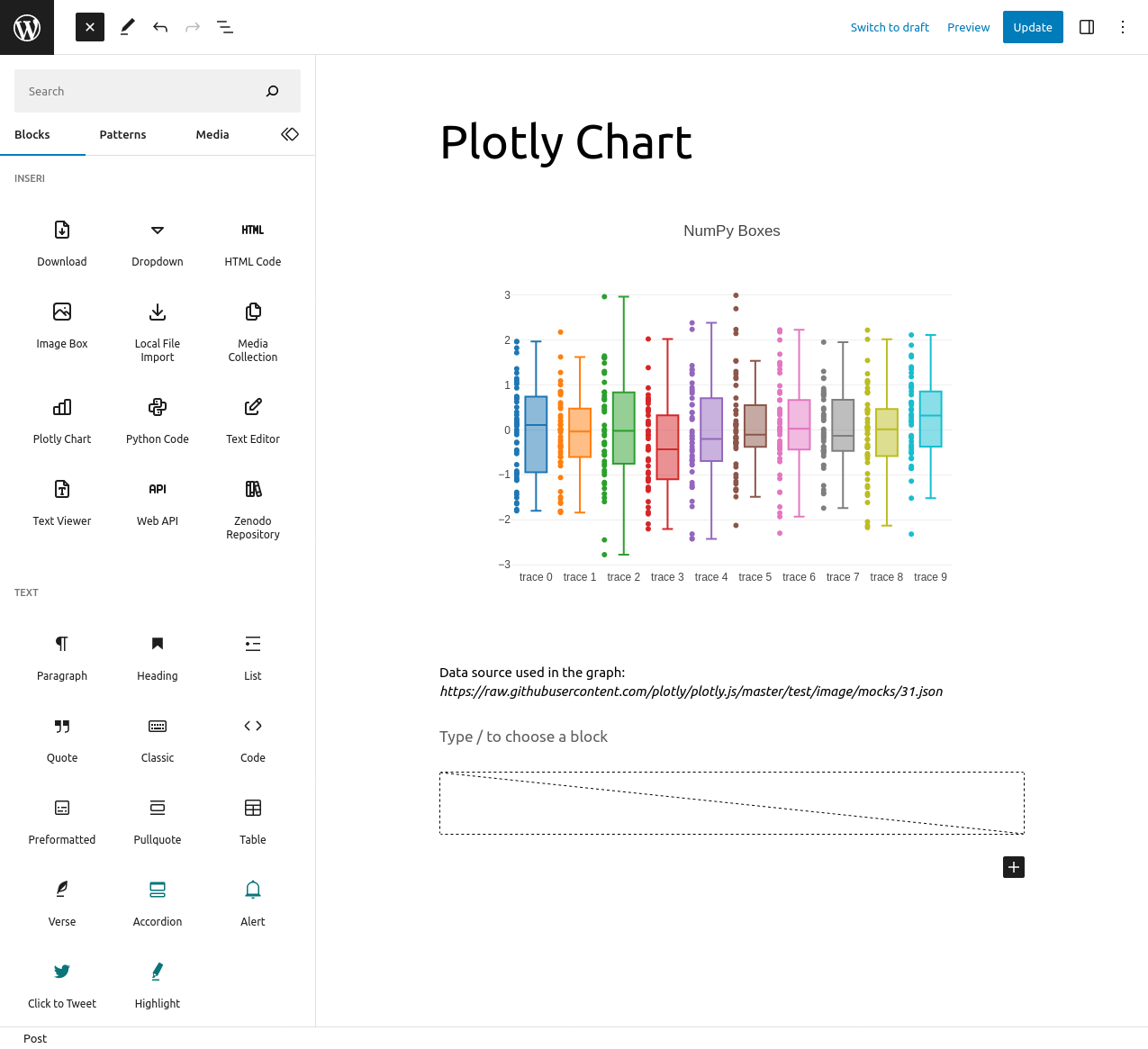
- Plotly Chart Block: It visualizes the data of another block using Plotly.
- Python Code Block: Guests can run Python code with data from other blocks with the use of Pyodide and the result of the execution is made available to other blocks.
- R Code Block: Guests can run R code with data from other blocks with the use of WebR and the result of the execution is made available to other blocks.
- Share Block: Guests can share the state of a page with other visitors, allowing them to reproduce it.
- Slider Block: It gives guests the possibility to choose a value or a range within a specified boundaries.
- Text Editor Block: It allows to share text content like JSON or XML with other blocks.
- Text Viewer Block: It displays text content like JSON or XML from other block.
- Web API Block: It enables to call a web API and to share this data with other blocks.
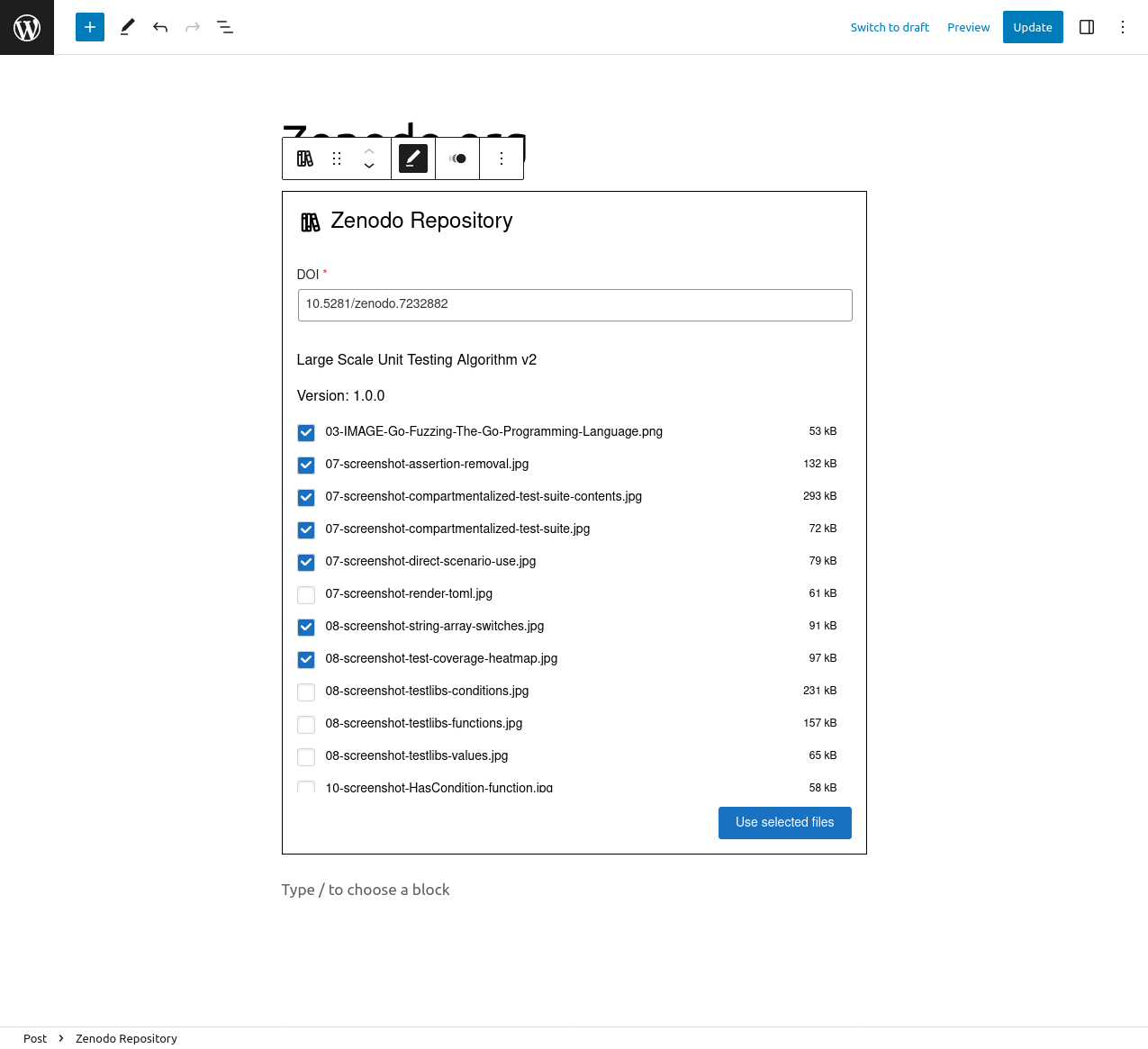
- Zenodo Repository Block: Using a DOI, a dataset can be loaded from Zenodo.org and shared with other blocks.
inseri name comes from the Latin insero which means to sow, to plant but also to insert.
- More information about the project can be found at here.
- For examples and showcases see here.
- Detailed documentation is available at inseri-swiss.github.io/inseri-core-wp.
- Try out our Playground.
- For Ideas and Questions please use GitHub Discussions.
- Bug and Issue reports are welcome on GitHub Issues.
- The development takes place on GitHub.
Do you want to get regular notifications? Watch the GitHub repository!
Do you want to show your interest? Star the GitHub repository and Follow inseri.swiss organization!
Änderungsprotokoll
1.0.6
- Update: Status to ⚠️ UNMAINTAINED ⚠️
- Update: Tag adopt-me
- Update: diverse dependencies
1.0.5
- Update: Live Preview and metadata
1.0.4
- Update: pyodide 0.28.3
- Update: diverse dependencies
1.0.3
- Update: pyodide 0.28.2
- Update: diverse dependencies
1.0.2
- Update: pyodide 0.27.5
- Update: diverse dependencies
1.0.1
- Update: pyodide 0.27.3
- Update: diverse dependencies
1.0.0
- Update: pyodide 0.26.4
- Update: diverse dependencies
0.4.3
- New: Share block
- Update: clover-iiif dependency
0.4.2
- Fix: HTML code can be used by less privileged users
- Fix: block names are displayed when published
- Update: diverse dependencies
0.4.1
- Update: Files, which are created within a Python block, are shared with other blocks.
0.4.0
Upgrade Notice: Each post/page with a Zenodo block needs to be opened and re-saved.
- BREAKING CHANGE: Zenodo block resolves file links every time
- New: R Code block
- Update: Download block supports custom file extension
- Update: block names are visible in the list view
- Update: pyodide 0.26.2
- Update: diverse dependencies
0.3.8
- New: Export block
- Update: blocks are now supported in the site editor
- Update: diverse dependencies
0.3.6
- Update: JavaScript Code block supports async
0.3.5
- New: JavaScript Code block
- Update: pyodide 0.25.1
- Update: diverse dependencies
- Update: Improved source selection
0.3.4
- Fix: Data Table block
0.3.3
- New: Slider block
- New: Data Table block
- Fix: Zenodo api has changed
- Update: Improved hiding behavior for Text Editor, Media Collection, Python Code, Web API and Zenodo Repository
0.3.2
- New: inseri Data Flow which displays block connections
- New: Cytoscape block
0.3.1
- New: IIIF Viewer block
0.3.0
- BREAKING CHANGE: change underlying block connection protocol
- New: enable to copy/duplicate the blocks together while preserving the connection
- Update: pyodide 0.24.1
- Update: diverse dependencies
0.2.1
- minor changes
0.2.0
- BREAKING CHANGE: renaming block from ‘Media Library’ to ‘Media Collection’
0.1.0 MVP
added 12 new blocks:
– Download
– Dropdown
– HTML Code
– Image Box
– Local File Import
– Media Library
– Plotly Chart
– Python Code
– Text Editor
– Text Viewer
– Web API Block
– Zenodo Repository
Screenshots




Für Entwickler
Ist das dein Plugin? Zeigen Sie die Zahlen.
Fügen Sie Ihrer Website, Docs oder GitHub Readme ein Live-Badge hinzu. Es wird von selbst aktualisiert - kein Konto erforderlich.
Best Scientific and Interactive Bl… alternatives
All adopt-me plugins →


Fragen und Antworten
Scientific and Interactive Blocks: quick answers
Gerade Antworten, gezogen von Live WordPress.org Daten.
Quelle: WordPress.org
Is Scientific and Interactive Bloc… free?
Yes. Scientific and Interactive Bloc… is free to download and use from the official WordPress.org plugin directory.
Is Scientific and Interactive Bloc… safe to use in 2026?
Scientific and Interactive Bloc… works, but test it on a staging site before relying on it in 2026. It runs on 70+ sites and was last updated 6 months ago, and scores 47/100 on our health check.
How many websites use Scientific and Interactive Bloc…?
Scientific and Interactive Bloc… is active on 70+ WordPress websites and has been downloaded 6,414 times since it launched in August 2023. It was downloaded 258 times in the last 30 days.
Does Scientific and Interactive Bloc… work with WordPress 7.1?
Scientific and Interactive Bloc… is officially tested up to WordPress 7.0.0, while the latest release is 7.1.5. It may still work, but try it on a staging site first.
What PHP version does Scientific and Interactive Bloc… need?
Scientific and Interactive Bloc… requires PHP 7.4 or higher. Most hosts run PHP 8.x today, so it works on any modern WordPress hosting.
When was Scientific and Interactive Bloc… last updated?
The latest version, 1.0.6, was released on June 1, 2026 (6 months ago).
Who makes Scientific and Interactive Bloc…?
Scientific and Interactive Bloc… is developed and maintained by inseriswiss.
What are the best alternatives to Scientific and Interactive Bloc…?
The most popular alternatives to Scientific and Interactive Bloc… are Share on Mastodon (1K+ installs), WP REST Yoast Meta (1K+ installs) and Include Mastodon Feed (800+ installs).
Angetrieben von PageForge
Eine Vorlage und eine Tabelle. Eine echte Seite für jede Suche.
PageForge Verwandelt jede Zeile eines CSV in eine WordPress-Seite mit eigenem Titel, URL, SEO Felder und Schema entworfen. Kostenlos auf WordPress.org.
- CSV und XLSX, plus Google Sheets auf Beruf und Unternehmen
- seinen eigenen Titel, URL, SEO Felder und Schema für jede Seite
- Arbeitet mit dem Blockeditor, Elementor, Divi und Avada
- Kostenlos auf WordPress.org, keine Kreditkarte