


WPBruiser Security – No CAPTCHA Anti-Spam & Login Protection
Security and anti-spam without CAPTCHA. Blocks bots on forms, comments and logins, limits login attempts and hardens WordPress. No outside service.

Sichere Auswahl
Yes — WPBruiser Security is a safe, well-maintained plugin to use in 2026. It runs on 10K+ sites, is rated 4.6/5 and was last updated 2 weeks ago, and scores 92/100 on our health check.
- Bewährt im Maßstab auf 10k + aktiven Standorten
- Loved by users — 4.6/5 from 213 reviews
- Aktiv entwickelt — letztes Update vor 2 Wochen
- Getestet mit dem neuesten WordPress (7.1)
- Responsive Support – 100 % der letzten Threads wurden behoben
Wie stapelt es sich?
Side-by-side bei Installationen, Updates, Bewertungen und Support



Tägliche Downloads
Download-Spitzen folgen normalerweise einer neuen Version - jede Website, die automatisch aktualisiert wird, gilt als Download.
Ranglisten
Where WPBruiser Security stands todayWordPress.org Ranglisten suchen
Live-Position in der Plugin-Suche, Top 100| Stichwort | Position |
|---|---|
| Anti-Spam | #8 |
| Brute Force | #26 |
| Captcha | #5 |
| limit login attempts | #12 |
| Sicherheit | #33 |
Versionsübernahme
Anteil aktiver Sites pro Release.
Bewertungsaufschlüsselung
★★★★★★★★★★ 4.6 from 213 reviews
About WPBruiser Security
From the official readme · v3.7.0Beschreibung
WPBruiser stops automated form submissions before WordPress ever processes them. Every protected form gets a hidden token, which the visitor’s browser requests in the background. A real person never sees it or has to do anything. A bot that posts straight to your login, registration or comment endpoint arrives without a valid token and is turned away.
Because bad submissions are rejected at the door, they never land in your moderation queue and never create junk user accounts. You also don’t have to ask visitors to solve a puzzle, which is often the step where real people give up on a form.
Everything runs on your own server. WPBruiser does not call remote APIs, does not load outside scripts or fonts and does not send your visitors’ data anywhere.
Notice: As of version 3.2.0, it is maintained by WPZOOM.
Forms you can protect
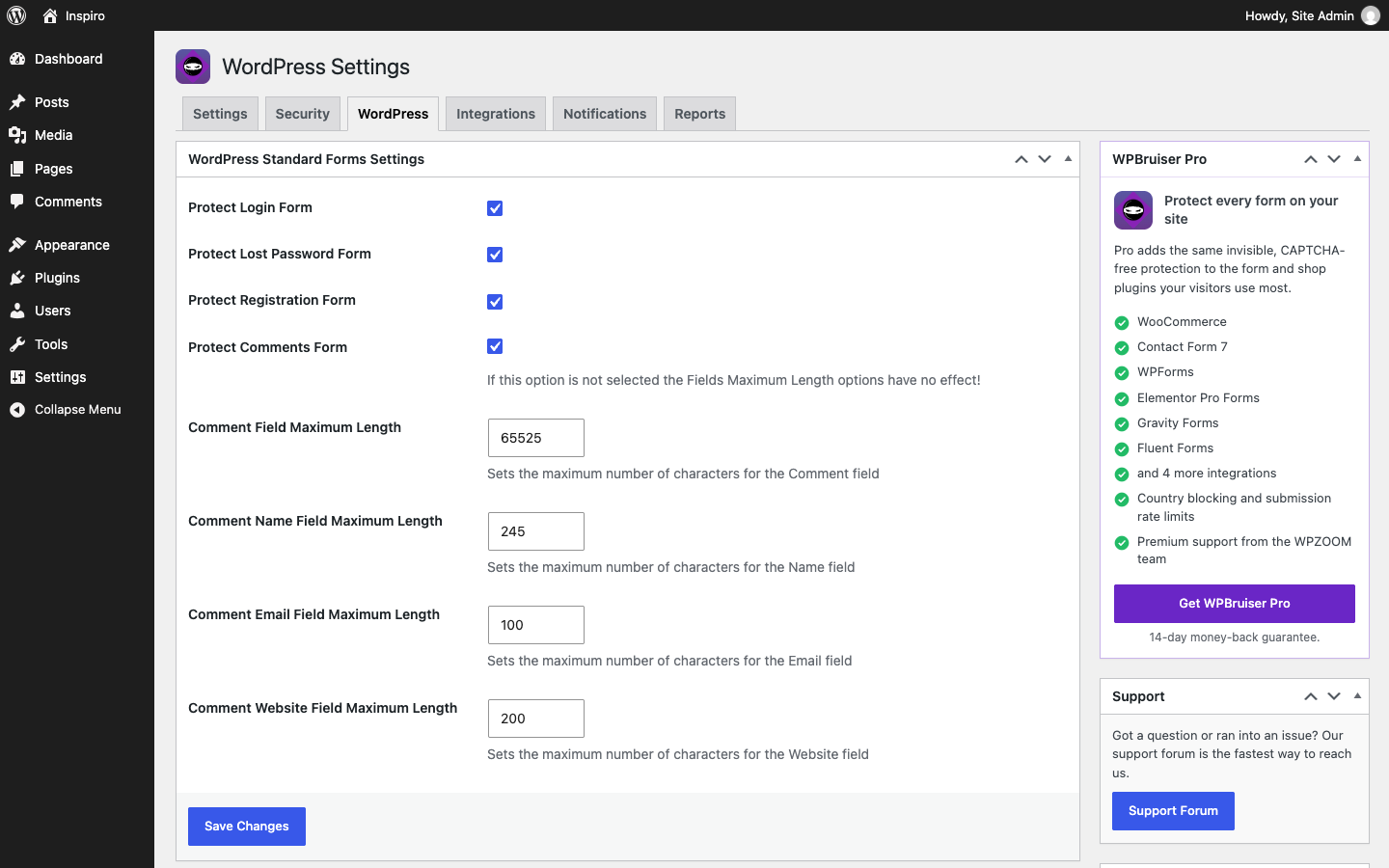
Turn protection on or off for each form on the WordPress and Integrations screens:
- WordPress login
- WordPress registration
- WordPress lost password
- WordPress comments, with an optional character limit for the comment, name, email and website fields
Free integrations
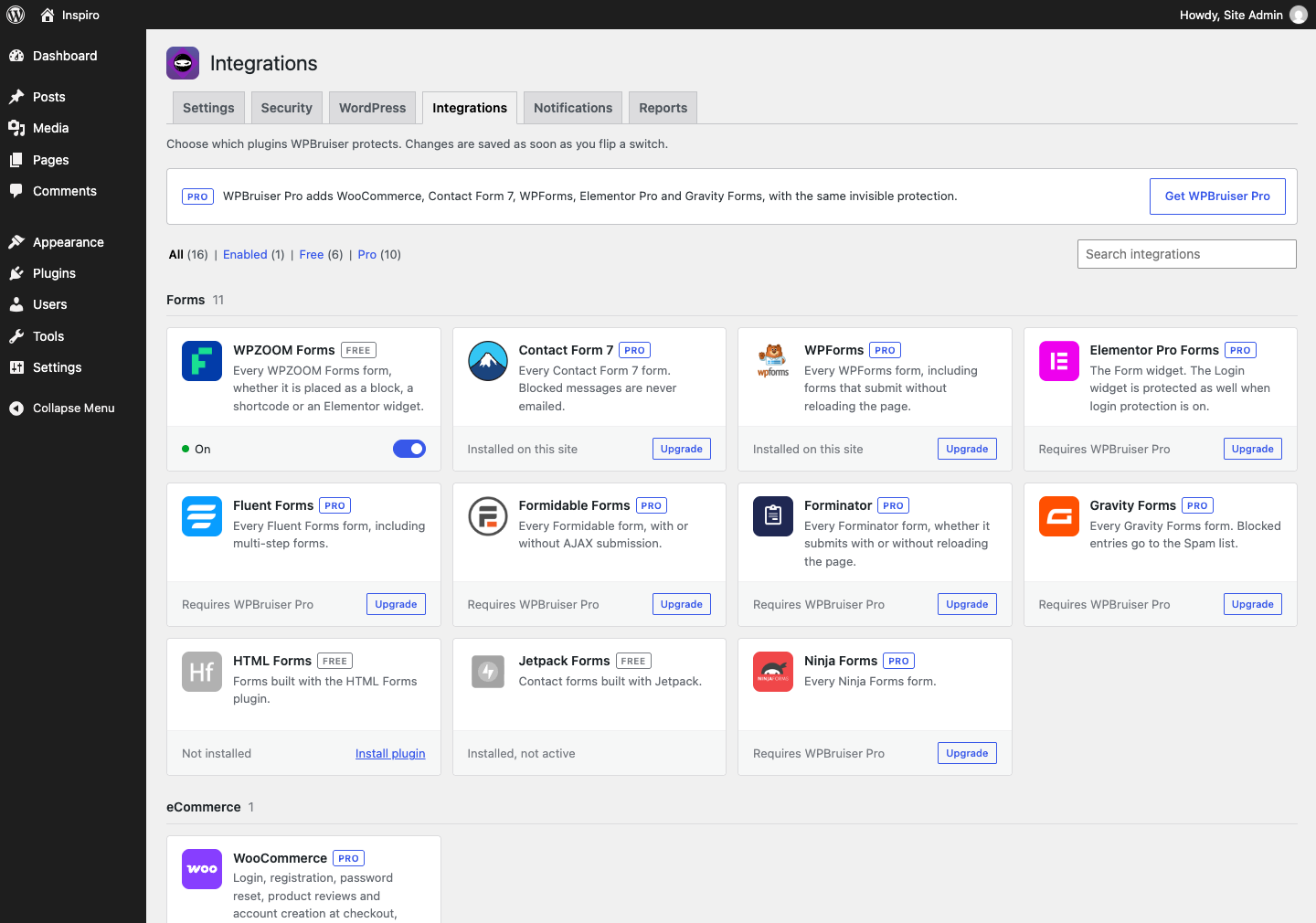
Each integration is a card on the Integrations screen, which shows whether its plugin is active on your site and has one switch to turn protection on. On a new install, protection is switched on for every supported plugin that is already active. Login With Ajax and wpDiscuz need no switch of their own: they are covered by the WordPress login and comment protection.
- WPZOOM Forms: every form you build with it, placed as a block, a shortcode or an Elementor widget
- Ultimate Member: login, registration and password reset forms
- WP-Members: login and registration forms
- Login With Ajax: its AJAX login, registration and lost password forms
- Jetpack: the Jetpack contact form
- MC4WP: Mailchimp for WordPress: every sign-up form you build with it
- HTML Forms: every form you build with it
- wpDiscuz: comments posted through its AJAX comment system
Using Contact Form 7, WPForms, WooCommerce, Easy Digital Downloads, Elementor Pro, Gravity Forms or another popular form plugin? WPBruiser Pro protects them too. See “WPBruiser Pro” below.
Brute-force and hardening tools
- Limits failed logins: after 5 failed logins (you choose the number) an IP address is locked out for 20 minutes, and for a day if it keeps coming back. Covers the login form, XML-RPC, application passwords and the login forms of WooCommerce, Easy Digital Downloads and other plugins, with a list of current lockouts and a Release button
- Bans usernames such as “admin” and “root”: an IP address that tries one that no account uses is locked out at once
- Optional lockdown mode: during a detected attack, accepts logins only from IP addresses each user has logged in from before
- Moves the login page to an address of your choice, so wp-login.php and wp-admin show a “not found” page to visitors
- Closes the REST API to visitors who are not logged in, with a list of plugin namespaces that stay open
- Turns off application passwords, and stops PHP files in the uploads folder from running
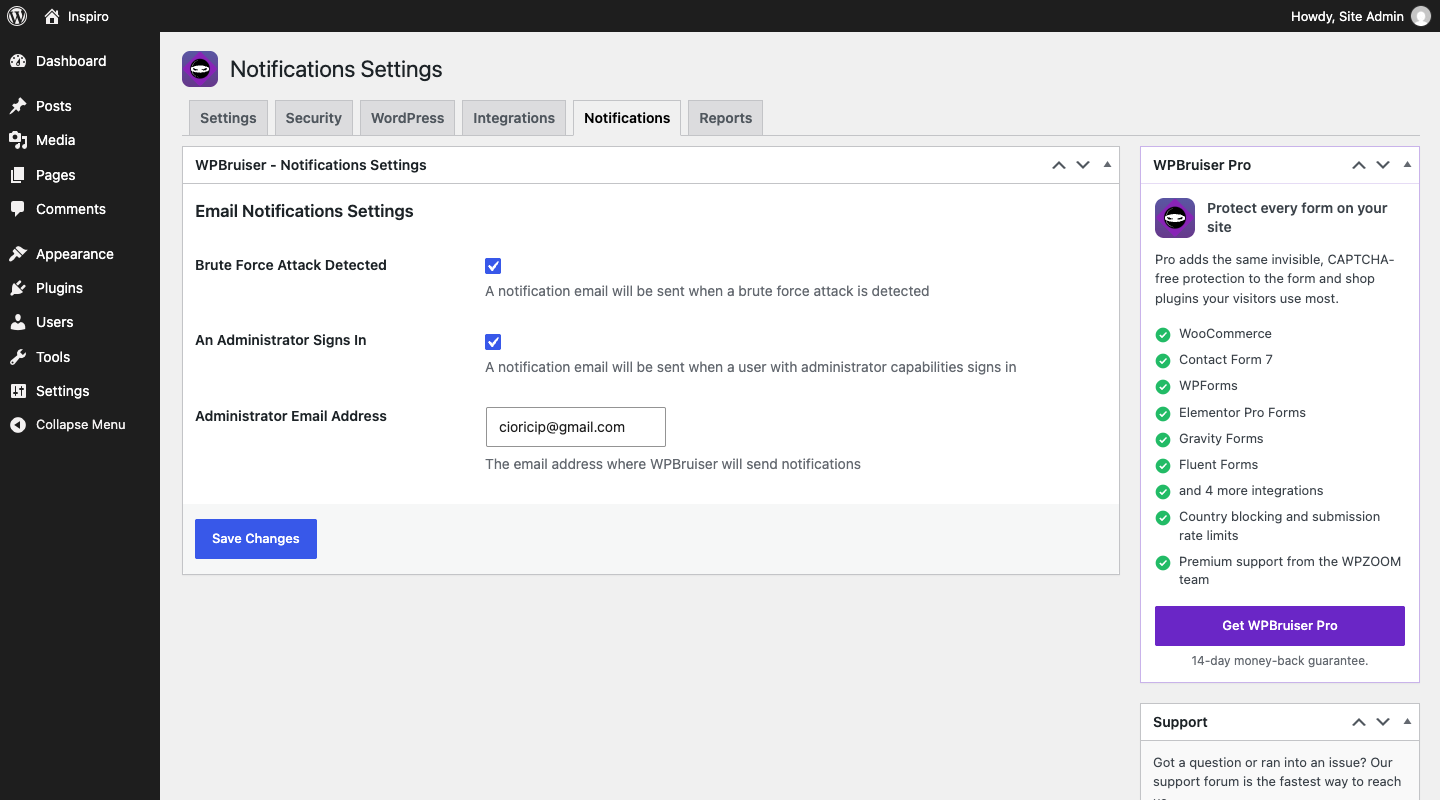
- Detects a login brute-force attack in progress and can email you when one starts
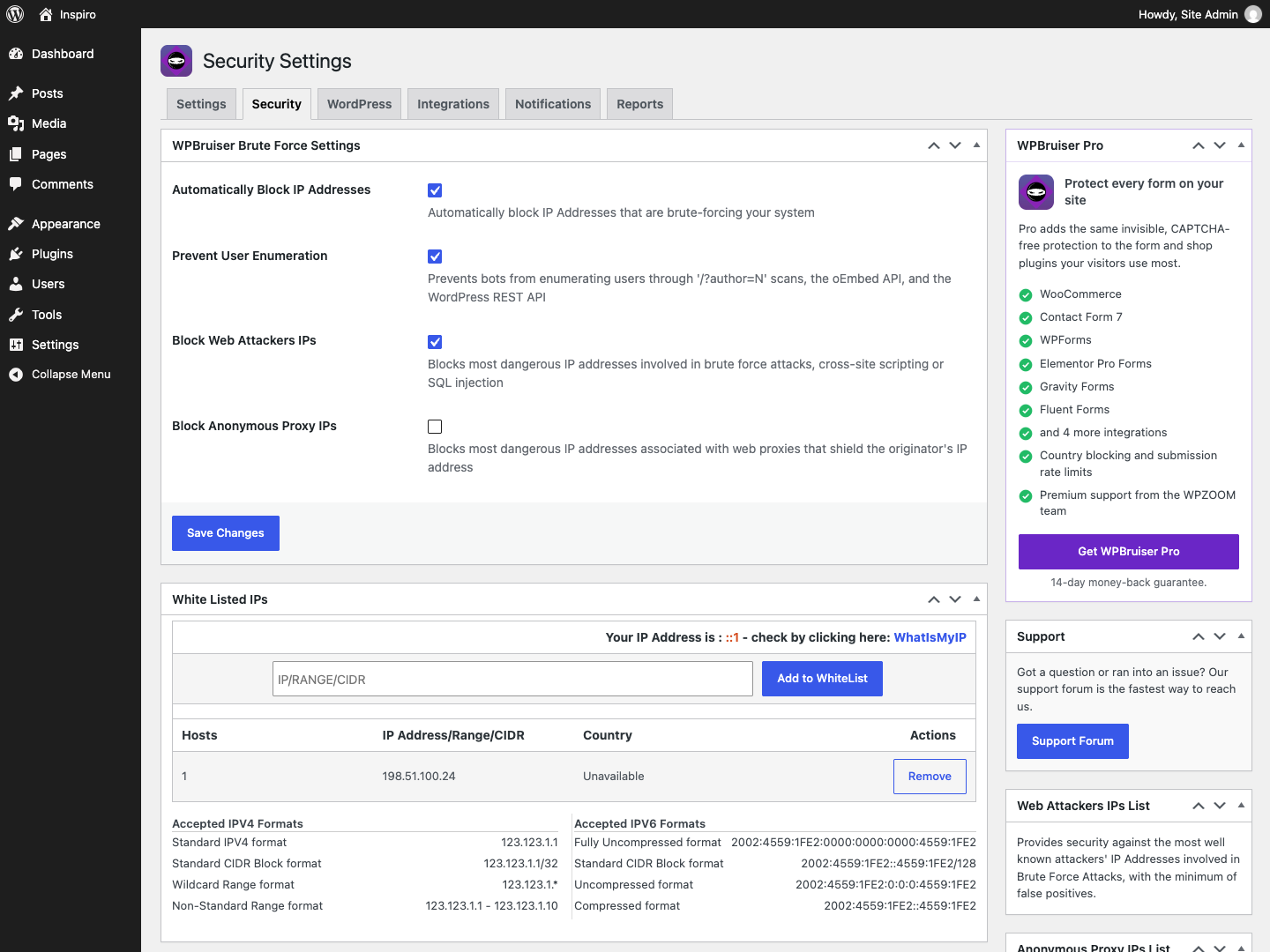
- Automatically blocks IP addresses that keep hammering your login
- Optionally rejects login attempts from IP addresses on the bundled lists of known web attackers and anonymous proxies, including Tor exit nodes
- Stops user enumeration through
/?author=Nscans, the oEmbed endpoint and the REST API - Turns off XML-RPC completely (Jetpack’s own XML-RPC requests are still allowed), or removes only the pingback methods
- Sends an email whenever an account with administrator rights signs in
- Hides the WordPress version and removes the RSD and Windows Live Writer header links
- Hides the website field and the notes text on the comment form
IP address management
- Allow list and block list for single addresses and ranges, IPv4 and IPv6
- Finds the visitor’s real IP address behind CloudFlare, Incapsula, Amazon CloudFront, AWS ELB, Rackspace and Sucuri, and lets you register other trusted proxy headers
Reports
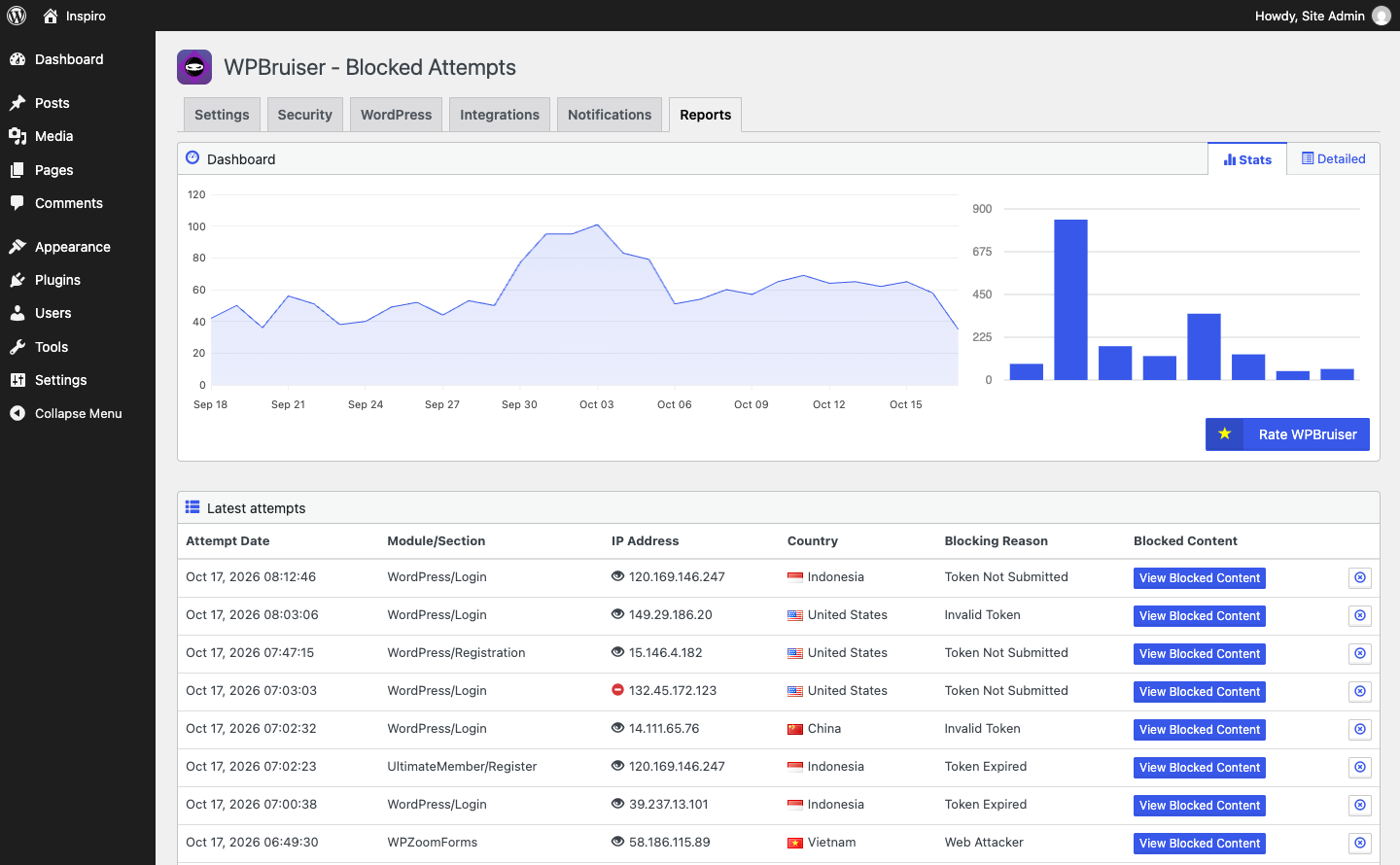
- Every blocked attempt is logged to a database table of its own
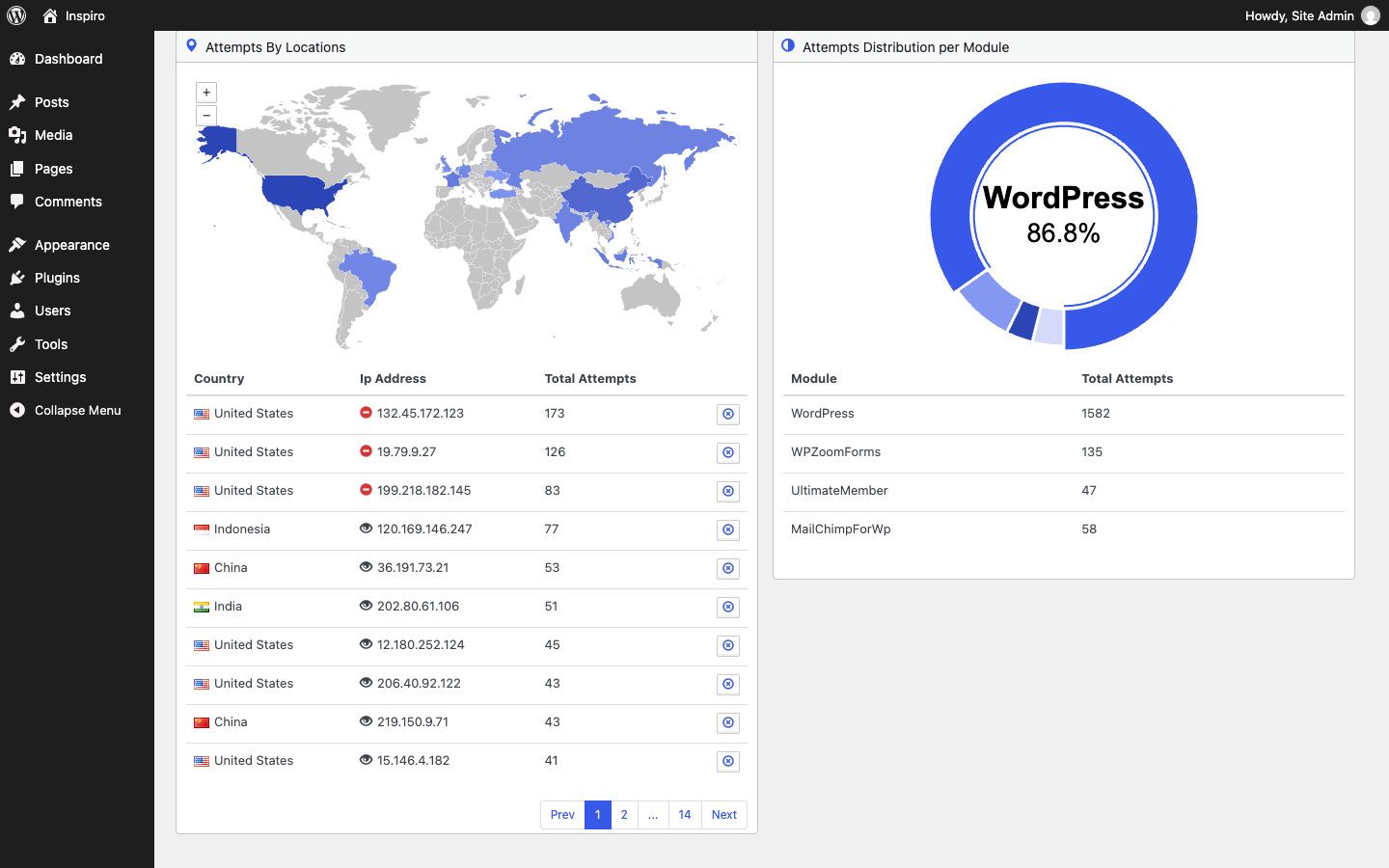
- Charts show which forms are attacked most, and a world map shows where attempts come from (the country lookup is done locally)
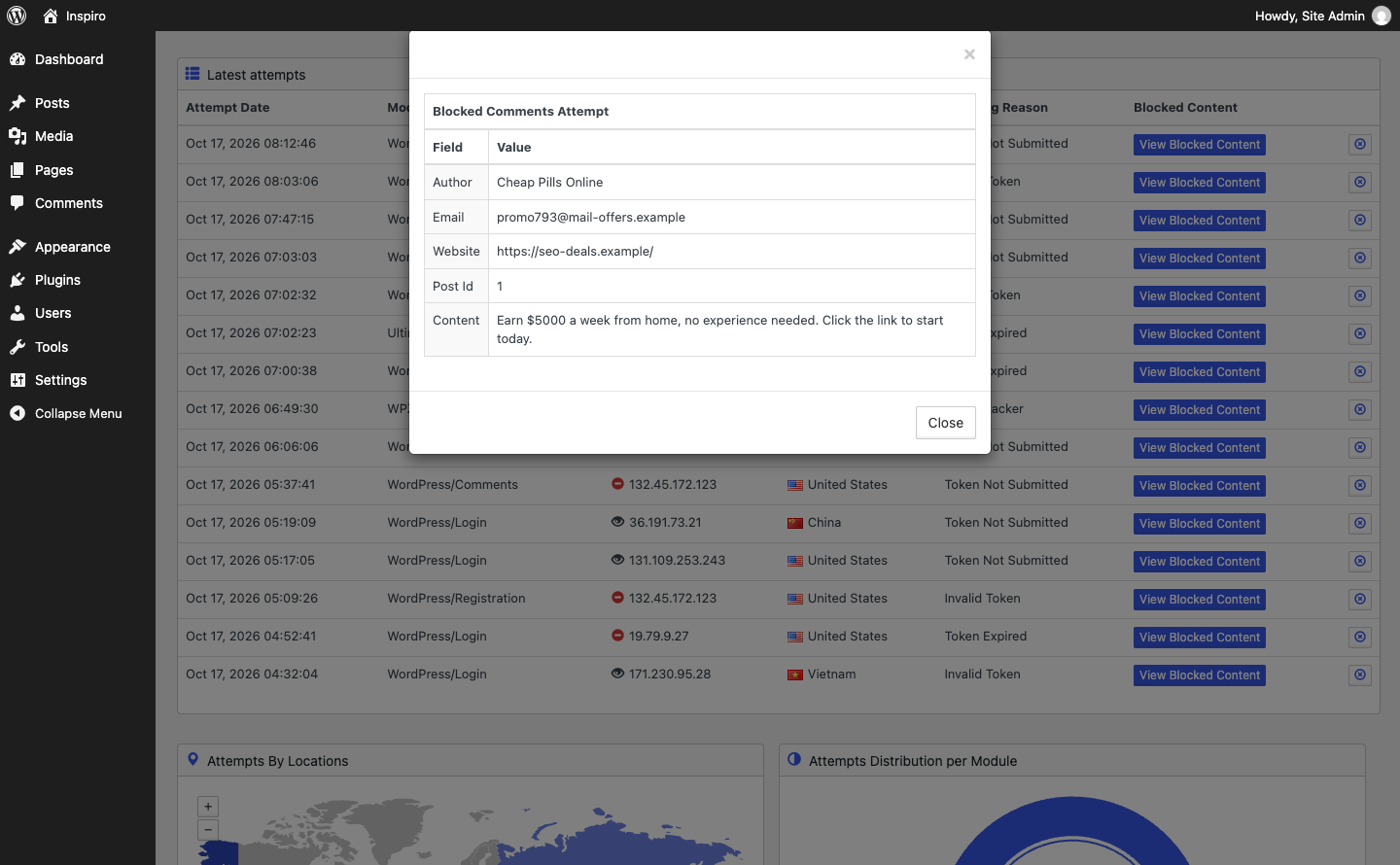
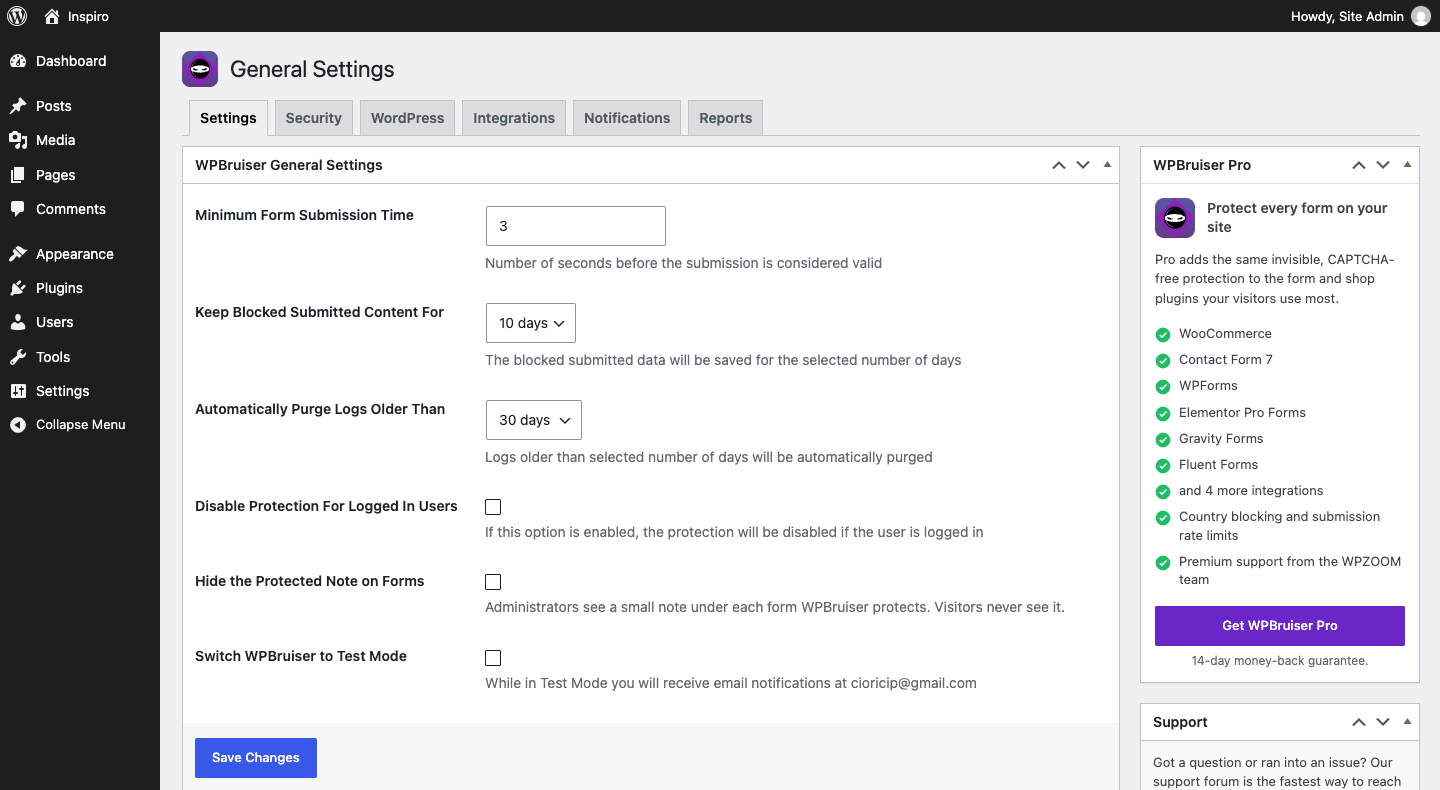
- See the submitted content of a blocked attempt (optional, kept for the number of days you choose)
- Block or unblock an address straight from the reports screen
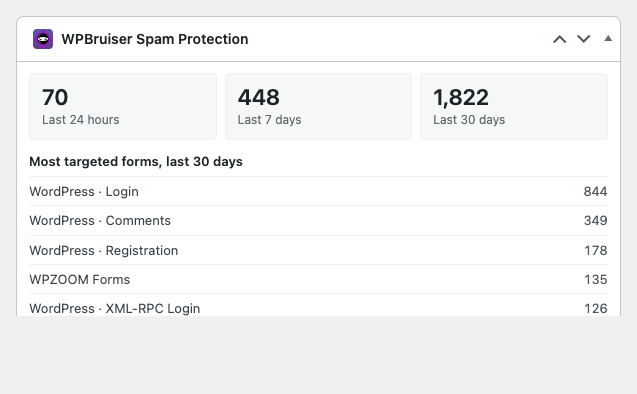
- A Dashboard widget with blocked attempts for the last day, week and month, and the forms bots target most
- A weekly or monthly security report by email: what was blocked, the usernames bots tried, and anything that needs your attention
- A weekly check of your plugins against WordPress.org, with a warning for any that were closed (often for a security issue) or abandoned, on the Plugins screen and in Site Health
- Old log entries are deleted automatically after the number of days you choose, or you can turn logging off
Everyday details
- Administrators see a small “protected” note under every form WPBruiser covers, so it is easy to check what is protected (visitors never see it)
- Test Mode, which emails you about every check so you can confirm protection works before you rely on it
- Network admin screens for WordPress Multisite
- Works with full-page caching: the token is requested fresh on every page view
- The front-end script is a single small file, loaded deferred so it doesn’t hold up page rendering
WPBruiser Pro
WPBruiser Pro is an add-on from WPZOOM that brings the same invisible check to the form, shop and newsletter plugins most sites run on. It adds its integrations to the Integrations screen you already know, so there is nothing new to learn, and it keeps every check on your own server.
Form builders
- Contact Form 7: blocked messages are marked as spam, so no email is sent
- WPForms (Lite and Pro): blocked submissions stop before an entry is saved or a notification goes out, with or without AJAX submission
- Elementor Pro Form widget, and the Login widget whenever login protection is on
- Gravity Forms: blocked entries go to the form’s Spam list
- Fluent Forms, including multi-step forms
- Forminator forms, with or without AJAX submission
- Ninja-Formen
- Formidable Forms (Lite and Pro), with or without AJAX submission
Shop and newsletters
- WooCommerce: login (on My Account and at checkout), registration, lost and reset password, product reviews, and account creation at checkout on both the classic checkout and the Checkout block
- Easy Digital Downloads 3.0+: login, registration and lost password forms, login and account creation at checkout, and optional card-testing protection that checks every purchase
- MailPoet subscription forms wherever they appear: widgets, blocks, shortcodes, pop-ups, slide-ins, fixed bars and below posts. No subscriber is created and no confirmation email is sent for a blocked sign-up.
Sicherheit
- Country blocking: reject submissions from the countries you choose, or accept them only from the countries you choose. Countries are looked up locally with current IP-to-country data that ships with each release, plus Cloudflare’s country header on sites behind Cloudflare. Submissions from unknown countries are never rejected, and the screen warns you if your own country would be blocked.
- Submission rate limits: limit how many protected forms one IP address can submit in a time window (5 every 10 minutes by default). Administrators and IP addresses on your allow list are never limited, and rejected submissions show up in Reports as “Too Many Submissions”.
Also included
- Every Pro integration is switched on automatically for the plugins you already use, on first activation and after each update
- Blocked attempts from every integration appear in the same Reports screen and Dashboard widget, with the submitted content when you keep it
- Updates and priority support from the WPZOOM team, with a 14-day money-back guarantee
- An active license switches the Pro features on; if it expires, they keep working for 14 more days, then the site keeps the free protection until you renew
Compare free and Pro, and see the plans
Externe Dienste
All spam and bot detection happens on your server. WPBruiser collects no telemetry, runs no license or update checks of its own and loads no third-party fonts or scripts, and the IP reputation and country data it uses ship inside the plugin. Nothing about your visitors is ever sent anywhere.
The one external service is the WordPress.org plugin directory, for the plugin check:
- What is sent: the folder names of the plugins installed on your site (for example “contact-form-7”), one request per plugin, to api.wordpress.org. Plugins with an Update URI pointing somewhere other than WordPress.org are not sent. WordPress itself already sends this list to WordPress.org to check for updates.
- When: about once a week per plugin, from the daily WP-Cron event, and when you open WPBruiser’s Checkup screen or Tools > Site Health.
- Why: to find plugins that WordPress.org has closed or that haven’t been updated in over two years.
- You can turn it off with
add_filter( 'wpbruiser_plugin_health_enabled', '__return_false' );. - WordPress.org privacy policy.
Unterstützen
Found a bug or have a question? Start a topic on the WordPress.org support forum. It helps us a lot if you include your WordPress and PHP versions, the form or plugin involved, and the steps that reproduce the problem.
Copyright
WPBruiser, Copyright (C) 2014-2018 Mihai Chelaru.
Modifications and continued development, Copyright (C) 2026 WPZOOM.
WPBruiser (formerly GoodBye Captcha) was originally created by Mihai Chelaru and is distributed under the terms of the GNU General Public License, version 2 or (at your option) any later version. The original author’s copyright notices are kept in the source files.
WPBruiser bundles the following third-party resources, each under its own license:
- phpCrypt, Copyright (C) 2005 Ryan Gilfether (GPLv3 or later)
- phpseclib 0.3.10 (BigInteger), Copyright Jim Wigginton (MIT)
- Bootstrap 3.4.1 and Glyphicons Halflings, Copyright Twitter, Inc. (MIT)
- Flot 0.8.3, Copyright IOLA and Ole Laursen (MIT)
- flot.tooltip 0.8.5, Krzysztof Urbas and Evan Steinkerchner (MIT)
- jVectorMap 1.2.2, Copyright Kirill Lebedev (MIT)
- Raphaël 2.3.0, Copyright Dmitry Baranovskiy (MIT)
- morris.js 0.5.1, Copyright Olly Smith (BSD-2-Clause)
- Multiselect 2.2.6, Copyright Adrian Crisan (MIT)
The Integrations screen shows the icons the integrated plugins publish on WordPress.org (Gravity Forms: the icon of its official Gravity Forms CLI add-on). Plugin names and logos are trademarks of their owners and are used only to identify the integrations.
Installation
From your dashboard
- In the WordPress admin, open Plugins > Add Plugin.
- Search for “WPBruiser”, then click Install Now and Activate.
Manually
- Download the plugin ZIP from WordPress.org.
- Either upload it under Plugins > Add Plugin > Upload Plugin, or extract it and copy the
goodbye-captchafolder intowp-content/plugins/on your server. - Activate WPBruiser on the Plugins screen.
First steps after activating
- Open the new WPBruiser item in the admin menu.
- On the WordPress screen, check that the login, registration, lost password and comment forms are protected (they are on a new install).
- On the Integrations screen, switch on protection for any supported plugin you use. Integrations for plugins that are already active are switched on for you on a new install.
- Optionally, turn on Test Mode, submit your forms yourself and check the notification emails. Turn Test Mode off when you’re done.
- If your site is behind a reverse proxy or CDN that isn’t detected automatically, add its header under trusted proxy headers so the correct visitor IP is logged.
On a Multisite network, activate the plugin network-wide and manage it from the Network Admin.
Änderungsprotokoll
3.7.0
- Improved: each anti-spam token now works for one submission only, so a script can no longer copy one token and send a form over and over with it. The page fetches a new token after every submit, so visitors can still retry after an error or send a second message without reloading.
- Improved: tokens now expire after three hours. Pages left open longer get a new token automatically. Developers can change the lifetime with the
wpbruiser_token_max_agefilter. - New: a “Token Already Used” reason in Reports for replayed submissions.
3.6.4
- Fixed: if the plugin’s log table was missing (for example after a site migration), every form submission wrote a database error to the error log. The table is now recreated automatically.
3.6.3
- Security: a successful login no longer cleared every failed login recorded for that IP address, so someone with any account could log in to it between guesses at another account’s password and never be locked out. Failed logins are now counted per account as well, and a login forgets only that account’s failures.
- Security: failed logins against one account are now also counted across all IP addresses, so guesses spread over several addresses still reach the lockout.
3.6.2
- Fixed: more text couldn’t be translated: the Reports screen (box titles, table headers, chart labels and tooltips, the map tooltip, “No records found”, Previous/Next and the block menu) and the allowed and blocked IP lists (the accepted formats and “Your IP Address is”). Chart dates now use the site language’s month names.
- Fixed: with no blocked attempts, the Reports pagination showed a page “0”.
- Fixed: the remaining English-only text can now be translated: the three alert emails, country names (in Reports, the IP lists and the security report), the “Brute Force” and “Country Blocking” names, the XML-RPC “disabled” message apps see, and “N/A”. Dates in Reports and in the alert emails now follow the site’s language and date format, and the Test Mode help box is written as whole sentences translators can reorder.
- Fixed: deleting the original WPBruiser Pro (sold on CodeCanyon until 2019) also deleted the current plugin’s settings and blocked-attempt logs, because both share them. They are now kept.
- Fixed: deleting WPBruiser and the original WPBruiser Pro together could stop with a PHP error.
- For developers: new filter
wpbruiser_module_display_name, so add-ons can translate their module names. - New: a notice when the original WPBruiser Pro is still installed. It bundles an old copy of WPBruiser and is no longer needed, so it can be deactivated and deleted.
3.6.1
- Fixed: with Ultimate Member 2.6.7 or later, every login through an Ultimate Member form was refused once its protection was on. Ultimate Member moved the form’s details to a second argument of its validation hooks; WPBruiser now reads them from there (and still works with older versions). A refused submission shows Ultimate Member’s own error notice. Thanks to Mykyta Synelnikov of the Ultimate Member team for the patch and the pointers.
- Fixed: on a translated site, links to WPBruiser’s screens (on the Checkup screen, in the security report and on the Dashboard widget) led to “Sorry, you are not allowed to access this page”. The screens’ addresses were built from their translated names; they now stay the same in every language (
wp-bruiser-settingsand so on), and old translated addresses redirect to the new ones. - Fixed: on the Settings screen, the number of days in the log settings and most of the text in the Trusted Proxy Headers box couldn’t be translated.
3.6.0
- New: Checkup screen. One page with everything that needs your attention, every WPBruiser protection grouped by area with whether it’s on and a link to turn it on, and the status of each installed plugin on WordPress.org.
- New: plugin check. Once a week WPBruiser looks up your installed plugins on the WordPress.org plugin directory and warns you about any that were closed (often for a security issue) or haven’t been updated in over two years. Closed plugins no longer get security fixes, and even an inactive one can be a way in. You’ll find them on the Checkup screen, under the plugin on the Plugins screen, in Site Health, on the Dashboard widget and in the security report. Premium and custom plugins that aren’t in the directory are skipped.
- Improved: the security report also says when other plugins have updates waiting.
- New: a Preview email button next to “Send a test report”, which opens the report in a new tab.
- For developers: new filters
wpbruiser_plugin_health_enabled, to turn the plugin check off, andwpbruiser_checkup_protections, to add to the Checkup screen’s list.
Screenshots
Für Entwickler
Ist das dein Plugin? Zeigen Sie die Zahlen.
Fügen Sie Ihrer Website, Docs oder GitHub Readme ein Live-Badge hinzu. Es wird von selbst aktualisiert - kein Konto erforderlich.
Best WPBruiser Security alternatives
Alle Anti-Spam-Plugins →





Fragen und Antworten
WPBruiser Security: quick answers
Gerade Antworten, gezogen von Live WordPress.org Daten.
Quelle: WordPress.org
Is WPBruiser Security free?
Yes. WPBruiser Security is free to download and use from the official WordPress.org plugin directory.
Is WPBruiser Security safe to use in 2026?
Yes — WPBruiser Security is a safe, well-maintained plugin to use in 2026. It runs on 10K+ sites, is rated 4.6/5 and was last updated 2 weeks ago, and scores 92/100 on our health check.
How many websites use WPBruiser Security?
WPBruiser Security is active on 10K+ WordPress websites and has been downloaded 739,376 times since it launched in September 2014. It was downloaded 18,446 times in the last 30 days.
Does WPBruiser Security work with WordPress 7.1?
Yes. The developer has tested WPBruiser Security up to WordPress 7.1.5, the latest release. It requires WordPress 6.5 or newer.
What PHP version does WPBruiser Security need?
WPBruiser Security requires PHP 7.4 or higher. Most hosts run PHP 8.x today, so it works on any modern WordPress hosting.
When was WPBruiser Security last updated?
The latest version, 3.7.0, was released on November 14, 2026 (2 weeks ago).
Who makes WPBruiser Security?
WPBruiser Security is developed and maintained by WPZOOM.
What are the best alternatives to WPBruiser Security?
The most popular alternatives to WPBruiser Security are Akismet Anti-spam: Spam Pro… (5M+ installs), Antispam Bee (700K+ installs) and WP Armour (400K+ installs).
Angetrieben von PageForge
Eine Vorlage und eine Tabelle. Eine echte Seite für jede Suche.
PageForge Verwandelt jede Zeile eines CSV in eine WordPress-Seite mit eigenem Titel, URL, SEO Felder und Schema entworfen. Kostenlos auf WordPress.org.
- CSV und XLSX, plus Google Sheets auf Beruf und Unternehmen
- seinen eigenen Titel, URL, SEO Felder und Schema für jede Seite
- Arbeitet mit dem Blockeditor, Elementor, Divi und Avada
- Kostenlos auf WordPress.org, keine Kreditkarte