


Culprit – Conflict Detection
Find the plugin or theme that broke your site. Culprit catches fatal errors and white screens and names the culprit in plain English.

Mit Vorsicht verwenden
Culprit – Conflict Detection works, but test it on a staging site before relying on it in 2026. Was last updated 4 months ago, and scores 49/100 on our health check.
- Kleine Benutzerbasis (<10 aktive Installationen)
- Bisher sehr wenige Bewertungen
Wie stapelt es sich?
Side-by-side bei Installationen, Updates, Bewertungen und Support


Tägliche Downloads
Download-Spitzen folgen normalerweise einer neuen Version - jede Website, die automatisch aktualisiert wird, gilt als Download.
Ranglisten
Where Culprit – Conflict Detection stands todayWordPress.org Ranglisten suchen
Live-Position in der Plugin-Suche, Top 100| Stichwort | Position |
|---|---|
| conflict | >100 |
| debug | >100 |
| fatal error | >100 |
| troubleshooting | >100 |
| white screen | >100 |
About Culprit – Conflict Detection
Aus der offiziellen Readme · V1.0.1Beschreibung
When your WordPress site breaks, the first question is always the same: which plugin or theme did it? Culprit answers that.
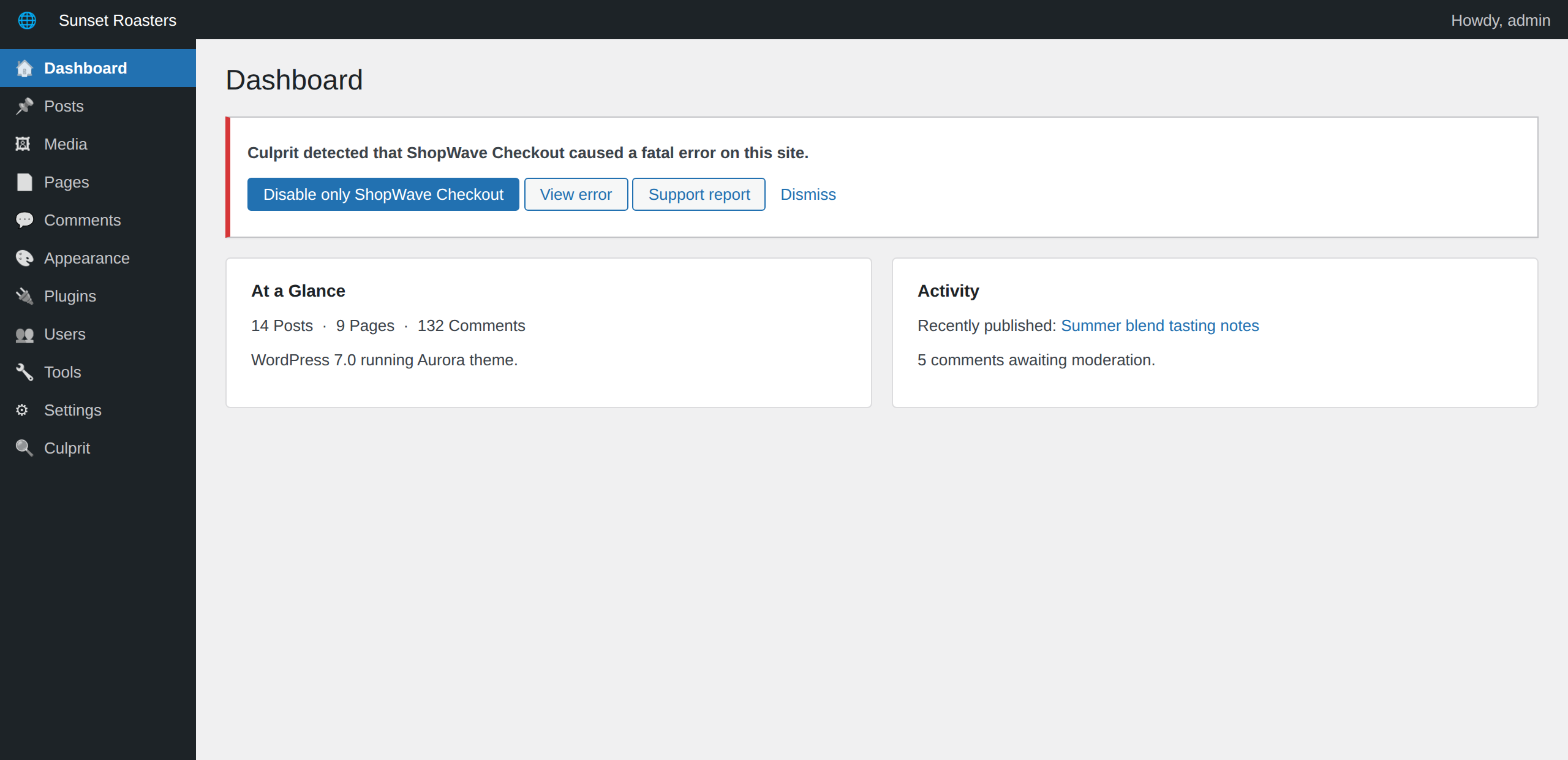
Culprit catches PHP fatal errors and the White Screen of Death the moment they happen, identifies the plugin or theme that owns the failing code, and shows you a clear, readable incident: what broke, when, and how many times. If you choose to enable it, an optional early-boot watcher extends coverage to crashes that occur before plugins load — even when the crash happens so early that you can’t reach your admin.
This is the free core. It runs quietly, costs almost nothing, and never touches your site — it only observes.
What Culprit does (free)
- Catches PHP fatal errors and white screens the moment they happen.
- Optional early-boot watcher (explicit opt-in) that also catches crashes occurring before plugins load.
- Identifies the plugin or theme responsible for the failing file.
- Shows recent changes around the time of the crash for context.
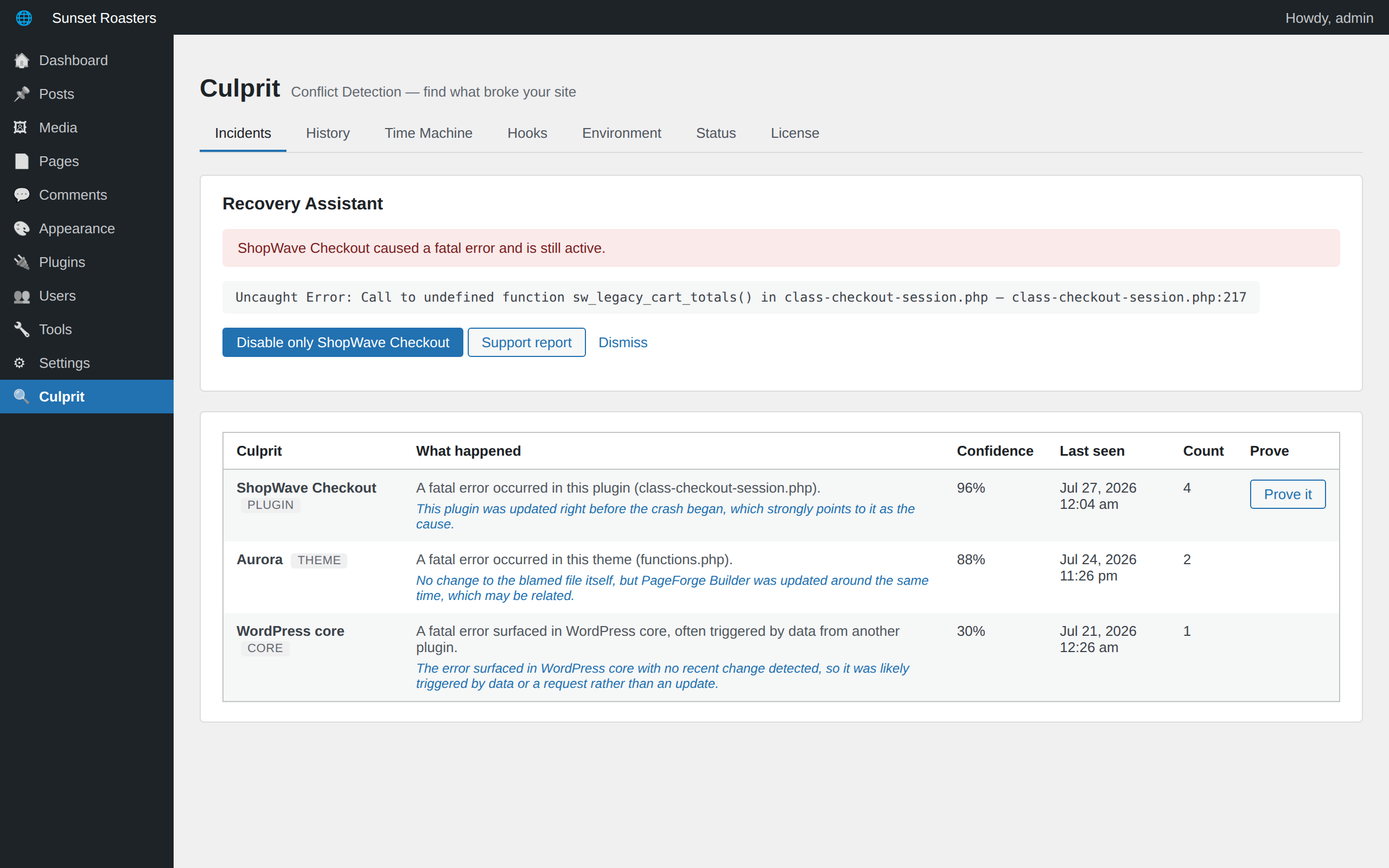
- Lists incidents with the culprit, time, and occurrence count.
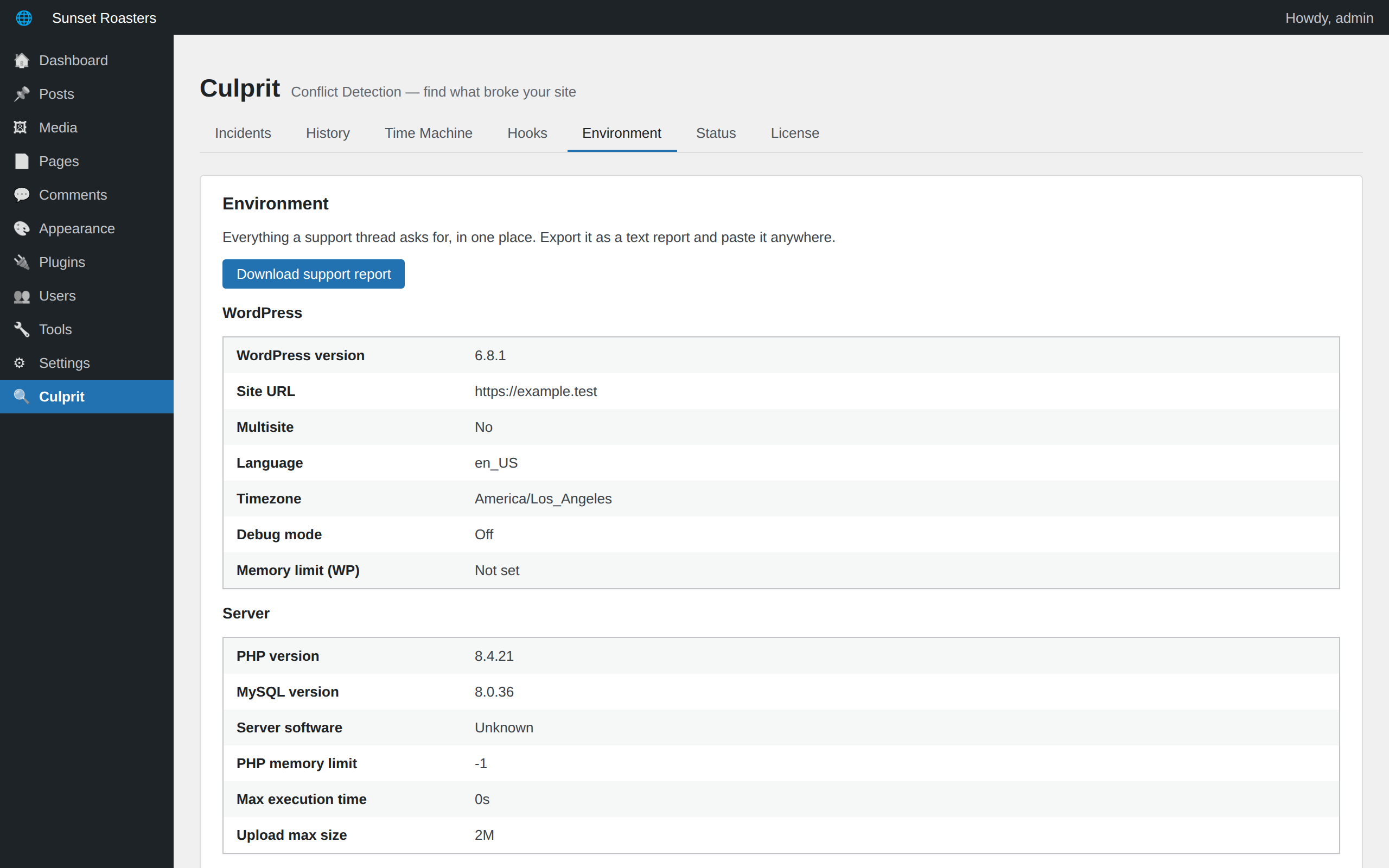
- Environment report — WordPress, PHP, database, server, theme, and plugin versions in one place, exportable as a support report.
- Reports the watcher’s health, with a graceful fallback if your host restricts the mu-plugins directory.
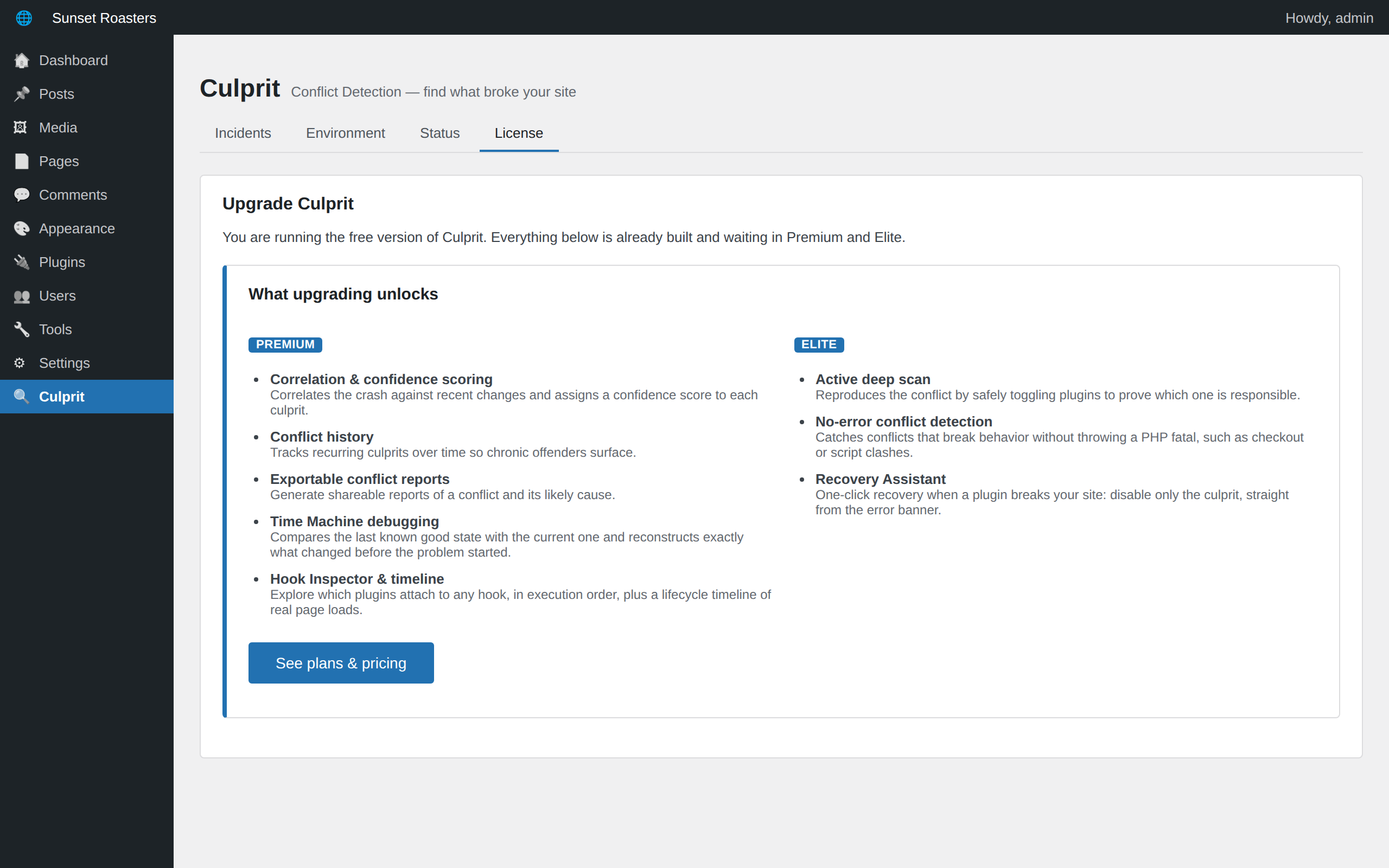
Premium (available at manicsoup.com)
- Correlation and confidence scoring — see what changed right before the crash.
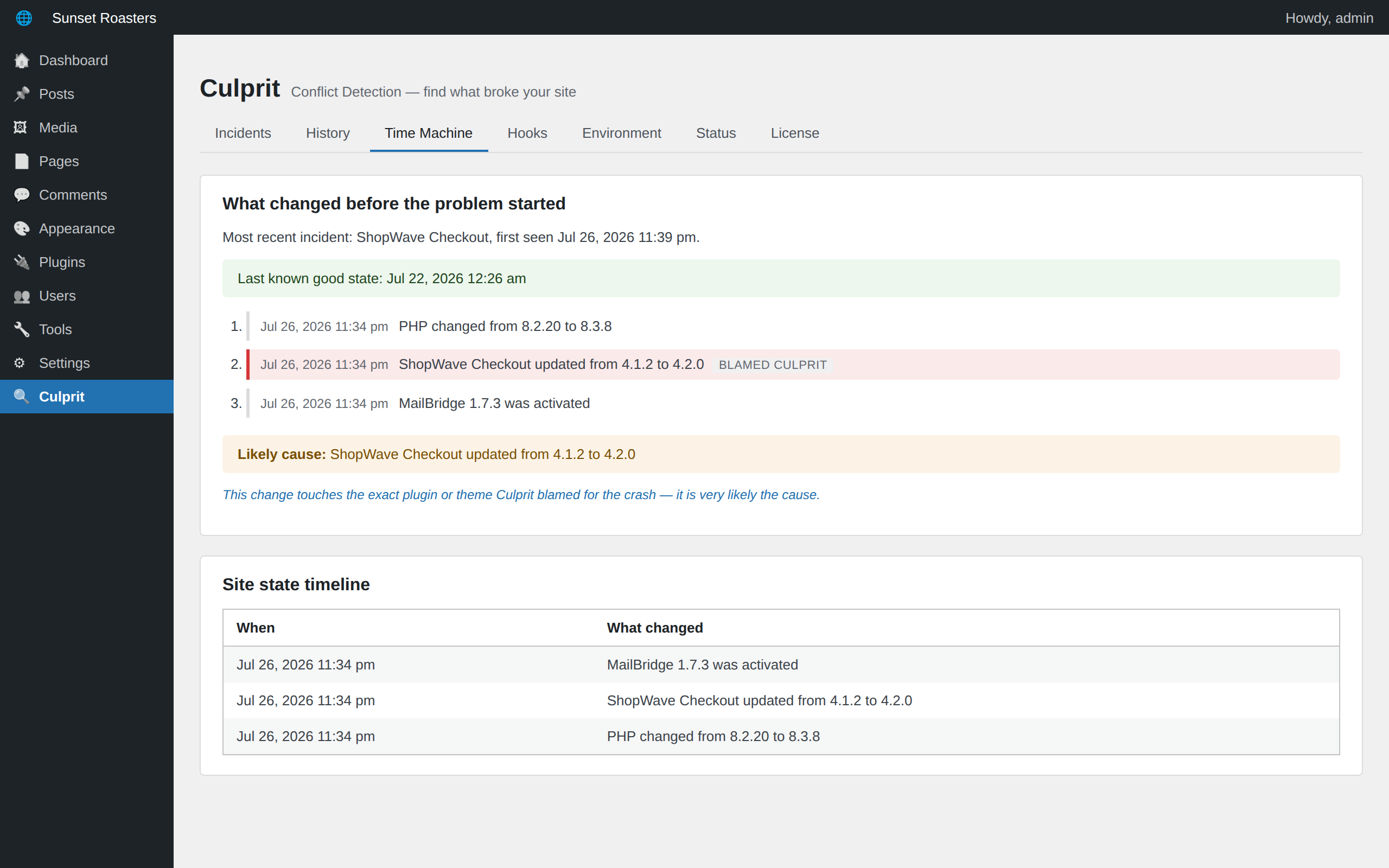
- Time Machine debugging — compare the last known good state with today and see exactly what changed before the problem started.
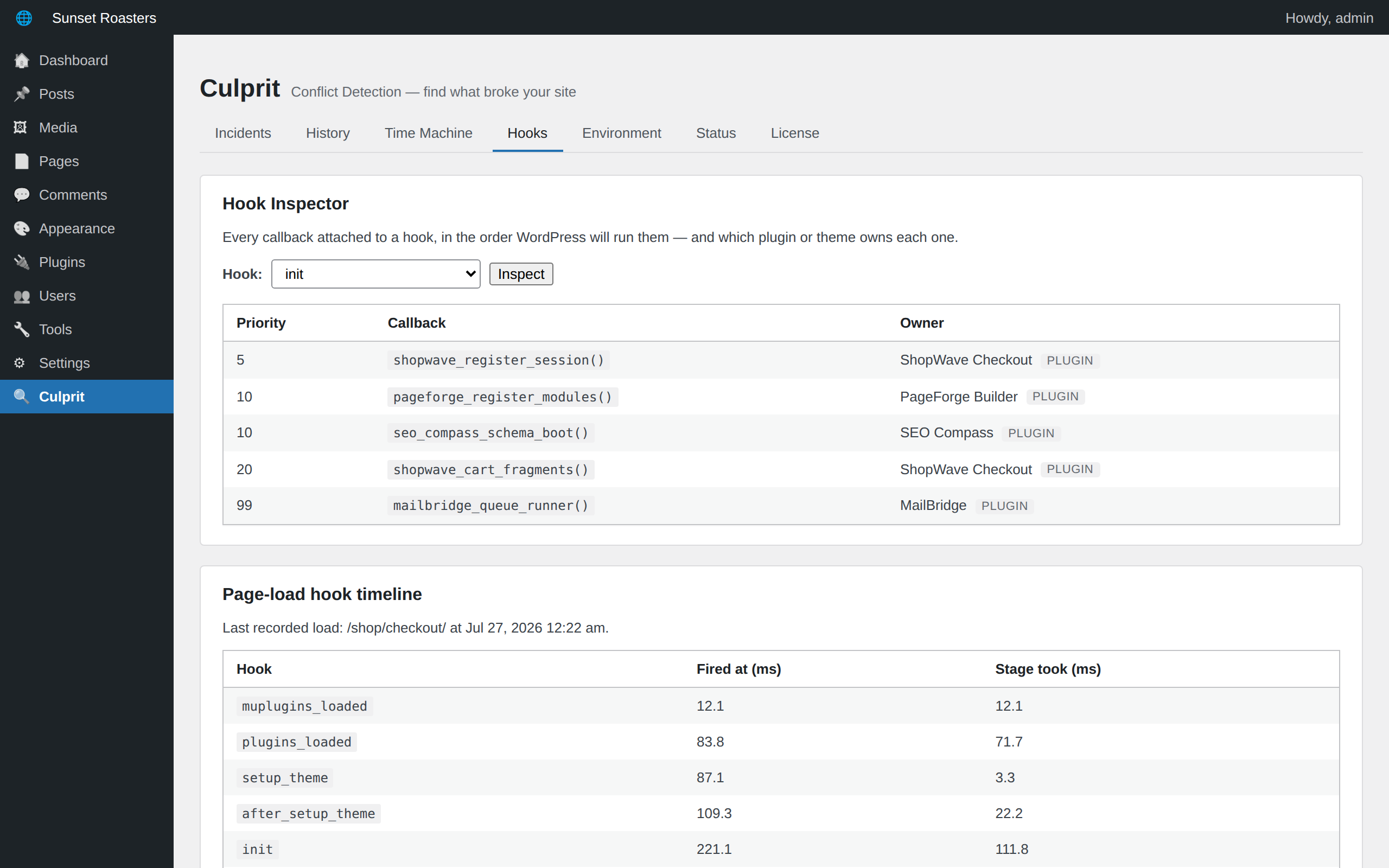
- Hook Inspector — see which plugins attach to any hook, in execution order, plus a lifecycle timeline of real page loads.
- Conflict history to surface chronic offenders.
- Exportable conflict reports.
Elite
- Active deep scan — prove the culprit by safely reproducing the conflict.
- Recovery Assistant — one-click recovery that disables only the plugin that broke your site.
- Detect conflicts that break behavior without throwing an error.
Installation
- Upload the plugin to
/wp-content/plugins/culpritor install it through the Plugins screen. - Activate it. Crash capture works immediately, no setup required.
- Optionally, enable the early-boot watcher on the Culprit → Status screen to also catch crashes that happen before plugins load.
- Visit the Culprit menu to see detected incidents.
Änderungsprotokoll
1.0.1
- The early-boot watcher is now an explicit opt-in on the Status screen; nothing is written outside the plugin folder without your action, and the standard crash handler is always active.
- Crash captures now live in a protected, unpredictably-named file in the uploads directory, resolved via wp_upload_dir() with no hard-coded paths.
- Request URLs recorded with a crash are sanitized before being stored.
1.0.0
- First public release.
- Early-boot watcher catches fatal errors and white screens, even when the crash happens before WordPress finishes loading.
- Culprit identification: the plugin or theme that owns the failing code, named in plain English with an honest confidence score.
- Recent-change context around every crash.
- Environment report with a downloadable plain-text support report.
- Premium: correlation & confidence scoring, Time Machine debugging, Hook Inspector & page-load timeline, conflict history, exportable conflict reports.
- Elite: active deep scan that safely reproduces a conflict to prove the culprit, and the Recovery Assistant for one-click recovery.
Screenshots
Für Entwickler
Ist das dein Plugin? Zeigen Sie die Zahlen.
Fügen Sie Ihrer Website, Docs oder GitHub Readme ein Live-Badge hinzu. Es wird von selbst aktualisiert - kein Konto erforderlich.
Best Culprit – Conflict Detection alternatives
All conflict plugins →

Fragen und Antworten
Culprit – Conflict Detection: quick answers
Gerade Antworten, gezogen von Live WordPress.org Daten.
Quelle: WordPress.org
Is Culprit – Conflict Detection free?
Yes. Culprit – Conflict Detection is free to download and use from the official WordPress.org plugin directory.
Is Culprit – Conflict Detection safe to use in 2026?
Culprit – Conflict Detection works, but test it on a staging site before relying on it in 2026. Was last updated 4 months ago, and scores 49/100 on our health check.
How many websites use Culprit – Conflict Detection?
Culprit – Conflict Detection is active on <10 WordPress websites and has been downloaded 288 times since it launched in August 2026. It was downloaded 55 times in the last 30 days.
Does Culprit – Conflict Detection work with WordPress 7.1?
Culprit – Conflict Detection is officially tested up to WordPress 7.0.9, while the latest release is 7.1.5. It may still work, but try it on a staging site first.
What PHP version does Culprit – Conflict Detection need?
Culprit – Conflict Detection requires PHP 7.4 or higher. Most hosts run PHP 8.x today, so it works on any modern WordPress hosting.
When was Culprit – Conflict Detection last updated?
The latest version, 1.0.1, was released on August 6, 2026 (4 months ago).
Who makes Culprit – Conflict Detection?
Culprit – Conflict Detection is developed and maintained by ManicSoup.
What are the best alternatives to Culprit – Conflict Detection?
The most popular alternatives to Culprit – Conflict Detection are Block editor assets filter (10+ installs), Tahhan Conflict Detective (<10 installs) and PreFlight Scanner (<10 installs).
Angetrieben von PageForge
Eine Vorlage und eine Tabelle. Eine echte Seite für jede Suche.
PageForge Verwandelt jede Zeile eines CSV in eine WordPress-Seite mit eigenem Titel, URL, SEO Felder und Schema entworfen. Kostenlos auf WordPress.org.
- CSV und XLSX, plus Google Sheets auf Beruf und Unternehmen
- seinen eigenen Titel, URL, SEO Felder und Schema für jede Seite
- Arbeitet mit dem Blockeditor, Elementor, Divi und Avada
- Kostenlos auf WordPress.org, keine Kreditkarte