


Code Unloader – Unload Unused CSS, JS & Assets Per Page
Unload unused CSS, JavaScript and other plugin assets per page, without code. Fewer HTTP requests, less page weight, safe and reversible unload rules.

Solide Wahl
Code Unloader is a solid plugin choice in 2026, with a few things worth checking first. It runs on 30+ sites, is rated 5/5 and was last updated 2 months ago, and scores 70/100 on our health check.
- Getestet mit dem neuesten WordPress (7.1)
- Kleine Benutzerbasis (30+ aktive Installationen)
- Bisher sehr wenige Bewertungen
Wie stapelt es sich?
Side-by-side bei Installationen, Updates, Bewertungen und Support


Tägliche Downloads
Download-Spitzen folgen normalerweise einer neuen Version - jede Website, die automatisch aktualisiert wird, gilt als Download.
Ranglisten
Where Code Unloader stands todayWordPress.org Ranglisten suchen
Live-Position in der Plugin-Suche, Top 100| Stichwort | Position |
|---|---|
| asset manager | #56 |
| dequeue | #12 |
| unload assets | #2 |
| unload css | #1 |
| unload javascript | #2 |
Versionsübernahme
Anteil aktiver Sites pro Release.
Bewertungsaufschlüsselung
★★★★★★★★★★ 5 from 1 reviews
About Code Unloader
From the official readme · v1.4.12Beschreibung
Code Unloader is a free WordPress asset manager and script manager that lets you unload unused plugin CSS and JavaScript (JS) on selected pages without writing PHP. Unload assets where a page does not need them and keep them everywhere else. Reduce HTTP requests and page weight by loading files only where they are needed, which improves page speed and performance scores, with a one-click kill switch and per-request bypass for quick rollback.
One WordPress.org user unloaded eight JavaScript files and two CSS files from the homepage, reducing it by 634.2 KB and improving PageSpeed from 96 to 99. Results vary by site and depend on which assets can be safely unloaded.
Read the review:
https://wordpress.org/support/topic/very-good-increases-pagespeed/
Common uses
- Unload contact-form CSS and JavaScript from pages without a form
- Stop WooCommerce assets from loading on pages that do not use shop features
- Unload slider, sharing, popup, or page-builder files where they are not needed
- Unload JS and CSS only for mobile visitors, or only for desktop
- Create different asset rules for desktop and mobile visitors
- Apply rules to one URL, a group of URLs, post types, or conditional page types
Wie es funktioniert
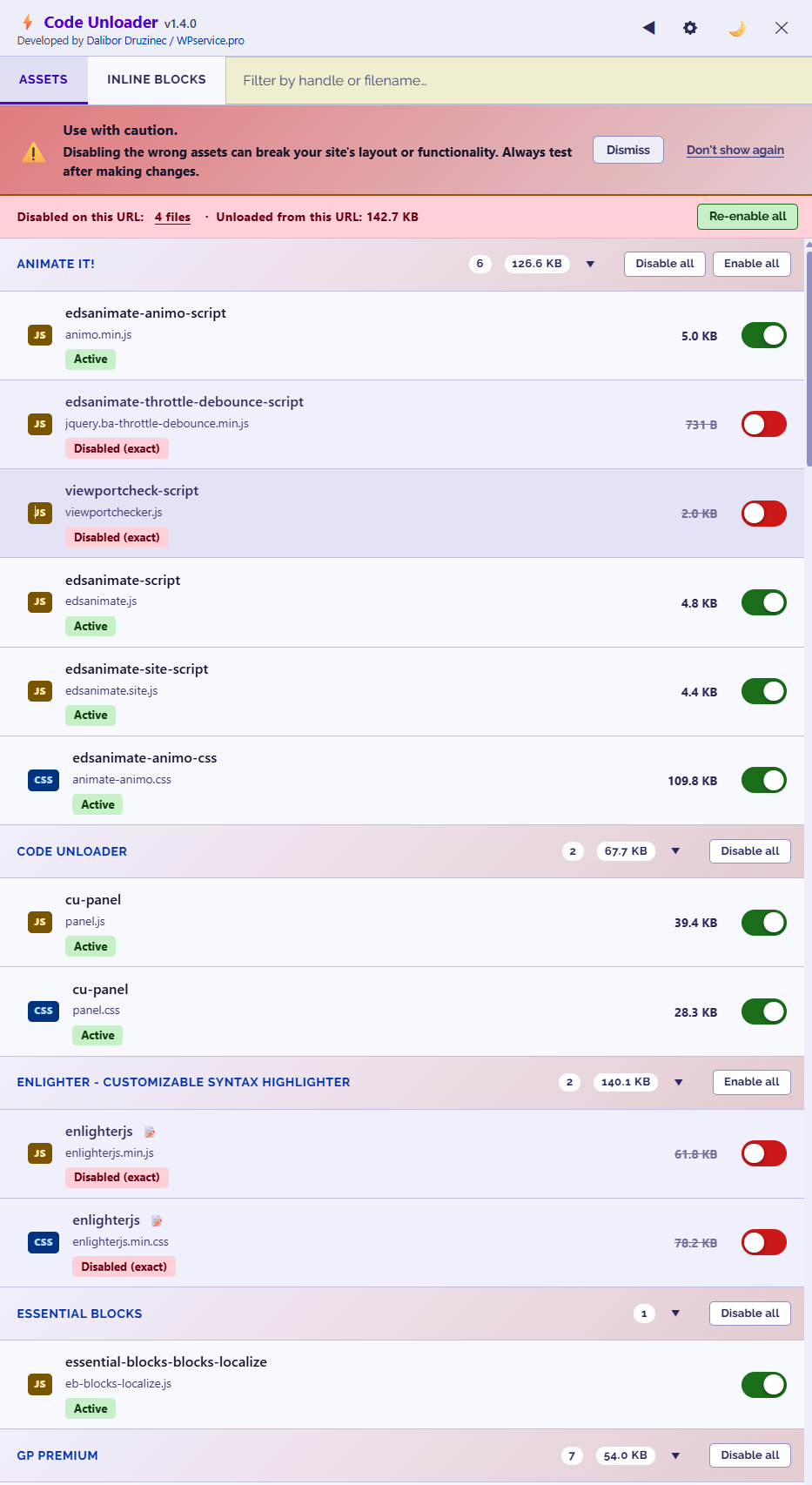
- Open any frontend page while logged in as an administrator.
- Click ⚡ Assets in the WordPress Admin Toolbar.
- Find a CSS or JavaScript file and switch it off.
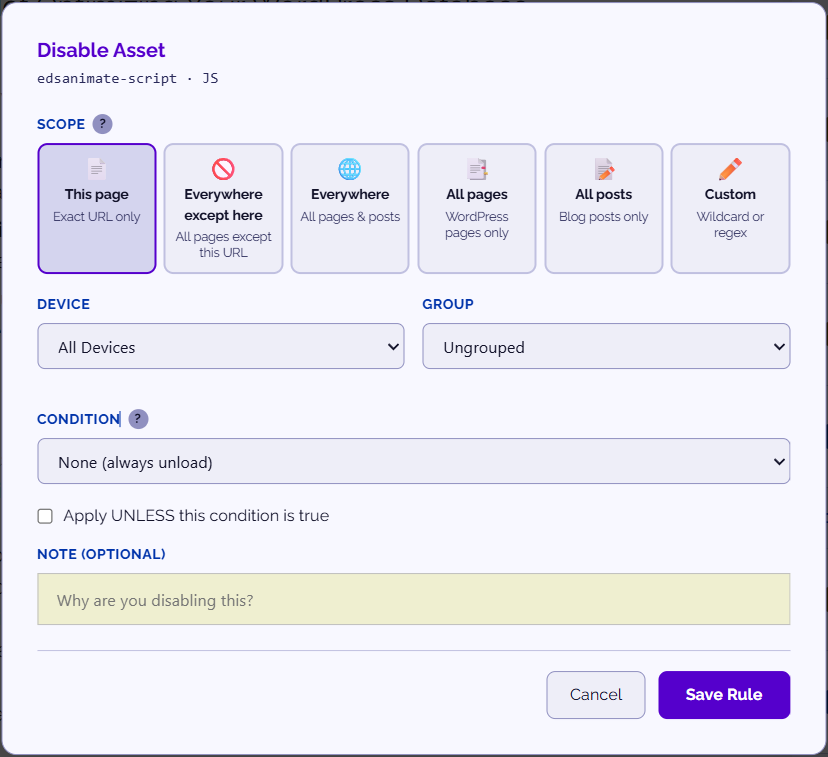
- Choose where the rule should apply: an exact URL, wildcard pattern, regular expression, device type, or condition.
- Save the rule, clear page cache if needed, and test the page.
The frontend panel groups assets by plugin, theme, or WordPress Core, making it easier to see what is loading and where it came from.
Official plugin homepage:
https://wpservice.pro/our-products/code-unloader/
Unload assets per page: scripts, styles and plugin files
WordPress registers each script and stylesheet by handle, and most plugins enqueue theirs on every page. Code Unloader dequeues those handles on the pages you choose, so a form script, slider stylesheet or page-builder bundle loads only where it is used. It works on registered files from plugins, themes and WordPress core alike, and shows you the file’s source before you unload it.
Hauptmerkmale
- Unload registered CSS and JavaScript on selected pages or across matching URLs
- Exact URL, wildcard (
/shop/*), and regular-expression matching - Conditions for logged-in users, WooCommerce pages, shortcodes, and post types
- Desktop-only and mobile-only asset rules
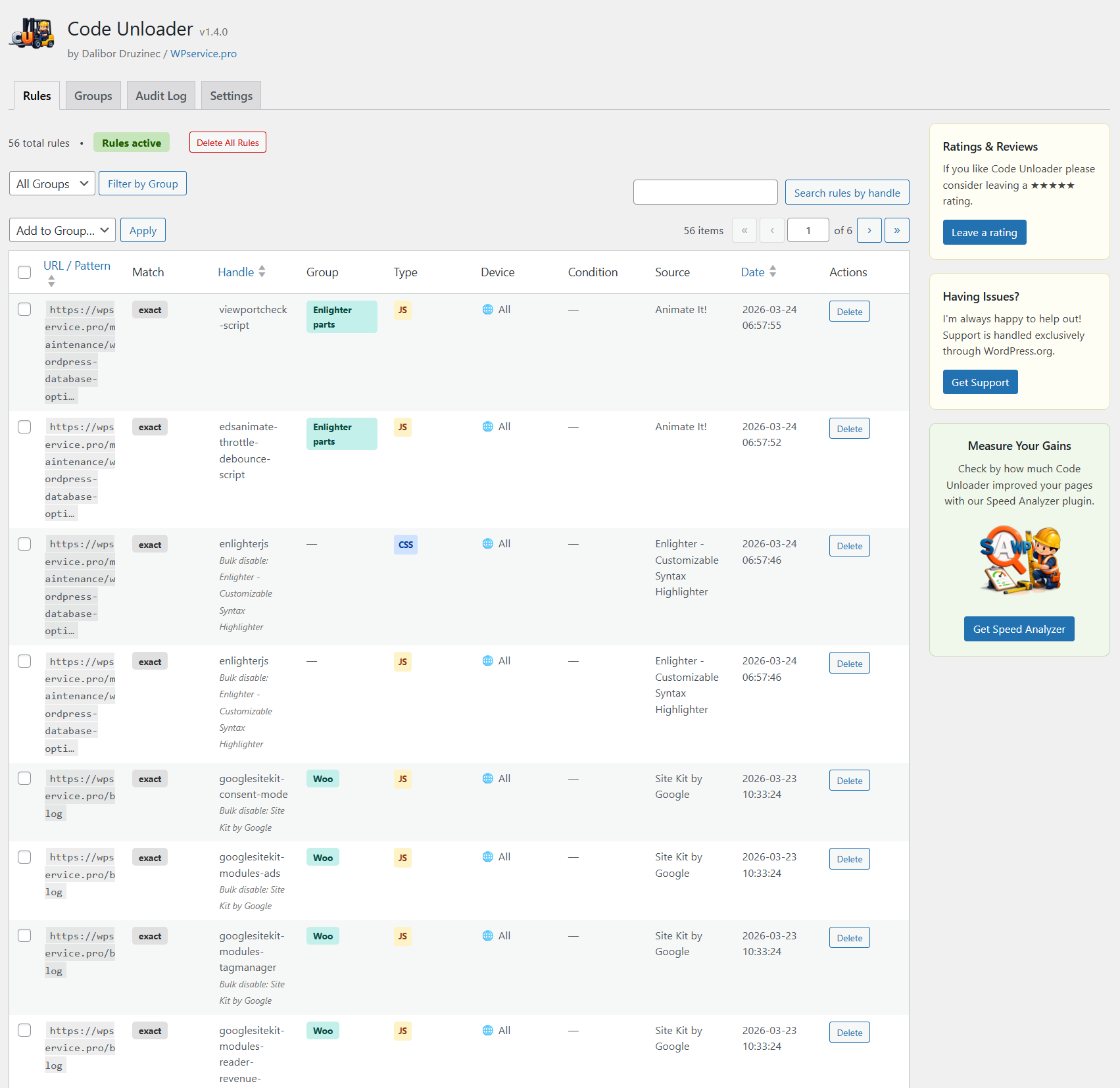
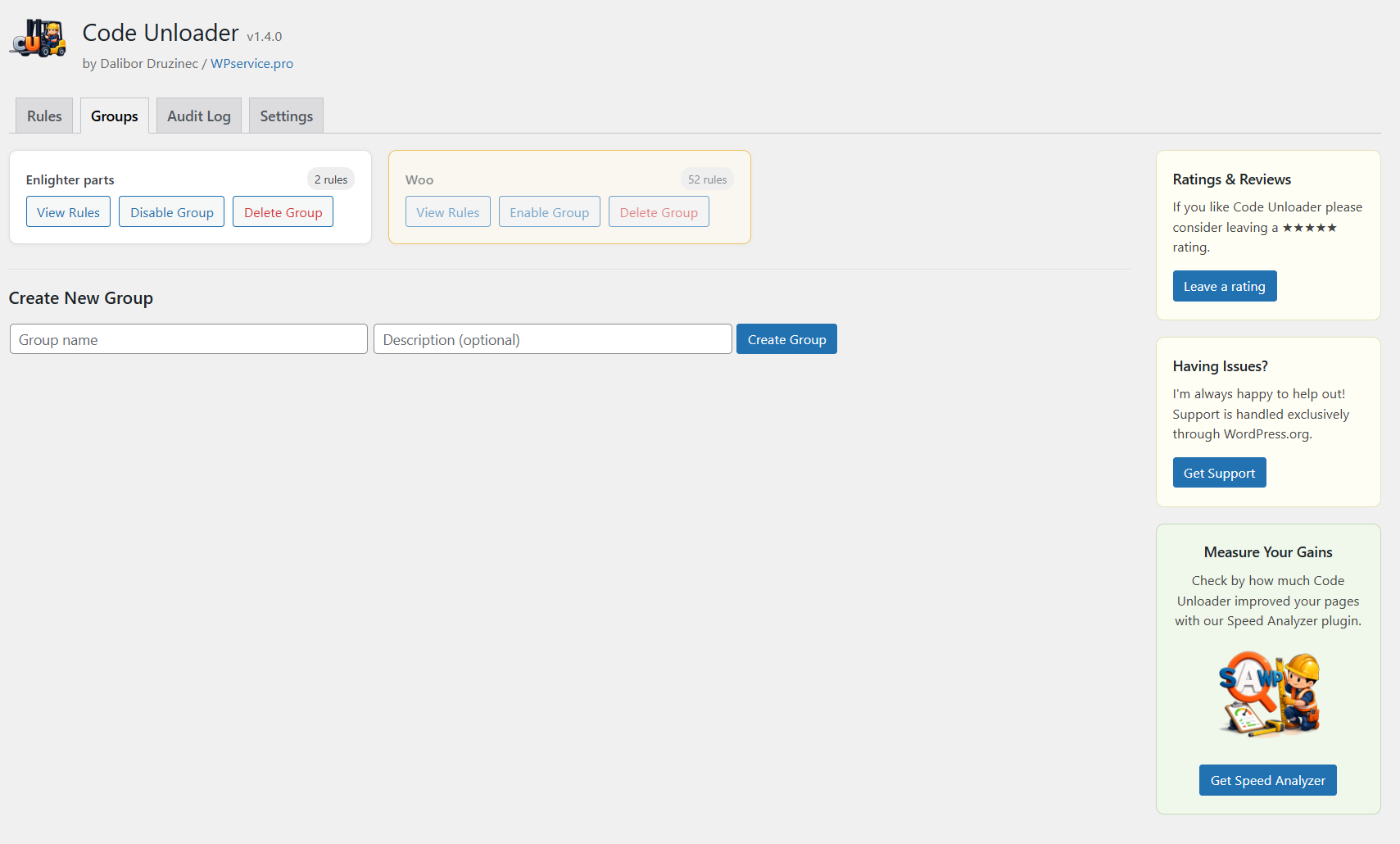
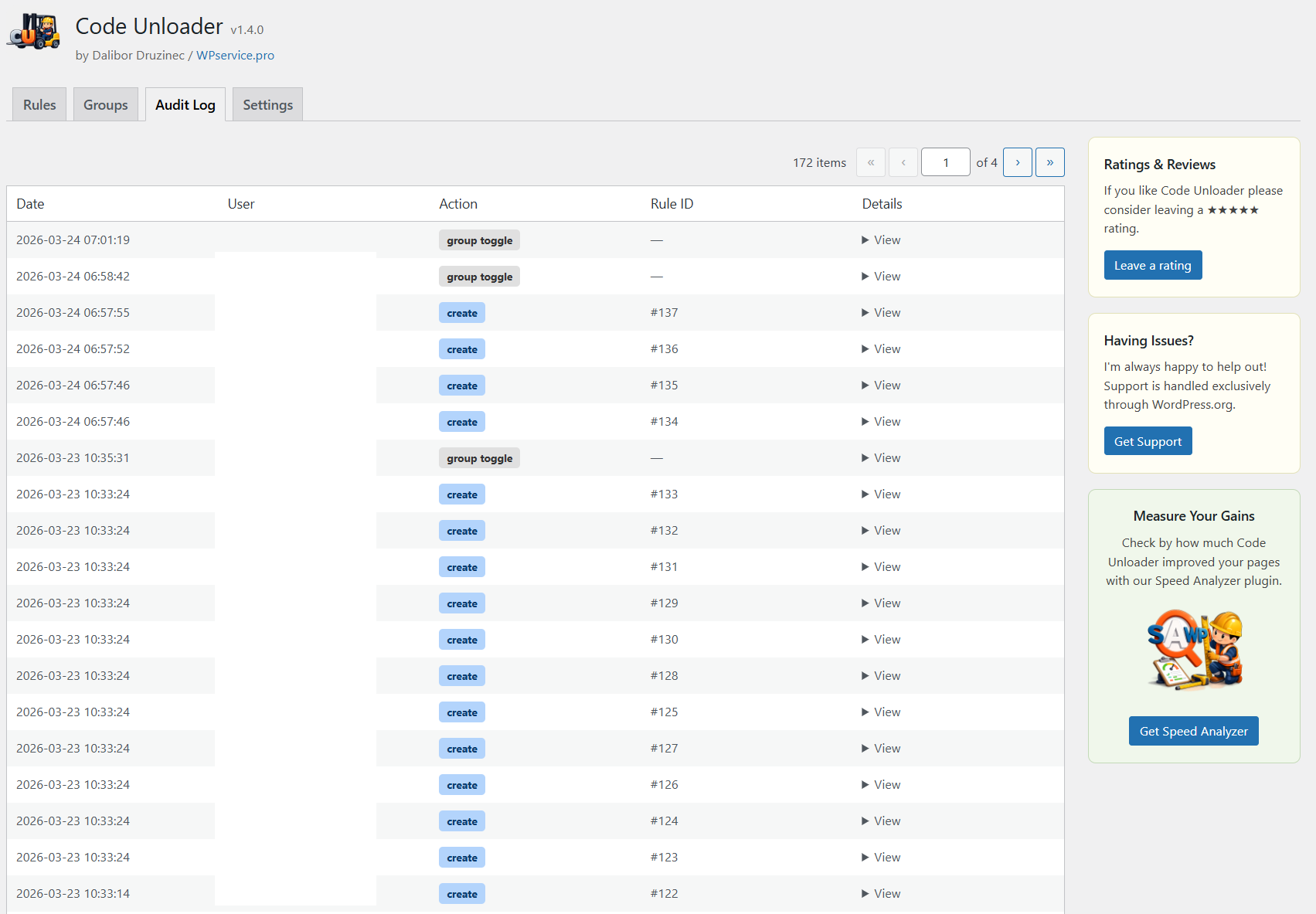
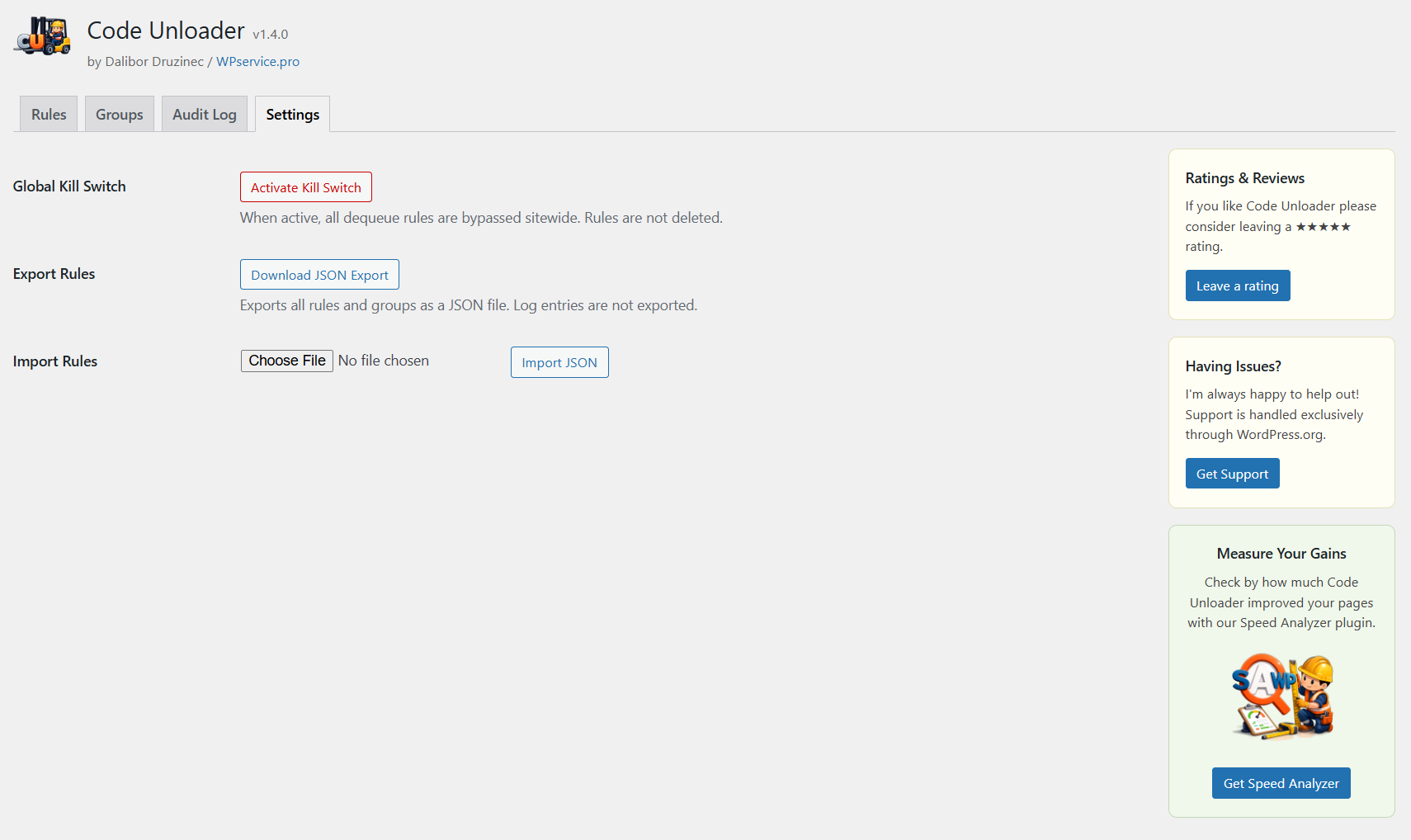
- Rule groups, global rule management, audit log, and JSON import/export
- One-click kill switch that restores all assets without deleting any rules
- Per-request
?nowpcubypass for testing the unoptimized page - Detection of inline
<script>and<style>blocks for easier investigation
Safe, reversible testing
Every rule can be disabled or deleted. If an unloaded file affects the page, append ?nowpcu to the URL to bypass all Code Unloader rules for that request. You can also use the global kill switch to restore every asset sitewide while keeping your rules saved.
Test unloading changes on a staging site first whenever possible. Removing a required CSS or JavaScript file can affect a page’s appearance or functionality.
Kompatibilität
Code Unloader is designed to work alongside common caching, optimization, e-commerce, and page-builder plugins, including WP Rocket, W3 Total Cache, LiteSpeed Cache, WP Super Cache, WooCommerce, Elementor, Divi, and WPBakery Page Builder.
PHP 8.0 or higher is required.
Installation
- In WordPress, go to Plugins > Add New Plugin and search for Code Unloader.
- Klicken Sie auf Jetzt installieren und dann Aktivieren.
- Visit any frontend page while logged in as an administrator.
- Click ⚡ Assets in the Admin Toolbar.
- Switch off an asset and choose where the unloading rule should apply.
- Test the page’s design and functionality after saving the rule.
Änderungsprotokoll
1.4.12
- Changed: the AI Assets Scanner sidebar card now links to Dr. Speed: AI Assets Scanner on WordPress.org.
- Changed: readme wording for the plugin directory search (unload assets, unload JS and CSS per page, page speed); “Tested up to” corrected to 7.1.
1.4.11
- Added: filter the Rules tab by URL. A new URL/Group switch sits at the top of the rules list; pick a URL to see only the rules stored for that page. The list opens on “All URLs”.
- Changed: the rules toolbar now filters by URL or by Group, one at a time, instead of by Group only.
- Changed: tested WordPress compatibility updated to 7.1 and plugin version bumped to 1.4.11.
- Changed: reworded the AI Assets Scanner sidebar card.
For the complete release history, see changelog.txt in the plugin folder.
Screenshots
Für Entwickler
Ist das dein Plugin? Zeigen Sie die Zahlen.
Fügen Sie Ihrer Website, Docs oder GitHub Readme ein Live-Badge hinzu. Es wird von selbst aktualisiert - kein Konto erforderlich.
Best Code Unloader alternatives
All asset manager plugins →Fragen und Antworten
Code Unloader: quick answers
Gerade Antworten, gezogen von Live WordPress.org Daten.
Quelle: WordPress.org
Is Code Unloader free?
Yes. Code Unloader is free to download and use from the official WordPress.org plugin directory.
Is Code Unloader safe to use in 2026?
Code Unloader is a solid plugin choice in 2026, with a few things worth checking first. It runs on 30+ sites, is rated 5/5 and was last updated 2 months ago, and scores 70/100 on our health check.
How many websites use Code Unloader?
Code Unloader is active on 30+ WordPress websites and has been downloaded 1,481 times since it launched in March 2026. It was downloaded 235 times in the last 30 days.
Does Code Unloader work with WordPress 7.1?
Yes. The developer has tested Code Unloader up to WordPress 7.1.5, the latest release. It requires WordPress 6.2 or newer.
What PHP version does Code Unloader need?
Code Unloader requires PHP 8.0 or higher. Most hosts run PHP 8.x today, so it works on any modern WordPress hosting.
When was Code Unloader last updated?
The latest version, 1.4.12, was released on September 30, 2026 (2 months ago).
Who makes Code Unloader?
Code Unloader is developed and maintained by Dalibor.
What are the best alternatives to Code Unloader?
The most popular alternatives to Code Unloader are Mediebank (10+ installs), Personal Finance Manager (<10 installs) and SOptimizer (<10 installs).
Angetrieben von PageForge
Eine Vorlage und eine Tabelle. Eine echte Seite für jede Suche.
PageForge Verwandelt jede Zeile eines CSV in eine WordPress-Seite mit eigenem Titel, URL, SEO Felder und Schema entworfen. Kostenlos auf WordPress.org.
- CSV und XLSX, plus Google Sheets auf Beruf und Unternehmen
- seinen eigenen Titel, URL, SEO Felder und Schema für jede Seite
- Arbeitet mit dem Blockeditor, Elementor, Divi und Avada
- Kostenlos auf WordPress.org, keine Kreditkarte